
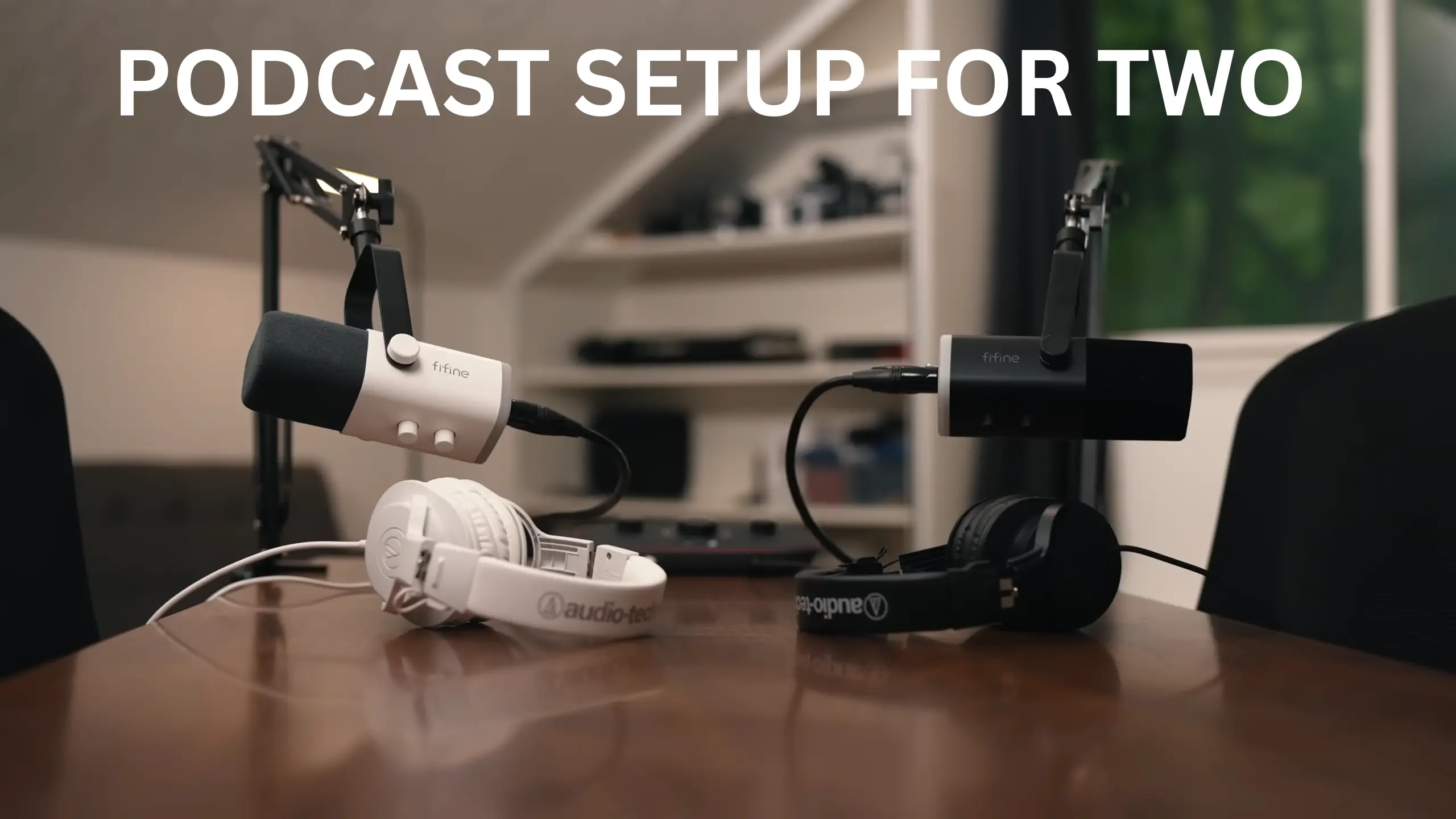
How to Build the Best Podcast Setup for Two People

You and a co-host want to start a podcast. Maybe you’re across the same table. Maybe you’re in different cities. Either way, the same question comes up fast: what is the best podcast setup for two or more?
Good news. A two-person setup is mostly a solo setup, doubled in the right places. The key is that each voice gets its own track. Whether recording in the same room or remotely, here’s what we found about the podcast setup for two.
One Rule Beats Every Gear List
When two people share a single mic, you get one messy track where every cough, laugh, and talk-over is baked in forever. You can’t fix what you can’t separate.
The Champion Rule: Record each person on a separate track, and editing gets easy.
Mute a sneeze on one channel without touching the other. Lower the loud host and lift the quiet one. Clean up the moments where you both start a sentence at once. That’s why a two-person rig costs more than a solo one: you’re paying for two clean signals, captured independently. Every choice below serves that goal.
Recording a Podcast In The Same Room
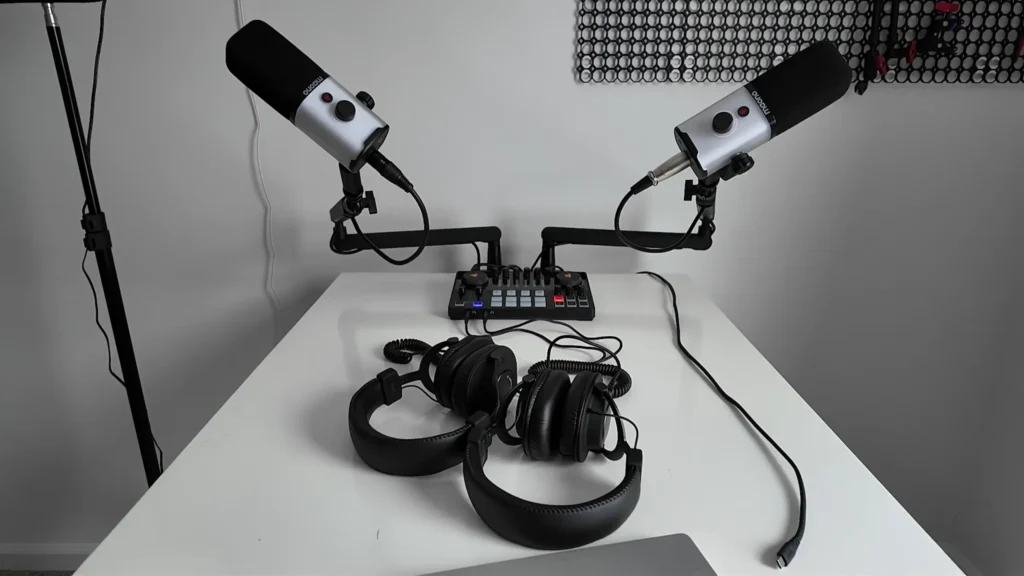
Two people, two mics, one table. It sounds the best and feels the most natural to record — and it asks the most of your gear. Here’s the full in-room kit at a glance:
| Gear | Why do you need it | Options mentioned |
|---|---|---|
| 2 dynamic mics (USB + XLR) | One clean signal per host; dynamic rejects room noise | FIFINE AM8, FIFINE K688 |
| Audio interface (2 XLR inputs) | Records both mics cleanly on separate channels | Focusrite Scarlett 2i2, Focusrite Vocaster 2, MOTU M2, |
| 2 wired headphones (+ amp) | Live monitoring; an amp keeps volume up on a shared jack | FIFINE H8 Studio Headphone |
| Mic arms or accessories | Hold the mic at mouth height; a pop filter and windscreen tame plosives | FIFINE BM88 Boom Arm |
| Recording software | Captures each mic as its own track | GarageBand, Audacity (free); Adobe Audition, Pro Tools (paid) |
| Portable recorder (mobile option) | Laptop-free, multitrack recording on the road | Zoom H5, Zoom H6 |
Two Microphones, and Go Dynamic
For the microphone type, go with a dynamic microphone. A dynamic mic mostly picks up sound coming straight into it and ignores the rest of the room. That’s exactly what you want with two people close together. Condenser and shotgun mics are far more sensitive to everything around them, which suits a treated studio more.
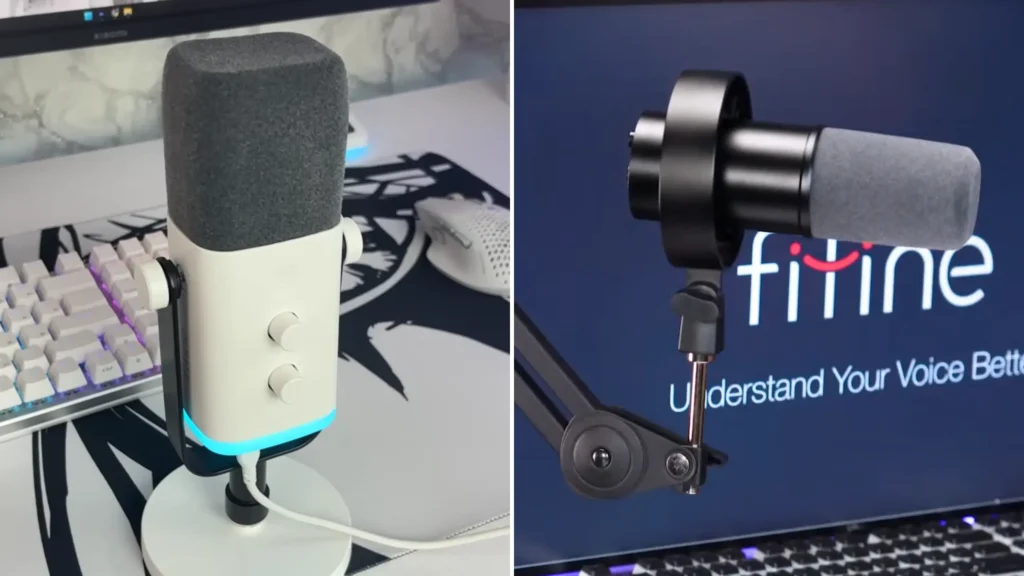
Then, chase a mic that does both USB and XLR. Plug and play via the USB input, then connect to an audio interface via XLR. The FIFINE AM8 microphone is built this way. This cardioid dynamic mic works with USB and XLR modes. It grows with the show rather than being replaced by it.
For more clarity for studio quality? The FIFINE K688 mic works for it specifically. Also featuring dynamic type, USB, and XLR connections, FIFINE K688 allows a versatile and convenient recording.
An Audio Interface with Two XLR Inputs
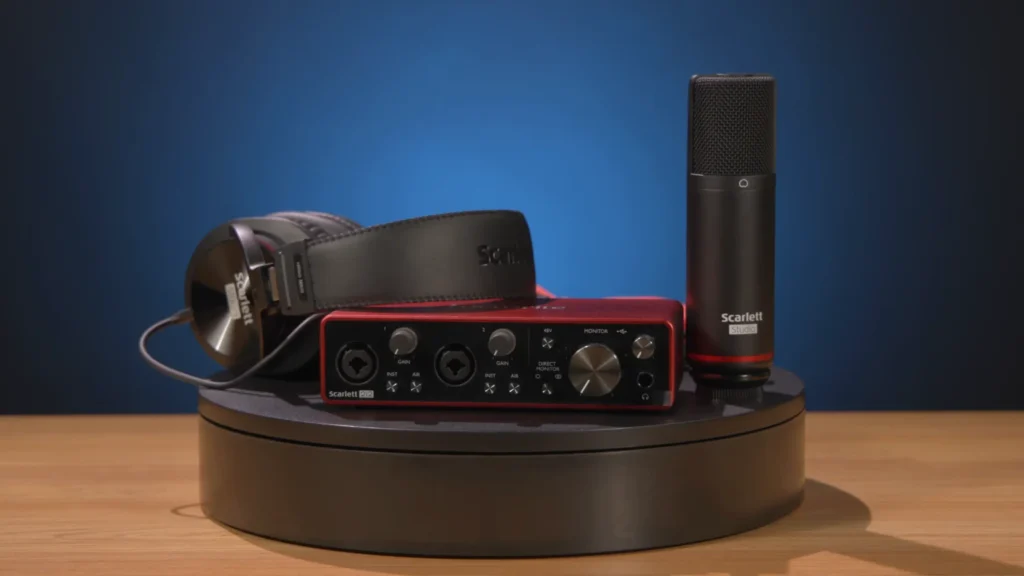
An audio interface is what records two XLR mics into a computer cleanly. The non-negotiable spec is two XLR inputs, one per mic.
A few features you should check:
- Per-mic gain: a loud and a quiet host can be balanced before you record.
- Auto gain: on units like the Focusrite Vocaster 2, which sets your level for you.
- A level meter. Aim for the yellow, kiss the red on the loudest moments, and never sit in the red.
The Focusrite Scarlett 2i2 is a common first interface. If you record on the move, a portable unit like the Maono Caster adds a built-in battery and a pad for triggering sounds live. Watch one trap: The two mic inputs should be real XLR channels, not a 3.5mm jack and an XLR jack.
Bonus Tips: Will you ever add a third or fourth person? An interface with more input makes adding seats later painless.
Two Pairs of Headphones
A studio headphone can monitor your own voice live, letting you catch problems and fix them promptly, and closed-back, over-ear pairs keep sound from leaking back into the mics.
Comfort matters most, since ear fatigue ends sessions early. The FIFINE H8 studio headphone is a value pick, with a detachable coiled cable and a fit that holds up over long sits.
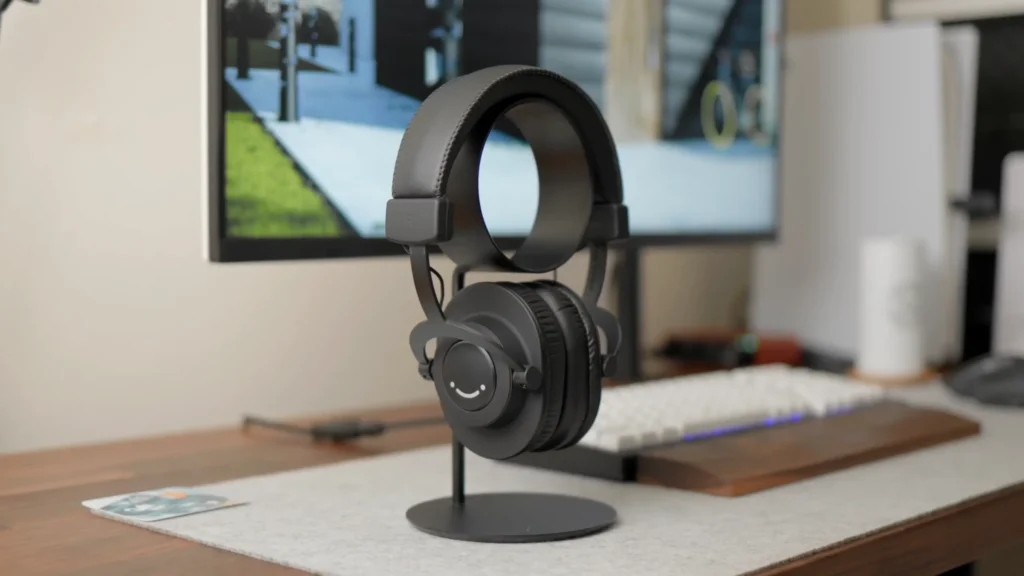
One catch: If your interface has one output and two pairs of ears, add a small headphone amplifier so both hosts hear clearly at full volume.
Mic Arms and Accessories
A mic flat on the desk grabs every bump and keystroke. A mic arm lifts it to mouth height and clears your space.
A low-profile microphone boom arm like FIFINE BM88 holds its position, and its ball head makes angling toward each host quick. Built-in cable management keeps the shot clean if you add video.
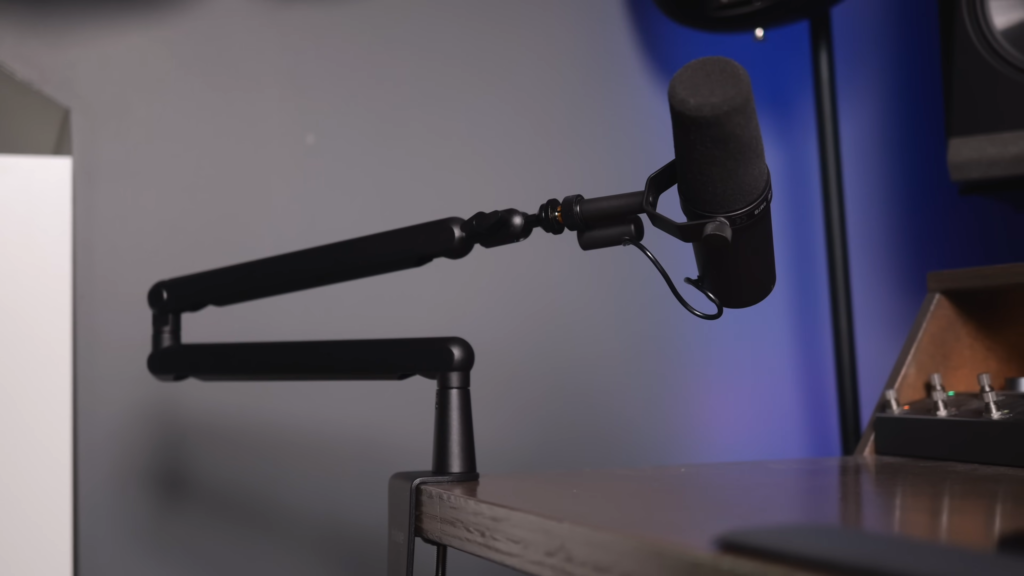
Two small extras finish the kit. A pop filter softens the hard “p” and “b” sounds that thump the mic. A foam windscreen does similar duty and tames wind or breath noise when you record outside a controlled room. Combining these microphone accessories, the recording will be more effortless.
Software to Record It All
GarageBand and Audacity are free and handle multitrack recording, which is all you need to keep the two channels separate. Adobe Audition and Pro Tools are the paid step-ups when you want more editing power. Set your software’s input and output to your interface, and you can record multiple FIFINE microphones on one computer.
Going Fully Mobile: the Recorder Route
If your show happens on the road, a portable recorder can save you. A Zoom H5 gives you two XLR inputs, records in high-quality WAV files, and captures multitrack, so you can still adjust one host without touching the other. The Zoom H6 adds inputs and expands further with an add-on capsule.
Recorders shine on the move because the controls are right there — real dials let you ride levels on the fly. Pack a basic 32GB SD card, a handful of AA batteries for when there’s no outlet, and a foam windscreen per mic for rough environments.
Remote Podcast Setup for Two
If you and your co-host aren’t in the same place, remote recording is the easier, cheaper path. Here’s what you may need:
| Gear | Why Do You Need It | Options Mentioned |
|---|---|---|
| USB mic (per host) | Each person records into their own computer | FIFINE AM8 |
| A device | To join the call | Laptop, iPad, or smartphone |
| Wired headphones (per host) | Stops the guest’s audio from leaking back into your mic | FIFINE H8 Studio Headphone |
| Remote recording software | Acts as the interface and records each person locally | Riverside (separate tracks on paid plans) |
The kit per person is short: one USB mic into your own computer (a hybrid like the FIFINE AM8), a device to join the call (laptop, iPad, or smartphone), a pair of wired headphones, and remote recording software such as Riverside.
The clever part is how good software records. Instead of capturing the laggy, compressed call, it records each person locally on their own machine, then uploads those files to the cloud as you go.
A bad connection might make the live call stutter, but the saved recording stays clean. In Riverside, free plans return a single combined track. For advanced editing, the paid plans allow you to download separate tracks for each person, which is the “own track per voice” rule.
More Than Two: Podcast Setup For Multiple People
Three or four people, and most of the playbook holds — the gear just scales. Two things change.
| Hosts | XLR inputs you need | Example interfaces | Key extra |
|---|---|---|---|
| 2 | 2 | Focusrite Scarlett 2i2, MOTU M2, Maono Caster | — |
| 3 | 3–4 | Zoom PodTrak P4, MOTU M6, Focusrite Scarlett 18i8 | Confirm it records separate tracks |
| 4 | 4+ | RØDECaster Pro II | Look for multiple headphone outputs |
First, the interface. Step up to one with four or more XLR ports. The MOTU M6 and Focusrite Scarlett 18i8 both sit around $400, while the Zoom PodTrak P4 is a budget option that records four mics straight to an SD card.
Second, watch your tracks. If you’re capturing three or four people in a room and want to edit them apart, confirm your interface and software hand back separate tracks before you commit. The mics can stay simple, mix and match whatever dynamic mics you already own.
Updated Step: Recording A Video Podcast
Want to update to a video podcast on YouTube or other platforms? You don’t even need a cinema rig to start.
Your phone can record your podcast easily without the complex steps. In the same room, point one phone at the frame, both hosts, or set up one phone per person and sync the angles in editing for a multicam look. On a Mac, Continuity Camera turns an iPhone into a sharp wireless webcam.
The accessories? Consider an inexpensive tripod and a phone mount, ideally magnetic if you’re on an iPhone. Add a single soft light if your room is dim. If you know you’ll be on camera, a mic with RGB lighting looks the part on screen, though it adds nothing to the audio.
Bonus Tips: Three Habits That Matter More
Gear gets you a clean signal. These habits get you a good-sounding show.
Keep a consistent distance from the mic. Your microphone placement matters more. Pick a distance, roughly a fist from the mic, and hold it. Also consider the proximity effect. You can even out small differences later, but starting consistent saves the work.
Set your levels before you hit record. Talk at the real volume and energy you’ll use on the show, watch your meters, and dial in each mic’s gain then. A quiet sound check that doesn’t match your real voice is how recordings end up too hot or too soft.
Fix the rest in post. Even with good habits, one host runs louder or drifts off-mic for a stretch. A quick pass to match volume across the whole episode keeps the listener off the volume dial.
Start Your Podcast with Your Hosts
Holding a two-person podcast doesn’t need complex setups. The best podcast setups for two only need four cores: two dynamic hybrid mics like the FIFINE AM8, an interface with two real XLR inputs, two pairs of comfortable studio headphones, such as the FIFINE H8, and a pair of sturdy arms like the FIFINE BM88.
Record into free software, lean on the three habits above, and you’ll sound far better than the price suggests. Either way, you don’t need the most expensive gear in the room. You need two clean tracks and the discipline to use them well. Everything else is the luxury of an upgrade.
FAQ
Can two people just share one microphone?
You can, but you shouldn’t. One shared mic means one track, so every cough, laugh, and talk-over is locked together with no way to fix them apart. Two mics on two tracks is the whole reason a two-person setup is worth building.
Do I really need an audio interface?
For two XLR mics in the same room, yes — it’s what records both cleanly on separate channels. You can skip in two ways: record remotely, where each person uses a USB mic on their own computer, or use a portable recorder like a Zoom for an in-person, laptop-free kit.
Should I get a USB or an XLR mic?
Get one that does both. A hybrid like the FIFINE AM8 runs over USB straight into a laptop today and over XLR into an interface when you upgrade, so you don’t rebuy a mic to grow.
Dynamic or condenser for podcasting?
Dynamic, which is a safer default for two people. It focuses on the voice in front of them and rejects most of the room, keyboard, AC, and mic bleed, while condensers pick up far more of it.
What’s the cheapest way for two people to record?
Remotely. Each host needs only a USB mic, headphones, a computer, and recording software — no shared interface or arms. In-person costs more because you’re buying the interface and stands that the software handles for you online.
