
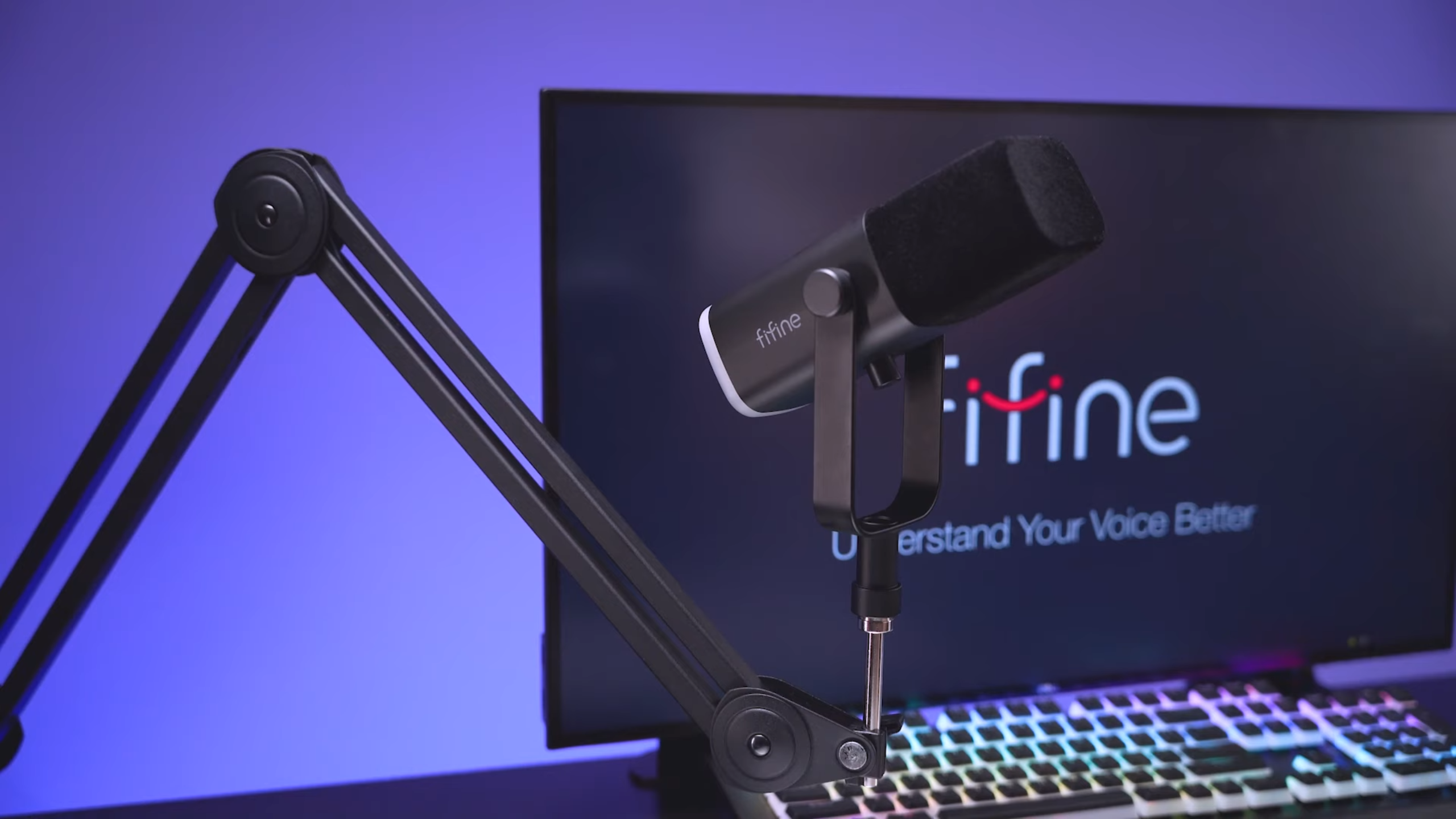
FIFINE AM8 Review: A New $55 Budget Microphone

For the actual “budget”, the FIFINE AM8 represents a new wave of affordable audio gear. This dynamic microphone lets you use USB and XLR simultaneously, opening up interesting possibilities for recording backups or future upgrades.
We’ve spent weeks testing this mic across various scenarios: USB direct to computer, XLR through professional interfaces, and compared against everything from the $20 Neewer NW-800 to the $400 Shure SM7B. Among the detailed AM8 review, we finally understand why the FIFINE AM8 packs good vocal clarity, compatibility, and value at only $55. So here’s what we found.
A Quick View on FIFINE AM8 Microphone
Overall Score: 8.2/10
| Metric | Score |
| Sound Quality | 8/10 |
| Build Quality | 7/10 |
| Value for Money | 9.5/10 |
| Features | 8.5/10 |
| Ease of Use | 9/10 |
| Noise Rejection | 8/10 |
Pros
- Exceptional value at the $55 price point
- Dual USB and XLR connectivity with simultaneous output
- Built-in headphone jack for zero-latency monitoring
- Customizable RGB lighting with multiple modes
- Plug-and-play operation—no drivers required
- The cardioid pattern delivers solid background noise rejection
- Includes tabletop stand, USB-C cable, and 5/8″ + 3/8″ thread adapter
Cons
- Weak mounting tension screws cause positioning issues
- Touch-sensitive mute button can trigger accidentally
- No shock mount included (picks up desk vibrations)
- The build is primarily plastic
- Using XLR disables all onboard controls (mute, gain, headphone)
- 16-bit conversion only via USB (though adequate for most uses)
Am8 Sound Quality Review
Score: 8/10
Let’s address the elephant in the room first: the FIFINE AmpliGame AM8 Microphone has no business sounding. Running through a Rodecaster Pro 2 with 45 dB of gain and zero processing, the AM8 produces clear, usable audio that would’ve been unthinkable from a sub-$60 mic just a few years ago.
The sound signature leans slightly V-shaped. You get a robust low end and low-midrange that adds warmth and body to voices, while the highs receive a subtle boost. The midrange also takes a backseat to the bass and treble, which actually works well for spoken word applications.
Compared directly to the FIFINE K688 ($73), the AM8 sounds brighter and crisper. The K688 has a bassier, flatter presentation that some might prefer for podcasting, but the AM8’s more forward sound cuts through better in gaming and streaming contexts.
But you need to be close. At 2-3 inches from the capsule, you get the full, rich sound. Pull back to 6 inches, and you start losing low-end warmth. At 10-12 inches (where the included desktop stand places most users), you’ll need to crank the gain to 100% and accept a thinner sound.
AM8 Review on Build Quality
Score: 7/10
This is where the AM8’s budget origins show most clearly, though not as dramatically as you might expect.
The body is primarily plastic—there’s no getting around that. But it’s not cheap-feeling plastic. The windscreen (that distinctive foam “clown nose,” as one reviewer affectionately called it) is removable and feels genuinely nice to the touch. Beneath it sits a metal grill protecting the capsule, which provides reassurance that the most critical component has proper protection.
The design clearly takes inspiration from mics like the Blue Sona and borrows yoke design elements reminiscent of the Shure SM7B. It’s an attractive mic, especially in white (also available in black and pink), that fits the streaming/gaming aesthetic without looking like a toy.
Where build quality concerns emerge:
- The mounting system: Those tension screws are plastic and weak. If you’re using an XLR cable or headphones plugged into the back, any cable tension can yank the mic out of position. This fundamentally undermines one of the AM8’s best features—its dual connectivity.
- The dials: They work, but they have a bit of play to them. The gain and headphone volume knobs don’t have that satisfying resistance you’d find on higher-end gear. Plus, the different tensions make the quality control a little more difficult.
- Long-term durability: It’ll serve you well for a defined period, but it’s not a “forever mic.” Think of it like a disposable lighter—incredibly useful while it lasts, but don’t expect it to survive decades of professional use.
- Comparison note: For context, the Rode PodMic ($99) is built like a tank—you could probably run it over with a car, and it would keep working. The AM8 is not that. But the AM8 also costs nearly half as much.
AM8 Features Review
Score: 8.5/10
For a $55 microphone, the feature set here is genuinely impressive.
Dual USB + XLR Connectivity
This is the AM8’s killer feature. You can output via USB and XLR simultaneously, which opens up several useful scenarios:
- Run USB to your computer for streaming while sending XLR to a dedicated recorder as backup
- Use USB now, then seamlessly upgrade to a proper audio interface later without buying a new mic
- Record to two separate sources for redundancy
Important caveat: When using XLR only, all onboard controls become non-functional. The mute button, gain dial, headphone output, and RGB lighting all require USB power. This essentially makes the AM8 a basic dynamic mic when running XLR-only.
Onboard Controls
- Gain dial: Adjusts input sensitivity (USB mode only)
- Headphone volume dial: Controls zero-latency monitoring output (USB mode only)
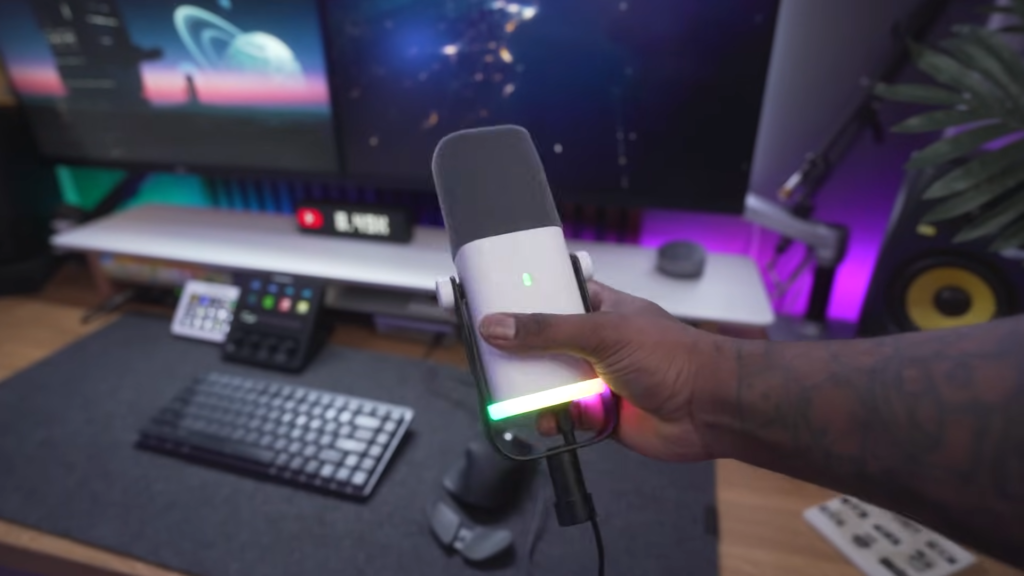
- Touch mute button: Taps to mute/unmute the USB output (shows red ring when muted)
The zero-latency monitoring via the 3.5mm headphone jack is genuinely useful. No dealing with audio delay from your computer’s processing—you hear yourself in real time.
RGB Lighting
Love it or hate it, RGB is here. The AM8 offers multiple lighting modes: solid colors, a rainbow spectrum, transitioning colors, or completely off. Press and hold the lighting button to disable if the gamer aesthetic isn’t your thing. The lights only function when connected via USB.
Included Accessories
- Desktop stand (functional but positions the mic 10-12″ from your face)
- USB-C to USB-A cable (approximately 2 meters)
- Built-in 5/8″ and 3/8″ thread adapter (no external adapters needed for boom arms)
That built-in thread adapter is a small touch that Rode also does, and it’s brilliant. No hunting for adapters when you mount to a boom arm.
Ease of Use
Score: 9/10
Plug it in. Start talking. That’s genuinely all there is to it.
The USB connection allows no drivers to install, no software to configure, and no gain staging to figure out if you’re new to audio. It shows up as an audio device on Windows, Mac and should work with gaming consoles and mobile devices that support USB audio.
If you’re a student, a remote worker, or someone just starting to stream, you don’t want to fight with audio interfaces, gain staging, and DAW configuration. You want to plug something in and sound better immediately. The AM8 delivers on that promise.
One notable usability issue: Those touch-sensitive buttons are positioned where you naturally grab the mic to adjust it. Multiple reviewers (ourselves included) have accidentally muted the mic or cycled through RGB modes. Since the mute button has no tactile feedback, you might easily mute yourself even if you’ve recorded 20 mins.
The Noise Rejection of AM8
Score: 8/10
As a cardioid dynamic microphone, the AM8 rejects off-axis sound quite well. Speaking directly into the front produces full, clear audio, while sounds from the sides and rear are dramatically reduced.
In our testing, moving to 90 degrees from the front caused significant signal degradation. At 180 degrees (speaking into the back of the mic), rejection was excellent. This is exactly how a cardioid pattern should behave.
- Keyboard and desk noise: The AM8 picks up mechanical keyboard clatter and desk thumps, which includes a basic shock mount. If you’re a heavy typist or tend to bump your desk, you’ll hear it in your recordings.
- Room treatment comparison: We tested the AM8 in both a well-treated studio space and a completely untreated room. The difference was noticeable but not dramatic—the dynamic capsule and cardioid pattern do their job, keeping room reflections manageable.
- Plosive handling: The included windscreen helps reduce plosives (those harsh “P” and “B” sounds), but it’s not perfect. “Peter Piper pitched a podcast” still produces some pops at close range. A pop filter is recommended for serious vocal recording.
Who Is This Product For?
| User Type | Recommendation | Why |
| Beginning streamers/gamers | ✅ Highly Recommended | RGB aesthetic, easy setup, sounds great for the price |
| Budget podcasters | ✅ Recommended | Solid voice quality, though K688 may be better for pure podcasting |
| Work-from-home professionals | ✅ Recommended | Major upgrade from laptop mics, plug-and-play convenience |
| Students | ✅ Highly Recommended | Affordable, easy to use, looks good on camera |
| Hobbyist music recording | ⚠️ Consider alternatives | Usable for demos, but upgrade to $100+ range for serious recording |
| Professional podcasters | ⚠️ Consider alternatives | Build quality and mounting issues may frustrate professionals |
| Audio engineers/producers | ❌ Not recommended | Look at the Rode PodMic, Sennheiser Profile, or Lewitt LCT240 Pro |
FIFINE AM8 Alternatives
1. FIFINE K688
Price: ~$73
Pros:
- Includes a shock mount for better vibration isolation
- More adjustable mounting angle
- Bassier, flatter sound profile preferred by some podcasters
- Same USB/XLR dual connectivity
Cons:
- More “podcaster” aesthetic vs. gamer/streamer look
- Slightly higher price
- Heavier unit
Best for: Podcasters who prioritize practical features over RGB aesthetics and want better desk noise rejection out of the box.
2. Samson Q2U
Price: ~$70
Pros:
- Proven track record in the podcasting community
- USB and XLR connectivity
- More compact form factor
- Metal construction feels more premium
Cons:
- No RGB lighting
- Fewer onboard controls
- Less “modern” design aesthetic
Best for: Podcasters and content creators who prioritize proven reliability over flashy features.
3. Rode PodMic
Price: ~$99
Pros:
- Built like a tank—exceptional durability
- Excellent sound quality
- Internal pop filter
- Trusted brand in professional audio
Cons:
- XLR only—requires audio interface
- Higher price point
- No USB convenience
- May require EQ to sound optimal
Best for: Users ready to invest in an audio interface who want a mic that will last for years of professional use.
4. Sennheiser Profile
Price: ~$99
Pros:
- Exceptional handling of noise rejection
- USB-only simplicity with premium sound
- Mix control for balancing input/output
- Compact and travel-friendly
- Virtually no handling noise
Cons:
- USB only—no XLR upgrade path
- Higher price
- No RGB lighting
Best for: Frequent travelers and professionals who need reliable USB audio without handling noise issues.
5. Lewitt LCT240 Pro
Price: ~$99
Pros:
- Significantly better build quality
- Exceptional sound quality for the price
- The condenser offers a different tonal character
- A mic you won’t outgrow quickly
Cons:
- XLR only—requires interface and phantom power
- No USB option
- No onboard controls
Best for: Users with an existing audio interface who want a “forever mic” at an accessible price point.
Final Thoughts on AM8 Review
If you need a budget microphone that sounds great, looks good on camera, and won’t require an audio interface to get started, the AM8 is hard to beat. As an entry point into better audio—one you can grow with thanks to that XLR output—it’s genuinely excellent value.
For those with slightly more budget, the Rode PodMic ($99) offers better durability if you’re committed to XLR, or the Sennheiser Profile ($99) delivers premium USB audio without the mounting headaches. But at $55? The AM8 sets a new standard for what budget mics can achieve.
FAQs
Can I use the FIFINE AM8 with a gaming console?
Yes, the AM8 works with PlayStation and other consoles like PS5 that support USB audio devices. But it doesn’t work well with Xbox, so we don’t recommend it if you want to play with Xbox.
Does the AM8 require any software or drivers?
No. The AM8 is completely plug-and-play on Windows, Mac, and compatible gaming consoles. No drivers or software installation needed—just connect via USB and select it as your audio input.
Why don’t the controls work when I use XLR only?
The onboard controls (mute button, gain dial, headphone volume, and RGB lighting) require USB power to function. When using XLR only, the microphone operates as a basic dynamic mic without these features.
How does the AM8 compare to the FIFINE K688?
The K688 has a bassier, flatter sound profile preferred by some podcasters, includes a shock mount, and offers more adjustable positioning. The AM8 sounds brighter/crispier, has RGB lighting, but lacks a shock mount. Choose based on whether you prioritize the gamer aesthetic (AM8) or practical podcasting features (K688).
Do I need a boom arm for the AM8?
While the included desktop stand works, it positions the mic 10-12 inches from your face, requiring high gain and producing a thinner sound. A boom arm lets you position the mic 2-3 inches from your mouth, where it sounds best. We recommend the FIFINE BM88 low-profile boom arm or similar.
