

Is 7.1 Surround Sound Good for Gaming? The Honest Answer

Many fifine gaming headsets feature 7.1 surround sound that works well for gaming. Have you used it? Does this technology in your headset actually help you hear the cues better? We can say that it expands your sense of space. Once you understand that difference, choosing gear gets a lot easier. Follow us and dive into 7.1 surround sound.
What Is 7.1 Surround Sound?
Seven main speakers plus one subwoofer
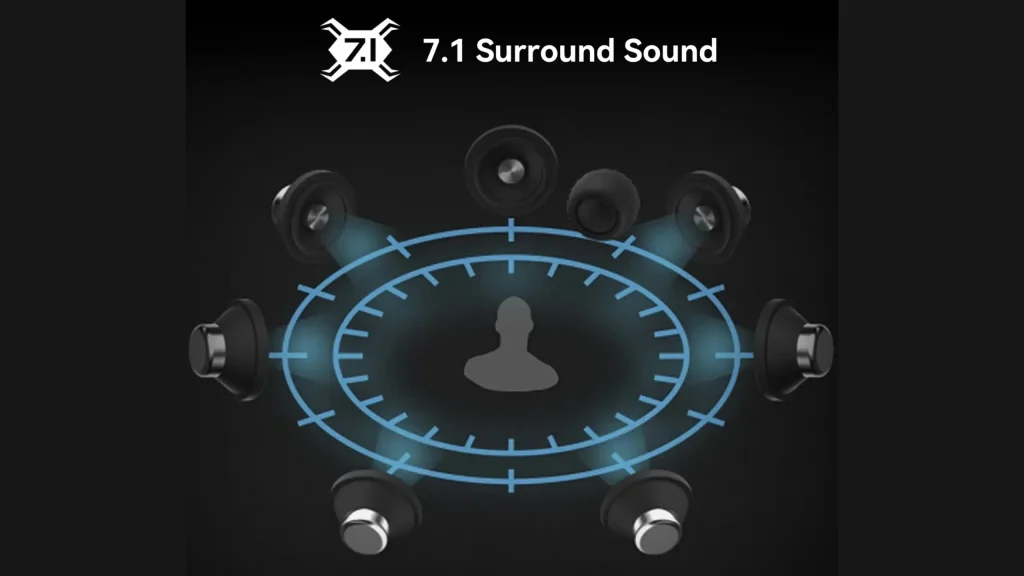
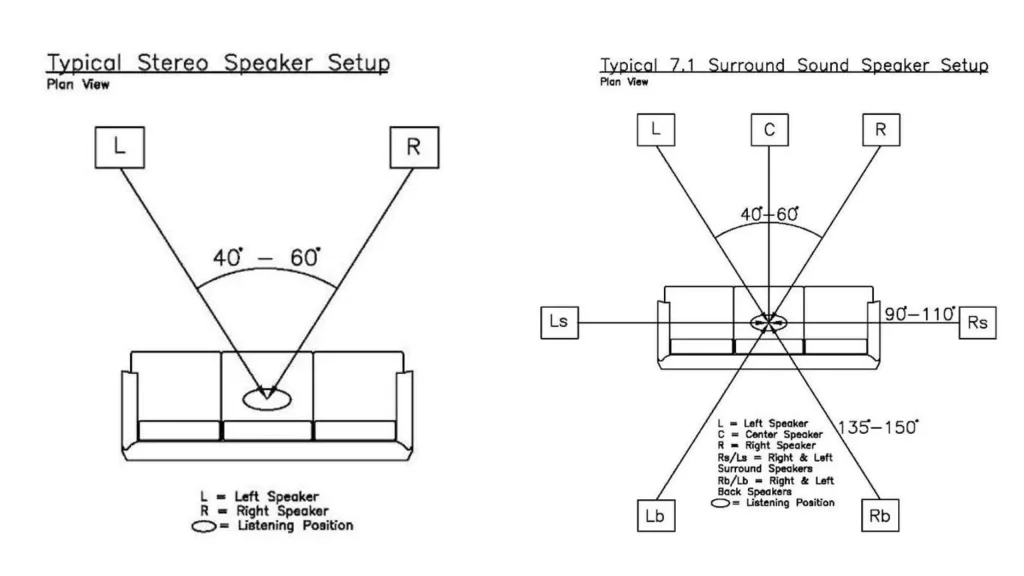
Surround sound is an audio technique that uses multiple channels to place sound all around you, rather than just left and right. The numbers name the hardware: 7.1 means seven main speakers plus one subwoofer, positioned around a listening spot to build a full 360-degree field.
How it works
A surround mix isn’t one blended soundtrack. It’s separate channels, each assigned to a position in the room.
- Sound designers place audio in space. A helicopter isn’t just “loud” — it’s assigned to a specific channel at a specific moment.
- Your system routes each channel to its speaker. Front, center, sides, rear.
- Movement happens by handing sound between channels. A plane passes from front left to rear left because the mix moves it there.
- The “.1” handles the low end. The subwoofer carries bass, which your ears can’t locate directionally anyway.
The more positions you have, the smoother a sound can travel between them.
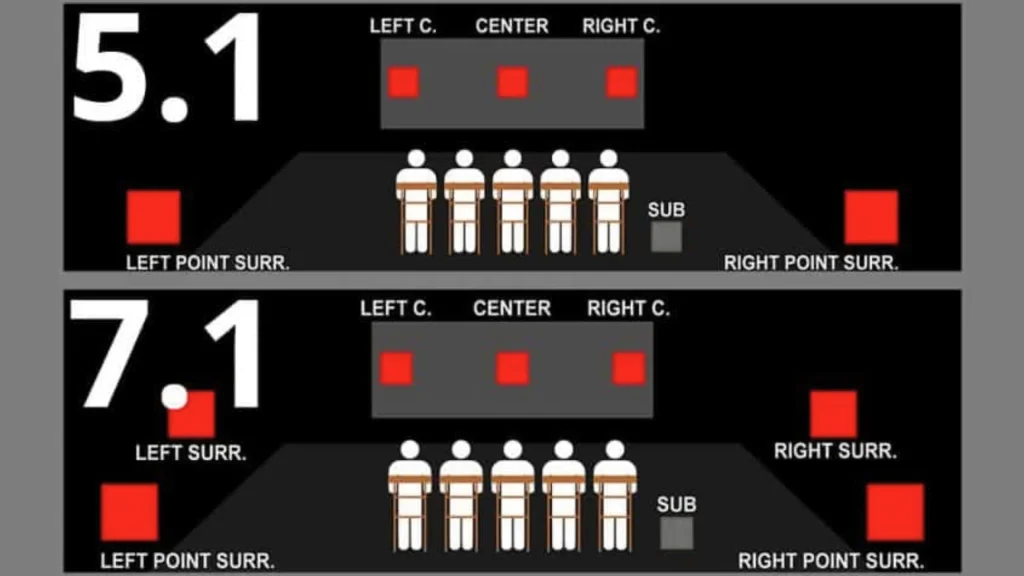
7.1 vs. 5.1: what the extra channels do
| 5.1 | 7.1 | |
|---|---|---|
| Speakers | Five main + one subwoofer | Seven main + one subwoofer |
| What’s added | — | A pair of side surrounds |
| Sound movement | Front-to-back jumps across a wide gap | Bridges that gap for smooth travel |
| Room needed | Works in most rooms | Needs depth and space behind you |
| Best for | Smaller or awkwardly shaped rooms | Large rooms with room to spread out |
More isn’t automatically better. @Kpaceguy, who has a home theater running a 7.2.4 setup, found his rear speakers sat so close to the couch that everything collapsed into one spot — he could barely pick out his height channels. Downgrading to 5.2.4 gave him better imaging and clearer separation. Placement and distance beat channel count every time.
True 7.1 vs. virtual 7.1
This is the distinction that matters most when you’re buying a headset, because your headset has two drivers. One left, one right. That’s it.
| True 7.1 | Virtual 7.1 | |
|---|---|---|
| Hardware | Eight physical speakers | Two drivers |
| Where it lives | Home theater rooms | Headsets and sound cards |
| How the effect happens | Real speakers in real positions | Digital processing that simulates position |
| Quality range | Consistent, if placed well | Wide — from convincing HRTF to a basic EQ preset |
| Cost and space | Expensive, needs a dedicated room | Built into the headset, or $15–$20 in software |
Most gaming headset advertising 7.1 is doing the virtual kind. The good implementations use HRTF (head-related transfer function), which calculates how sound waves would reach your head and ears from different directions, then applies that math to the signal. It’s built on a generic head model, so it’s never exact for any one person — but it’s convincing for most listeners. The weak implementations are closer to an EQ preset with some reverb.
Why Is 7.1 Surround Sound Good for Gaming?
Better immersion
The real benefit for your gaming. @HardwareCanucks ran a controlled test — recording the actual output of a surround processor so listeners could hear stereo and 7.1 back to back.
The consistent effect across games and music: the sound got louder, and it lifted out of the ear cups and moved slightly outside your head. Instead of audio happening in your ears, it feels like it’s happening around you.
In The Witcher 3, wandering through a forest, that atmosphere expanded noticeably. Add a reverb setting on top, and the environment grew further. In big open spaces, the difference was obvious.
Directional audio and positioning
Good HRTF processing does improve your sense of where things are, particularly for distance and elevation. Dolby Atmos and DTS Headphone:X both use HRTF and both handle it well, producing a convincing 360-degree image on ordinary stereo headphones.
Windows has its own built-in HRTF, which costs nothing to try. It struggles with sounds coming from directly above or below, but it’s a free starting point.
Hearing footsteps, gunshots, and other in-game sounds
Expanding your audio environment and sharpening your cue detection are two different goals, and they can pull in opposite directions.
Surround processing widens and softens the soundstage. That’s great when you want to feel like you’re standing in a forest. It’s less great when you need to pin a footstep to an exact angle, because the same processing that adds space also adds a little blur.
Is it useful for competitive gaming?
For competitive games, like Overwatch, Call of Duty, and Apex Legends, most experienced players suggest leaving it off, as they are designed with enough audio cues to keep you aware of your surroundings on a plain stereo mix.
@HardwareCanucks is blunt about it. For competitive games, “it’s a big no”. Swapping that trained, predictable stereo image for a larger, more atmospheric one doesn’t help.
In those competitive titles, you already know your audio cues and where they’re coming from. So interfering that for a more, like larger, environment in the audio is no good.
@HardwareCanucks tests 7.1 surround sound on YouTube
7.1 Surround Sound vs. Stereo for Gaming
| Virtual 7.1 | Stereo (2.0) | |
|---|---|---|
| What it does | Widens the soundstage, pushes audio outside your head | Delivers the game’s audio mix untouched |
| Best at | Atmosphere, scale, sense of environment | Precise, consistent, trained cue recognition |
| Weakness | Can soften positional precision; quality varies by chipset | Sounds smaller and closer in big open worlds |
| Setup effort | Needs a compatible headset, sound card or software | Works everywhere, no configuration |
| Cost | Built into hardware, or $15–$20 for Dolby Atmos or DTS Headphone:X | Free |
Virtual 7.1 wins when the game has a large, detailed audio environment worth exploring, and when you’re playing to enjoy the world rather than beat a scoreboard.
Stereo wins on consistency. Nothing sits between you and the mix the sound designers built. Every ranked match sounds like the last one, and your ears stay calibrated.
For more details? Check out our stereo sound vs surround sound guide.
When Should You Use 7.1 Surround Sound?
FPS games
Casual, campaign-driven shooters with cinematic sound design benefit from the extra space. Ranked and competitive play generally doesn’t. Trust the cues you already know.
RPG and open-world games
This is 7.1’s home turf. Games built around large environments — The Witcher 3 is the obvious example, and big-map shooters like Battlefield 1 qualify too — get real value from an expanded audio field. Forests, cities and battlefields feel like places instead of backdrops.
Movies and casual gaming
Surround sound earned its reputation in cinemas, and that’s still where it’s least controversial. For movies, cutscenes and relaxed play sessions, leave it on.
When stereo may be the better choice
Strategy games are the clearest case. In a top-down game, you’re not standing inside the world — you’re looking at it. @HardwareCanucks has tested it for strategy games and “normally would go back to 2.0”. The same logic covers anything where audio is functional rather than atmospheric: menu-heavy games, puzzle games, competitive anything.
How to Get the Best 7.1 Gaming Experience
1. Choose a good gaming headset
Choose a gaming headset that sounds good on its own. In noisy rooms or shared spaces, closed-back headphones, like fifine H13 gaming headset, can let you focus more on your game.
If you play in a quiet room, open-back headphones, like fifine H19 gaming headset, are worth a look. They offer excellent spatial separation naturally, without any processing at all. The trade-offs are real: they leak sound outward and give you far less passive isolation.
If voice quality or communication matters to you, a budget standalone USB mic, like fifine AM8 microphone, will beat the boom mic on an expensive all-in-one gaming headset.
2. Enable surround sound correctly
Turning it on is usually one toggle, but where that toggle lives varies:
- Hardware headsets put it on an in-line control box or USB command box
- Software processing runs through Dolby Atmos or DTS Headphone:X, which work with any stereo headphones
- Windows Spatial Sound is free and already installed
Only run one at a time. Stacking a hardware 7.1 mode on top of a software spatial layer gives you a muddy, doubled-up mess.
3. Adjust EQ and audio settings
Most surround processors ship with presets, and they are not equally useful. Try every preset with audio you know well before you commit to one. Your ears are the only meaningful test.
If your processor has a reverb or room-size control, treat it as a taste dial, not a performance one. Bigger reverb makes open worlds feel enormous. It also smears fine detail.
4. Check game and system compatibility
Two practical notes. First, PS5 users can’t run Dolby Atmos or DTS Headphone:X the way PC users can — check console support before you buy a software license. Second, if your headset does 7.1 through a USB sound card, plugging it in over 3.5mm gives you plain stereo. The processing lives in the USB path.
How fifine Handles 7.1 Surround Sound
fifine gaming headsets with 7.1 surround sound
The fifine H6 gaming headset is the straightforward pick. It runs virtual 7.1 over USB, pairs it with 50mm drivers, and gives you three EQ modes plus volume and mute controls on an in-line box — so you can switch modes mid-match without opening a menu.
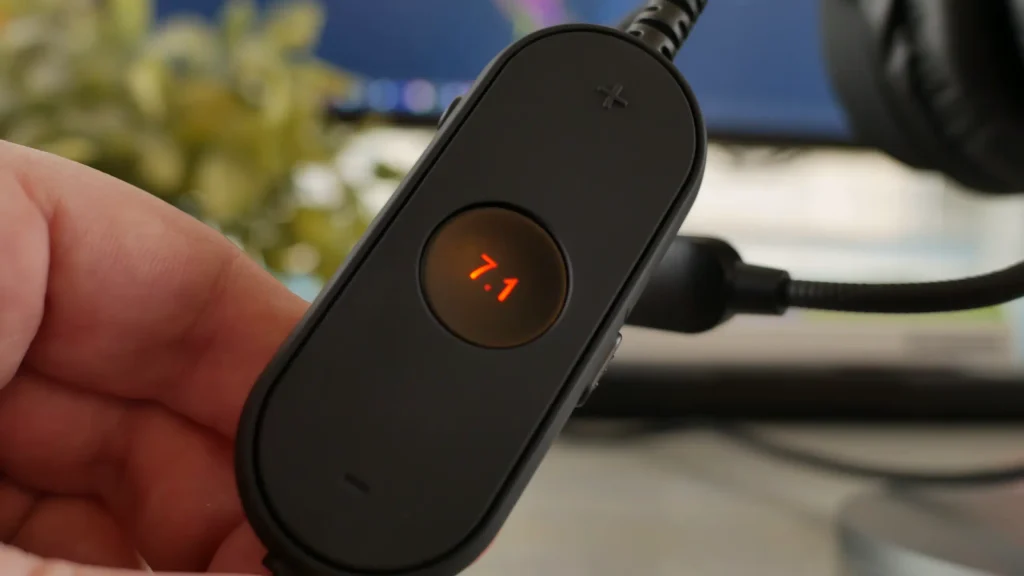
The fifine H9 gaming headset adds flexibility. It carries the same 50mm drivers and a detachable boom mic, and connects over USB or 3.5mm. The USB control box holds the 7.1 toggle, which means you can flip surround on for a story campaign and off for ranked play in about a second.
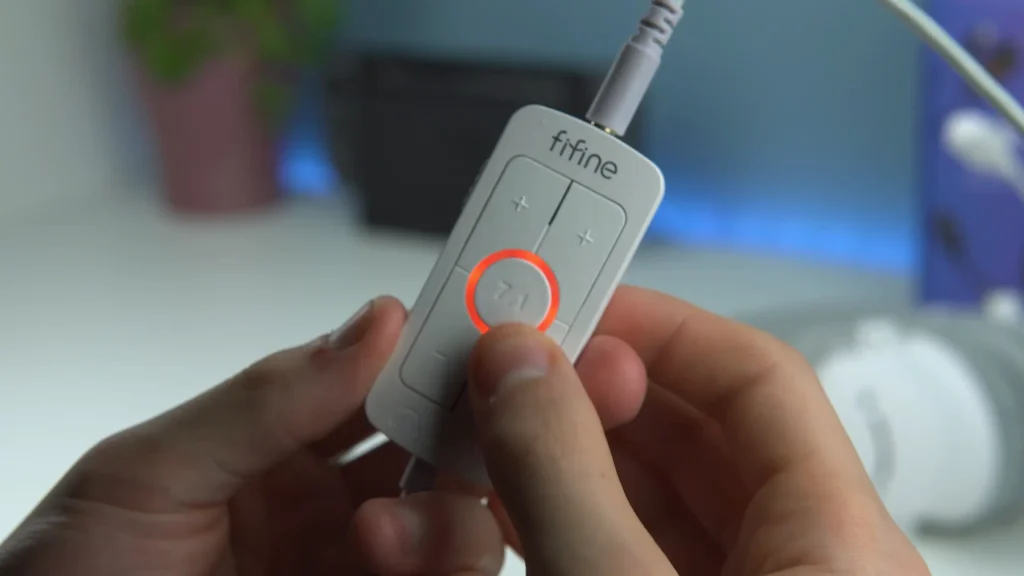
The fifine H19 headset combines an open-back design with USB-powered 7.1 virtual surround sound to create a wider, more immersive soundstage. It brings greater depth and a stronger sense of space to gaming, movies, and music, giving you a more natural and engaging listening experience.
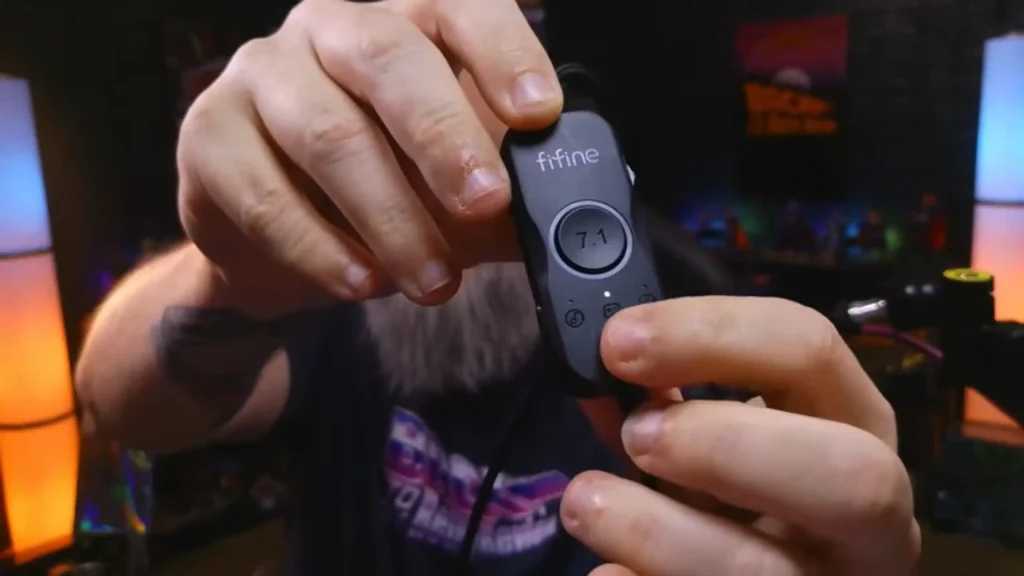
fifine audio mixers with 7.1 surround sound
If your setup runs through a mixer, the fifine AmpliGame SC8 audio mixer handles surround at the desk instead of the headset. It offers 7.1-channel surround alongside 48V phantom power for an XLR mic, an optical input, game/chat balance, and eight voice-changer modes, across PC and PlayStation.
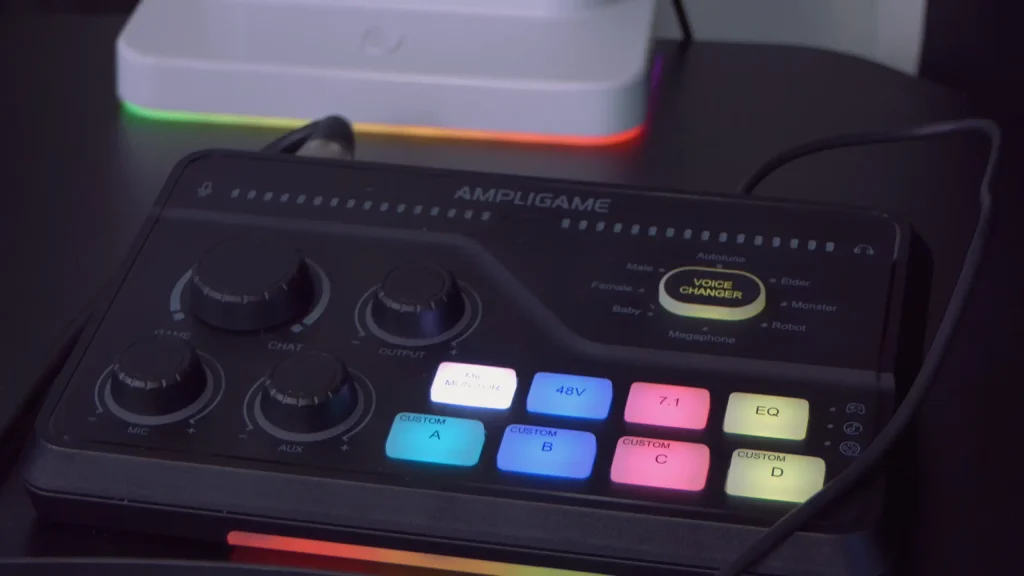
The advantage of doing it here is control. Surround, mic level, and game/chat balance all sit on one box, so you adjust by hand rather than digging through Windows sound settings mid-session.
Start Your Game with 7.1 Surround Sound Next
7.1 surround sound is an immersion tool. Use it for open worlds, story campaigns and movies, where a wider audio environment adds something you can actually hear. Turn it off for ranked matches and strategy games, where a clean, familiar stereo image serves you better.
Buy headphones that sound good to you first. Treat surround as a switch you flip depending on what you’re playing — not a reason to spend more.
FAQs
Is 7.1 surround sound better than stereo for gaming?
Not universally. 7.1 is better for immersion in large environments. Stereo is better for competitive play, where a consistent, unprocessed mix keeps your trained audio cues reliable.
Do gaming headsets really have seven speakers?
Rarely. Nearly all headsets have two drivers and simulate additional channels through digital processing. Products that tried real multi-driver arrays, like the Razer Tiamat, didn’t prove better in practice.
What is HRTF and why does it matter?
HRTF calculates how sound waves reach your ears from various directions and applies that math to the audio signal. It’s based on a generic head and ear model, so it’s imperfect, but it’s what separates convincing virtual surround from a basic EQ preset.
Should I use 7.1 in competitive shooters?
Most experienced players say no. Games like Overwatch, Call of Duty and Apex Legends already give you enough audio cues in stereo, and surround processing changes an image you’ve already trained on.
Are open-back headphones a good alternative to 7.1?
For quiet rooms, yes. They deliver strong spatial separation without any processing. They leak sound and offer little isolation, so they’re a bad choice for shared or noisy spaces.
