
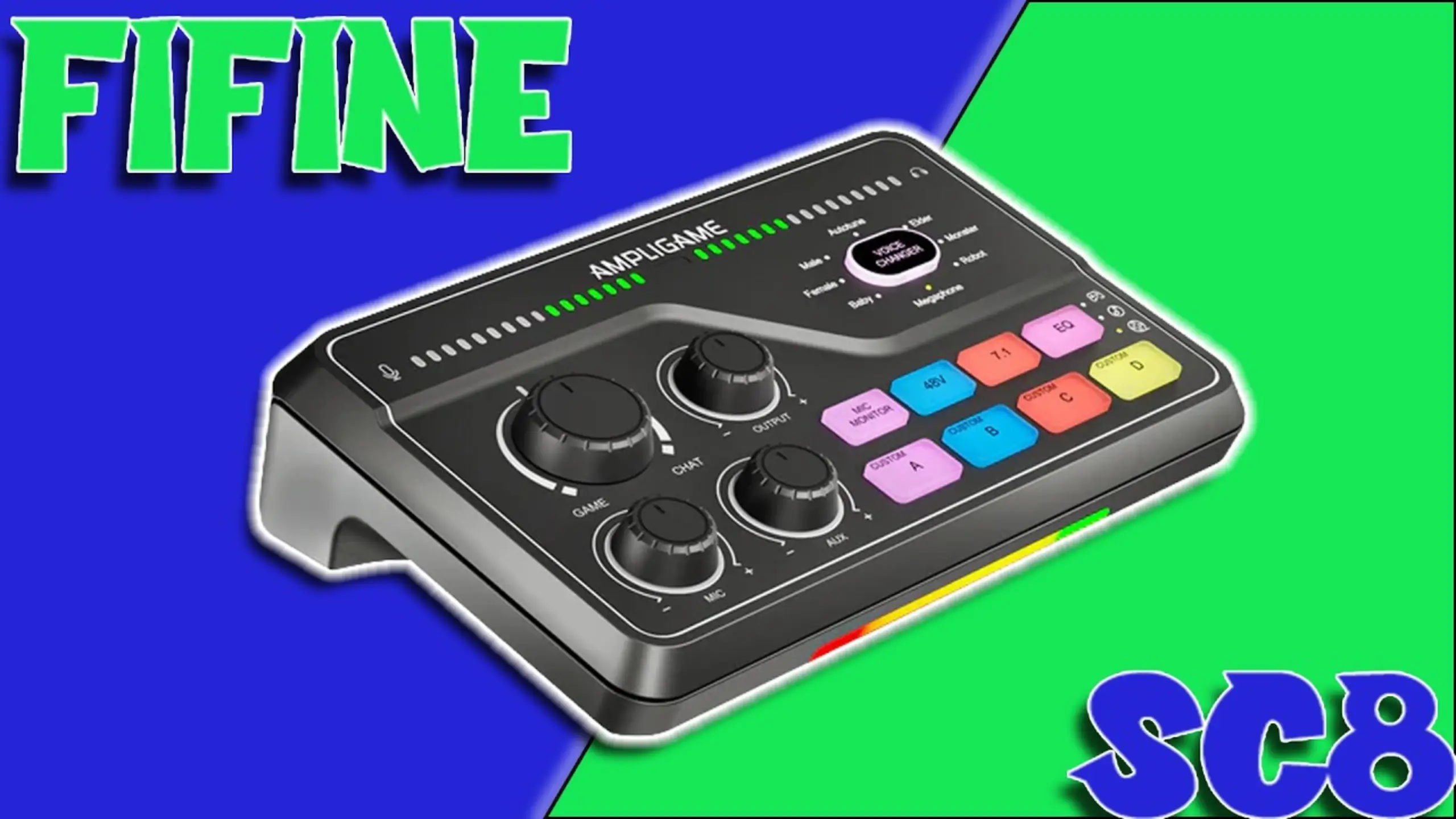
FIFINE SC8 Review: The Upgrade Audio Mixer Makes Everything Simple

The quality of audio priced under $100 on the market is inconsistent. However, FIFINE’s SC8 challenges that assumption. This USB audio mixer positions itself squarely at gamers and streamers who want physical knobs and buttons without the complexity (or cost) of a RØDECaster or GoXLR.
As the successor to the FIFINE SC3 mixer, SC8 showcases improved functions and better designs. At $79.99 retail (often on sale around $65), the SC8 competes directly with mixers from Maono and other budget brands. But does it deliver where it counts? We spent extensive time exploring the FIFINE SC8 review to find out.
Quick FIFINE SC8 Review
Overall Score: 8.0/10
| Category | Score |
| Sound Quality | 8/10 |
| Build Quality | 7/10 |
| Features & Functionality | 9/10 |
| Ease of Use | 8/10 |
| Value for Money | 8/10 |
Pros:
- Game/Chat mix knob for real-time audio balancing
- Mute buttons on all main controls (mic, aux, output)
- Improved custom sound pads with clear audio quality
- Strong 50dB gain handles most dynamic mics well
- Optical input for console streamers
- Multiple voice changers, including autotune
- RGB lighting with multiple modes (can be disabled)
- Rotary Knobs showing real-time levels
Cons:
- Noticeable latency when mic monitoring is enabled
- No companion software for EQ or knob reassignment
- Missing Bluetooth connectivity
- No loop back or ducking features
- Monster and robot voice effects are hard to understand
- Aux knob locked to fixed function
FIFINE SC8 Review: Look What is Good
Sound Quality
Score: 8/10
The FIFINE SC8 audio mixer packs 50dB of gain, which handles most dynamic microphones without issue. During testing with the FIFINE Tank One and Tank 3 microphones, levels pushed comfortably into the optimal range in OBS without needing additional gain boosters.
One reviewer noted something interesting: the Tank One actually performed better through the SC8 than through a RØDECaster Pro, which delivers 55-60dB of gain. Your mileage may vary, but budget mics from FIFINE’s own lineup pair exceptionally well with this mixer.
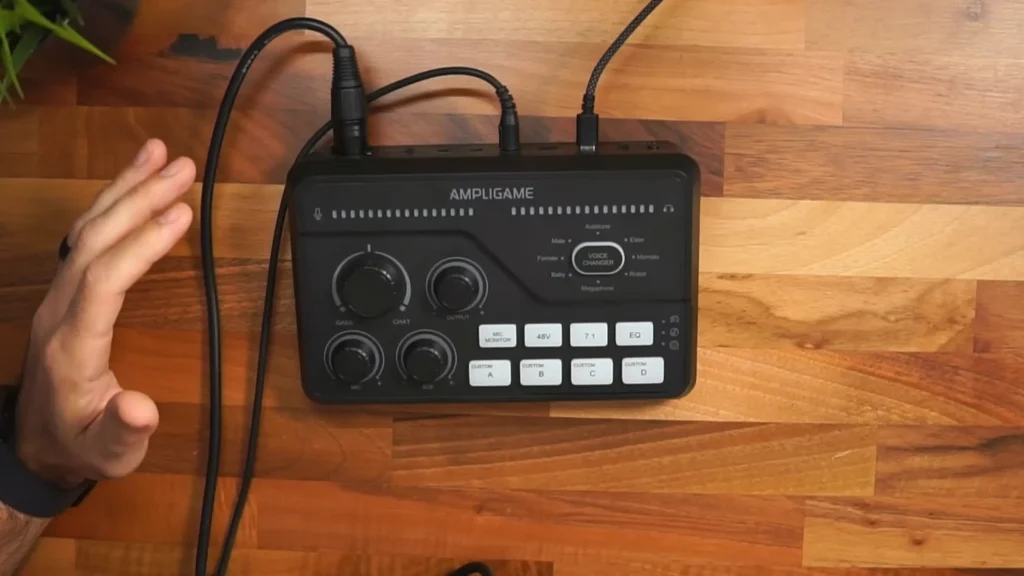
For condenser microphones, the 48V phantom power provides plenty of juice. Testing with a Lewitt LCT 240 Pro required turning the gain down to the 9 o’clock position to avoid running hot. The signal-to-noise ratio sits at 75dB—respectable for this price range—with a frequency response of 25Hz to 25kHz.
The live audio meters on the front panel accurately reflect what’s happening in your DAW. When you tap into the yellow and red zones on the mixer’s display, OBS shows matching levels. That real-time feedback helps prevent clipping before it ruins your recording.
What about high-gain hungry mics? The SM7B and Electro-Voice RE20 might need a CloudLifter or similar inline preamp. At 50dB, the SC8 likely won’t push these broadcast staples to optimal levels on its own. Consider a Klark Teknik mic activator (around $40) if you’re pairing this mixer with demanding dynamic microphones.
Build Quality
Score: 7/10
Like FIFINE SC3, it’s made of plastic. Lightweight, matte-finish plastic that feels sturdy enough but won’t be confused with the metal chassis of premium mixers. Pick it up, and you’ll notice it weighs almost nothing.
When it comes to the knob itself, the SC8 goes with these hybrid rotary knobs that you can also press to mute. Nice idea, honestly. The tradeoff is that you either have to remember where things are set or lean in and check the little indicator marks. For streamers, it may lack instant visual feedback. I can see it. But for everyone else, the knobs feel like a smart step forward. Familiar, but a bit more grown-up.
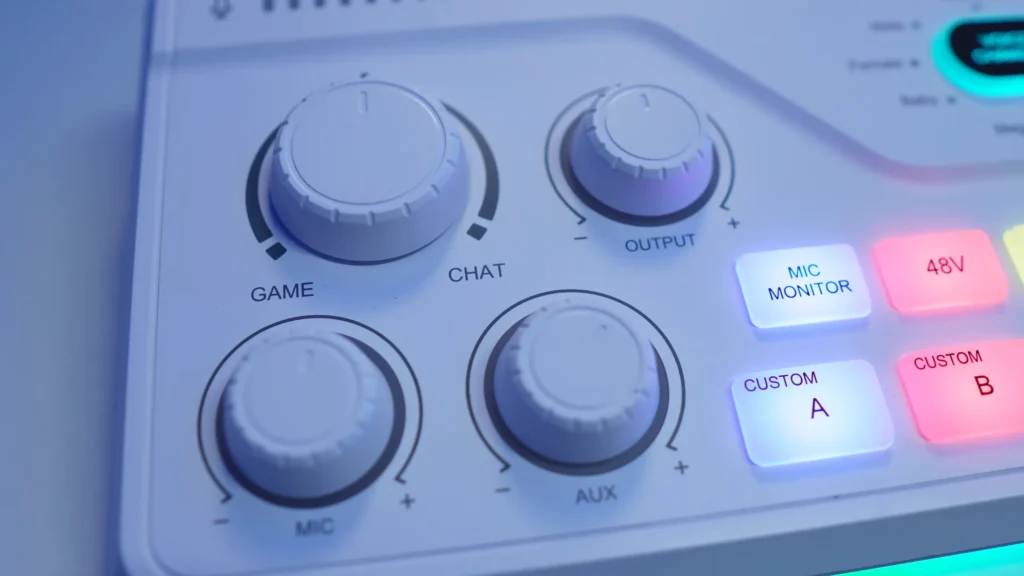
The angled wedge design tilts the controls toward you, improving visibility and ergonomics at your desk. It’s slightly larger and thicker than the SC3, giving the controls more breathing room.
Build quality is adequate for the price. Don’t expect RØDE-level heft, but don’t expect it to fall apart either.
Features & Functionality
Score: 9/10
Here’s where the SC8 earns its keep. The feature set punches way above the price point.
Game/Chat Mix Knob
This is the star of the show. The dedicated knob lets you bias your headphone mix between game audio and voice chat in real time. Crank it left to focus on gameplay, right to prioritize Discord, or center for balanced audio.
The implementation is clever: Windows sees two separate audio outputs (FIFINE SC8 Game and FIFINE SC8 Chat). Assign your game to one, Discord to the other, and the physical knob controls the balance. No software needed, no hotkeys required. Mid-match adjustments take a quarter second.
There’s also a small detail I really like. The center position has a tactile notch. You feel it click into balance without even glancing down at the mixer. Once you get used to it, adjusting your mix becomes muscle memory. And yeah, that’s kind of the dream.
Mute Buttons
Unlike the SC3, every main control now has a dedicated mute. Press the mic knob to mute your microphone (lights up red). Same for aux and output. This addresses a major complaint from the previous model.
One important caveat: the output mute only affects what YOU hear in your headphones. Your stream or recording still captures the audio. This is by design, but it catches some users off guard.
Custom Sound Pads
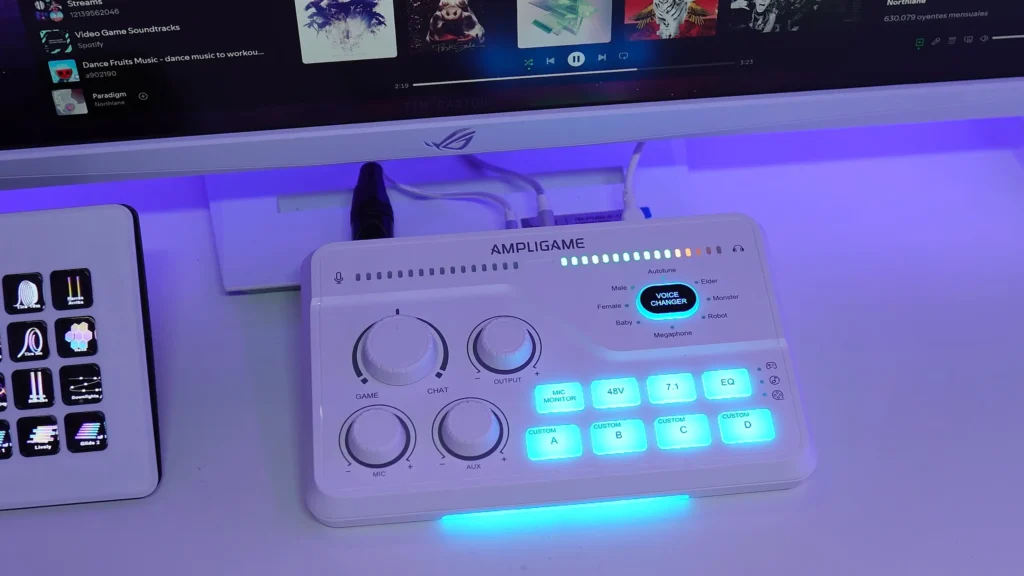
Four programmable buttons let you record any audio the mixer can hear—your voice, game sounds, music, whatever. Hold the button until it blinks, speak or play your clip, and release. Press again to trigger playback.
The SC8’s sound pads are a significant upgrade from the SC3’s. Audio quality is crisp and clear rather than muddy or AM radio-sounding. These clips route through your mic channel, so they appear as if you’re speaking them live. Perfect for stream alerts, sound effects, or pre-recorded bits.
Recording tip: there’s a slight delay between pressing and the visual indicator lighting up, but audio capture starts immediately. Don’t wait for the light.
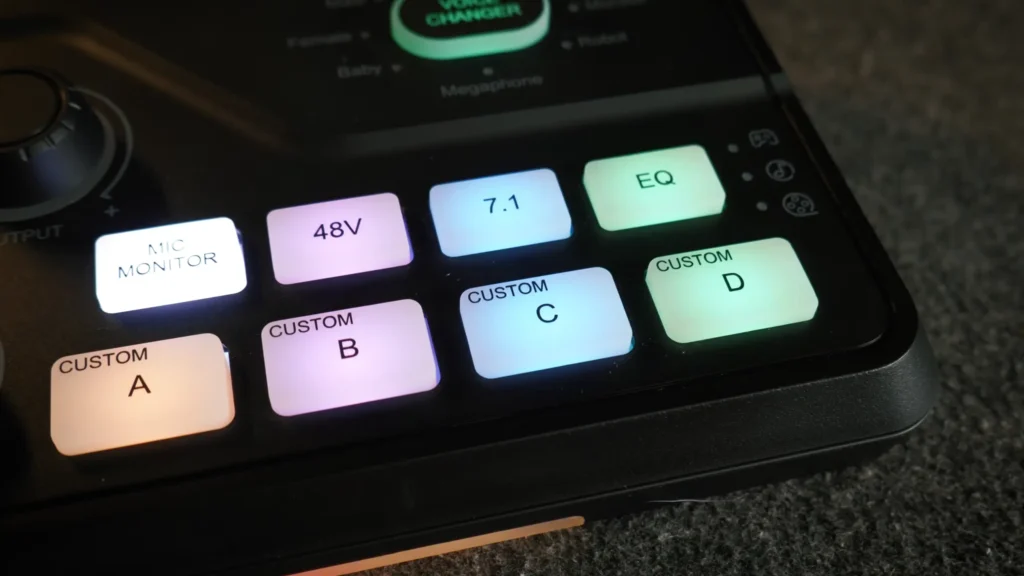
Voice Changer
Eight voice effects cycle through with button presses: Autotune, Elder, Monster, Megaphone, Baby, Female, Male, and Robot. The quality varies. Megaphone, Baby, and the pitch-shifted options work well. But there’s a thing, I found that the Monster and Robot effects produce muddy, hard-to-understand audio, so speak slowly and enunciate if you use them.
Autotune adds a noticeable warble that won’t make you sound like T-Pain, but it’s fun for bits.
7.1 Virtual Surround & EQ Presets
The 7.1 button turns on virtual surround for your headphone monitoring. Some people swear it adds space and direction; others barely hear a change. It depends on you.
The EQ button is more straightforward. It cycles through three presets: Game (boosted bass for footsteps), Music (mid-focused), and Movie (fuller frequency range). Worth noting, these EQ modes affect what you hear and what goes out, but they don’t touch your mic audio, which means that your voice stays the same.
Inputs & Outputs
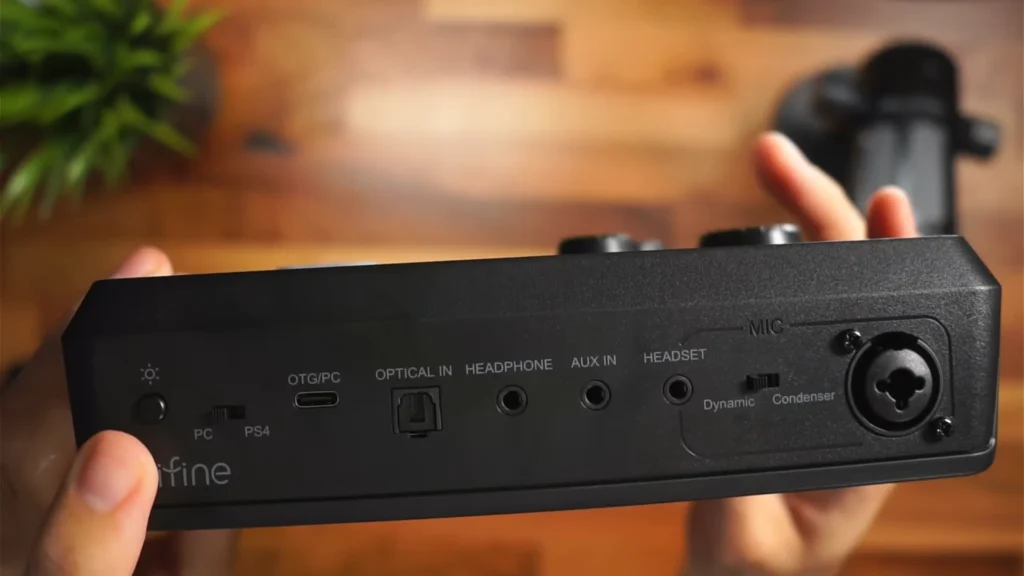
The back panel offers solid connectivity: XLR combo jack (accepts standard XLR and wireless mic dongles), aux input, headset jack, headphone jack, optical input, and USB-C. The PC/PS4 switch and dynamic/condenser toggle round things out.
The optical input is particularly useful for console streamers who want to route TV or PlayStation audio through the mixer. The XLR combo jack accommodates wireless mic systems with 3.5mm dongles—a thoughtful design choice.
Ease of Use
Score: 8/10
Setup is plug-and-play on PC, Mac, PS4, and PS5. Connect the USB-C, flip the appropriate switch on the back, and your system recognizes the mixer immediately. No drivers, no software.
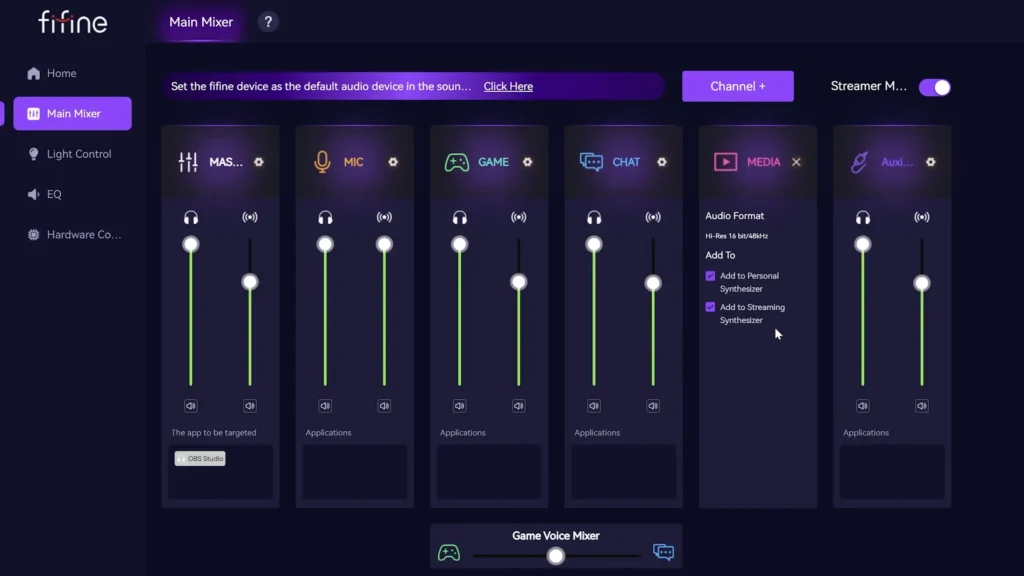
For a more sophisticated setup, FIFINE Genie software is crafted for it. In Genie, you can reassign controls, add microphone EQ, create submixes, or customize functionality. Genie makes your sound unique.
The Latency Issue
Here’s the catch: during the testing, the mic monitoring has noticeable latency. It’s enough to throw off some users, especially those accustomed to zero-latency monitoring from higher-end interfaces.
The workaround is simple: turn mic monitoring off. You lose the ability to hear yourself in real time, but your audience still hears clean audio. For many gamers, this is standard practice anyway.
If you need to verify your setup, enable monitoring briefly, confirm everything works, then disable it for actual use.
Value for Money
Score: 8/10
At about $80, the SC8 offers features you’d typically find in mixers costing twice as much:
- Dedicated Game/Chat balance
- Four custom sound pads
- Eight voice effects
- Physical mute buttons
- Optical input
- XLR combo jack
- Live audio meters
- RGB lighting
What’s missing at this price? Bluetooth, loop back, ducking, and assignable controls. These omissions make sense for budget hardware, but they’re worth noting if you’re comparing against competitors like the Maono G1 Neo.
For streamers and gamers who want hardware audio control without complexity, the value proposition is strong. You get tactile, immediate control over your audio mix without navigating software menus mid-stream.
Who Is the FIFINE SC8 For?
| ✔️You Should Buy If… | ❌You Should Skip If… |
| You want hardware control over game/chat audio balance | You need software-based EQ and customization |
| You stream on PC, PlayStation, or Xbox | You require zero-latency monitoring |
| You use dynamic or condenser XLR microphones | You want Bluetooth connectivity |
| You need sound pads for stream alerts and effects | You own high-gain hungry mics (SM7B, RE20) without a preamp |
| Budget is a primary consideration | You need submix routing for complex setups |
| You want optical input for console audio | You prefer software mixers like VoiceMeeter |
FIFINE SC8 Audio Mixer Alternatives
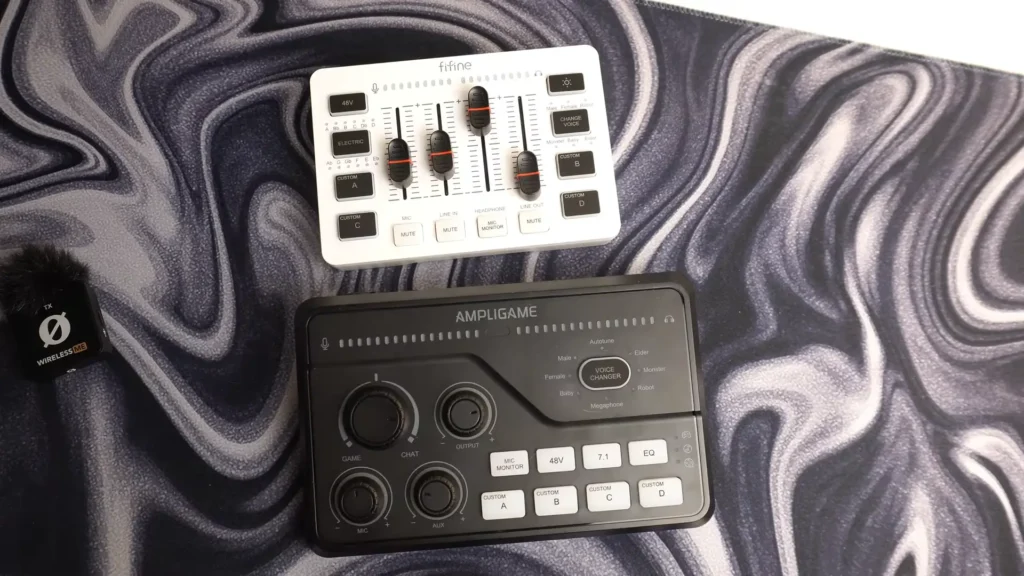
FIFINE SC3
Price: ~$50
| ✔️Pros | ❌Cons |
| Lower price point | No mute buttons |
| Similar core functionality | No optical input |
| Compact form factor | Lower quality sound pads |
| No Game/Chat mix knob | |
| No autotune voice effect |
The FIFINE SC3 works fine for basic streaming but lacks the SC8’s quality-of-life improvements. The $15-30 difference is worth it for most users.
Maono G1 Neo
Price: ~$60-70
| ✔️Pros | ❌Cons |
| Hardware noise suppression | Different feature set |
| Ducking feature | No Game/Chat dedicated knob |
| Similar price range |
A solid alternative if noise suppression matters more to you than game/chat balancing.
TC-Helicon GoXLR Mini
Price: ~$200
| ✔️Pros | ❌Cons |
| Superior build quality | 2.5x the price |
| Extensive software control | Larger footprint |
| Better voice effects | Steeper learning curve |
| Professional-grade audio |
If budget allows, the GoXLR Mini remains the gold standard for streaming mixers. The SC8 is for those who want similar functionality without the investment.
Final Thoughts on FIFINE SC8 Review
Looking toward the FIFINE SC8 review, this mixer delivers genuine value for budget-conscious streamers and gamers. The Game/Chat mix knob alone sets it apart from competitors, and the improved sound pads, mute buttons, and optical input address real pain points from the SC3.
It’s not professional enough for those who need the advanced equipment. But for the streamer who wants physical knobs over software sliders, the gamer who needs to balance Discord against gameplay audio instantly, or the content creator on a tight budget, the SC8 is hard to argue with.
FAQs
Does the FIFINE SC8 work with PS5?
Yes. Despite the switch reading “PS4,” the SC8 works with PlayStation 5. Use the optical input to route console audio through the mixer.
Is there software for the FIFINE SC8?
Yes, FIFINE Genie software is equipped with the FIFINE SC8, where you can set up and adjust the parameters
Does the SC8 have Bluetooth?
No. Audio input options are limited to XLR, aux (3.5mm), optical IN, and the USB connection to your computer.
Does muting the output mute my stream?
No. The output mute only affects what you hear in your headphones. Your audience still hears the audio. This allows you to mute distracting sounds for yourself without affecting the broadcast.
What’s the difference between the SC3 and SC8?
This difference between SC8 and SC3 is obvious. The SC8 adds: mute buttons on all controls, optical input, Game/Chat mix knob, improved sound pad quality, autotune voice effect, and better overall build quality. It’s a meaningful upgrade worth the extra $20-30.
