
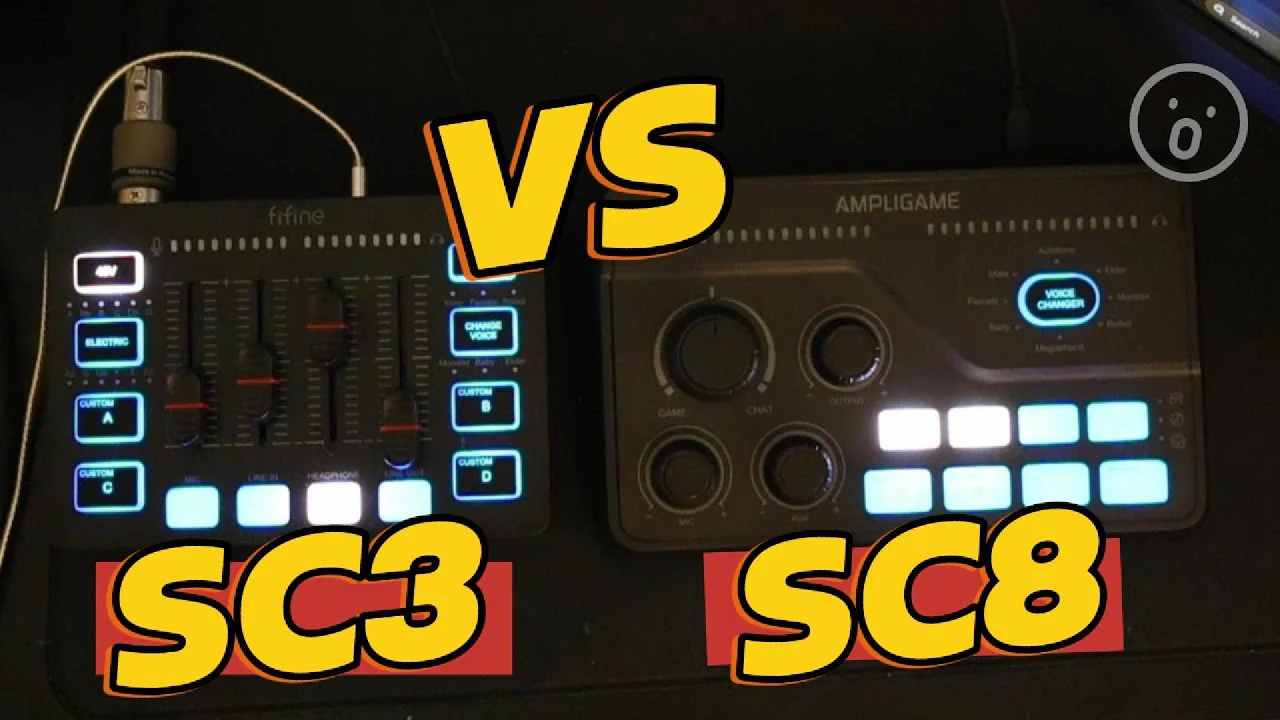
FIFINE SC3 vs. SC8: Which Mixer Deserves Your Desk Space?

You may want to add more personality to your stream. That’s why the FIFINE SC3 and SC8 mixers come out. The SC3 became a staple for streamers and content creators who needed four-channel mixing without spending a Fortune on XLR equipment. Now the SC8 has arrived, and it’s clear FIFINE paid attention to what users wanted.
FIFINE SC3 vs. SC8? After extensive testing with multiple microphones, gaming sessions, and streaming setups, the SC8 emerges as the smarter buy for most users. That said, the SC3 remains a viable option for certain situations. Throughout this comparison, we’ll break down exactly where each mixer shines and where it falls short, so you can pick the right one for your setup.
A Quick Check about FIFINE SC3 vs. SC8
| Feature | FIFINE SC3 | FIFINE SC8 |
|---|---|---|
| Price | ~$50 | ~$65-80 |
| Channel Control Style | Sliders/Faders | Rotary Knobs with Press-to-Mute |
| Audio Bit Depth | 16-bit | 24-bit |
| Preamp Quality | Good (~50dB gain) | Improved (~50dB gain) |
| Game/Chat Mixer | No | Yes |
| Optical Port | No | Yes |
| Line Input Quality | Noisy | Cleaner (via optical) |
| EQ Presets | No | Yes (Game/Movie/Music) |
| Virtual 7.1 Surround | No | Yes |
| Phantom Power (48V) | Yes | Yes |
| XLR Support | Yes | Yes |
| Dynamic/Condenser Switch | Yes | Yes |
| Voice Changer | 6 voices | 8 voices + autotune |
| Headphone Amp | Standard | Stronger |
| Mute Indication | Basic | LED indicators |
| Build | Matte plastic, compact | Matte plastic, slightly larger |
FIFINE SC3 vs.SC8: Design & Build Quality
1. Physical Differences
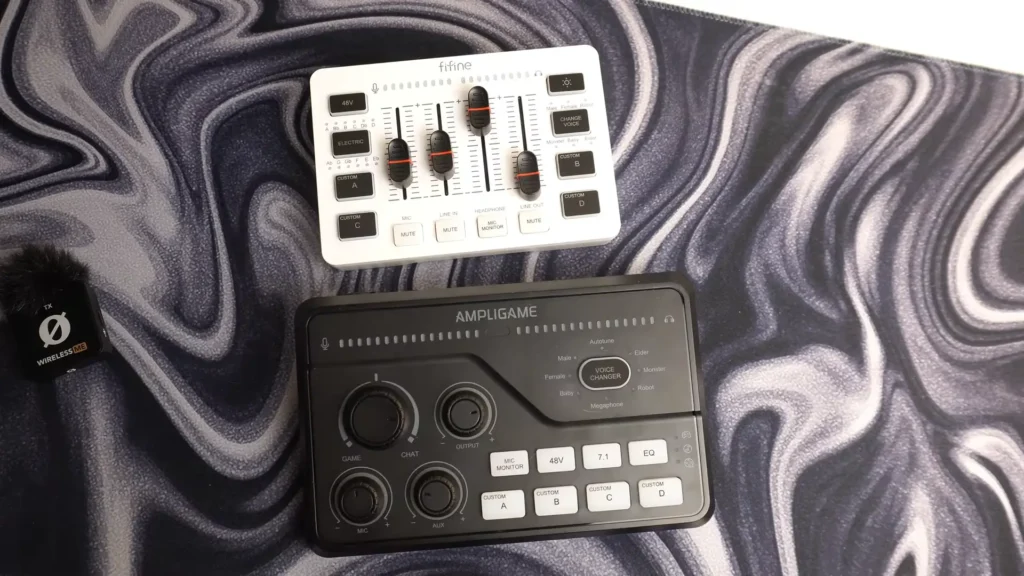
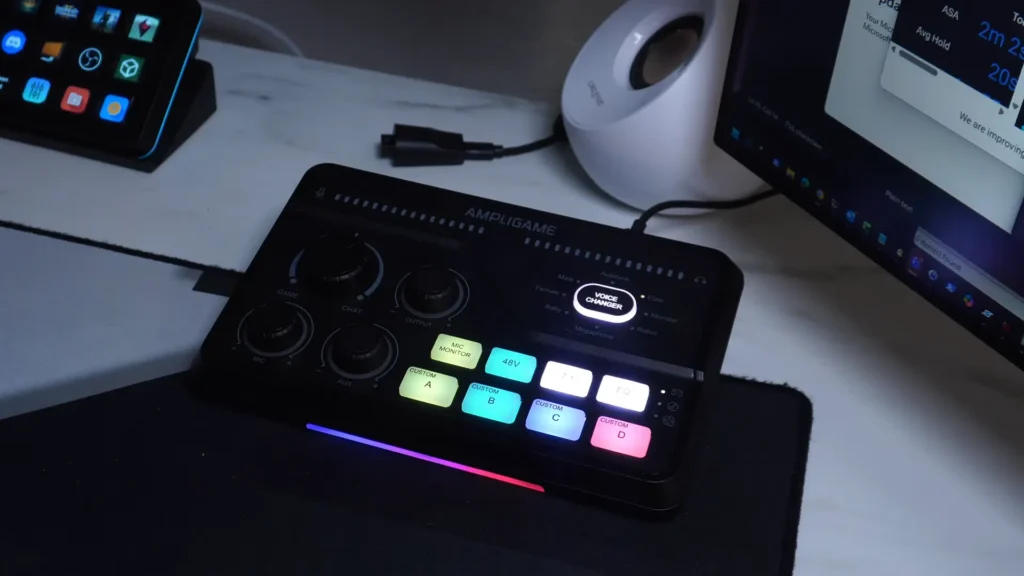
The FIFINE SC8 mixer is noticeably larger and thicker than the SC3. Side by side, the SC3 looks almost compact in comparison. Both mixers share that matte plastic body that resists fingerprints and feels solid without being heavy.
The SC8 adds rubber grip sections on the sides—a small touch that makes picking it up off your desk easier. Both units feature a wedge design that angles the controls toward you, though the SC8’s wedge is slightly more pronounced.
2. The Fader vs. Knob Debate
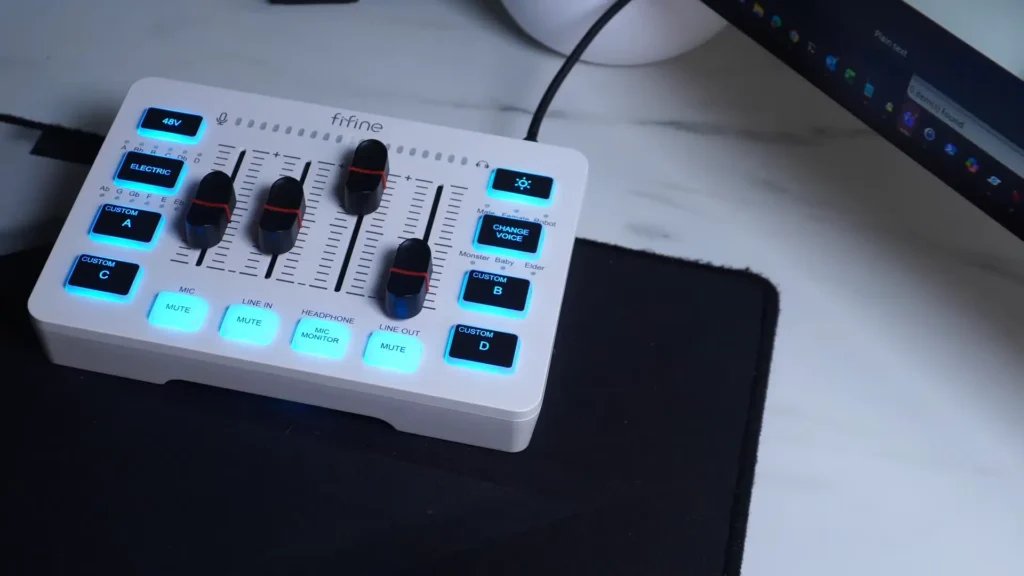
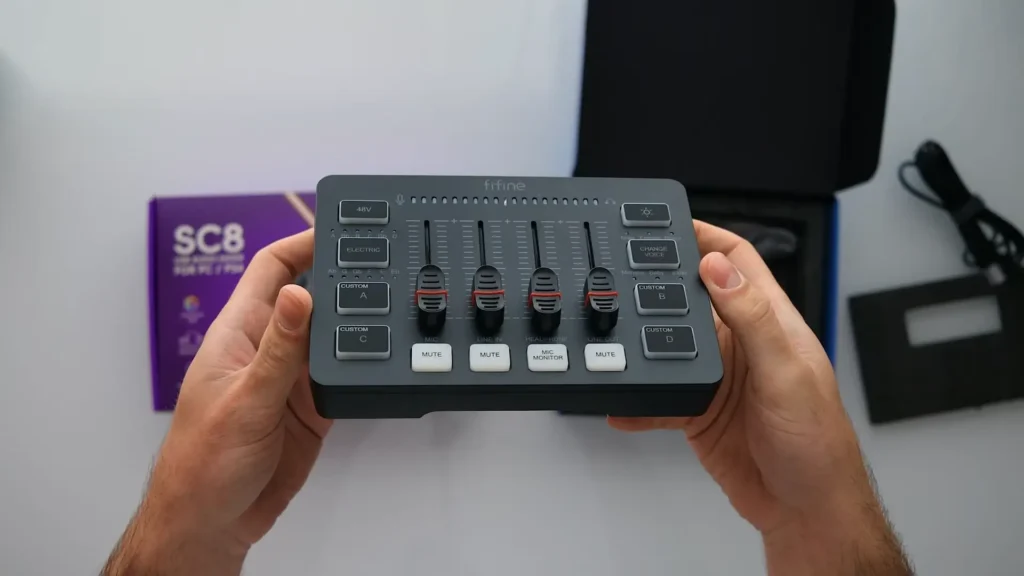
This is where opinions split. The FIFINE SC3 mixer uses vertical faders for channel control. The SC8 switches to hybrid rotary knobs with press-to-mute functionality.
Honestly, the SC3’s faders weren’t the best. They worked, but they didn’t feel premium. The SC8’s knobs are responsive, the center detent clicks satisfyingly into place, and that press-to-mute feature adds genuine utility. But faders have one advantage knobs can’t match: instant visual feedback. Glance at the SC3, and you immediately know where each channel sits.
The SC8 requires you to either memorize positions or look closely at indicator marks. For live streaming adjustments, some users will miss that at-a-glance clarity. For everyone else, the SC8’s knobs feel like the right evolution.
Winner: SC8 — The hybrid knobs with press-to-mute and LED indicators offer better build quality and functionality, even if faders have their fans.
3. Labeling and Layout
The SC3 keeps things straightforward with labels beneath each fader. The SC8’s layout is more complex due to additional features, but the red LED mute indicators make it easier to quickly see what’s active and what’s silenced.
One reviewer noted it would be cooler if the SC8’s labels were positioned above the knobs for better visibility. Fair point. But the LED feedback system compensates by giving you visual confirmation of mute states that the SC3 simply can’t match.
Winner: SC8 — LED indicators for mute status beat basic labeling.
FIFINE SC3 vs. SC8: Audio Quality
1. Preamp Performance
FIFINE SC3 & SC8 offer approximately 50dB of gain with phantom power support. On paper, they’re similar. In practice, the SC8’s preamp sounds noticeably cleaner.
Multiple microphone tests confirm the improvement. It’s not a dramatic transformation—don’t expect miracles—but vocals come through with more clarity, and there’s less of that subtle muddiness budget preamps often introduce.
For XLR microphone users, this matters. A cleaner preamp means you can push gain higher before noise becomes an issue. However, USB microphone users won’t benefit from this upgrade since they bypass the mixer’s preamp entirely.
Winner: SC8 — The improved preamp delivers noticeably cleaner audio for XLR setups.
2. Bit Depth: 16-bit vs. 24-bit
The SC3 captures at 16-bit. The SC8 bumps this to 24-bit. Which is better, 16-bit or 24-bit?
24-bit audio gives your recordings more headroom and detail. On the SC3, sound effects recorded to the custom buttons sounded compressed and of lower quality than the original audio. On the SC8, recordings capture much closer to the actual sound.
FIFINE clearly listened to feedback on this one. The 16-bit limitation was a legitimate complaint about the SC3, and the 24-bit upgrade fixes it.
Winner: SC8 — 24-bit capture futureproofs your recordings and makes the soundboard actually usable.
3. Line Input Quality
The SC3 has a known weakness: its line input sounds dirty. Route audio from external devices through the auxiliary input, and you’ll notice unwanted noise.
The SC8 addresses this with an optical port. Optical connections carry digital audio signals immune to electrical interference, resulting in cleaner sound from compatible devices. If you’re connecting a gaming console or any device with optical output, the SC8 delivers noticeably better audio quality.
Winner: SC8 — The optical port provides a genuine audio quality improvement for compatible devices.
4. Headphone Amplifier
Nobody talks about this much, but the SC8’s stronger headphone amp makes a real difference. Footsteps in games sound clearer. Discord voices come through with better definition. Your own voice in monitoring mode has more presence.
It’s one of those upgrades you don’t realize you wanted until you experience it. The SC3’s headphone output is fine. The SC8 is noticeably better.
Winner: SC8 — Stronger headphone amp delivers more clarity across the board.
FIFINE SC3 vs. SC8: Game/Chat Balance Dial
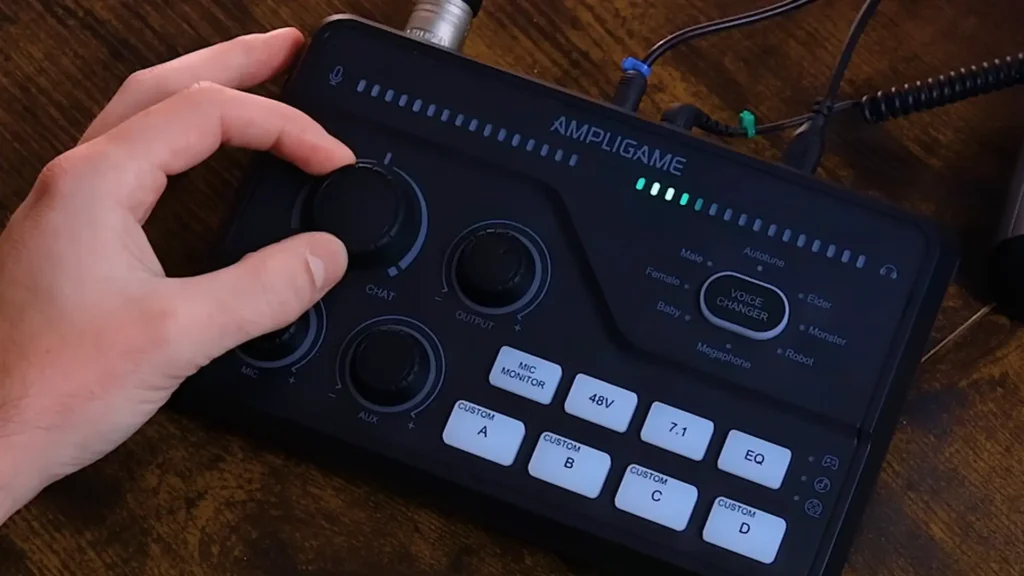
This is the SC8’s killer feature. That large dial in the center lets you instantly shift volume between game audio and chat audio without touching any software.
Here’s how it works: When the knob points straight up, both game and chat play at 100% volume. Rotate toward “game,” and chat volume drops while the game stays at 100%. Rotate toward “chat,” and the opposite happens.
But there’s one limitation: the dial only affects what you hear in your headphones. It doesn’t change what goes into OBS or your stream. If you turn chat all the way down on the SC8, your stream audience still hears it at full volume.
So, it’s a pity that the SC3 lacks this entirely. You’re stuck with Windows volume mixer or individual application settings.
Winner: SC8 — The game/chat dial is genuinely useful and solves a real workflow problem.
Additional Features Comparison
1. Console Compatibility
The SC8 includes a PC/PS4 switch on the back. Combined with the optical input for console audio, it’s ready for PlayStation use out of the box. Testing confirms it works with PS5, Switch, Android, and iOS as well.
The SC3 works primarily as a PC peripheral. Cross-platform use is possible but less elegant.
Winner: SC8 — True cross-platform plug-and-play support.
2. EQ Presets
The SC8 adds an EQ button that cycles through game, movie, and music presets. These adjust what you hear in your headphones—not your microphone output.
For the EQ settings, the differences between presets are noticeable but not dramatic. The game preset emphasizes frequencies for footsteps and gunshots. Music mode boosts bass and adds airiness to the high end. Movie mode aims for a more cinematic sound profile.
The SC3 doesn’t include hardware EQ controls, which is better for general use with the original audio mix.
Winner: SC8 — Nice to have, though not essential for most users.
3. Virtual 7.1 Surround Sound
The SC8 advertises virtual 7.1 surround sound, but the SC3 does not. Let’s be clear: this is a software effect that attempts to simulate surround sound through stereo headphones. It doesn’t magically add speakers to your headset.
Testing with stereo headphones produced mixed results. One reviewer found it made the audio louder without a meaningful spatial improvement. Another enjoyed it for exploration games and movies, but wouldn’t use it for competitive gaming.
The consensus: it’s fun for immersive single-player experiences, not useful for competitive play where positional accuracy matters.
So, Winner: Draw — Virtual 7.1 is situational at best.
4. Voice Changer and Sound Effects
Both mixers include voice changers. The SC8 adds an eighth voice option plus autotune, which the SC3 lacks.
The real improvement is in the custom sound pad audio quality. On the SC3, the recorded sound effects sounded compressed and noticeably worse than the source. The SC8’s 24-bit recording captures the sound much closer to the original.
Winner: SC8 — Better recording quality makes the soundboard actually useful.
The Value Proposition in SC3 vs. SC8
At $50, the SC3 was hard to beat for entry-level mixing. At $65-80, the SC8 is still undercutting the competition by a wide margin. The Go XLR Mini, Elgato Wave XLR, and similar options cost significantly more.
FIFINE positioned the SC8 as a “minor upgrade” from the SC3, but that undersells it. The game/chat dial, 24-bit capture, optical input, improved preamp, and better headphone amp add up to a meaningfully more capable device.
For those without a mixer, the extra $20 is worth it. Existing SC3 owners should weigh their needs: if the SC3 suffices and you don’t need the dial or better recording, keep it; if those limits frustrate you, the SC8 is the upgrade.
Who Should Buy Which?
After testing and comparing FIFINE SC3 vs. SC8, you can pick one that suits you most.
Choose the SC8 if:
- You use an XLR microphone and want cleaner audio
- You frequently balance game audio with voice chat during multiplayer sessions
- You connect gaming consoles and want optical input for better audio quality
- You plan to use the soundboard feature and want recordings that actually sound good
- You want a stronger headphone output for better monitoring
- You’re starting fresh and want the more capable option for $20 more
Choose the SC3 if:
- You’re a beginner at gaming/streaming mixers
- You genuinely prefer faders over rotary knobs
- Budget is extremely tight, and every dollar matters
- You use a USB microphone (preamp improvements won’t affect you)
- You need the simplest possible entry into XLR streaming
- You don’t play multiplayer games where game/chat balance matters
Final Words
So, FIFINE SC3 vs. SC8? After multiple tests and various reviews, we can surely say that FIFINE SC8 wins this comparison. Its improved preamp, game/chat balance dial, optical input, 24-bit audio capture, and stronger headphone amp make it a better mixer for most users.
That said, SC3 remains a viable budget option for users who prefer faders or simply want the cheapest path to XLR audio. It still works, it’s still affordable, and if you’re using a USB microphone, many of the SC8’s improvements don’t apply to you anyway.
Neither mixer is perfect: they lack Bluetooth, loopback, built-in noise suppression, and limitations for dual PC and XBOX. But for the price, both deliver solid value—the SC8 just delivers more of it. So, XLR users or new streamers should choose the SC8; budget-conscious beginners wanting simplicity should go with the SC3.
FAQs
Is the SC8 worth upgrading to from the SC3?
It depends on your pain points. If you want the game/chat dial, better soundboard recording, or cleaner audio from optically connected devices, yes. If your SC3 works fine for your needs, you can stick with it.
Can I use either mixer with a USB microphone?
Yes, but you’ll primarily use the mixer for monitoring and channel routing. The preamp, phantom power, and XLR features won’t apply to USB microphones.
Does the virtual 7.1 surround actually work?
It works for immersive gaming and movies, adding a sense of space to audio. It’s not useful for competitive gaming where accurate positional audio matters. Most users should stick with stereo for competitive play.
Are the EQ presets useful?
They’re situationally helpful—game mode emphasizes footsteps and gunshots; music mode boosts bass. Most users will probably leave them off, but they’re there if you want them.
Does the SC8’s game/chat dial affect my stream audio?
No. The dial only changes what you hear in your headphones. Your stream audience still hears both channels at whatever level OBS is set to.
Which mixer is better for streaming?
The SC8. Better preamp, better recording quality, and the game/chat dial all benefit streamers. The only advantage the SC3 holds is fader-style visual feedback, which some broadcasters prefer.
