
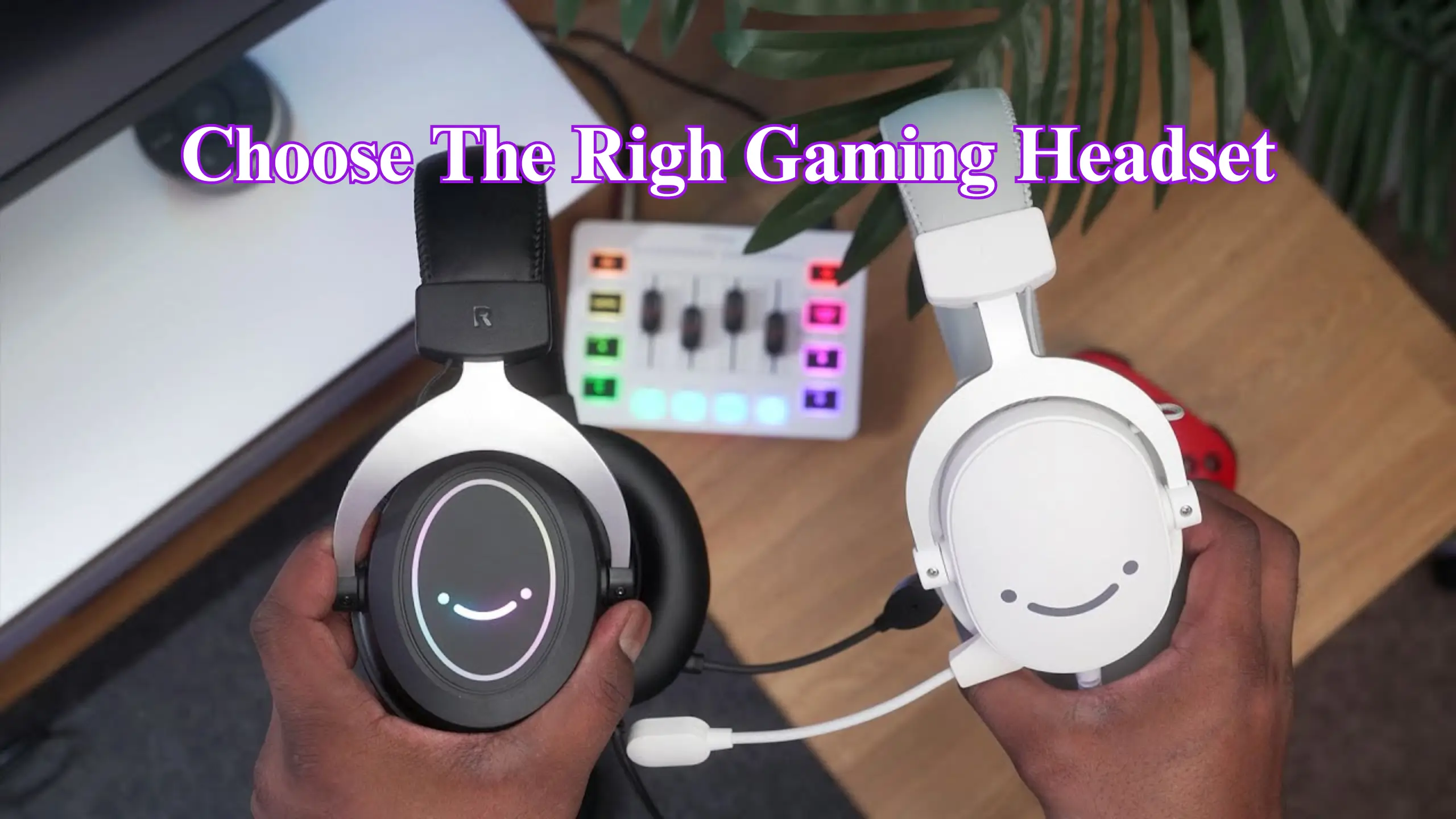
How to Choose the Right Gaming Headset: 8 Essential Tips

A gaming headset is, at its simplest, a pair of headphones with a microphone bolted on. That addition lets you communicate with your teammates effortlessly. Beyond that, headsets are tuned and built for long play sessions, which sets them apart from the everyday headphones you’d wear on the street.
How to pick a good gaming headset? This guide will work through essential tips on what a good gaming headset needs. Pick well, and you’ll land a headset that sounds great and lasts for years. Pick badly, and you’ll be hunting for a replacement soon.
Quick Tips Overview
- Tip #1 – Match the form factor to how you play
- Tip #2 – Go wired for value, 2.4 GHz wireless for freedom, and skip Bluetooth-only for gaming.
- Tip #3 – Put comfort first.
- Tip #4 – Judge drivers by tuning and reviews
- Tip #5 – Don’t pay extra for surround-sound marketing.
- Tip #6 – Vet the build and long-term reviews before you trust a headset for years.
- Tip #7 – For serious voice work, a standalone mic beats most built-ins.
- Tip #8 – Set a budget and confirm platform compatibility before you check out.
Tip #1: Decide Whether You Need a Headset At All
Headphones and headsets get treated as synonyms, but they aren’t. The only difference between headphones vs headset for gaming is the built-in mic. A built-in mic can help you in a multiplayer game or live on Discord. If you don’t need one, you might be better served by plain headphones.
Pro tips:
- Skip studio headphones for gaming. They’re tuned flat and neutral for professionals, not for the punchy bass most gamers actually want, so the extra money buys you a worse gaming experience.
- Don’t write off great headphones just because they lack a mic. Pair them with a standalone mic, and you keep the audio edge.
- Want one device for the commute and the game? Headphones fold smaller and look far less conspicuous than a bulky headset slung around your neck.
Once you’ve settled on the form factor, the next fork in the road is how it connects.
Tip #2: Choose Your Connection — Dodge the Bluetooth Trap
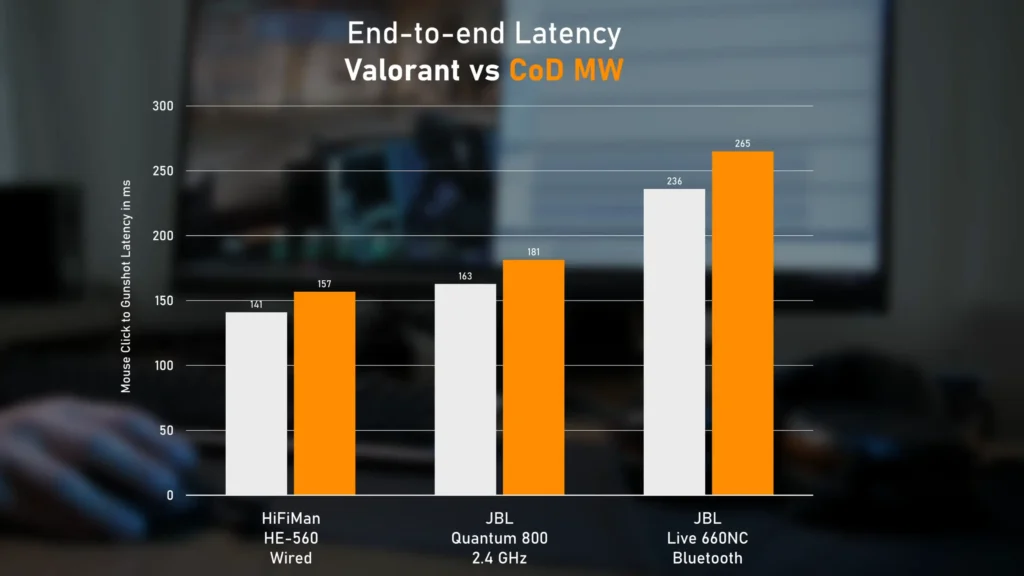
A wired 3.5mm or USB headset is the cleanest, cheapest, lowest-latency option, and it usually comes with a better mic. Modern 2.4 GHz wireless has gotten so good that the delay is imperceptible for everyone but elite esports players, so picking wired or wireless really comes down to preference.
Pro tips:
- Treat Bluetooth as a bonus for music on the go. Don’t pick a Bluetooth-only headset for gaming, as the lag is too much.
- Going wireless? Confirm it still works plugged in. Some flagships charge over USB but won’t pass audio through the cable, which is a real letdown.
- Battery life is quality of life. If you hit interference, move the dongle from the back of your motherboard to a front USB port.
Tip #3: Put Comfort First
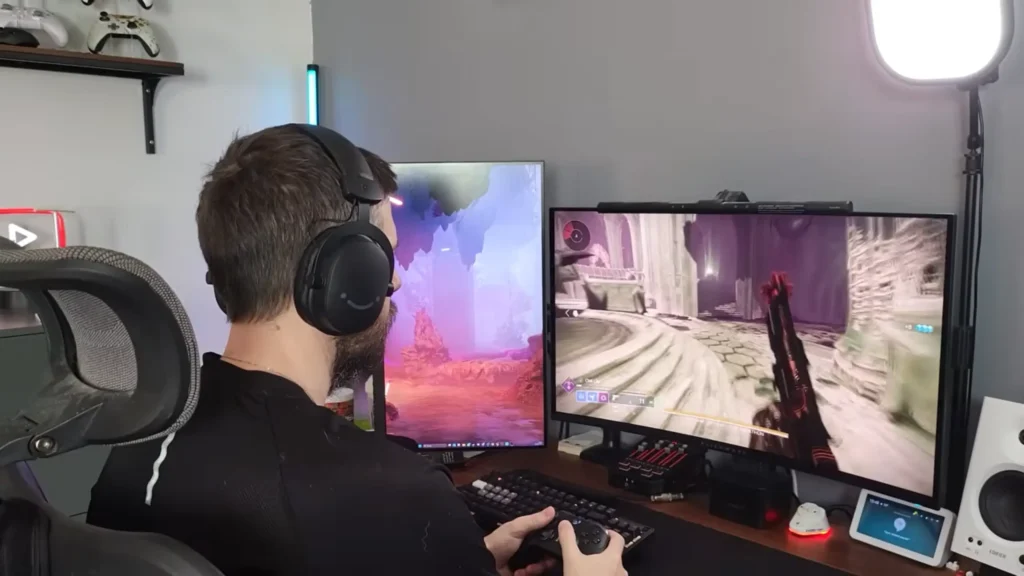
Comfort is the single biggest differentiator from person to person. But all the sound quality in the world means nothing if the headset digs into your skull after an hour.
For a comfortable gaming headset, look for a generously padded headband, soft and deep ear cushions, and a sensible clamping force. Your goal? A good fit stays put without slipping or squeezing.
Pro tips:
- Clamping force can be adjusted. If a pair grips too hard, stretch it overnight over a box or a stack of books to loosen the joints, or simply nudge it up or sideways to ease the pressure near your jaw.
- Don’t fixate on weight in grams. A heavier headset that’s well balanced across the headband and ear cups can feel lighter than a small one with a tight clamp.
- Glasses, a bigger head, or a lot of hair change everything. Look for a self-adjusting “floating” headband, or separate size extensions, and replaceable ear pads are better.
Comfort gets you in the chair. Now let’s talk about what’s coming through the drivers.
Tip #4: Understand Drivers and Sound
The drivers are the speaker units inside the ear cups, and they’re the difference between rich, atmospheric audio and a thin, hollow mess.
Most gaming headsets use 40 mm or 50 mm drivers. Most FIFINE headsets feature 50 mm drivers. As a rough guide, 40 mm tends to be bassier, while 50 mm often sounds a touch clearer. But tuning matters more than size. A well-tuned 40 mm driver can easily outclass a poorly tuned 50 mm one.
Pro tips:
- Higher sensitivity gives you finer volume control and more headroom, not just louder output. It’s a small spec that pays off daily.
- On USB and wireless models, set the bit depth and sample rate to the highest available for both audio and the mic.
Speaking of sound, stereo sound vs surround sound deserves to be discussed.
Tip #5: Don’t Fall For the Surround-Sound Pitch
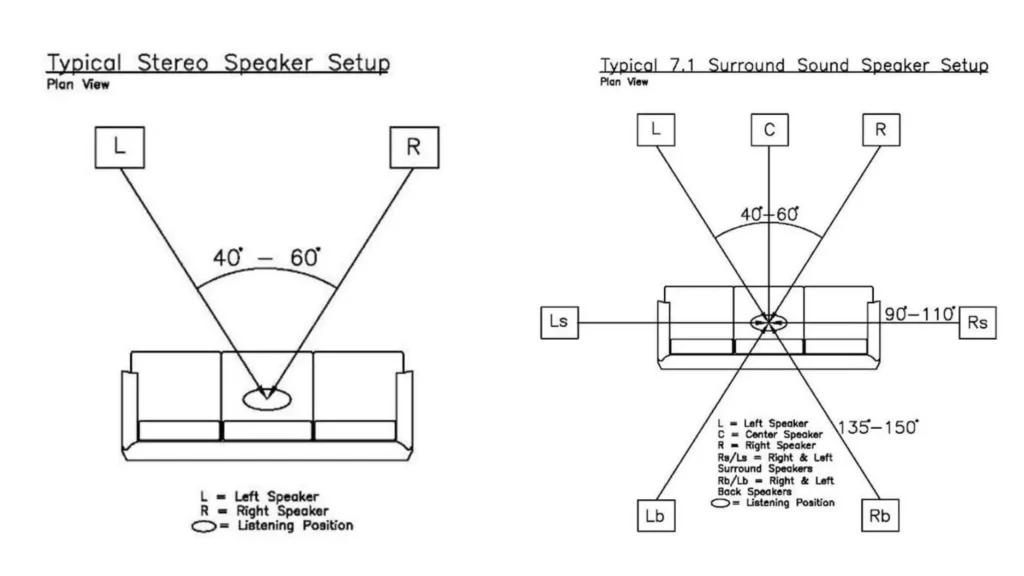
Stereo sound vs surround sound? Which is better for gaming in a headset?
Honestly, a good stereo headset already delivers the positional and distance cues you need to tell where footsteps and gunfire are coming from.
On the other hand, surround processing often pushes mid-range detail artificially far away. It provides a bigger and more immersive soundscape for diving games, strategy titles, and single-player adventures.
Pro Tips:
- Consider what you want for the gaming, clarity, or immersion. Your game type decides your needs.
- If a headset throws in Dolby Atmos for free, treat it as a nice extra rather than a reason to buy.
- Some surround sound gaming headsets work better for pinpointing enemies. But a stereo sound effect is better for a “truer” sound.
Once you know what you want to hear, make sure the headset can survive long enough for you to enjoy it.
Tip #6: Check The Build and Research Reliability
A headset you’ll use daily for years needs to hold together, and the gap between a $30 pair and a $300 pair often shows up in the build.
Plastic doesn’t mean worse. It’s light, flexible, and the right material for a lot of headsets, with metal forks or frames showing up as you climb in price. FIFINE H19 open-back gaming headsets are built with plastic and metal. It wouldn’t be too heavy but still remain stylish.
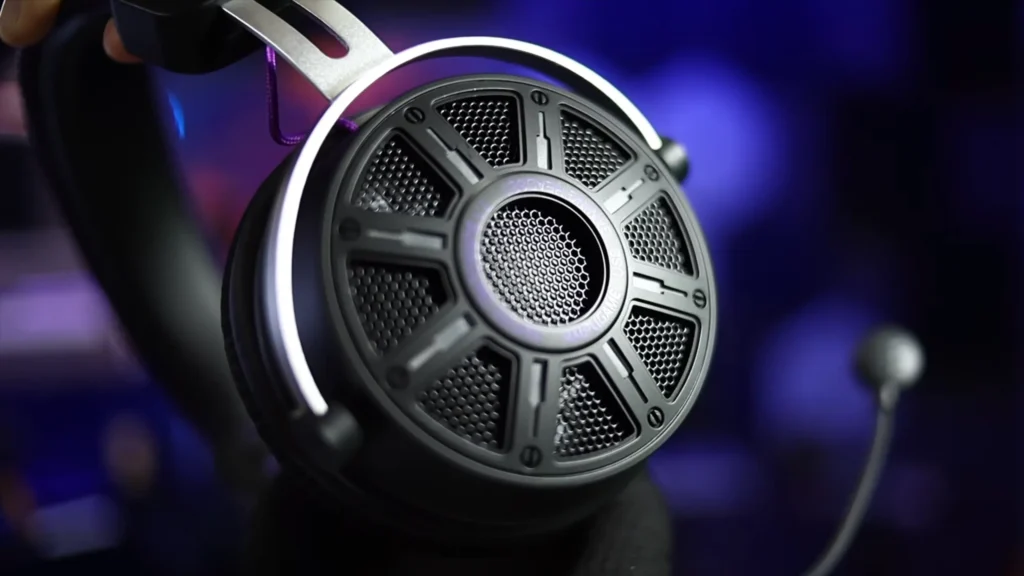
Pro tips:
- Pay attention to the common failure points, including loose mic arms, worn interior cabling that kills a channel, disintegrating ear cups, and dongles that quit.
- If you’re careful with your gear, a well-made budget headset will serve you just fine. Build quality matters most if you’re rough on your equipment.
Build keeps the headset alive. Now for the part that makes it a headset in the first place.
Tip #7: Judge The Microphone Realistically
The mic is what turns headphones into a headset, but the quality you actually need depends entirely on how you’ll use it.
For everyday game chat, most built-in mics are simply fine — the people on the other end will hear you clearly. Content creator @CoZChristopher appreciates the built-in mic quality in the FIFINE H6 headset. “This microphone blows it away, and it was surprising how good that microphone is for the price”, he said.
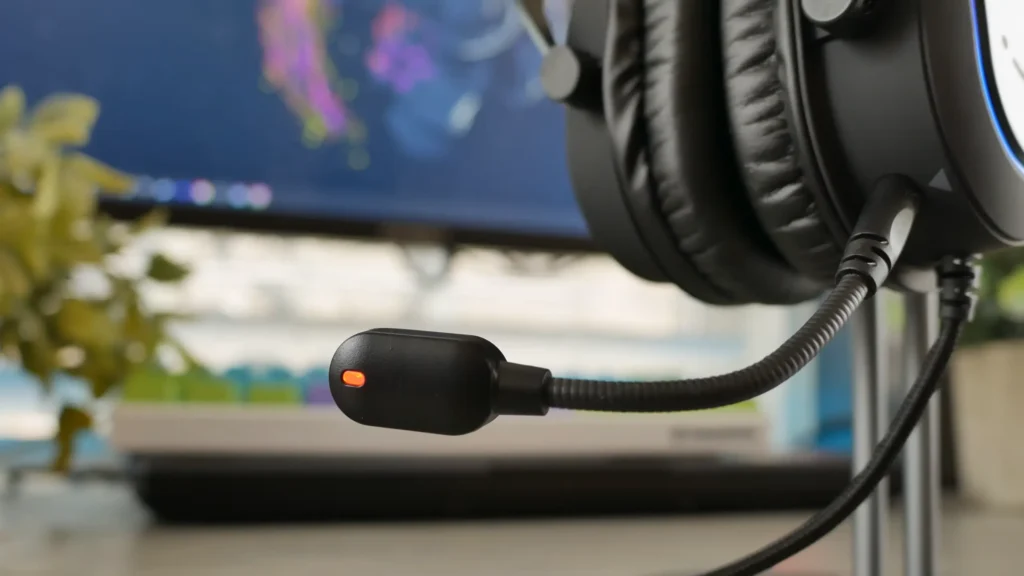
Pro tips:
- App compression matters as much as the mic. The same headset can sound very different on Discord versus Microsoft Teams or Skype.
- Look for a mic that detaches, flips up to mute, or retracts. It’s far less distracting and easier to wear.
You know what to look for. The last step is matching it to your wallet and your console.
Tip #8: Set Your Budget and Confirm Compatibility
Price and platform are the practical guardrails that keep your shortlist realistic.
Decide which extras you genuinely need: Bluetooth, noise cancellation, app control, a spare hot-swap battery, and let that set your budget. A wired headset near $30 to $50 can pack a serious punch, while $300-plus buys premium materials and planar magnetic drivers most players don’t need.
Pro tips:
- Confirm the headset works with your platform, PC, PlayStation, Xbox, Switch, or phone. Some FIFINE gaming headsets, like FIFINE H6, don’t work with the Xbox.
- If a wireless or USB headset claims to support multiple platforms, make sure it means full wireless audio on yours, not just an analog workaround.
- Work down your list — comfort, connection, sound, mic, build, price — and you’ll end up with something you’re happy with.
The Best Gaming Headset for Every Budget
Picking the ideal gaming headset? All three of the FIFINE AmpliGame headsets below share detachable boom mics with test-proven clarity, lightweight builds, and braided-cable durability.
| Headset | Best for | Connection | Standout features |
|---|---|---|---|
| FIFINE AmpliGame H6 | PC and PlayStation players who want plug-and-play digital audio | USB-C (PC, PS4/5, Mac) | Detachable boom mic, 50 mm drivers, virtual 7.1, three EQ presets (Music, Gaming, Cinema), RGB, inline volume and mute |
| FIFINE AmpliGame H9 | Multi-platform gamers who need Xbox support | 3.5mm TRRS jack + USB adapter | Lossless stereo plus virtual 7.1, detachable mic, lightweight (260–280 g), inline controls |
| FIFINE AmpliGame H3 | Legacy PCs with separate headphone and mic ports | USB-C + 3.5mm + included Y-splitter | Hybrid connectivity, bundled splitter cable, RGB, wider headband |
Quick way to choose: go H6 for the simplest PC or PlayStation setup, H9 if you need Xbox and multi-platform coverage, H3 if your PC has separate audio and mic ports.
Want a more immersive sound for the extensive FPS? FIFINE H19 let you dive into your game effortlessly.
Quick Recap
Choosing a gaming headset stops struggling with the spec sheet. You now know the order that matters — form factor, connection, comfort, sound, surround, build, mic, and budget — and you can spot the marketing fluff from across the room. Comfort and versatility are the keys. The best gaming headsets are not far from here.
FAQ
Is 7.1 surround sound worth it?
It depends on what you play. Clean stereo usually wins in competitive shooters because it preserves the detail you need to locate sounds. Surround can genuinely add to driving games, strategy titles, and single-player worlds.
Should I go wired or wireless?
Wired is cleaner, cheaper, lower-latency, and usually has a better mic. But modern 2.4 GHz wireless is so good that the delay is imperceptible for most players. The only firm advice: avoid Bluetooth-only headsets for gaming, since the lag is too high.
Do I need a built-in mic, or should I buy a standalone?
If you want convenience for game chat, a headset’s built-in mic is the easy choice and most are perfectly clear. If you stream, record or want broadcast-quality voice, a standalone USB mic or a clip-on ModMic will sound noticeably better.
How big should the drivers be?
Most gaming headsets use 40 mm or 50 mm drivers. As a rough guide, 40 mm can lean more bass-heavy and 50 mm a touch clearer, but tuning matters far more than size.
Why does my headset hurt after a couple of hours?
Almost always clamping force. Try repositioning it slightly up or to the side, or stretch it overnight over a box to loosen the grip. Swapping in softer aftermarket ear cushions can also relieve the pressure.
