
FIFINE H9 Review: A Killer Headset for Gamers

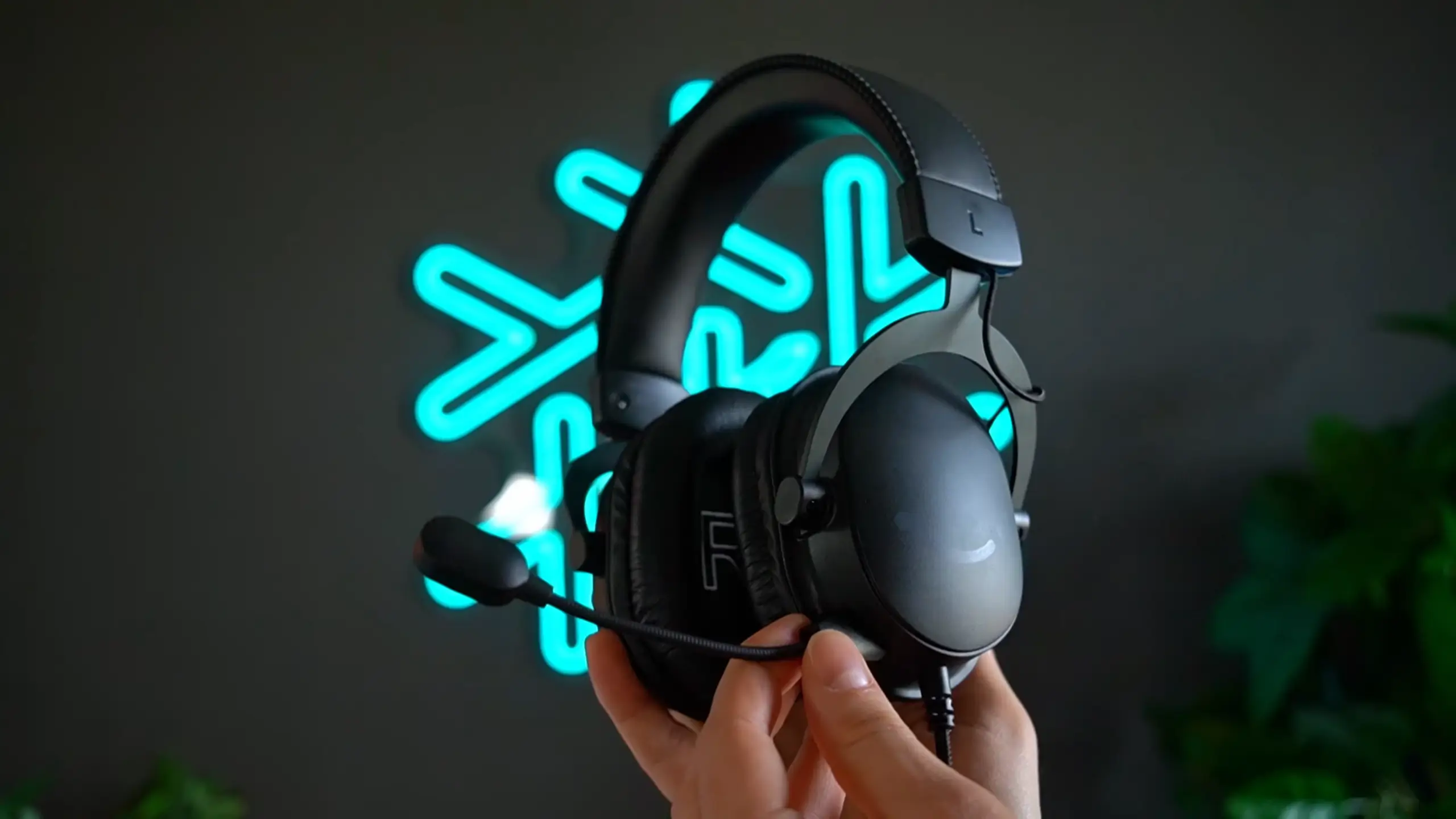
You may think budget gaming headsets usually come with a catch. Technically functional, but nothing you’d actually enjoy. The FIFINE AmpliGame H9 is different. At around $30-$40, H9 delivers a surprisingly rich feature set for its class.
After extensive testing across gaming, streaming, editing, and casual media consumption, we can say the H9 gets most things right. It’s not going to replace your audiophile-grade cans, but it’s a go-to for gamers who want reliability without the sticker shock. So, here’s what we found about the FIFINE H9 review.
Quick Take for FIFINE H9 Review
Overall Score: 7.5/10
| Category | Score |
| Audio Quality | 6/10 |
| Microphone Quality | 8/10 |
| Build Quality | 7/10 |
| Comfort | 7/10 |
| Connectivity | 8/10 |
| Value for Money | 9.5/10 |
Pros
- Detachable microphone delivers punchy, clear audio that rivals some standalone mics
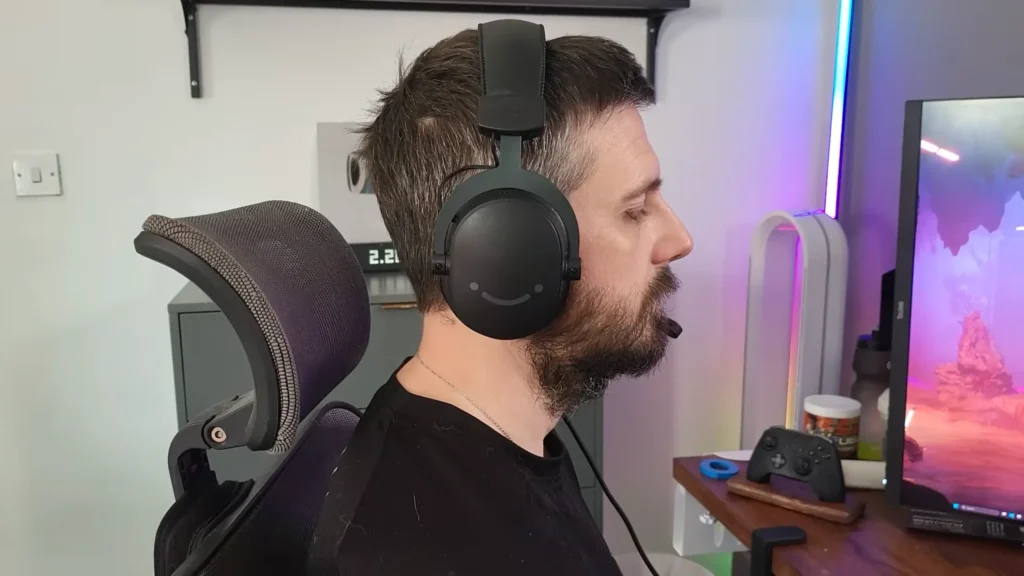
- Lightweight design (260–280g) makes extended gaming sessions comfortable
- USB dongle with onboard controls for volume, mic mute, and 7.1 toggle
- Braided cable and metal-reinforced headband offer durability beyond its price point
- Cross-platform compatibility: PC, Mac, PS5, Nintendo Switch, and Xbox (via controller)
- Clean, minimalist aesthetic with no RGB distractions
- Available in black, white, and pink
Cons
- Bass response is underwhelming—no deep rumble for cinematic moments
- 7.1 virtual surround sound feature adds echo and reduces clarity
- Audio quality drops noticeably when using a 3.5mm connection instead of a USB
- Ear cups may feel shallow for users with larger ears
- No onboard controls when using 3.5mm mode
- Faux leather ear pads could get warm during summer sessions
FIFINE H9 Audio Quality Review
Score: 6/10
For exploring the FIFINE H9 review, let’s start with what you might care most about: How does it sound?
Let’s get the elephant out of the room: the H9 won’t deliver that thumping, cinematic bass you might expect from gaming headsets marketed with exploding grenades and racing engines. Bass shows up, but it doesn’t stick around. There’s no deep rumble, no chest-rattling impact when an explosion goes off behind you.
The Biggest Feature: Sound Clarity
In H9, what you do get is clarity. The mids and highs come through clean and defined. Dialogue in story-driven games cuts through without competing with background noise. Ambient sounds—footsteps, environmental cues, distant gunfire—remain distinct and easy to pinpoint.
“To be fair, the H9 did a solid job with clarity. Dialogue and ambient sounds came through clean, and positional audio was spoton. But I did find myself nudging the volume higher than usual.” — YouTuber NERD, tested it with the game Expedition 33.
This tonal balance favors competitive gaming. If you’re playing Apex Legends, Valorant, or Counter-Strike, the emphasis on highs means footsteps and reloads stay crisp. One tester noted the H9 actually outperformed their SteelSeries Arctis Pro in terms of directional clarity during intense firefights.
“When I was using them for shooting games and stuff like that, they’re really nice and really amplify that sound. However, because they are meant for that, they are not very bassy and lack much bass, which is pretty typical though for most gaming headphones”. — YouTuber AGU Tech
The Audio Skews Top-Heavy
If you’re planning to use the H9 for music with heavy bass or immersive single-player experiences, temper your expectations. It handles media consumption adequately, but you’ll notice the missing low-end warmth.
Volume Output is Solid
The H9 gets loud enough without maxing out your system settings, and the USB dongle lets you control levels on the fly. Just know that if you’re using the 3.5mm connection directly into a controller, audio quality dips noticeably. This is where the headset sounds more like a typical budget option.
FIFINE H9 Review: 7.1 Virtual Surround Sound
Score: 4/10
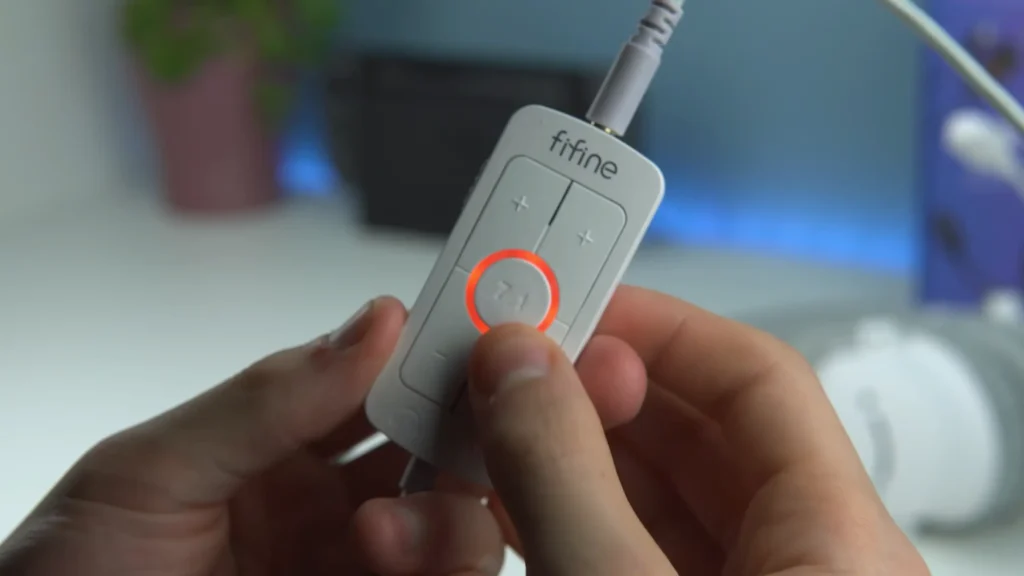
Once you use the USB controller, you’ll find there’s a dedicated button for the 7.1 virtual surround sound. In theory, this should expand your soundstage and improve spatial awareness. In practice, it mostly adds echo and reduces overall clarity.
Multiple testers reached the same review: the 7.1 mode makes audio feel closer to your ears rather than more dimensional. Instead of a wider soundstage, you get a muddier one.
“When turning the 7.1 on, the audio just seemed to get a little more echoey, worse in terms of quality and clarity. And I actually found it harder to discern Direction in the game”. — YouTube BigWynter shared
The one potential use case? Catching footsteps in shooters. The high-frequency boost can make those subtle sounds pop. But even then, stereo mode typically produces more natural results.
“It won’t teleport you into Dolby Atmos. What it actually does is boost the high frequencies. Handy for catching footsteps in sweaty shooters. ” — YouTuber Nerd
So, if you want to have a more immersive sound quality that feels the shooting and footsteps sounds, the 7.1 virtual surround sound will work, but don’t expect a transformation.
FIFINE H9 Microphone Quality Review
Score: 8/10
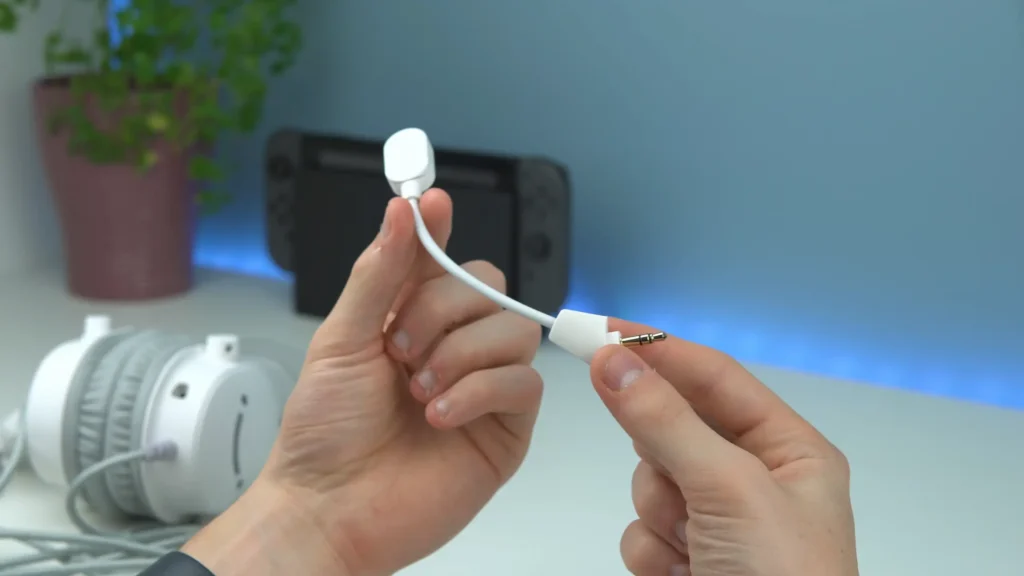
When we explored the FIFINE H9 review, we were surprised that the built-in mic genuinely shines. The detachable boom mic delivers audio quality that surprises everyone who tests it. For a headset in this price range, mic performance typically ranks as an afterthought. Not here.
Connected via USB, the microphone captures voice with solid low-end warmth and clear articulation. You don’t sound like you’re on a speakerphone or talking through a tin can. The audio is broadcast-ready with minimal processing—add a noise gate, some EQ, and a limiter in OBS, and you’ve got a setup that rivals dedicated mics costing twice as much.
In side-by-side comparisons with the SteelSeries Arctis Pro’s integrated mic, the H9 held its own.
“Even with no plugins and no EQ, even if I start getting quite loud, I can’t hear that it’s clipping myself. I’m looking at the Monito,r and it seems to be within a somewhat healthy range, which is pretty impressive. “— Youtuber BigWynter compared the H9 mic with the SteekSeries Arctis Pro
The detachable design adds practical value. Pop off the mic when you’re watching YouTube or editing videos, and you’re not stuck with a boom arm in your peripheral vision. When you need it, it clicks back into place securely.
One caveat: switching to the 3.5mm connection drops mic quality significantly. The USB dongle’s built-in sound card does heavy lifting here. If you’re using the H9 with a console controller via the analog cable, expect results closer to a typical cheap headset mic.
FIFINE H9 Review: Build Quality
Score: 7/10
At 260–280g (depending on connection method), the FIFINE H9 headset is remarkably lightweight. The frame uses heavy-duty plastic with metal reinforcement on the adjustable sliders, striking a balance between durability and portability. The braided cable is a standout detail. This one resists tangling and won’t fray after a few months of desk friction.
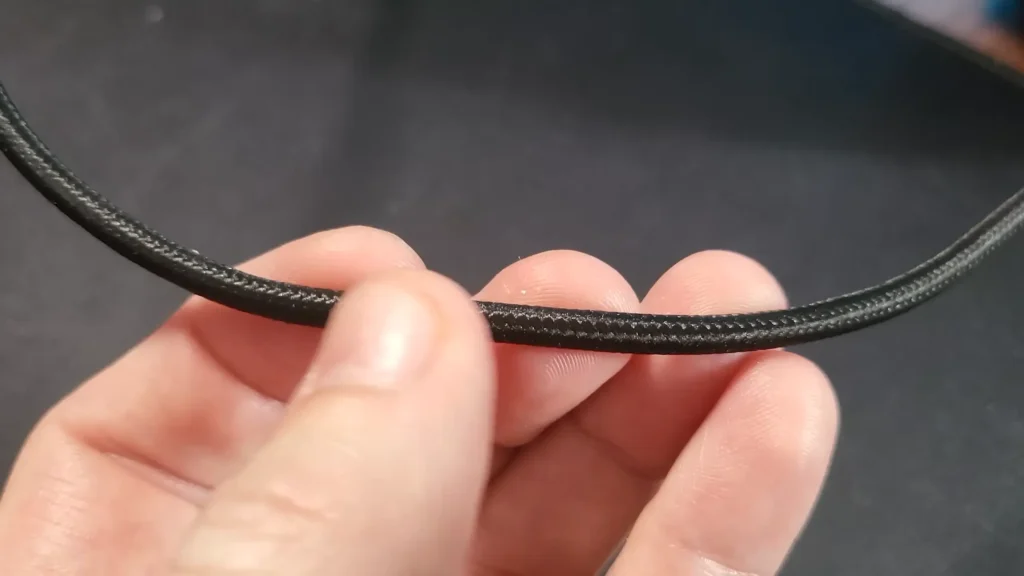
Some reviewers found that there’s a slight plasticky sensation when you handle it, and the ear cups don’t exude luxury. But—and this matters—it doesn’t feel cheap in a way that suggests imminent failure. The materials seem built to last through regular use.
When it comes to the USB control, it’s not so perfect. As we found, the plastic housing feels lighter and cheaper than the headset itself, while functional.
“However, the USB control device does feel like it’s made of a much cheaper material, and whilst the buttons do provide some tactile feedback, they don’t feel great to press. But that will do for everything in the Box as importantly, this is a headset.” — YouTuber BigWynter.
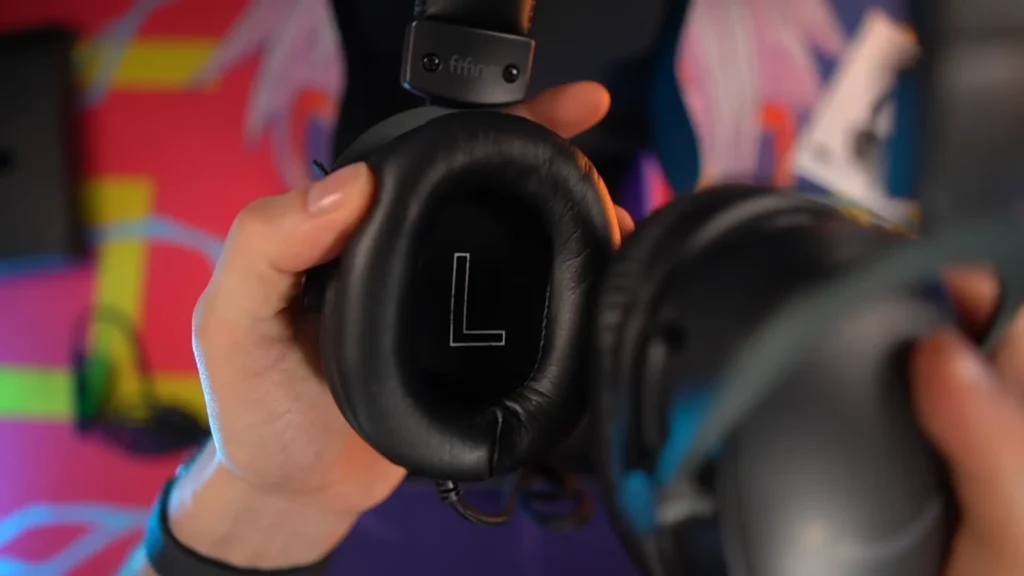
What left an impression on me is the L and R indicator inside each cup. As someone who always puts these things on backwards, this is a save for me. Available in black, white, and pink, the H9 adopts a minimalist aesthetic that fits most setups without screaming “gamer.”
FIFINE H9 Review on Comfort
Score: 7/10
We all know that comfort matters a lot for extended gaming sessions. But the FIFINE H9 headset, it delivers for most use.
Soft and Plush Ear Cup
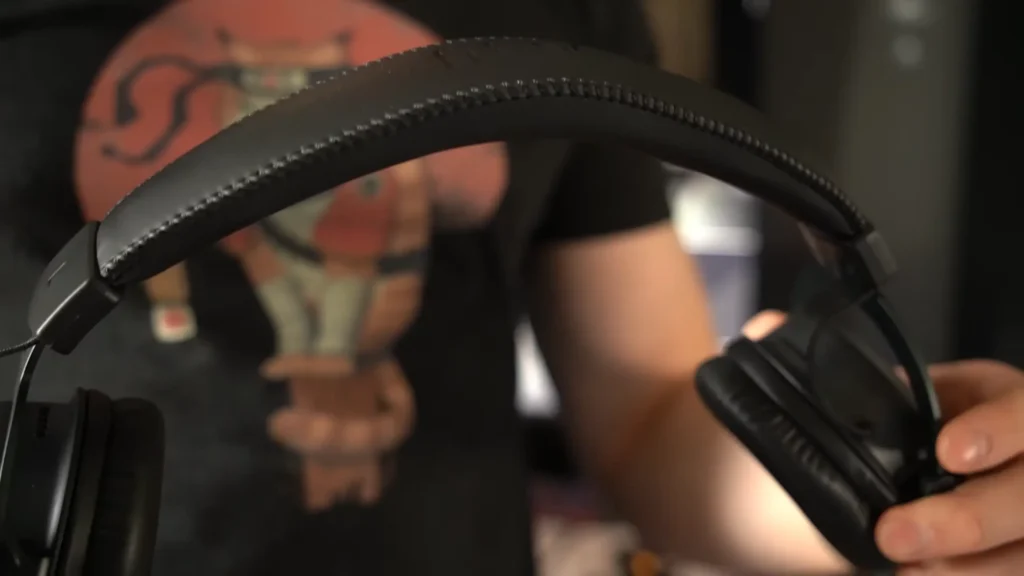
The faux leather padding on both the headband and ear cups is soft and plush. At under 300g, the headset doesn’t create pressure points on the top of your head, even after hours of wear. If you wear glasses, you’ll appreciate that the H9 doesn’t squeeze your frames into your skull.
Even if it can, it only happens after the long-time wearing. YouTuber BigWynter said, “My thick-framed glasses were eventually pinched at the top of my ears” after 10+ hours of wearing. But he emphasized that “this was only really an issue after extremely long periods of wear”.
Cup Depth Embarrassment
However, ear cup depth may be an issue for some. For users with bigger ears, it seems to create an on-ear wearing.
“I do wish that the ear cups were a bit deeper, as I feel that my ears are touching the actual drivers almost when I’m using them, and I find that the bottoms of the cups kind of stick out a little bit and don’t fully hug the sides in my ears”.—-YouTuber AGU Tech.
Changeable for Seasons
The faux leather material raises one seasonal concern: heat. During cooler months, the cups perform fine. But those leather-like pads could trap warmth during summer gaming sessions, leading to sweaty ears. The good news? FIFINE designed the ear pads to be replaceable, so you could swap them for breathable mesh if needed.
So, comfort won’t be an issue under six-hour usage. Push beyond that, especially if you wear thick-framed glasses, and you may experience some ear pinching at the top where the cups meet the frame.
FIFIVE H9 Review: Connectivity & Features
Score: 8/10
The H9 embraces versatility. Connection options include:
- USB-A via the included sound card controller
- 3.5mm audio jack for direct connection to controllers and devices
This dual approach means cross-platform compatibility without hassle. PC, Mac, PS5, Nintendo Switch (docked), and Xbox (through the controller’s 3.5mm port) all work out of the box. No drivers. No software. No account creation. Plug in and go.
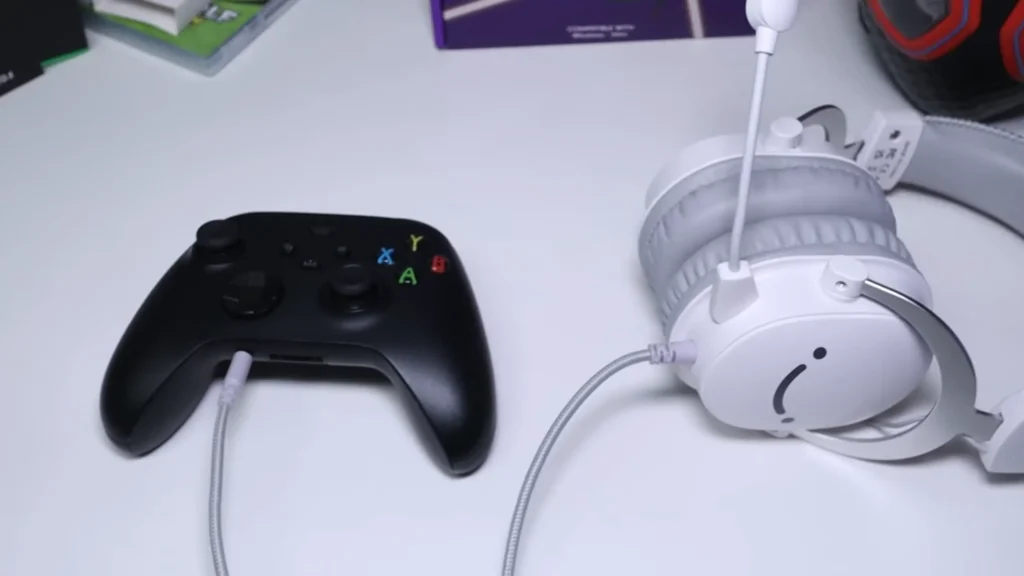
The USB controller dongle packs useful functionality into a compact form. You get:
- Microphone mute toggle (physical switch on the side)
- Microphone volume dial
- Headphone volume dial
- 7.1 surround sound button (with LED indicator)
- Shirt clip for cable management
Having these controls accessible during gameplay is genuinely helpful. Adjusting volume or muting mid-match without tabbing out or navigating console menus saves friction.
The tradeoff: using the 3.5mm connection sacrifices all onboard controls. You’re stuck with system-level adjustments, which can be annoying during intense moments. The headset itself lacks any integrated controls—a design choice that keeps things simple but limits flexibility without the USB dongle.
The USB controller also houses the built-in sound card, which explains the audio quality difference between USB and analog connections. For best performance, stick with USB whenever possible.
Who Is the FIFINE H9 Headset For?
| If You Are… | The H9 Is… |
| A budget-conscious gamer needing reliable gear | An excellent choice |
| A streamer starting out who needs a capable mic | Worth serious consideration |
| Someone gaming across multiple platforms | Ideal for its plug-and-play versatility |
| An audiophile seeking reference-grade sound | Not the right fit |
| A bass-heavy music listener | Missing the low-end you want |
| A glasses wearer wanting comfort | A solid option that won’t clamp your frames |
| A competitive FPS player prioritizing footsteps | Well-suited for clarity over bass |
FIFINE H9 Alternatives
Razer Kraken
Price: ~$50–$80
| Pros: | Cons: |
| Deeper bass response | Heavier build |
| Cooling gel-infused ear cushions | Mic quality doesn’t match the H9 |
| Established brand recognition | Often requires synapse software |
Best for: Gamers who prioritize bass and don’t mind paying extra for a brand name.
HyperX Cloud Stinger 2
Price: ~$50
| Pros: | Cons: |
| Comfortable lightweight design | Mic quality is average |
| Rotating ear cups for convenience | Limited features without extra accessories |
| Solid build quality | No detachable mic |
Best for: Console gamers who want no-fuss reliability.
Corsair HS35
Price: ~$30–$40
| Pros: | Cons: |
| Extremely affordable | Plastic-heavy build |
| Plush memory foam ear cups | Bass is thin |
| Discord certified mic | Cable isn’t braided |
Best for: Buyers on the tightest budgets who still want a functional headset.
FIFINE H9 Review Summary
The FIFINE AmpliGame H9 makes a compelling case for itself in the budget gaming headset market. At $38–$50, it delivers where it counts: a microphone that punches above its weight, audio clarity tuned for competitive gaming, and comfort that lasts through long sessions.
The bass won’t blow you away, and the 7.1 surround sound isn’t so extraordinary. But if you value clear communication, positional awareness, and the freedom to game across platforms without fiddling with drivers, the H9 earns its place on your shortlist. It doesn’t overpromise. It just works.
FAQs
Does the FIFINE H9 work with Xbox?
Yes, but only via the 3.5mm cable plugged into your controller. The USB dongle isn’t compatible with Xbox consoles directly.
Is the microphone good enough for streaming?
Absolutely. With basic EQ and noise suppression in OBS or VoiceMeeter, the H9 mic delivers quality suitable for streaming and content creation. It outperforms many dedicated headset mics at this price.
Should I use the 7.1 surround sound feature?
If you want a more immersive experience, you can use it. The 7.1 surround sound can amplify footsteps or gunshots in games. But pay attention that it’s easy to add echo and reduce clarity. Stereo mode delivers more natural, accurate audio.
What’s included in the box?
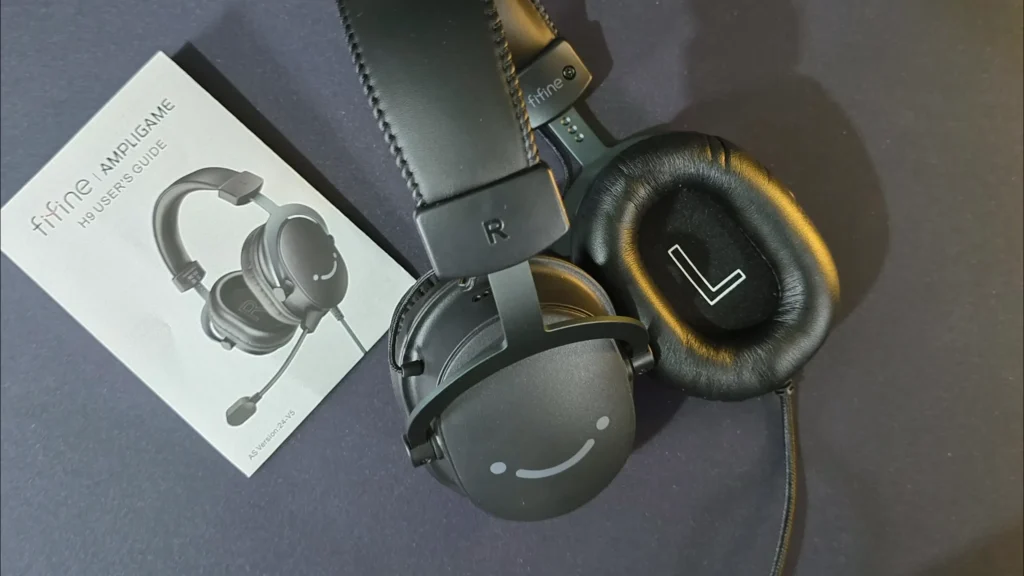
The H9 comes with the headset, detachable boom microphone, USB sound card controller with braided cable, and user manual.
How does it compare to the SteelSeries Arctis Pro?
The H9 can’t match the Arctis Pro’s overall audio fidelity, but its microphone arguably performs better for voice clarity. At a fraction of the price, the H9 offers strong value for gamers prioritizing communication.
Is it comfortable for glasses wearers?
Yes. The lightweight design and soft padding don’t clamp tightly against glasses frames. Extended sessions (6+ hours) may cause minor discomfort at the top of the ears, but it’s better than most competitors in this regard.
