
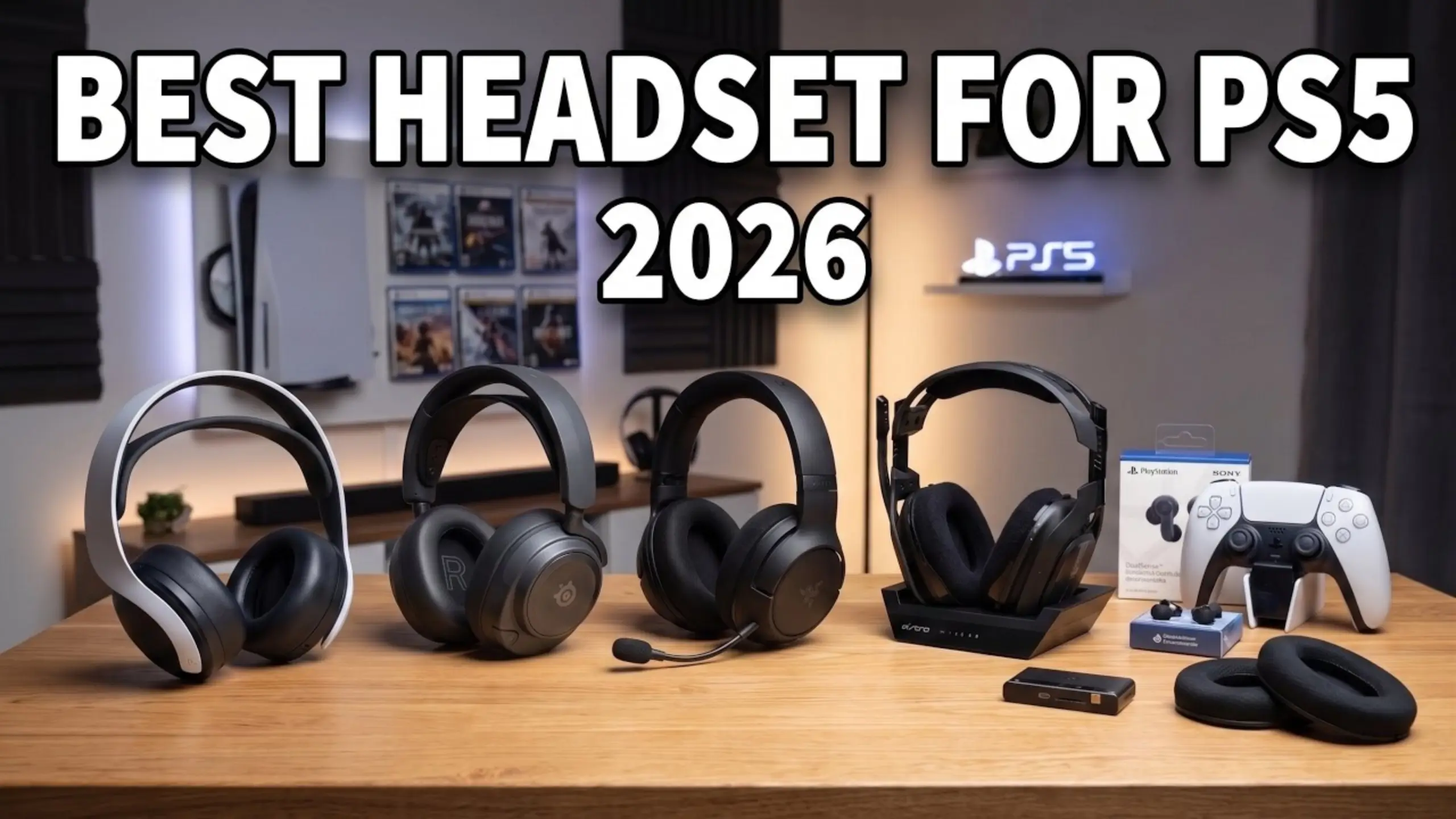
Best PS5 Gaming Headset in 2026: 6 Picks for Footsteps, Comfort and Clear Chat

Your PS5 already does the hard part in your games. Sony’s Tempest 3D AudioTech turns a plain stereo signal into a convincing sense of space, so you can hear an enemy creeping up on your left. How can you hear it clearly? That’s why a good PS5 gaming headset matters a lot.
Not only should your gaming headset deliver the signal cleanly, but it should also carry your voice to your squad and stay comfortable through long-term play. Stop searching aimlessly. Here we pick the 6 best PS5 gaming headsets for your various needs.
Best PS5 Gaming Headsets at a Glance
| Headset | Best for | Price | Connection |
|---|---|---|---|
| fifine AmpliGame H13 | Best budget wired headset | $55.99 | Wired USB-A |
| fifine AmpliGame H9 | Best under $40 | $39.99 | Wired USB-A or 3.5mm |
| fifine AmpliGame H19 | Best open-back headset for comfort | $70.99 ($60.99 on sale) | Wired USB-A |
| Audeze Maxwell 2 | Best overall | $329 | 2.4GHz wireless, Bluetooth, USB-C, 3.5mm |
| Razer BlackShark V3 Pro | Best for competitive shooters and mic quality | $249.99 | 2.4GHz wireless, Bluetooth, USB-C, 3.5mm |
| SteelSeries Arctis Nova 7P | Best mid-range all-rounder | $179.99 | 2.4GHz wireless with simultaneous Bluetooth, 3.5mm |
6 Best PS5 Gaming Headsets Put to the Test
1. fifine AmpliGame H13 – Best Budget Wired Headset
Pros
- Thick, plush ear pads and a spongy headband stay comfortable for hours
- Closed-back design keeps sound in: someone a few feet away heard nothing at full volume
- Inline control box with game/chat balance, mute, volume, and mic noise cancellation
- Red mute light on the boom mic shows up in your line of sight
- 11 RGB lighting modes for streamers on camera
Cons
- USB-A only, so it won’t plug into the DualSense controller
- Max volume on PS5 is a touch low for some players
- Mute sits on the inline box, not the ear cup
The best PS5 gaming headset with balanced, immersive sound here. @honestrob compared it with his Shure SRH840 studio headphones and found the bass response close, with slightly less clarity, at less than half the price.
When @honestrob played on PS5, the fifine H13 headset’s EQ and 7.1 buttons didn’t change the sound. Tempest 3D Audio already simulates surround for stereo headphones. Stacking a second virtual surround on top would over-process the signal. With the extras out of the way, the fifine H13 gaming headset works as a clean stereo headset and lets the PS5 do its job.
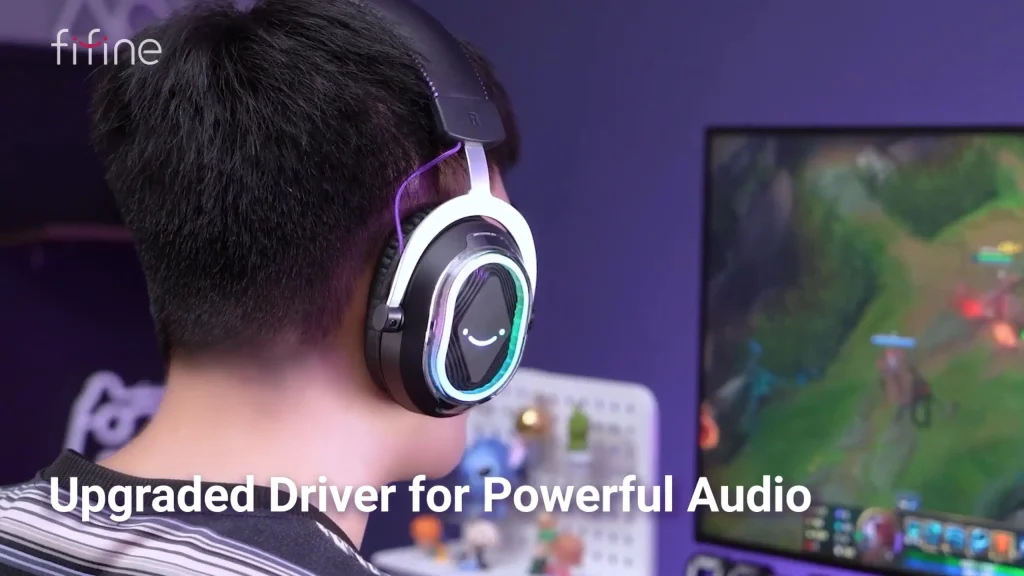
On PC, the buttons do kick in. The Music preset trims bass, Game piles it on, and Movie strikes the best balance. Our tip: hold the EQ button until the lights go off for a flat sound. That’s when the H13 sounds its best for PS5.
2. fifine AmpliGame H9 – Best Under $40
Pros
- USB and 3.5mm connections cover PS5, PC, Switch and Xbox (via 3.5mm)
- Light, flexible frame with plush pads; the reviewer found it more comfortable than the similarly priced Astro A10
- Detachable mic that friends heard clearly in-game
- Inline mute switch, mic volume, headset volume and a 7.1 button
- Comes in black, pink and white
Cons
- Bass lacks weight in cinematic games like God of War Ragnarök
- Inline controls only work over USB, not the 3.5mm jack
- Omnidirectional mic can pick up more room sound than a directional one
The fifine H9 gaming headset is the most flexible wired option here. Run the 3.5mm cable into your controller for the couch, or plug the USB into the PS5 to unlock the control box.
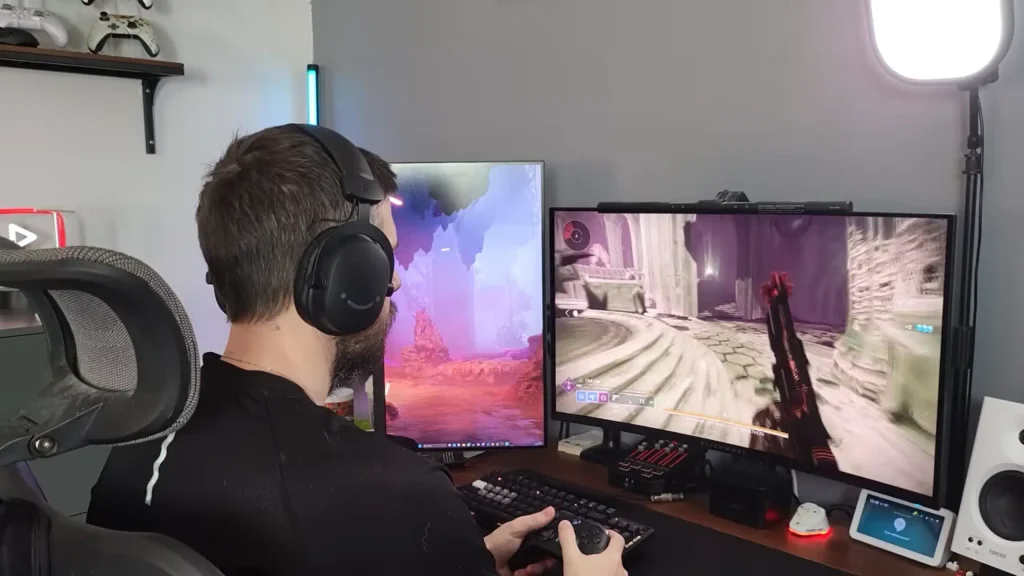
@akaygames_ played Call of Duty and Rainbow Six Siege on PS5 and could clearly tell the direction of enemy footsteps. Plug it into the DualSense for simplicity or into the console’s USB port for 7.1 virtual surround sound and the inline controls.
Don’t expect a luxury product. Still, @akaygames_ called it a strong fit for first-person shooters, story games and anyone starting in content creation or taking gaming more seriously. If you want fuller sound, game/chat balance, and RGB, step up to the H13.
3. fifine AmpliGame H19 – Best Open-Back PS5 Gaming Headset
Pros
- Open-back ear cups feel lighter and less tight than closed-back headsets
- 53mm drivers; switching on 7.1 made an instant, noticeable difference in the reviewer’s listening test
- Detachable mic barely picked up a fan running in the reviewer’s room
- Inline controls for 7.1, Music/Game/Film EQ, RGB, mic mute and volume
- 11 RGB modes and a long 2.3m cable for couch setups
Cons
- Open-back design leaks sound out and lets room noise in
- Doesn’t work with Xbox
- Cable isn’t detachable
When your ears need a break, the open-back gaming headset fifine H19 is your reach. The open-back design feels lighter and lets air move around your ears, while 7.1 virtual surround and three EQ modes give it range. It works with PS5 over USB.
@coppercarver said it’s more relaxed when playing on PS5. The H19 gaming headset sits flush on your ears without the suction-like pressure of noise-canceling headphones, yet it still sounds clean and gets loud.
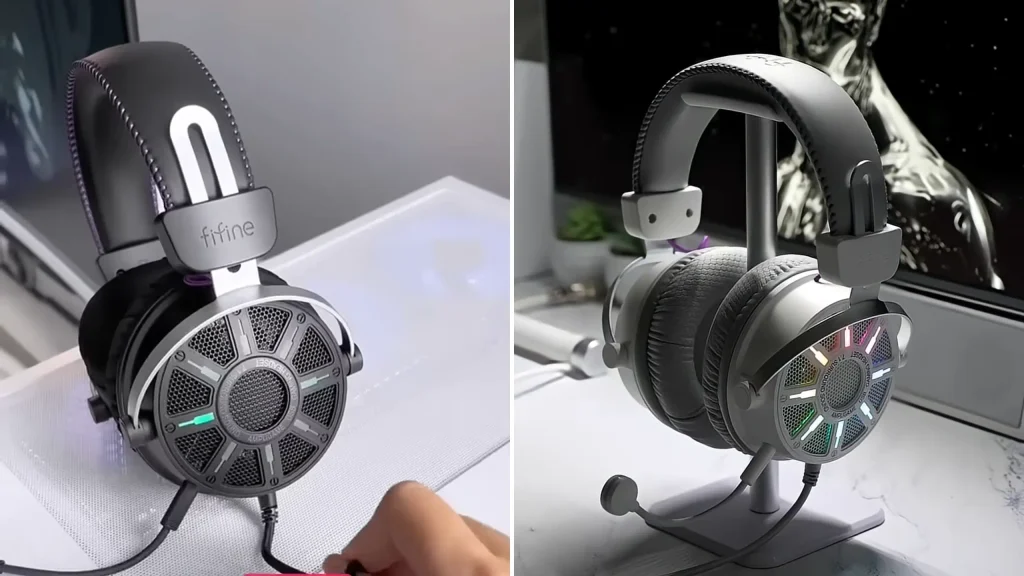
With the fifine H19 headset, you can switch halfway through a long session, for chill console gaming on the couch, or for music when your ears feel heavy. It could be a smart match for PS5 story games and open-world titles. For tense ranked matches where you need to block out the room, a closed-back pick like the H13 is the better call.
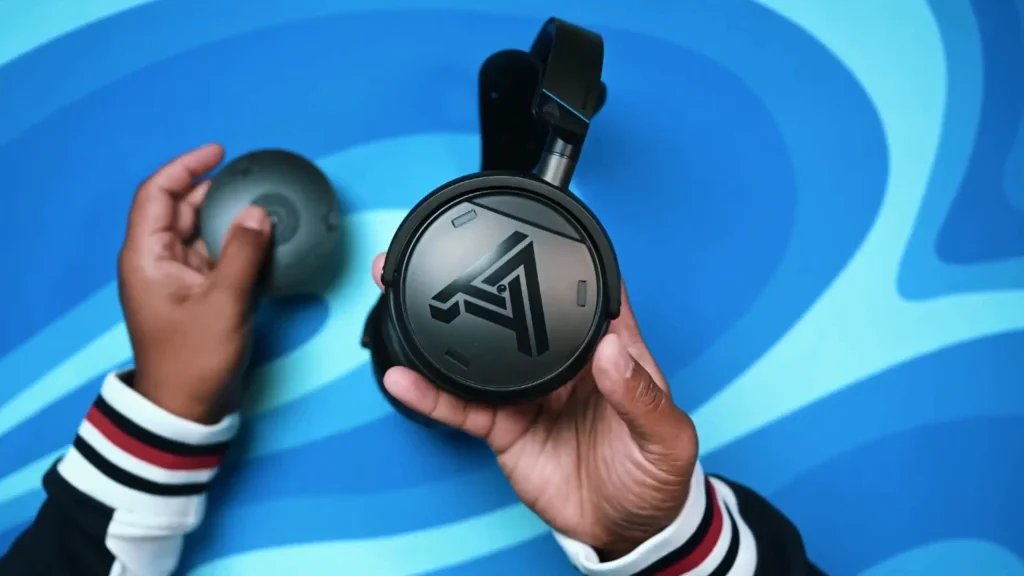
4. Audeze Maxwell 2 – Best Overall Gaming Headset for PS5
Pros
- 90mm planar magnetic drivers deliver detailed, balanced sound with punchy bass
- Tempest 3D Audio works through the USB-C dongle with no extra setup
- Over 80 hours of battery; a 20-minute fast charge adds about 24 hours
- Bluetooth 5.3 with LDAC for high-quality phone audio
Cons
- At 560 grams, it’s the heaviest headset here
- $329 is a big jump from the mid-range picks
- Some owners find the mic a little thinner than the BlackShark V3 Pro’s
Sound is the whole story here. Planar magnetic drivers are usually found in high-end listening headphones, and you hear the difference in busy firefights: footsteps and gunshots stay easy to pick out even when explosions pile up. Explosions hit hard without burying dialogue.
Plus, Audeze’s new SLAM technology is designed to tighten bass and sharpen spatial cues, and it pairs well with the PS5’s own 3D audio. The 80-plus hours of battery means you charge it roughly once a week. The wider suspension strap and added vent holes ensure wearing comfort during extended PS5 gameplay.
5. Razer BlackShark V3 Pro – Best for Competitive Shooters
Pros
- Detachable full-band HyperClear mic sounds clear even with background noise
- Hybrid ANC plus an ambient mode for noisy rooms
- 50mm TriForce Bio-Cellulose Gen-2 drivers give sharp positional cues and a fuller low end
- Tempest 3D Audio over the dongle, with Bluetooth mixing for phone audio
- A 15-minute charge gives about 6 hours of play
Cons
- Battery drops to 48 hours on PS5 (the 70-hour figure is for PC)
- Razer Synapse takes time to learn
- Warm, bass-forward tuning won’t suit fans of a neutral sound
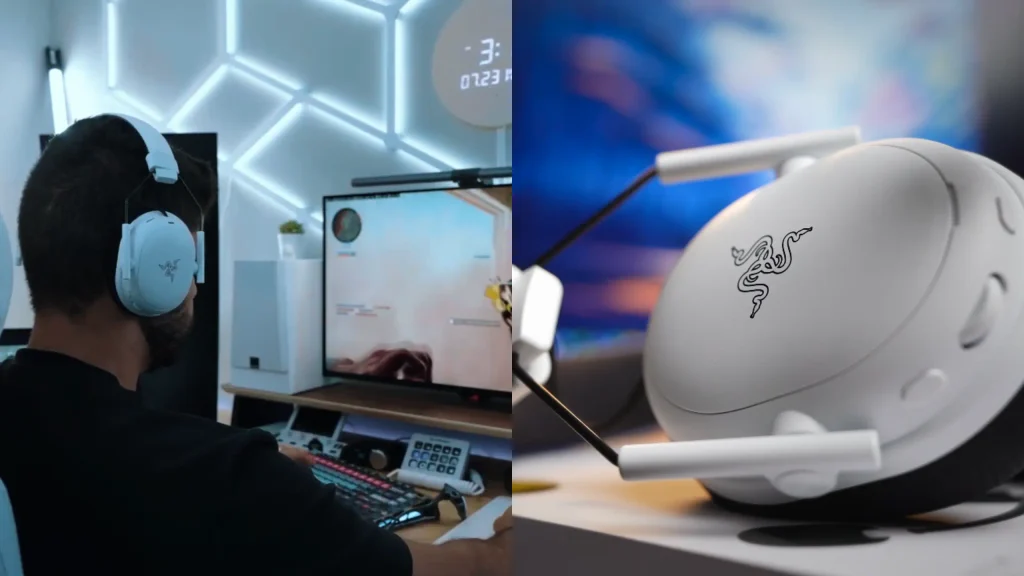
In a shooter, your mic is your second weapon, and this is where the BlackShark V3 Pro pulls ahead. GamesRadar’s testing put its mic ahead of SteelSeries’, and teammates won’t hear your fan or keyboard over your callouts.
Razer’s TriForce drivers tune the highs, mids, and lows separately, helping you pinpoint a gunshot quickly. Next to SteelSeries, it reaches deeper into the bass, so explosions feel fuller. With roughly 10 ms of wireless latency and hybrid active noise cancellation (ANC), it’s the pick for Call of Duty and other shooters.
A quick heads-up on battery: Razer rates the PlayStation edition at up to 48 hours on PS5, or 35 hours if you also run Bluetooth. That’s still several days of gaming.
6. SteelSeries Arctis Nova 7P – Best Mid-Range All-Rounder
Pros
- Simultaneous 2.4GHz and Bluetooth, so you never take the headset off to answer your phone
- Warm sound with controlled bass and crisp treble keeps footsteps clear
- Custom EQ presets in the SteelSeries app save straight to the headset
- 38-hour battery; a 15-minute USB-C charge adds about 6 hours
- Works with the PS5’s Tempest 3D Audio
Cons
- Mic noise floor runs slightly higher than premium models
- No active noise cancellation
- Battery life trails the Maxwell 2 and BlackShark V3 Pro
The Nova 7P earns its spot with one feature most headsets at this price get wrong: true simultaneous connections. PS5 Game audio runs over the dongle while Discord calls or music run over Bluetooth, with no input switching mid-match.
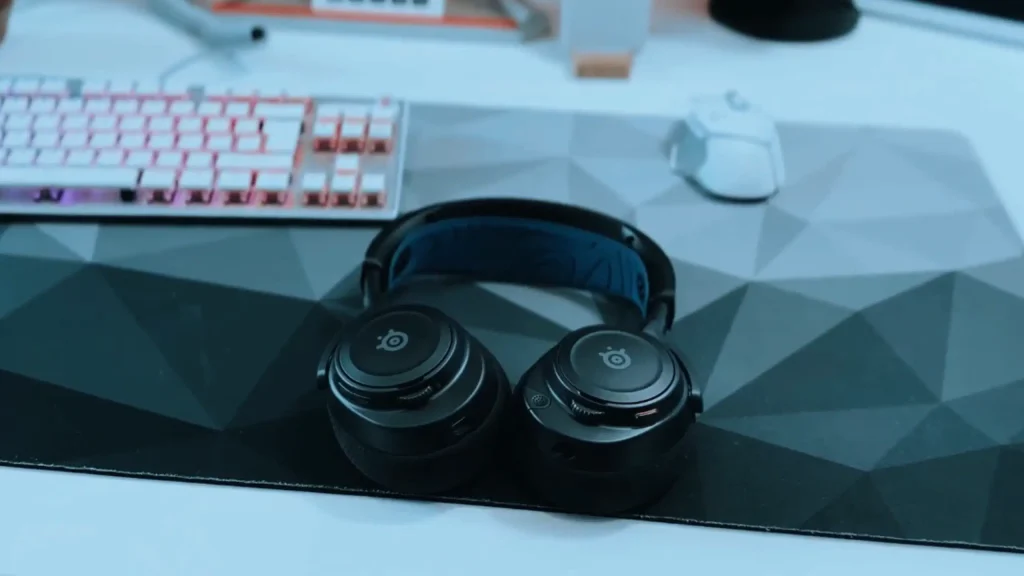
Its tuning gives explosions some weight while lifting the treble, so footsteps, gunfire, and sword clashes cut through without drowning out dialogue.
The mic isn’t best on this list. @ProPicks.Official noticed a bit more background hiss when monitoring the mic. It’s not a dealbreaker, but streamers may want a separate mic.
Who Are These PS5 Gaming Headsets Best For?
Match the PS5 gaming headset to how and where you play.
| Headset | Pick it for | Skip it if |
|---|---|---|
| fifine AmpliGame H13 | Balanced wired sound, chat balance and RGB for under $60 | You want to plug into the controller |
| fifine AmpliGame H9 | Budget headset for PS5, PC, Switch and Xbox | You want deep bass for cinematic games |
| fifine AmpliGame H19 | A light, breathable fit that doesn’t press on your ears | You game in a noisy room or play on Xbox |
| Audeze Maxwell 2 | the best sound on PS5 and hate charging | You’re sensitive to heavy headsets or on a budget |
| Razer BlackShark V3 Pro | You play ranked shooters in a noisy room and callouts matter | You prefer a neutral sound or hate learning new software |
| SteelSeries Arctis Nova 7P | Need Discord or calls on your phone while gaming on PS5 | You need ANC or a mic good enough for streaming |
What to Look For in a PS5 Gaming Headset
Use the same five criteria we scored on. Here’s what each one means and how to judge it before you buy.
Sound Quality and Positional Audio
For gaming, “good sound” mostly means you can pick out small cues inside loud scenes. Footsteps live in the mids and treble, so a headset with controlled bass will reveal them better than one that booms.
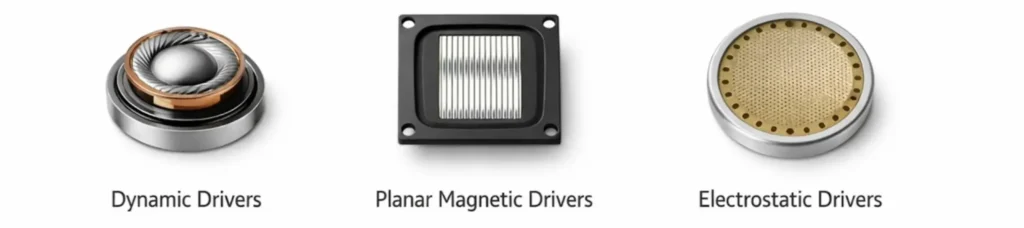
Driver type matters too. Planar magnetic drivers tend to deliver more detail with less distortion. Well-tuned 50mm dynamic drivers still do a solid job at budget prices.
One PS5-specific rule: don’t stack virtual surround. Two simulations on top of each other over-process the sound.
Mic Clarity
You never hear your own mic, but your squad hears it all game. Look for:
- Noise reduction or a noise-canceling mic to cut out fans and keyboards (BlackShark V3 Pro, fifine H13 headset). Check our best noise-cancelling headphone guide.
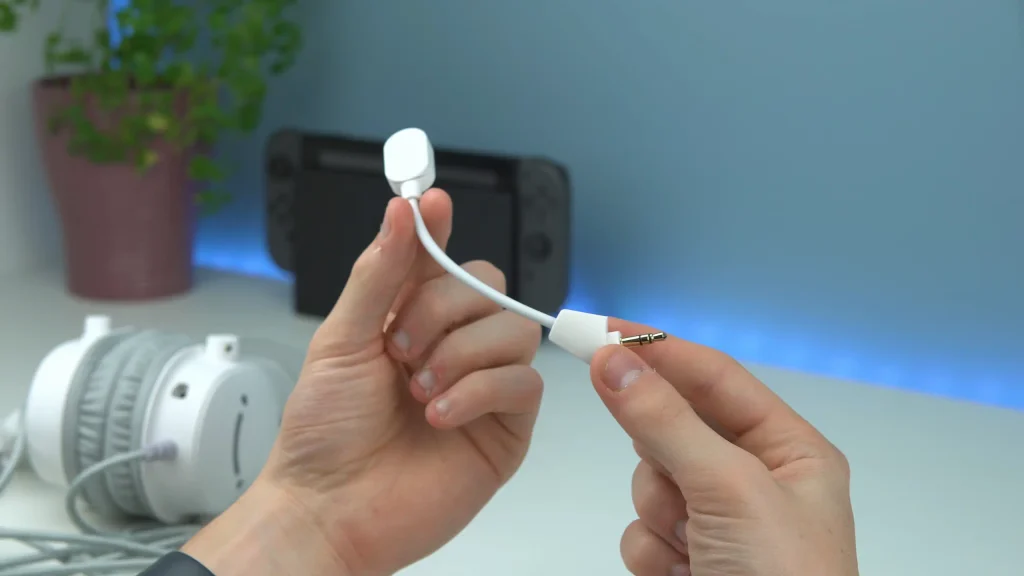
- A detachable or retractable boom you can move out of the way
- A mute indicator you can see, like the red light on the H13’s mic
- A mute control you can reach fast, ideally on the ear cup
Omnidirectional mics, like the fifine H9 gaming headset’s, pick up sound from every direction. That’s fine in a quiet room but less forgiving in a busy one.
Comfort and Fit
A headset you want to take off after an hour isn’t the best headset for you, no matter what it sounds like. Check the weight (the Maxwell 2 is 560 grams; the H13 is 390 grams with its mic), the pad depth, and how hard it clamps.
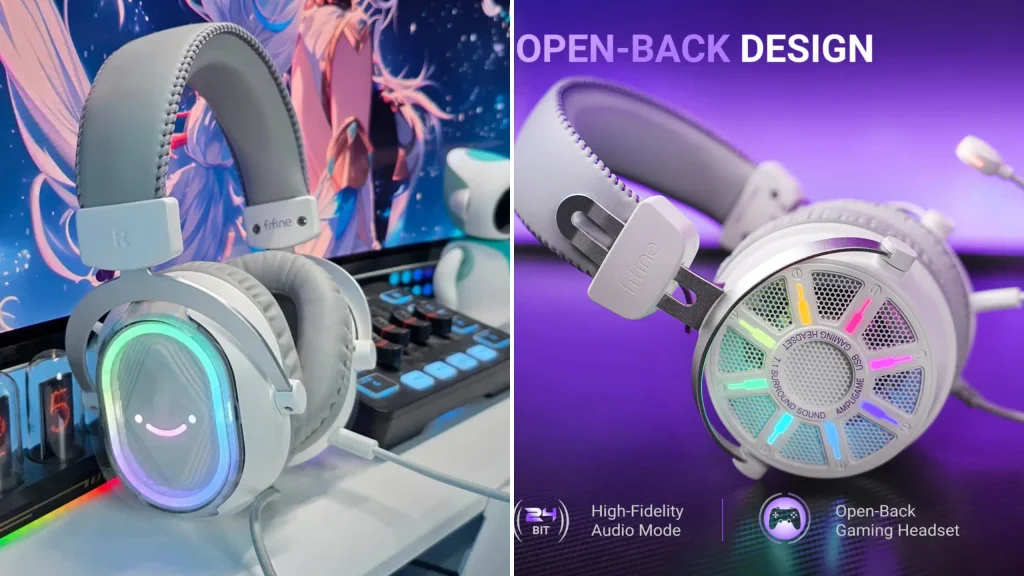
Closed-back headsets block room noise and keep your game audio private: @honestrob cranked the H13 to full volume and the person next to him heard nothing. Open-back gaming headsets, like the fifine H19, feel lighter and let your ears breathe. The trade-off is sound leaking in and out, so they suit relaxed couch gaming more than tense ranked matches. Learn more in our closed-back vs open-back headset guide.
PS5 Features and Connectivity
How a headset connects determines what works on PS5.
| Connection | How it works on PS5 | Examples |
|---|---|---|
| 2.4GHz USB dongle | Plugs into the console for low-latency wireless audio with Tempest | Maxwell 2, BlackShark V3 Pro, Nova 7P |
| Wired USB | Plugs into the console; unlocks inline controls | fifine H13, H9, H19 headset |
| 3.5mm into the DualSense | Simplest setup; USB-only inline controls won’t work | fifine H9 headset, Cloud III |
| PlayStation Link | Sony’s own wireless standard, used by its PlayStation headsets | Sony PlayStation headsets |
| Bluetooth only | Not supported for PS5 game audio | Use Bluetooth for your phone instead |
For wireless models, battery life varies a lot:
| Headset | Rated battery life |
|---|---|
| Audeze Maxwell 2 | 80+ hours |
| Razer BlackShark V3 Pro | Up to 48 hours on PS5 |
| SteelSeries Arctis Nova 7P | 38 hours |
Always buy the PlayStation version of a multi-platform headset. Some brands sell separate Xbox and PlayStation models.
Final Picks for Best PS5 Gaming Headset
The Audeze Maxwell 2 is the best PS5 gaming headset in 2026. If you can live with the weight and the $329 price, it’s the one to buy.
It isn’t the right headset for everyone, though:
- You’re on a tight budget: The fifine H13 headset gives you balanced wired sound and smart inline controls for $55.99, and the H9 headset covers every console you own for $39.99.
- You play long, laid-back sessions: The open-back fifine H19 headset keeps your ears cool and comfortable for $70.99.
- You play ranked shooters: The Razer BlackShark V3 Pro gives you the best mic and a sharp, low-latency soundstage.
- You chat on your phone while gaming: The SteelSeries Arctis Nova 7P runs PS5 audio and Bluetooth at once for less money.
Whichever you choose, switch on Tempest 3D Audio, keep your headset’s own virtual surround off and let the PS5 do the heavy lifting.
FAQ
What headset works best with PS5?
Any headset that connects through a USB dongle, PlayStation Link, a wired USB cable or the DualSense’s 3.5mm jack works with PS5. For a simple wired setup, the fifine H13, H9 and H19 headset all plug and play. For wireless, so Tempest 3D Audio works with zero setup with a PlayStation-compatible 2.4GHz dongle.
Are wireless headsets better for PS5?
Not always. Wireless headsets with a 2.4GHz dongle or PlayStation Link give you freedom from the cable with very low latency. Wired headsets cost less, never need charging and are a great fit if you sit close to the console or plug into your controller.
Do Bluetooth headsets work with PS5?
Not for game audio. The PS5 doesn’t natively support Bluetooth headsets, so you’ll need a USB dongle, PlayStation Link adapter or wired connection. Headsets like the Nova 7P and BlackShark V3 Pro use Bluetooth only for your phone, alongside the main PS5 connection.
What is the best PS5 headset for footsteps?
The Razer BlackShark V3 Pro is good for footsteps in competitive shooters with the low latency and sharp positional tuning. The fifine H9 headset still let our reviewer tell which direction enemies were coming from in Rainbow Six Siege.
How do I choose the best gaming headset for PS5?
Start with how you play. Rank sound, mic clarity, comfort, connectivity and budget in order of importance, then use our “Who Are These PS5 Gaming Headsets Best For?” table to match a headset to your setup.
