
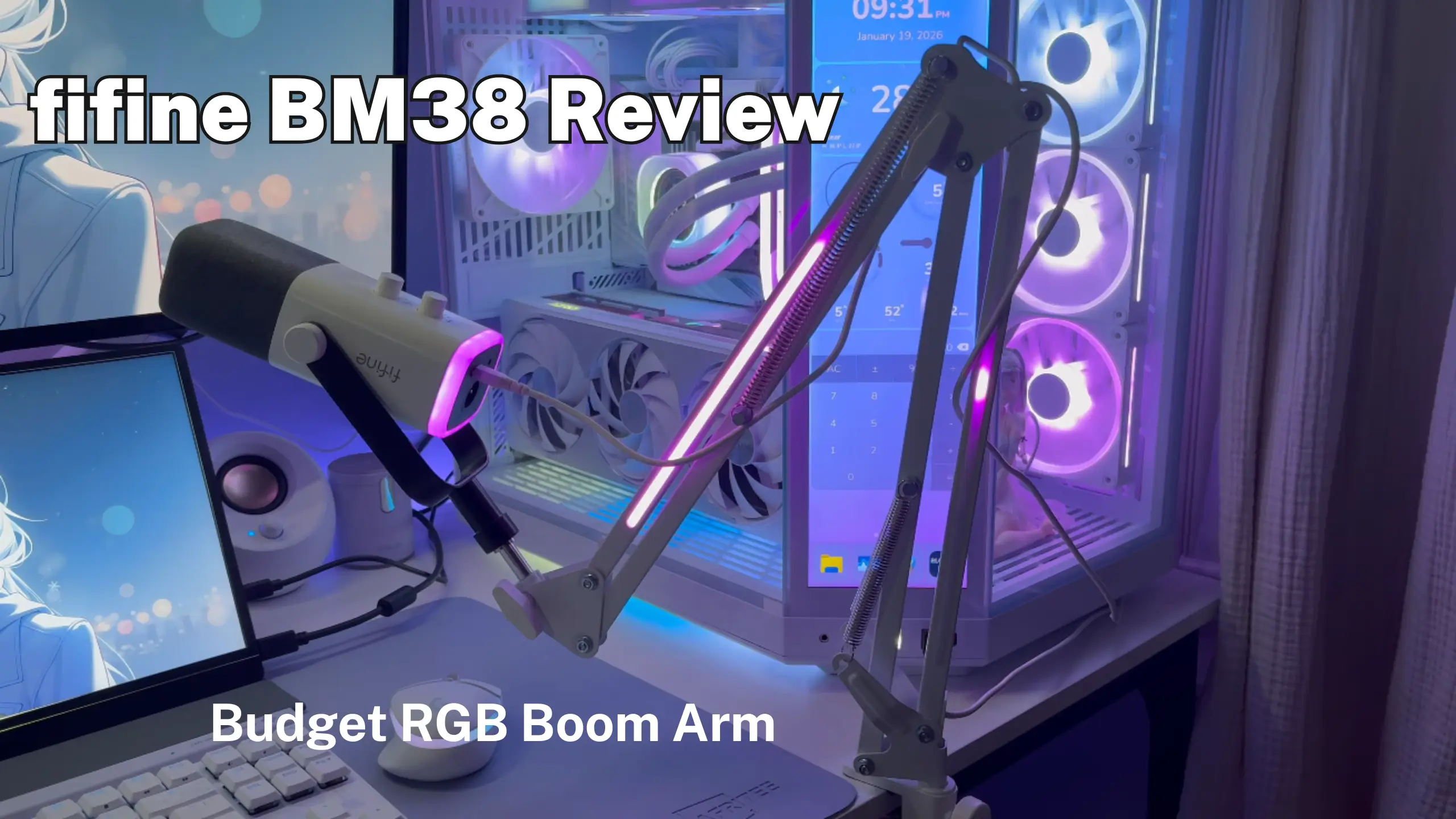
fifine BM38 Review: The RGB Mic Arm That Lights Up Your Desk

Most budget boom arms give you one job: hold the mic and stay out of the way. The BM38 wants a second job. The RGB is the whole point. If you stream, game on camera, or film content where your desk is visible, the BM38 earns its spot. It’s sturdy, it swings where you need it, and the lighting is genuinely well executed rather than an afterthought strip glued to the side. Check out the fifine BM38 review and put RGB lighting where it actually belongs—on your desk.
fifine BM38 Mini-Review
Overall Score: 8.4 / 10
| Measurement | Score |
| Setup and installation | 9.0 / 10 |
| RGB lighting and effects | 9.0 / 10 |
| Build quality and stability | 8.0 / 10 |
| Range of motion | 8.5 / 10 |
| Cable management | 6.5 / 10 |
| Microphone compatibility | 8.5 / 10 |
| Value for money | 8.5 / 10 |
What it’s good at:
- Clamp-and-drop setup takes minutes, no tools beyond the built-in screw
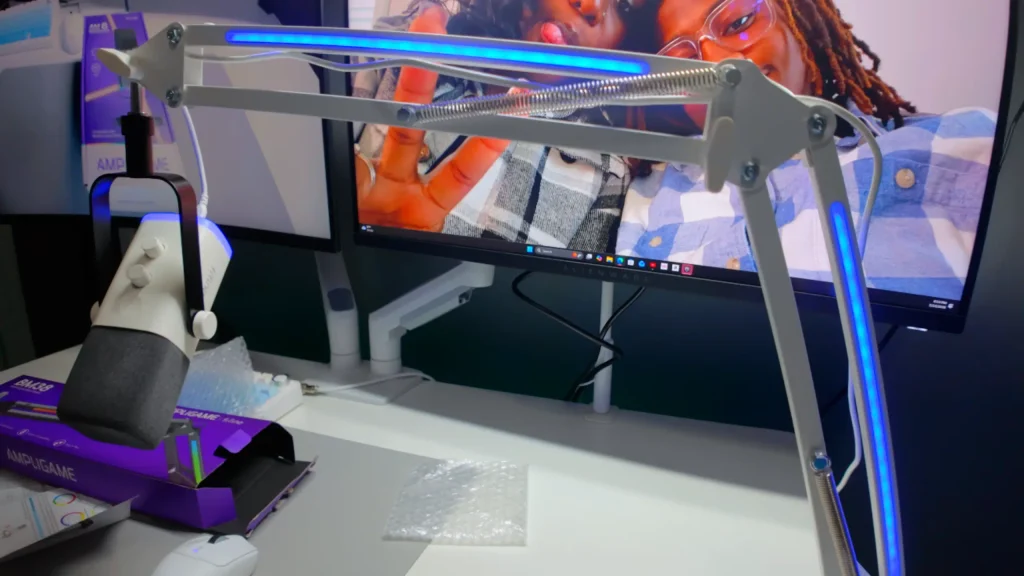
- LED strips on both sides of the arm, top and bottom, with one-button mode cycling
- Holds its position instead of sagging over a long session
- Metal construction that feels solid the moment you pick it up
- Fits 3/8-inch and 5/8-inch threads, so most USB and XLR mics bolt straight on
- Ships in white, black, and pink, so it can match an existing build
What can be better:
- No enclosed cable channel
- Desk knocks travel up the arm and into the mic capsule
- Spring-tensioned design sits higher than a low-profile arm and shows up in camera
- Colors change by button only, with no software control
- LEDs are diffused if looking closely
fifine BM38 Review on Setup & Installation
Category Score: 9.0 / 10
This is where the BM38 does its best work, and it takes about as long to do as it does to describe.
You take the arm out of the box, clamp the C-clamp onto your desk edge, drop the arm’s post into the clamp, and tighten the screw. That’s the whole process. @rannythegranny summed it up as “You take it out of the box, clamp the clamp onto the table, and plop the arm into the clamp, and just screw. ”
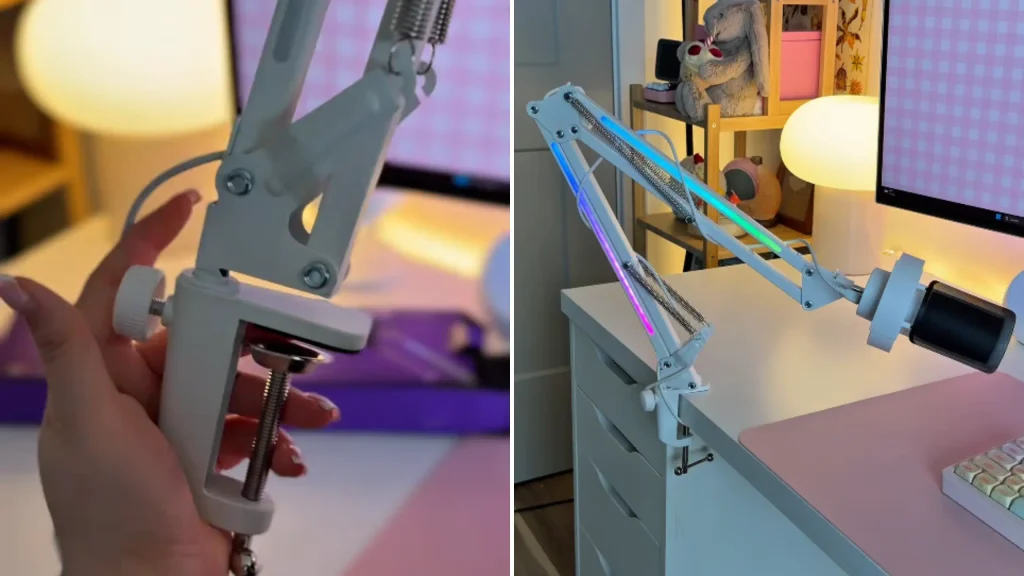
Two details make the difference. The clamp has padding on the contact surface, so it grips a desk without leaving a dent — worth knowing if you’re clamping onto a standing desk with a laminate top. And the tension joint that holds the mic head is adjustable: leave it loose, and the mic will slowly droop, so snap it tight after you set your angle.
The one thing to plan before you clamp: where the arm lives relative to your desk hardware. Check your desk edge for obstructions first, and you’ll save yourself a re-clamp.
fifine BM38 Review on RGB Lighting Effects
Category Score: 9.0 / 10
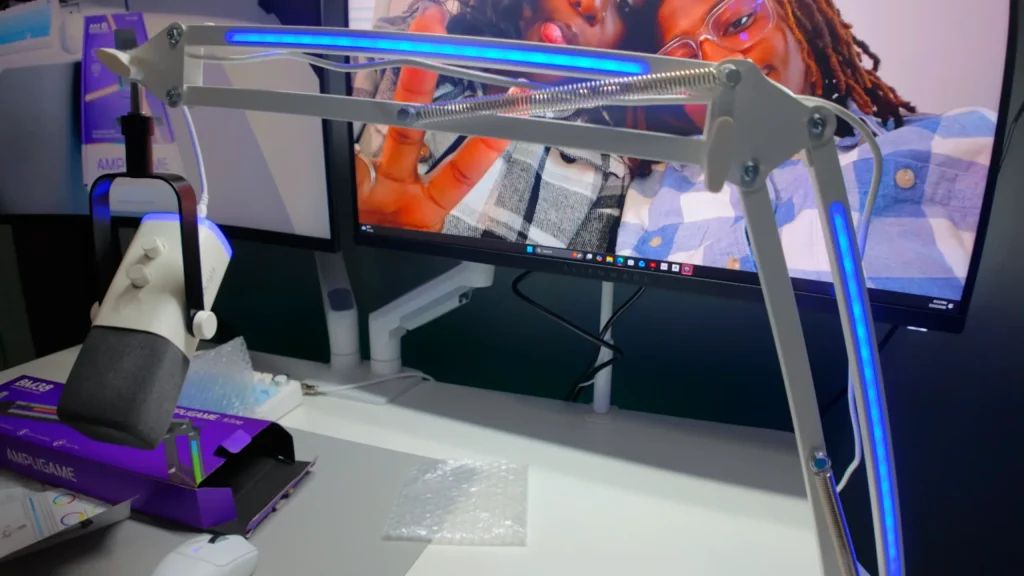
The RGB design in fifine BM38 boom arm is “strangely fun to watch”, @rannythegranny puts it. The LED strips on both sides of the arm aren’t a token strip on one face—light comes off the arm in both directions. You cycle effects with a single button on the arm. More than 9 modes came up as a favorite in many fifine BM38 reviews.
If you already run a fifine mic with RGB, like fifine AM8 mic, the pairing is the real payoff. Two RGB devices that match beat five that clash. Also, the fifine AM8 PROT microphone kit features the BM38 boom arm, combining reliable audio performance with a striking visual experience.
Two honest limitations. First, there’s no software integration. You press the button, you get the next mode. Second, look closely, and the strips are diffused dots rather than a single unbroken line of light.
fifine BM38 Review on Build Quality and Stability
Category Score: 8.0 / 10
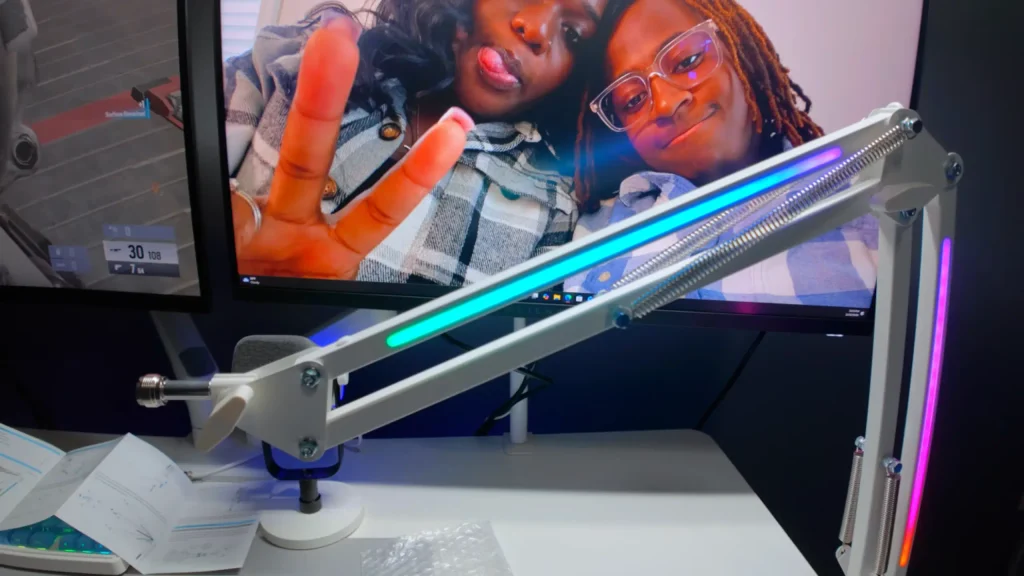
The metal design of the fifine BM38 boom arm is sturdy in the hand. And the fifine BM38 boom arm stays where you put it during a session. It doesn’t creep downward the way cheap spring arms do after an hour.
That said, two caveats keep this from a higher score.
The first is vibration. Knock the arm with your elbow, and that impact travels up through the springs and into the mic. But it’s still better than a desk stand, where every keyboard press and desk bump goes straight into the capsule.
The second is profile. The arm rides higher than a folding low-profile design. @coppercarver said the exposed spring cords feel “a bit obnoxious” to him now — though he added that the arm still feels sturdy. If you’ve never used a low-profile arm, you won’t notice.
fifine BM38 Review on Range of Motion and Positioning
Category Score: 8.5 / 10
The fifine BM38 reaches up to 32.6 inches. If your monitor sits deep and you talk from the front edge of your desk, the arm still gets the capsule to your mouth without the clamp crowding your keyboard.
Movement feel gets it right. Not so stiff that repositioning is a two-hand job, not so loose that it swings on its own. As @rannythegranny said, “I can move it around with ease, and it stays put”.
For weight, the fifine BM38 boom arm is up to 3.3 lbs (1.5KG). Standard USB condensers and most dynamic mics sit well under it. A heavy broadcast dynamic in a full shock mount is the case to check.
fifine BM38 Review on Cable Management
Category Score: 6.5 / 10
Different with fifine BM66 and BM88 boom arm, there’s no enclosed internal channel in fifine BM38 microphone boom arm. What you get instead is a set of openings along the arm you can thread the cable through, so it follows the arm’s shape rather than dangling.
In practice, this works better than it sounds. On the black version, a black mic cable running along a black arm disappears at normal viewing distance. On the white model, it’s a white cable, which is a small detail fifine got right.
Turn the RGB on, and your eye goes to the light, not the wire. But if you’re building a setup where every cable is hidden and you photograph your desk, this will bother you.
fifine BM38 Review on Microphone Compatibility
Category Score: 8.5 / 10
The mount takes both 3/8-inch and 5/8-inch threads, which covers the overwhelming majority of desktop microphones. If you own a fifine mic, it will fit. If your mic doesn’t support these two mounts, skip it, as there’s no adapter in the box.
Attaching one is a two-step job: unscrew the mic from its included desk stand, then thread it onto the arm’s mount and tighten. You can orient the mic with the mute button facing up or down depending on how you reach for it.
Note: The BM38’s USB-C connector powers the RGB lighting. It does not carry audio, and it has nothing to do with XLR support.
Who Is fifine BM38 Boom Arm For?
| You are… | Is the BM38 right? | Why |
|---|---|---|
| A Twitch or YouTube streamer with a visible desk | Yes | The lighting becomes part of your on-camera identity |
| A gamer with an existing RGB build | Yes | Matches keyboard, mic and desk lights on one button |
| Building your first mic setup on a budget | Yes | Solid arm, easy setup, no tools needed |
| Someone who photographs their setup | Maybe | Great look, but the exposed cable routing will nag at you |
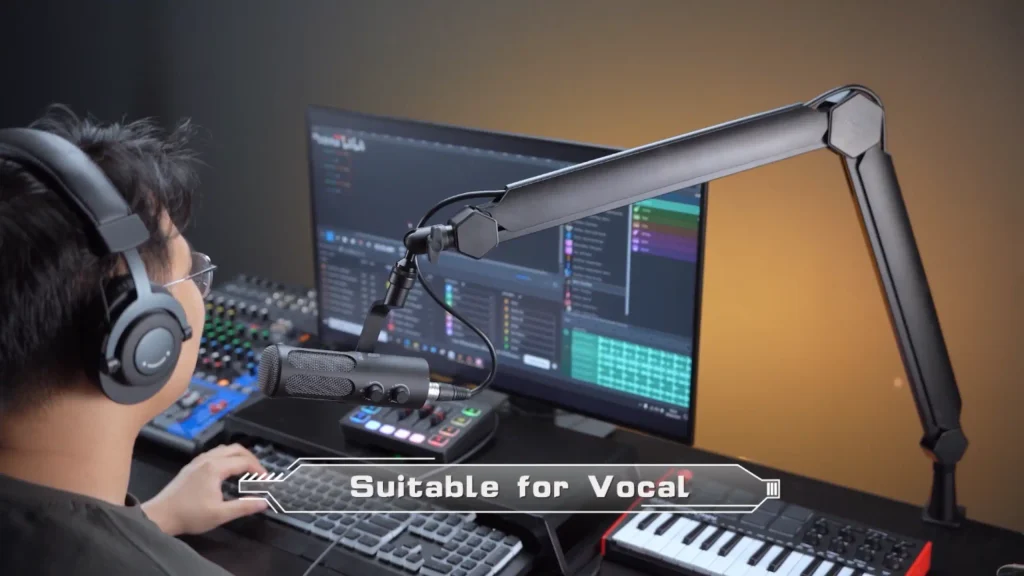
| A voiceover artist or musician recording vocals | No | You want a low-profile or heavy-duty arm, not lighting |
| Running a heavy broadcast dynamic in a shock mount | No | Step up to a heavy-duty arm built for the weight |
| Chasing a clean, minimal, all-white desk | No | The white colorway helps, but RGB isn’t minimalism |
fifine BM38 vs. Other fifine Boom Arms
Still unsure? Three alternatives from the same family, all covered in the comparison review we drew on.
fifine BM88 Low-Profile Boom Arm
What You Can Get:
- Folds flat and disappears when you’re done
- Stays out of the camera frame
- Fully internal cable management
- Tucks under a monitor
- Takes up almost no desk surface.
fifine BM88 boom arm is the minimalist’s pick. @berkprod compared multiple fifine boom arms and called it his outright favorite of four fifine stands, specifically because it vanishes when he pushes it back. If you want your arm invisible instead of illuminated, this is the one.
fifine BM66 Boom Arm
What You Can Get:
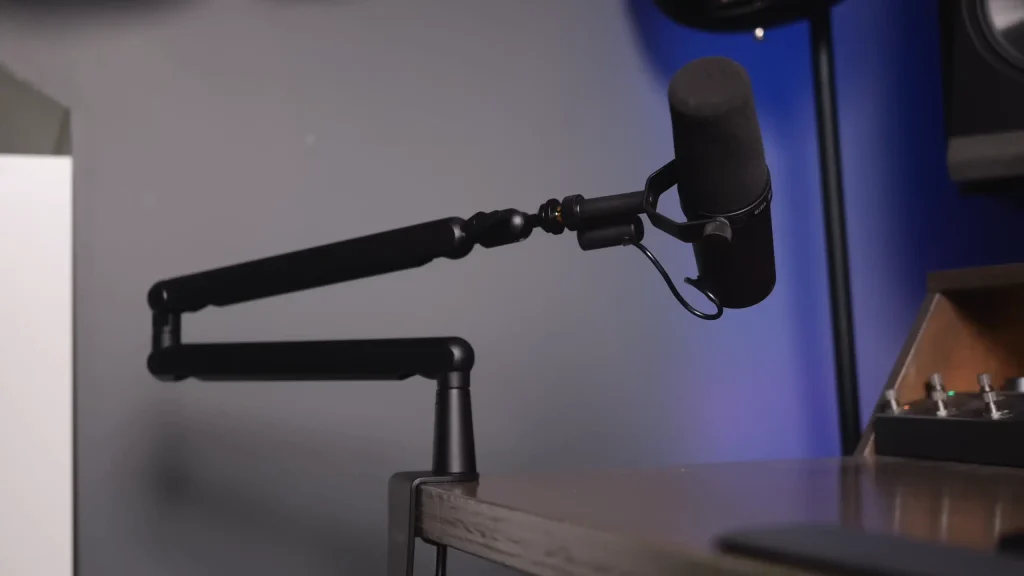
- Built like a brick
- Full range of motion with rotation and tilt
- Internal cable management
- Handles large studio condensers and full-size broadcast dynamics
- Excellent for switching between sitting and standing
The fifine BM66 boom arm is the workhorse. If you’re doing serious vocal recording, voiceover, or long streams with a heavy mic, this is the arm that won’t move once you set it.
fifine BS1 Desktop Stand
What You Can Get:
- No clamping required
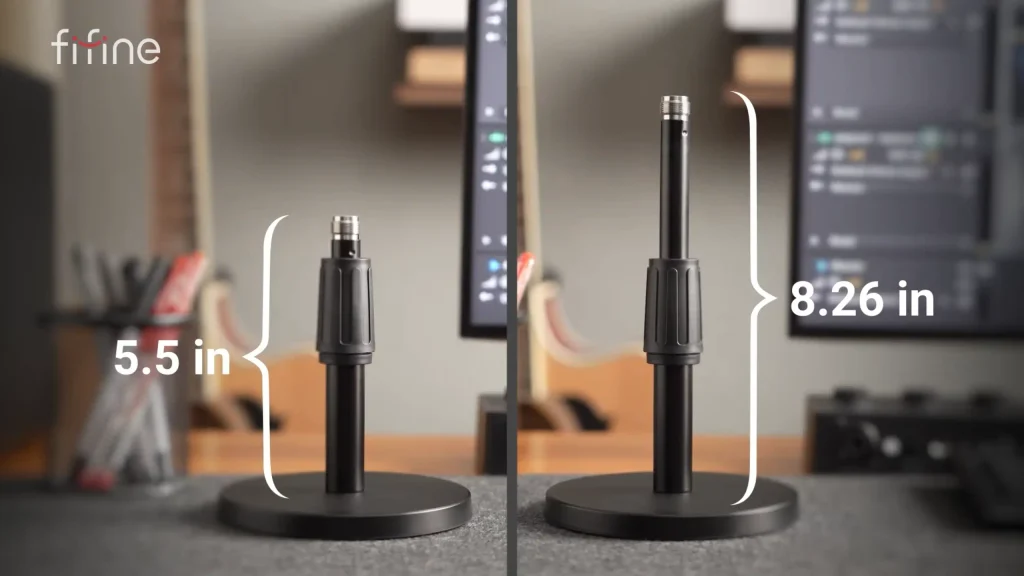
- Weighted round base with non-slip pads
- Height adjustable from 6 to 8 inches
- Supports mics up to 11 pounds
- Assembles in one step
- Easy to move between rooms.
fifine BS1 desktop stand is the simplest option here. Best if you record in different spots, run multiple mics, or can’t clamp anything to your desk.
Is the fifine BM38 Boom Arm Right for You?
After going through the fifine BM38 review, fifine BM38 boom arm is an honest product that knows exactly what it’s selling — metal, sturdy, wide-reaching, holds its position, and sets up in two minutes. The RGB lighting is the reason to choose it.
RGB isn’t your thing? Pick the BM88 instead and save yourself the power cable. If you’re mounting something heavy, go BM66. But if your setup is part of your brand, and you want your setup to have more visual appeal, fifine BM38 fixes it.
FAQ
Does the BM38 need to be plugged in to work?
Only for the lights. The arm holds your mic whether it’s powered or not. The USB cable exists purely to run the RGB.
What kind of power connector does it use?
The cable terminates in USB-C, and a USB-A adapter comes in the box. Any USB port or wall adapter will do — reviewers ran theirs straight off a computer.
Will my microphone fit?
If it has a 3/8-inch or 5/8-inch thread, yes. That covers most USB and XLR desktop mics, including HyperX and Blue models that reviewers mounted on it. Every fifine mic will fit.
What colors does the BM38 come in?
White, black and pink, with a color-matched power cable.
Will my mic pick up desk noise through the arm?
Bumping the arm sends some vibration up to the mic. A shock mount handles most of it, and it’s still a large improvement over a mic sitting on your desk.
