
The 6 Best 7.1 Surround Sound Gaming Headsets (2026 Picks)

“7.1 surround” on a gaming headset rarely means eight drivers per ear cup. It means a chip — usually in a USB connector, an inline dial, or a control box — taking a stereo signal and simulating where sounds sit around your head. Some implementations genuinely help you place a reload two rooms over. Others just add reverb or immersion.
What is the best 7.1 surround sound gaming headsets? We looked at six headsets that advertise 7.1: three from fifine (the H9, H13 and H19) and three from SteelSeries, Razer and Logitech. They range from open-back and casual to wireless and competitive.
6 Best 7.1 Surround Sound Gaming Headsets
1. fifine H9 Headset – Best overall
| Metric | Score(10) |
|---|---|
| Surround performance | 8.5 |
| Comfort | 8.5 |
| Microphone | 9.5 |
| Controls & connectivity | 9.0 |
| Build & design | 8.0 |
| Value | 8.0 |
| Overall | 8.6 |
Pros
- Detachable boom mic with a genuinely flexible arm
- Physical 7.1 and volume controls on the USB box, not in an app
- Dual connectivity: 3.5mm analog for phones and controllers, USB for PC and console
- 50mm drivers fed through the box’s converter
- Black, white or pink
Cons
- The USB box is another thing on your desk and another cable to route
- Plain design if you want RGB
- Passive isolation only
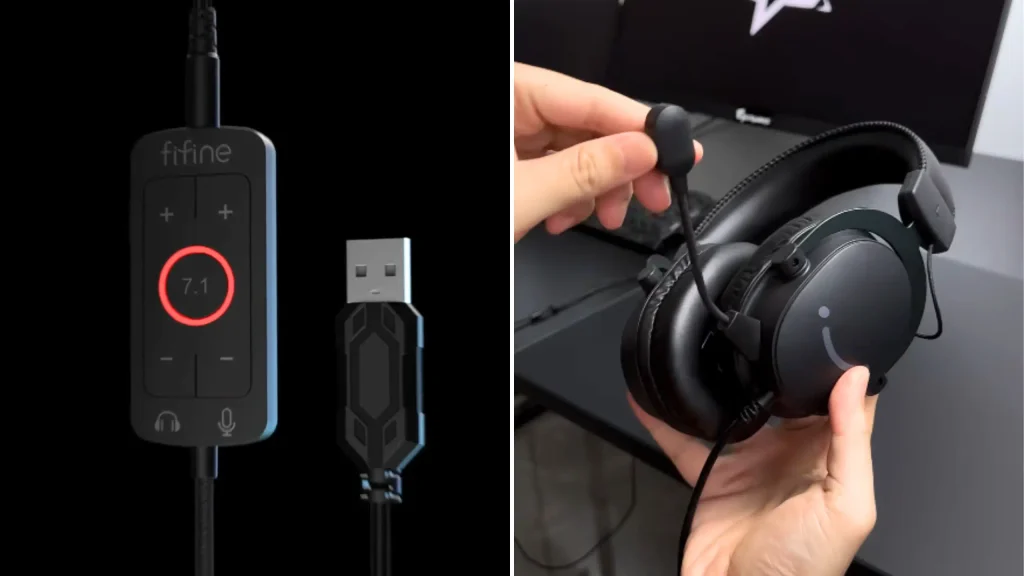
fifine H9 gaming headset is built for gaming and recording at a pro level. It’s tuned for a warm vocal tone, and the capsule rejects mouse clicks, keyboard chatter and PC fan noise. The arm holds position, so your level stays consistent instead of drifting every time you lean back.
The connectivity split is smart. The 3.5mm cable handles controllers and phones. The USB control box drives the 50mm drivers through its own analog-to-digital converter and unlocks the 7.1 mode. Engaging it widens the stage rather than blasting artificial echo at you — the point is picking out environmental cues, not making everything sound like a cathedral.
The control box earns its place. Volume and the 7.1 toggle are tactile buttons you hit mid-round without alt-tabbing. High-density breathable pleather cushions spread pressure around the head and form a passive seal, which is enough for most rooms.
2. fifine H13 Headset – Best for game/chat mixing on a budget
| Metric | Score(10) |
|---|---|
| Surround performance | 8.0 |
| Comfort | 8.0 |
| Microphone | 7.5 |
| Controls & connectivity | 8.5 |
| Build & design | 7.5 |
| Value | 8.0 |
| Overall | 7.4 |
Pros
- Genuinely accurate positional tracking
- On-the-fly Game/Chat audio mixing
- 11 RGB effects with acrylic ear cup lighting
- Metal side plates and a fully adjustable metal band
- Detachable mic, slide-to-mute switch, volume dial, shirt clip
Cons
- 7.1 mode adds muddiness along with the extra bass
- EQ presets seem to drop output further
- Mic noise cancellation makes little audible difference
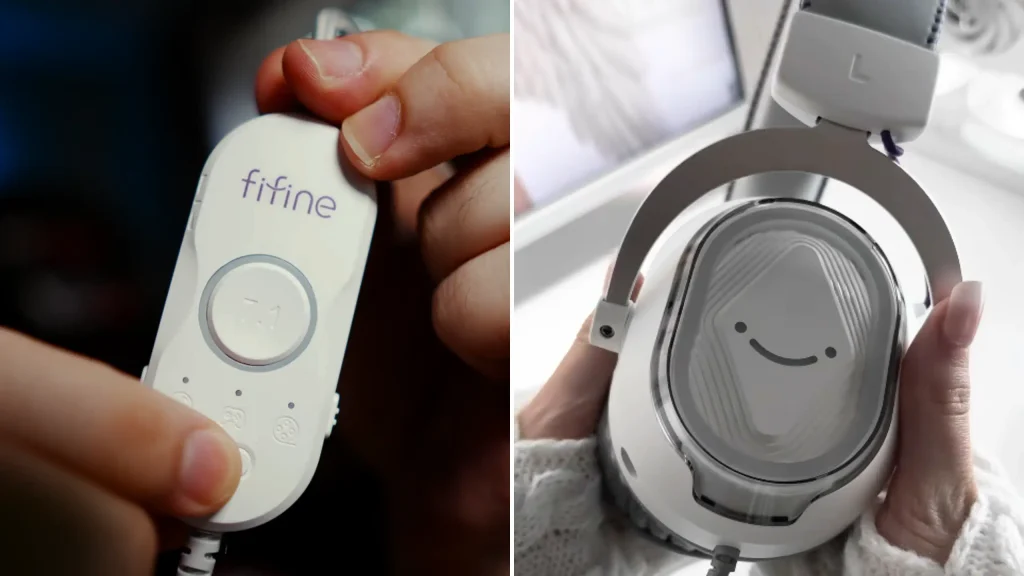
The Gamr/Chat balance is the biggest highlight among the 6 gaming headsets with 7.1 surround sound. Plug the fifine H13 headset in and Windows sees two outputs: H13 Chat and H13 Game. Bind Discord to one and your system audio to the other, then ride the inline rocker to balance them.
Build quality holds up too. Metal plates sit on both sides, the band extends on a metal bar, and the braided cable feels like it will outlive the fashion for RGB. Not only comfy for you long-session gaming, while the 11 RGB mode is bright enough to light up your gaming setups.
@BillehOFFICIAL gamed on it and found the positional tracking impressive, though the volume ceiling could be higher. Pressing the 7.1 button lifts the bass and thickens the mid-range without adding loudness, and the movie/music/gaming EQ presets seem to pull output down rather than up. Hold the button to clear the EQ, and it sounds better.
Our advice: run it with no EQ and 7.1 on, and if your PC lets you boost USB device gain, do it.
3. fifine H19 – Best open-back pick for long sessions
| Metric | Score(10) |
|---|---|
| Surround performance | 7.5 |
| Comfort | 9.0 |
| Microphone | 8.0 |
| Controls & connectivity | 8.0 |
| Build & design | 7.5 |
| Value | 7.5 |
| Overall | 7.8 |
Pros
- Open-back design keeps ears cool and pressure low
- Fits over the ears comfortably, even wearing a hat
- Loud and clean, especially with 7.1 disabled
- Dedicated buttons for 7.1, EQ modes, lighting, mic mute and volume
- Detachable mic with solid clarity
- Very long USB-A cable
Cons
- Open-back means no isolation
- Not compatible with Xbox
- Better as a secondary headset than a primary one
Closed-back vs open-back gaming headset? Open-back design that leaking sound might confuse you. For competitive play in a noisy room, yes. For everything else, thing is change.
The fifine H19 gaming headset sits flush on the ears rather than clamping around them. @coppercarver reached for them when his ears felt heavy mid-session, or when a headache made sealed cups unbearable. “It’s still great audio quality for editing and listening to video games”, said @coppercarver.
But if I need to listen to my surroundings or have that more air around my ears, this is definitely what I am going to put on.
@coppercarver tested fifine H19 headsets on YouTube
Sound is the surprise. On 7.1, it plays loud and clean across acoustic material and bass-heavy tracks. Press the button and the stage opens further, with more movement around the ears. The inline strip covers 7.1, music/gaming/film EQ, lighting, mic mute, and volume, so nothing needs software.
Two limits. It doesn’t work with Xbox. And an open back means an open back: your household hears your match, and you hear them.
4. SteelSeries Arctis 7+ – Best wireless option
| Metric | Score(10) |
|---|---|
| Surround performance | 9.0 |
| Comfort | 9.0 |
| Microphone | 8.5 |
| Controls & connectivity | 8.5 |
| Build & design | 8.5 |
| Value | 7.0 |
| Overall | 8.4 |
Pros
- Lossless 2.4GHz wireless with no perceptible lag
- DTS Headphone:X 2.0 surround is strong for pinpointing enemies
- Ski-goggle suspension band fits most heads with no fiddling
- AirWeave cushions stay cool over long sessions
- ClearCast mic with noise cancellation
- Up to 24 hours of battery
Cons
- 40mm drivers, where most competitors use 50mm
- Highest price in this roundup
- Another dongle to keep track of
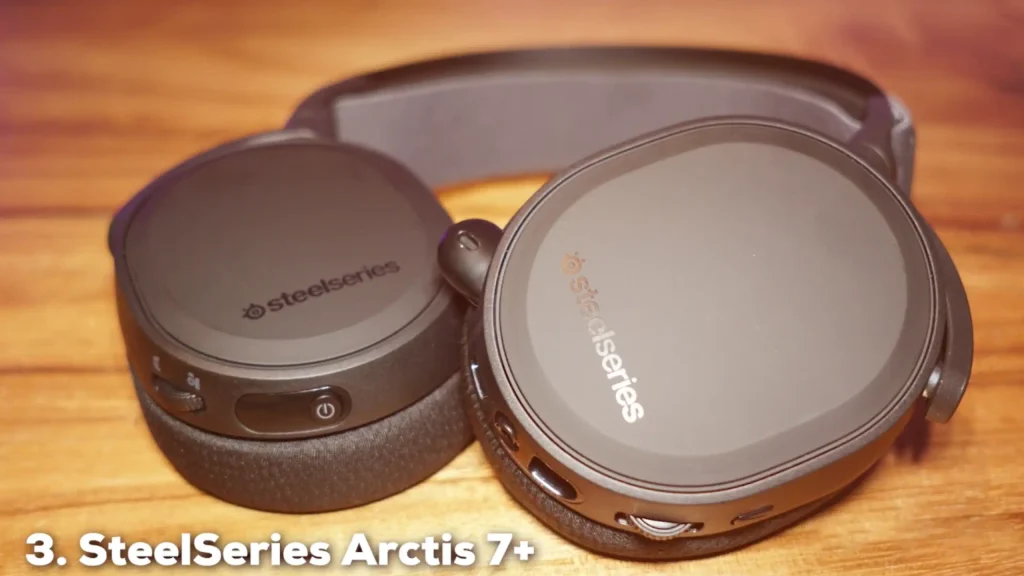
If your priority is hearing where a sound came from and you don’t want a cable, SteelSeries Arctis 7+ headset is the pick. DTS Headphone:X 2.0 is one of the better virtual surround implementations, and paired with lossless 2.4GHz wireless there’s no lag penalty for going untethered.
The suspension band deserves its reputation. An elastic strap under the frame distributes weight automatically, and the AirWeave cushions cut the heat that builds under leatherette. The ClearCast mic is a known quantity — clear voice, background noise handled.
Multi-platform support is the other draw. Move between PC and PlayStation without changing headsets. The compromise is the 40mm drivers and the price, both of which you feel next to a $60 wired option.
5.Razer Kraken V4 X – Best for all-day comfort and build quality
| Metric | Score(10) |
|---|---|
| Surround performance | 7.0 |
| Comfort | 9.5 |
| Microphone | 7.5 |
| Controls & connectivity | 7.5 |
| Build & design | 9.5 |
| Value | 8.0 |
| Overall | 8.1 |
Pros
- Oval cushions in breathable FlowKnit fabric plus leatherette, filled with memory foam
- Razer TriForce 40mm drivers with clean mids and highs
- Retractable mic tucks fully into the ear cup, with an LED mute indicator and voice prompt
- Convertible USB-C and USB-A cable, plus a fabric carry case
- Razer Chroma RGB with 16.8 million colors
- Light at 310g, cups swivel 90 degrees
Cons
- 7.1 surround sound needs software to activate, THX Spatial Audio costs extra
- 7.1 and THX only work on Windows,
- No EQ in the basic Synapse settings
- Light on bass in plain stereo
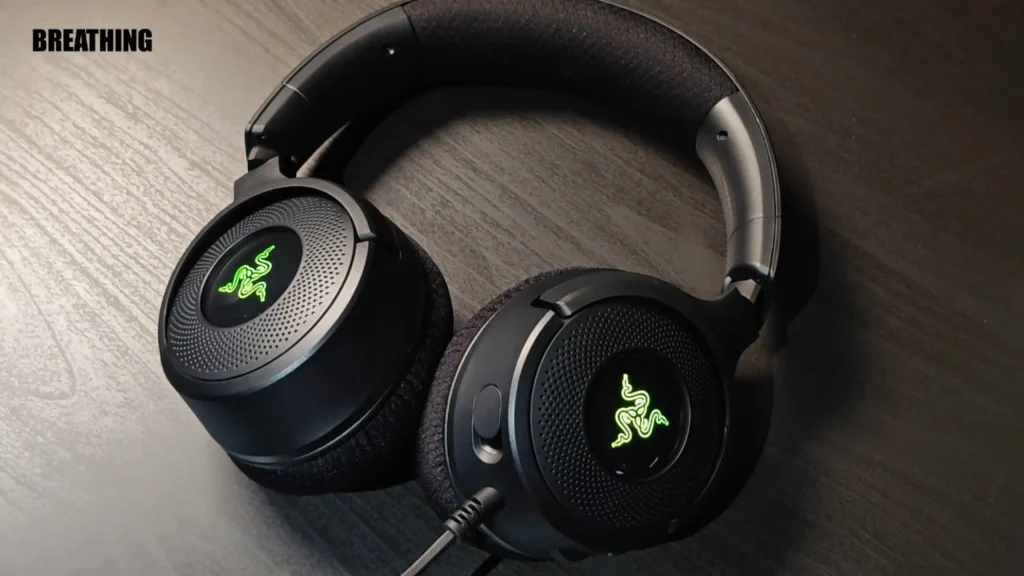
The Razer Kraken V4 X is clearly made for gaming. Its TriForce 40mm drivers are light on bass in plain stereo, so mids and highs sound cleaner. Reviewer Igor Majevsky tested Razer Kraken V4 X and picked up subtle ambient details in Diablo IV, like crickets, wind, and forest sounds. Positioning is solid even without surround processing.
The 62 × 42 mm oval cups fully enclose your ears, with room to spare. The cushions mix breathable FlowKnit fabric with leatherette, while the flexible plastic headband keeps the fit secure without squeezing.
The 7.1 surround effect is fairly subtle, mainly widening the soundstage. To activate it, register the headset on Razer’s site, get the code by email, then download the Razer 7.1 surround sound application. HX Spatial Audio is a bigger upgrade, adding deeper bass and much stronger positioning, but it’s paid after a 15-day trial.
6. Logitech G432 – Best plug-and-play wired pick
| Metric | Score(10) |
|---|---|
| Surround performance | 8.0 |
| Comfort | 7.5 |
| Microphone | 8.0 |
| Controls & connectivity | 7.5 |
| Build & design | 7.5 |
| Value | 8.5 |
| Overall | 7.6 |
Pros
- 50mm drivers with DTS Headphone:X 2.0 surround
- Flip-to-mute mic — the fastest mute mechanism there is
- Rotating ear cups for flat storage
- Wide compatibility across PC, console and mobile
Cons
- Leatherette cups trap heat over long sessions
- No RGB, no software-free EQ switching
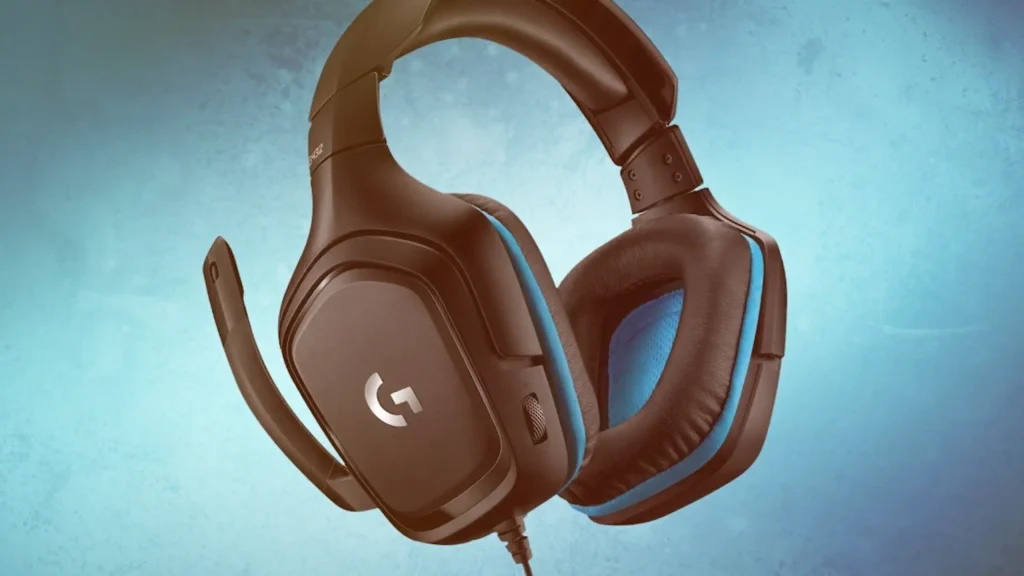
The Logitech G432 is the sensible one. Plug it in, and DTS Headphone:X 2.0 places sounds accurately enough to let you tell which direction a footstep came from. That’s the whole pitch, and it delivers.
Flip-to-mute is underrated. Rotate the boom up, you’re muted; drop it down, you’re live. No hunting for a switch mid-sentence. Soft leatherette cups and a padded band handle long sessions, and the cups rotate flat when you’re packing up.
Blue accents, modern shape, no lighting. If you want a headset that works on your PC, your console and your phone without setup, this is it.
When to Pick These 7.1 Surround Sound Gaming Headsets
| Pick this | If you… | Skip it if… |
|---|---|---|
| fifine H9 Headset | Stream or talk as much as you play, and want physical 7.1 and volume controls | You want a clean desk with no extra box |
| fifine H13 Headset | Run Discord and game audio side by side and want to mix them on the fly | You listen loud — the volume ceiling is low |
| fifine H19 Headset | Play long sessions, hate heat and clamp, or need to hear your room | You’re on Xbox, or share a wall with someone |
| SteelSeries Arctis 7+ | Want the best positional accuracy with no cable | Your budget is under $100 |
| Razer Kraken V4 X | Play marathon sessions on Windows and want build quality that lasts | You want strong surround without a paid upgrade |
| Logitech G432 | Want 7.1 that works everywhere with zero setup | You want lighting, EQ buttons or wireless |
Buying Guide: How to Choose a 7.1 Surround Sound Gaming Headset
Surround performance
Ask two things of any 7.1 surround sound mode: does it sharpen direction, and what does it cost you? A good one improves your reads. A weak one adds reverb and thickens the mid-range.
Test it in a game you know — toggle on, toggle off, see if your accuracy changes. Watch for a volume penalty too. The fifine H13 headset loses perceived loudness once processing kicks in.
Comfort
Weight, clamp and heat, in that order. How the band spreads load is where long-session ache starts.
| Design | How it helps |
|---|---|
| Suspension band (Arctis 7+) | An elastic strap sets the fit automatically, no notches to adjust |
| Hybrid fabric cushions (Kraken V4 X) | Breathable fabric against the skin, leatherette for the seal |
| Open-back (H19) | Sidesteps heat entirely by letting air through the cups |
Microphone
Most gaming headset mics sound compressed and hollow. The things that separate a good one:
- Detachable or retractable — so the headset doubles as headphones
- A stiff, flexible arm — holds position, keeps your level consistent
- Genuine ambient rejection — keyboard, mouse and fan noise stay out
- A physical mute — a flip, a switch or a slide, not a keyboard shortcut
Controls and connectivity
The best control is one you can hit without looking — an inline dial, a control box, a flip-to-mute boom.
| Connection | Works with |
|---|---|
| USB-A | PC, PlayStation (Xbox support varies — the H19 doesn’t) |
| 3.5mm analog | Controllers, phones, laptops, almost everything |
| 2.4GHz wireless dongle | Whatever the dongle plugs into |
Then check what switching surround on actually takes. The Kraken V4 X need the software, while the fifine gaming headsets can activate it on the control box.
Build and design
Metal in the headband and side plates, a braided cable, cups that rotate or fold. Those predict lifespan better than driver size does. RGB is preference, not performance — the fifine H13 and H19 headsets both handle it with hardware buttons.
Pick Your Best 7.1 Surround Sound Gaming Headset
After testing the 6 headsets, the fifine H9 is the best 7.1 surround sound gaming headset. The detachable mic, dual USB/3.5mm setup, and control box make your gaming experience more immersive.
Want to have more choice? Get the fifine H19 headset for long-session comfort and fifine H13 headset for game/chat mixing. SteelSeries Arctis 7+ for wireless and positional accuracy. Razer Kraken V4 X for coolness. 7.1 surround sound mode in the Logitech G432 works everywhere.
That said, the best gaming headsets don’t stick to a single standard. Try them yourself and choose your best one.
FAQ
Is 7.1 on a gaming headset real surround sound?
Almost never. These headsets use two drivers and a processing chip — in a USB connector, inline dial or control box — to simulate positioning. Well-implemented virtual surround beats badly implemented multi-driver designs.
Does 7.1 actually help in competitive games?
It can, when the processing is accurate. Even reviewers critical of the fifine gaming headset H13’s volume called its positional tracking genuinely good.
Should I leave 7.1 on all the time?
No. Turn it off for music. Most implementations add width at the cost of clarity, and several here, like the fifine H13 and H19 headsets, sound cleaner in plain stereo.
Are open-back headsets a bad idea for gaming?
Only if you need isolation. Open-back designs run cooler, clamp lighter and reduce fatigue over long sessions. The trade is that sound leaks both ways — bad for a noisy room or a shared space, good for anyone who wants to hear the doorbell.
