
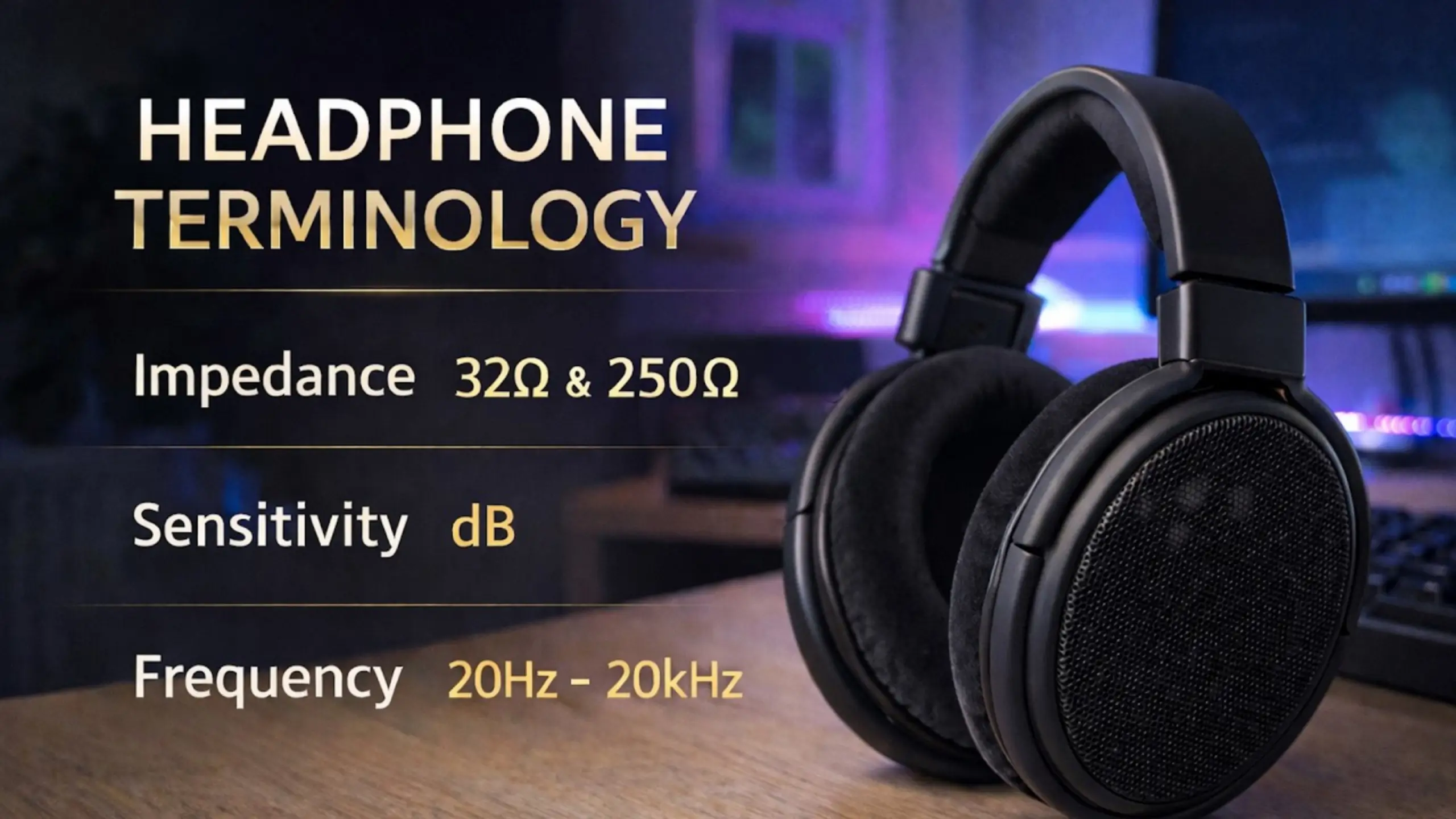
How to Read Headphone Specifications: Watch It Before You Buy

Flip over a headphone box, and you get a wall of numbers. 20 Hz–20 kHz. 32 Ω. 100 dB SPL/mW. 40 mm dynamic. Do you totally know how those headphone specifications work? They tell you what a pair of headphones is and what it needs, but not how your headphones actually sound. How to read them? We’re discussing these six specs you’ll see most often.
Common Headphone Specifications at a Glance
| Specification | What It Tells You | Example | What Does It Mean |
|---|---|---|---|
| Frequency Response | The range of frequencies the headphones can reproduce | 40 mm Dynamic | Easiest-to-drive driver type |
| Driver Type & Size | The technology and physical size of the components that produce sound | 20 Hz–20 kHz | Full human hearing range covered, no gaps at the extremes |
| Impedance | How much electrical resistance the headphones present to the audio source | 32 Ω | Runs straight off a phone or laptop, no amp needed |
| Sensitivity | How efficiently the headphones convert electrical power into sound | 100 dB SPL/mW | Efficient.It’ll get loud without much power |
| Connectivity | How the headphones connect to your audio device | 3.5 mm/USB | Flexible and Lossless signal |
| Weight & Battery Life | How comfortable and portable the headphones are, especially for wireless models | 250 g/Up to 30 hours | Mid-weight for an over-ear.Enough for one-week commuting |
6 Headphone Specs Exploration
#1 Frequency Response
Two terms are used interchangeably here, but they’re not the same.
- Frequency range is two numbers — where a headphone starts making sound and where it stops, from the lowest lows to the highest highs.
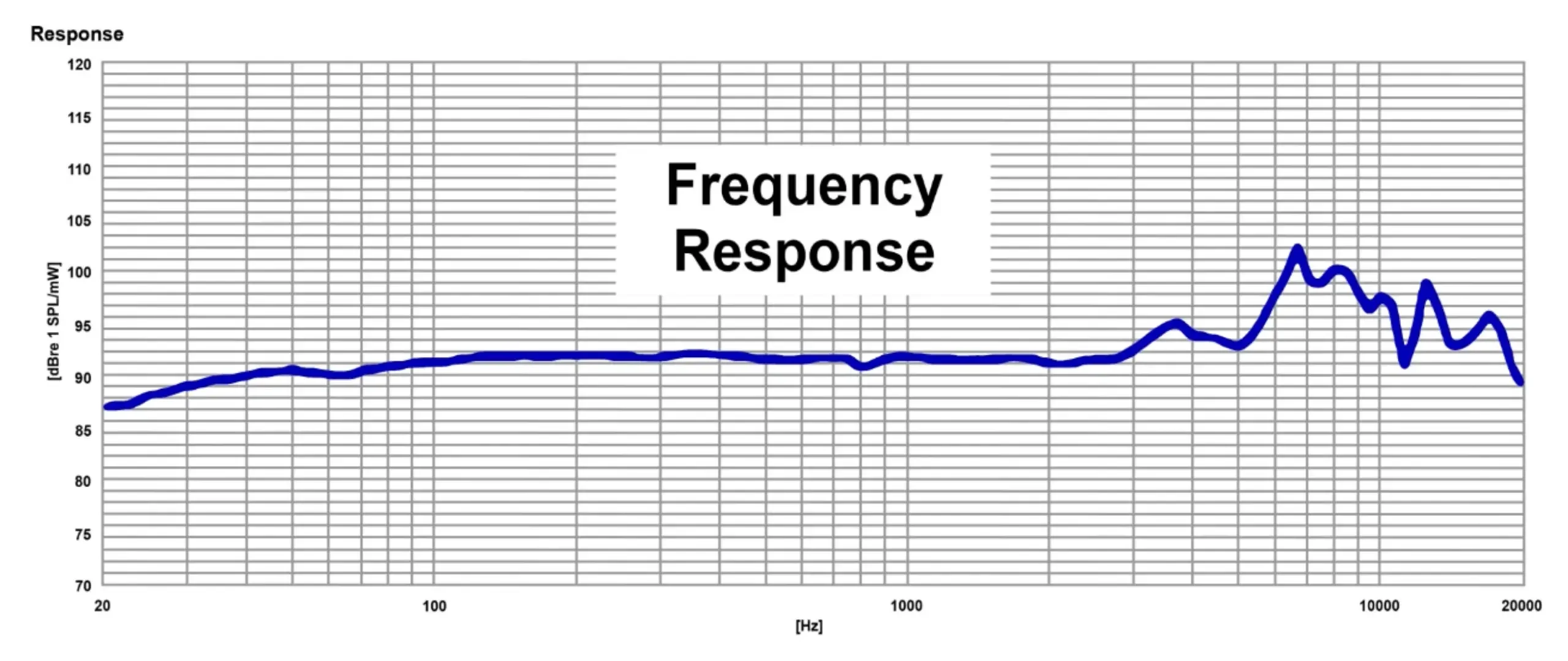
- Frequency response is usually a graph. It shows the shape of the sound: how the headphone responds across that range, and whether it pushes bass, mids, or treble. That’s the one that actually tells you something.
How to Read Frequency Response
You’ll also see it in the mic specifications, but there’s a little difference. Most headphones, like fifine H6 headset, are in the 20 Hz–20,000 Hz range, often written as a 20 Hz–20 kHz frequency response.
It’s the full range of human hearing. Go lower, and you’re into sub-bass you feel more than hear. Go higher, and you’re into territory most adult ears simply cannot resolve.
Note: Hearing tends to roll off well before the 20 kHz ceiling, and it keeps rolling off with age.
Does a Wider Frequency Range Mean Better Sound?
Some headphones are advertised at 40,000 Hz or 60,000 Hz. You’re not hearing it.
It isn’t that wider is better. What matters far more is how a headphone is tuned across the range. A well-tuned 20 Hz–20 kHz pair will beat a badly tuned 5 Hz–40 kHz pair every time. And your listening habits change the equation too — vocal clarity and deep, physical bass pull tuning in different directions.
#2 Driver Type & Size
The headphone driver is the part that makes the sound. It’s a thin disc of material sitting next to your ear, moving back and forth to push air and create the waves you hear. Everything else on the headphone — the cups, the headband, the electronics — exists to support it.
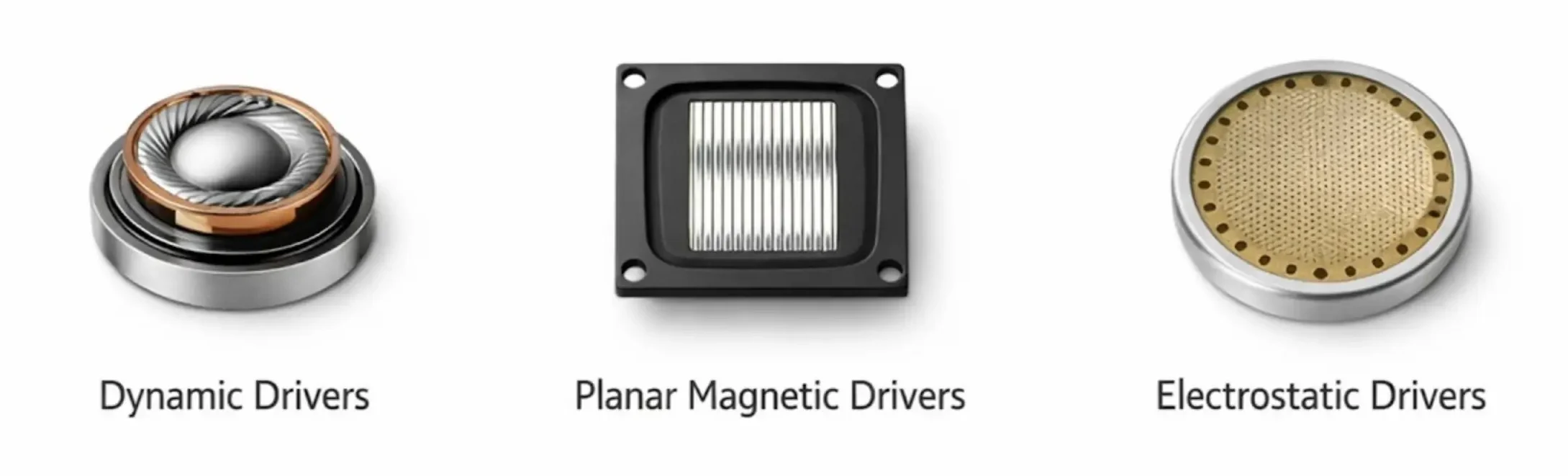
Three Common Driver Types
- Dynamic drivers are the most common by a wide margin, as are the fifine headsets. A diaphragm is moved by electromagnetic force from a voice coil and a magnet. They’re affordable, easy to drive, versatile, and deliver balanced sound with solid bass response.
- Planar magnetic drivers work with a thin diaphragm suspended between two sets of magnets, which moves it more uniformly and precisely. The payoff is lower distortion, sharp imaging, tight bass, and clean mids.
- Electrostatic drivers exist at the high end and need specialized equipment. Unless you’re deliberately shopping for one, you won’t run into them.
Driver Sizes: Does the Size Matter?
Headphone driver size ranges enormously. Earbuds sit around 6–12 mm. Most over-ear headphones and gaming headsets land at 40 mm or 50 mm, as do the fifine gaming headsets. A few large planar designs push past 100 mm.
The general tendencies:
- Larger drivers (around 50 mm) move more air, which supports powerful bass and a wide, spacious presentation. The tradeoff is bulk and slightly slower transients.
- Smaller drivers (around 30 mm) tend to be quicker on transients with tighter imaging, but the soundstage feels more closed-in and bass depth doesn’t reach as deep.
Bigger is not better. Larger drivers give slightly more controlled bass, not louder or more powerful bass. A smaller driver with good materials and smart tuning will outperform a large, cheaply built one.
#3 Impedance
Impedance is how much resistance the headphone gives to the electrical signal coming from your source. It’s measured in ohms (Ω). Low impedance is easy to drive. High impedance needs more power.
Common Impedance Ratings
| Impedance | What It Means in Practice |
| 1–32 Ω | Runs fine straight off a phone or laptop |
| 33–100 Ω | Gray area — usable, but a small portable amp helps |
| Over 100 Ω | Plan on an amplifier; 250 Ω models won’t get loud on a phone |
Why Does Impedance Matter?
A useful rule of thumb: your source device’s output impedance should be significantly lower than your headphone’s impedance — roughly a factor of eight. So if your player outputs at 8 Ω, a 64 Ω headphone is a safe match.
Higher Impedance ≠ Better Quality
If you’re comparing a 62 Ω pair and a 64 Ω pair, the 64 Ω one isn’t better. Impedance can make a headphone more or less appropriate for a given source, but it doesn’t correlate directly to sound quality, volume, or sensitivity.
Enthusiasts argue that high-impedance designs handle current more gracefully and express detail better. There’s something to that when they’re properly amplified — but it’s an argument about system matching, not a reason to buy the bigger number.
#4 Sensitivity
Sensitivity in headphone tells you how loud a headphone gets at a given input power. It’s a rough efficiency rating.
You’ll see dB SPL/mW or dB/mW most often, sometimes written as something like 100 dB at 1 mW. Occasionally, dB/V as well, which measures against voltage rather than power.
- High-sensitivity headphones get loud on very little power. That’s ideal for phones, which put out the least power of anything you’ll plug into.
- Lower-sensitivity headphones need more power to reach the same volume, but they can offer better dynamic control when used with a capable amp, audio interface, or mixing console.
How Sensitivity and Impedance Work Together
Read them as a pair. That combination answers one question: will my source drive these?
- Low impedance + high sensitivity → phone-friendly. Plug and play.
- High impedance + low sensitivity → you need an amp, an interface or a desktop DAC.
- Everything in between → probably fine, may benefit from more power.
A plugged-in device like a mixing board or interface has ample power on tap and can drive most things loud. A phone does not.
#5 Connectivity
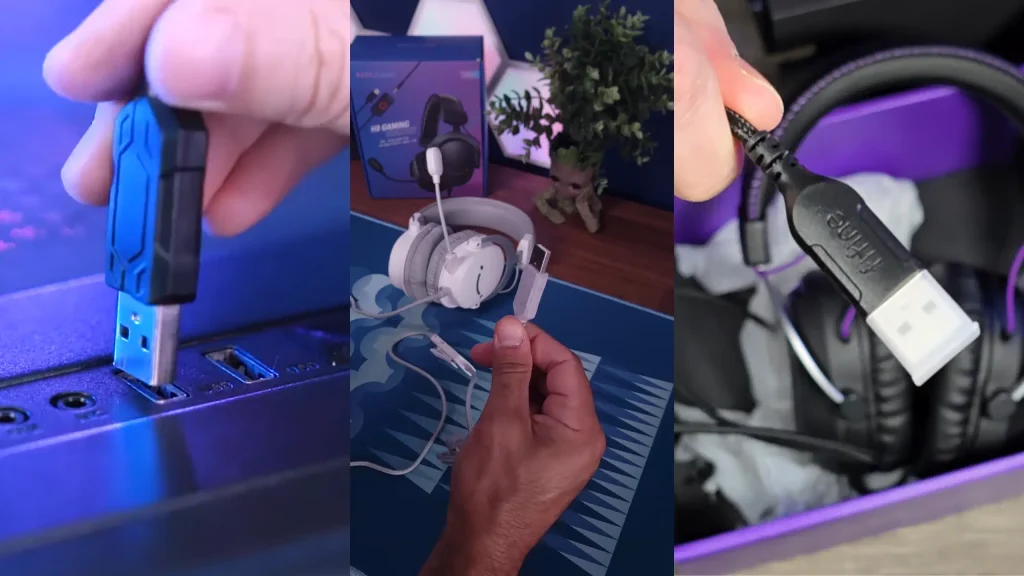
- Wired Headphones: Connect directly to your device via a cable, like fifine H3 3.5mm headset and fifine H6 USB headphones. There’s no battery to die, and the signal doesn’t get compressed on the way to your ears. But the cable might be cumbersome.
- Wireless Headphones: No tangled cables, no jack required, and the freedom to walk away from your desk mid-song. You can connect them via a 2.4G mode.
- Bluetooth Headphones: Bluetooth handles the connection; codecs handle the audio. On iPhone, look for AAC. Android offers more options, including aptX and LDAC, depending on your device.
#6 Weight & Battery Life
Weight
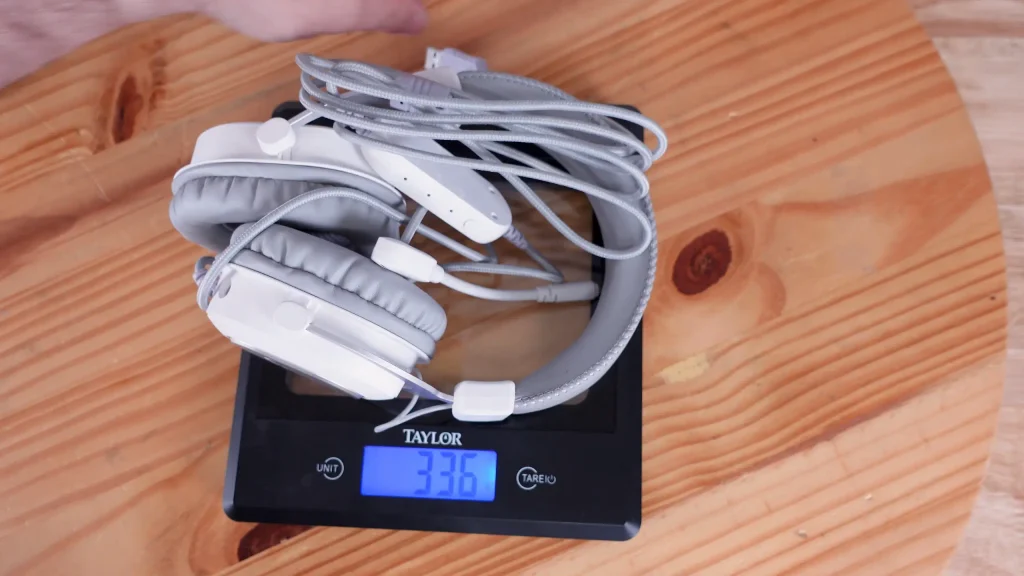
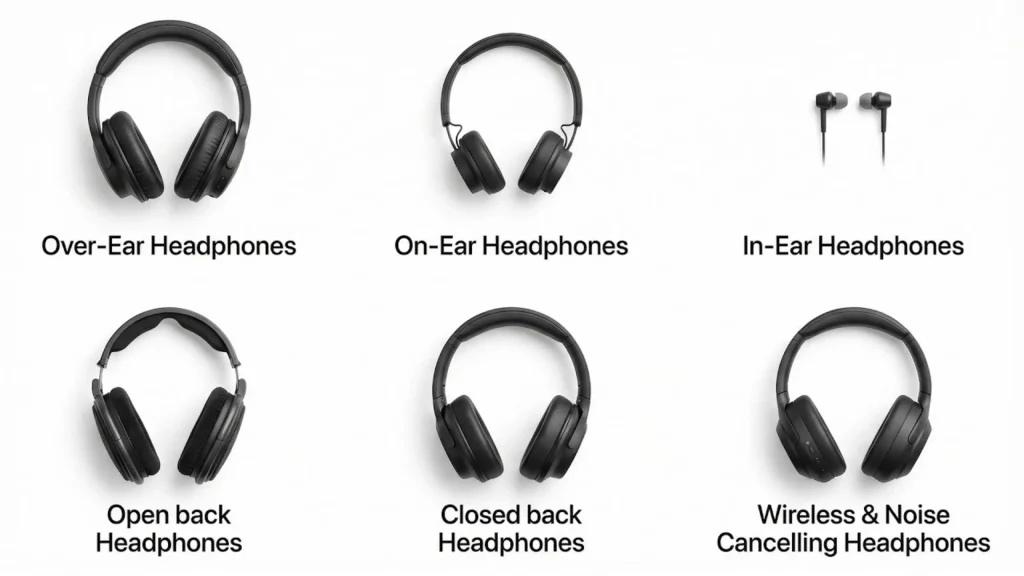
Over-ear headphones are the heaviest, on-ears sit lighter, and in-ears barely register. If you wear headphones for three-hour sessions, weight is not a footnote.
But don’t judge comfort on grams alone. A well-designed heavy headphone beats a badly designed light one, every time. Check:
- Padding on both the ear cups and the headband
- Clamping force — how tightly the headphones grip your head
- Ear cup size — enough room for your ears to breathe, with a proper seal
Battery Life
For wireless models, four numbers matter:
- Playback time. In fifine X3 wireless headphones, music playback time is up to 35 hours (100% volume), while communication time is up to 40 hours.
- ANC on vs. off. Noise cancellation drains the battery noticeably faster. If a spec sheet lists one number, assume it’s the flattering one.
- Charging time. Full recharge from empty.
- Quick charging. How much playback you get from a short top-up. This matters more day-to-day than total capacity.
Note: Earbuds recharge in their case, which changes the math entirely. And wireless headphones that also accept a cable let you keep listening after the battery dies — a small feature that saves a lot of flights.
Advanced Headphone Specifications You Might Know
These show up less often, and none of them should decide your purchase on their own.
Open-Back vs. Closed-Back
Open-back cups let sound pass in and out. You get a wider soundstage and clearer imaging, but they leak audio outward and let the room in. Closed-back cups are sealed, so they isolate, keep your audio to yourself, and push firmer bass, with a narrower stage in exchange.
Open-back headsets, like fifine H19 headset, are for quiet solo listening; closed-back headsets, like fifine H13 headset, are for recording, commuting, and shared offices.
Total Harmonic Distortion (THD)
THD measures how much the audio signal changes between entering the headphones and reaching your ears. The lower, the better.
The practical read: under 1 percent at 100 dB is a solid result. Most manufacturers have distortion well handled these days, which is partly why many don’t publish the figure at all.
Bluetooth Codecs
Codecs determine how Bluetooth audio gets encoded, transmitted and rebuilt on the other end. It tells you what a connection is capable of, not whether the headphones are tuned well.
- SBC — the universal baseline. Every Bluetooth device supports it.
- AAC — the high-quality codec iOS uses.
- aptX — common on Android, with variants aimed at lower latency or higher bitrate.
- LDAC — high-bitrate codec found on many Android devices.
- LC3 — the newer codec tied to Bluetooth LE Audio, built for better efficiency.
Maximum SPL
The loudest sound pressure level the headphones can produce under specified test conditions. It’s a ceiling, not a recommendation, and it rarely appears on consumer spec sheets.
Latency
Latency is the delay between the signal leaving your device and the sound reaching your ears. Wired connections are effectively instant. Wireless ones are not.
For music, a small delay is invisible. For gaming and video, it’s the difference between lip-sync and a bad dub. If you game wirelessly, look for a low-latency mode or a 2.4 GHz dongle rather than relying on standard Bluetooth.
What Should You Look at When Choosing Headphones?
Skip the full sheet. Start with what you’re buying them for.
| Buying for | Check these | Ask yourself |
|---|---|---|
| Sound | Frequency-response behavior (not just the range), driver design, tuning | Do I want vocal clarity or deep bass? They’re different targets. |
| Compatibility | Impedance, sensitivity, connectivity | Will my phone, interface or amp actually drive these? |
| Environment | Open-back vs. closed-back, isolation, ANC | Who else can hear me — and what can I hear? |
| Portability | Weight, battery life, connectivity, IP rating | Will I still want these on my head three hours in? |
Sort out compatibility before you fall for a pair that needs an amp you don’t own.
Final Words: Check the Headphone Specs and Pick the Ideal One
No single number decides whether headphones are good. Frequency response helps you understand tonal reproduction, but the key is tuning. Impedance and sensitivity, read together, tell you whether a pair will work with your phone, interface, or amp. Connectivity, design, weight, and battery life decide how practical they’ll be in your actual life.
That said, headphone specifications are essentially a list of numbers. Your ears tell everything, whether the best headphones for gaming or streaming.
FAQs
Is 20 Hz–20 kHz good enough for a frequency response?
Yes. It covers the full range of human hearing. Anything beyond or below that is headroom you can’t hear.
Do I need an amplifier for my headphones?
Under 32 Ω, no — your phone is fine. Between 33 and 100 Ω, a small portable amp helps but usually isn’t essential. Over 100 Ω, plan on one.
Are bigger drivers better?
No. Larger drivers tend to give slightly more controlled bass and a wider presentation, but driver size isn’t a quality metric. Tuning, materials and design matter far more.
Should I get open-back or closed-back headphones?
Open-back for quiet solo listening where soundstage matters. Closed-back for recording, commuting, offices and anywhere sound leakage would be a problem. Gaming goes either way, depending on your room and your mic
