
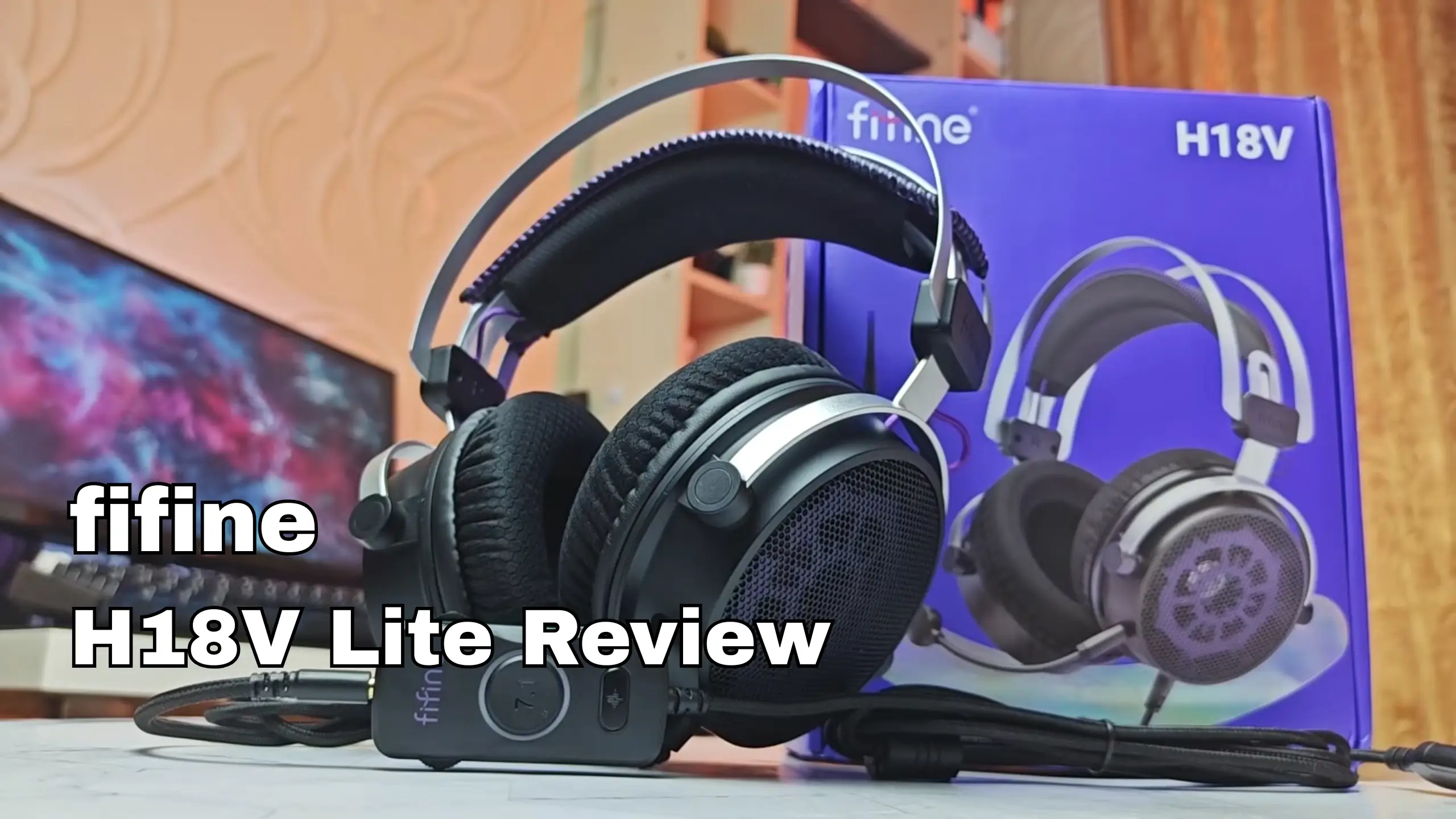
fifine H18V Lite Review: An Open-Back Gaming Headset Built for Immersive Sound

If you game in a fairly quiet room and want a headset that sounds good, stays cool, and doesn’t cost much, the fifine H18V Lite is an easy recommendation. The star here is the native stereo tuning, onboard USB module, plus an open-back design that stops your ears from turning into a sauna. That said, some reviewers aren’t quite satisfied with this headset. Here’s what we found about the fifine H18V Lite review.
fifine H18V Lite Mini-Review
| What we scored | Score |
| Sound quality (stereo) | 9.0 / 10 |
| Virtual 7.1 surround | 6.0 / 10 |
| Microphone & noise cancellation | 8.0 / 10 |
| Comfort & breathability | 9.0 / 10 |
| Build quality & design | 7.5 / 10 |
| Connectivity & controls | 7.5 / 10 |
| Value for money | 9.0 / 10 |
| Overall | 8.2 / 10 |
Pros
- Warm, punchy stereo sound that embarrasses its price
- Open-back design keeps ears cool over long sessions
- Onboard mic noise-cancellation button that actually works
- Light and comfortable, with a wide feel that helps positional audio
- USB control module with hardware mute and volume; works on PC and console
- Braided cable feels a cut above budget norms
Cons
- The 7.1 virtual surround muddies the mids
- All-plastic frame and notched adjusters feel their price
- fifine Genie EQ app is Windows-only
- No USB-C adapter in the box
- Open-back rough for shared or noisy rooms
fifine H18V Lite Review: 6 Key Areas That Matter Most
1. Sound Quality (Stereo)
Category score: 9.0 / 10
This is where the headset earns its keep. Straight out of the box in plain stereo — no EQ, no surround — the H18V Lite drew the strongest reactions of the whole review pool. The tuning leans warm and bass-forward, with good presence and a wide, easy feel. Kick drums and bass lines land solid rather than thin, and the open-back design gives the soundstage room to spread.
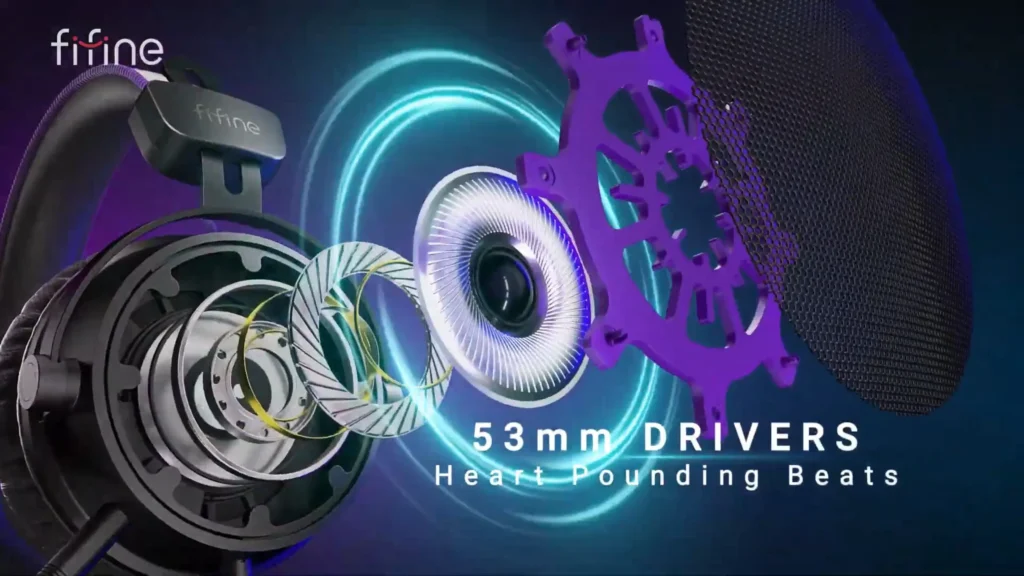
It’s not a flat studio reference. Reviewer @Barry-Watson, benchmarking against a much pricier open-back set, found the upper bass a touch thick, enough to make male voices sound slightly chesty. His fix was small: cut about 3dB around 150Hz and add a gentle 2dB lift near 4kHz, and the muddiness cleared right up.
The good news? You probably won’t need to. And no one found this fifine H18V lite headset is fatiguing.
2. Virtual 7.1 Surround
Category score: 6.0 / 10
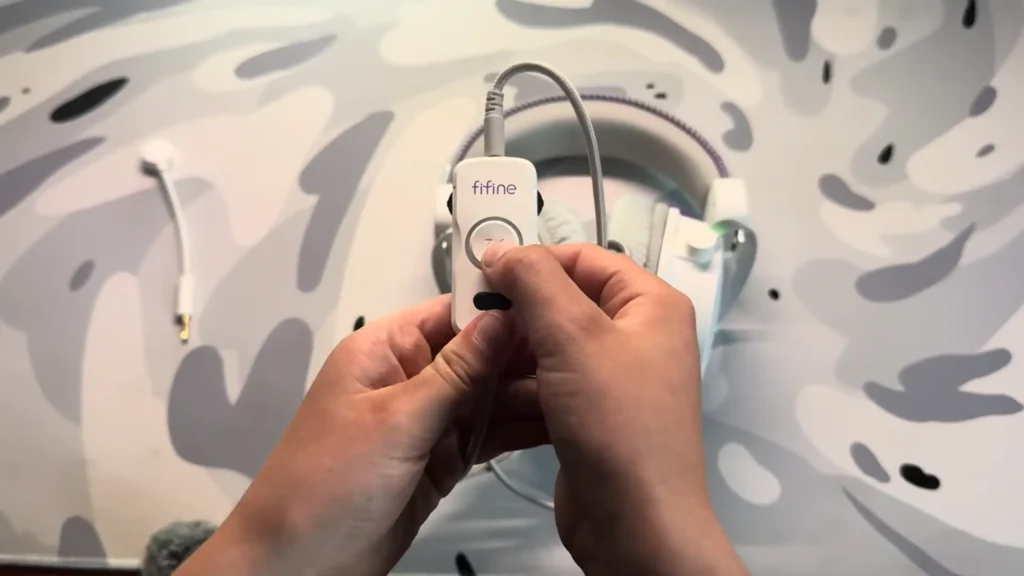
The native stereo imaging on this headset is already good — testers could place cars passing left and right in Forza with no processing at all. Flip on the 7.1 virtual surround, and most of them recoiled.
When the virtual 7.1 surround sound opens, the fifine H18V Lite collapses everything toward the center channel and muddies the midrange, so instead of widening the field it flattens it.
It’s not all bad. @Barry-Watson found the surround mode a mild bonus for spatial awareness and footstep tracking, adding a little spaciousness.
3. Microphone & Noise Cancellation
Category score: 8.0 / 10
The detachable boom mic is better than you’d expect from a bundled headset arm — clean and clear enough for Discord, Zoom calls, and team chat, though not broadcast quality.
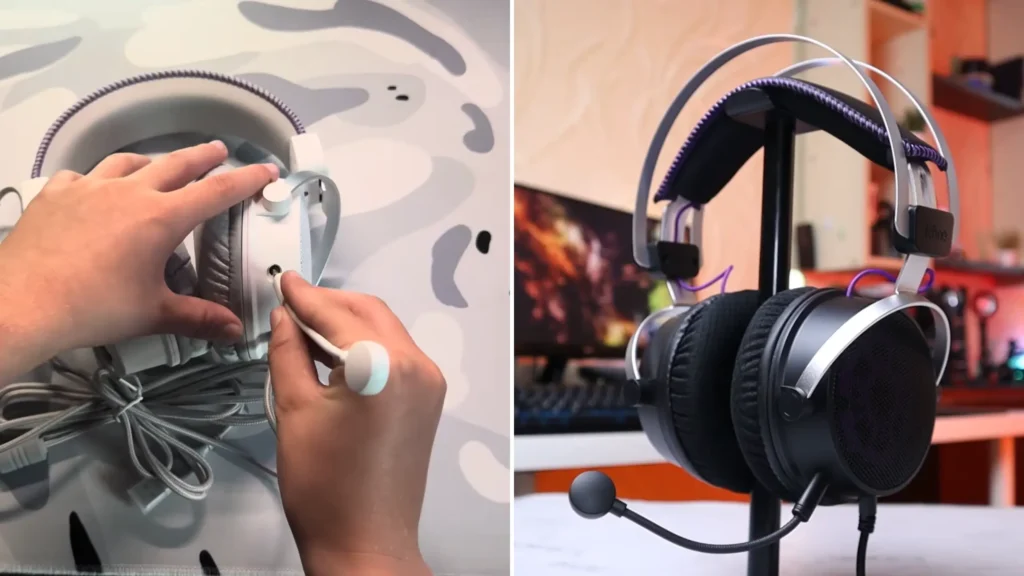
The genuine surprise is the noise-cancellation button on the control module. One reviewer flipped it mid-sentence and heard his background noise vanish almost completely.
If you already own a standalone mic, you’ll likely reach for fifine AM8 microphone instead. But as a grab-and-go option for chat, the H18V Lite’s mic does the job, and the mute and noise-cancellation buttons sitting right on the cable make it easy to manage. The boom pops off entirely when you don’t want it.
4. Comfort & Breathability
Category score: 9.0 / 10
This is the other category in fifine H18V Lite review where the H18V Lite runs away with it. The open-back design keeps your ears cool. No sweat build-up, no hot, clammy cups after an hour.
@BillehOFFICIAL even said he could feel his room’s air conditioning through the earcups. For anyone who games in long stretches, or who just finds closed-back headsets stuffy, that’s a real quality-of-life win.
The headset is also genuinely light, with a padded headband and soft cushions that held up over a three-hour session without anyone wanting to rip them off. The adjustment uses a notched, ratchet-style mechanism rather than a smooth slide — a couple of clicks per side and it settles in, though it means you can’t fine-tune the fit to the millimeter.
The one thing to internalize: open-back leaks. You’ll hear your room, and your room will hear your game. In a quiet space that’s a feature. In a shared office or a noisy household, it’s a reason to look at a closed-back set instead.
5. Build Quality & Design
Category score: 7.5 / 10
The design is clean and understated: an exposed grille pattern over the earcups, subtle purple accents, a fifine logo, and no RGB. If you want a stealthier look than a lit-up gamer headset, that’s a plus. The braided cable feels a step above the usual budget rubber, and the detachable mic and inline module are tidy.
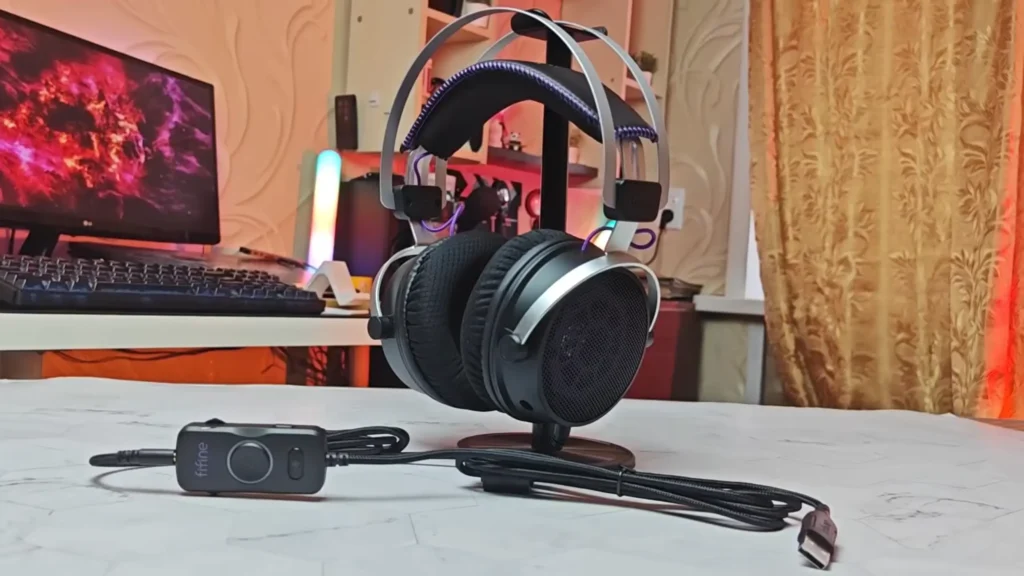
The throughout plastic frame might be a little flimsy compared to other built-in-metal headsets. Some reviews said the pleather-and-rubber earcup lining is the kind of material that can peel over time.
The reassuring counterpoint: one reviewer’s cat knocked a unit off a desk onto a concrete floor, and it bounced and survived without a scratch. Plasticky, yes — but not fragile.
6. Connectivity & Controls
Category score: 7.5 / 10
The H18V Lite connects over USB-A, with an internal digital converter doing the audio duties, so you don’t need a separate interface. The inline control module is the practical heart of it: hardware buttons for mute, mic and headphone volume, the noise-cancellation toggle, and the 7.1 switch. Friendly for consoles, that plug-in module is handy if you’re building a budget console setup.
Two points you may find inconvenient.
- The fifine Genie software, which handles finer sound tweaks for the fifine H18V Lite headset, is Windows-only right now.
- No USB-C adapter in the box. So plugging straight into a modern phone or tablet means sourcing one yourself.
7. Value for Money
Category score: 9.0 / 10
At roughly [$60–$70], the H18V Lite delivers sound that reviewers compared favorably to headsets several times its price, plus open-back comfort that’s genuinely rare in this bracket. The soft spots — plasticky build, a surround mode that doesn’t work perfectly, a Windows-only app — are exactly the corners you’d expect a company to cut at this price, and none of them touch the thing that matters most: how it sounds.
Who is the fifine H18V Lite Headset for?
| Buy it if you… | Look elsewhere if you… |
|---|---|
| Game in a fairly quiet room and like staying aware of your surroundings | Game or stream in a noisy or shared space (it leaks both ways) |
| Do long sessions and hate sweaty ears | Need isolation or deep, closed-back bass slam |
| Want strong sound on a sub-[$70] budget more than you want RGB | Rely on virtual surround for competitive footstep tracking |
| Want plug-and-play PC or console use with hardware mute | Want a metal-built, premium-feel set, or Mac-based EQ tweaking |
fifine H18V Lite Alternatives
Not sure this is the one after going through the fifine H18V review? The fifine HD18 Lite and H19 headset in the same line deserve your choice. All these fifine open-back gaming headsets have the same core, but three flavors. The H18V Lite is the middle path: USB features and hardware controls, minus the RGB.
fifine HD18 Lite (monitoring headset)
Score: 7.8 / 10
The HD18 Lite minus the USB module — a plain 3.5mm analog connection instead. It works with anything that has a headphone jack: older laptops, controllers, phones. The fifine HD18 Lite monitoring headset sounds essentially identical to the H18V Lite, with a notably long cable suited to a desk or studio setup.
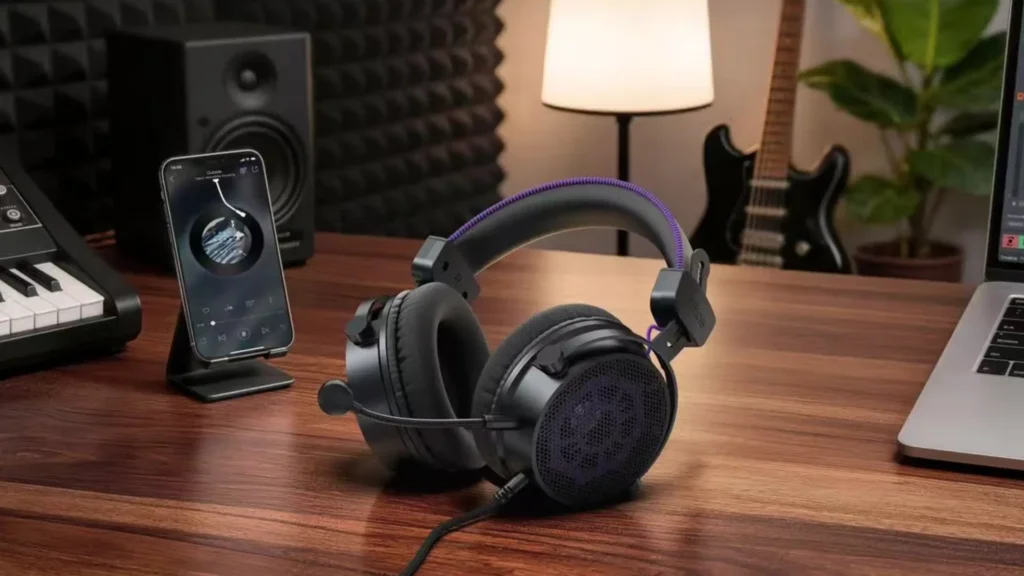
- Pros: Dead-simple plug-and-play; works with any 3.5mm source; longer cable
- Cons: No inline controls or hardware mute; no 7.1; no quarter-inch adapter in the box
- Best for: Anyone who just wants the sound with zero USB fuss, or who’s plugging into existing audio gear.
fifine H19 Gaming Headset (USB + RGB)
Score: 7.5 / 10
The RGB-lit sibling. Same driver family and a similar core sound, with three onboard EQ presets and a rainbow of lighting. If you want the lights, it’s the pick — otherwise the H18V Lite gives you the same sound for less clutter. See our full fifine H19 review →.
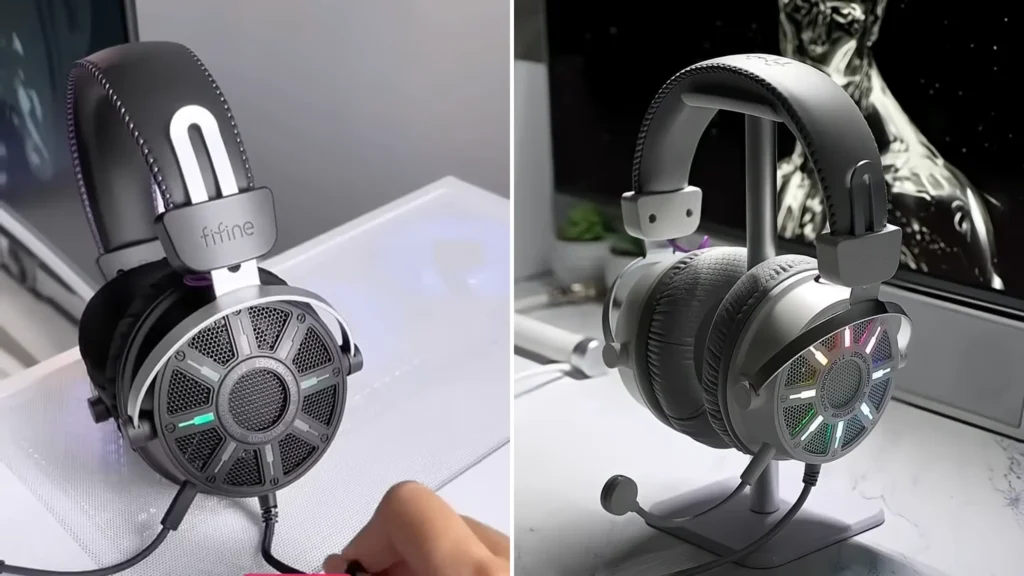
- Pros: RGB lighting; onboard EQ presets; strong stereo sound
- Cons: Non-removable USB cable; divisive EQ presets; lighting adds cost
- Best for: Players who want the gamer aesthetic and don’t mind a tethered cable.
Final Verdict on fifine H18V Lite Review
Among the fifine H18V review, this fifine open-back gaming headset is a genuinely easy budget recommendation, and it earns that on the two things that matter most: it sounds better than it has any right to, and it stays comfortable and cool for hours. The open-back design is the whole personality here — a spacious, natural sound and no sweaty ears, at the cost of isolation.
That said, if you need isolation or you game in a shared space, a closed-back set is the smarter call — but for a quiet-room gamer chasing sound per dollar, this one’s hard to beat.
FAQ
Open-back vs. closed-back — which should I pick?
Open-back gives a wider, cooler, more natural sound and lets you stay aware of your room; it also leaks audio both ways. Closed-back isolates you and hits harder in the bass but traps heat. Choose open-back or closed-back headset by your environment: quiet room, go open; noisy or shared space, go closed.
Does it work on PS5, Xbox, or Switch?
The fifine H18V Lite headset connects over USB, and the plug-in module makes it a fit for console setups that accept USB audio, carrying the boom mic and hardware controls across.
Is the built-in mic good enough to skip a standalone microphone?
For Discord, Zoom, and team chat, yes — it’s clean and clear, and the noise-cancellation button is a real help in a loud room. It’s not broadcast quality, so if you already own a dedicated mic, keep using it.
Do I need the FIFINE Genie app?
No. It sounds good out of the box. The app unlocks finer EQ adjustments but is Windows-only right now, so Mac and Linux users get the default tuning.
Should I use the 7.1 surround mode?
It depends on your needs. The headset’s plain stereo already images well, and the virtual surround tends to collapse the sound toward the center and muddy the mids.
