
Microphone Essentials: How to Read Microphone Specifications

When you’re picking a microphone, you can’t ignore the specs sheet. But do you really understand those parameters, like “−38 dBV/Pa,” “Max SPL 132 dB,” and “S/N 78 dB”? Those microphone specifications aren’t marketing fluff. Each of them would make your recording have a change, whether for streaming, podcasting, or vocal takes.
This guide walks through the eight basic parameters, three transducer types, and the advanced parameters worth recognizing. By the end, you’ll be able to size up any mic in under five minutes.
What Are Microphone Specifications?
Specs are the measured numbers that describe how a microphone behaves. Some describe the mic’s physical design, like polar pattern, diaphragm size. Others describe its electrical performance, like sensitivity, impedance, and self-noise. Together, they tell you what the mic is built to do.
Think of them like the nutrition label on a food package. Two products can look similar on the shelf, but the label tells you what’s actually inside.
Microphone Specifications: 8 Parameter Details
Microphone specifications are commonly the same. Here are 8 parameters you’ll encounter on almost every product page.
| Parameter | What It Tells You | Why It Matters |
|---|---|---|
| Polar Pattern | Which directions does the mic pick up | Cardioid for solo, omni for groups, bidirectional for interviews |
| Frequency Response | Range of frequencies captured | Curve shape matters more than range |
| Sensitivity | Output level for a given input | Low sensitivity = needs more gain (typical of dynamic mics) |
| Max SPL | Loudest sound before distortion | 120 dB fine for voice; 130+ for drums |
| Self-Noise | The noise the mic generates on its own | Below 20 dB-A is excellent for studio work |
| Impedance | Electrical output resistance | Should be at least 1:10 with your input |
| Sample Rate & Bit Depth | Digital capture resolution (USB mics) | See our sample rate and bit depth guide |
| Connection Type | USB, XLR, 3.5mm, etc. | Determines what you plug it into |
1. Polar Pattern
The microphone polar pattern describes the directions a mic listens to. Cardioid mics favor sound from the front and reject the rear, which is why they dominate podcasting and streaming. Omnidirectional mics pick up evenly in every direction, useful for capturing a room or a group. Bidirectional (figure-8) suits face-to-face interviews.
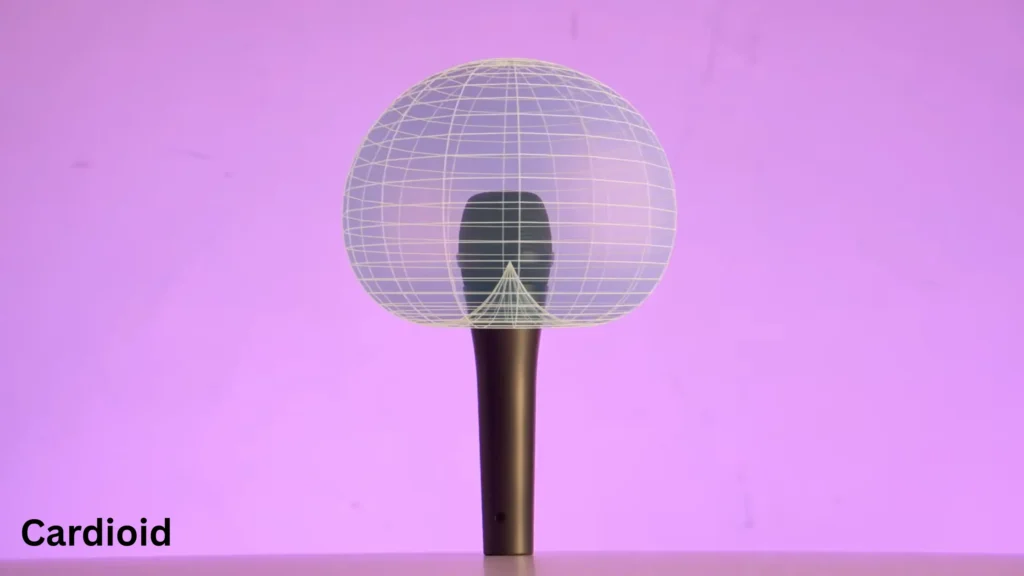
A Truth You May Not Know: pickup patterns shift across frequencies. A cardioid mic typically becomes less directional at low frequencies and tighter at highs. If you record in a less-than-ideal room, that low-frequency leakage from the rear is worth knowing about.
2. Frequency Response
You’ll see the microphone frequency response in two ways: a number range (like 50 Hz–18 kHz) and a graph. The range tells you what the mic can pick up. The graph tells you the tone, where the mic boosts or dips across the spectrum.
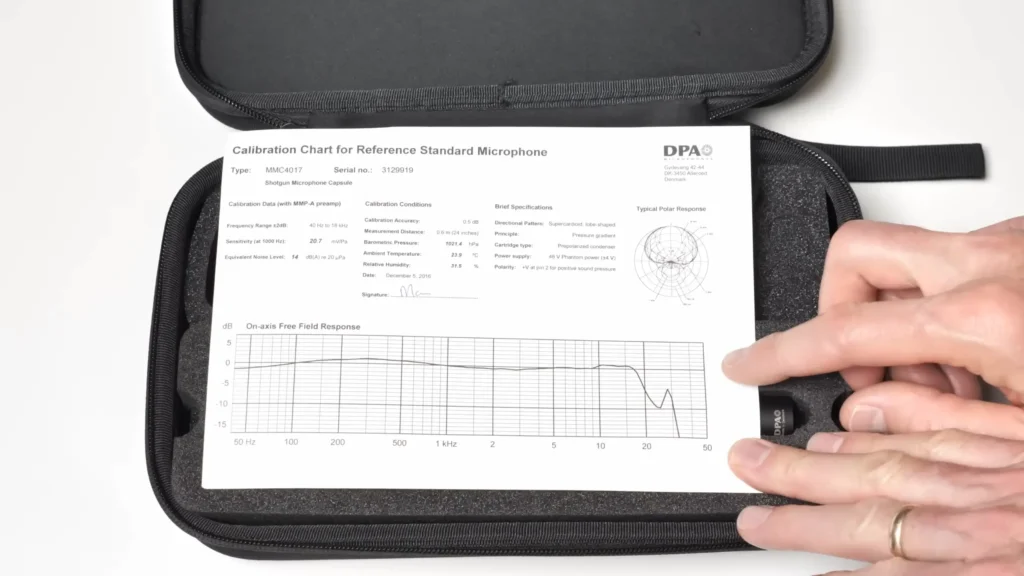
The graph matters more. A mic with a presence boost around 5–10 kHz adds clarity to vocals. A flat response captures sound as-is, which suits acoustic instruments.
Pro Tips: Be cautious of heavily smoothed graphs in marketing materials. The international standard calls for a 10:1 frequency ratio to equal 50 dB on the vertical axis. If a curve looks suspiciously flat, check the scale.
3. Sensitivity
Sensitivity tells you how much output the mic produces for a given input level, typically measured in dBV/Pa or mV/Pa. Lower numbers mean lower output, which means you’ll push the preamp gain higher to get a usable signal.
Dynamic mics like the Shure SM58 sit around −54.5 dBV/Pa. Condensers like the Rode NT1 land closer to −29 dBV/Pa. That’s a 25 dB gap, which means the dynamic mic needs roughly 25 dB more gain to match the condenser’s output.
If your interface has a noisy preamp or limited gain, that gap matters. The FIFINE K688 mic (dynamic) needs more gain than the AmpliGame condenser series, but its noise rejection is the trade-off.
4. Max SPL
Max SPL(Maximum sound pressure level) is the loudest sound the mic can handle before it distorts. Modern condensers handle 130+ dB SPL. For context, a normal conversation hits 60 dB, a rock concert reaches 120 dB, and a gunshot lands around 133 dB. So unless you’re miking drums up close or capturing sound effects, you’re unlikely to push a modern mic to its limit.
Dynamic mics often skip this spec because their max SPL is so high it’s a non-issue. If you’re voicing a podcast in a home studio, max SPL is the spec you can safely glance at and move on.
5. Self-Noise
Self-noise (sometimes called equivalent noise level) measures how much hiss the mic generates with no sound input. The lower, the better. Anything below 20 dB-A is considered excellent for studio work. Dynamic mics generate effectively no self-noise because they don’t need active electronics, and there’s no circuit to add hiss.
If you’re recording quiet sources like a soft-spoken voiceover or a lightly played acoustic guitar, self-noise is one of the most important specs to scrutinize.
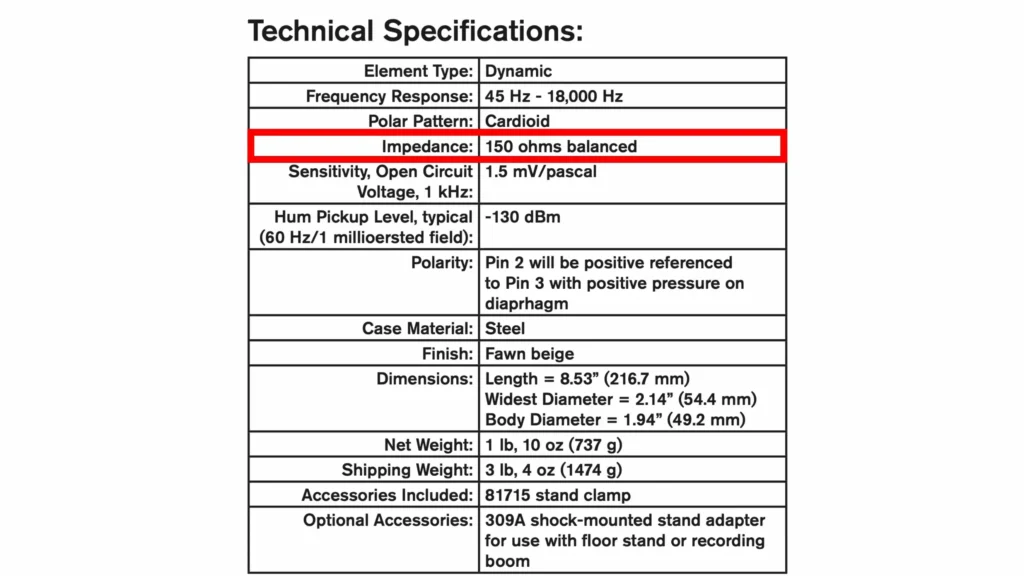
6. Impedance
Impedance is the AC resistance of the mic’s output. Most home studio users will never run into impedance problems. But for 10–20 feet of cable in a home setup, this spec is rarely a deal-breaker.
A useful rule of thumb: your preamp’s input impedance should be at least five times the mic’s output impedance. If your preamp is significantly lower, you might lose some frequency response and reduce max SPL, though you won’t damage anything.
7. Sample Rate and Bit Depth (USB Mics)
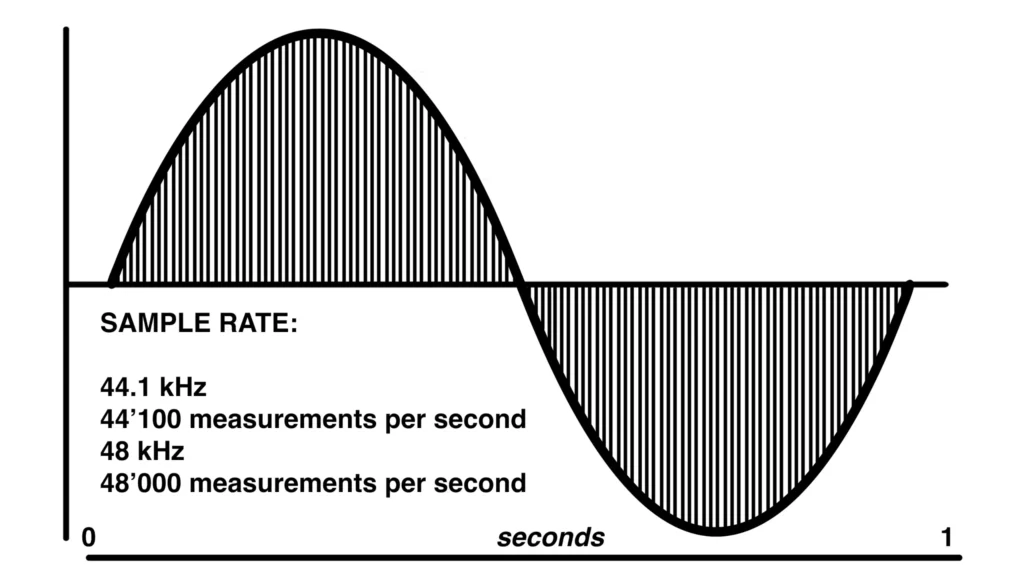
For USB mics, sample rate and bit depth describe the resolution of the digital capture. 48 kHz / 24-bit is the current standard for clean voice work and matches what most video and streaming platforms expect. Higher numbers exist (96 kHz, 192 kHz), but they mostly benefit critical music production rather than spoken-word content.
8. Connection Type
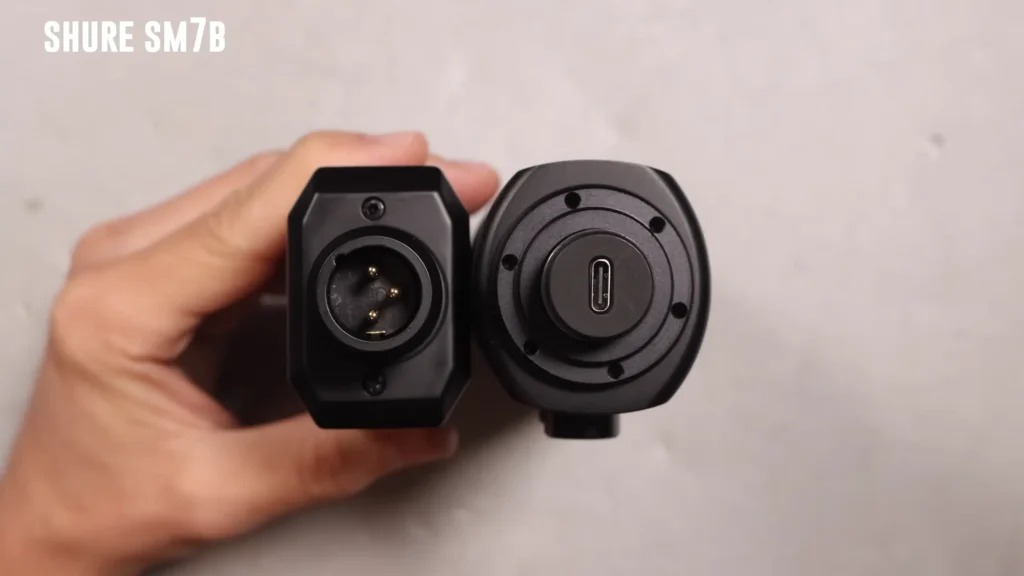
Be it USB, XLR, or 3.5 mm, the connection determines what you plug the mic into and what other gear you need. USB vs XLR microphone? USB mics are plug-and-play. XLR mics require an audio interface or mixer, and condenser mics, in particular, need +48V phantom power. Also, 3.5 mm mics tend to be lavaliers or basic on-camera options.
Types of Microphones (by Transducer)
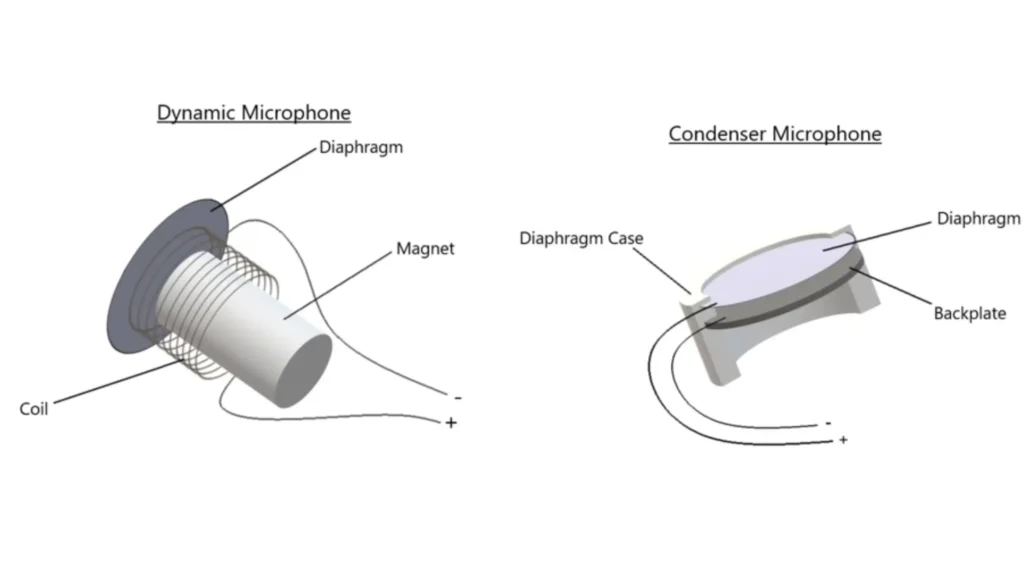
The transducer is the technology inside the mic that converts a sound wave into an electrical signal. There are three you’ll see repeatedly:
| Type | Description | Best For |
|---|---|---|
| Dynamic | Durable, noise-resistant, needs more gain | Podcasts, streaming, loud or untreated rooms |
| Condenser | Sensitive, detailed, needs phantom power | Studio vocals, acoustic instruments |
| Ribbon | Warm, natural, fragile, expensive | Pro studios, broadcast, brass instruments |
Mostly, the condenser vs dynamic microphone is the common selection struggle. Dynamic mics handle loud sources and noisy rooms with grace. Condensers capture detail and nuance but reward a treated space. Besides that, ribbon microphones are a niche pro-studio tool — beautiful on the right source, but rarely a first mic.
Advanced Microphone Specifications You May Know
Once you graduate from the beginning 8 specs, you’ll bump into these. Most won’t change your buying decision, but recognizing them keeps you from second-guessing.
| Parameter | What It Means | When You’d Care |
|---|---|---|
| Diaphragm Size | Large-diaphragm (>1 inch) vs small-diaphragm capsules. Affects tonal character. | Large = warmer, fuller vocals. Small = more accurate transient detail. |
| Signal-to-Noise Ratio (S/N) | How much louder the signal is compared to the mic’s own noise. Higher is better. | 80+ dB is very good. Often, the inverse of self-noise. |
| Dynamic Range | The gap between the quietest and loudest sounds the mic captures cleanly. Max SPL minus self-noise. | Matters for sources with big volume swings — orchestral, live drums, field work. |
| THD (Total Harmonic Distortion) | Unwanted harmonic content that the mic adds. Lower is cleaner. | Usually under 1% on quality mics. |
| Power Requirements | Phantom power (+48V), USB bus power, or battery. | Confirm before buying — XLR condensers need a +48V source. |
| Weight & Dimensions | Physical size and weight. | Matters for boom arms, travel rigs, and shock mount compatibility. |
How to Use Spec Sheets to Pick the Right Mic
Time to put the framework to work. Let’s walk through a real example using the FIFINE AM8, a dynamic mic aimed at streamers and gamers, and see how to pick the right mic with the microphone specifications.
FIFINE AM8 Microphone Specifications
| Parameter | Spec |
|---|---|
| Element | Dynamic |
| Polar Pattern | Cardioid |
| Connection | USB-C and XLR (dual output) |
| Bit Depth / Sample Rate | 16-bit / 44.1–48 kHz |
| Frequency Response | 50 Hz–16 kHz |
| S/N Ratio | >80 dB |
| Sensitivity | −50 ±3 dB |
| Self-Noise | Low |
5 Steps to Choose the Right Mic (e.g., FIFINE AM8)
Step 1: Define your use case. Say you’re starting a solo podcast and you also stream a few times a week. Your room isn’t treated with a mechanical keyboard and a desk fan.
Step 2: Map the use case to priority specs. For streaming or recording in an untreated room, the specs that move the needle are polar pattern, transducer type, self-noise, and connection type. Frequency range and sample rate are secondary. Both are easy to meet at this price point.
Step 3: Read the spec sheet against those priorities. Walking through the AM8:
- Polar pattern: cardioid. Picks up from the front, rejects the rear. Good for a single host with a wall or window behind them.
- Element: dynamic. Lower sensitivity by design, which means it ignores most of what’s happening across the room.
- Self-noise: low. Dynamic mics generate effectively no electronic hiss because they have no powered circuitry.
- Frequency response: 50 Hz–16 kHz. Plenty for spoken voice. Remember: 50 Hz–18 kHz is comfortable for vocals, and the curve shape matters more than the raw range.
- Sensitivity: −50 dB. That’s typical for a dynamic. It’s slightly hotter than the SM58’s −54.5 dB, slightly cooler than a condenser. You’ll want a clean preamp with at least 50 dB of gain. Most modern interfaces handle this without breaking a sweat.
- Connection: USB-C and XLR. Plug it into your computer today. Add an audio interface later. No need to rebuy.
- Bit depth/sample rate: 16-bit / 44.1–48 kHz. Matches every podcast platform and streaming service. Higher resolution wouldn’t change your output.
- S/N ratio: >80 dB. That’s in “very good” territory for a USB mic at this tier.
Step 4: Listen before you commit. Now pull up audio samples on YouTube and check whether the tone suits your voice. Your ears decide it.
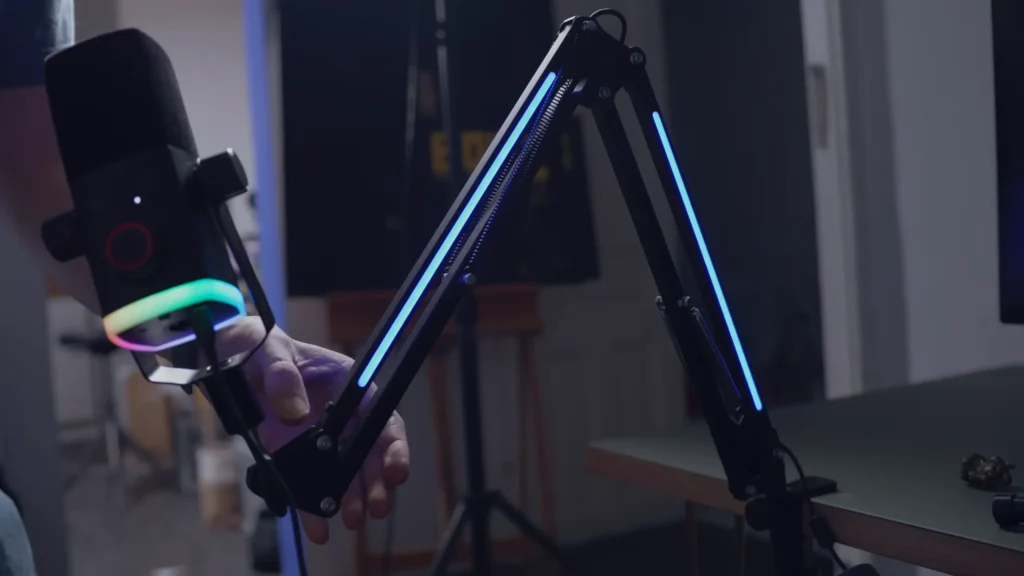
Step 5: Confirm the practical stuff. USB-C cable in the box? Yes. Phantom power needed? No, it’s dynamic, so phantom power is irrelevant on the XLR side too. Will it fit your boom arm? Sure, FIFINE AM8PROT is the advanced version with a boom arm.
The Takeaway
Understanding the microphone specification isn’t about chasing the biggest numbers. They’re about matching parameters to your use case. Once you know the eight specs, polar pattern, frequency response, sensitivity, max SPL, self-noise, impedance, sample rate/bit depth, and connection type, you can evaluate any mic in five minutes flat.
Ready to apply this? Explore the FIFINE microphone and check the specs yourself →
FAQ
What’s the most important spec on a microphone?
It depends on your use case. For podcasters and streamers in untreated rooms, the polar pattern and self-noise lead. For vocal recording in a treated space, the frequency response curve and sensitivity matter most.
What does dBV/Pa actually mean?
It’s a measurement of sensitivity. dBV is decibels relative to one volt; Pa is pascals, a unit of sound pressure. Together, they tell you how much voltage the mic outputs when exposed to a standard sound pressure of 1 pascal (which equals 94 dB SPL).
Do I need phantom power for my microphone?
Only for condenser mics with XLR connections. Dynamic mics and ribbon mics work without phantom power. USB mics draw power from your computer’s USB port and don’t need a separate +48V supply.
Is a flat frequency response always best?
Not necessarily. Flat responses work well for acoustic instruments and faithful capture. Vocals often benefit from a presence boost in the upper midrange. The “best” curve depends on the source.
What’s the difference between self-noise and signal-to-noise ratio?
Self-noise measures the mic’s own noise floor in dB-A — lower is better. Signal-to-noise ratio measures how much louder the captured signal is than the noise — higher is better. They describe the same problem from opposite directions.
