
Best Audio Mixers for Streaming and Gaming in 2026

Audio mixers are not only reserved for live sound engineers hauling rack gear to gigs. Today, an audio mixer can control your streaming or podcast recording on the fly, from separating your game audio from your Discord call to muting your mic.
Are you still looking for the best audio mixer for your daily play or work? After over 10 years of R&D of Audio Equipment, we picked up 5 top audio mixers for different uses and different budget levels.
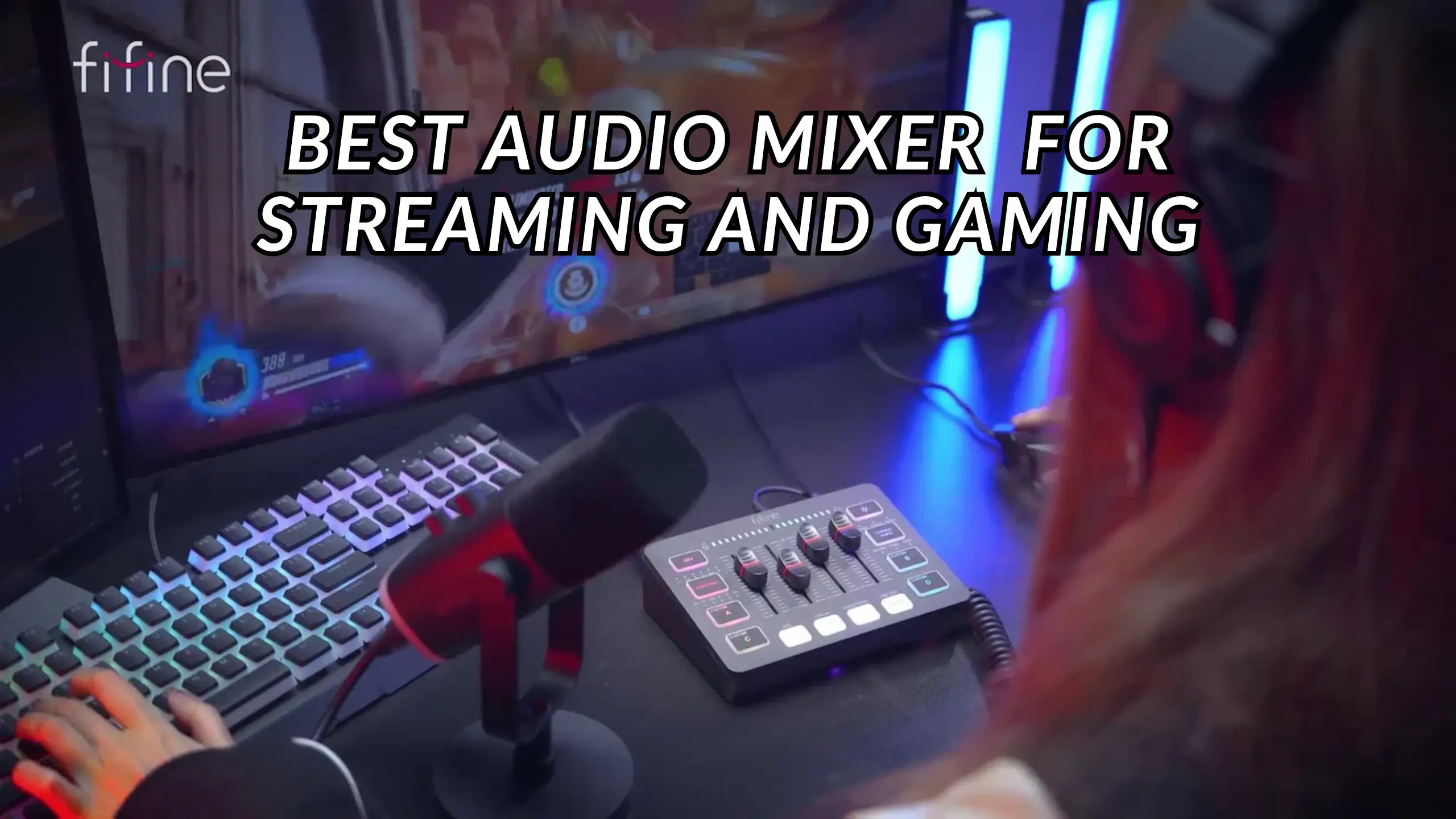
FIFINE AmpliGame SC8 — Best Overall for Streaming and Gaming
✅Pros:
- Game/chat mix dial
- Mute buttons on every output channel
- 50 dB XLR preamp gain
- 8 voice changer modes
- Customizable sound pads that record directly from your mic or PC audio
- FIFINE Genie software
- 7.1 surround sound toggle and 3 EQ presets (gaming, music, movie)
❗Cons:
- No Bluetooth connectivity
- XLR cable not included in the box
- Sound pad recordings can have a slight delay
- 50 dB gain may fall short for gain-hungry dynamic mics without a Cloudlifter
- FIFINE Genie is Windows-only
The FIFINE SC8 audio mixer impressed us most with its preamp performance. In a test with the FIFINE Tank1 microphone by @Pugh’s Review, the 50 dB gain pushed the signal into the red on OBS.
“It is actually good,” said @Pugh’s Review. You have headroom to turn down for a clean signal, rather than cranking everything up and chasing noise. Also, the SC8 drove the FIFINE Tank1 harder than the RØDECaster Pro one.
The game/chat mix dial is the single biggest upgrade from the SC3 and the feature most gamers will use daily. Instead of fumbling through Windows audio settings, you turn a physical knob to shift your headphone mix between game audio and voice chat.
The voice changers — autotune, elder, monster, female, male, chipmunk, and megaphone — land squarely in the “fun but not essential” category. The customizable sound pads deserve credit: hold the button, record any audio from your mic or PC, and play it back instantly.
FIFINE AmpliGame SC3 — Best Budget Audio Mixer
✅Pros:
- 48V phantom power and 50 dB gain for XLR condenser and dynamic mics
- Physical faders for mic, line-in, and headphone volume
- Voice changer effects and autotune
- 4 customizable soundboard buttons
- Plug-and-play USB — works out of the box on PC and PS5
- Extremely affordable entry point
❗Cons:
- 48V phantom power button resets when you restart your PC
- No game/chat mix dial (audio balancing requires software workarounds)
- RGB profiles are limited with no white option and no brightness control
- Volume indicator LEDs sit across the top, where faders block visibility
The FIFINE SC3 audio mixer is a strong first mixer for anyone transitioning from a USB mic to an XLR setup. The 48V phantom power opens the door to condenser microphones, and the 50 dB preamp gain handles most mid-range dynamics without issue.
The biggest annoyance flagged by @Mattscreative is the phantom power button resetting every time you reboot your PC. “You have to make sure you turn it on before you do any recording, which is not good.” That’s a workflow killer for anyone who records frequently.
The four customizable soundboard buttons work as expected on Windows, but don’t register as keyboard inputs. It’ll be a limitation for Linux and macOS users. For around $50, the SC3 remains one of the best entry points into hardware audio mixing. But with $30 more, you can get an SC8 with more advanced functions.
BEACN Mix Create— Best Software Experience
✅Pros:
- 5-inch full-color display with real-time visual feedback
- Drag-and-drop audio routing via the BEACN App
- Unlimited audio source management
- Mac and Windows support
- Submix button for checking your stream audio vs. personal mix
- Profile switching for different workflows (streaming, gaming, work)
❗Cons:
- No XLR input — requires a separate interface for XLR mics
- $229 price tag puts it in premium territory
- Software can be CPU-intensive
- No physical faders (uses encoders instead)
What makes the BEACN Mix Create stand out is the software. The BEACN App lets you drag audio sources directly onto channels, build separate mixes for your headphones and your stream, and route everything through an intuitive visual table. If you’ve ever struggled with VoiceMeeter or Windows audio settings, this is the antidote.
The team behind it includes the original architects of the GoXLR. They took professional audio tools — expanders, parametric EQ, and noise gates — and rebuilt them for content creators without audio engineering degrees.
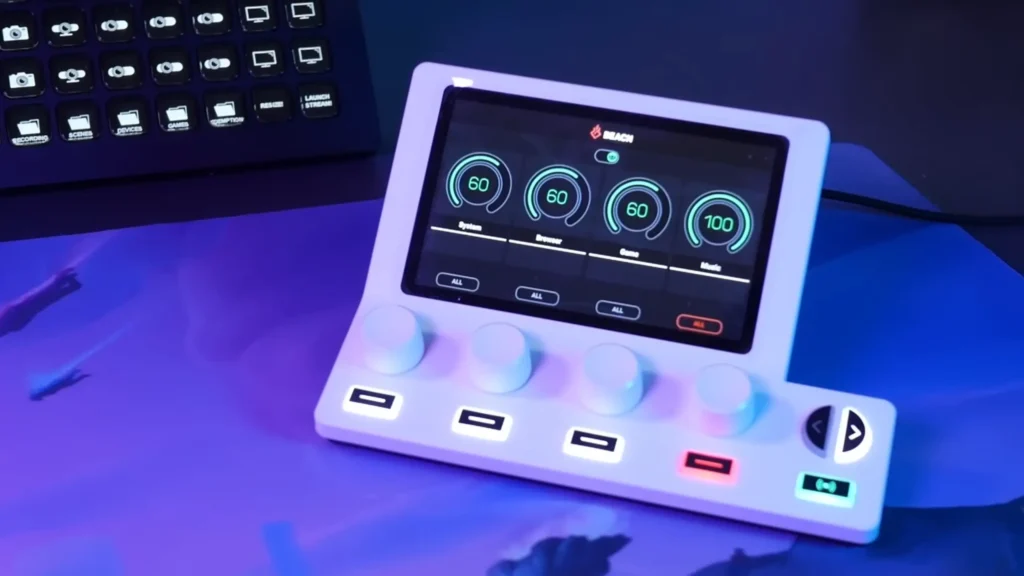
Compared with Elgato and Rode, the BEACH mix is powerful enough for multi-PC setups but approachable enough for someone running their first stream. “It aligned itself somewhere in the middle, with some very powerful professional audio tools, made simple enough for any content creator to use”, @Senpai puts it.
The catch: at $229, it’s not cheap, and it doesn’t replace an audio interface. But if you pair it with a BEACN Studio or even a standalone USB mic, you get the most flexible audio routing system.
Elgato Stream Deck + — Best All-in-One Controller
✅Pros:
- Four dials for real-time audio mixing via Wave Link
- Eight customizable LCD keys for stream controls
- Works with non-Elgato USB microphones
- Massive plugin library (OBS, Twitch, Discord, Spotify)
- Compact desktop footprint
- Can also control video editing, smart home, and productivity tools
❗Cons:
- No XLR input natively (requires Elgato Wave XLR add-on)
- Wave Link audio channels max out around 9-10
- Audio mixing is software-dependent — no standalone functionality
- Learning curve for the full plugin ecosystem
The Elgato Stream Deck + has evolved from a simple button pad into the hub of Elgato’s entire content creator ecosystem. The four dials map to Wave Link channels, letting you adjust game audio, mic level, Discord, and music independently. The software handles up to nine or ten channels with separate mixes for your headphones and your stream audience.
Elgato makes complex audio routing feel effortless. Wave Link’s interface is clean, the setup process takes minutes, and everything plays nicely with OBS and other streaming platforms. The tradeoff: this is an entirely software-based system. If Wave Link crashes or your PC restarts, you’re reconfiguring.
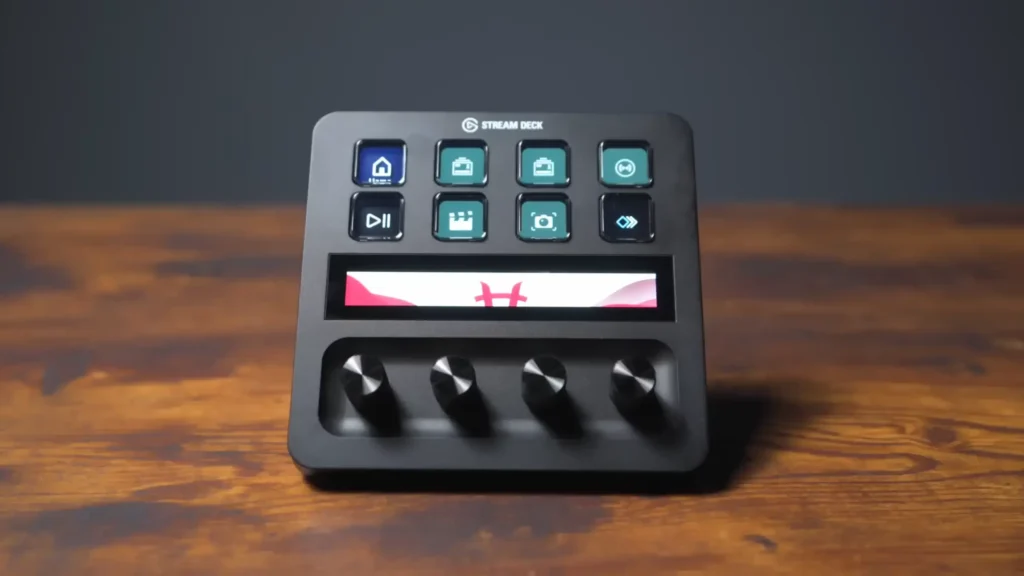
For streamers who want a single device that handles both audio mixing and stream control, the Stream Deck + is the most versatile option. Just know that serious audio work may require adding Elgato’s dedicated XLR interface.
RØDECaster Duo— Best for Power Users
✅Pros:
- Dual USB-C for seamless two-PC setups
- APHEX processing (Aural Exciter, Big Bottom, compressor, noise gate)
- RØDE UNIFY software with multi-channel routing
- Physical faders for hands-on control
- High-quality preamps with generous gain
- Built-in sound pads and effects
❗Cons:
- Premium price point
- USB-C outputs may not work with PS5 natively
- UNIFY software has a steeper learning curve
- Larger physical footprint than compact gaming mixers
The RØDECaster Duo is what you buy when audio quality is non-negotiable. The APHEX processing stack — which includes an Aural Exciter for high-end clarity and a Big Bottom enhancer for low-end warmth — gives your voice a polished, broadcast-ready sound without requiring any post-processing.
The dual USB-C ports are the headline feature for power users. Plug one cable into your gaming PC and another into your streaming PC, and the RØDECaster Duo handles audio routing between both seamlessly. This alone makes it the strongest contender for anyone running a two-PC setup.
The tradeoff is complexity. RØDE UNIFY is powerful software that needs more time to learn. And at $600+, the RØDECaster Duo is clearly aimed at creators who’ve outgrown entry-level gear and want to invest in a long-term audio solution.

Which Audio Mixer Should You Pick?
| If you are… | Your priority is… | Budget | Pick this |
|---|---|---|---|
| A gamer-streamer on PC/PS5 who needs game/chat balancing | Best features per dollar with hands-on control | $65–$80 | FIFINE SC8 |
| A beginner building their first XLR streaming setup | Getting started with phantom power and physical faders | Under $50 | FIFINE SC3 |
| A multi-app streamer drowning in audio routing | Software-based channel control with visual feedback | ~$229 | BEACN Mix Create |
| A streamer who wants one device for audio + stream control | Workflow efficiency across your entire broadcast | ~$200 | Elgato Stream Deck + |
| A power user with a two-PC setup or podcast | Broadcast-grade sound quality, no compromises | $300+ | RØDECaster Duo |
Still unsure? Start with price. If you’re under $100, the SC8 covers nearly every streaming need. If you’re above $200 and audio routing is your biggest headache, the BEACN or RØDECaster won’t let you down.
Buying Guide: What to Look For in an Audio Mixer
Inputs and Outputs
Count your audio sources: how many microphones do you need? Will a 3.5mm headset work? Do you need a line-in for a phone or secondary device?
On the output side, consider whether you need a headphone output (almost always yes), a line-out for speakers or a second PC, and whether you need separate monitoring for your stream mix versus your personal mix.
Built-In Effects and Processing
Voice changers and sound pads are fun extras. If you mix live, like EQ, compression, and noise gating, run them on the hardware. Even basic EQ presets (like the SC8’s gaming, music, and movie modes) can clean up your sound without any technical knowledge.
Software and Control Features
Look for intuitive channel management, the ability to create submixes (so your audience hears something different from what’s in your headphones), and profile saving for quick switching between various workflows. BEACN and Elgato lead here, but FIFINE’s Genie software has closed the gap for its SC8 model.
Platform Compatibility
Most USB mixers work natively on a PC. Mac support varies — BEACN and Elgato both offer it, while FIFINE Genie is Windows-only. Console support also matters: FIFINE SC3 and SC8 work with PS4/PS5 via USB, but Xbox requires a headphone-to-controller workaround since Microsoft blocks third-party USB audio devices.
Final Verdict on Best Audio Mixer
For most streamers and gamers, the FIFINE AmpliGame SC8 is the best audio mixer you can buy right now. If you’re on a tight budget and want a reliable entry point, the FIFINE AmpliGame SC3 gets the job done for under $50. For software-based control and visual feedback, look at the BEACN Mix Create. Want a single device for both stream control and audio mixing? You will love the Elgato Stream Deck +. Need to run a two-PC setup with broadcast-quality audio, the RØDECaster Duo is worth every dollar.
In any case, the most suitable audio mixer depends on your needs. Want to find more details about those mixers? Check our FIFINE SC3 review or SC8 review!
FAQs
Do I really need a mixer for streaming?
A mixer gives you real-time, hands-on control over your mic, game audio, and chat volume. That means no alt-tabbing during a live broadcast to adjust levels, which looks and sounds more professional to your audience.
Can I use a USB microphone with a gaming mixer?
Generally, no. USB mics have their own built-in audio interface, so connecting them to an external mixer like the FIFINE SC3 or SC8 bypasses their internal processing and often creates compatibility issues. These mixers are designed for XLR or 3.5mm headset mics.
What’s the difference between the FIFINE SC3 and SC8?
The SC8 is the updated version of SC3. It adds a game/chat mix dial, mute buttons on every channel, 7.1 surround sound, upgraded voice changers (including a megaphone effect), and FIFINE Genie software support. That said, SC3 is ideal for beginners with a budget demand.
Will a gaming mixer work with Xbox?
Most third-party USB audio devices aren’t natively supported on Xbox. You can work around this by routing audio from the mixer’s headphone output into your controller using a splitter cable, but it’s not a seamless experience.
Do I need phantom power?
Only if you’re using an XLR condenser microphone. Dynamic mics (like the Shure SM7B or FIFINE K688) don’t require phantom power. Both the SC3 and SC8 include 48V phantom power, so you’re covered either way — just make sure to turn it off when using a dynamic mic to avoid potential issues.
