
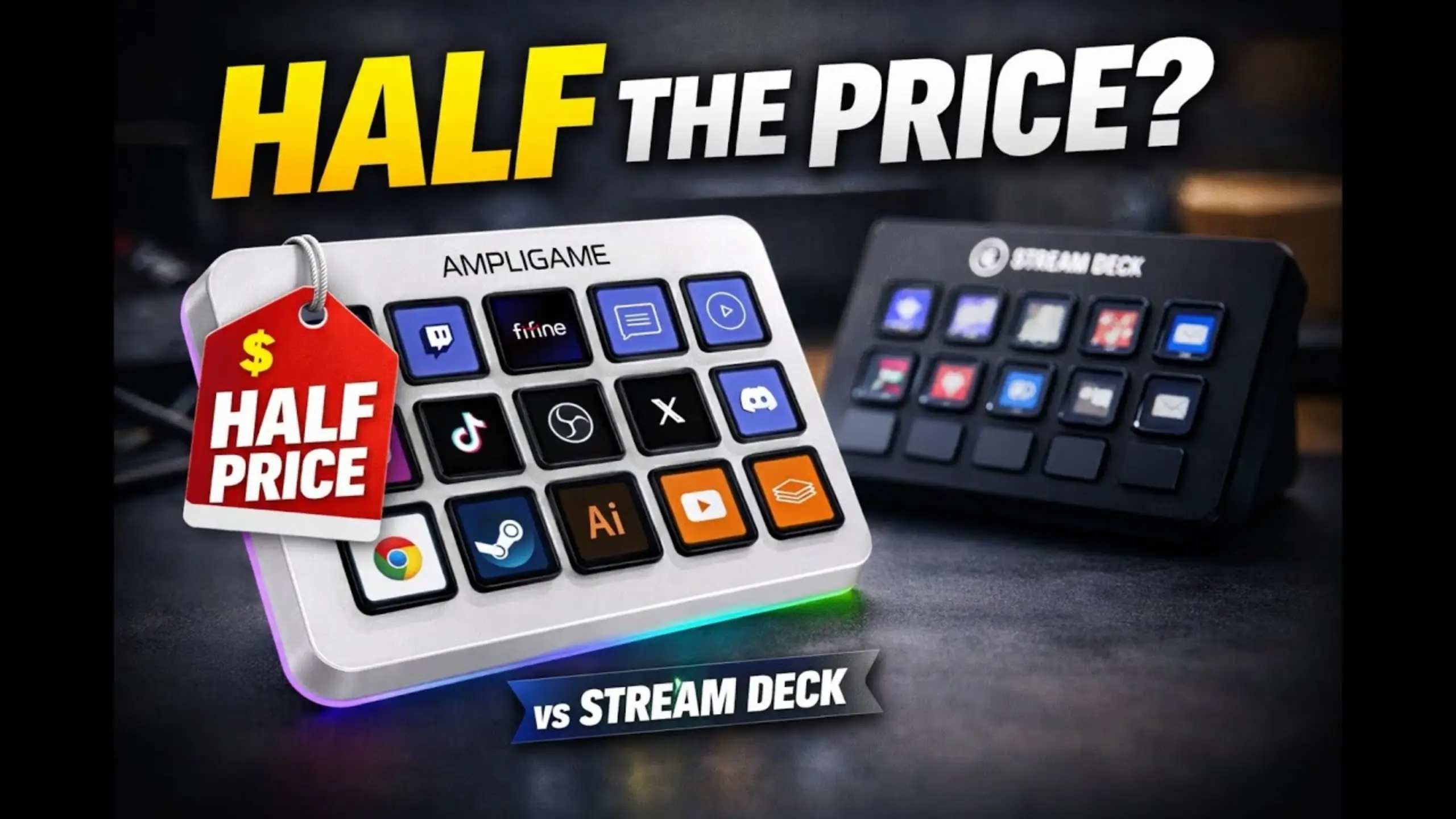
fifine D6 vs. Elgato Stream Deck: Which Stream Controller Is Better?

Stream controllers solve the same annoying problem: too many keyboard shortcuts to remember mid-stream. One physical button replaces your repeated work of switching pages. The Elgato Stream Deck popularized the category and still gets treated as the default choice. However, the fifine D6 has been showing up as the budget alternative, which is a better buy for most people.
fifine D6 vs Elgato Stream Deck? There’s our complete comparison guide. From unboxing impressions, actual app navigation, to plugin installation, this’s the lens we’ll use to walk through both stream controllers.
fifine D6 vs. Elgato Stream Deck Head-to-Head
fifine D6 Stream Controller
Pros:
- Roughly half the price of the Elgato Stream Deck
- USB-A and USB-C cable works with almost any setup, no adapter hunting
- Full RGB light ring around the edge, something Elgato skips entirely
- Simple, beginner-friendly app — drag a shortcut onto a button, and you’re done
- Up to 10 pages per scene, so you get up to 150 actions per scene
Cons:
- Smaller third-party plugin library than Elgato
- OBS doesn’t connect natively — you have to enable a WebSocket server and enter a password first
- No default emoji icon set in the app, unlike Elgato’s out-of-the-box options
- Won’t control other Elgato hardware if you already own any
Elgato Stream Deck
Pros:
- Native OBS integration — plug in and it works
- Larger, more mature plugin ecosystem with more third-party integrations
- App mirrors the physical layout exactly, including emoji support
- More room to build advanced, layered workflows (folders, macros, multi-step actions)
Cons:
- About $150, more than double the D6’s price
- USB-C only, and it doesn’t support USB hubs
- No RGB lighting
- Closed ecosystem — a hassle if the port sits somewhere awkward on your desk
fifine D6 vs. Elgato Stream Deck: Key Comparison
| Category | fifine D6 Stream Controller | Elgato Stream Deck |
|---|---|---|
| Price | ~$66 (fifine site), ~$65 on Amazon | ~$150 |
| Keys | 15 backlit LCD macro keys | 15 LCD keys |
| Connectivity | USB-A and USB-C (2-in-1 cable) | USB-C only, no USB hub support |
| Colors | White, black | Black |
| RGB lighting | Full RGB ring, controlled by rear button | None |
| Pages per scene | Up to 10 (150 actions per scene) | Varies by profile |
| OBS integration | Manual setup via WebSocket server and password | Native, plug-and-play |
| Plugin ecosystem | Covers OBS, Zoom, Discord, Premiere Pro, Lightroom, Photoshop | Larger third-party library |
| Ecosystem lock-in | Open, works alongside other hardware | Closed — needs a Stream Deck to control other Elgato gear |
Price and connectivity
Winner: fifine D6
Price is the most obvious gap, and it’s not close. At roughly half the cost, the fifine D6 stream controller removes the biggest barrier to entry for anyone testing the waters of streaming without wanting to drop $150 on a control pad.
Connectivity backs that up: the D6’s USB-A and USB-C combo plugs into pretty much any laptop or desktop without hunting for the right port, and it works across Windows and Mac without a second thought.
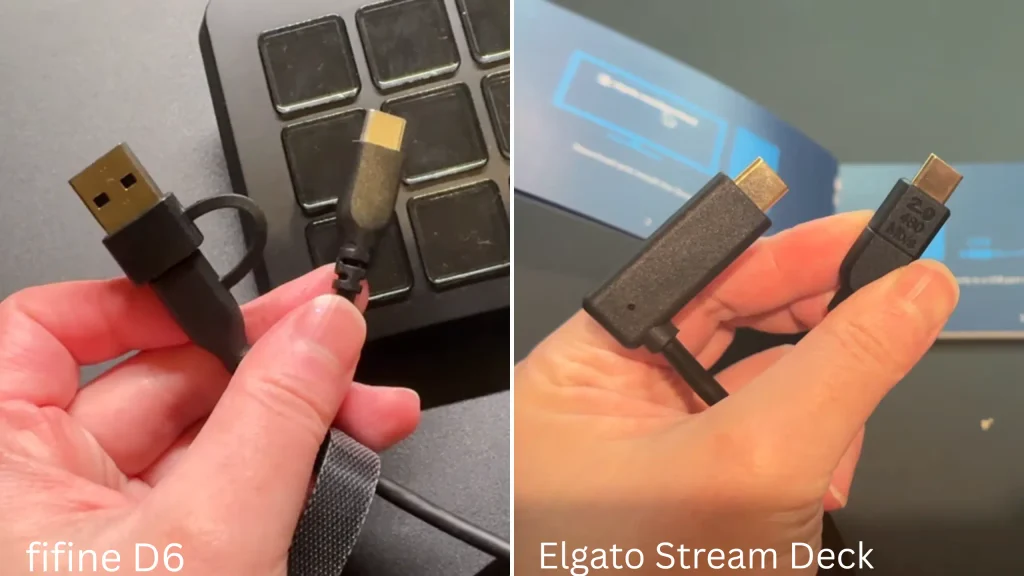
@EllyVint has tested Elgato’s USB-C-only design in the side-by-side review: having to plug in the rear port felt “like I’m trying to defuse a bomb” if your case is pushed against a wall.
Build and design
Winner: tie.
Both devices feel solid, just in different ways. The D6 is lighter than expected, with soft-touch keys and a rubberized base that keeps it from sliding around your desk. The Elgato feels heavier and more premium out of the box, with a matte black finish and an angled stand.
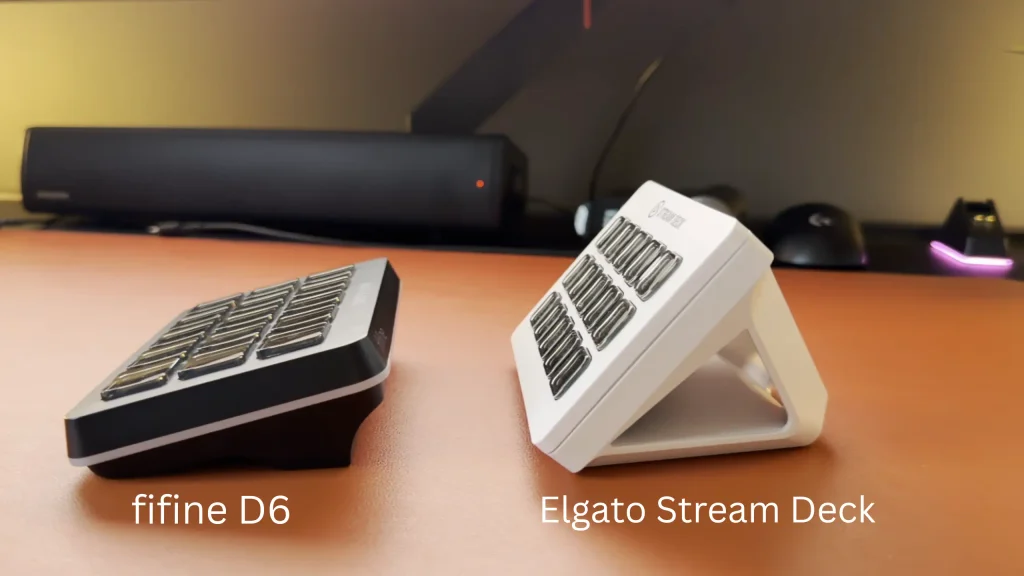
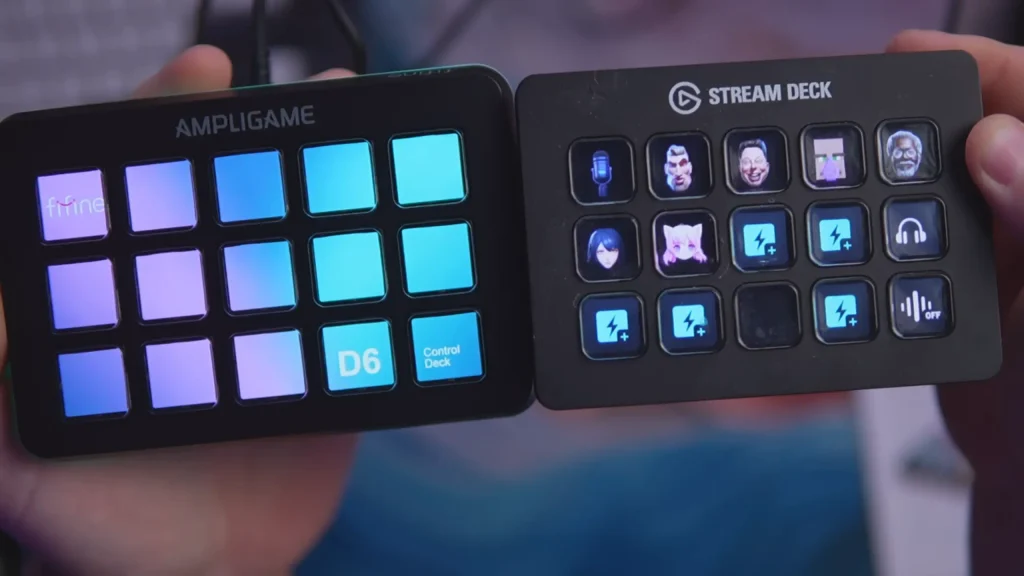
When it comes to the visual macro pad and LCD keys. The fifine D6 comes with 15 LCD keys, whereas the Elgato Stream Deck offers three key configurations: 6, 15, or 32 keys. The 15-key physical macro pad isn’t the limitation of fifine D6.
“Each page gives you 15 actions total. Multiply that across 10 pages, and you’re looking at up to 150 programmable actions per scene.”
@Andre.Waterman on YouTube puts it in fifine D6 review
Software and customization
Winner: depends on your workflow.
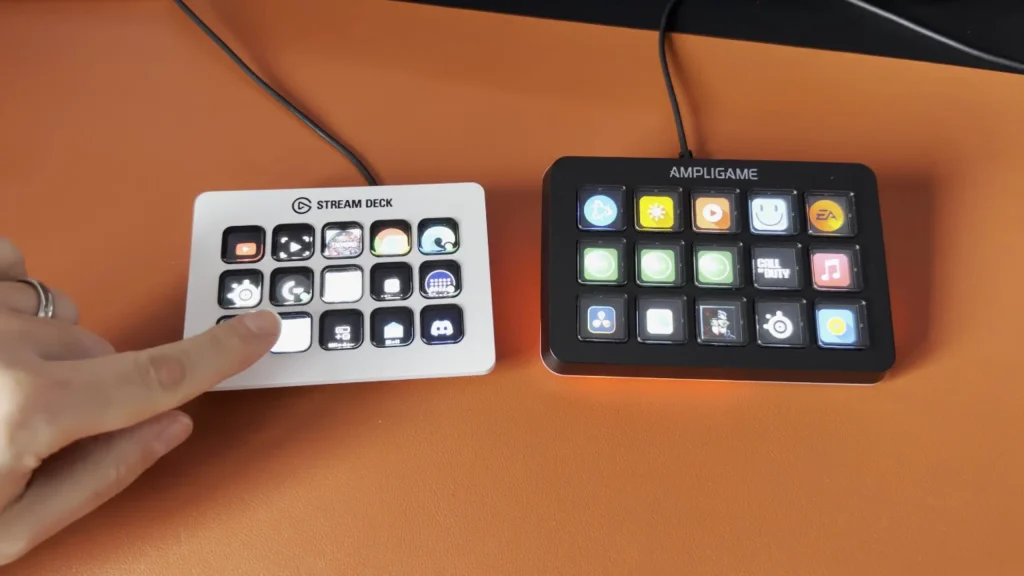
This is where “better” depends on what you’re doing. If you want to open the app, drag a shortcut onto a button, and move on with your life, the D6’s interface is simpler and faster to learn. @EllyVint called it “quite straightforward: you open the app, choose a button, assign an action, and that’s pretty much it.”
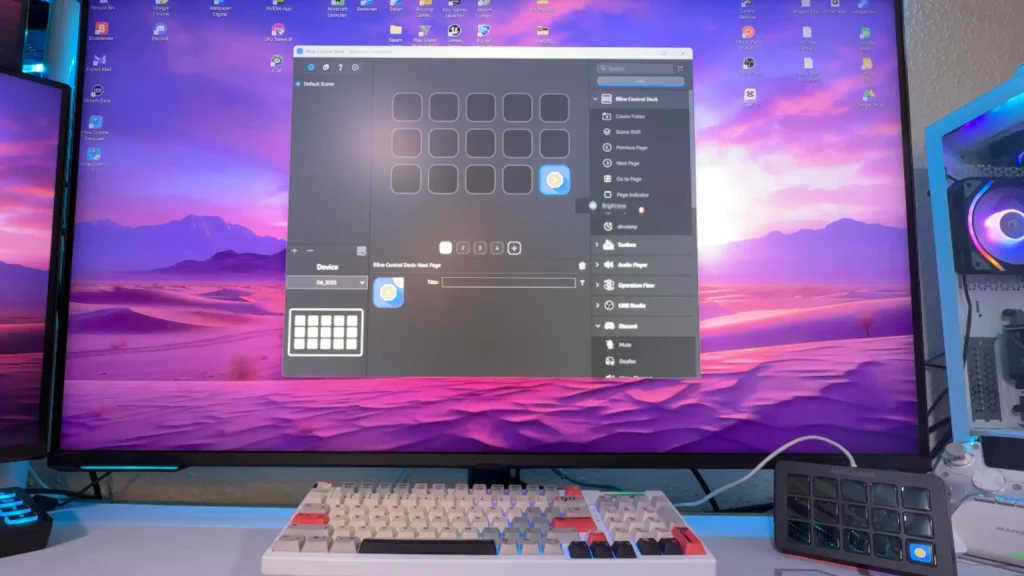
If you’re running a full production with layered macros, folders, and niche plugin integrations, the Elgato app is more mature and gives you more room to build complex workflows. Casual streamers and productivity users will prefer the D6’s simplicity, while advanced content creators leaning on niche software integrations will get more mileage from Elgato’s deeper plugin catalog.
OBS setup
Winner: Elgato Stream Deck, by a small margin.
OBS setup specifically favors Elgato. It works the moment you plug it in. The fifine D6 requires enabling the WebSocket server inside OBS and entering a password into the fifine app — a few extra minutes of setup, but a one-time cost. Once configured, both worked reliably in testing.
RGB lighting
Winner: fifine D6.
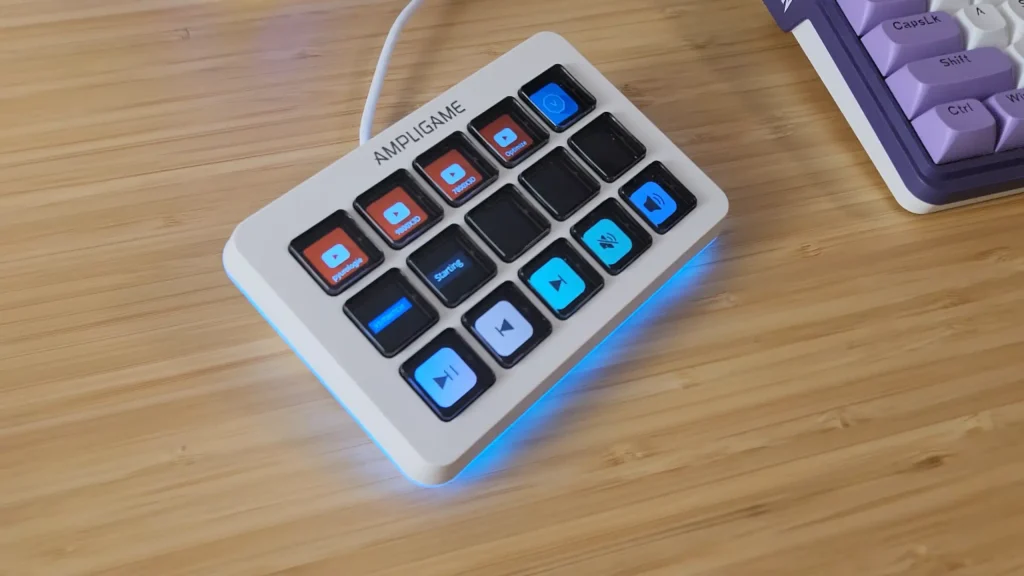
RGB is a clean win for the fifine D6 stream controller, since the Elgato Stream Deck doesn’t include any lighting at all. In the fifine D6, you can adjust the RGB from the fifine Genie software. Also, you can cycle styles and on/off with the physical button on the back of the D6, which is good if you want a stylish desktop setup.
When to Use fifine D6 vs Elgato Stream Deck?
What matters is matching the controller to how you actually work.
| Choose | Scenario | Why |
|---|---|---|
| fifine D6 | Starting your first streaming setup on a budget | Half the price, simple app, and USB-A/USB-C flexibility for whatever machine you’re using |
| Daily productivity shortcuts (docs, copy/paste, app launching) | Drag-and-drop simplicity gets you set up in minutes, no learning curve | |
| You want RGB lighting on your desk | Full RGB ring the Stream Deck simply doesn’t offer | |
| Elgato Stream Deck | You already own Elgato hardware (capture cards, prompters, etc.) | The D6 can’t control other Elgato devices due to the closed ecosystem |
| Zero-setup OBS streaming | Native integration means no WebSocket configuration needed | |
| Advanced, plugin-heavy workflows across multiple apps | Deeper third-party plugin library and more mature app for complex setups |
For most people picking up their first controller, or anyone who just wants tactile shortcuts, the D6 covers the scenario well. Power users already embedded in a specific ecosystem or workflow are the exception, not the rule.
Is A Stream Controller Worth It?
Before you spend anywhere from $65 to $150, do you really need a stream controller?
What It Actually Saves You
The value is about cutting the number of steps between “I want to do this” and “it’s done.” Switching scenes, muting your mic, pulling up a password, launching an app: all of that collapses into a single tap instead of a keyboard combo you have to remember or a menu you have to dig through. As @Andre.Waterman sums up the D6: “This covers far more than they’ll ever realistically need from a stream controller.”
Who Gets the Most Out of One
Streamers juggling scenes, audio levels, and camera angles mid-broadcast are the obvious use case. That said, a stream controller also helps your everyday productivity: copy-and-paste shortcuts, launching Word, pulling up saved logins. You’ll know it pays when you’re constantly context-switching between apps or repeating the same multi-step actions.
Who Can Skip It
If your workflow is mostly single-app and low-repetition, a stream controller is a nice-to-have rather than a need. Keyboard shortcuts will get you most of the way there without the extra hardware on your desk.
fifine D6 vs Elgato Stream Deck: Which Works for You?
Therefore, fifine D6 vs Elgato Stream Deck? For most users, the fifine D6 is the smarter buy, offering easy setup, flexible controls, and great value. Choose the Elgato Stream Deck if you need advanced workflows or deep support for the Elgato ecosystem.
Ready to choose? Pick the controller that fits your setup and start creating.
FAQs
Is the fifine D6 good enough to replace an Elgato Stream Deck?
For most streaming and productivity use cases, yes. It covers the same core functions — scene switching, macros, app shortcuts, OBS control — at less than half the cost. The main gap is the depth of third-party plugins for advanced or niche workflows.
Does the fifine D6 work with Mac and Windows?
Yes. It ships with a 2-in-1 USB-A/USB-C cable, so it connects to both platforms without needing an adapter.
Can I control the D6’s RGB lighting from the app?
Yes. fifine D6 supports the fifine Genie software. You can customize and control the RGB style in the software or control the on/off with the physical button on the back of the unit.
Does the D6 work with OBS?
Yes, but it requires a short manual setup: enabling the WebSocket server in OBS, generating a password, and entering it into the fifine app. After that one-time setup, it connects automatically.
Can the fifine D6 control other Elgato devices?
No. Elgato hardware operates as a closed ecosystem, so the D6 (or any non-Elgato controller) can’t control devices like the Elgato prompter.
