

FIFINE D6 Review: A Budget Stream Controller You Can’t Miss

Not everyone wants to spend $150+ on a control pad, especially when they’re just getting started. Enter the FIFINE AmpliGame D6. At $65-70, this 15-key LCD controller promises most of what the big players offer at a fraction of the cost. After exploring and testing the FIFINE D6, we’re ready to give you the full breakdown.
Quick Verdict on FIFINE D6 Review
Overall Score
8.5/10
Build Quality
8/10
Display Quality
9/10
Software+Plugins
8/10
Value for Money
9/10
What We Liked
- Large, bright LCD buttons with sharp image quality
- Extensive free plugin library including OBS, Discord, and Adobe apps
- RGB lighting with multiple modes and profiles
- Beginner-friendly software that’s still powerful
- Compact footprint (~14 cm) fits any desk
- Durable acrylic button finish resists scratches
What Could Be Better
- RGB controlled via physical button only, not software
- Software must remain open for the device to function
- Buttons are slightly stiffer than premium competitors
- No smart home integration (Philips Hue, etc.)
FIFINE D6 Build Quality Review: 8/10
What’s in the Box
- The D6 controller
- An 8.2-foot USB-A to USB-C cable
- A user manual covering setup and software basics.
Pick up the D6, and your first impression is solid. The body uses hard plastic with a smooth top surface and a sandblasted bottom. It’s lightweight but doesn’t feel cheap. The rubberized feet on the bottom prevent any sliding during use, which matters when you’re reaching for buttons mid-stream.
The 15 LCD buttons feature an acrylic finish that resists scratches even after heavy use. These buttons are noticeably larger than what you’d find on the Elgato Stream Deck, and they have a satisfying click to them. Some users might find them slightly stiffer than premium alternatives, but they’re responsive and handle rapid presses without issue.
The buttons are a little bit stiff. They’re not the highest quality buttons I felt on a stream deck, but they’re fully functional, very easy to press.
dazztrazak on YouTube
The D6 measures roughly 14 cm long, making it compact enough to tuck beside your keyboard without eating up desk real estate. It’s about the size of your hand, give or take.

One note on design: Unlike the Elgato Stream Deck, which ships with an adjustable stand, the D6 lies relatively flat with just a slight lift from its feet. If you prefer an angled viewing position, you’ll need to source a phone stand or similar accessory.
FIFINE D6 Review on Display Quality: 9/10
This is where the FIFINE D6 stream controller genuinely impresses.
Visible and Customizable LCD Screens
The LCD screens on each button are sharp, vibrant, and easily visible even in bright room conditions. Custom images display with impressive detail, and the real-time updating as you adjust settings in the software is smooth.
We tested custom icons ranging from game thumbnails to app logos, and everything rendered cleanly. The screens handle both text and images well, though smaller text can get a bit hard to read. For most use cases (app icons, action symbols, simple labels), the display quality is more than adequate.
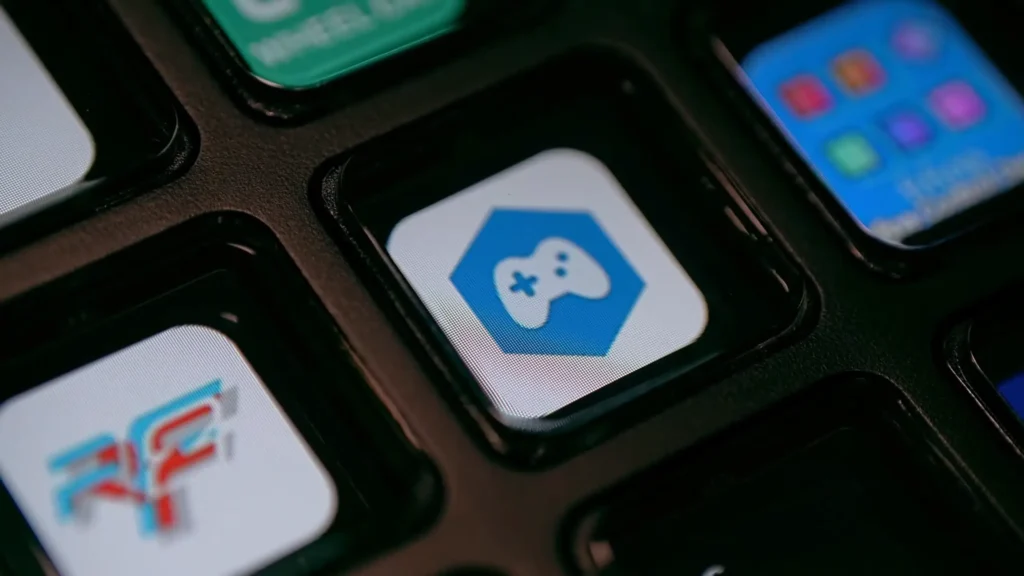
One Observation on LCD Screen
The button screens don’t fill the entire button surface the way some premium decks do. There’s a slight border around each LCD.
Although the buttons are much bigger than the Stream Deck, they’re not like taking up the full screen. If it completely took up the full button, I think that’s like a little bit more immersive and a luxury feeling.
Buckworm shared on YouTube after customizing the LCD screens
It’s barely noticeable during actual use, but worth mentioning for anyone who obsesses over these details.
Multiple RGB Lighting
The D6 features an RGB light strip running around its base. You cycle through colors and effects using a dedicated button on the back of the unit. Options include solid colors (purple, blue, pink, and more), animated patterns, and the ability to turn the lighting off entirely with a long press.
Here’s the catch: RGB control is hardware-only. You can’t adjust lighting through the software, which means no automation or profile-based color changes. If you want your lighting to change based on what you’re doing, this limitation matters.

FIFINE D6 Software & Setup: 8/10
The FIFINE D6 software handles all button configuration, and if you’ve used any stream deck software before, you’ll feel right at home. The interface mirrors the Elgato approach closely, with a clean layout divided into five main sections: device list, screen preview, plugin store, customization area, and plugin settings.
Getting Started
Setup is plug-and-play. Connect the USB-C cable to the D6 and the USB-A to your computer, download the FIFINE D6 software, and you’re ready to customize. The software must remain open for the device to work, which is standard for this product category but worth noting if you’re particular about background processes.

The Plugin Ecosystem
This is where the FIFINE D6 punches above its weight. The built-in plugin store offers an impressive array of free integrations:
- OBS Studio: Full control, including record, stream, virtual camera, scene switching, source visibility, audio mixer adjustments, mute/unmute, studio mode toggle, and screenshots.
- Discord: Mic mute, audio mute, voice channel navigation, text channel access, and notification controls. Perfect for gamers who want quick Discord controls without alt-tabbing.
- Streamlabs: Test alerts, skip alerts (clutch for those troll donations), media controls, and automatic display toggles.
- Adobe Creative Cloud: Plugins for Photoshop (lasso, crop, blur, and more), Premiere Pro (cut, effects, mark in/out, fullscreen), and other Adobe apps.
- Spotify: Play, pause, next, previous, shuffle, repeat, and volume control. FIFINE D6 can be your dedicated music controller.
- Additional Plugins: VS Code (terminal commands, snippets), Blender, Autodesk tools, and community-created options, including BarRaider integrations for users familiar with that ecosystem.
Built-In Functions
Beyond plugins, the D6 includes essential controls:
The toolbox offers hotkeys, hotkey switches, mouse events, app launching, text/password entry, and multimedia controls. You can also set up sound effects, create folders to organize buttons into categories, and configure page navigation for additional button layouts.
Creating a folder is simple: drag the “create folder” function onto a button, and you’ve got a new screen of 14 usable buttons (one becomes your back button). This effectively gives you unlimited button configurations organized however you prefer.
What’s Missing: The D6’s plugin library is not exhaustive. Some integrations are waiting to be shown. Steam games don’t appear in the app launcher dropdown by default (Game Pass titles do), though you can manually point to any executable file.
FIFIEN D6 Real-World Performance
We tested the D6 across several workflows. Here are some FIFINE D6 reviews on real world that you need to know.
For Streaming
OBS integration works flawlessly. Scene switching, going live, starting recordings, and managing audio all responded instantly with zero lag. The ability to mute Discord with one button while using in-game voice chat proved invaluable during gaming streams.
For Video Editing
Having one-button access to DaVinci Resolve, Vegas, or Premiere Pro cuts down on workflow friction. While the D6 doesn’t have dedicated DaVinci plugins (Adobe gets more love here), you can assign any keyboard shortcut to any button using the hotkey function.
For Productivity
The audio device switching plugin deserves special mention. If you constantly toggle between headphones and speakers (or different audio interfaces), having a single button handle that switch is transformative. The same goes for launching frequently used apps. One press opens Steam, Spotify, your browser, or any application you use daily.

For Music Control
Dedicated buttons for play/pause, next, previous, and volume up/down work smoothly. Hold down the volume buttons, and the volume changes rapidly. It’s the same functionality you’d get from a keyboard knob, but it frees you to use whatever keyboard you prefer.
Who Should Buy the FIFINE D6 Stream Controller?
| New Streamers | Perfect entry point. You get the functionality you need without the premium price tag. Grow into the more advanced features as your channel develops. |
| Content Creators on a Budget | If $150+ for an Elgato seems steep, the D6 delivers 90% of the experience at roughly half the cost. |
| Productivity Power Users | App launching, audio switching, and hotkey access make everyday computing faster. You don’t need to be a streamer to benefit. |
| Adobe Users | The Photoshop and Premiere Pro plugins add genuine value to creative workflows. |
| Gamers | Quick Discord muting, game launching, and media controls without leaving your game. The larger buttons are easy to hit without looking. |
Who Might Want to Look Elsewhere
If you need smart home integration for lights and connected devices, the D6 isn’t there yet. Users deeply invested in the Elgato ecosystem (Key Lights, Wave microphones, etc.) might find better synergy with an Elgato deck. And if you prefer an angled display position out of the box, factor in the cost of a stand.
FIFINE D6 vs. Elgato Stream Deck
The comparison everyone wants. Here’s how they stack up:
| Feature | FIFINE D6 | Elgato Stream Deck (15-key) |
| Price | $65-70 | $149.99 |
| Button Count | 15 LCD keys | 15 LCD keys |
| Button Size | Larger | Smaller |
| RGB Lighting | Yes (hardware controlled) | No |
| Included Stand | No | Yes (adjustable) |
| Smart Home Support | No | Yes (extensive) |
| Plugin Library | Good | Excellent |
| Platform Support | Mac & PC | Mac & PC |
The D6 trades smart home connectivity and a slightly larger plugin library for a lower price, RGB lighting, and bigger buttons. For pure streaming and productivity use, the differences are minimal. For full production studio integration, Elgato still holds the edge.
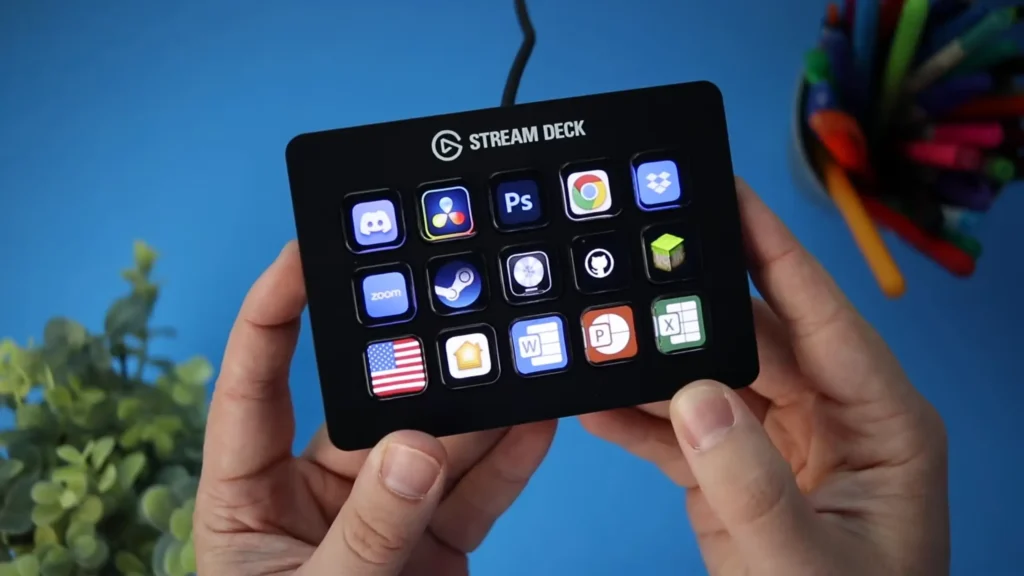
FIFINE D6 Stream Controller Alternatives
Elgato Stream Deck MK.2 (15-Key)
- Price: ~$149.99
- Best for: Users wanting smart home integration, the largest plugin ecosystem, and seamless Elgato product synergy.
- Pros: Adjustable stand included, extensive smart home plugins, industry-standard software
- Cons: Nearly double the price, no RGB, smaller buttons

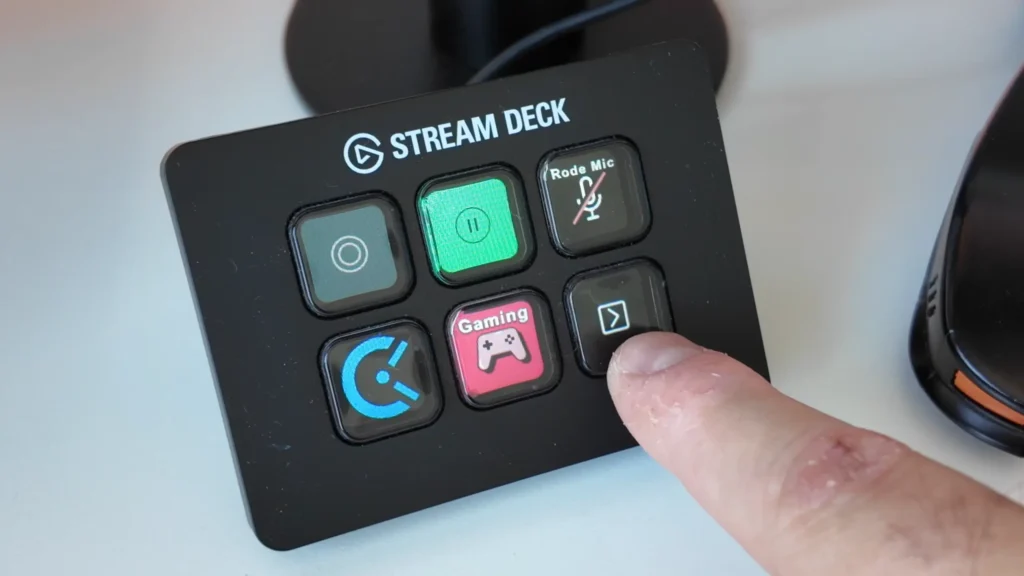
Elgato Stream Deck Mini (6-Key)
- Price: ~$89.99
- Best for: Users who need fewer controls and want the Elgato ecosystem at a lower entry point.
- Pros: Compact size, full Elgato software support
- Cons: Only 6 buttons limit functionality, still costs more than D6
Final Verdict on FIFINE D6 Review
The FIFINE AmpliGame D6 delivers where it counts. Sharp displays, responsive buttons, a robust plugin library, and rock-solid build quality combine into a stream controller that earns its place on your desk. At its price point, the value proposition is hard to argue with.
It can’t match the professional one. The smart home integration and software-controlled RGB should be improved. The flat profile means you’ll want a stand for optimal viewing angles.
But for streamers, content creators, and productivity enthusiasts who want stream deck functionality without the premium price, the D6 isn’t a cheap knockoff; it’s a genuine competitor that happens to cost less.
FAQs on FIFINE D6
Does the FIFINE D6 work with Mac?
Yes. The D6 and its software support both Mac and Windows systems.
Do I need the software running for the D6 to work?
Yes. The FIFINE Control Deck software must remain open for the device to function. This is standard for stream controllers in this category.
Can I use custom images on the buttons?
Absolutely. Each button can display custom icons or images. Simply click the button in the software and select a local file. The D6 supports various image formats and displays them in high quality.
Does the D6 work with Streamlabs or just OBS?
The D6 has dedicated plugins for both OBS Studio and Streamlabs, offering full functionality with either platform.
Can I launch Steam games directly from the D6?
Steam games don’t appear in the default app dropdown, but you can manually browse to any game’s executable file and assign it to a button. Alternatively, assign a button to launch Steam itself.
Is there a sleep mode to prevent screen burn-in?
Yes. You can assign a button to toggle device sleep mode, turning off the LCD screens when not in use. Press it again to wake the displays.
