
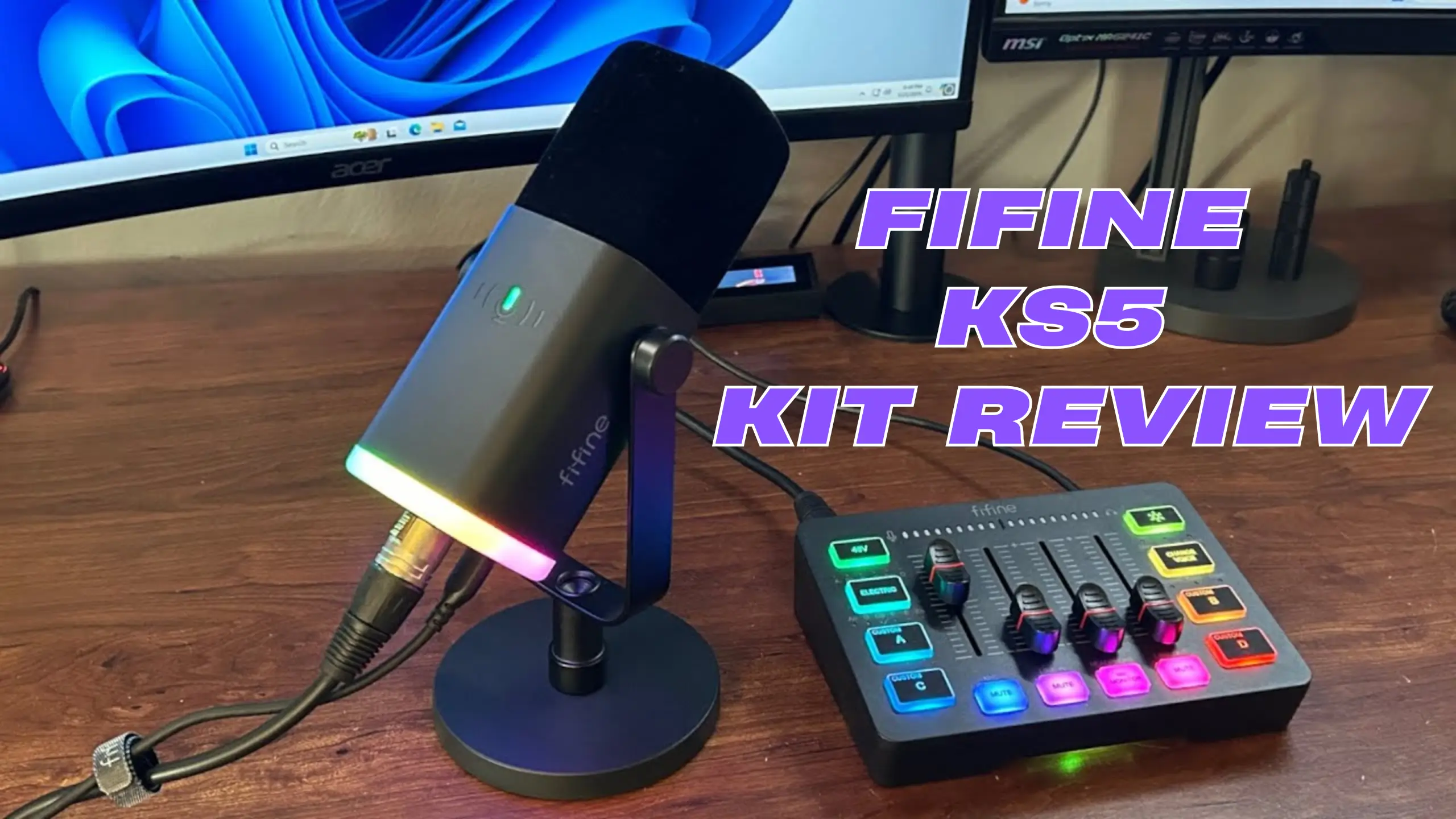
FIFINE KS5 Review: The Smart Starter Kit for New Streamers

If you’re just starting with streaming or podcasting, the FIFINE AmpliGame KS5 deserves your attention. This roughtly $100 bundle pairs the AM8 dynamic microphone, which is a serious contender in the budget streaming bundle category.
One reviewer who normally uses an sE Electronics DynaCaster (a mic that costs several times more) called the KS5 setup “easily worth $175.” Though a few design quirks might annoy you, after our test and discussion, it can be said that this bundle is worth it.
Quick Take on FIFINE KS5 Review
✅What We Like
- Dual XLR + USB-C connectivity on the mic
- True plug-and-play — no software required
- All cables included in the bundle
- Compact mixer with 4 smooth faders
- 48V phantom power for condenser mics
- Strong off-axis noise rejection
❗What Could Be Better
- No dedicated power switch on the mixer
- RGB only works via USB-C, not XLR alone
- Mic mount screws tend to loosen over time
- Custom sound button recordings sound distorted
- No built-in noise cancellation on the mixer
FIFINE KS5 Review: Detailed Discussion Explore
Sound Quality
Score: 7.2/10
In the FIFINE KS5 kit, you’ll get an AM8 dynamic cardioid microphone, an SC3 audio mixer, and an XLR cable. Here, we’re exploring what you care most about: the sound quality of the mic.
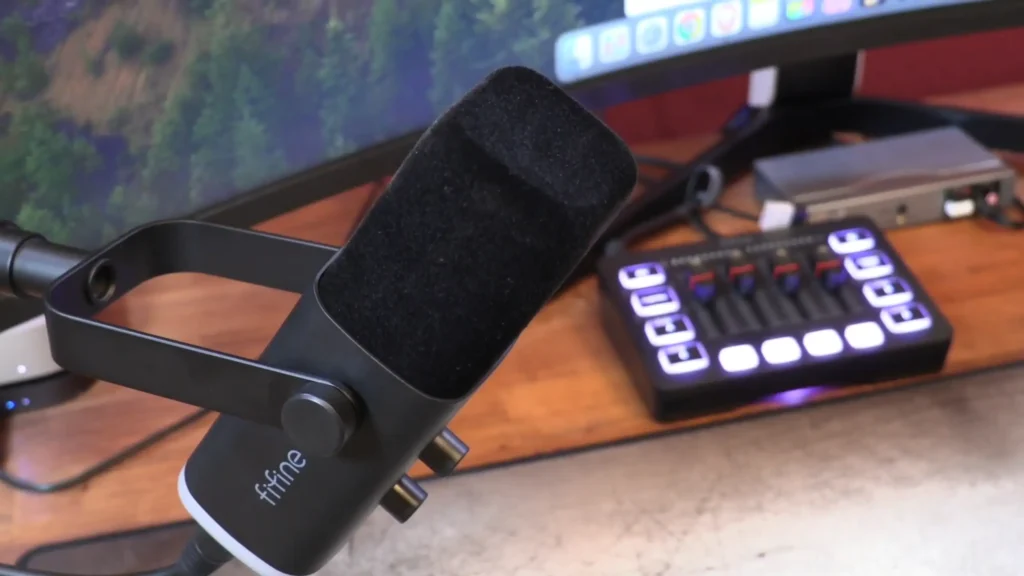
Featuring a frequency response of 50 Hz to 16KHz, the AM8 microphone delivers clear, controlled mid-range audio with balanced highs that sound natural and close to how your voice actually sounds off-mic. The bass carries a subtle warmth without feeling muddy or heavy.
Where the AM8 really earns its keep is off-axis rejection. It does a strong job ignoring keyboard clatter, mouse clicks, and ambient room noise. Multiple testers noted how directional the cardioid pickup pattern performs: sound from the sides and rear of the mic drops off noticeably. For streamers and gamers in untreated rooms (so, most of you), that’s a big deal.
The tradeoffs: You’ll pick up some low-level background noise artifacts, particularly because the SC3 mixer doesn’t include any built-in noise cancellation. Running a quick noise gate in OBS or applying voice isolation in post will clean things up, but it does require that extra step.
Build Quality
Score:7.0/10
The FIFINE AM8 mic body itself is metal and carries a satisfying weight. It feels durable in-hand — noticeably more substantial than what you’d expect for a mic in this price bracket. The included stand is functional, but here’s where things get a little shaky (literally). The mounting screws have a tendency to loosen, which causes the mic to droop or flop after positioning, as tested by @Ricky A Robinson. He solved this by adding rubber washers inside the mount for extra friction.
The SC3 mixer is plastic, but it doesn’t feel cheap. The faders slide smoothly with enough resistance to feel deliberate, and the buttons have a satisfying tactile click. The compact form factor keeps your desk clean — several testers commented that it was smaller than expected, and in this case, that’s a compliment.
The shock mount, however, doesn’t do much heavy lifting. “I’m just barely tapping on the mount that it’s on the mic stand arm, and you can hear everything, even the cables”, @Ricky A Robinson shares. If you plan to use this setup long-term, mounting the AM8 on a separate boom arm is worth the investment.
Ease of Use
Score: 8.8/10
This is the KS5’s strongest category, and it’s not even close. You plug the mixer into your PC or Mac via USB-C, connect the mic via XLR, and you’re done. No drivers. No companion software. No fumbling through setup wizards. The entire system just works out of the box, whether you’re recording or streaming.
The bundle also includes every cable you’ll need: an XLR cable, a 3.5mm audio cable, a USB-C to USB-C cable (with a USB-A adapter), and a second USB cable for power. If you buy the mic and mixer separately, you won’t get the full cable set — so the bundle genuinely saves you time and money.

Worth noting: The AM8’s on-body controls (gain knob, headphone volume, mute button, RGB toggle) only function in USB-C mode. When connected via XLR to the mixer, those controls are inactive. It catches people off guard in some way.
Features & Versatility
Score: 8.2/10
The KS5 is aimed at your whole plug-and-play streaming setup. The mic monitoring lets you hear yourself in real-time, a feature that’s critical for live streaming and easily toggled on the mixer.
The SC3 mixer packs a surprising amount of functionality into its small footprint. Four volume faders give you independent control over microphone gain, line-in, headphone volume, and line-out (for routing audio to a camera or speakers).
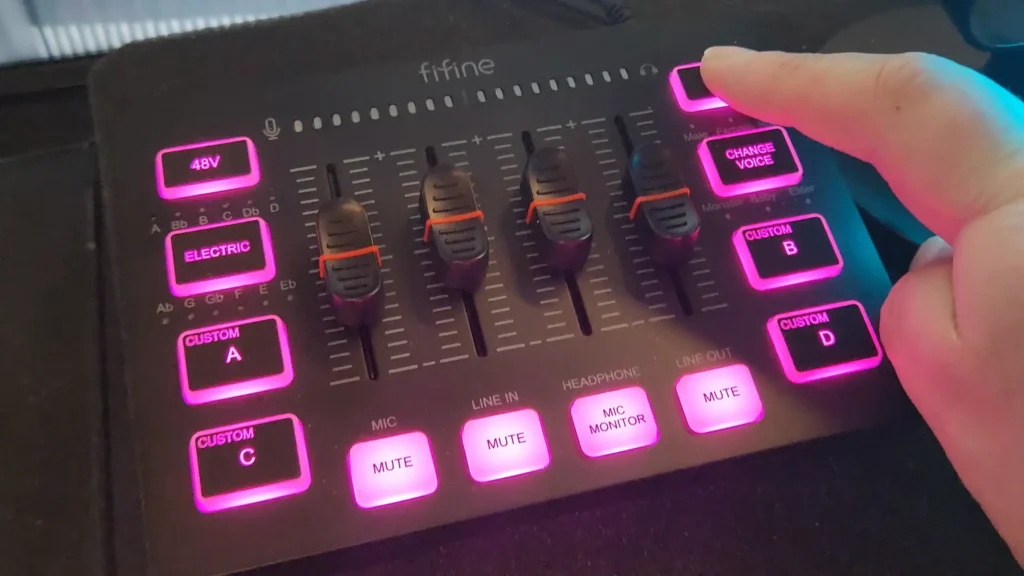
The mixer also supports 48V phantom power, so you can pair it with condenser mics if you upgrade later. There’s a dynamic/condenser toggle switch on the back for easy switching between mic types. And if you already own another XLR microphone — like a Røde PodMic or a Samson CO1 — the FIFINE SC3 works with those, too.
Then there are the “fun” features. The six voice-changer modes (male, female, robot, monster, baby, elder) are useful for stream entertainment and not much else. The autotune/electronic button cycles through 12 musical keys and creates a real pitch-correction effect. It’s gimmicky, but gaming streamers will probably get a kick out of it.
Mixer Performance
Score: 7.2/10
The FIFINE SC3 audio mixer provides 50 dB of gain, which is enough for most dynamic and condenser microphones. The faders are responsive and cover a useful range without being overly sensitive — you won’t accidentally blast your audience by nudging a slider. LED monitoring lights beneath the FIFINE logo indicate mic and headphone levels, with green, yellow, and red zones so you can stay out of clipping territory at a glance.
The stumbles? It’s the custom sound button’s playback quality. Recordings sound noticeably compressed and distorted on playback, even when the source audio was recorded digitally via USB-C. There’s also a slight delay between pressing a button and hearing the sound. It’s functional enough for casual use, but if polished soundboard capability is a priority, you’ll want dedicated software.

Another small annoyance is that it lacks a dedicated power switch. The mixer turns on when you connect it via USB — and that’s the only way to turn it on or off.
Value for Money
Score: 9.0/10
This is where the KS5 truly stands out. Buying the AM8 mic (~$45–50) and SC3 mixer (~$49) separately costs more than the ~$84–100 bundle, and you miss out on the full cable kit. For under $100, you get a dual-connectivity dynamic mic, a four-fader mixer with phantom power, a metal stand, and every cable required to start recording or streaming immediately.
To put that in perspective: a Blue Yeti runs around $130 on its own and doesn’t come with a mixer. The KS5 bundle gives you more routing flexibility, more hands-on control, and an upgrade path to other XLR mics — all for less money. @LVG GAMING EXP, who had been using a $245 Blue Yeti for four years, bought this bundle specifically to explore whether budget gear could hold its own. The consensus? It absolutely can.

Who Is the FIFINE KS5 Kit For?
| Audience | Good Fit? | Why |
| Beginner Twitch/YouTube streamers | ✅ Yes | Full setup out of the box, no experience needed |
| Budget podcasters | ✅Yes | Clean voice reproduction, works with multiple mic types |
| Gamers who want better voice chat | ✅Yes | Plug-and-play USB-C mode, strong noise rejection |
| Video callers/remote workers | ✅ Yes | Major upgrade over laptop mics without complexity |
| Experienced audio engineers | ❌ No | Limited gain (50 dB), no noise gate, basic mixer |
| Music producers/vocalists | ❌ No | The frequency range (50 Hz–16 kHz) is too narrow for music |
KS5 Alternatives Worth Considering
FIFINE AmpliGame AM8
~$55
| ✅Pros | ❗Cons |
| ✅Same great mic, lower cost | ❗No mixer or routing control |
| ✅USB-C plug-and-play | ❗Fewer cables included |
| ✅Compact and portable | ❗No faders or monitoring |
If you don’t need a mixer and just want a solid USB-C mic for quick recording, the standalone AM8 microphone delivers the same audio quality at half the bundle price. A strong pick for TikTok creators, casual podcasters, or anyone who wants simplicity over control.
FIFINE AmpliGame A6T
~$50
| ✅Pros | ❗Cons |
| ✅Even more affordable | ❗USB only — no XLR option |
| ✅USB plug-and-play | ❗No mixer bundle available |
| ✅RGB lighting | ❗Condenser (picks up more room noise) |
A step down in price and flexibility, the FIFINE A6T is a USB-only condenser mic. It’s a solid choice if your budget is ultra-tight and you record in a quiet space, but you lose the XLR upgrade path and dynamic noise rejection that make the AM8 special.
Final Verdict on FIFINE KS5 Review
The FIFINE AmpliGame KS5 hits a sweet spot that’s hard to argue with. For under $100, you get a capable dynamic microphone, a functional gaming mixer, and enough cables to be up and running in minutes.
The sound quality holds up for streaming, podcasting, video calls, and YouTube content. The plug-and-play setup means you spend time creating. And the SC3 mixer serves as a genuine on-ramp to learning audio mixing basics — something that pays dividends as you grow your channel or show.
If you’re on the fence about investing in audio gear, this bundle makes the decision easy. Get it, start creating, and upgrade individual pieces when (and if) you outgrow them.
FAQs
Does the FIFINE KS5 require any software to use?
No. The entire setup is plug-and-play. Connect the mixer to your computer via USB-C, plug the mic in via XLR, and it’s recognized immediately. No drivers or companion apps needed for PC or Mac.
Can I use the AM8 microphone without the SC3 mixer?
Yes. You can certainly use the FIFINE AM8 Microphone independently. The AM8 has a USB-C port on the bottom that lets you connect directly to a computer, phone, or tablet.
Can I use a different microphone with the SC3 mixer?
Absolutely. The SC3 accepts any XLR microphone, both dynamic and condenser. It’s been tested with mics like the Røde PodMic and Samson CO1 with good results. The mixer provides 50 dB of gain and 48V phantom power for condenser mics.
Why doesn’t the RGB light up when I use XLR?
The AM8’s RGB lighting only activates when powered through the USB-C port. If you’re using XLR only, plug a USB-C cable from the mic into your PC or a USB power source to enable the lights. The mic and mixer RGB controls are independent and don’t sync with each other.
Is the KS5 good enough for professional podcasting?
For a first podcast setup, yes. The sound quality is solid for spoken word, and the mixer gives you basic routing control. As your show grows and you want features like multi-track recording, per-channel EQ, or a noise gate, you’ll eventually want to upgrade the mixer — but the AM8 mic can stick around for a while.
Does the bundle come with a boom arm?
No. It comes with a metal desk stand. The AM8 is compatible with standard boom arms via its threaded mount, and most reviewers recommend picking one up if you plan to use the setup long-term — partly because the included stand’s screws can loosen over time.
