
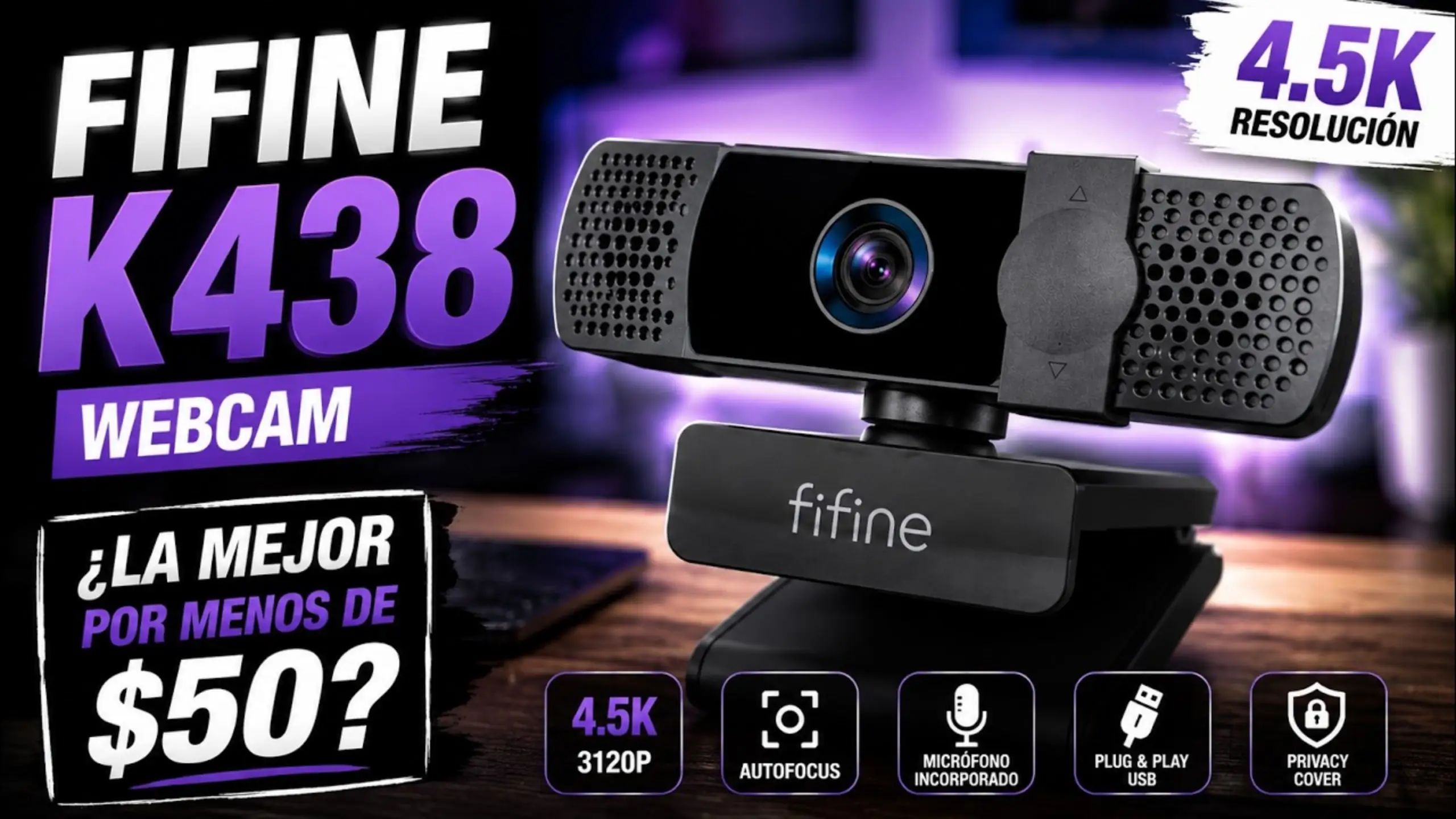
fifine K438 review: Sharp 4K Webcam Without Breaking the Bank

fifine webcam doesn’t like a side quest. The fifine K438 webcam sits above the 2K K436. That’s the gap it tries to fill: a 13MP sensor and 4K-class resolution without the premium price of a Logitech Brio.
It also replaces an older, cheaper fifine webcam with a fisheye-style lens. One reviewer who covered both called the K438 a fresher, sharper refresh rather than a reinvention. Want to know more about the fifine K438 review? Go through and see how it shows up.
fifine K438 Mini-Review
| Metric | Score |
|---|---|
| Image quality and resolution | 8/10 |
| Low-light performance | 8/10 |
| Autofocus | 6/10 |
| Built-in microphone | 5/10 |
| Setup, software and compatibility | 7/10 |
| Build, mounting and privacy | 8.5/10 |
| Value for money | 9/10 |
| Overall score | 7.4/10 |
Pros
- Detailed 13MP image with less noise than a C920 in side-by-side tests
- Stays usable in dim rooms where other cameras go dark
- Plug-and-play on Windows, macOS and Linux
- Flexible mount that rotates 360 degrees, plus a mini tripod in the box
- Sliding privacy shutter
Cons
- Capped at 30 fps at every resolution
- Autofocus hunts with small movements
- Built-in mic sounds distant unless you lean in
- No activity light when the camera is on
fifine K438 Review: 6 Measurements Discussion
#1: Image quality and resolution
Category score: 8/10
The K438’s max resolution is 4160 x 3120. That’s a 4:3 frame, so it looks squarer than the 16:9 video you might expect from “4K.” One reviewer even called it “square 4K” when he switched it on.
Detail is where this camera earns its keep. In @Alcatraz1011 fifine K438 review, he spotted visible noise in the dark areas of his gray shirt on both the Logitech C920 and his Sony a6000 (recording in 1080p). The K438 showed far less. Also, a viewer shared a comparison showing the K438 beating a Logitech webcam on detail and dynamic range.
Out of the box, the picture of fifine K438 isn’t perfect. @narezkifispeckta, who tested it live, found the image soft before tuning, with colors that looked off and a greenish cast. But a few adjustments will make it look much better.
The hard limit is frame rate. No matter which resolution you pick, the K438 won’t go past 30 fps.
Try this: Set white balance manually in OBS Studio or your system camera settings before you go live. Auto white balance causes most of the color drift reviewers noticed.
#2: Low-light performance
Category score: 8/10
This is the most surprising result in the fifine K438 review. @Alcatraz1011 switched off his bright key light and left only one lamp bouncing off the wall. On his Sony a6000, he looked like he was sitting in near darkness. On the K438, viewers could still see him clearly, down to small details.
That trick comes with a trade-off. In low light, the camera lengthens its exposure to pull in more light. The image gets brighter, but the frame rate drops, so fast motion can look choppier.
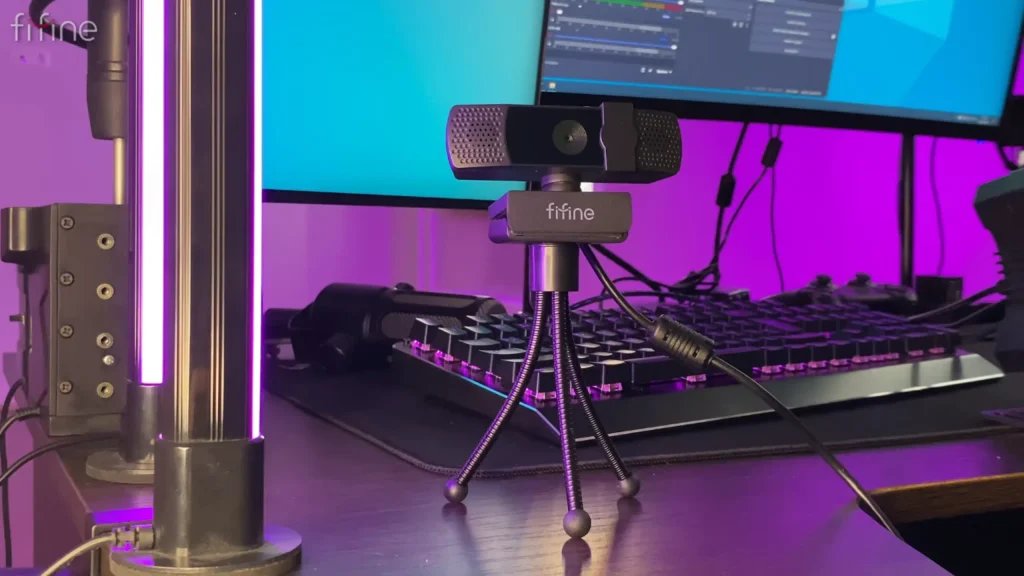
@KyloNeko tested the fifine K438 webcam on the Linux VTuber and added a practical note: you still need decent light for smooth tracking, even if the K438 handles dim rooms better than most webcams he’s used.
Try this: Keep at least one soft light source facing you. You’ll keep the frame rate steady and let the sensor do less guesswork.
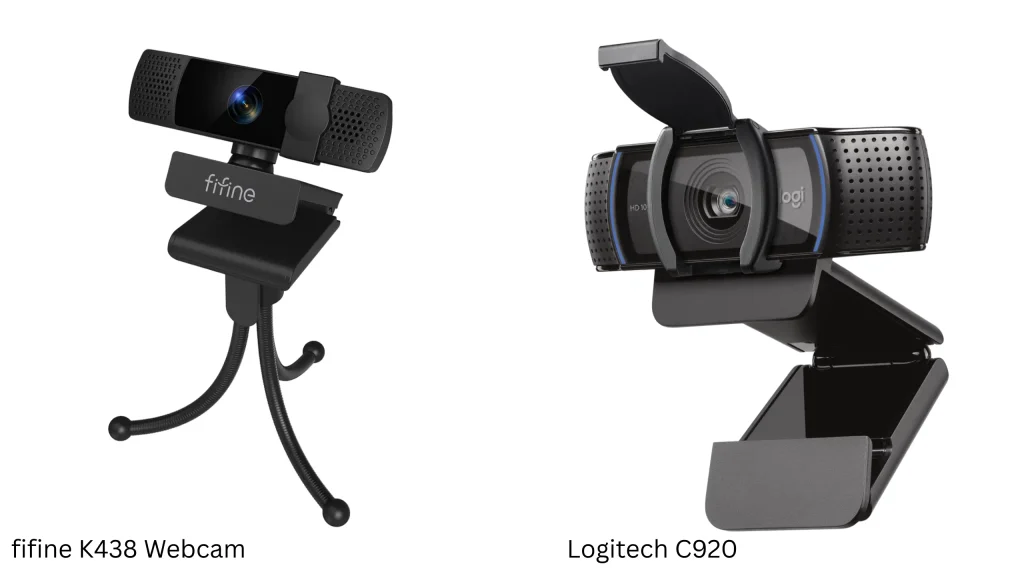
| Test | fifine K438 | Logitech C920 | Sony a6000 (1080p) |
|---|---|---|---|
| Noise in dark areas | Lowest | Visible | Visible |
| Field of view | Standard | Widest of the three | Narrower than C920 |
| Close focus | Good | Closest focus distance | Not tested |
| Focus behavior | Refocuses often | Steadier | N/A |
| Near-dark visibility | Face still clear | Not tested | Near darkness |
#3: Autofocus
Category score: 6/10
The good news: autofocus is quick. @PergoReviews found it locked onto small objects without trouble. Also, the autofocus and sensor provide noticeably smoother arm and hand tracking than his old webcam.
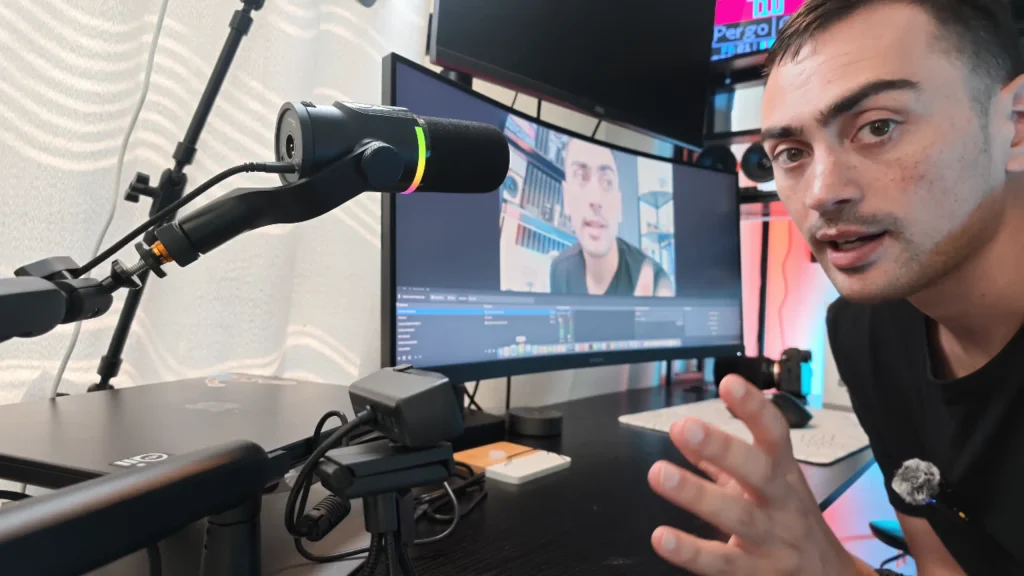
The bad news: it refocuses constantly. @Alcatraz1011 noticed it shifting focus with almost every movement, even when the frame barely changed. The live streamer said the focus “wanders” too. By comparison, the C920 held focus more steadily.
For talking-head calls, you’ll barely notice. For chroma key work, it’s a real problem. A green screen keyer hates a subject that drifts in and out of sharpness.
Try this: In OBS Studio, open the camera’s properties and look for a focus setting. Many driver-free webcams expose auto and manual focus there. Test it before you build a green screen setup around the fifine K438 webcam.
#4: Built-in microphone
Category score: 5/10
The fifine K438 webcam packs a stereo mic, and it works in a pinch. @PergoReviews recorded his test clip with no filters and called it a usable starting point if you don’t own a microphone yet.
At normal webcam distance, though, it struggles. You may have to move closer before the mic picks your sound up properly. It’s understandable that webcam mics sit too far from your mouth and pick up too much room.
Try this: Use the built-in mic for quick calls only. For streaming or recording, pair the K438 with a dedicated USB mic, like fifine AM8 microphone. This dynamic microphone features the cardioid polar pattern, live monitoring, and easy plug-and-play, making it a go-to choice for recording.
#5: Setup, software and compatibility
Category score: 7/10
Setup takes seconds. The fifine K438 webcam connects over USB 2.0 and needs no drivers on Windows, macOS, or Linux.
The Linux test stood out. Running Ultramarine Linux, @KyloNeko found the K438 webcam worked on Linux, and it ran without issues in XR Animator, a popular VTubing tool.
The weak spot is tuning. Without a dedicated fifine app, you adjust brightness, white balance, exposure, gain, and gamma through OBS Studio or your system settings.
Try this: Save your tuned settings as an OBS scene or profile so you don’t have to redo them after every restart.
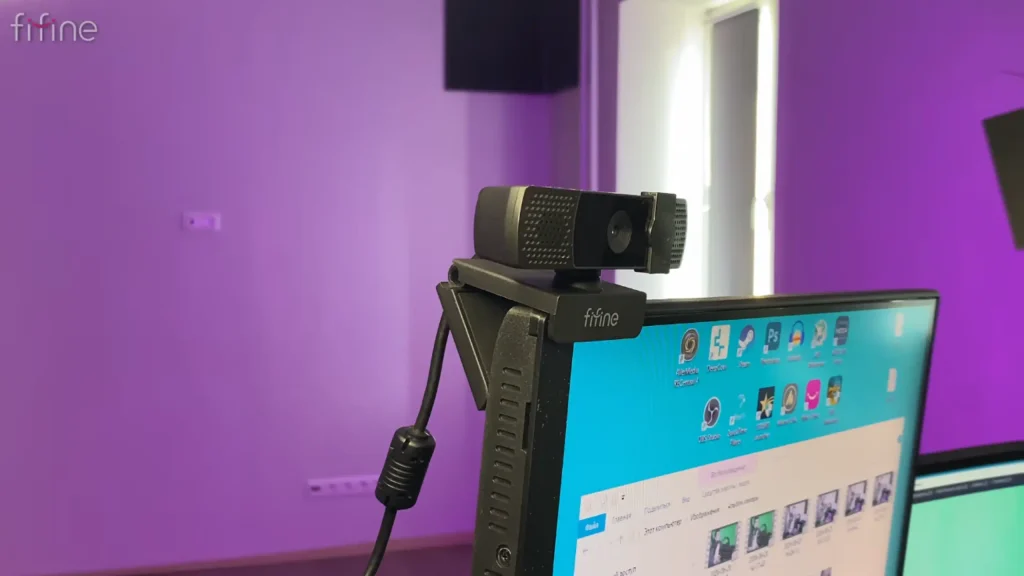
#6: Build, mounting and privacy
Category score: 8.5/10
The fifine K438 webcam is light, and every reviewer who mentioned the cable called it long. That gives you real freedom in where you place it.
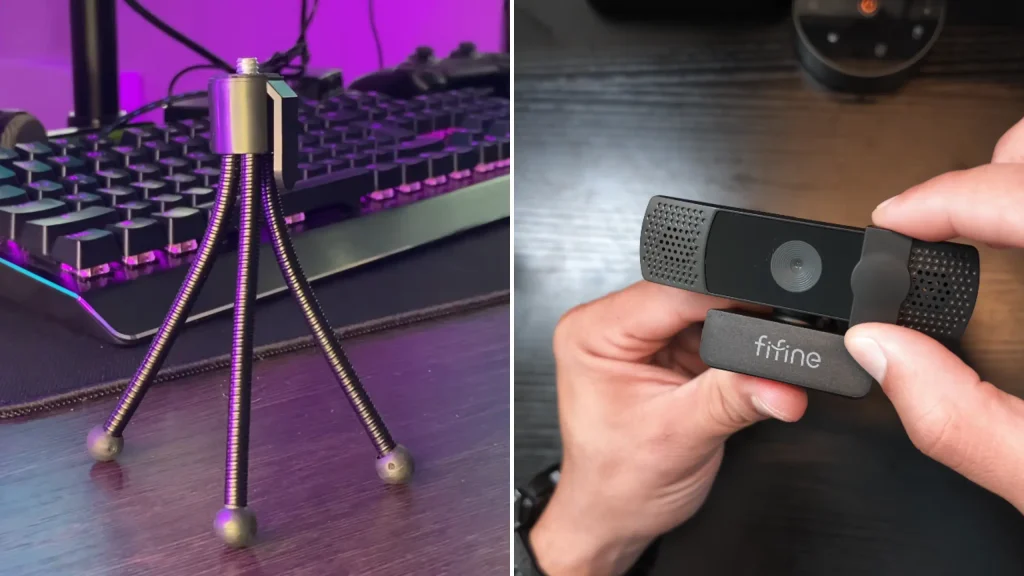
The mount impressed many reviewers the most. The camera body rotates 360 degrees across several planes, so you can angle it without moving your monitor. Also, the monitor clip has a tripod thread, and fifine includes a mini tripod. So you can use that setup to run the K438 as a hand cam.
For privacy, a sliding shutter covers the lens. The trade-off: No activity light on the cam. But if privacy matters to you, the shutter is your safeguard.
#7: Value for money
Category score: 9/10
The K438 sells for roughly $50. At that price, most competitors stick to 1080p. One fifine K438 reviewer pointed out that cameras like the Logitech Brio or Razer models shoot well but cost much more. For a 13MP sensor, strong low-light results, and a flexible mount, the K438 is hard to argue with.
Who is fifine K438 Webcam for?
| You are… | Good fit? | Why |
|---|---|---|
| A new streamer on a budget | Yes | Detailed image and strong low-light results for around $50 |
| A remote worker on daily calls | Yes | Plug-and-play, sharp video, privacy shutter |
| A VTuber using webcam tracking | Yes | Smooth tracking in XR Animator, works on Linux |
| A Linux user | Yes | Driver-free, recognized by name |
| A green screen creator | Maybe | Only if you can lock focus in your software |
| A creator who wants 60 fps | No | Capped at 30 fps |
| Someone relying on a webcam mic | No | Pair it with a dedicated USB mic |
| Privacy-focused | Mostly | Shutter included, but no activity light |
fifine K438 Webcam Alternatives
fifine K436
Pros
- 2K resolution covers most calls and streams
- Same product family as the K438
- Typically priced below the K438
Cons
- Lower resolution ceiling than the K438
- Less room to crop or zoom in post
The K436 is fifine’s 2K webcam, sold alongside the K438. Pick it if you mainly take video calls and don’t need 13MP detail.
Logitech C920 HD Pro Webcam
Pros
- Wider field of view than the K438 in side-by-side testing
- Focuses closer to the lens
- Steadier focus behavior
Cons
- Visibly more noise than the K438 in the same lighting
- 1080p ceiling
- Built-in mic has the same distance problem
The C920 is the classic budget streaming webcam. It’s still a safe choice if you want steady focus and a wider frame, but the K438 beats it on detail and noise.
Logitech Brio
Pros
- Premium 4K webcam from an established brand
- Supports 60 fps at lower resolutions
- Strong image quality, per reviewers
Cons
- Costs several times more than the K438
- Overkill for basic calls
The Brio is the upgrade option when comparing budget cameras. Choose it if you need higher frame rates and can stretch your budget well past $50.
Final Recall on fifine K438 Review
The fifine K438 webcam does what budget webcams rarely do: it looks noticeably better than 1080p rivals and keeps you visible when the lights go down. Reviewers loved the detail, the low-light results and the 360-degree mount. It also plays nicely with Linux and VTubing software.
What held it back in fifine K438 review? Busy autofocus, a 30 fps cap, a weak built-in mic and no dedicated tuning app. But for everyone else building a budget streaming or work setup, the K438 is an easy recommendation. Pair it with a proper USB mic, spend five minutes on white balance and you’re set.
FAQ
Is the fifine K438 true 4K?
Its max resolution is 4160 x 3120 from a 13MP sensor. That’s a 4:3 frame, so it looks squarer than standard 16:9 4K. It records at up to 30 fps.
Does the K438 work on Mac and Linux?
Yes. It’s driver-free and works on Windows, macOS and Linux. On Linux, it shows up under fifine’s name.
Can I turn off the K438’s autofocus?
fifine doesn’t offer a dedicated app for it. Check your camera properties in OBS Studio or your system settings for a focus control before you plan a green screen setup.
Is the built-in mic good enough for streaming?
It’s fine for quick calls, but it sounds distant at normal webcam range. A dedicated USB microphone makes a big difference.
Does the K438 work with VTuber tracking software?
Yes. One reviewer used it with XR Animator on Linux and saw smoother body and hand tracking than with his older webcam.
