
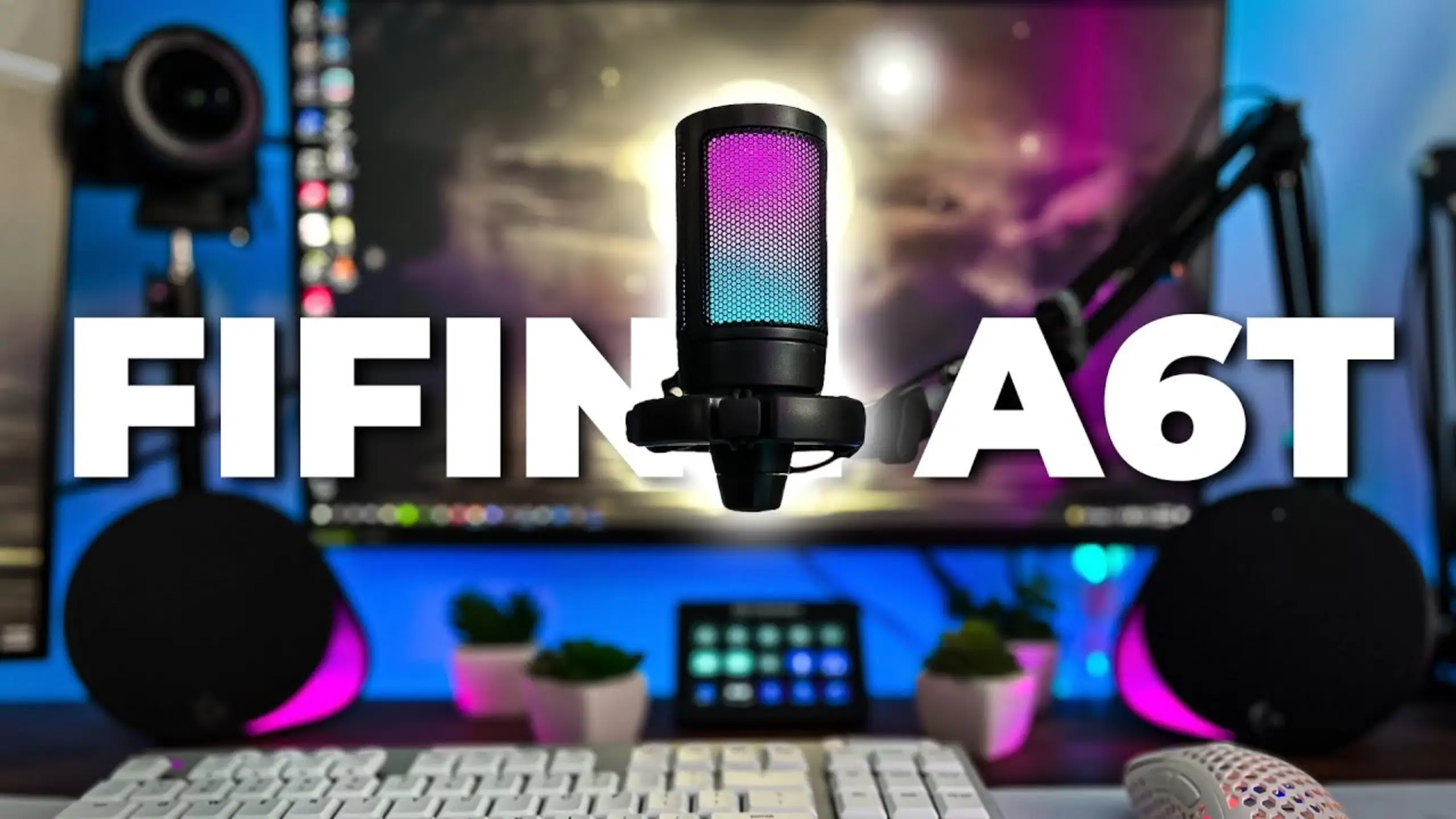
FIFINE A6T Review: The $50 USB-C Mic Kit That Sets Up in Minutes

For a budget, easy-to-set-up streaming or recording setup, the FIFINE A6T microphone is surely your first choice. You clamp the arm to your desk, swing the mic into place, plug in one cable, and you’re recording. When you’re done, you sweep it out of the way and get your desk back.
This is FIFINE doing what FIFINE keeps doing: packing the gear that normally costs extra into one budget box. From the sound quality to the product value, here’s a detailed FIFINE A6T review for every streamer, gamer, or content creator. A spoiler? It punches above the sticker price.
FIFINE A6T Review: Quick Verdict
| What we tested | Score |
|---|---|
| Sound quality (voice) | 4 / 5 |
| Boom arm & build | 3.5 / 5 |
| Setup & ease of use | 5 / 5 |
| Features & controls | 3.5 / 5 |
| Background noise rejection | 3.5 / 5 |
| Value for money | 5 / 5 |
| Overall | 4.2/5 |
Pros
- Everything you need in one box: the mic, a boom arm, a desk clamp, a shock mount, a pop filter, and an 8-foot USB-C cable
- Plug-and-play over USB-C works on PC, Mac, and PlayStation
- The boom arm swings out of the way when you’re done
- A tap-to-mute pad up top and a gain knob on the bottom
- A rubber-padded desk clamp that grips hard and won’t mark the desk
Cons
- Light and plasticky body
- You can’t recolor or switch off the RGB unless you mute the mic
- No built-in EQ, noise gate, or mixing control on the mic
- Side-address design plus a one-way pop filter limit how you can angle it
FIFINE A6T Sounds Review: Clear Vocals With a Warm Tilt
Score: 4 / 5
As an upgraded version of FIFINE A6V microphone, the FIFINE A6T mic kit is a side-address cardioid condenser, which means you talk into the front face, not the top. Up close, your voice comes through clean and present. The mic leans toward the higher end of your voice rather than deep bass, so it reads slightly darker than dead-neutral, but the spoken word lands clear and intelligible right out of the box.
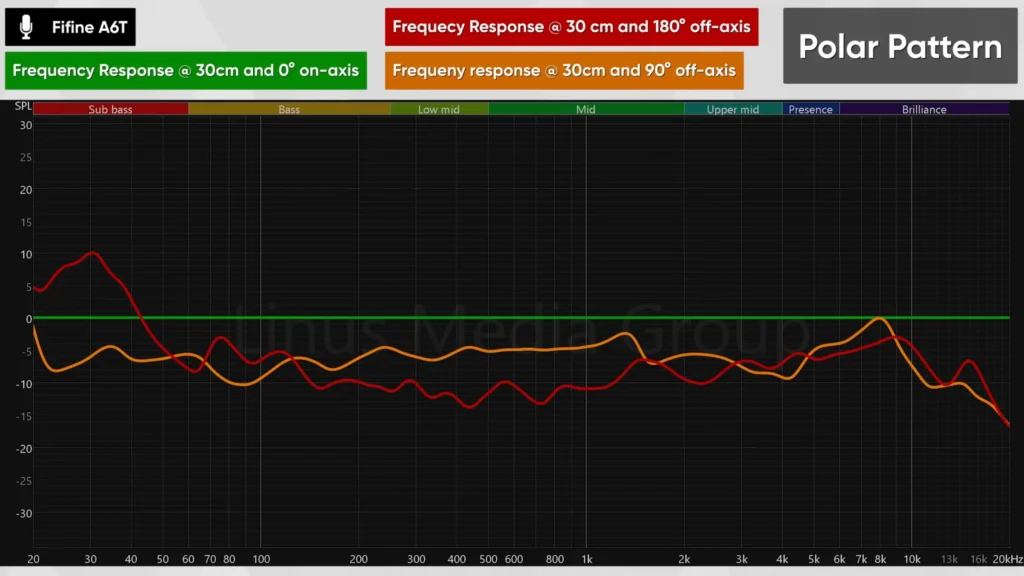
Stack it against pricier mics, and the gaps are small. The Blue Yeti X puts more body and depth into a voice, which is pleasant, though you can close most of that distance with a touch of EQ in post.
Compared to the Audio-Technica AT2020USB+, a mic at roughly triple the price, the AT2020 sounds a hair crisper and sharper, while the A6T comes across as a little more muffled. Run both through filters, and that difference shrinks to something most listeners won’t clock.
Scene takeaway: For Discord calls, live streams, talking-head videos, and podcasts, the A6T gives you a clear, usable voice. Drop a free compressor, limiter, and gate in OBS Studio or Streamlabs, and it cleans up to genuinely stream-ready.
FIFINE A6T Boom Arm and Build: The Killer for You
Score: 3.5 / 5
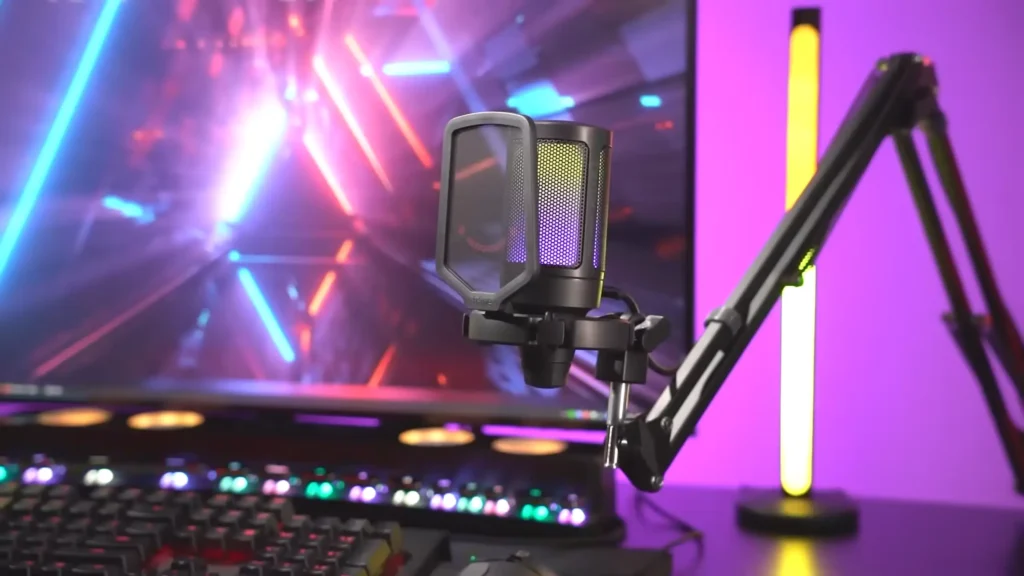
This is the obvious feature among the FIFINE A6T reviews. The boom arm is fully metal and holds the mic exactly where you leave it. When you finish your session, you swing it to the side, still clamped to the desk and ready for next time.
Fully extended, the arm reaches about 30 to 32 inches, plenty for most desks. There are springs at the base that snap it back into position, and if your desk is deep, you can pull one or both springs to stretch a little further. Plus, the desk clamp has a solid rubber pad, so it grips without sliding and won’t chew up your desk.
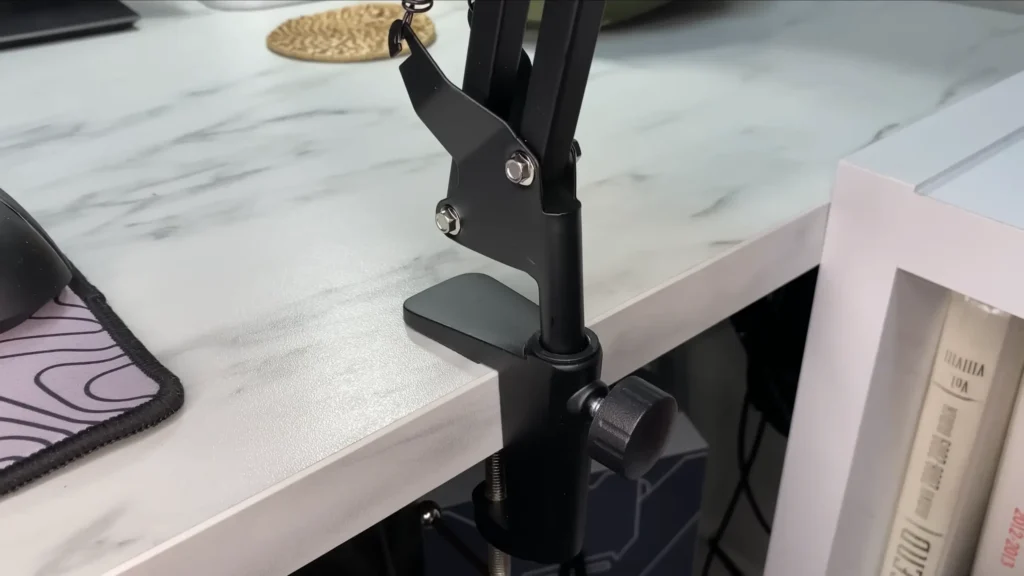
That said, the mic itself is very light and plasticky. You need to treat it delicately. The arm is light too, so a hard knock to the desk travels up and into your stream as a thud.
Scene takeaway: This is built for a permanent gaming or streaming desk, not a bag you haul to a friend’s place. Set it, leave it, swing it away when you’re done — and don’t toss it around.
FIFINE A6T Setup Review: Plug It In And Talk
Score: 5 / 5
There’s almost nothing to learn here, which is the point. The A6T connects over USB-C, and your computer recognizes it the moment you plug it in. No drivers, no software, no app, no setup screen. It works on PC, Mac, and PlayStation, and switching it between machines means moving one cable.
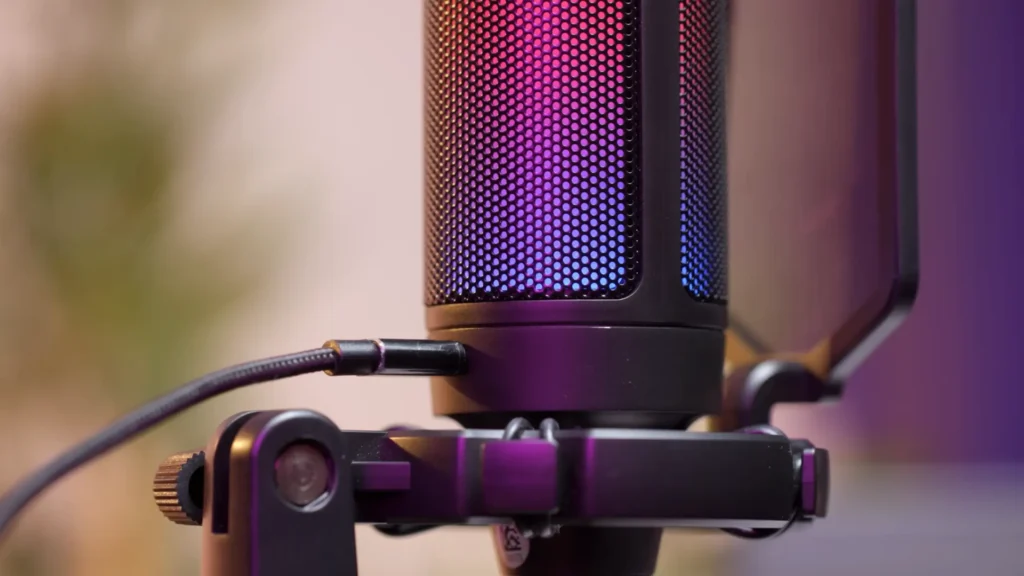
The controls match that simplicity. A touch-sensitive pad on top mutes and unmutes with a light tap. The gain knob on the bottom lets you reach it mid-stream to fix your level. If chat says you’re too loud or too quiet, you nudge the knob without ever pausing your game or diving into OBS. The included USB-C cable is a generous 8 feet, so reaching a tower under the desk isn’t a problem.
Scene takeaway: You can bounce from a game to a call to a recording session, without touching a menu. For a first mic, that frictionless feel is worth a lot.
FIFINE A6T Features Review: Handy Click, a Few Quirks
Score: 3.5 / 5
The A6T covers the essentials most beginners actually use: tap-to-mute, a gain knob, a shock mount, and the pop filter with FIFINE’s little red smiley on it. The RGB cycles through eight color gradients and stays subtle enough to complement a setup. Gamers used to glowing keyboards and cases will feel right at home.
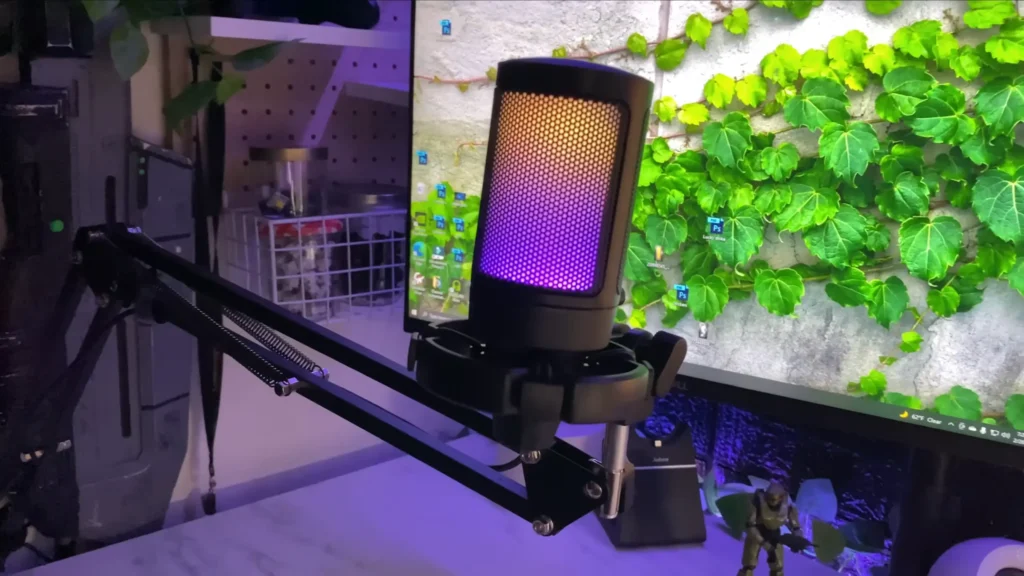
What you should take care of: The RGB light is on or off with the mute button. No customization features in RGB light. The built-in EQ, noise gate, or audio mixing should be handled in streaming software. One more: the pop filter mounts only one way and is stubborn to remove once it’s on, so plan to leave it attached.
Scene takeaway: Gamers will enjoy the glow and the quick tap-mute. If you mostly take client calls and want a clean, light-free, professional look, the always-on RGB is a small but real annoyance.
FIFINE A6T Background Noise: Solid For a Solo Room
Score: 3.5 / 5
FIFINE lists the A6T as cardioid, and that checks out. Sound coming from behind the mic drops off clearly, while your voice from the front stays loud — exactly what you want when the noise is at your back. Snap or tap behind it, and the level dips hard; come back to the front, and it spikes again.
That said, without the noise reduction treatment, it will pick up your keyboard, your mouse, a fan, or whoever’s talking nearby. If you’re alone in a room hanging out on Discord, that’s a non-issue, and the A6T sounds great. In a shared or noisy space, add a noise gate in your software, and the background largely disappears.
Scene takeaway: A solo streamer in a normal room is in good shape. In a busy household, pair it with a free gate, and you’re set.
FIFINE A6T Value: Hard To Argue With
Score: 5 / 5
This is where the A6T runs away with it. For roughly $47 to $50, you get the mic, the boom arm, the clamp, the shock mount, the pop filter, and a long USB-C cable — a kit that would cost about double if bought separately. And for voice work, it performs within the range of mics costing 2 to 10 times as much. You’re not getting the last word in build or sound, but you’re getting most of the result for a fraction of the spend.
Scene takeaway: As an on-ramp to streaming, gaming audio, or your first videos, the cost-to-capability ratio is tough to beat.
Who is the FIFINE A6T Microphone Kit for?
| If you are… | Good fit? | Why |
|---|---|---|
| A new streamer on a budget | Yes | Complete kit, clear vocals, mute and gain at your fingertips |
| A gamer who wants a tidy desk and some RGB | Yes | Swing-away arm, subtle glow, tap-to-mute |
| A YouTuber or podcaster just starting out | Yes | Clean close-up voice, EQ-friendly, swivels out of frame |
| A remote worker living in video calls | Mostly | Dead-simple USB-C; the always-on RGB is the only nitpick |
| A music producer or pro voice actor | No | Step up to an XLR dynamic mic and an audio interface |
| Someone who wants deep customization | No | No software, and no control over the RGB |
FIFINE A6T Alternatives
If you’re still not sure, here are two mics worth weighing — plus the path to take when you outgrow USB entirely.
Blue Yeti X
Indicative: 4.3 / 5.
- Pros: more body and presence in the voice, sturdier build, a proven all-rounder.
- Cons: roughly triple the price, no boom arm or kit, larger and heavier on the desk. Pick it if you want more vocal weight straight out of the box and you don’t need the accessories.
Audio-Technica AT2020USB+
Indicative: 4.3 / 5.
- Pros: a noticeably sturdier build and a slightly crisper, sharper sound.
- Cons: about $150, no arm or kit included, and none of the RGB or tap-mute extras. Pick it if build quality matters most, and you’re happy to add your own boom arm.
When You Outgrow USB: A Dynamic XLR Setup
If you get serious about audio, the next real jump is an XLR dynamic mic plus an audio interface. That combo rejects room noise better and adds presence, at the cost of more money and more gear to manage. We break down the trade-offs in our guide to upgrading from USB to XLR.
Is the FIFINE A6T Microphone Kit Worth It?
For $50, the FIFINE A6T is the easiest tidy on-ramp to streaming and gaming audio we’d point a beginner toward. Compared to the FIFINE A6V microphone, the boom arm in the FIFINE A6T mic kit is the differentiator, and the sound is better than the price tag suggests, especially after a free noise gate.
The build is the honest trade-off: light, plastic, and best handled with care. But for everyone else getting started, the A6T is an easy recommendation, and you can always layer on free software as your ear gets pickier.
FAQ
Does the A6T work with PlayStation?
Yes. It runs on PC, Mac, and PlayStation over USB-C, with no drivers to install.
Can I turn off the RGB?
Only by muting the mic — muting switches the light off. There’s no way to recolor it or keep it off while live.
Do I need software or drivers?
No drivers. It’s plug-and-play. For the best sound, add a free compressor, gate, and EQ in OBS Studio or Streamlabs to clean up background noise and round out your voice.
What’s the difference between the A6T and the A6V?
Same microphone capsule. The A6T adds the boom arm, desk clamp, shock mount, and pop filter, turning it into a complete desk kit.
Is it good enough for music or singing?
It’s tuned for spoken voice and works for quick demos, but serious music and voiceover are better served by an XLR mic and interface.
