
5 Best Stream Controllers in 2026: Picks for Every Setup and Budget

You’re live, chat is moving and you need to switch OBS scenes, mute your mic and fire a sound effect. Doing that with Alt+Tab and keyboard shortcuts is how streams get messy. A stream controller puts each of those actions on its own labeled key, so one press does the job without you leaving the moment.
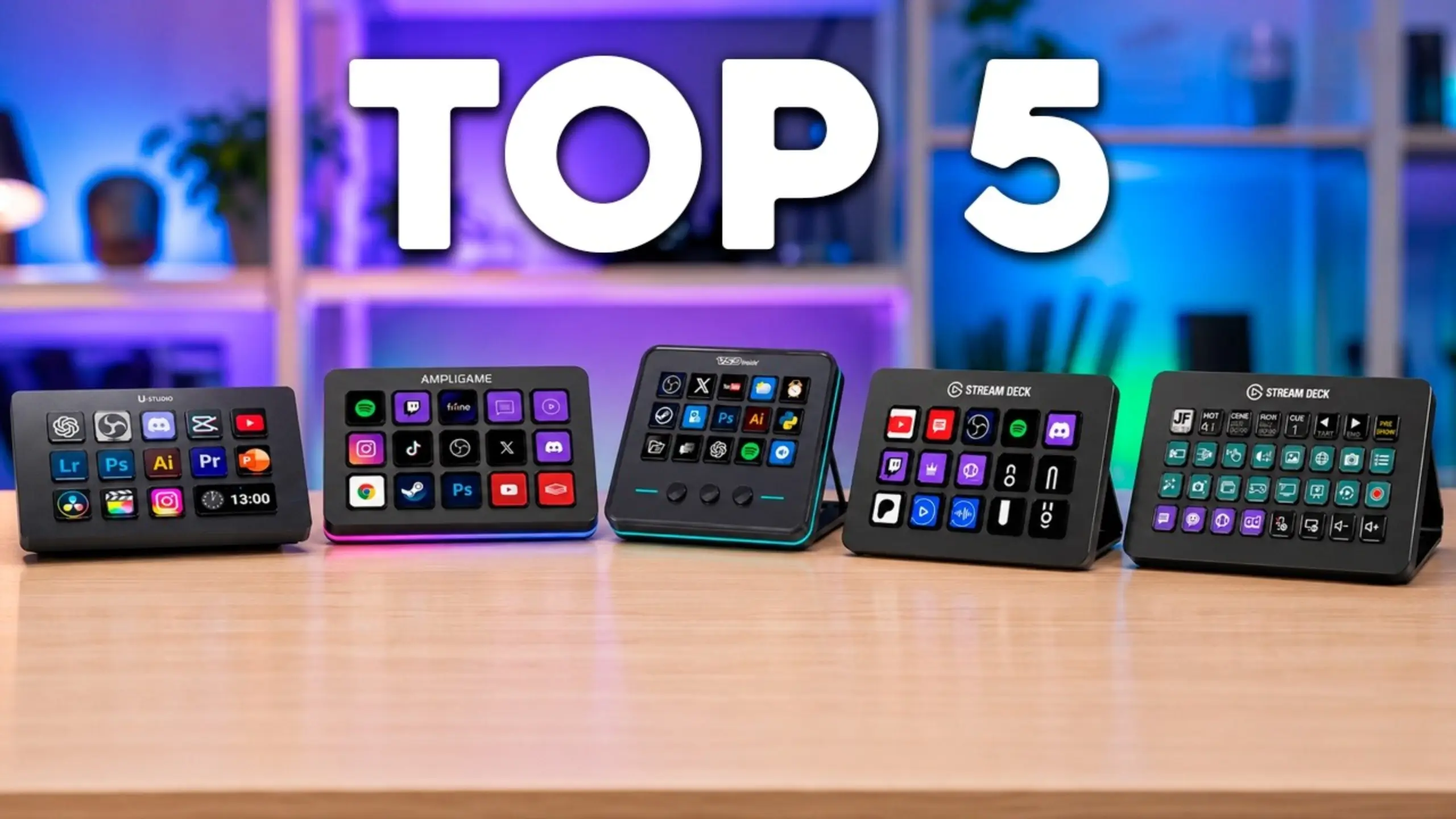
The best stream controller depends entirely on how you work, not on the number of buttons on the box. So instead of ranking on specs alone, we built this list around workflows: the beginner or budget streamer, the plugin power user, the editor, the all-in-one desk and the full-time producer.
Top 5 Stream Controllers at a Glance
| Rank | Controller | Best for | Keys | Price seen by reviewers |
|---|---|---|---|---|
| 1 | fifine AmpliGame D6 | Best overall value | 15 LCD keys | About $60–$80 |
| 2 | Elgato Stream Deck MK.2 | Best plugin ecosystem | 15 LCD keys | About $119–$140 |
| 3 | Razer Stream Controller X | Best build and key feel | 15 LCD keys | Close to the MK.2 |
| 4 | Ulanzi D200H | Best all-in-one desk dock | 13 LCD keys + 1 info display | About $70 |
| 5 | Elgato Stream Deck XL | Best for complex setups | 32 LCD keys | About $229 |
5 Best Stream Controller Reviews
1. fifine AmpliGame D6 – Best Overall Value
Pros
- Larger keys with sharp, high-resolution icons
- Around 2.5-meter cable, per fifine, gives you flexible desk placement
- USB-C connection with USB-C and USB-A support
- Built-in plugin store with OBS, Voicemod, Twitch tools, Premiere Pro, and more
- RGB lighting you can cycle with one button
- Exclusive fifine D6 software control
Cons
- Smaller plugin library than Elgato’s marketplace
- Some integrations are partial (Voicemod keys switch voices but don’t show active state)
- No stand included
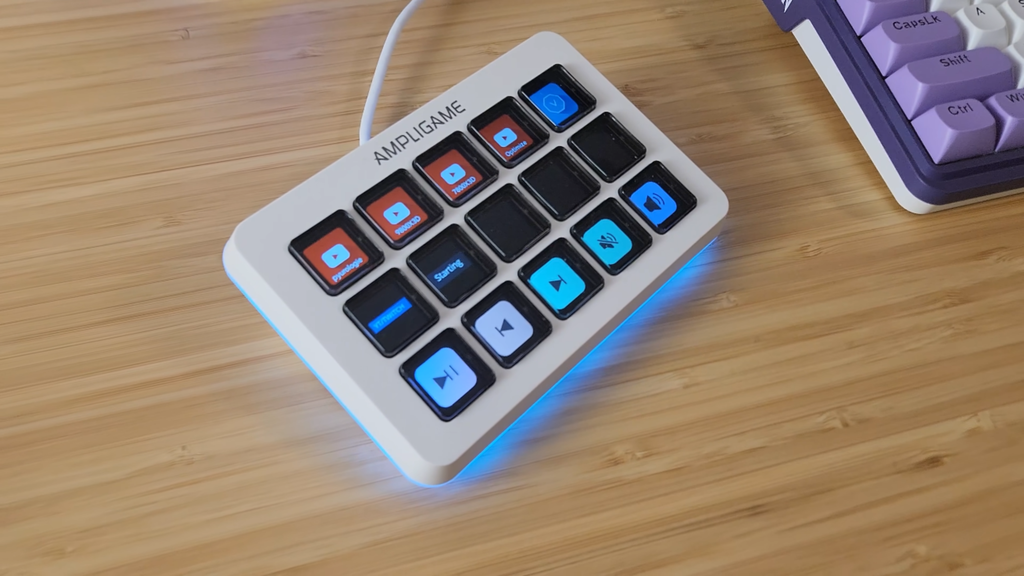
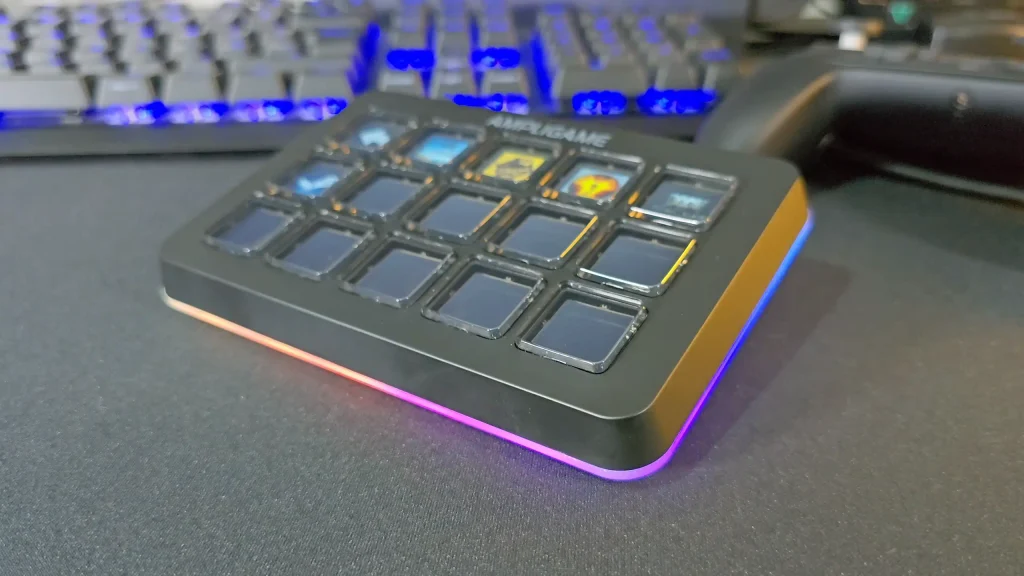
The fifine AmpliGame D6 stream controller sticks to the formula that made Elgato’s deck famous: 15 LCD macro keys you can assign to anything. The difference shows up once you plug it in. @DarkenedCyrus placed the fifine D6 stream controller next to the Elgato Stream Deck MK.2 and noticed larger keys and sharper icons on the fifine D6, saying it was “hard to see pixels” on the screen.
The software feels familiar too. Connecting OBS Studio through its WebSocket server took minutes, and scene switching worked with “zero issues”. Built-in widgets can show live CPU usage, temperature, and even the weather right on a key. With about 2.5 meters of cord, you can tuck your PC under the desk and still put the deck right where your hand rests.
Here’s the honest part. The D6’s plugin store covers the popular stuff, but it doesn’t have everything Elgato offers. In the test with Voicemod, the D6 switched voices correctly, but the key didn’t light up to show which voice was active. Audio control apps like GoXLR and Wave Link weren’t there either. If your setup leans on those, keep reading.
2. Elgato Stream Deck MK.2 – Best Plugin Ecosystem
Pros
- Largest plugin marketplace of any deck on this list
- Simple, low-stress setup software
- Newer versions have a detachable cable
- Background web requests work well for smart lights and webhooks
Cons
- Costs roughly double the D6
- Keys feel mushy to some reviewers
- Slides around on the desk
- Included stand feels cheap
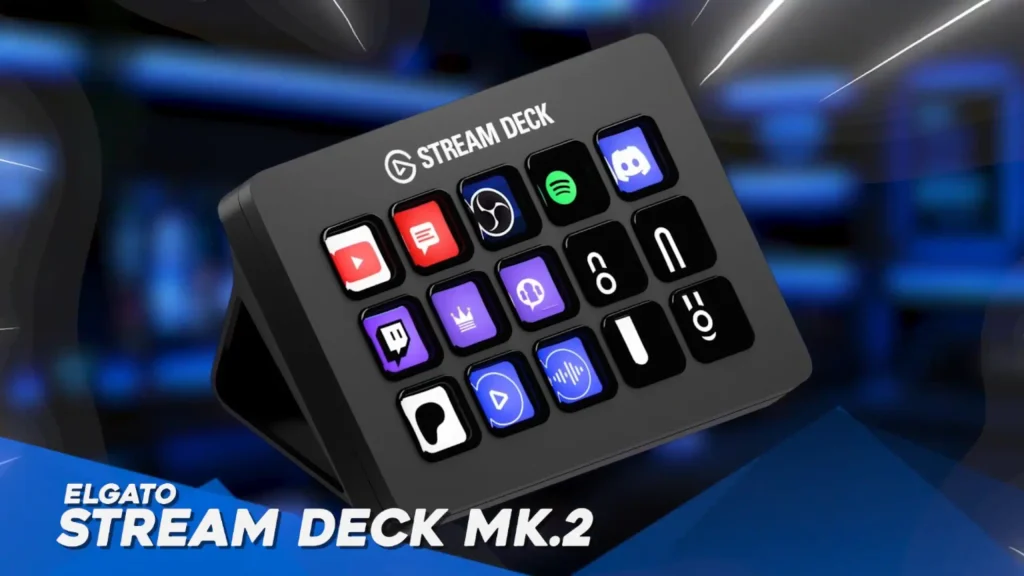
The Elgato Stream Deck MK.2 features basic hardware, but Elgato’s software has the biggest plugin library around, with integrations for OBS, Twitch, YouTube, Spotify, Philips Hue, and many more.
What you pay for with the MK.2 is software maturity. @aaronrutten said his deck became “indispensable” beyond streaming, and he still keeps it next to a $559 Loupedeck CT for fast, reactive commands.
The hardware is where it shows its age. The keys are a little bit mushy, and the deck always moved around because the base had almost no grip. Still, if you run Philips Hue lights, niche plugins, or a complex overlay stack, this is the safe bet.
3. Razer Stream Controller X – Best Build and Key Feel
Pros
- Firmer, more tactile keys than the MK.2
- Grippy, reusable base keeps the deck from sliding
- Magnetic faceplate for easy customization
- Better viewing angles when lying flat
- Detachable USB-C cable
Cons
- Setup asks you to install Razer Synapse, though you don’t need it running
- Priced close to the MK.2, so it’s not a budget pick
- Loupedeck’s interface can feel busier than Elgato’s
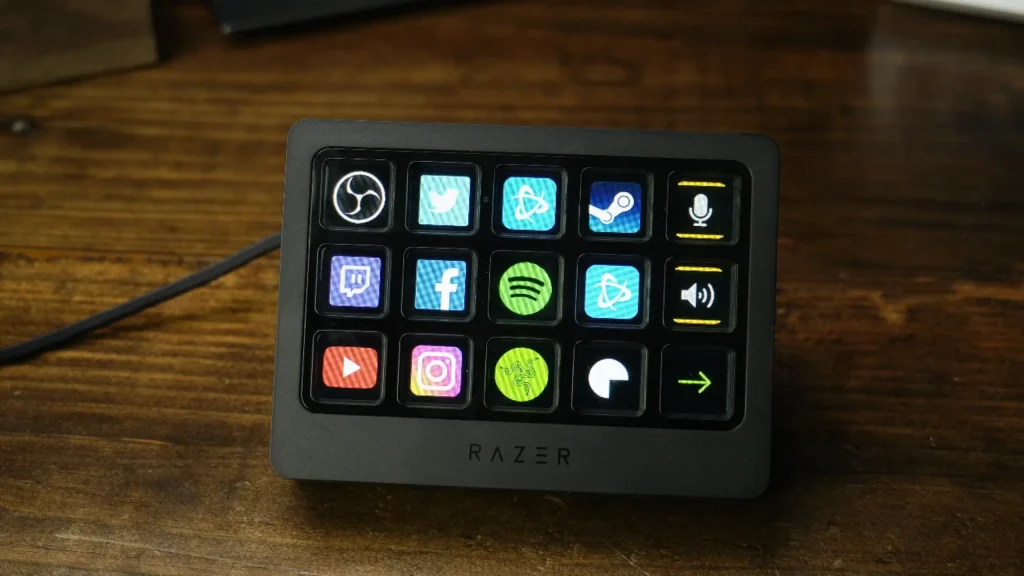
Razer Stream Controller X stream controller has the same 15-key layout as the Elgato Stream Deck MK.2, but it feels more premium. The keys are firmer, the grippy base stays put, and the magnetic faceplate swaps off easily.
@JSyntax, a programmer and video editor, tested the Razer Stream Controller X and called it “what the MacBook touch bar should have been.” His favorite detail was the sticky base, which stops the deck from creeping across the desk every time you press a key.
It runs on Loupedeck software, which is slightly easier to use for customizing icons. Switch to Premiere Pro or your code editor, and the keys reassign themselves to that app. Pair that with AutoHotkey scripts, and one key can connect your earbuds, change your audio output, or import new footage into a project.
4. Ulanzi D200H – Best All-in-One Desk Dock
Pros
- Two USB-C 3.0 and two USB-A 3.0 ports
- SD and microSD card readers built in
- 100W PD fast charging passthrough
- Supports OBS, Twitch, YouTube and editing apps like DaVinci Resolve and CapCut
- Wide OS support (Windows 10 and later, macOS 10.13 and later)
Cons
- Fewer macro keys than 15-key decks
- Little independent testing of software and key feel in our sources
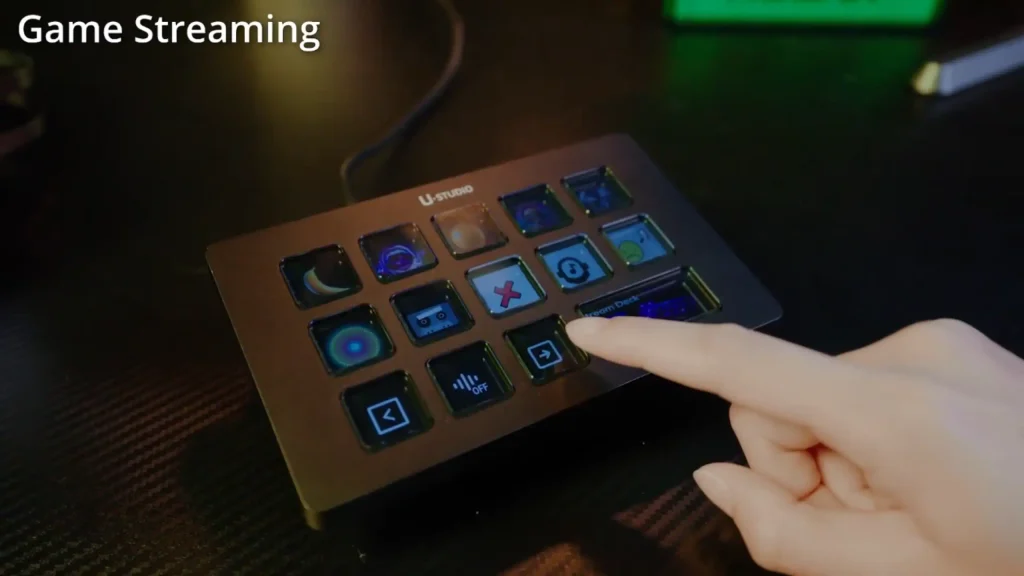
Half macro pad, half docking hub. With the Ulanzi D200H Stream Controller, you get 13 LCD keys and an info display, plus USB ports, SD and microSD card readers, and 100W power delivery, all through one USB-C cable. Great if your desk is drowning in dongles.
The D200H makes sense for the solo creator who shoots, dumps footage, and edits in one sitting. Instead of a separate card reader, charging cable, and macro pad, you plug in one device and handle all three.
The key count is the drawback in this best stream controller line. But if you need fewer things on your desk, it’s hard to beat at this price.
5. Elgato Stream Deck XL – Best for Complex Setups
Pros
- 32 keys give one-tap access to far more actions
- Full Elgato plugin ecosystem
- USB 3.0 connection
- Easy upgrade path for current Stream Deck owners
Cons
- Most expensive deck on this list
- Takes up significant desk space
- Overkill for beginners
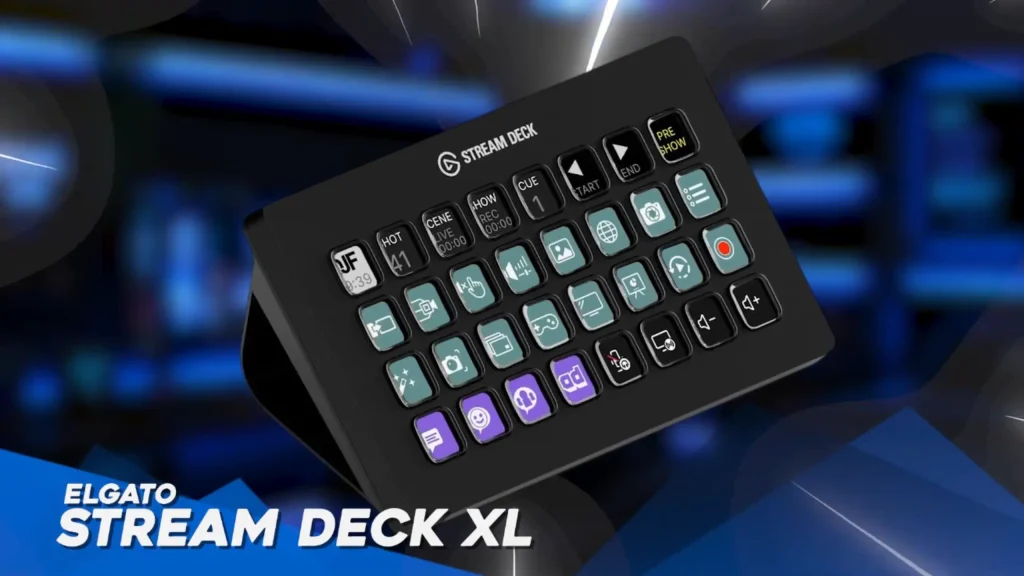
Elgato Stream Deck XL runs the same Elgato software as the MK.2, but with 32 keys in an 8-by-4 grid. It’s built for full-time streamers who are tired of digging through folders mid-show.
As an upgraded version of Elgato Stream Deck MK.2, it works as powerfully as the MK.2. What makes it stand out most in this best stream controller line is the 32 keys, ideal for running multiple scenes, several audio sources, smart lighting, and social media triggers. No hunting through pages during a live moment.
Which Stream Controller Fits You?
| If you are… | Pick | Why |
|---|---|---|
| A new or budget streamer running OBS and a soundboard | fifine AmpliGame D6 | 15 sharp keys and the plugins you need for about half the MK.2 price |
| A streamer with smart lights and niche tools | Elgato Stream Deck MK.2 | Biggest plugin library means fewer gaps later |
| A creator or programmer who presses keys all day | Razer Stream Controller X | Firmer keys and a base that stays put |
| A solo creator who shoots and edits at the same desk | Ulanzi D200 | Card readers, USB hub and charging in one device |
| A full-time streamer with a complex production | Elgato Stream Deck XL | 32 keys means less folder digging |
| A voice-changer or “just chatting” streamer | fifine AmpliGame D6 | Voicemod plugin works out of the box |
| An editor who wants volume or timeline knobs | Stream Deck + (honorable mention) | Dials give you fine control |
How To Choose The Best Stream Controller
Keys and Display
Fifteen keys, like on the fifine D6 stream controller, is the sweet spot for most streamers. It covers scenes, mic mute, recording and a few sound effects. Go bigger only if you keep burying commands in folders.
Look at key size and screen sharpness too. Bigger keys are easier to hit without looking, which matters when your eyes are on chat.
Not sure which actions deserve a key? Check this smart rule of thumb:
| How often you do it | Best place for it |
|---|---|
| Every few seconds (cutting clips) | Keyboard shortcut in muscle memory |
| Every 10 minutes to once an hour (scene switch, timer, backup) | Stream controller key |
| Once a week (export settings) | Menu or search bar |
Software and Plugins
The hardware is only half the product. Before buying any Stream Deck alternative, open the plugin store and check for the apps you actually use, such as OBS Studio, Streamlabs, Voicemod, Spotify or Philips Hue.
Also check how deep each integration goes. A plugin that triggers an action but doesn’t show its status on the key is usable, but less helpful mid-stream.
Build and Feel
Mushy keys get tiring, and a light deck that slides across the desk is annoying. A grippy base or a solid stand fixes that.
Although the mic for noise-cancelling can reduce some noise, like clicky sounds, a silent and steady stream controller will be better for your streaming. Also consider where your mic sits. A dynamic mic on a boom arm picks up less desk noise than a condenser sitting right next to your controller.
Connectivity
Look for a detachable USB-C cable. If a fixed cable gets damaged, you replace the whole deck. Cable length matters too. A long cable, like the fifine D6’s roughly 2.5-meter cord, lets you keep your PC under the desk.
If you also juggle card readers and chargers, a dock-style controller like the Ulanzi D200 can cut the clutter.
Operating System Support
Check requirements before you buy. Most decks here support Windows 10 and recent macOS versions, but some budget options, like the VSDinside keypad, require Windows 11 or macOS 14 or later.
Final Pick for The Best Streaming Controller
For most streamers, the fifine AmpliGame D6 is the best stream controller to get. It nails the essentials: 15 sharp keys, easy OBS setup, a long cable, and a plugin store that covers popular streaming tools, all at a price that leaves room in your budget for a better mic.
Other picks make sense in specific situations. Choose the Elgato Stream Deck MK.2 if your setup depends on niche plugins or smart devices. Choose the Razer Stream Controller X if you press keys all day and want a deck that stays put. Choose the Ulanzi D200 if desk clutter bothers you more than key count. And choose the Stream Deck XL once your production outgrows 15 keys.
FAQ
Do I need a stream controller to stream?
No. Keyboard shortcuts work, but a controller puts actions on labeled keys, so you don’t need to memorize shortcuts or alt-tab mid-stream.
Is the fifine AmpliGame D6 a good Stream Deck alternative?
Yes, especially for 15-key setups built around OBS scenes, soundboards and Voicemod. If you rely on niche plugins or audio apps like Wave Link, Elgato still has more support.
Can I use a stream controller for work other than streaming?
Absolutely. Reviewers use theirs for video editing, coding shortcuts, file backups, opening apps and even running AutoHotkey scripts.
How many keys do I need?
Most streamers do fine with 15. Consider 32 keys only if you constantly dig through folders to find commands.
Will a stream controller’s clicks show up in my audio?
They can. Test key presses near your mic before going live, and adjust mic placement or your noise gate if the clicks come through.
