
Best Gaming Setup 2026: Gear That Actually Delivers

For long-session gaming, you need gear that sounds good, feels comfortable, and doesn’t fall apart in six months, whether you’re searching on Amazon or refining a white-themed battlestation. For this roundup, we tested products across four categories that define any gaming setup — audio, desk & chair, display, and peripherals. After evaluating each product on quality, comfort, ease of use, and value for money, here’s what made the cut.
Quick Check about The Best Gaming Setup
- FIFINE AmpliGame A6T – Best for Budget Streaming Audio
- FIFINE H9 – Best for Budget Cross-Platform Gaming
- FIFINE SC3 Mixer – Best for XLR Outport and Console Streaming
- Secretlab Magnus Pro XL – Best Premium Desk
- LG 32GS95UE – Best Gaming Monitor
- Secretlab Titan Evo Nanoen – Best Gaming Chair
- Astro A50X – Best Premium Wireless Headset
- Fractal Design North – Best PC Case for Clean Setups
The Best Gaming Setup: 8 Gear We had Pick
1. FIFINE AmpliGame A6T Microphone Bundle
Score: 8.5/10
| Criteria | Score |
| Sound Quality | 8/10 |
| Build Quality | 8/10 |
| Ease of Setup | 10/10 |
| Features | 8/10 |
| Value for Money | 9/10 |
Pros:
- Clear, low-noise audio out of the box
- Complete bundle: mic, boom arm, shock mount, pop filter
- USB plug-and-play on PC and console — no drivers needed
- Tap-to-mute with visual RGB indicator
- Adjustable gain knob for quick level control
Cons:
- RGB lighting cycles through colors, but it isn’t customizable to a single color
- No XLR option for more advanced setups
- The boom arm is functional, but not the sturdiest for heavy repositioning
At $50 for a USB condenser mic, boom arm, shock mount, and pop filter, the FIFINE A6T microphone kit is a steal for anyone building a budget streaming or gaming setup.
Audio clarity impressed during both voice chat and actual streaming tests — voices came through clean without the hollow, tinny quality you’d expect at this price point. The gain knob on the mic body gives you quick manual control, and the tap-to-mute feature (which also kills the RGB to give you a visual cue) is a genuinely smart design touch.
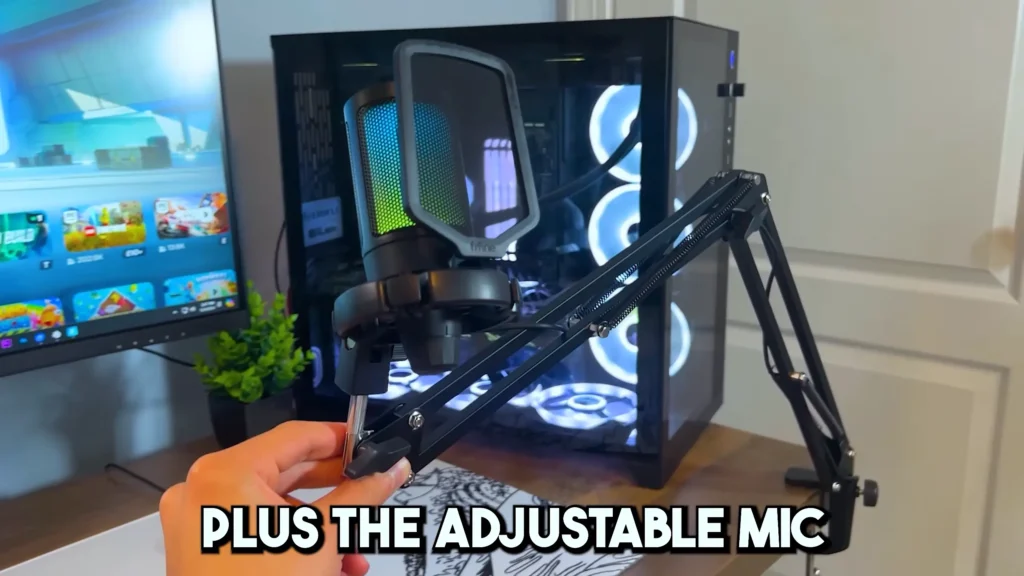
During real gameplay testing in Fortnite, voice clarity held up — teammates could hear calls without distortion, and the mic didn’t pick up excessive keyboard or controller noise. You’ll get a bundle that only for $50. If you’re upgrading from a headset mic for the first time, start here.
Whether you’re streaming, recording gameplay, or even just talking to your friends, this microphone delivers great sound quality. The build quality of this microphone is actually very good, plus the adjustable mic arm makes it super easy to position the microphone anywhere you want in your setup.
2. FIFINE H9 Gaming Headset
Score: 8/10
| Criteria | Score |
| Sound Quality | 7.5/10 |
| Comfort | 9/10 |
| Microphone Quality | 7.5/10 |
| Build Quality | 8/10 |
| Value for Money | 9/10 |
Pros:
- Clean, clear mid-range audio
- Comfortable for extended sessions, even with glasses
- A detachable microphone with decent quality
- Universal 3.5 mm works on PC, PS5, Xbox, Switch, and phone
- Metal-reinforced headband and braided cable
- No software or drivers required
Cons:
- Bass is underwhelming for cinematic gaming
- 7.1 surround button mostly boosts highs — limited real surround effect
- Volume could be louder at max on some devices
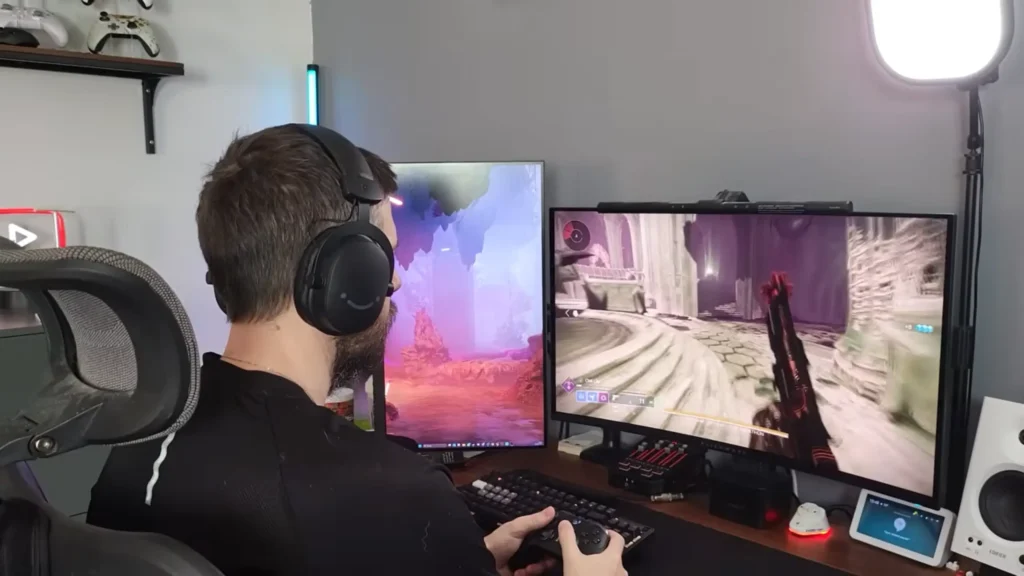
This $50 wired gaming headset won’t replace your audiophile cans, but for cross-platform gaming and all-day wear, it delivers where it counts.
The FIFINE H9 gaming headset connects via 3.5 mm and comes with a USB dongle that adds a 7.1 surround sound toggle, volume control, and mic mute. The 7.1 surround sound is more useful than you’d expect for competitive FPS titles — it highlights footsteps and high-frequency audio cues.
During testing with Expedition 33, dialogue and ambient audio came through cleanly, and positional audio was accurate. Bass is present but restrained. Its mid-range clarity is the real strength, making the FIFINE H9 headset a game killer where communication and audio cues matter more than explosions.
The headset weighs next to nothing, and the padding doesn’t create pressure points even for glasses wearers. For a budget headset with good performance, H9 is a reliable pick.
3. FIFINE SC3 Mixer (Gaming/Streaming)
Score: 7.5/10
| Criteria | Score |
| Audio Quality | 8/10 |
| Features | 8/10 |
| Ease of Setup | 6/10 |
| Build Quality | 7/10 |
| Value for Money | 8/10 |
Pros:
- XLR and USB mic support — use professional mics on the console
- Sound pads with recordable clips for streaming
- Phantom power for condenser mics
- Voice changer and auto-tune effects
- RGB customization
- Works with both wired and wireless Xbox controllers
Cons:
- Xbox setup requires additional cables (splitter, ground loop isolator)
- Mic monitoring requires specific settings toggling
- Not true plug-and-play on console — some workaround required
- Voice changer is more novelty than a practical tool
The FIFINE SC3 audio mixer brings features you normally find on PC-only interfaces to Xbox gaming. In SC3, you can get: XLR/USB input, RGB lighting, and faders for mic, line-in, headphone monitoring, and line-out.
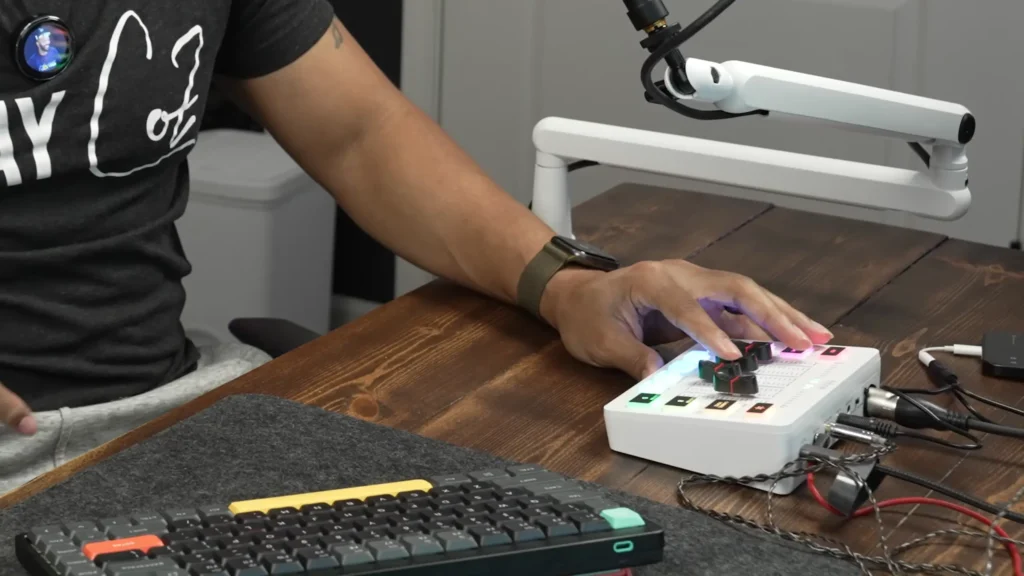
To connect to Xbox, you’ll need a splitter cable and (if using a wired charging cable) a ground loop isolator. The SC3 changes your USB microphone audio into professional clarity like an XLR mic. If you stream on Xbox and want better audio than a headset mic can deliver, this is one of the few affordable options that actually works.
The key setup detail: make sure mic monitoring is turned on (the button lights up white) before you start. Without it, you’ll get no audio output and think the mixer is broken. For wireless headset users, note that you won’t get mic monitoring — you won’t hear your own voice through the headset.
4. Secretlab Magnus Pro XL
Score: 9/10
| Criteria | Score |
| Build Quality | 10/10 |
| Cable Management | 10/10 |
| Features | 9/10 |
| Ease of Assembly | 8/10 |
| Value for Money | 8/10 |
Pros:
- Built-in solid cable management tray (not mesh — completely hides cables)
- Integrated power supply column eliminates hanging power cords
- Sit-stand with three programmable height presets
- Near-silent motorized adjustment
- Magnetic desk mat system
- Compatible with the Secretlab monitor arm and PC mount
Cons:
- Premium price tag
- XL size may not suit smaller rooms
- Suede desk mat (optional) is not water-resistant
- Heavy — moving it after setup isn’t trivial
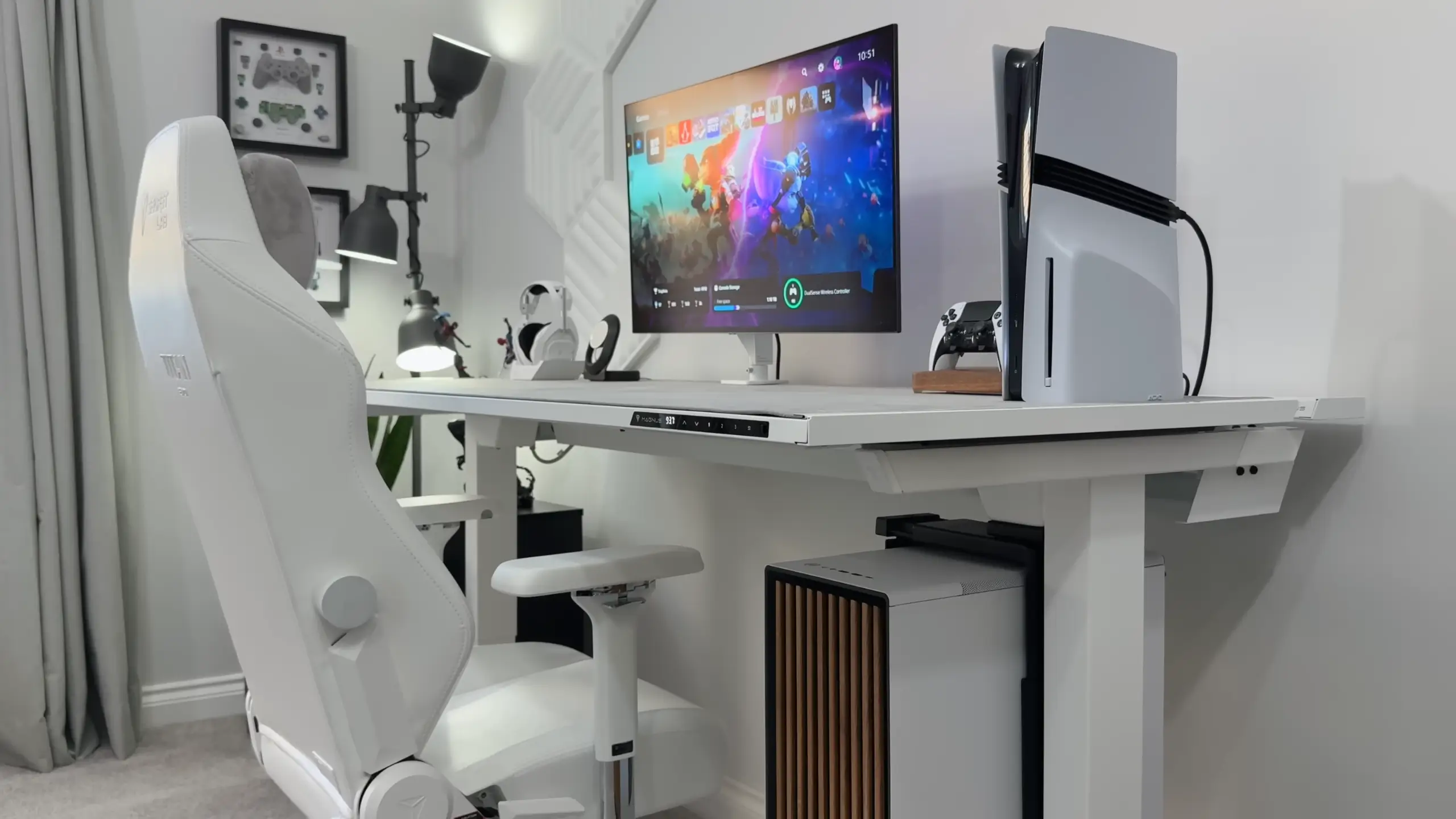
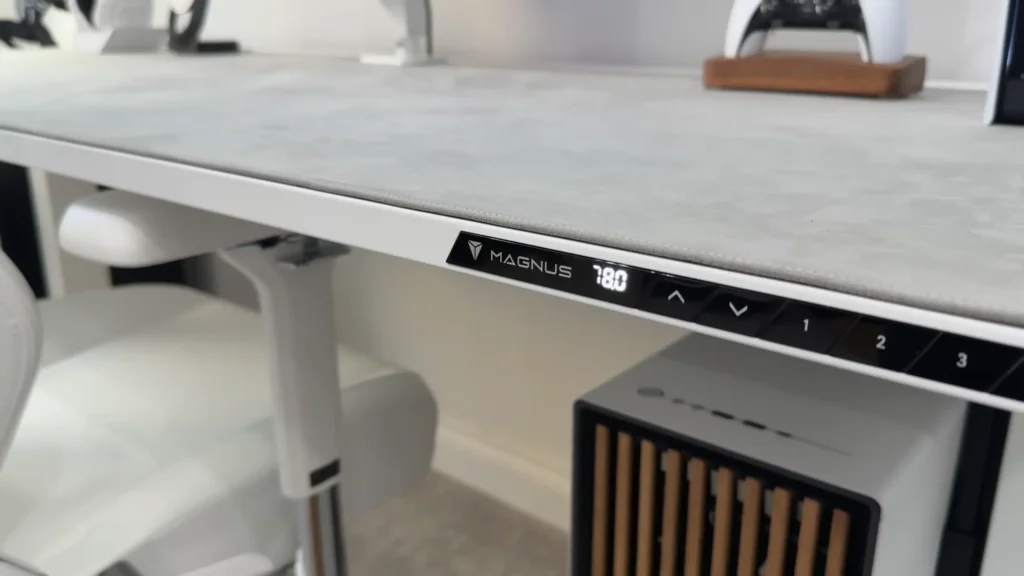
A gaming setup might mean more cables on your desk. The Magnus Pro XL desk solves cable management before you even start building. This is the real stars: a solid tray that hides every cable, power brick, and extension cord, and an integrated power column that means no power cables running from desk to wall.
The Magnus Pro XL measures 1.77 m wide (about 5.8 feet), giving generous room for a monitor, PC, peripherals, and room to spare. Setup takes roughly 30 minutes, easy and clear. The integrated control panel stores three height presets, and the motorized sit-stand adjustment is near-silent. The PC mount accessory (sold separately) attaches under the desk and moves with the sit-stand adjustment.
The magnetic desk mat snaps into place and doesn’t shift during use. If you opt for the suede finish, “it definitely gives the desk a softer look”, @SpawnPoiint shares on his YouTube channel. “It has completely changed how the room looks when you first walk in”.
5. LG 32GS95UE 4K OLED Monitor
Score: 9.5/10
| Criteria | Score |
| Image Quality | 10/10 |
| Refresh Rate/Response | 10/10 |
| Color Accuracy | 9/10 |
| Features | 9/10 |
| Value for Money | 8/10 |
Pros:
- 4K OLED with deep blacks and vivid colors
- Up to 480 Hz refresh rate
- VRR and HDR support
- 32 inches — ideal size for desk gaming
- Works seamlessly with PS5 Pro and PC
Cons:
- OLED burn-in risk with static elements (HUDs, taskbars)
- Premium price
- May be considered too large for pure competitive FPS players who prefer 24–27 inches
A 32-inch 4K OLED panel running up to 480 Hz with VRR and HDR. Blacks are deep, colors are vivid, and brightness is high for an OLED.
Tested across PS5 Pro and PC with titles ranging from The Last of Us to Cyberpunk 2077, the screen handled every scenario without compromise. 32 inches is so perfect that “It’s not too big that it looks ridiculous for FPS games, and it’s not too small that if I do want to use it for PC gaming or story-driven games.” YouTuber @SpawnPoiint shares.
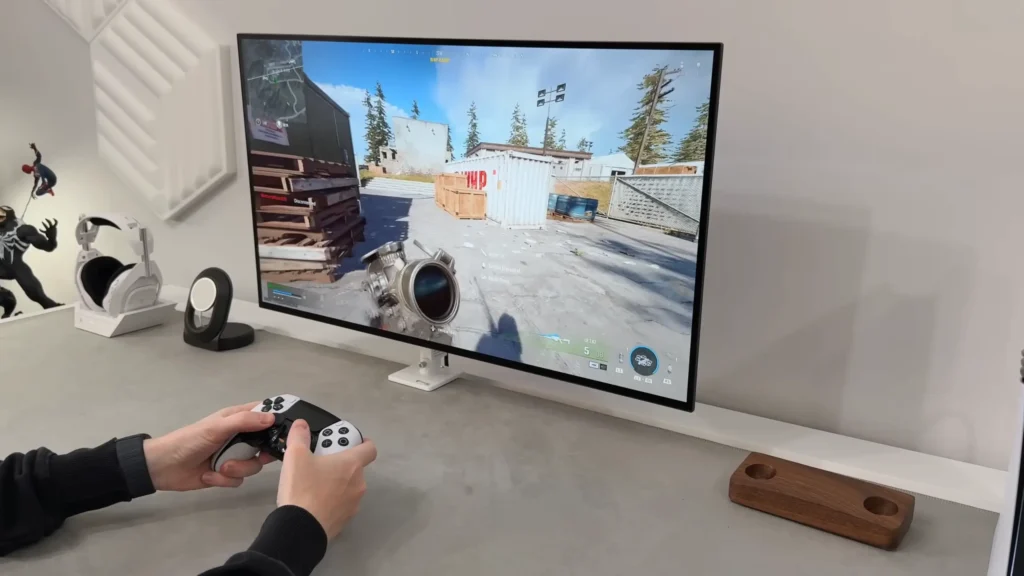
Pair this with a PS5 Pro and the enhanced visual modes on supported titles eliminate the performance-versus-quality tradeoff. Games like The Last of Us with the dedicated PS5 Pro visual setting deliver both high fidelity and smooth frame rates on this panel. If you’re only buying one monitor for gaming and productivity, this is the one.
6. Secretlab Titan Evo (Nanoen Edition)
Score: 9/10
| Criteria | Score |
| Comfort | 10/10 |
| Build Quality | 9/10 |
| Adjustability | 9/10 |
| Design | 9/10 |
| Value for Money | 8/10 |
Pros:
- Nanoen hybrid material: soft surface, supportive core
- Magnetic memory foam headrest
- Four-way adjustable lumbar support
- Clean all-white design with subtle silver accents
- Sturdy build quality
Cons:
- Premium price
- White material may show dirt over time
- Recommended to use a heavy-duty floor mat on carpet
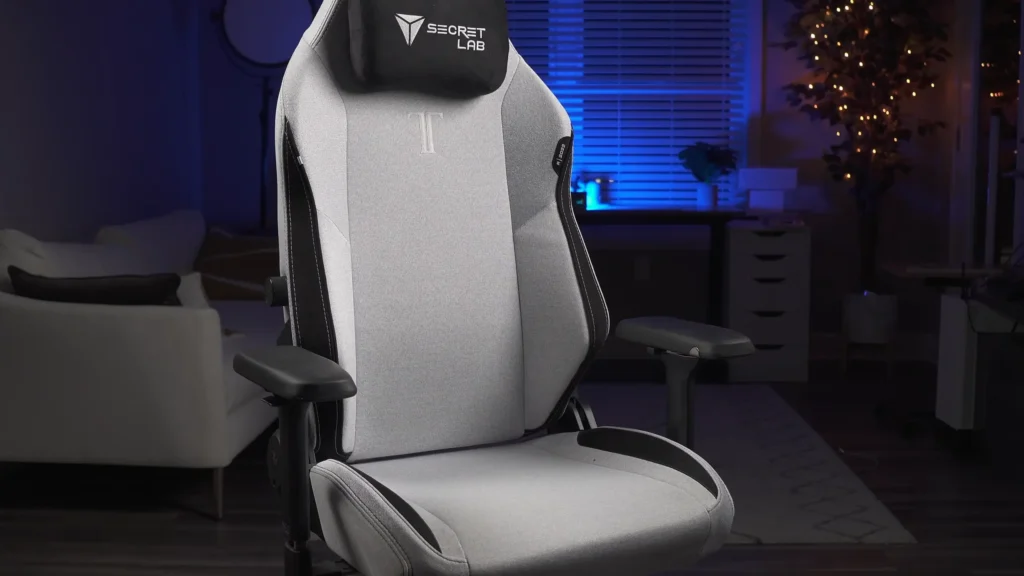
The Titan Evo Nanoen Edition uses a proprietary hybrid leatherette and composite material that feels plush on contact but provides medium-firm support when you sit. The magnetic memory foam headrest moves to wherever you need it (no straps to adjust), and the lumbar support adjusts in four directions. Putting it together is painless, too.
If you’re using the same chair for work and gaming, especially long days pushing eight hours or more, this one avoids that bean bag trap. The lumbar support actually holds up during long editing sessions or late-night gaming stretches. One tip, though, if you’re on carpet, grab a solid floor mat. It saves your carpet and makes rolling around way smoother.
7. Astro A50X Gaming Headset
Score: 8.5/10
| Criteria | Score |
| Sound Quality | 8/10 |
| Comfort | 9/10 |
| Features | 9/10 |
| Build Quality | 8/10 |
| Value for Money | 7/10 |
Pros:
- Wireless with a dock that doubles as a charger
- Multi-input switching between PC, PS5, and Xbox
- Flip-to-mute mic with clear visual indicator
- Comfortable for extended sessions
- Reliable Bluetooth/wireless connection
Cons:
- Expensive
- A dock requires desk space
- Not compatible with all audio source configurations
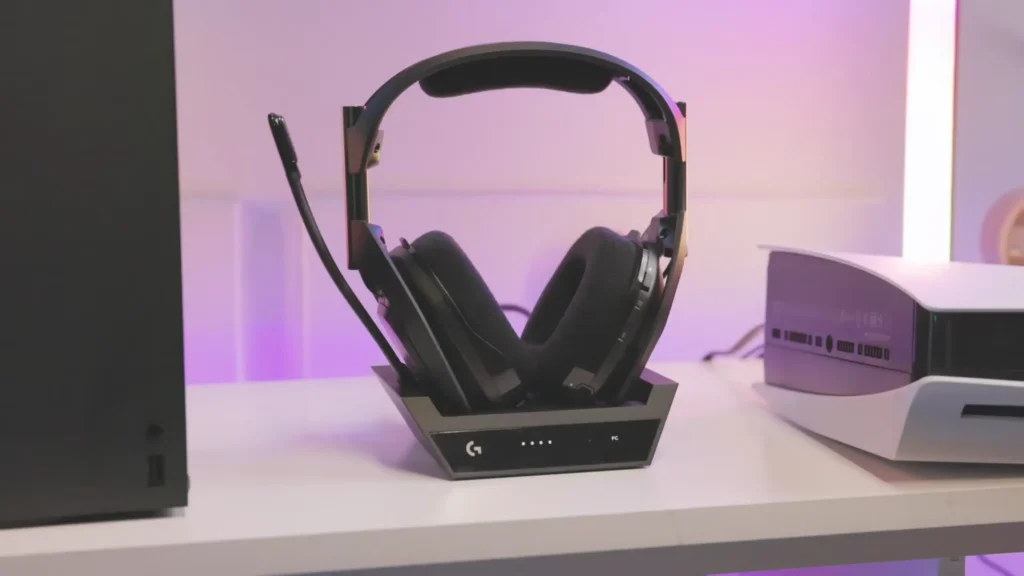
For the best gaming headset, the Astro A50X wireless headset that switches between multiple platforms is for you.
The Astro A50X connects wirelessly and docks for charging when not in use. The USB and HDMI ports on the back let you connect a PC, PS5, and Xbox simultaneously. Switching between them is a single button press that swaps both video and audio input. The flip-to-mute mic is intuitive (flipped up means muted, no guessing), and these have remained a daily-driver headset for over two years of testing.
If you game on multiple platforms and hate unplugging and re-routing audio cables, the A50X dock removes that friction entirely. The flip-to-mute mic also eliminates fumbling for mute buttons on controllers during heated matches.
8. Fractal Design North (White)
Score: 8/10
| Criteria | Score |
| Design | 9/10 |
| Build Room | 8/10 |
| Airflow | 7/10 |
| Build Quality | 8/10 |
| Value for Money | 8/10 |
Pros:
- Distinctive oak and glass design
- Available in white and black/walnut
- Accommodates full ATX builds with large GPUs
- Good airflow despite closed-front aesthetics
- Pairs well with the Secretlab PC mount
Cons:
- Oak panel limits front intake visibility
- Not ideal if you want maximum front airflow
- Limited RGB showcase compared to full-mesh cases
The Fractal Design North pairs a tempered glass side panel with a distinctive oak front panel. In white, it fits right into a minimal or Scandinavian-style setup.
Despite its understated appearance, it accommodates full ATX builds — an RTX 5080, i9-14900K, 64 GB DDR5, and a 360 mm liquid cooler all fit comfortably. All make this PC case ideal for your intensive and long-sessions gaming. “It pretty much handles anything I play on here, including games like Cyberpunk, which looks incredible on it”, according to @SpawnPoiint.
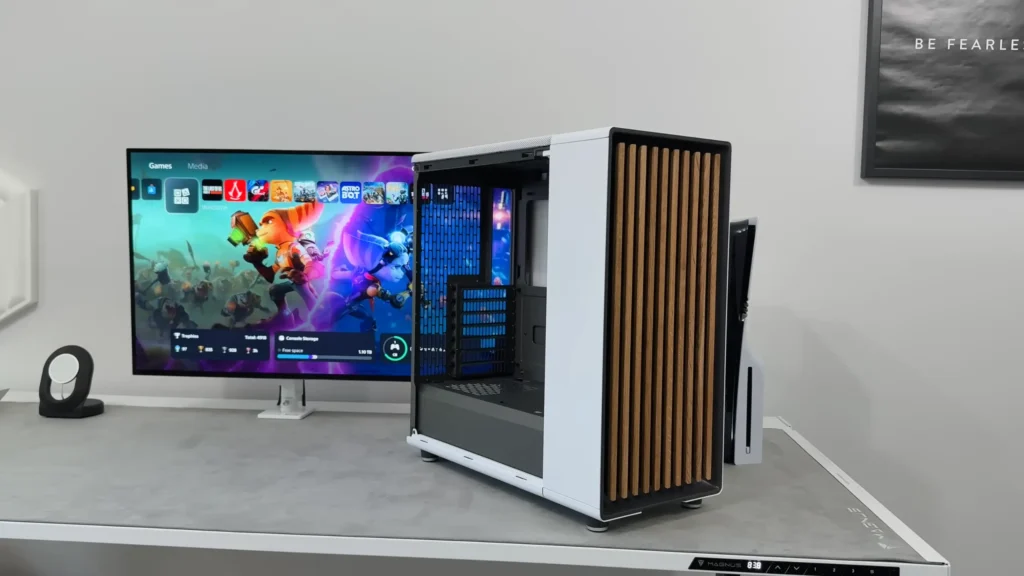
Mount it under the desk using a PC mount that attaches to the desk’s underside, and it moves with sit-stand adjustment. If aesthetics matter as much as performance in your build, the Fractal Design North is the case to beat in 2025.
Buying Guide: What to Look for in a Gaming Setup
Sound Quality
This is where your setup either impresses or annoys everyone in your party chat. For headsets, focus on clarity in the mid-range — that’s where voices, footsteps, and most in-game audio cues live. Bass matters for immersion, but don’t sacrifice clarity for rumble.
For microphones, low background noise and clean vocal capture are more important than raw loudness. If you’re streaming, your mic is your audience’s first impression of your content. A USB condenser mic like the FIFINE A6T delivers broadcast-adjacent quality without the complexity of an XLR setup.
Comfort and Ergonomics
You’ll spend hours in your chair and headset, so comfort directly impacts how long you can play or work without fatigue.
For headsets, test clamping force — too tight and you’ll get headaches, especially with glasses. Lightweight builds (like the FIFINE H9) make all-day sessions manageable.
For chairs, look for adjustable lumbar support and materials that breathe or stay comfortable under sustained contact. A chair that feels plush for the first 10 minutes but leaves you aching after two hours isn’t good.
Build Quality and Durability
Budget gear doesn’t have to feel cheap. Metal-reinforced headbands, braided cables, and solid frame construction are signals that a product will last. Check materials at stress points — hinges, cable connections, armrest joints. A desk with a solid cable tray (not mesh) keeps its clean look longer. A headset with a braided cable outlasts one with a thin rubber coating by months.
Ease of Setup
The best gear works right out of the box. USB plug-and-play microphones and 3.5 mm headsets skip the driver and software hassle entirely. Desks with labeled, color-coded assembly get you from box to built in under an hour. If a product needs a YouTube tutorial just to function at its basic level, it’s adding friction you don’t need.
Cable Management
Visible cables can make even the most expensive setup look messy. A desk with integrated cable routing does the heavy lifting. Solid trays beat mesh trays (they completely block visibility from underneath). With one integrated power column cable, a tangle of extension cords is unnecessary. Even if your desk doesn’t have these features, velcro ties and cable clips cost a few dollars and make a noticeable difference.
Final Verdict on the Best Gaming Setup
For most gamers building or upgrading a setup in 2026, the FIFINE A6T microphone kit will be your best gaming setup for better audio. Paired with FIFINE H9, a complete audio setup under $100 covers gaming and communication. Also, the FIFINE SC3 mixer brings XLR mic quality to your console gaming. Your setup doesn’t need to cost thousands. Start with the pieces that affect your daily experience the most — audio, comfort, and display — and build out from there.
FAQ
What’s the best budget microphone for a gaming setup?
The FIFINE AmpliGame A6T at $50 gives you a USB condenser mic, boom arm, shock mount, and pop filter. It’s plug-and-play, sounds clean, and works on PC and console.
Is a 32-inch monitor too big for desk gaming?
For most people, no. A 32-inch screen is large enough for immersive single-player games but not so large that you’re physically turning your head for FPS games. If you play strictly competitive shooters and want zero peripheral distraction, 24 to 27 inches may suit you better.
Do I really need a sit-stand desk for gaming?
It will be better for your back. Even alternating between sitting and standing a few times a day reduces fatigue during long sessions. The integrated cable management in the Magnus Pro X is the real value and keeps your setup looking clean.
What’s the difference between the FIFINE H9 and the Astro A50X?
The H9 is a $50 wired headset with clean audio and a detachable mic, ideal for gaming on one platform: no wireless, no dock, no multi-platform switching. The A50X is a $300+ wireless headset with a multi-input dock that lets you swap between PC, PS5, and Xbox with one button.
Is the FIFINE H9’s 7.1 surround sound real surround?
Not quite. The 7.1 button on the USB dongle boosts high frequencies, which helps pick up footsteps and environmental cues in competitive shooters. It’s more of an EQ adjustment than true surround sound. For most gaming, stereo mode sounds more balanced and natural.
