
5 Best Microphones for Noise Cancellation in Loud Rooms

If you record anywhere outside a treated studio, background noise is the enemy. Air conditioning, mechanical keyboards, kids, dogs, traffic — the list keeps growing. The good news is here. Many mics have gotten smarter with onboard noise reduction.
The old-fashioned physics can reject the room noise in some ways. But a mic with noise cancellation saves you at first. We focus on the five best microphones for noise cancellation. With the test about noise rejection, sound quality, build, controls, and performance, you’ll not regret being here.
The Best Microphones for Noise Cancellation
- FIFINE K688 — Best Overall
- FIFINE AmpliGame AM6 — Best for Streaming and Gaming
- HyperX QuadCast — Best Premium Pick
- FINE K669B — Best Budget USB
- Blue Yeti — Best for Versatility
1. FIFINE K688 — Best Overall
Pros
- Dynamic capsule rejects background noise naturally
- USB and XLR out of one body
- Warm, rich tone with no EQ needed
- Smooth gain and headphone knobs (no clicky noise)
Cons
- Needs to sit close to your mouth, like all dynamics
- No onboard noise cancellation switch (it doesn’t really need one)
The K688 is a hybrid USB/XLR dynamic mic that punches well above its price. Plugged in straight out of the box, it still delivers a warm, full sound and barely a whisper of background noise. That’s the dynamic capsule doing its job: less sensitivity, closer placement, natural rejection of off-axis sound.
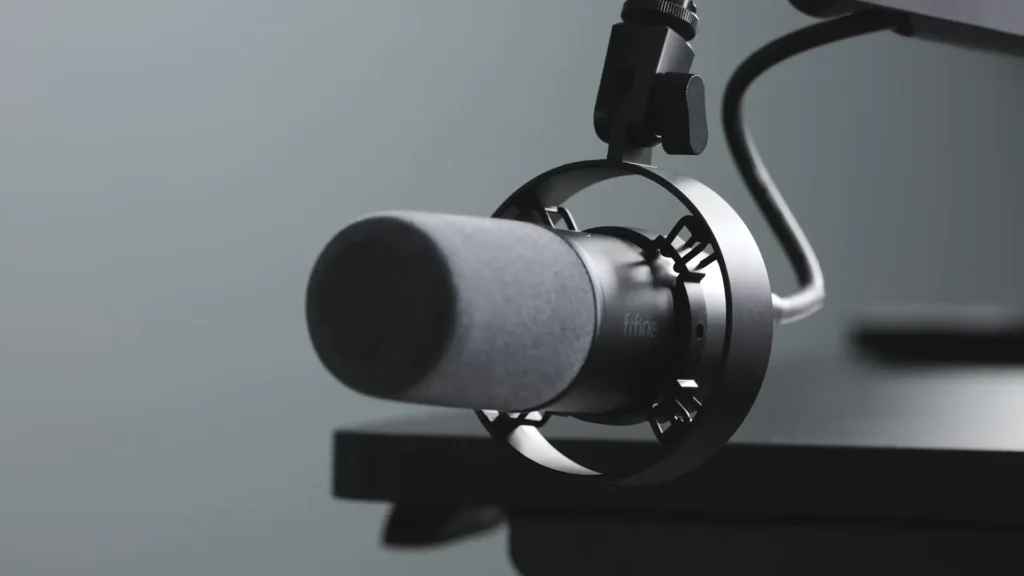
If you only buy one mic on this list, make it this one. @Stream Scheme holds a blind A/B test against FIFINE K688 and the Shure SM78. The K688 with a basic compressor and a barely-touched three-band EQ held its own.
In a typing test with the mic right next to a keyboard, key clatter sat well below voice level. At arm’s length, the rejection got even better. That’s exactly what dynamic mics with cardioid pickup are supposed to do, and the K688 nails it.
2. FIFINE AmpliGame AM6 — Best for Streaming and Gaming
Pros
- Hardware noise cancellation switch
- Game/chat balance dial — a real time-saver mid-stream
- Headphone monitoring with volume knob
- Integrated pop filter
Cons
- The body feels slightly flimsy
- Noise cancellation muddies the voice a touch
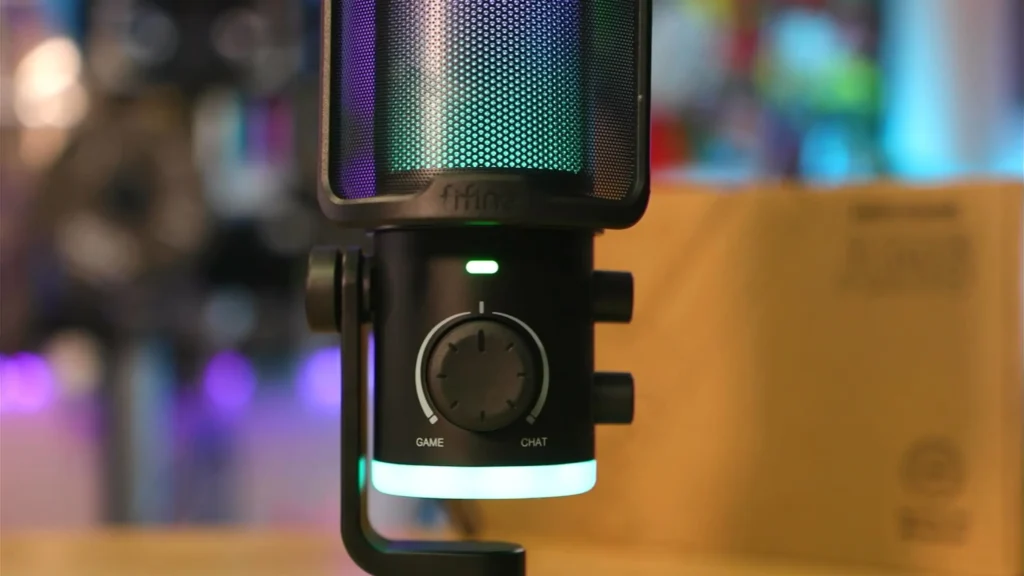
The FIFINE AM6 is a condenser mic, so it picks up more of the room than a dynamic. Its built-in noise cancellation button is what we care most about here.
- Click it on, and the noise floor drops noticeably.
- Click it off, and you hear the AC, the 3D printer, and everything else they brought with them.
The compromise is that your voices would sound slightly muddier with the function active.
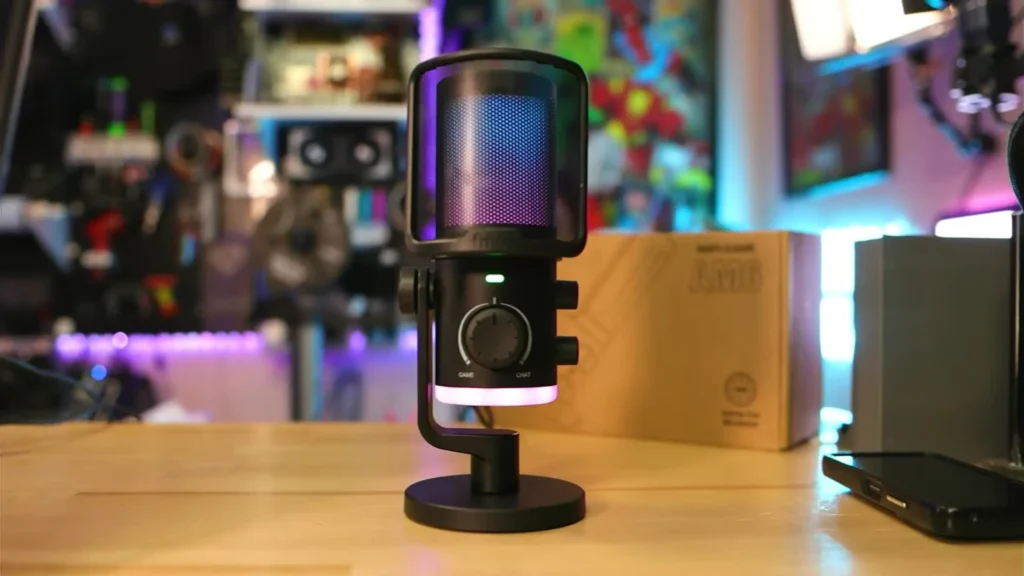
For streamers, the AM6 is hard to beat at this price. The headline feature is a game/chat balance dial on the front. Friends getting too rowdy in Discord while you’re trying to focus mid-match? Crank it toward the game. Between matches and feeling social? Flip it back.
There’s also a 3.5mm headphone port with onboard volume control, RGB lighting, and an integrated pop filter. You can install the AM6 into a boom arm. Placing it closer to your mouth makes the difference between okay audio and great audio.
3. HyperX QuadCast 2— Best Premium Pick
Pros
- Four polar patterns (most flexible on this list)
- Built-in shock mount
- Tap-to-mute sensor
- Pop filter integrated
- Discord and TeamSpeak certified
Cons
- No software-style noise cancellation
- More expensive than other condensers here
The HyperX QuadCast 2 is a fan favorite for a reason. It shows some of the standing features of noise cancellation.
- A built-in anti-vibration shock mount isolates the capsule from desk thumps and chair squeaks.
- The tap-to-mute sensor with an LED indicator means no clicky switches print into your recording.
- The integrated pop filter handles plosives, and the gain dial on the bottom makes sensitivity adjustments fast.
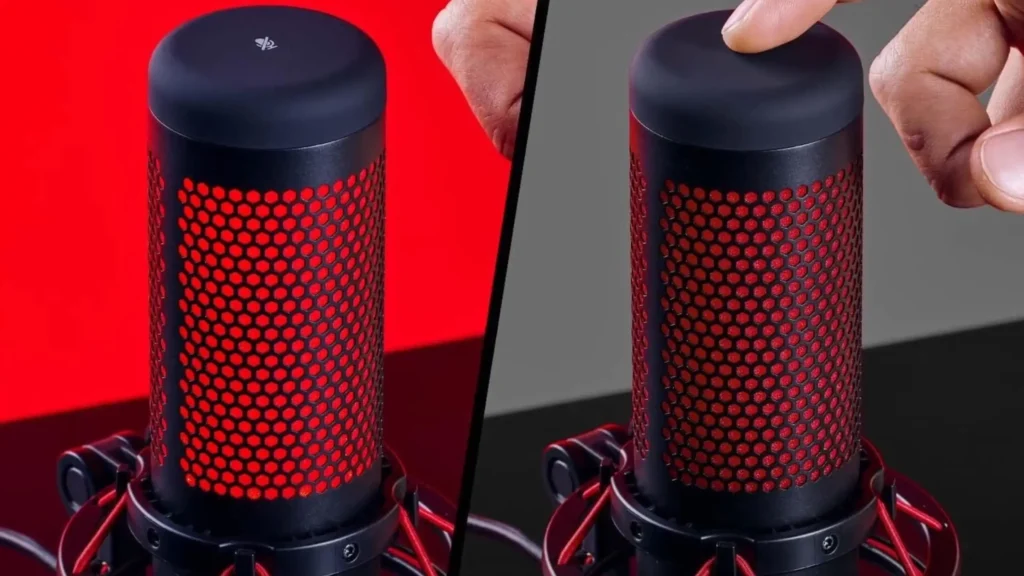
It’s also one of the few mics here with four polar patterns — cardioid, omnidirectional, bidirectional, and stereo. For solo recording, the cardioid pattern will work best as it can focus your voice while reducing the noise on other degrees. Overall, it gives you flexibility for many recording scenarios, whether solo or multi-person recording.
4. FIFINE K669B — Best Budget USB
Pros
- Plug and play, no drivers required
- Solid metal build
- The cardioid pattern rejects off-axis noise well
- Onboard volume control
Cons
- USB only (no XLR option)
- Not compatible with Xbox or smartphones
- No onboard mute
The K669B is the simplest microphone for noise cancellation. Plug it into your computer with the included USB cable, and you’re recording. No drivers. No software. No fuss.
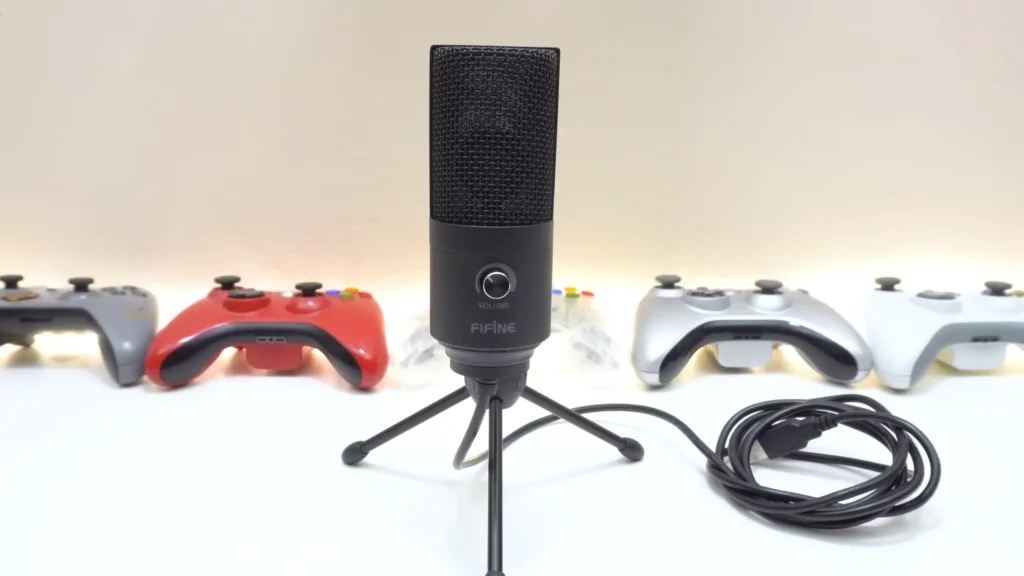
Built from solid metal with a stable tripod base, the K669B feels far more durable than its price suggests. Like the FIFINE K688 microphone, its cardioid pickup pattern keeps your voice front and center while rejecting most off-axis noise.
There’s a volume knob on the front for fine-tuning your output level. Compatible with OBS, Twitch, Webex, and most other tools you’d actually use. If you’re new to recording and want something affordable, this is the entry point.
5. Blue Yeti — Best for Versatility
Pros
- Four pickup patterns for any scenario
- Strong onboard controls
- Blue Voice software adds polish
- Trusted by countless creators
Cons
- Condenser sensitivity picks up room noise easily
- No hardware noise cancellation
- Bigger and heavier than rivals
The Blue Yeti is the mic everyone has heard of, and it keeps showing up on best-of lists. Like HyperX QuadCast, the three-capsule array delivers four pickup patterns: cardioid, omni, bidirectional, and stereo.
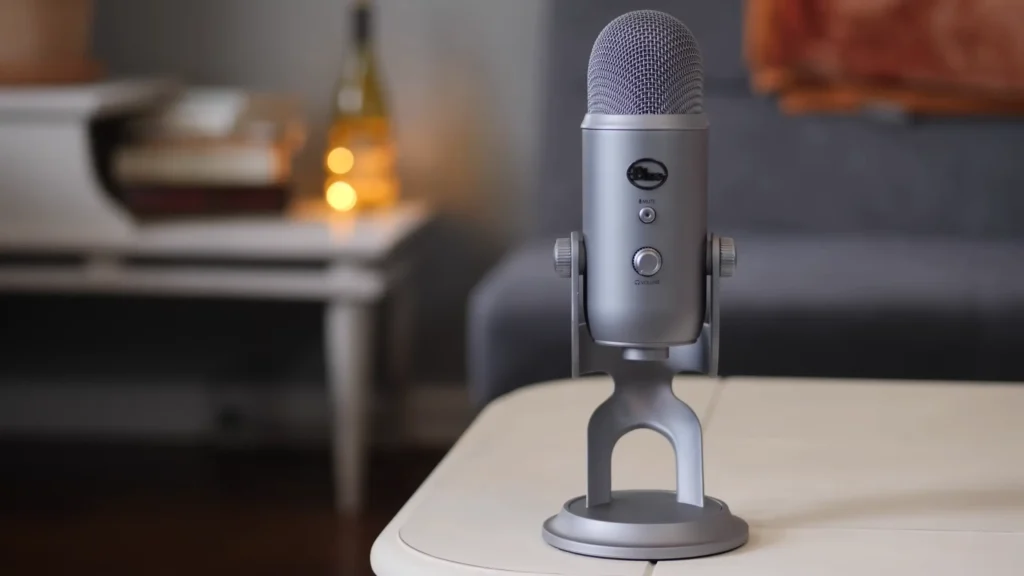
Pair it with Logitech’s free G Hub software, and you get Blue Voice, which adds modulation effects, HD audio samples, and tone shaping. Onboard, you’ve got headphone volume, pattern selection, instant mute, and gain, all on the body, where you want them.
Great if you want flexibility. Less great if you’re working in a loud space without acoustic treatment. You’ll lean on OBS or NVIDIA Broadcast for the noise cancellation.
Match the Mic to Your Setup
| Your Setup | Best Pick | Why It Works |
|---|---|---|
| Streaming or gaming in a noisy bedroom | FIFINE AmpliGame AM6 or K688 | Hardware noise cancellation and a game/chat dial built for the job (AM6); dynamic rejection that doesn’t tax your CPU (K688) |
| Podcasting with co-hosts or guests | HyperX QuadCast or Blue Yeti | Omni and bidirectional patterns capture two people across a desk; QuadCast’s shock mount handles excited table thumps |
| Voice-over, narration, or serious content | FIFINE K688 | Hybrid USB/XLR future-proofs your setup; dynamic capsule forgives untreated rooms |
| The dynamic capsule only listens to what’s an inch from its grille | FIFINE K669B | Plug-and-play across Zoom, Teams, Skype, and Webex; cardioid blocks roommate noise |
| Beginner or casual recording | K669B or AM6 | No interface needed; both work out of the box |
| Apartment with thin walls, kids, or pets | FIFINE K688 | Dynamic capsule only listens to what’s an inch from its grille |
| Treated studio or genuinely quiet room | Blue Yeti or HyperX QuadCast | Condenser detail rewards a quiet space |
What to Look For in a Noise-Canceling Microphone
1. Dynamic vs. Condenser
Both dynamic and condenser microphones have their benefits. Dynamic mics are less sensitive, sit closer to your mouth, and reject off-axis noise naturally. Condensers pick up more detail — and more of the room. Loud space? Dynamic wins. Treated studio? A condenser gives you more nuance.
2. Onboard Noise Cancellation vs. Software
Hardware noise cancellation buttons (like on the FIFINE AmpliGame AM6) work everywhere.
Some noise-cancelling software, like NVIDIA Broadcast or OBS’s RNNoise, works well for those mics that don’t have hardware noise cancellation buttons. But this software only works in the apps where you set it up. They also eat CPU and GPU resources.
One thing worth knowing: many “noise cancellation” features on budget mics behave more like noise suppression. The mic stays clear while you talk, then gets very quiet between phrases — so a constant background hum (a fan, distant crickets) may still leak through whenever you’re speaking.
3. Polar Pattern
Different microphone polar patterns have various noise cancellation effects. A cardioid picks up sound from the front and rejects the back. That’s what you want 90% of the time. Omnidirectional picks up everything around the mic, bad for noise rejection. Bidirectional and stereo patterns are niche but handy if you do interviews or stereo recording.
4. Connection Type: USB vs. XLR
USB is plug and play. XLR needs an interface or mixer, but gives you a better signal and a clearer upgrade path. The K688 or FIFINE AM8 microphone is rare in offering both, which means you can start with USB and graduate to XLR later without buying a new mic.
5. Onboard Controls
Look for a gain dial, headphone monitoring jack, mute button (preferably touch-based, not clicky), and ideally separate volume knobs for headphones and mic. Clicky physical buttons can print noise into your recording, so touch sensors and rotary dials win.
Final Call on Noise-Cancelling Microphones
A good microphone can help to cancel the noise. In our best microphones for noise cancellation list, the FIFINE K688 is the easy winner for handling a noisy room without much fuss. For hardware noise cancellation and clever onboard controls, the FIFINE AmpliGame AM6 wins.
If you want maximum flexibility, the HyperX QuadCast earns its premium with four polar patterns and a built-in shock mount. Works for the beginner, the FIFINE K669B is the entry point. Want a one-mic-fits-all condenser with software polish? The Blue Yeti still holds its place.
But you can’t get a clear audio without an acoustically treated room. Not only does your mic matter, but a treated room matters a lot. Learn about how to reduce noise for your recording next!
FAQ
Do noise-canceling microphones replace acoustic treatment?
No. They reduce background noise but won’t fix a heavily echoey room. For best results, combine a good mic with basic acoustic treatment like foam panels or a thick rug.
What’s the difference between noise cancellation and noise suppression?
Noise cancellation and noise suppression look similar but are different. Noise cancellation actively removes unwanted sound while you talk. Noise suppression typically gates the mic; when you stop talking, the mic gets very quiet. Many “noise cancellation” features on budget mics are closer to noise suppression.
Are dynamic mics always better than condensers for noisy rooms?
Generally, yes. Dynamics need to sit close to your mouth and reject off-axis noise more naturally. Condensers shine in quiet, treated spaces.
Do I still need OBS’s RNNoise or NVIDIA Broadcast with these mics?
Hardware noise rejection plus light software processing is the sweet spot. Dynamic mics like the K688 may not need any software at all. Condensers benefit from a touch of either, especially in untreated rooms.
