
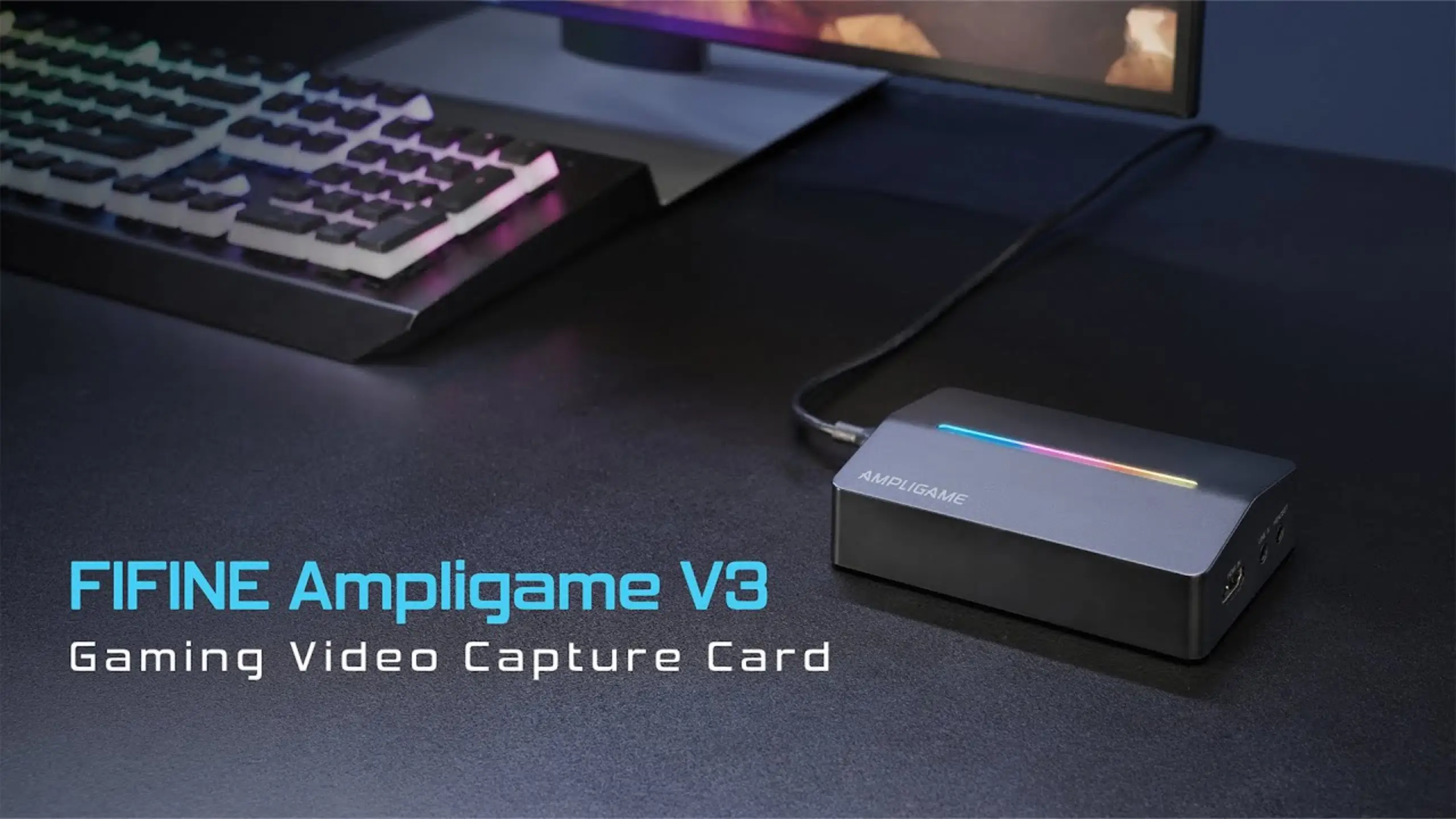
fifine V3 Review: A $50 Capture Card That Covers the Streaming Basics

A capture card sits between your console and your PC. It sends the game to your TV and a copy to your streaming software at the same time. If you’re new to streaming, the fifine V3 capture card targets the entry level. It plugs in, shows up in OBS within seconds, and records 1080p 60fps footage that matches what Twitch and YouTube viewers actually watch.
How does this capture card really work? Here’s the fifine V3 review we’ve tested, covering Xbox, PS5, PS3, PC, a handheld emulator, and a camera.
fifine V3 Review At A Glance
Overall score: 8.6/10
| Metric | Score |
| Capture quality | 8.5/10 |
| Passthrough | 8.0/10 |
| Setup and OBS compatibility | 9.5/10 |
| Latency | 8.5/10 |
| Audio features | 8.0/10 |
| Console compatibility | 8.0/10 |
| Design and value | 9.5/10 |
What you may like
- Clean 1080p 60fps capture, the sweet spot for Twitch and YouTube streams
- 1440p passthrough, which many budget cards skip
- No drivers on Windows or Mac; OBS recognizes it right away
- Headset and line-in jacks for chat, music or a second audio source
- Nine RGB modes you can switch off with a 3-second press
- Hard to beat at around $50
What you may mind
- No 4K recording
- 4K passthrough tops out at 30fps
- 120Hz passthrough only works at 1080p
- Headset mic and game audio need manual level balancing
What’s in the box
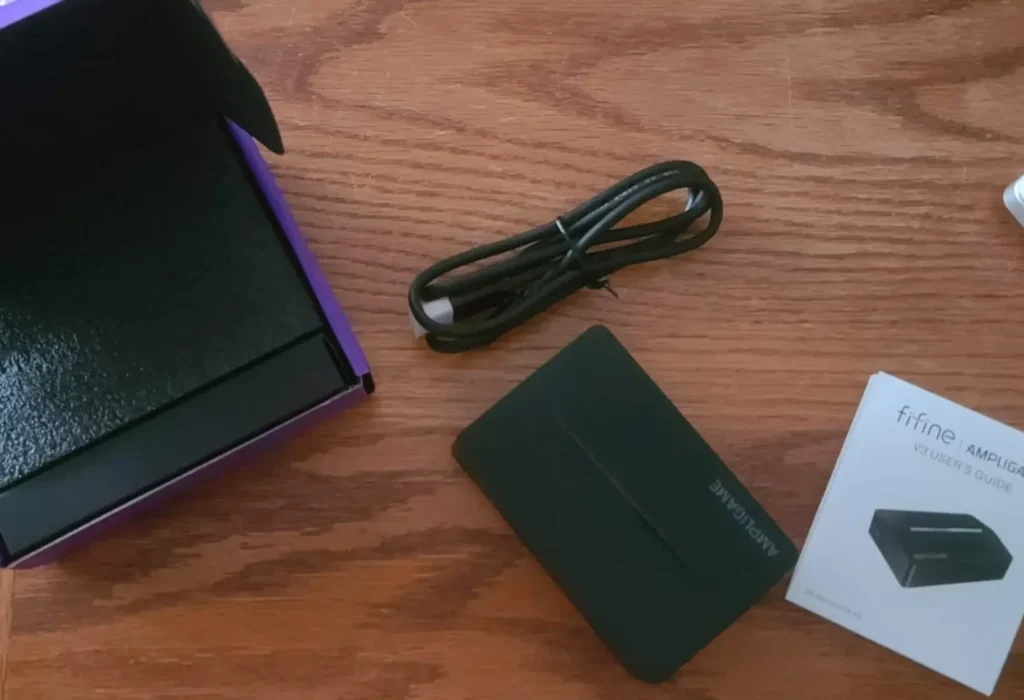
- fifine AmpliGame V3 capture card
- USB-C to USB-A cable (USB 3.0)
- User manual
Note: HDMI cables aren’t included, so you’ll need two of your own.
fifine V3 Review: 7 Things We Put to the Test
#1 Capture quality: fifine V3 1080p 60fps
Category score: 8.5/10
The V3 records at up to 1080p 60fps. For streaming, that’s enough. 1080p 60fps isn’t the best, but it’s what viewers most see on Twitch. Many streamers record the videos in this standard. Streaming higher also demands more from your PC and your viewers’ internet.
The footage held up across very different sources. Among the fifine V3 review, whether the Madden NFL on Xbox, the Street Fighter on a PS3, or PC benchmarks and a handheld emulator running Pac-Man, there are no dropped frames or messy footage at 1080p 60fps. @Beatwalker called the image quality really good in FC 24, a game that tops out at 60Hz anyway.
The ceiling is clear, though: the V3 doesn’t record 4K. If you want 4K YouTube uploads, this isn’t your card.
#2 Passthrough: fifine V3 4K passthrough and beyond
Category score: 8.0/10
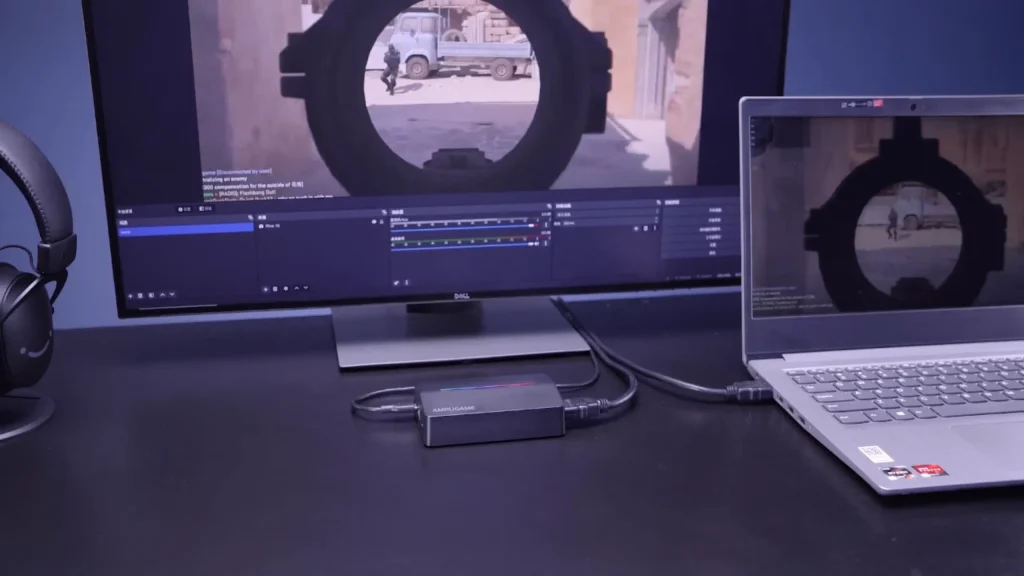
Passthrough is the signal that goes from the V3 to your TV or monitor while you play. Here’s what reviewers confirmed:
| Passthrough resolution | Max refresh rate |
| 4K | 30fps |
| 1440p | 60Hz |
| 1080p | 120Hz |
The 1440p support stands out. As @Beatwalker put it, many capture cards skip 1440p; he struggled to find one that supported it before he tried the V3.
The catch is 4K. At 30fps, 4K passthrough works for watching, slower games, or camera monitoring, but competitive players won’t want to game there. Also, 1440p maxes out at 60Hz, so if you play Call of Duty at 1440p 120Hz, you’ll need to drop to 1080p 120Hz or upgrade.
Results also varied by platform. On PC, the 1080p 120Hz option showed up right away. On PS5, 120Hz appeared automatically in supported games. On Xbox, the 120Hz option didn’t show up in menus with the V3 connected to a 1440p monitor, even though the reviewer could see it without the monitor attached.
#3 Setup: fifine V3 OBS setup
Category score: 9.5/10
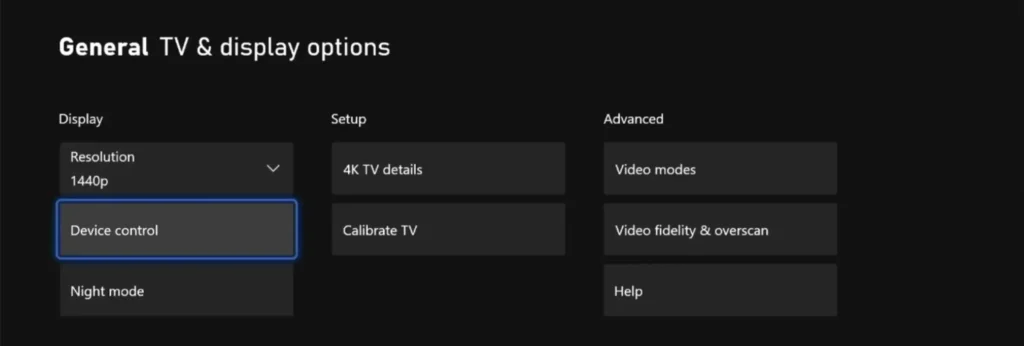
This is where the V3 shines. No drivers, no companion app. You plug it in, and it works on Windows and Mac. In the test with OBS Studio, Streamlabs, Discord, Twitch and Ecamm Live, each one recognized the fifine V3 capture card immediately.
Here’s the setup that worked across the reviews:
- Run an HDMI cable from your console or camera to the V3’s HDMI in port.
- Run a second HDMI cable from the V3’s HDMI out port to your TV or monitor.
- Connect the V3 to a USB 3.0 port on your PC with the included cable.
- In OBS, add a Video Capture Device and select the fifine video capture option.
- Add a separate audio source and select fifine audio capture. Skip it, and you’ll record picture with no sound.
- Under Settings > Video, set base and output resolution to 1080p. Pick the highest FPS available.
- Set audio to 48 kHz stereo.
#4 fifine V3 latency
Category score: 8.5/10
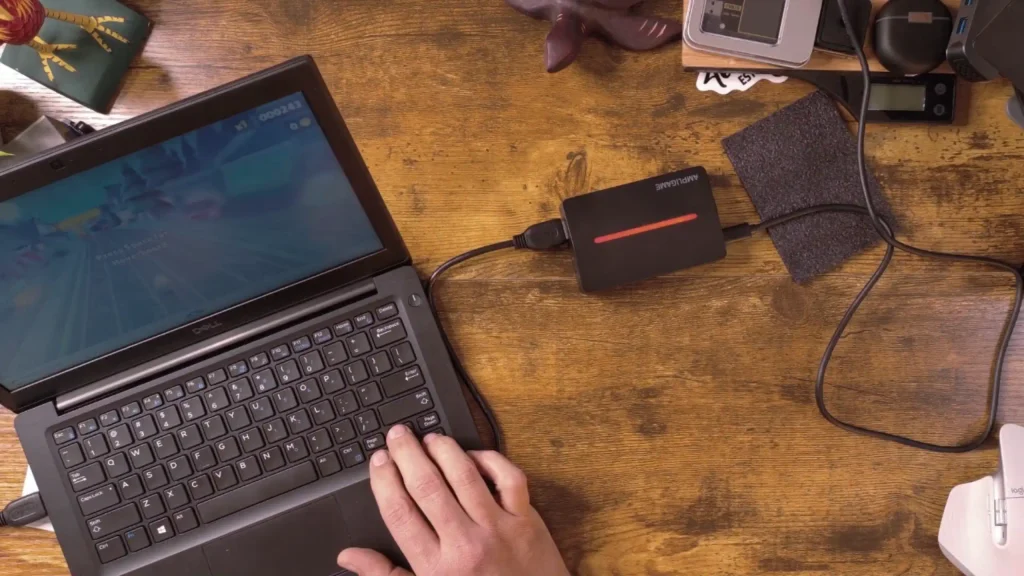
The fifine V3 latency also shines here. The passthrough is near-zero latency, with no input lag or echo during playing and recording. Latency on this capture card is wicked low. @DarkenedCyrus tested the fifine V3 capture card with New World at 1080p on the Xbox Series X. He said the latency on fifine V3 is “wicked low”.
I’m playing OBS preview window and the TVs right there that it’s passing through behind me, and I just looked, and it feels almost instant now.
@DarkenedCyrus on Youtube
A quick tip that applies to any capture card: play on the TV connected to HDMI out, not on the OBS preview window. The passthrough screen gets the signal directly; the preview goes through your PC.
Different devices might result differently. The real-world impressions are strong, but they’re impressions.
#5 fifine V3 audio quality and features
Category score: 8.0/10
Beyond the audio that rides along with HDMI, the fifine V3 capture card adds two 3.5 mm jacks:
- Headset: Plug in a headset to hear game audio and use its mic.
- Line in: Feed in a phone, tablet or audio interface. One reviewer played music from a phone and heard it alongside game audio through his headset.
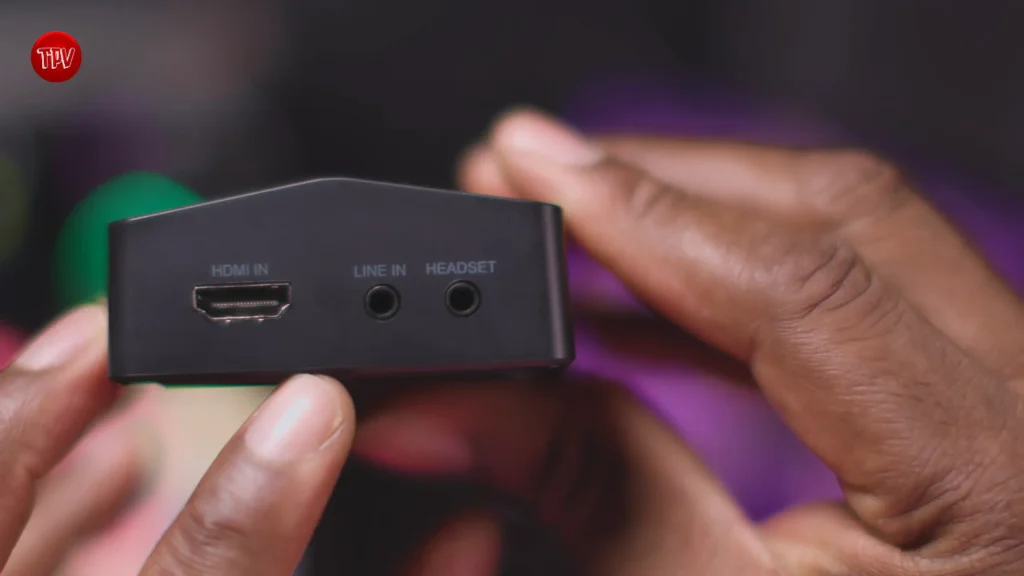
Once you connect the headset, set it up before you start recording. The game audio and headset mic input might be at unbalanced volume. You can fix that in OBS or in-game settings, but plan on a few minutes of balancing.
PS5 owners should note a console quirk, not a card fault. The PS5 can’t send audio to HDMI and a headset at the same time, unlike Xbox. Set PS5 audio output to HDMI device, plug your headset into the V3 to hear everything, and use a USB mic on the console for party chat.
#6 Console compatibility: fifine V3 for PS5 and gaming
Category score: 8.0/10
The V3 works with PS4, PS5, Xbox and Nintendo Switch, plus PCs, laptops, handhelds and cameras with HDMI out.
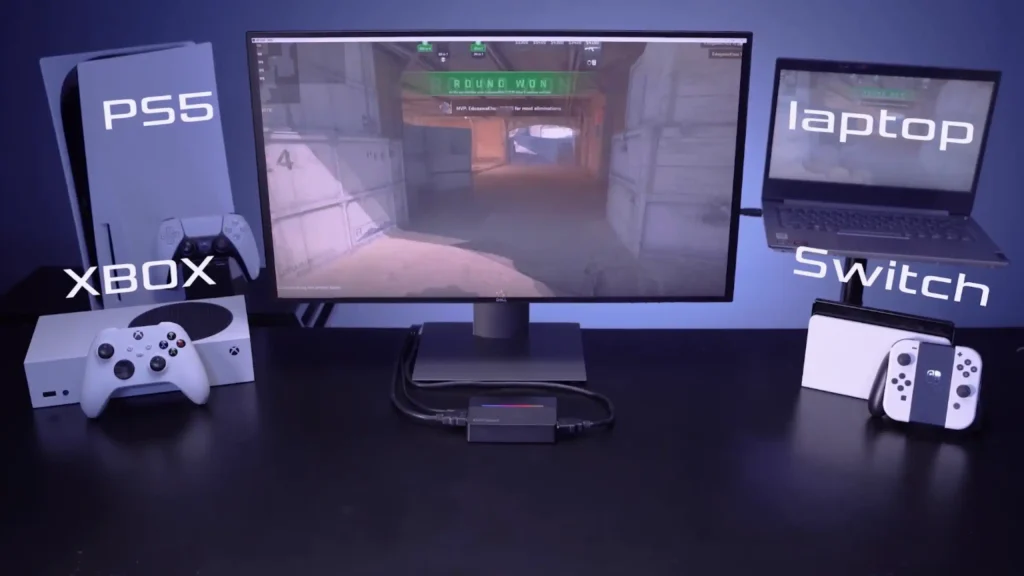
The fifine V3 for PS5 is straightforward once you sort out audio. Resolution options include 720p, 1080p and 1440p.
Older consoles are trickier. The PS3 outputs an HDCP copy-protected signal, and capture cards can’t record protected content. @TheProductVillage pointed out that PS3 is “just not going to work” and “the way I was able to go around that was to use an HDMI switcher”. If the V3 shows a yellow light, fifine says HDCP protection is active on that signal.
The V3 capture card also does more than games. It also runs with a mirrorless camera’s clean HDMI output to stream straight to YouTube through OBS. @techfulgoodies also used it to record a laptop’s screen during benchmarks, so the recording didn’t eat into the laptop’s performance.
#7 Design and value: Is the fifine V3 worth it?
Category score: 9.5/10
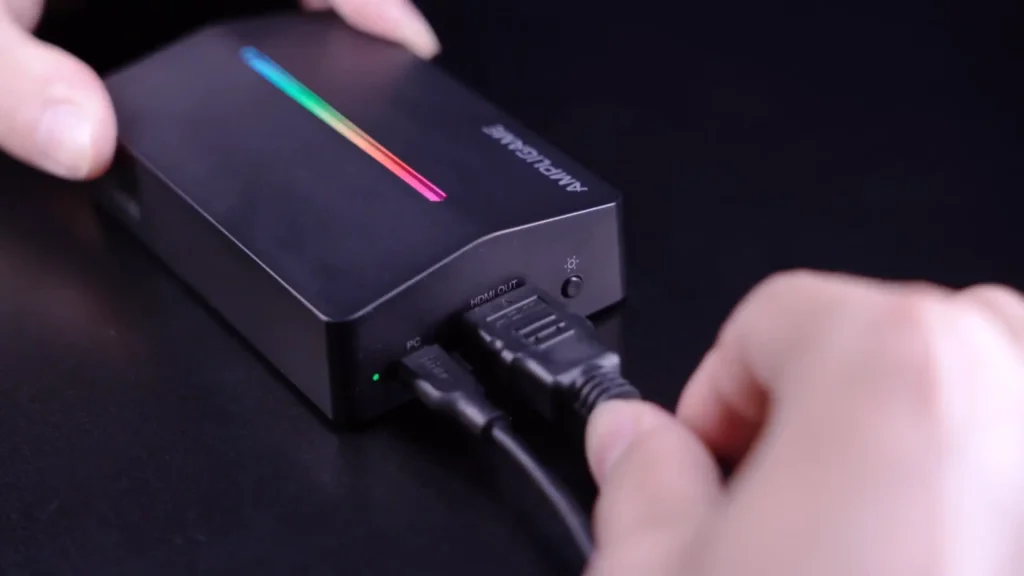
The V3 is compact enough to throw in a bag, and the RGB surprised many users. A side button cycles through nine modes, from rainbow pulses to solid colors. @Dealcasters switched to red every time he reached the red zone in Madden. Hold the button for 3 seconds and the lights go off without interrupting your capture.
At around $50, the fifine V3 capture card gives you 1080p 60fps capture, 1440p passthrough, 1080p 120Hz passthrough and two audio jacks. That’s a short list of compromises for the price.
Who is the fifine V3 Capture Card for?
| You are… | Is the V3 a fit? | Why |
|---|---|---|
| A new streamer on PS5, Xbox or Switch | Yes | Plug-and-play, 1080p 60fps capture, low cost |
| A Twitch streamer | Yes | 1080p 60fps matches what viewers watch |
| A creator adding a second camera | Yes | Clean HDMI in from DSLR or mirrorless cameras |
| A PC benchmarker or tutorial maker | Yes | Records another machine without using its resources |
| A PS5 player who uses a headset | Yes, with setup | Headset jack solves the PS5 audio limit |
| A competitive 1440p 120Hz player | No | 1440p passthrough caps at 60Hz |
| A 4K YouTube creator | No | No 4K recording |
| A retro gamer with a PS3 | Not out of the box | HDCP blocks capture |
fifine V3 Capture Card Alternatives
NZXT Signal 4K30
Score: 8.5/10
- Pros: Records at 4K 30fps; passes 4K 60fps HDR, 1440p 144Hz and 1080p 240Hz
- Cons: Costs roughly double the V3 or more; no extra audio jacks
The Signal 4K30 records true 4K footage while passing up to 4K 60fps, 1440p 144Hz or 1080p 240Hz with HDR10 to your screen. It’s the pick for high-refresh players and creators who want 4K uploads.
Elgato HD60 X
Score: 8.5/10
- Pros: 4K 30fps or 1080p 60fps HDR10 capture; 4K 60fps, 1440p 120Hz and VRR passthrough
- Cons: Launched at $199.99, about four times the V3’s price; no extra audio jacks
The Elgato HD60 X captures HDR10 footage and adds VRR passthrough, so PS5 and Xbox Series X games stay smooth while you record. Setup is driverless on Windows and Mac.
Generic USB 2.0 HDMI capture dongle
Score: 5.0/10
- Pros: Costs around $10
- Cons: Noticeably lower quality, according to one reviewer
These no-name sticks cost about a fifth of the V3 and handle basic capture. They work for occasional screen recording, not regular streaming.
Summary: The Best Budget Capture Card for Streaming
Takeaway for fifine V3 review: It nails the basics that matter to a new streamer and adds a couple of extras you’d normally pay more for. Setup takes minutes, 1080p 60fps capture holds up across consoles, PCs and cameras, and the headset jack solves a real PS5 headache.
But if you play at 1440p 120Hz or want 4K recordings, look at the NZXT Signal 4K30 or Elgato HD60 X instead. For everyone else starting out, the V3 capture card gives you room to grow without spending big.
Ready to start streaming on OBS or your FPS games? Get a microphone, headset, and the fifine V3 capture card. See our best microphone for streaming and how to set up OBS for streaming guide.
FAQs
Can the fifine V3 capture card record in 4K?
No. The V3 records at up to 1080p 60fps. It can pass a 4K signal to your TV at up to 30fps while recording at 1080p.
Does the fifine V3 capture card work with PS5?
Yes. Set the PS5 audio output to HDMI device and plug your headset into the V3’s headset jack to hear game audio. Use a USB mic on the PS5 for voice chat.
Does the fifine V3 capture card support 120Hz passthrough?
Yes, at 1080p. 1440p passthrough tops out at 60Hz, and 4K at 30fps.
Do I need drivers or software?
No. The V3 is plug-and-play on Windows and Mac. Use any streaming app, such as OBS Studio, Streamlabs or Ecamm Live.
Is the fifine V3 good for Twitch streaming?
Yes. Most Twitch streams run at 1080p 60fps or lower, which matches the V3’s capture ceiling.
