
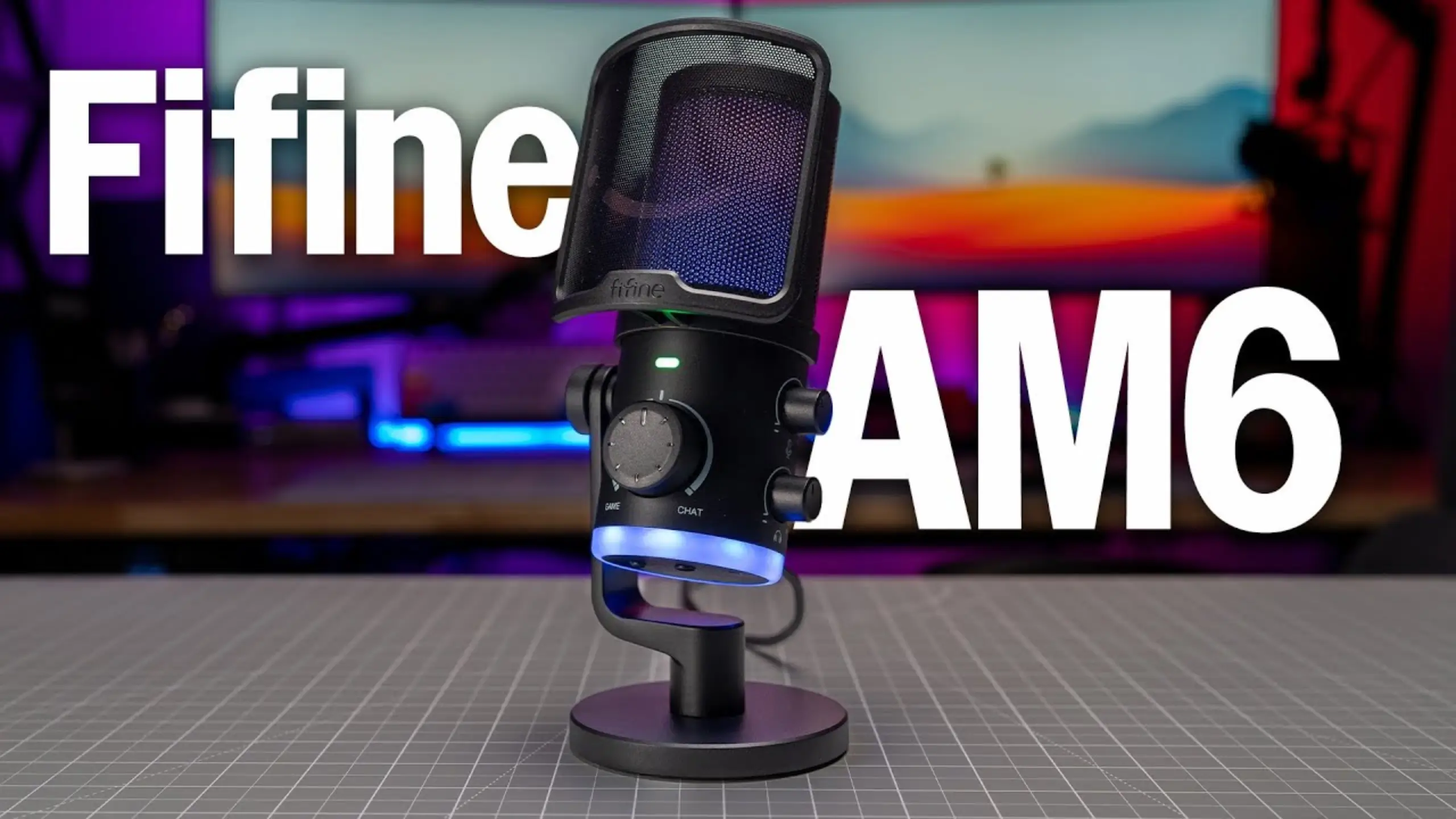
fifine AM6 Review: The Condenser Mic That Blends Game & Chat Audio

When you’re immersed in a competitive game, juggling game and conversation audio is a difficult task. The Game/Chat Button provides access to the fifine AM6 microphone. Plug it in and your computer sees two outputs. With additional features, the fifine AM6 USB condenser mic is still worth purchasing. You’ll be surprised by what we discovered regarding the fifine AM6 review.
fifine AM6 Mini-Review
Overall score: 8.2 / 10
| Pros | Cons |
|---|---|
| Two virtual outputs plus a front-mounted blend knob | The hardware noise reduction button may damage your voice |
| 24-bit / 48 kHz conversion, and it runs on Windows, Mac, iOS and Android | Direct monitoring is off by default and buried in your operating system’s audio settings |
| Gain and headphone volume live on the side, easy to reach mid-match | Picks up desk and boom arm bumps more than it should |
| Capacitive mute tap instead of a clicky button | Light plastic body feels cheaper than it sounds |
| Effective pop filter in the box | |
| Clear, present midrange with a low noise floor |
fifine AM6 Review: 5 Aspect Exploration
#1: Sound quality — 8.5 / 10
The AM6 sounds clear without sounding sharpened. In a blind test against other 5 fifine USB microphones, the reviewer running it put the AM6 ahead of the fifine AM8 on clarity: more presence, less mud, and not over-boosted to his ear. The high frequencies aren’t silky, but they don’t bite either.
You can confirm that in two details in @semiprotech review:
- When fifine AM6 and AM8 were normalized to -16 LUFS with an extra 10 dB of gain to expose the hiss, the noise floor in AM6 was lower than in AM8. This is worth more to a live streamer.
- The 24-bit conversion at 48 kHz gives you headroom that not every mic at this price offers.
Proximity effect is well judged. In the AM6T review, @BiboyHaranero found close-miking stayed clear rather than turning boomy. His practical advice: sit about an inch from the pop filter for the sweet spot, and if you have a deep voice, back off to two inches or you’ll thicken up.
The honest ceiling: this is a gaming and calls mic. One reviewer put it plainly: “definitely not for singing or podcasting“. That’s the right read. Vocal tracking wants a different tool.
#2: Game/Chat mix and controls — 9.5 / 10
The fifine AM6 microphone is designed for your convenience. The front knob blends between Game/Chat, and there’s a tactile detent at the center so you can find 50/50 without looking down. Gain and headphone volume sit on the side of the mic, reachable with your left hand while your right stays on the mouse.
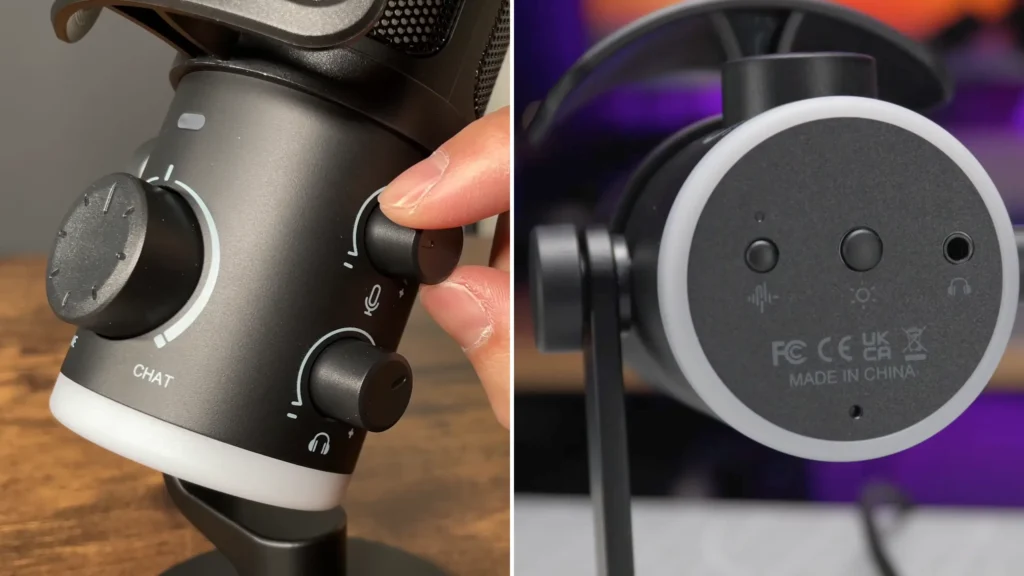
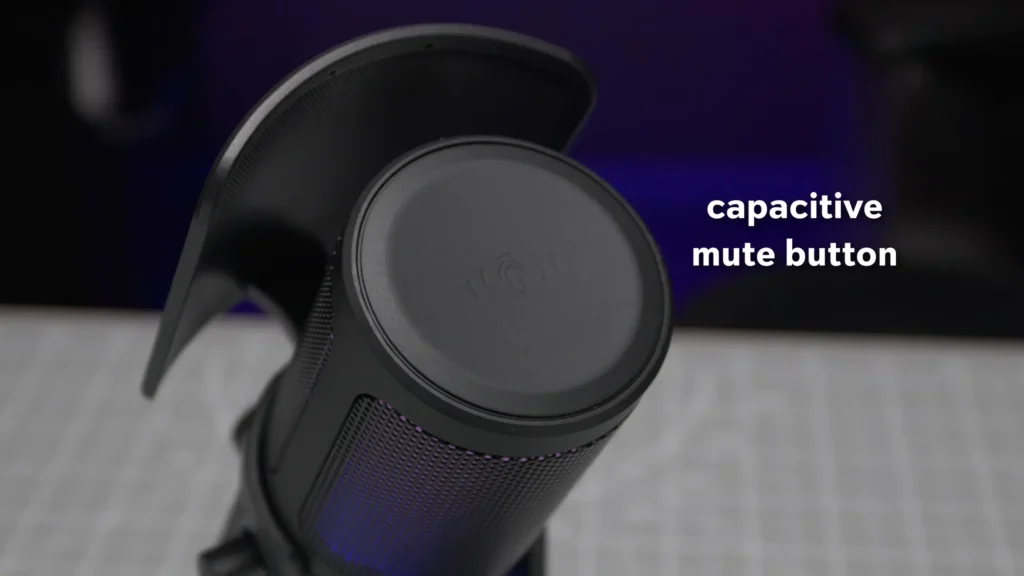
The mute is a capacitive tap on the top plate. Touch it, the LED goes red, you’re off. Touch it again for green. No click, no thud in your recording, and no hunting for a switch.
The gain and volume knobs stop at their maximums rather than spinning freely, which sounds trivial until you’ve overshot a gain setting mid-game.
Setup in three steps:
- Plug in via USB-C. Windows and Mac install drivers automatically.
- In your chat app’s audio settings, set output to the FIFINE chat device.
- Set your system’s default output to the FIFINE game device.
#3: Plosive and sibilance control — 8 / 10
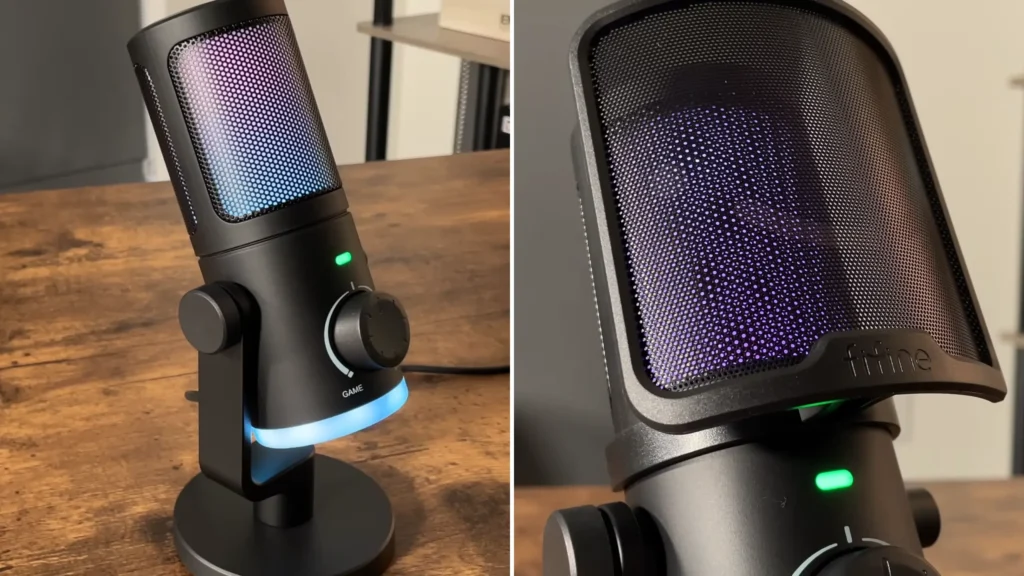
The included pop filter snaps on and off like a headband and does real work. Every reviewer who tested plosives with it attached reported the same thing: hard P and B sounds land clean. Behind the mesh there’s a foam layer that diffuses the RGB and adds a second stage of plosive rejection. You don’t need to buy anything extra.
Sibilance is the weaker half. @TekToyzGaming, running S-heavy tongue twisters in fifine AM6 review, heard whistling on his esses even with the filter on and off-axis. If your voice runs bright, angle the mic slightly rather than speaking straight into it — the cardioid pattern is forgiving enough that you lose almost nothing.
#4: Background noise handling — 6.5 / 10
- Passive rejection is good.
The cardioid pattern makes the AM6 mic good for noise cancellation. With the mic on a boom arm about five inches from your mouth, keyboard clatter drops well behind your voice. @kxmachina compared AM6 audio with his phone, and called it “pretty good at rejecting background noise” for a condenser.
Position drives most of the result. Reviewer tests at 9, 12, and roughly 8 inches from the capsule showed a predictable slide: the further the mic sits from your mouth, the more your mechanical switches compete with you. Boom arm beats desk stand, every time.
- Hardware noise reduction button still has room for improvement.
With an HVAC running full blast, one reviewer found the processing distorted his voice into something robotic and preferred OBS’s software noise suppression instead.
That said, the fifine AM6T microphone kit (fifine AM6 microphone + microphone boom arm ) reviewer got the mildest result. The reviewer hears better voice isolation against rain, but with the rain still audible and extra monitoring latency from the processing.
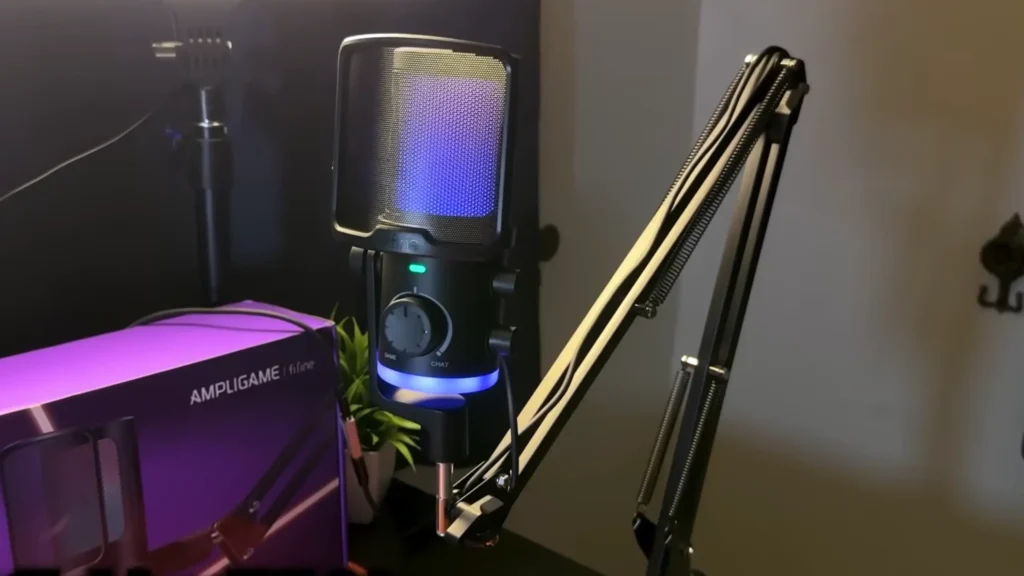
#5: Build and design — 7.5 / 10
The body of fifine AM6 review is plastic. So are the knobs and the buttons. The yoke, the base plate, and the grill mesh are metal. It keeps the mic light enough to hang off a monitor arm without drooping.
The RGB is a genuine strength. Two-tone lighting inside the grill and around the base, cycled through patterns with a bottom button, held or turned off entirely with a long press. It reads as ambience rather than a light show. One quirk: the RGB doesn’t shut off when your PC sleeps, so you’ll be pressing that button manually.
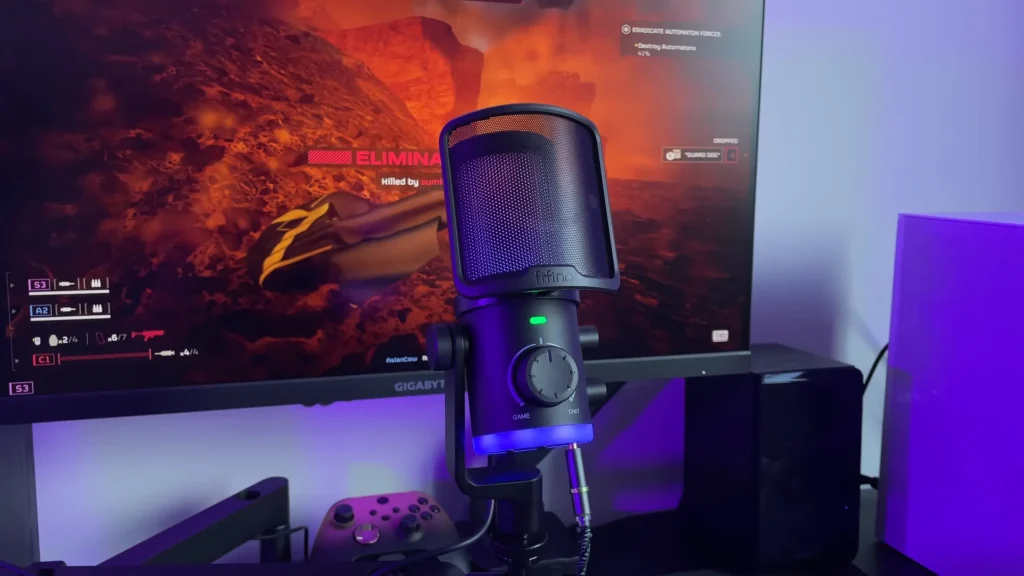
The USB connectivity lets fifine AM6 microphone plug and play out of the box. The pop filter’s smiley face is a small, cheerful touch. Take it off if it isn’t your thing.
Box contents: mic, pop filter, USB-C to USB-A cable (generously long), and a desk stand. It mounts to 3/8-inch and 5/8-inch threads for boom arms.
Who is the fifine AM6 for?
| You are | Verdict | Why |
|---|---|---|
| A competitive FPS player on Discord | Buy it | The game/chat blend is worth the price on its own |
| A streamer on a starter budget | Buy it | Clear voice, low self-noise, RGB that matches a build |
| Working from home on video calls | Good fit | Skip the noise button, use software suppression |
| Recording a podcast or vocals | Look elsewhere | Sibilance and tonal ceiling show up fast |
| Typing on loud switches | Got the AM6T (AM6 with a boom arm) | Make your mic leave away from the keyboard noise |
| Wanting USB&XLR dual connectivity | Get the AM8 instead | The AM6 is USB only |
fifine AM6 alternatives
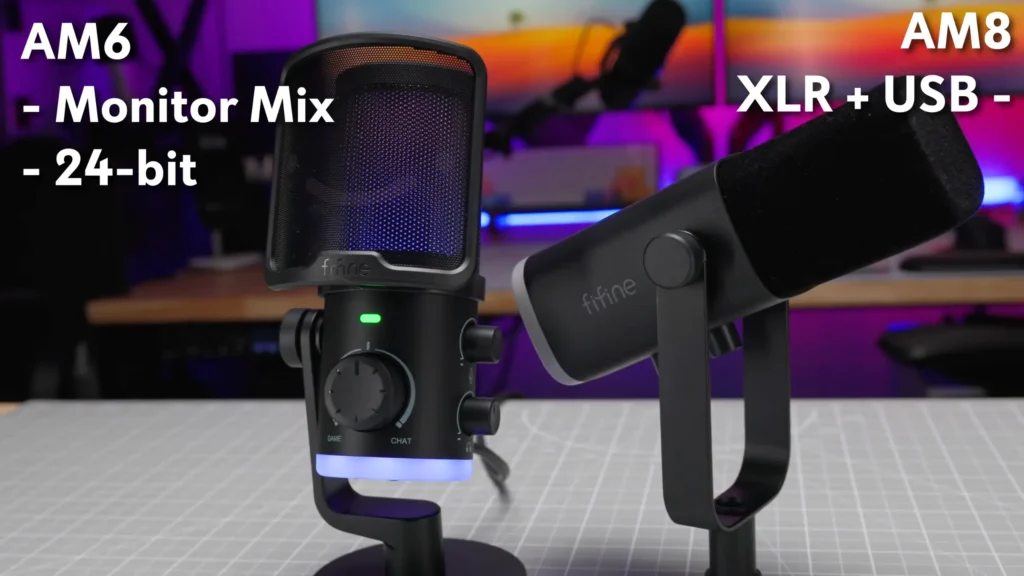
fifine AM8 Microphone
- Pros: USB and XLR working simultaneously, warmer low end, dynamic capsule rejects more room, RGB and capacitive mute.
- Cons: No monitor mix knob, no 24-bit conversion, less crisp and slightly higher self-noise.
fifine AM8 microphone is a dynamic USB/XLR microphone. Pick it if you want an upgrade path to an audio interface, or if your room is untreated and loud. Pick the AM6 if you want the game/chat blend and more presence in your voice.
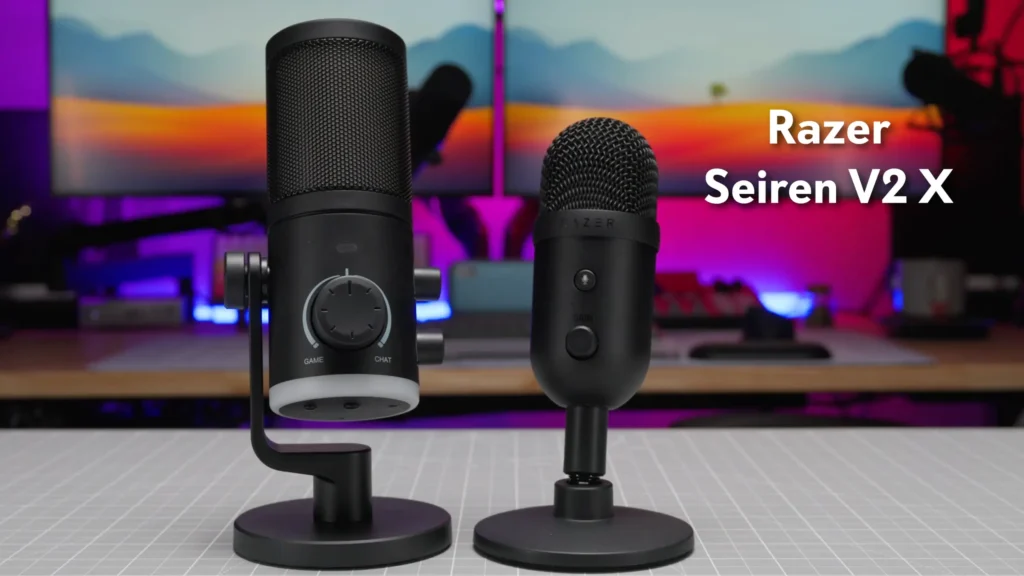
Razer Seiren V2 X
- Pros: Clean sound, low self-noise, frequently discounted to $70–$80.
- Cons: One control knob with an oversensitive gain range, no Mac software, no monitor mix.
A bare-bones alternative that sounds good and does little else. Fine for Windows users who want to plug in and forget.
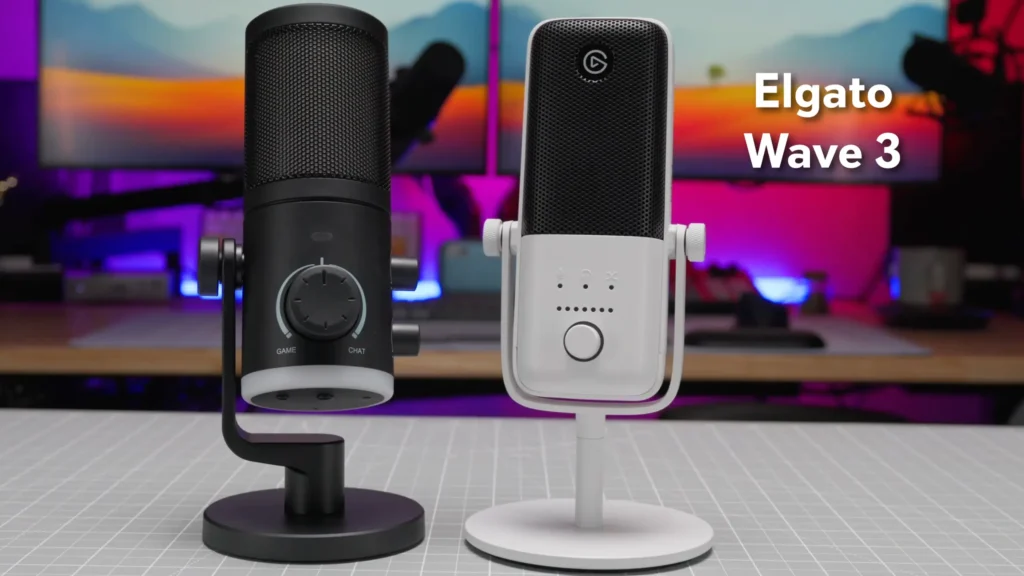
Elgato Wave:3
- Pros: Better shock rejection, strong build, excellent software for Mac and Windows.
- Cons: Costs noticeably more.
The step-up option. If desk bumps and software mixing matter more to you than saving money, this is where to spend it.
Final Words on fifine AM6 Review
The fifine AM6 is a condenser mic with one great idea and no disasters. The game/chat blend knob changes how you play. The voice it captures is clear, present, and quiet enough for live use, and the included pop filter handles plosives without an aftermarket purchase.
Want a better sound experience? Use a software gate for noise reduction and pick the fifine AM6T microphone kit will sidestep the shock-rejection weakness and get the capsule closer to your mouth.
If you want more XLR flexibility, the AM8 is the better buy. If you want one mic for game communication and daily chat, AM6 is the one.
FAQ
Does the AM6 need software or drivers?
No. It’s plug-and-play on Windows, Mac, iOS and Android. Drivers install automatically over USB.
How do I set up the game and chat outputs?
Your computer sees the AM6 as two separate output devices. Assign your chat app to one and your system or game audio to the other, then use the front knob to blend between them.
fifine AM6 or AM8 microphone?
fifine AM6 microphone for the monitor mix, 24-bit conversion and a clearer voice. AM8 mic for XLR output and a warmer, more forgiving sound in a noisy room.
Can I use it with a boom arm?
Yes, and you should. It fits 3/8-inch and 5/8-inch threads. A boom arm gets the capsule closer to your mouth and reduces keyboard pickup.
What’s the difference between the AM6 and the AM6T?
The AM6T is a variant that ships with a scissor arm stand and a thread adapter. Core features — game/chat outputs, noise reduction button, capacitive mute, RGB — carry over.
