
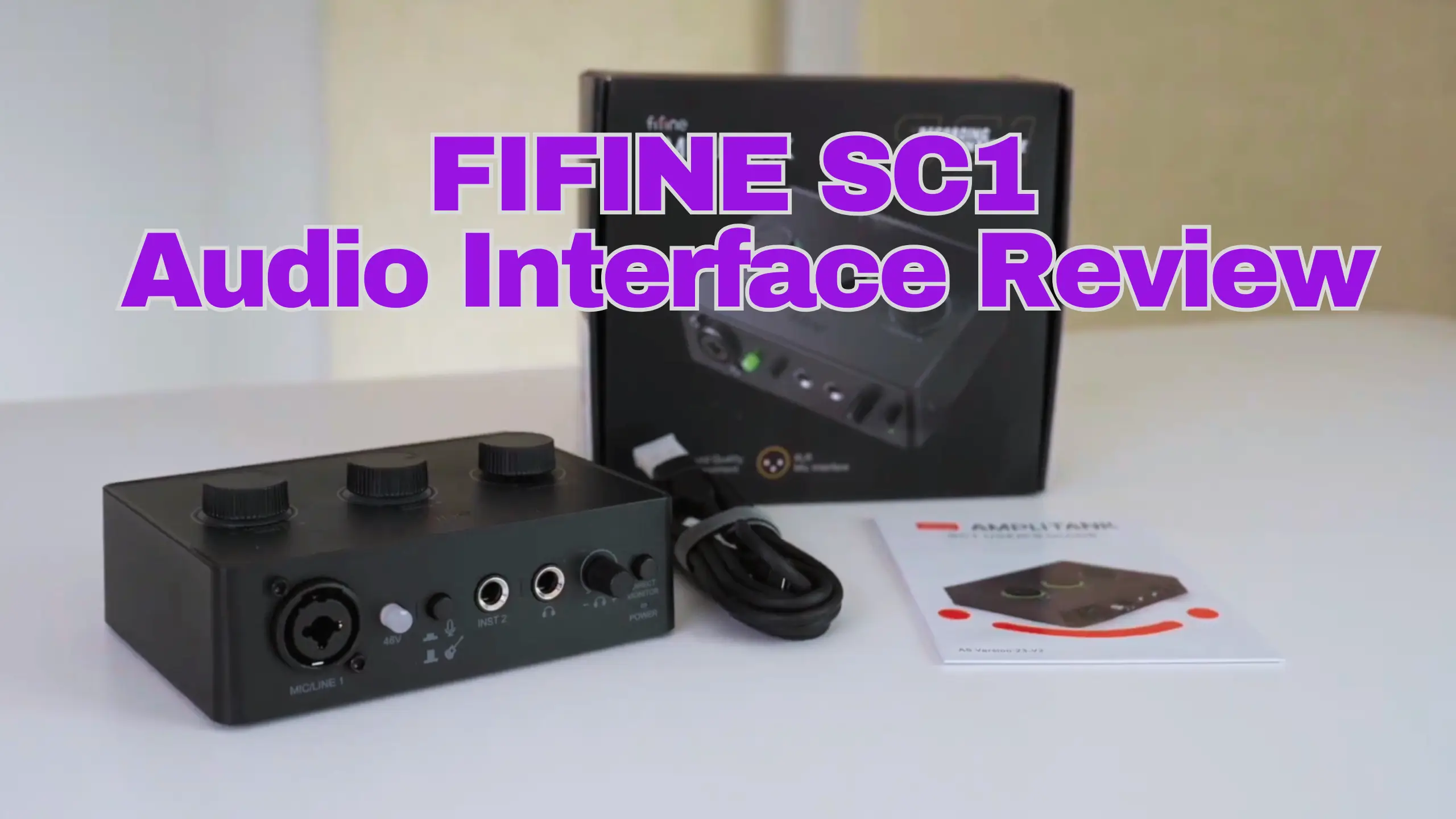
FIFINE SC1 Review: An Affordable Audio Interface That Excels

Are you looking for an audio interface for a better sound but don’t want to drop $150 on a box you might not even keep? The FIFINE SC1/Ampli1 audio interface is built squarely for that moment of hesitation.
Although it’s designed with a plastic box, the preamp is genuinely clean, the cross-platform setup is the smoothest in its class, and it’ll power most affordable mics without complaint. Overall, it can be said that the FIFINE SC1 sits at the absolute floor of the XLR interface market. Here’s what we found after a detailed test.
FIFINE SC1 Review at a Glance
Pros
- Costs around $55, and we regularly see it discounted lower
- Plug-and-play setup that a total beginner can handle in two minutes
- Small and light enough to tuck under a desk or toss in a bag
- Ships with a USB-C cable and a USB-A adapter
- Restores stereo monitoring on Mac
- Balanced 1/4-inch TRS monitor outputs instead of dated RCA
Cons
- All-plastic chassis
- 50 dB of gain isn’t enough to drive low-output dynamics like the Shure SM7B
- 16-bit conversion only, less editing headroom than 24-bit rivals
- Direct monitoring is on/off only, with no blend knob
- Headphone output picks up a little hiss at high volume
- No power switch, no mute button, no standalone recording
FIFINE SC1 Review: 7 Details
| What we tested | Score |
| Build & design | 6 / 10 |
| Sound quality & preamp noise | 8 / 10 |
| Gain & headroom | 6.5 / 10 |
| Connectivity & I/O | 7.5 / 10 |
| Setup & ease of use | 9 / 10 |
| Monitoring | 6.5 / 10 |
| Value for money | 9 / 10 |
Build & Design
Score: 6 / 10
Let’s get the honest part out of the way first: the SC1 is plastic. Only the metal of the jacks themselves is breaking it up. Pick it up, and the first thing you notice is how light it is. Literally, it’s a device you set down gently and leave on your desk.
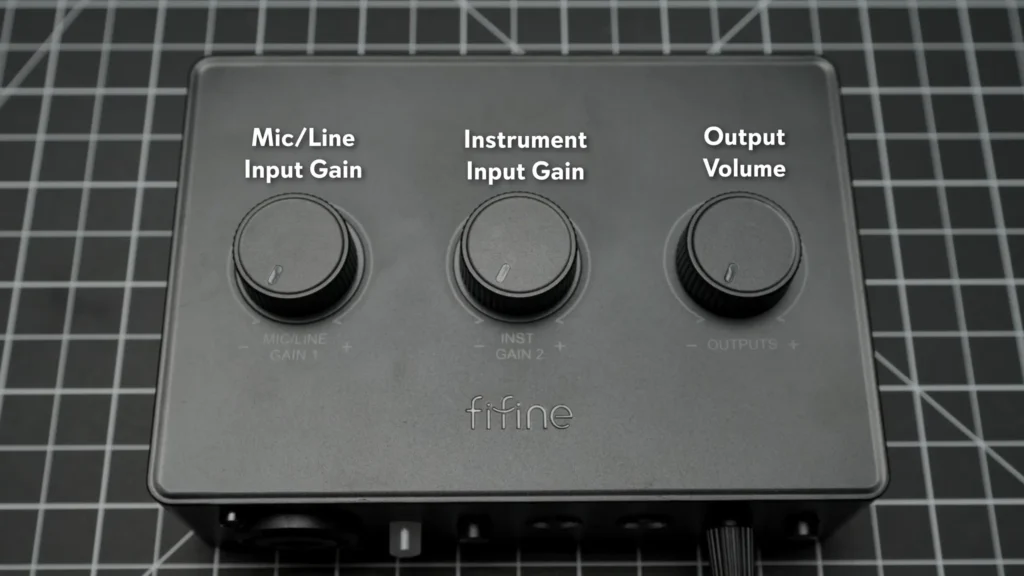
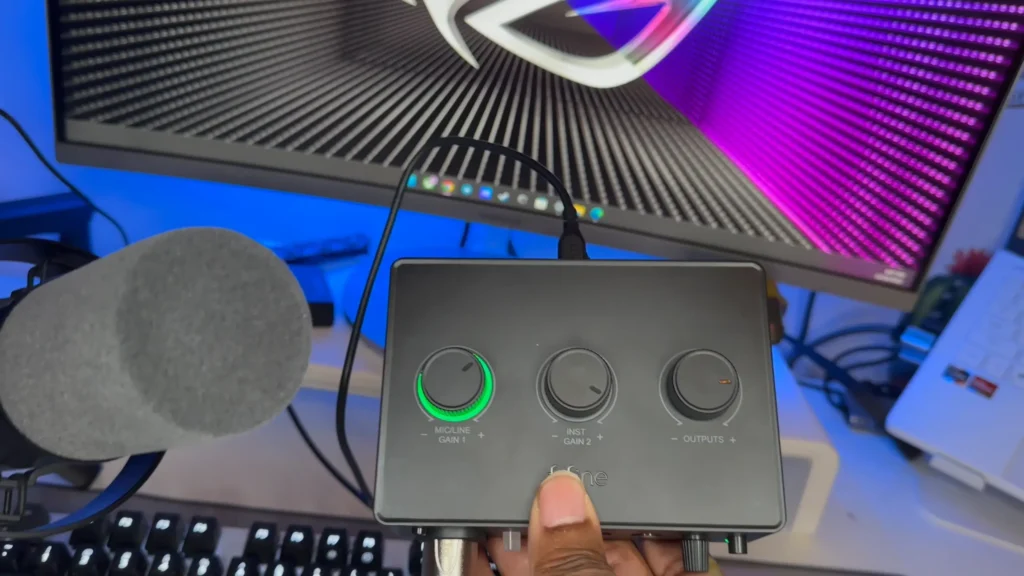
The layout is clean and logical. Three knobs sit on top: mic gain, instrument gain, and main output. The front holds the combo input, the phantom power switch, the mic/instrument selector, the headphone jack, the headphone volume knob, and the direct-monitor button. Also, the gain knob lights up green, yellow, then red as your level climbs.
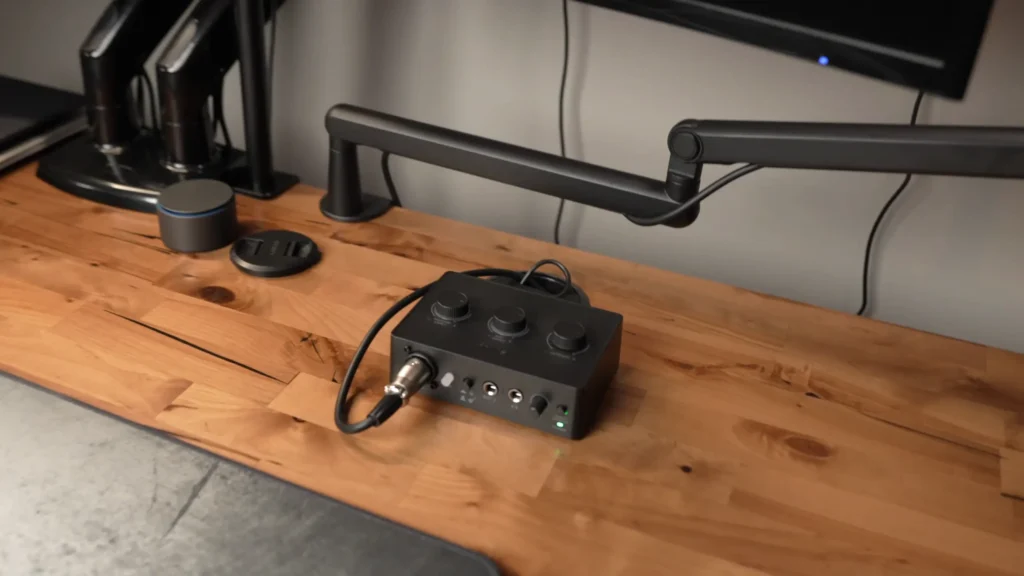
Even the plastic seems to be less sturdy. The SC1 is compact, and the small footprint means it disappears on a crowded desk. Keith from @TheShotgunStudio has “tucked away on the back of my desk” and the SC1 “not really taking up much room”. For a beginner working in a tight space, that’s worth something.
Sound Quality & Preamp Noise
Score: 8 / 10
This is where the SC1 earns its keep. The interface itself doesn’t color your sound; it has no built-in EQ, compression, or effects, so its entire job is to convert your mic signal as quietly and faithfully as possible.
SemiPro Tech+Gear ran the classic preamp noise test with SC1 and M-Audio M-Track Solo: plug a 150-ohm resistor into the XLR input to mimic the resistance of a dynamic mic without picking up any room sound, then record 10 seconds of silence and measure what the preamp adds on its own.
Because the M-Track offers a touch more gain on paper, he added 4 dB to the SC1 in post to keep the comparison fair. The result: the SC1’s noise floor came in slightly lower than the M-Track Solo’s, even with that handicap.
The preamps in the SC1 are contributing just a bit less noise.
@semiprotech on YouTube
In real-world use across a FIFINE K669D dynamic microphone, a K669C condenser mic, a Maono mic, and a Beyerdynamic M70 Pro X, the SC1 stayed clean and quiet. No hum, no hiss creeping in, just the mic. If you pair it with a decent budget microphone, the limiting factor on your sound will be the mic.
Gain & Headroom
Score: 6.5 / 10
The SC1 offers 50 dB of gain on the mic input. For most people, most of the time, that’s plenty. It comfortably powered the K669C condenser at just over half-dial, drove the K669D dynamic with a bit more turned up, and handled higher-sensitivity dynamics without strain.
Where it runs out of road is with low-output dynamic mics. Mike Newman tested the FIFINE SC1 audio interface with Shure SM7B, which features a sensitivity of -59 dB: plug it straight in and you can get sound, but you’ll be near the top of the dial and start to hear an airy hiss in the noise floor.
It’s going to need a little more DB as far as cleaner sound. You’re going to hear a little bit of that Airy hissy floor noise.
@levelupwithmikenewman on YouTube
One more to care for: the SC1 records at 16-bit. That gives you less dynamic range than the 24-bit conversion on pricier interfaces, which means less margin for error. If you accidentally redline your levels, you can’t pull that detail back in editing the way you could with 24-bit.
Connectivity & I/O
Score: 7.5 / 10
The SC1 keeps it simple. On the front, you get a single XLR/quarter-inch combo jack for your mic, plus a separate 1/4-inch input for an instrument like a guitar or bass. That dual setup is handy if you’re a musician.
On the back, you get a USB-C port for power and data, plus a pair of balanced 1/4-inch TRS outputs for studio monitors. These TRS outs are a genuine plus over the M-Track Solo’s RCA outputs. The SC1’s outs don’t require buying extra adapters.
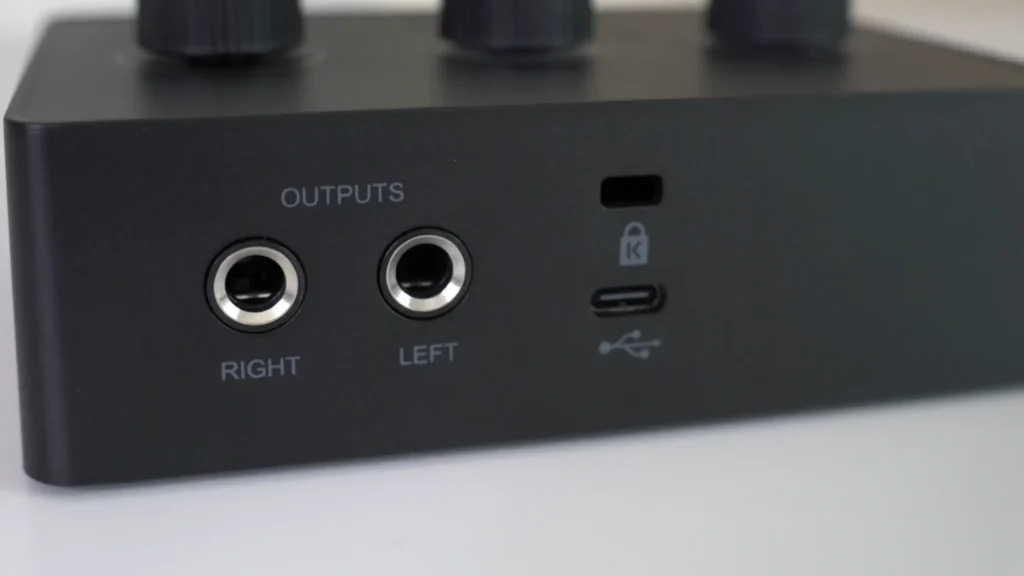
The cable is a quiet highlight. FIFINE includes a long USB-C cable with a snap-on USB-A adapter, so it connects to a modern laptop or an older tower without you having to hunt for anything. “You can connect it with one cable,“ said @TheShotgunStudio.
The limitation: One XLR input means one microphone. A two-person podcast is off the table. There’s also no onboard SD card slot or standalone recording, so the SC1 always needs a computer to capture audio.
Setup & Ease of Use
Score: 9 / 10
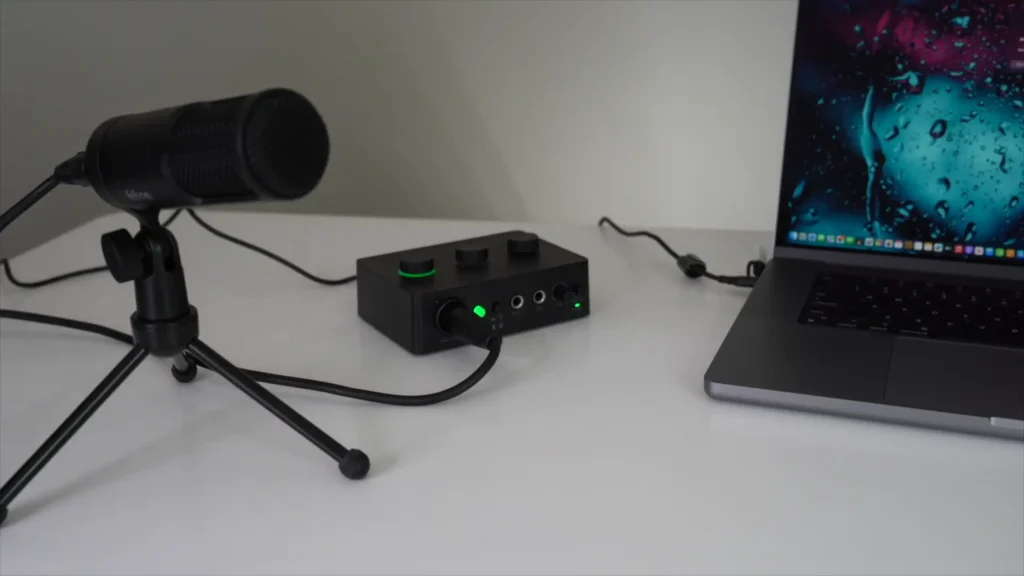
The SC1 audio interface is so easy to set up that friendly to first-timers. Plug the USB cable into the interface and the computer, plug your mic into the XLR jack, and you’re recording.
The cross-platform behavior deserves a callout. Its second-channel button restores a proper stereo feed in your headphones on both Mac and PC, so your audio sounds the same no matter which machine you’re on. Keith(@TheShotgunStudio) ran it for four months across a PC work setup and a MacBook for content, switching between them daily, and the experience was identical on both.
Monitoring
Score: 6.5 / 10
The SC1 covers the monitoring basics. You get a 1/4-inch headphone jack, a dedicated headphone volume knob, and a direct-monitor button that lets you hear your own voice in real time with zero latency. That’s enough to keep you from drifting too far off-mic or recording a take you can’t use.
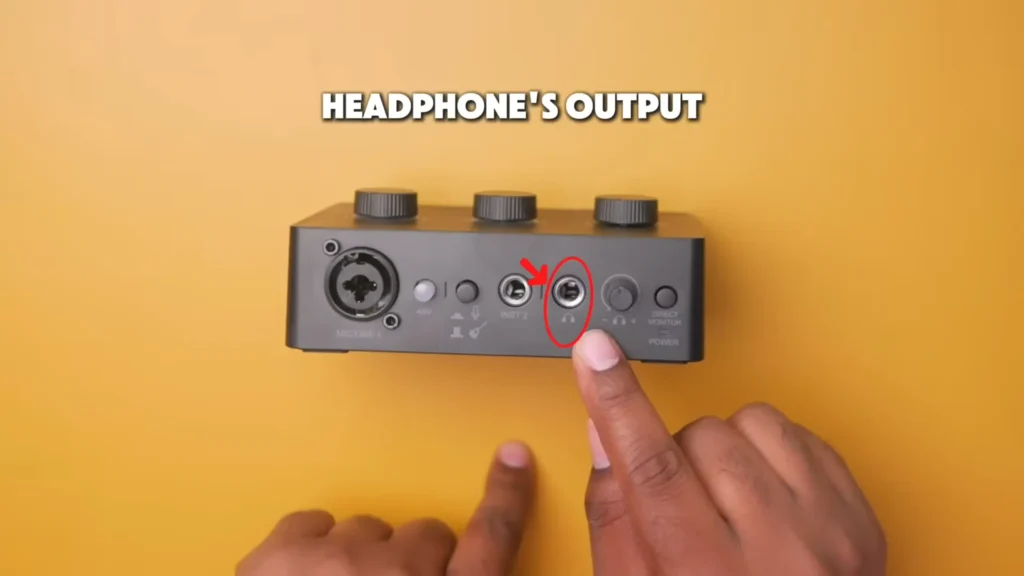
The compromise is that direct monitoring is strictly on or off. There’s no blend knob to mix your live mic signal against the playback from your computer. You’re either hearing the direct feed or you’re not.
The headphone output might run a little noisily. With the volume dialed up, you can pick up some static and hiss in the cans. The good news, it doesn’t bleed into your actual recording; it’s only in what you’re monitoring.
Value for Money
Score: 9 / 10
Here’s the math that makes the SC1 click. The interface is around $55. Pair it with a FIFINE K669B microphone at under $40, and you’ve assembled a complete XLR recording setup, mic and interface, for under $100. That’s hard to beat, and it’s the exact entry point a lot of new creators are looking for.
Compared with the alternatives, even single-input Focusrite Scarlett models tend to start north of $100, and a multi-input mixer like the RØDECaster Pro II is in a different universe of price. If your budget tops out around $50 to $60 for the interface, the SC1 isn’t a compromise pick; it’s one of the genuinely good options.
Who Is the FIFINE SC1 Audio Interface For?
| If you are… | Is the SC1 a fit? |
|---|---|
| A first-time podcaster or streamer with one XLR mic | Yes — this is the target buyer |
| A remote worker upgrading from a webcam mic for calls | Yes — cleaner sound, dead-simple setup |
| Someone bouncing between a Mac and a PC | Yes — identical performance on both |
| A musician needing one mic and one instrument input | Yes — the dual front inputs cover it |
| An SM7B or Electro-Voice RE20 owner | No — not enough gain without a booster |
| A two-host podcast that needs multiple mics | No — single input only |
| A creator doing heavy audio post-production | Maybe — the 16-bit ceiling will frustrate you |
FIFINE SC1/Ampli1 Alternatives
Not convinced the SC1 is your match? Here are three interfaces worth weighing, depending on where your budget and needs land.
M-Audio M-Track Solo
Pros
- Same ~$50 price point as the SC1
- Slightly more gain on paper
- Cleaner headphone output than the SC1
Cons
- Measurably noisier preamp than the SC1
- RCA monitor outputs instead of TRS
- USB-B cable that’s not easy to replace
The closest direct rival to the SC1 is a longtime budget staple. It’s a solid, dependable box, but our testing showed the SC1 edged it on preamp noise and modern connectivity. Pick the M-Track if you value the better headphone amp; pick the SC1 if a quieter recording chain matters more.
Focusrite Vocaster One
Pros
- 24-bit conversion for far more editing headroom
- Enough gain to power any microphone
- Low-noise preamp built for spoken word
Cons
- Roughly $99, nearly double the SC1
- Single XLR input, so still no multi-person podcasting
- Overkill if you only need it for calls
If your budget can stretch to around $100 and you’re focused on dialogue, the Vocaster One is the upgrade we’d point podcasters toward. You lose the rock-bottom price but gain 24-bit recording and the ability to run a wider range of mics.
Focusrite Scarlett Solo (3rd Gen)
Pros
- 24-bit conversion and a well-regarded preamp
- Strong instrument input for music production
- broad software bundle support
Cons
- Pricier than the SC1, typically over $100
- Single mic input
- More than a beginner needs for simple calls
The pick for creators who record music as well as voice. If you need high-quality instrument input and the headroom of 24-bit but still want only one mic channel, the Scarlett Solo is the safe, capable step up.
Final Verdict
FIFINE SC1/Ampli1 audio interface is a quietly impressive little interface. The preamp is cleaner than its closest rival, the setup is the friendliest in its class, and the cross-platform stereo handling makes Behringer owners more flexible on Mac. For a beginner who needs one XLR mic into one computer, it’s a low-risk, high-value first step.
That said, the plastic build feels cheap, and the 50 dB of gain and 16-bit limit your work. But if you’re a beginner who wants real XLR sound without the financial commitment. The FIFINE SC1 audio interface does the one job it’s built for, and it does it well.
FAQ
Is the SC1 compatible with both Mac and PC?
Yes. It’s class-compliant and needs no special drivers. The included cable has a USB-C end plus a USB-A adapter, so it connects to either, and unlike the Behringer UM2, it delivers proper stereo monitoring on Mac without any workarounds.
Can I record two microphones at once?
No. The SC1 has a single XLR input, so it handles one mic at a time. For a two-person podcast, look at a multi-input interface or mixer instead.
Does it record on its own without a computer?
No. There’s no SD card slot or standalone recording. The SC1 needs to be connected to a computer running recording software.
Why does my headphone monitoring sound a little staticky?
The SC1’s headphone output is slightly noisier than pricier units, especially at high volume. That hiss stays in your monitoring only; it doesn’t reach your recording. It’s a known trade-off at this price.
Is 16-bit audio good enough?
For calls, streaming, and basic voice recording, yes, most listeners will never notice. The limitation shows up if you do heavy editing or accidentally clip your levels, since 16-bit gives you less room to recover. If that’s your workflow, consider a 24-bit interface like the Vocaster One or Scarlett Solo.
