

8 Steps for New Streamers: How to Start Live Streaming in 2026

Live streaming in 2026 looks radically different from five years ago. Platforms like Twitch have millions of broadcasters, and “just going live and hoping someone shows up” isn’t a strategy — it’s a recipe for talking to yourself for hours.
The growing streamers combine smart gear choices, short-form content pipelines, multistreaming, and genuine community building to stand out. None of it requires a massive budget. How to start live streaming if you’re a beginner? We’ve broken it down with this guide into 8 detailed steps.
Step 1: Define Your Goals and Your “Why” Before Going Live
Most new streamers jump straight into gear choosing. But skipping the “why” step means you’ll copy bigger streamers without understanding what makes your own channel worth watching.
Answer three questions before you touch any software. Who are you streaming for? What kind of content do you want to create? What’s your measurable goal? Think about your ideal viewer. If you hate small talk, skip “just chatting” streams. Also, confirm your goal, whether hitting Twitch affiliate or building a Discord of 50 engaged people.
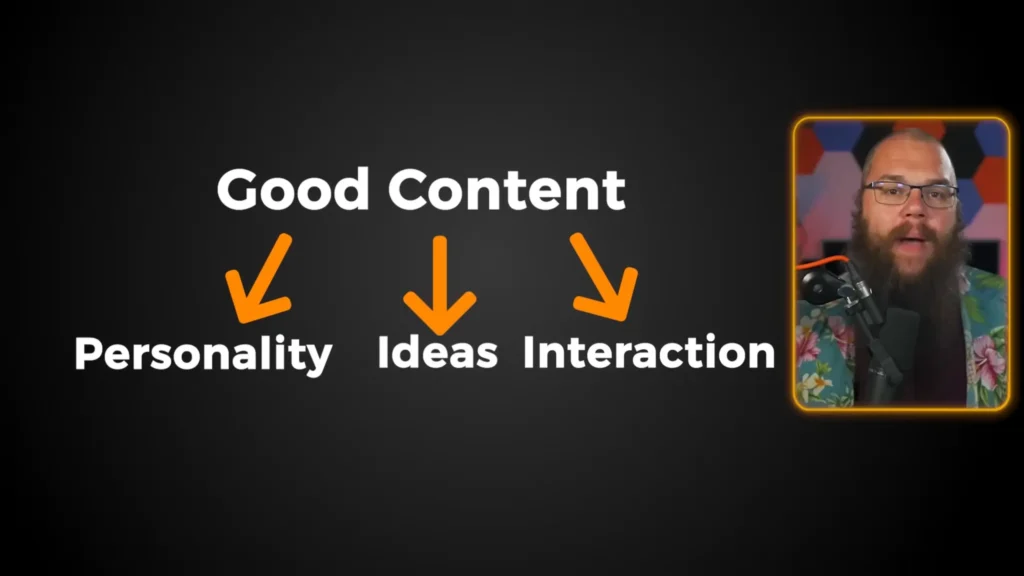
As a content creator, Barry Eps puts it, “The most valuable thing your stream has is you.” “Why should someone watch you instead of the thousands of other people living right now?” Maybe you’re building a chill space for people after work. Maybe you’re doing challenge runs. The specificity sets you apart.
Because that “why” is your anchor. It gives your stream direction. It helps you make decisions, and it sets you apart. Okay, so you’ve got your “why”, but here’s the brutal truth. No one’s going to find your stream unless you go find them first.
Barry Eps shares on his YouTube @Content Delta
Pro tips
- Don’t compare yourself to established streamers. The only competitor worth tracking is yesterday’s version of you.
- Your “why” can evolve — what matters is having one when you start.
Step 2: Get Budget-Friendly Streaming Gear That Works
Do you spend a lot of time finding the expensive streaming gear? Your content comes from you, not Amazon. The most expensive gear doesn’t always suit you.
What to do:
- Microphone: Your headset mic works for now. Set it up in OBS so your voice peaks between -15 and -10 dB. A budget USB mic, like FIFINE AM8 ($55) and A8 (45) is a solid first upgrade.
- Webcam: Optional at first. Apps like EpocCam (iPhone) or DroidCam (Android) turn your phone into a free webcam.
- Headphones: Ideal for gaming and streaming. Headsets like FIFINE H9 and H6 work well for gaming and streaming, especially featuring the 7.1 virtual surround sound, RGB (only for H6), and a detachable mic.
- Lighting: A window with natural light is your best free option. A $10 ring light handles night streams.
| Gear | Budget Option | Free Option |
| Microphone | USB mic ($30–$60) | Headset mic you already own |
| Webcam | 1080p webcam ($30–$50) | Phone + EpocCam/DroidCam |
| Headphones | Gaming Headset($40-$50) | Mobile phone earphones |
| Lighting | Ring light ($10–$15) | Window with natural daylight |
| Software | OBS Studio | OBS Studio (always free) |
Pro tips
- Check your PC specs against Twitch’s broadcasting guidelines before going live. Laggy streams drive viewers away faster than a mediocre mic.
- “You can have a $5,000 setup, but if your idea is terrible, no one will like what you are doing.”
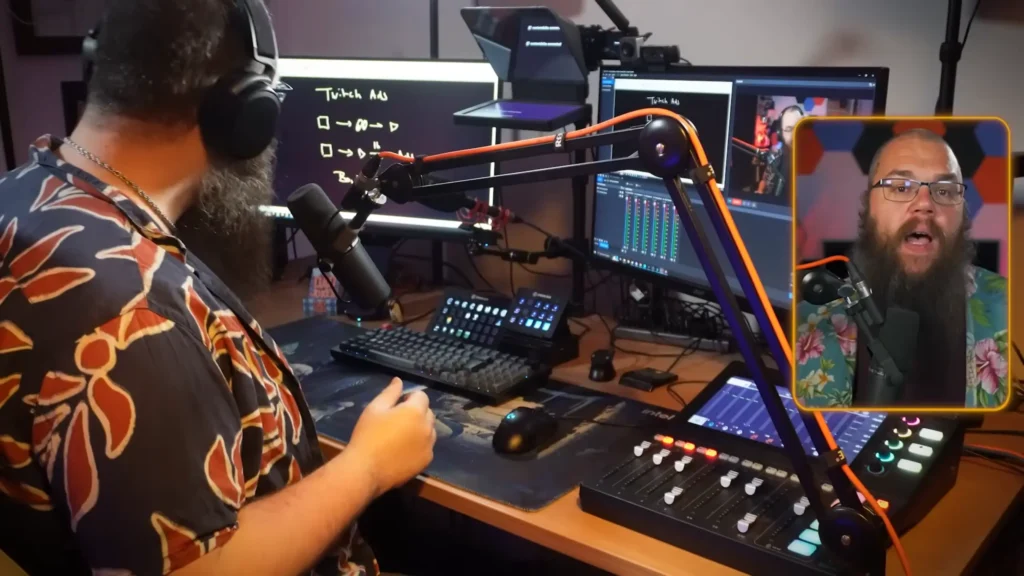
Step 3: Set Up OBS, Overlays, and Chatbots
OBS is the free tool virtually every streamer uses. It looks intimidating at first, but you only need a handful of concepts to get streaming. Overlays and chatbots add polish and save you from answering the same questions every stream.
What to do
- OBS basics: Think of scenes as different screens — “Starting Soon,” “Gameplay,” “Just Chatting.” Each scene is built from sources: webcam, display capture, image overlays, and browser sources for alerts. Spend 10–20 minutes before your first stream recording in OBS to check audio levels and webcam positioning. This pre-flight check prevents most technical disasters.
- Overlays and alerts: Use StreamElements or Streamlabs for follower alerts, donation notifications, and chat widgets. Both offer free templates. Pick one and stick with it — running both causes issues like double alerts.
- Chatbots: Set up Nightbot or the StreamElements bot with commands for common questions (your mic, schedule, socials). Add word filters to keep chat safe from day one.
Pro tips
- A compressor and limiter in OBS audio filters even out volume swings between quiet and loud moments. Highest-impact free improvement you can make.
- Color-code your sources in OBS (right-click → Set Color) to stay organized as your scene list grows.
Step 4: Pick a Content Niche that Blends Evergreen and Trending Topics
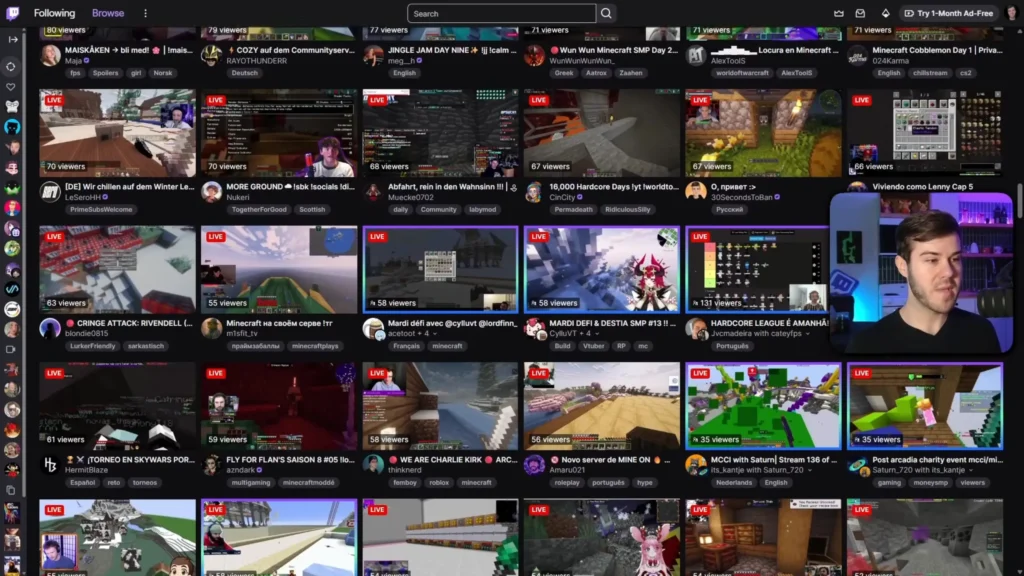
Scroll through any popular game category on Twitch: hundreds of streams titled “Minecraft.” “Minecraft chill.” “Minecraft live stream.” Too much same content and no reason to click one over another
There’s literally no reason that I would want to click on any of these compared to the other, because they just aren’t offering anything else that these other people aren’t currently offering. Like this title right here, “Playing Bedw Wars Until We Win“, is at least a good attempt because we know what the stakes are for the stream.
Cpaws Music on YouTube
So, mix evergreen content (always-popular games like Minecraft, Terraria, GTA Online) with trending content (games blowing up right now). Evergreen gives you a stable, searchable base. Trending gives you discoverability spikes.
Develop a hook — challenge runs, achievement hunting, community-driven decisions — anything that gives your stream a narrative beyond “person plays game.” In Cpaws Music’s sharing, the streamer Snam Witches built his channel around attempting the hardest achievements in games and documenting every failure. That hook makes both live streams and clips compelling.
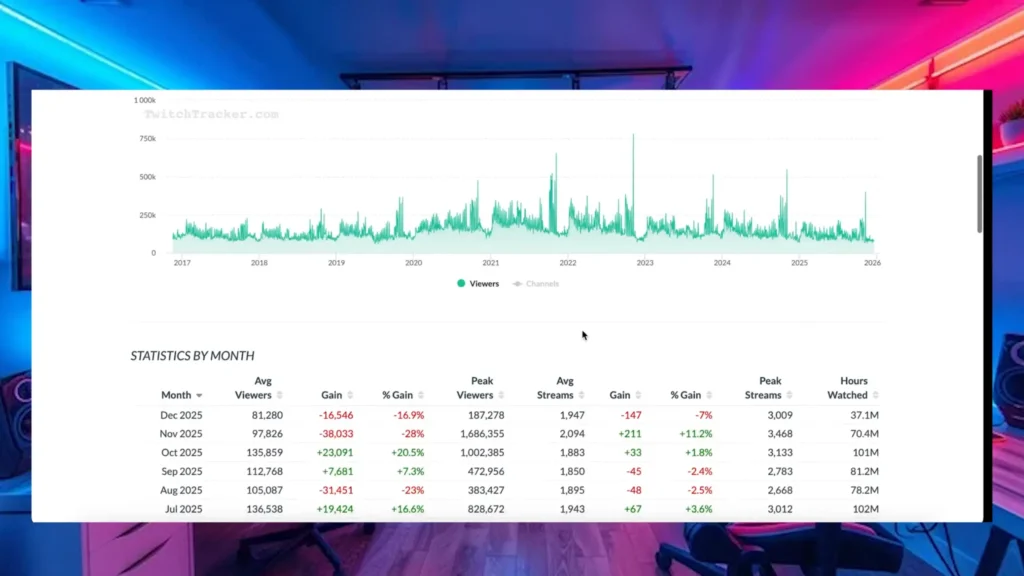
How about the tool? Twitch Tracker (free) lets you research any game’s viewer stats and best streaming times.
Pro tips
- Personality matters more than the game. The game gets people to click; your personality gets them to follow.
- Don’t chase trends blindly. If you don’t enjoy a game, your viewers will feel it.
Step 5: Create Short-Form Content and Multistream
The days of going live and being found organically are mostly gone. The fastest-growing streamers in 2026 use short-form content as a discovery funnel and multistream across platforms to maximize reach.
What to do
- Short-form content: After every stream, pull your best moments into clips for TikTok, YouTube Shorts, and Instagram Reels. AI clipping tools can scan your VODs and surface engaging moments automatically. A two-to-three-hour stream can yield 20–30 potential clips — enough daily content for weeks.
- Multistreaming: Stream simultaneously to YouTube and TikTok alongside Twitch. When you post shorts on those platforms, their algorithms learn your audience. When you go live, your stream gets recommended to the same viewers. That’s built-in discoverability Twitch doesn’t offer. Funnel those viewers back to your Twitch community.

Pro tips
- Start with shorts before long-form video. A short that flops costs 30 minutes. A long-form video that flops costs days.
- Put your stream link in every bio. A surprising number of streamers post TikTok clips without linking to their Twitch.
Step 6: Build Community Through Engagement and Consistency
Fifty viewers who love you are worth more than 500 who are background noise. Community turns casual viewers into regulars who show up to every stream and tell their friends.
- Engage your chat: Read messages out loud. Respond by name. Make your stream feel like a conversation, not a broadcast. Off-stream, create a Discord where people hang out between streams.
- Stay consistent: Pick three to five days per week and stream at the same time. Share your schedule on Twitch panels, Discord, and socials. If you miss a day, let your community know and move on — disappearing for months over one missed stream is the real danger.
- Have fun. If you’re going through the motions, chat feels it instantly. When you’re genuinely enjoying yourself, that energy is magnetic.
Pro tips
- Remember regulars’ names. Give shoutouts. Small touches build loyalty that viewer counts can’t measure.
- Budget 12–16 hours per week for streaming-related activities. Make sure that it fits your life before you commit.
Step 7: Track Growth Without Obsessing over the Numbers
Analytics tell you what’s working. But checking your viewer count after every stream is a fast track to burnout.
Check analytics once a week. Look at 30-day and 90-day trends, not daily numbers. Note which games, days, and times performed best. Make one or two small changes, then test them over the next week.
Review your own VODs, too. Watch a segment each week and pick one technical fix (audio levels, transitions) and one performance fix (talking more, engaging chat). After three months of this cycle, your stream quality will be unrecognizable compared to where you started.
Pro tips
- Don’t let numbers dictate your content. Chasing what gets the most viewers at the expense of what you enjoy always backfires.
- The best creators stuck with it because they loved it, even when no one was watching.
Step 8: Keep Streaming and Stay Consistent
Every tip in this guide is useless if you stream for two weeks and quit. The number one reason new streamers fail isn’t bad gear, a weak niche, or even poor discoverability — it’s that they stop showing up.
Streaming is a marathon. Small improvements every stream builds you up to be a better creator with more potential for growth than you can fathom right now.
Content Delta on YouTube
Treat streaming like any other habit you’re building. The first few weeks feel awkward and slow. You’ll have streams where nobody shows up, streams where the tech breaks, and streams where you just feel off. That’s normal. Every streamer you watch today went through the same thing.
Set a minimum commitment you can sustain. Three streams a week for three months is a realistic starting point. On days when motivation dips, remind yourself that you’re building a skill set. Also, revisit the “Why” in step 1.
Let your community know if you need a break. A planned pause is healthy. A guilt spiral that turns one missed stream into three months of silence is what kills channels.
Pro tips
- Lower the bar on bad days. A short, low-energy stream is better than no stream at all. Some of your best community moments will come from the laid-back sessions you almost skipped.
- Celebrate small wins. Your first follower, your first raid, your first clip that breaks 1,000 views — these milestones matter. Let yourself feel good about them instead of immediately raising the bar.
The Bottom Line
Starting a live stream isn’t about fancy gear or slick overlays. It’s about showing up consistently, giving viewers a reason to care, and distributing your content where people can actually find it.
Learn these 10 steps, pick a date, go live, and let it be rough. Every streamer you admire went through the same awkward first streams. The real differentiator isn’t talent or equipment — it’s consistency, willingness to learn, and showing up even when the viewer count is low.
FAQs
Do I need a webcam to start streaming?
No. A facecam adds personality but isn’t required. Use your phone as a free webcam with EpocCam or DroidCam when you’re ready.
How long should my streams be?
Two to three hours is a solid starting point — long enough for good content and clips, short enough to avoid burnout.
Can I grow on Twitch without posting on other platforms?
It’s extremely difficult. Short-form content on TikTok and YouTube Shorts funneling viewers to your stream is the most effective growth strategy right now.
How do I deal with streaming to zero viewers?
Every streamer has been there. Focus on building your short-form content pipeline and improving with each stream. The zero-viewer phase doesn’t last if you’re consistently creating and distributing content.
Should I accept sponsorships as a small streamer?
Be cautious. Most early sponsorships are just discount codes with minimal payout. Grow first — the right sponsors will come to you.
