
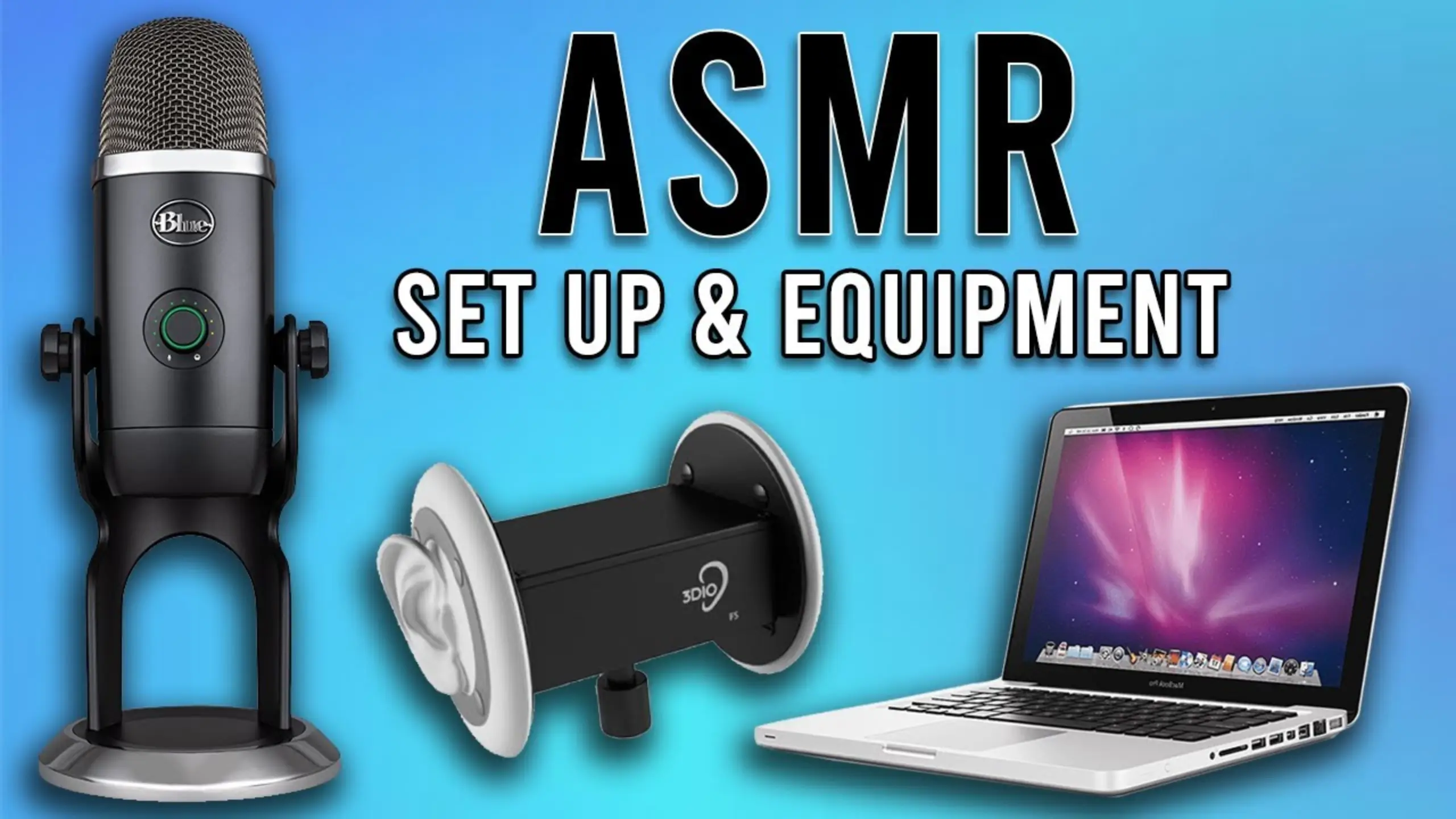
How to Make ASMR Videos: A Complete Guide in 2026

If you’re an ASMRist, ASMR videos might be your comfort watch, with the gentle whispers, the tapping sounds, and the crisp crinkles. Now you want to create your own, but how to make your ASMR videos?
Here, in this guide, we’re talking about everything you need to know about making ASMR content, from the equipment to the recording space. Whether you’re planning whisper videos, cooking ASMR, or trigger compilations, these practical tips will help you capture audio that actually delivers those brain tingles your viewers crave.
What is ASMR?
ASMR stands for Autonomous Sensory Meridian Response, the pleasurable tingling sensation some people experience when exposed to certain sounds or visuals. Common triggers include whispering, finger tapping, hair brushing, and the sound of crinkling paper.
“Some people, if you crumple a piece of paper right up against their ear, they’ll have what some folks call a brain orgasm”, shared by YouTuber @The Why Files. That’s how ASMR affects. For those who like ASMR, ASMR videos certainly make them feel relaxed and comfortable.
To people who are ASMR sensitive, the experience has been proven to lower their heart rate, reduce their blood pressure, and reduce levels of fight or flight hormones in their bloodstreams.
The Why Files on YouTuber
But not all people are tolerate with ASMR. You may hate the nails scratching on a chalkboard. Research from the University of Sheffield exposed 112 people to ASMR videos—about half experienced the response, while the other half felt nothing. “Some studies say that ASMR could be linked to Misophonia, which is that we’re hearing a sound could elicit a negative emotional and physiological response automatically”, according to @The Why Files.
How ASMR Works?
Since ASMR relies on sound to trigger that tingling response, capturing clean, intimate audio is everything. Viewers want to hear every subtle detail, every delicate texture. If background noise, poor recording levels, or distant-sounding audio exists, the spell breaks immediately.
Don’t miss the visual element. Think about cutting bars of soap into small squares or crushing soap flakes. This “visual white noise” also lets most people feel deeply relaxed.
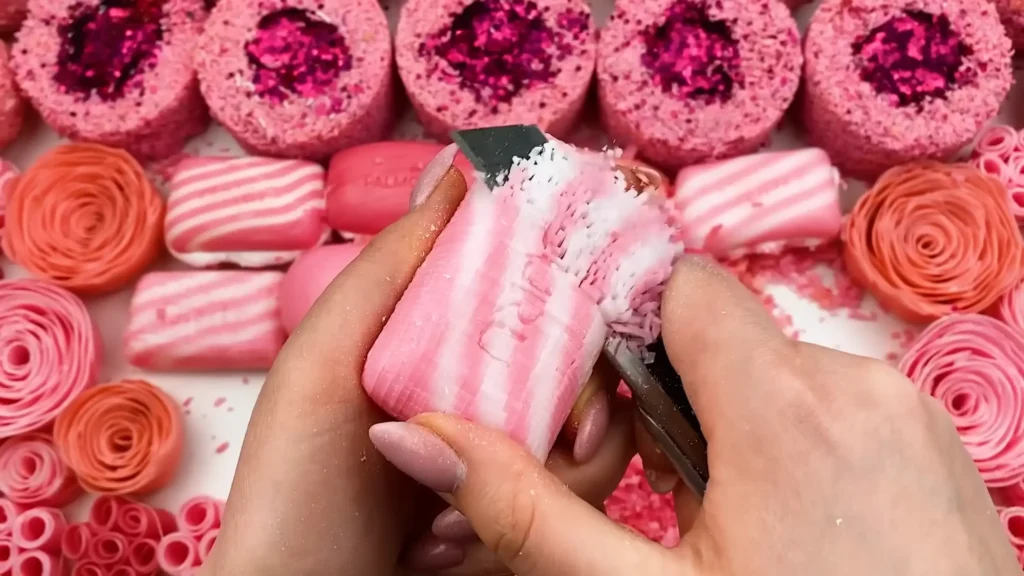
This is why your equipment and recording places matter a lot in making ASMR videos. What an ASMRist wants is the crisp, detailed triggers that deliver the tingles.
How to Make ASMR Videos: Step-by-Step Guide
1️⃣Starting Simple: The Phone-First Approach
Here’s something many established ASMR creators agree on: you can start with just your phone. Modern smartphones have surprisingly capable microphones and cameras. Your genuine interest in creating content matters more than expensive gear, especially when you’re finding your style.
Consider your first few videos as experiments. Record some triggers, upload them, and see how it feels. You’ll learn what works, what doesn’t, and what equipment upgrades would actually benefit your specific content style.
Don’t need to be perfect. The most important thing is authentic triggers and creative content, not studio-perfect production. So, if the audio and video are out of sync, or your image has some minor flaws? Let it go!
2️⃣Choose the Equipment for ASMR Recording
- Microphone
The low sensitivity of the dynamic microphone, like fifine AM8 microphone, means that you need to speak softly and closely. Although a dynamic microphone is easier to reduce noise, we can’t speak too loudly in an ASMR video.
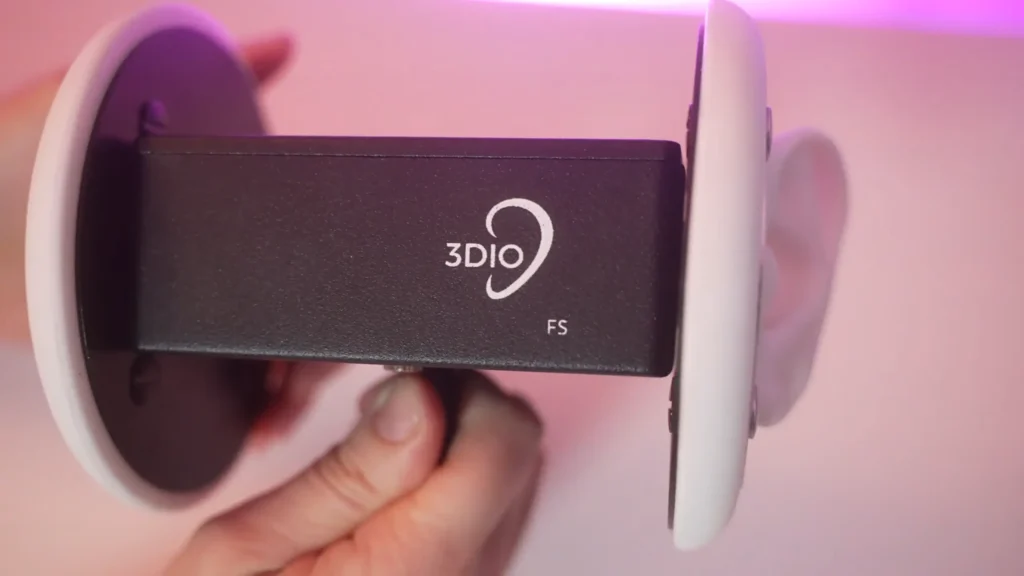
How about a condenser microphone? It features low self-noise, high sensitivity, and helps you turn your gain down. It can capture very subtle sound details, making the sound more natural. Or, you can consider a binaural microphone like the 3Dio. It mimics human hearing and makes viewers feel like they’re actually in the room with you. More details are in fifine condenser microphone vs. dynamic microphone guide.
- Audio Recorders (Optional)
For microphones that don’t connect via USB, you’ll need an audio recorder. The Zoom H4N Pro is a versatile four-channel recorder that works with various microphone types. It runs on batteries, saves audio directly to a memory card, and includes built-in stereo microphones as a backup option.
External recorders add a step to your editing process since you’ll need to sync audio with video in post-production. Software can handle this automatically in most cases, but it requires learning your editing program’s sync features.
- Cameras
Your phone’s camera works fine for starting out. When you’re ready to upgrade, mirrorless cameras like the Sony A7S III deliver excellent 4K video quality with strong low-light performance, helpful for the moody, intimate lighting many ASMR videos use.
If your camera has a microphone input jack, you can run audio directly into the camera body. This eliminates separate audio syncing but limits your microphone positioning options. Many ASMR creators prefer recording audio separately for more flexibility.
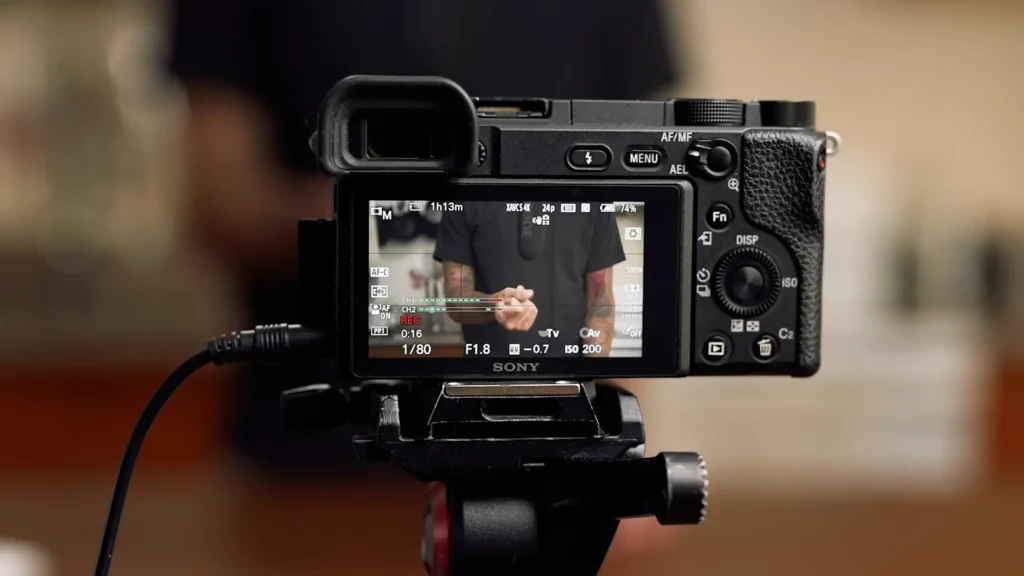
- Connecting Everything
Here’s where setup gets practical. If you’re running a shotgun mic into your camera, you’ll need a cable long enough to position the mic close to your sound source while keeping the camera at your desired framing distance. A 10 to 20-foot cable covers most setups.
For phone recording with external microphones, you’ll need a specific adapter cable designed for mobile devices. Standard extension cables won’t work on their own. If your phone lacks a headphone jack, add a dongle to your shopping list.
3️⃣Setting Up Your Recording Space
Professional ASMR would require soundproofing your entire room. But most successful creators work in regular apartments and bedrooms. Here’s how to manage audio in imperfect spaces.
- Minimize Background Noise
Turn off anything that makes noise: air conditioning, fans, refrigerators (temporarily), and computers if they have loud fans. Close windows to reduce traffic sounds. More quitter is more batter.
We know that complete silence isn’t always achievable. What matters more is consistency. A steady background hum is easier to work around in editing than intermittent noises like doors slamming or people talking.
For trigger videos, this might mean positioning the mic inches away from your hands or props. For talking content, bring it close to your mouth.
If using a shotgun microphone, point it directly at your sound source rather than towards the walls or windows. When shooting overhead cooking content, position the mic to point into pots and pans rather than over or under them.
An adjustable boom arm, like fifine BM88 boom arm, lets you position your mic precisely while keeping it stable. The articulating ball mount adds flexibility for quick angle adjustments between takes.
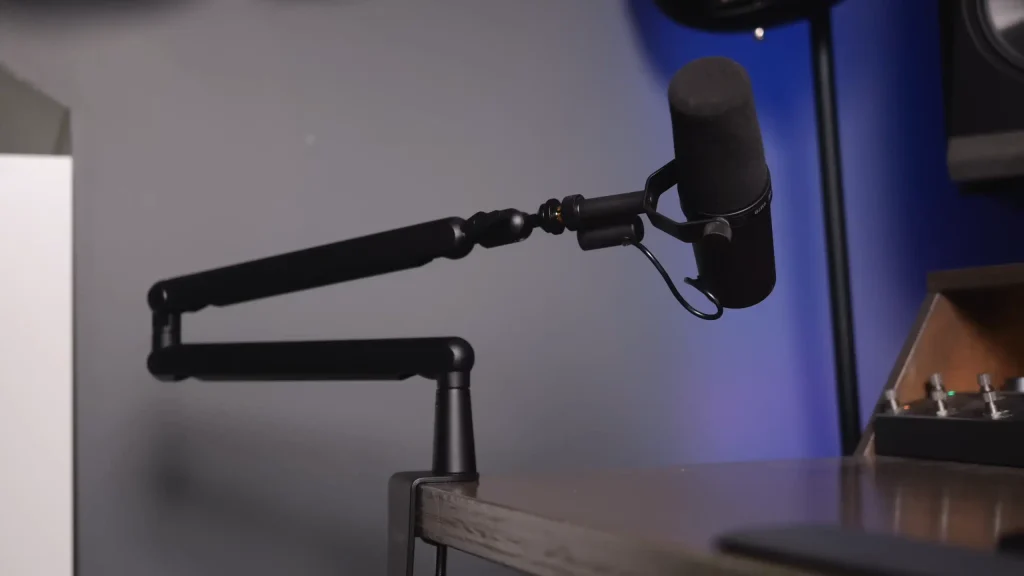
- Frame Tighter for Better Audio
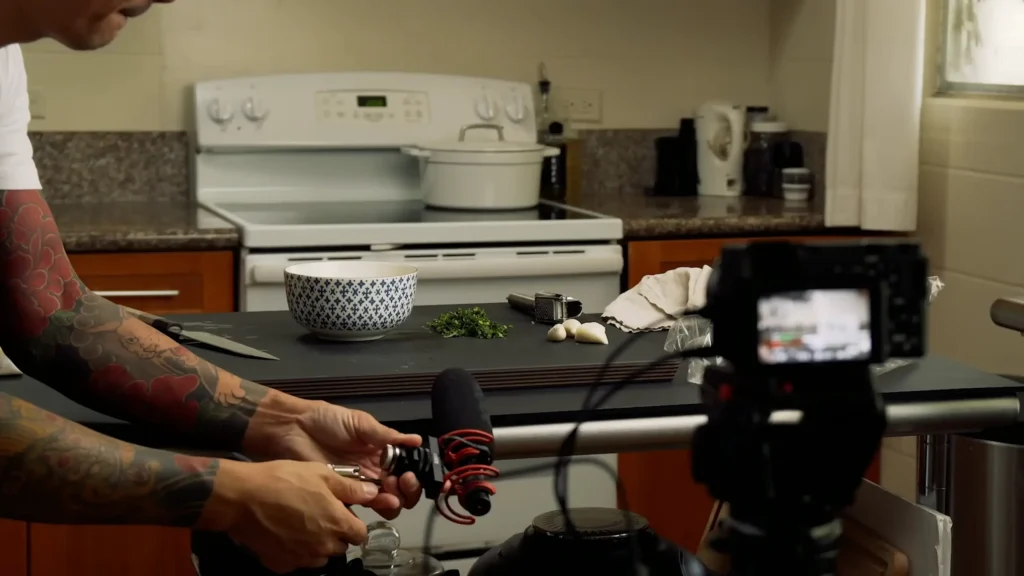
The tighter you frame your shot, the closer you can position your microphone. This applies to all ASMR content. Zoom in on trigger objects. Frame close on your face for whisper videos. This visual intimacy will match the audio intimacy your viewers expect, especially for some visual effect recording, like making a cooking AMSR video.
If you zoom in on whatever you’re doing or bring your camera closer to the action, it can fill most of the shot with your food. That means you can get your microphone closer without it being in the shot. If you ran like a wide shot, where you can see the entire prep table and your whole body, you’re not going to be able to get that microphone very close because it’s such a wide shot.
Philip Lemoine on YouTube
4️⃣Recording Settings That Actually Work
- Test and Lock Your Audio Levels
Camera auto-level settings seem convenient, but cause problems for ASMR.
When your scene goes quiet, auto-gain cranks up the microphone sensitivity to search for sound. “Snap your fingers in front of the microphone, and then you’ll see the mic levels jump”, Philip Lemoine said. You’ve just ruined your best moment.
How to do: “You can make your adjustments to your camera settings so that your audio doesn’t peak or blow out.” Record test clips at different audio levels, noting each setting. Review the clips later with headphones to hear which level captures clean audio without hiss or distortion. This takes 15 minutes and saves hours of frustration with unusable footage.
- Phone Recording Limitations
Phone cameras offer limited audio control. Third-party camera apps can unlock manual settings, giving you control over exposure, focus, and sometimes audio levels. Research apps compatible with your specific phone model before your first serious recording session.
5️⃣Lighting for ASMR Videos
Lighting affects your production quality and the mood of your content. Two affordable options cover most needs.
A soft bi-color LED panel like the Viltrox L116T provides even, adjustable light. With the bi-color, you can shift between warm and cool tones to match your aesthetic or compensate.
Small accent lights like the Aputure MC add visual interest through color and detail work. These pocket-sized lights include adjustable saturation, brightness, and hue settings. Creative modes like fire flicker or party lighting add atmosphere for themed content.
If you’re a beginner, don’t overthink lighting as natural light works. Upgrade when you understand what look you’re going for.
6️⃣Editing Your ASMR Video Content
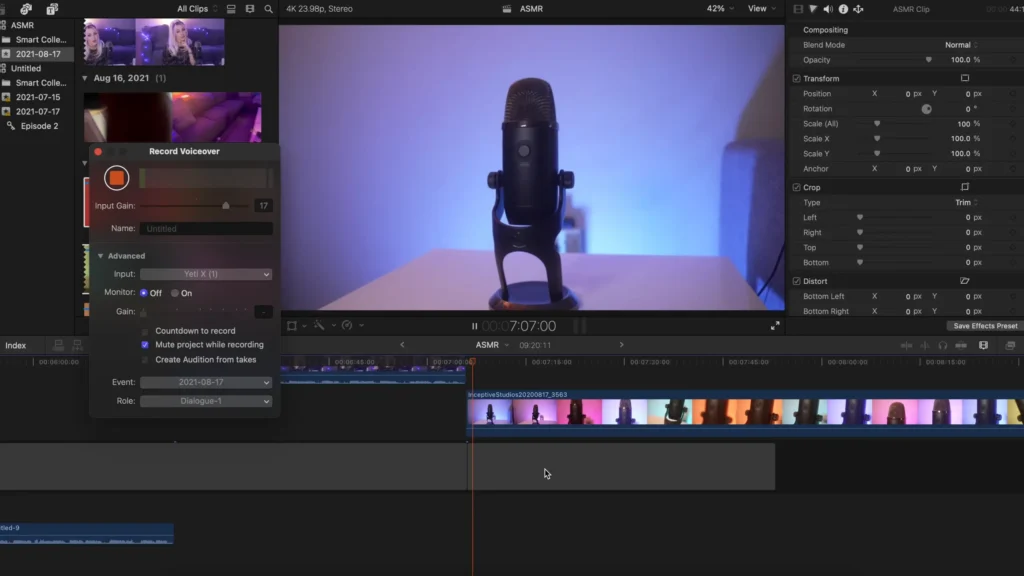
Once you’ve got your video and audio recorded, editing is where it all comes together. If you recorded straight into your editor, like using Final Cut Pro’s voiceover tool with a USB mic, life’s easy. Hit record, talk, and the clip lands right on your timeline.
If audio and video are separate, you’ll need to sync them. Most editors can auto-sync using waveforms. If not, a quick clap at the start works every time.
Clean up background noise, balance levels between clips, and maybe add light EQ. Light. Overdoing it shows.
Best Microphones for ASMR Videos
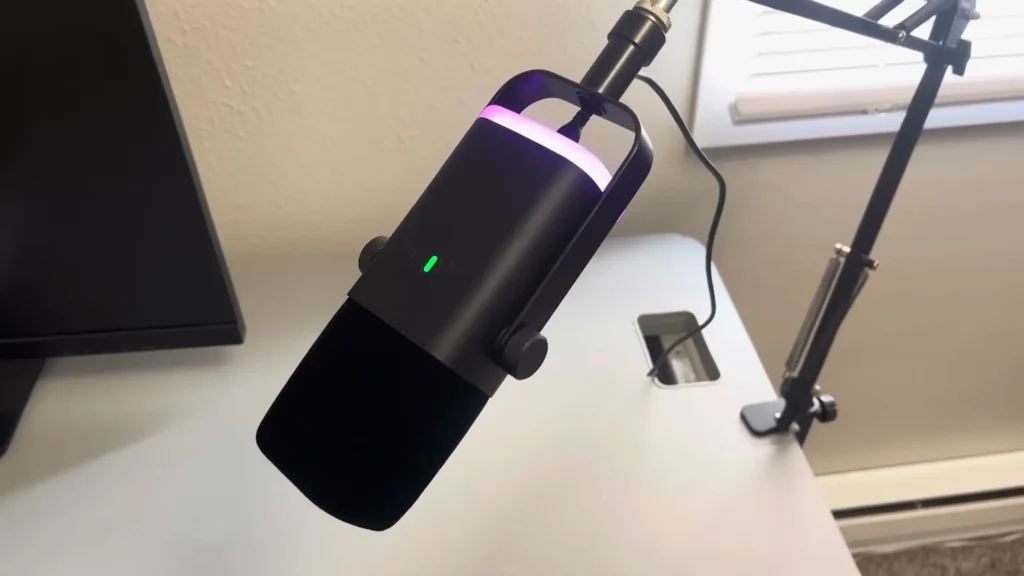
USB/XLR Dynamic Microphones: FIFINE AM8
The FIFINE AM8 offers dual USB and XLR connectivity with simultaneous output, giving you room to grow without buying new gear. The plug-and-play operation ensures no driver is required. The cardioid pattern delivers solid background noise rejection for cleaner ASMR recordings.
- Pros: Budget-friendly, dual connection, zero-latency monitoring, good noise rejection.
- Cons: Mute button can trigger accidentally, no shock mount included (picks up desk vibrations), 16-bit USB conversion only
USB Microphones: Blue Yeti
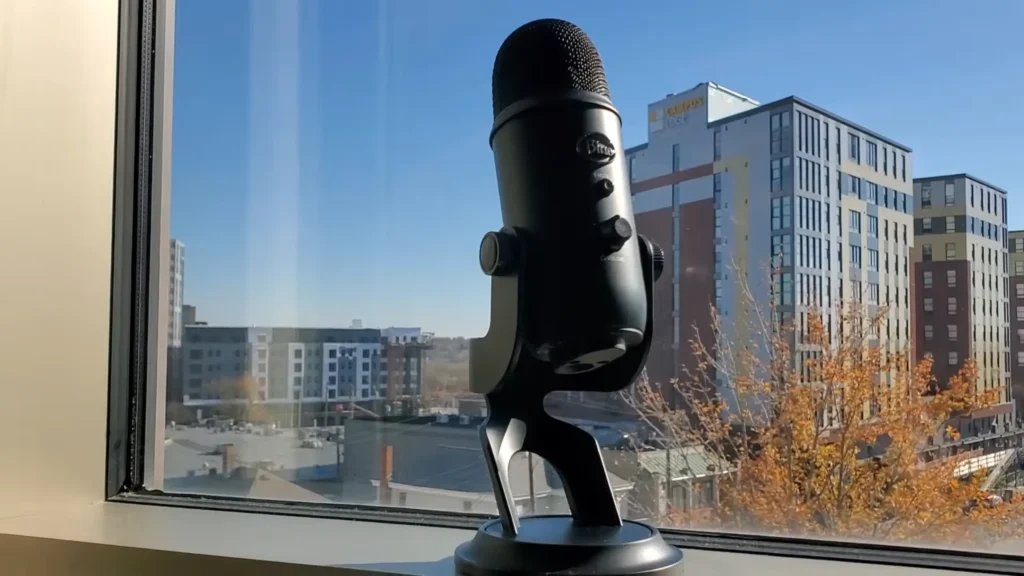
USB mics plug directly into your computer without extra equipment. Set to stereo mode, the Blue Yeti captures left and right channels for that immersive sound ASMR viewers expect. Connect headphones to the 3.5mm jack to monitor yourself, and record straight into editing software like Final Cut Pro or Audacity.
- Pros: Simple setup, affordable, beginner-friendly, no additional gear needed
- Cons: Less spatial realism than binaural mics, limited positioning flexibility since you’re tethered to your computer
Binaural Microphone: 3Dio
Shaped like human ears, binaural mics mimic how we actually hear sounds in space. Viewers wearing headphones can perceive sounds traveling from one ear to the other with striking realism—it feels like you’re right there with them.
- Pros: Exceptional spatial audio, that signature “ear-to-ear” ASMR experience, professional-quality immersion
- Cons: Requires an external audio recorder, a more complex setup, and a higher price point
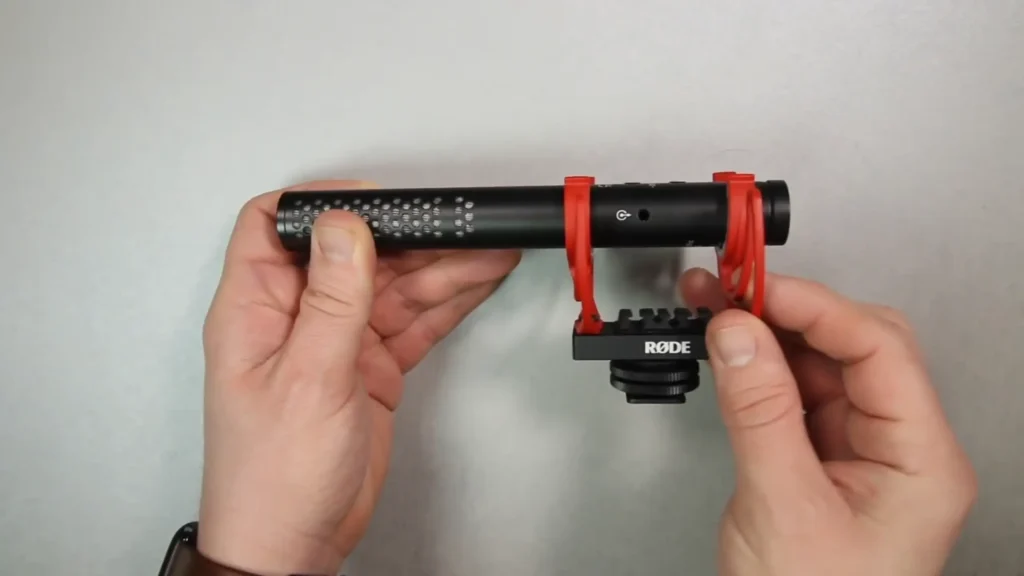
Shotgun Microphones: Rode VideoMic NTG
Rode VideoMic NTG mics capture focused, direct audio while rejecting background noise. Point them at your sound source just out of frame. They handle both trigger sounds and talking-to-camera segments, making them versatile for varied content like ASMR cooking videos.
- Pros: Excellent noise isolation, versatile for different content types, entry-level options start around $40
- Cons: Requires cable to camera or external recorder, directional pickup means careful positioning matters
Wrapping Up
Making ASMR videos comes down to capturing intimate, clean audio that triggers that tingling response viewers are chasing. You now have a roadmap for doing exactly that, whether you’re starting with a smartphone or investing in dedicated gear.
If you have ideas for videos that would help people unwind, that’s reason enough to start creating. The technical side is learnable. The gear is accessible. The only thing missing is your first upload.
FAQs
1. What equipment do I need to start making ASMR videos?
Just your phone. Modern smartphones have capable microphones and cameras. Start there, learn what works for your style, then upgrade based on actual needs.
2. Which microphone is best for ASMR beginners?
USB microphones, like FIFINE AM8 microphone, offer the easiest setup. Plug into your computer, set to the right mode, and start recording.
3. Do I need to soundproof my room?
No. Most successful ASMR creators work in regular bedrooms and apartments. Minimize background noise by turning off fans and AC, closing windows, and recording during quieter hours.
4. Why does my ASMR audio sound distant?
Your microphone is too far from the sound source. Get it as close as possible without appearing in frame. Tighter shots let you position the mic closer.
5. Should I use auto audio levels on my camera?
No. Auto-gain cranks up sensitivity during quiet moments, then distorts when loud triggers hit. Test and lock your levels manually before recording.
