
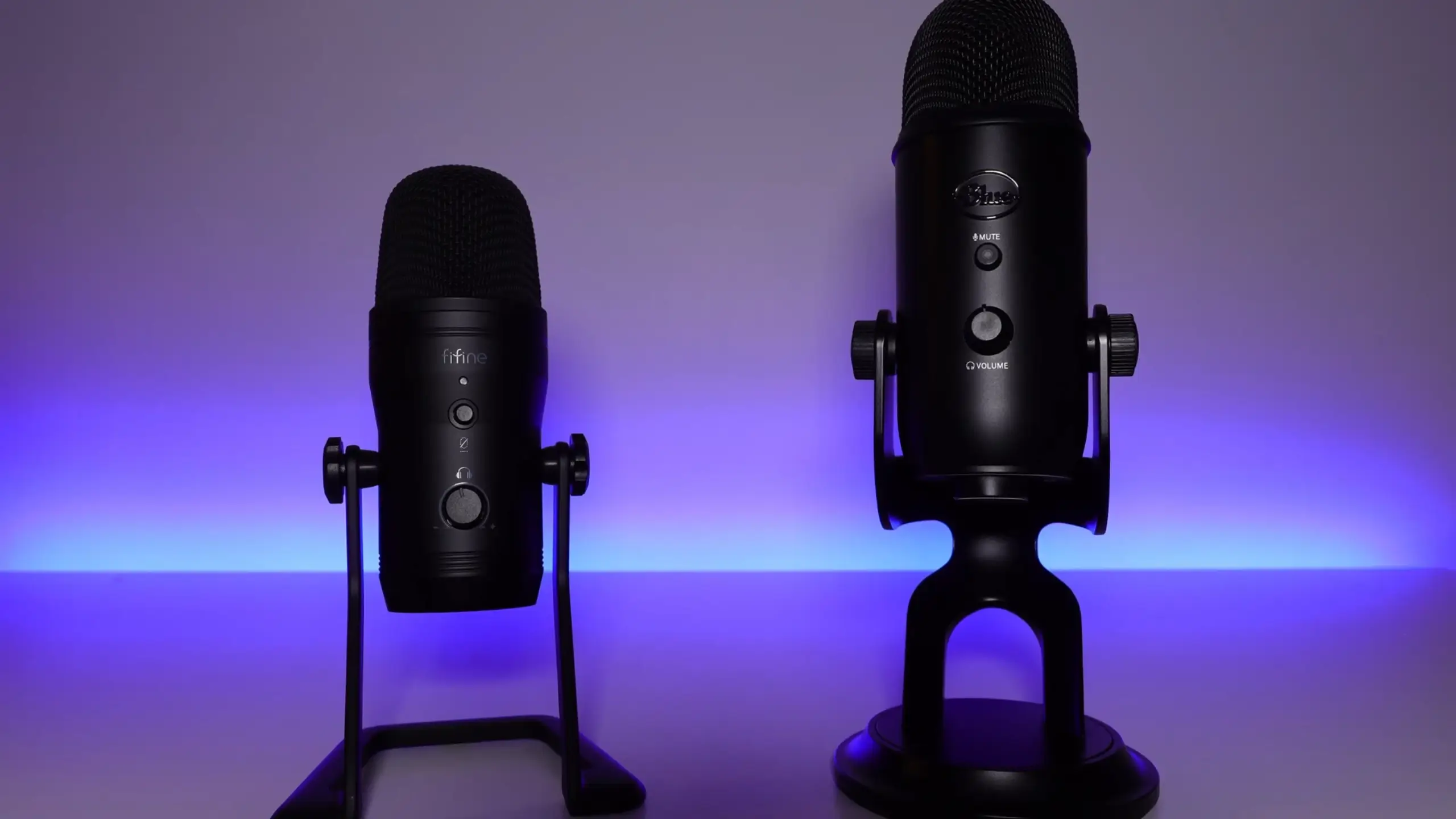
FIFINE K690 vs Blue Yeti: The Exclusive Real Winner for Creators

If you’re looking for an all-in-one microphone, you’ve almost certainly encountered the Blue Yeti. It’s been the go-to recommendation for streamers, podcasters, and content creators for years—practically a household name at this point.
Enter the FIFINE K690. It seems to challenge the Blue Yeti head-on. Same four polar patterns. Similar feature set. Metal construction. But at roughly $40-50 less than the Blue Yeti, you might ask: FIFINE K690 vs Blue Yeti?
After spending time with both microphones, I’m confident in saying the K690 is a genuine contender. Let me break down exactly how these two stack up across the metrics that actually matter for your setup.
Quick Look at FIFINE K690 vs Blue Yeti
| Feature | FIFINE K690 | Blue Yeti |
|---|---|---|
| Price | ~$80 | ~$117-130 |
| Build Quality | ★★★★☆ | ★★★★☆ |
| Sound Quality | ★★★★☆ | ★★★★☆ |
| Size/Portability | ★★★★★ | ★★★☆☆ |
| Value for Money | ★★★★★ | ★★★☆☆ |
| Ease of Setup | ★★★★★ | ★★★★☆ |
| Vibration Handling | ★★★★☆ | ★★☆☆☆ |
| Overall Score | 4.5/5 | 3.8/5 |
FIFINE K690 vs Blue Yeti: Build Quality & Design
Now, let’s step into the specific comparison about FIIFNE K690 vs Blue Yeti
The Physical Differences
Where things get interesting is in the small design details.
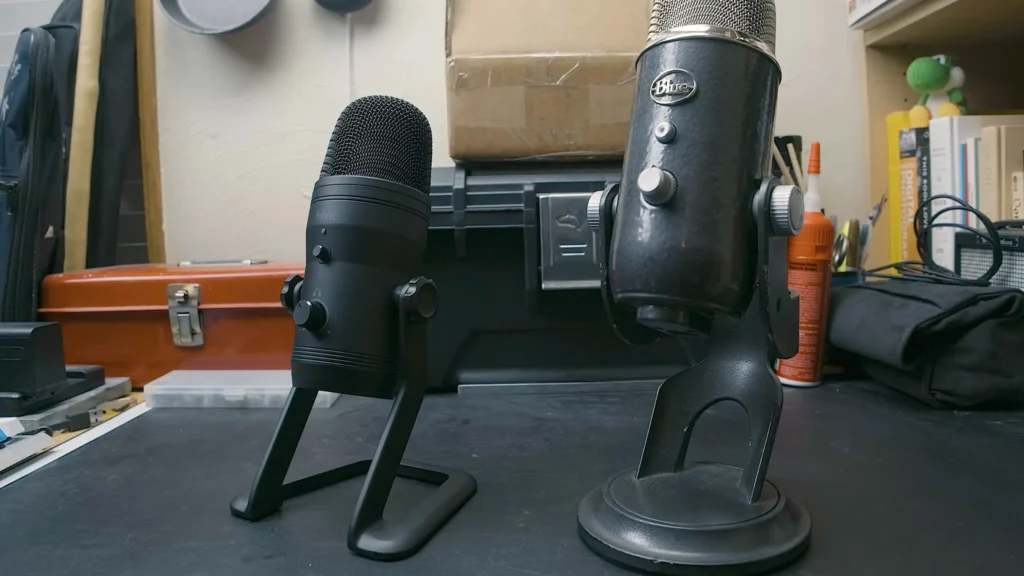
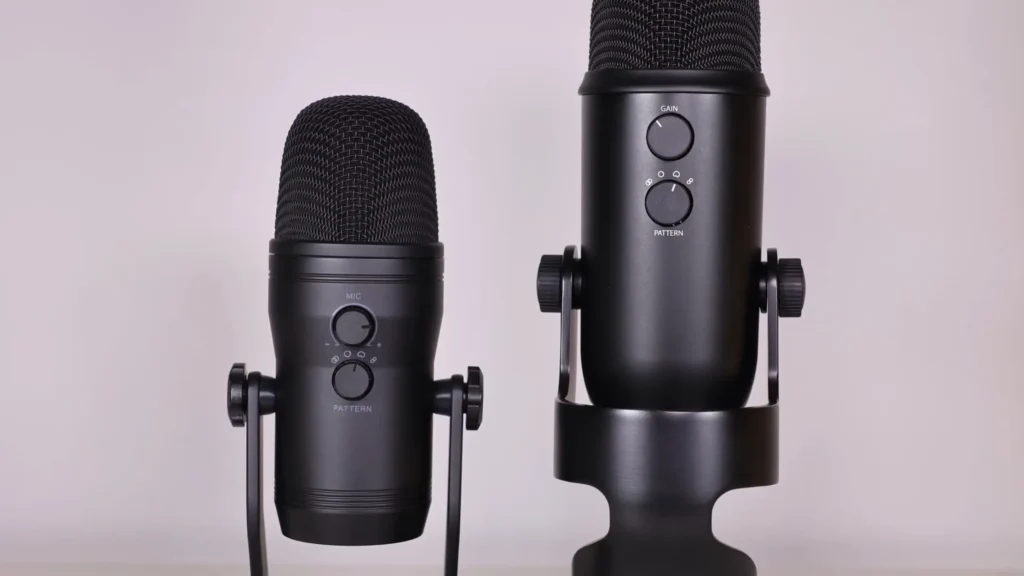
Pick up both microphones, and you’ll notice the size difference immediately. The Blue Yeti has always been a chunky piece of equipment—great if you want your mic to look imposing on camera. The K690 takes a noticeably more compact approach, roughly comparable to the Blue Yeti Nano in physical dimensions, but without sacrificing features.
Both microphones feature all-metal construction where it counts. The K690’s body, mesh grille, and base all feel solid and well-built. The metal stand is weighted nicely to keep the mic stable on your desk, with rubber feet on the bottom to prevent sliding. The Yeti matches this build quality—it’s one of the reasons it’s lasted so long in the market.
Winner: FIFINE K690
The biggest highlight in the FIFINE K690 microphone is the rubber grommets to attach the mic to the stand. On the Yeti, those little plastic washers have a habit of slipping out when you remove the mic, which is annoying.
Also, the K690’s rubber system does a better job of soaking up everyday noise. Keyboard typing, mouse clicks, and bumping the desk. Although it can’t reduce them 100%, the K690 dampens them before they reach the mic. The K690 picked up noticeably less keyboard noise than the Yeti when both were used as desktop mics.
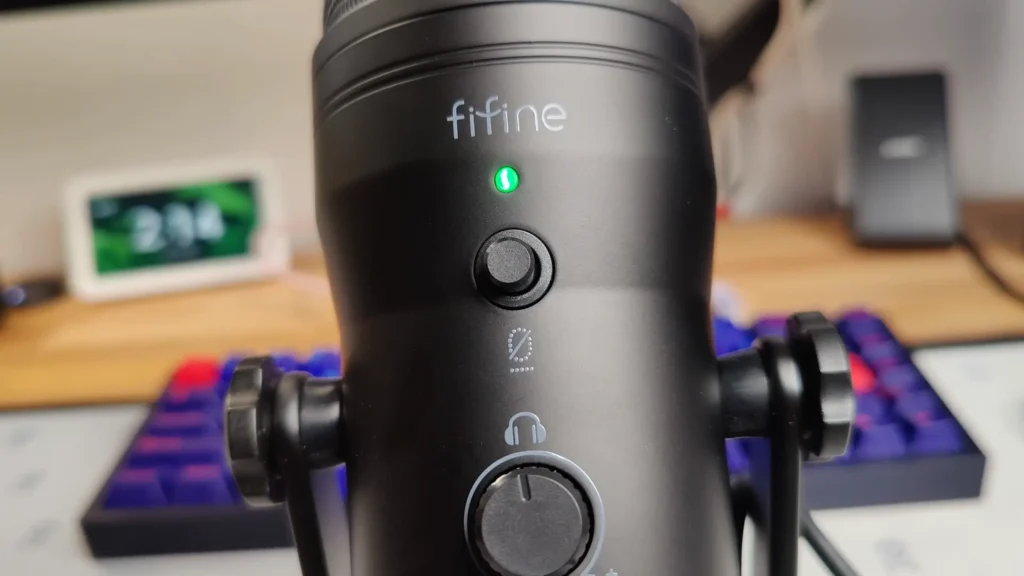
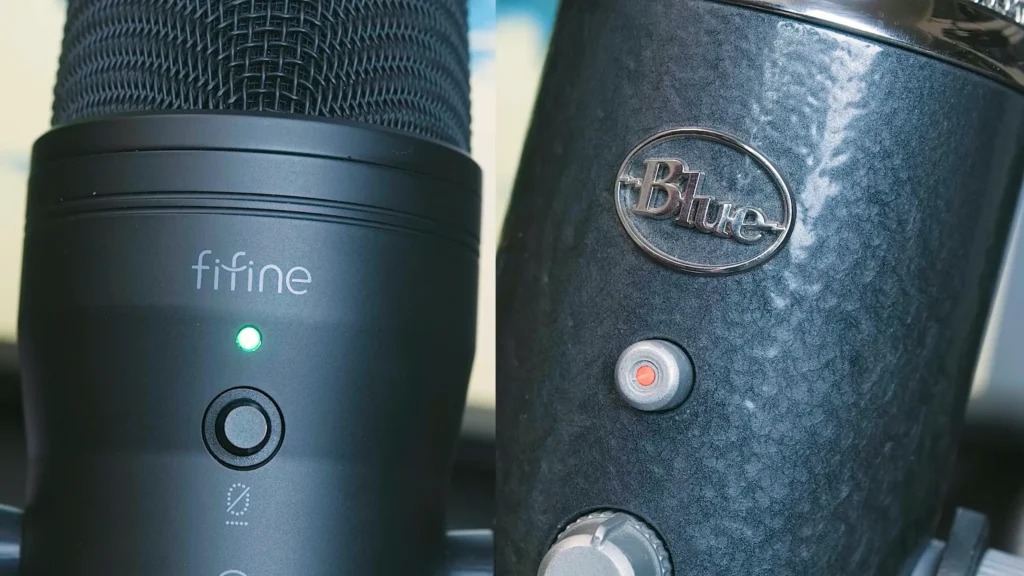
The mute indicator is another small win. On the K690, green means you’re live and red means you’re muted. Simple. The Blue Yeti uses solid red for recording and a blinking red light for mute, which works but isn’t as intuitive at a glance. Small details make a huge difference.
FIFINE K690 vs Blue Yeti: Specifications
Let’s get into the numbers that matter for your recording setup.
Physical Dimensions
| Spec | FIFINE K690 | Blue Yeti |
|---|---|---|
| Height (with stand) | ~9.5 inches | ~11.6 inches |
| Weight (with stand) | 1.3 kg (~2.87 lbs) | ~3.04 lbs |
| Form Factor | Compact | Full-size |
The K690’s smaller footprint means it won’t dominate your desk or take up half your webcam frame. If you’re doing talking-head videos, the Yeti’s size can be distracting when placed in front of you.
Audio Specifications
| Spec | FIFINE K690 | Blue Yeti |
|---|---|---|
| Type | Condenser | Condenser |
| Polar Patterns | 4 (Cardioid, Omni, Stereo, Bidirectional) | 4 (Cardioid, Omni, Stereo, Bidirectional) |
| Sample Rate | Up to 48kHz/16-bit | Up to 48kHz/16-bit |
| Frequency Response | 20Hz-20kHz | 20Hz-20kHz |
| Connection | USB (Mini USB) | USB (Mini USB) |
| Headphone Output | Yes (3.5mm) | Yes (3.5mm) |
| Gain Control | Yes (rear knob) | Yes (rear knob) |
| Mute Button | Yes | Yes |
Both mic specifications are nearly identical. Both offer the same four polar patterns that make them versatile for different recording situations. Cardioid handles solo recording and streaming. Omni captures room ambience or roundtable discussions. Stereo gives you left/right separation for music or ASMR content. Bidirectional works for interviews or duet recordings.
Gain Sensitivity
One difference worth noting: the Blue Yeti runs with higher gain sensitivity out of the box. In testing, the Yeti needed less gain to capture voice at the same perceived volume. This is a double-edged sword—yes, it picks up your voice more readily, but it also captures more room noise and background sounds.
The K690 requires slightly higher gain settings to match the same output level, but this translates to a cleaner signal in many environments. Unless you’re recording in a treated studio space, the K690’s lower sensitivity can actually work in your favor.
Winner: Tie (with caveats)
Specs alone won’t tell you which mic sounds better in your space. But the K690’s lower gain sensitivity and superior vibration isolation give it practical advantages for typical home recording environments—bedrooms, home offices, living spaces with ambient noise.
FIFINE K690 vs Blue Yeti: Sound Quality
This is what you’re really here for. In this part, we test how they sound in cardioid mode, which streamers, podcasters, and video creators will use 90% of the time.
Sound Performance
The Blue Yeti has what reviewers often describe as a “natural room sound.” It picks up more of your environment, which can be good or bad depending on your space. In untreated rooms, this translates to more reverb, more echo, and more ambient noise in your recordings.
The K690 produces a richer, smoother response with slightly less room pickup. The bass frequencies remain more controlled—guitar recordings on the Yeti showed occasional bass overloading that the K690 handled more evenly. For voice work specifically, the K690 delivered a warmer, more present tone.
Plosives and Proximity
Neither microphone handles plosives (those harsh “P” and “B” sounds) particularly well without a pop filter. If you’re recording close to the capsule, budget for a pop filter regardless of which mic you choose.
The proximity effect—that deep, bass-heavy sound when you get close to the mic—is present on both. The K690’s bass response stays a bit tighter, while the Yeti can get boomy when you’re right on top of it.
Background Noise Handling
Here’s where the K690’s design advantages pay off. Thanks to those rubber isolation grommets, desk vibrations and keyboard sounds transfer less readily to the microphone. The Yeti’s direct metal mounting means vibrations travel straight from your desk through the stand into the mic body.
For desktop users who type during streams or recordings, the K690 wins this category handily. If you’re using the Yeti as a desktop mic, you’ll likely want to invest in a shock mount or specialized stand with built-in isolation—an additional expense that erases part of any price savings.
Winner: FIFINE K690
The K690 delivers audio quality that matches or exceeds the Blue Yeti for most use cases, with better vibration isolation and a smoother frequency response. The Yeti isn’t bad—it’s remained popular for good reason—but the K690 sounds just as good while being more forgiving of imperfect recording environments.
Use and Setup in FIFINE K690 vs Blue Yeti
Both microphones operate as plug-and-play USB devices. Connect them to your computer, and your operating system should recognize them immediately without installing drivers.
Controls and Accessibility
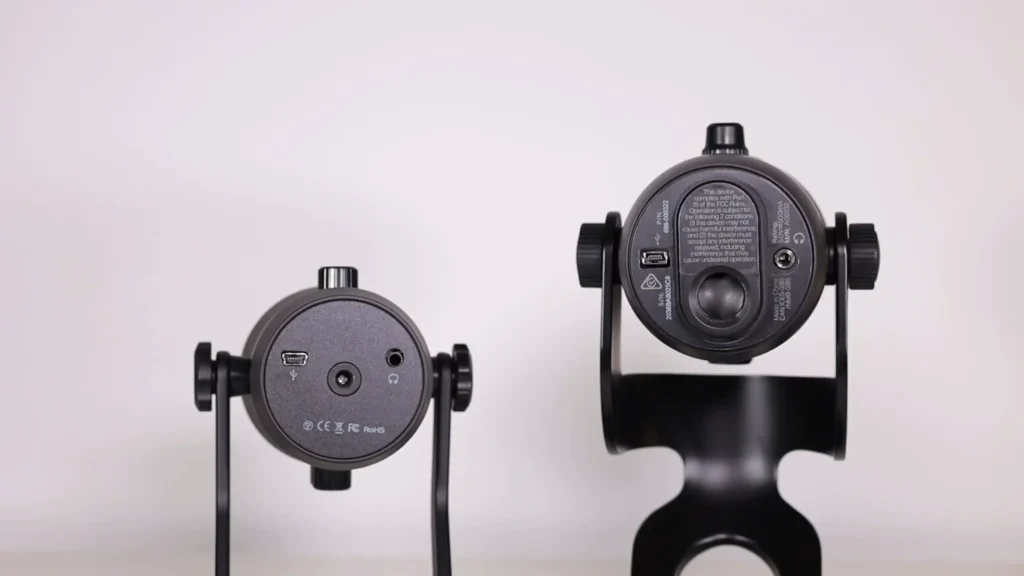
The control layout is similar on both mics: mute button and headphone volume, gain and polar pattern knob, and the monitoring jack. The difference is in the details.
The K690’s knobs are a bit smoother to turn and more precise in their action. If you’re adjusting settings frequently during streams, the K690 offers a more pleasant experience.
But there’s a thing: The mute button has a tactile click. But it’s tolerable. The K690’s headphone jack can be finicky with certain headphone plugs. If you insert the connector all the way, audio cuts out—pulling it back slightly resolves the issue.
Mounting Options
The K690’s included adapters make mounting to boom arms straightforward. The Blue Yeti’s larger thread means you need that extra adapter, and the Yeti’s weight and size require a more robust boom arm to support it comfortably.
Winner: Tie
Both microphones are easy to set up and use. The K690’s better accessory package gives it a slight edge for users planning to mount it on boom arms, but day-to-day operation is comparable.
What’s in the Box
This is where the K690 pulls ahead before you even plug anything in.
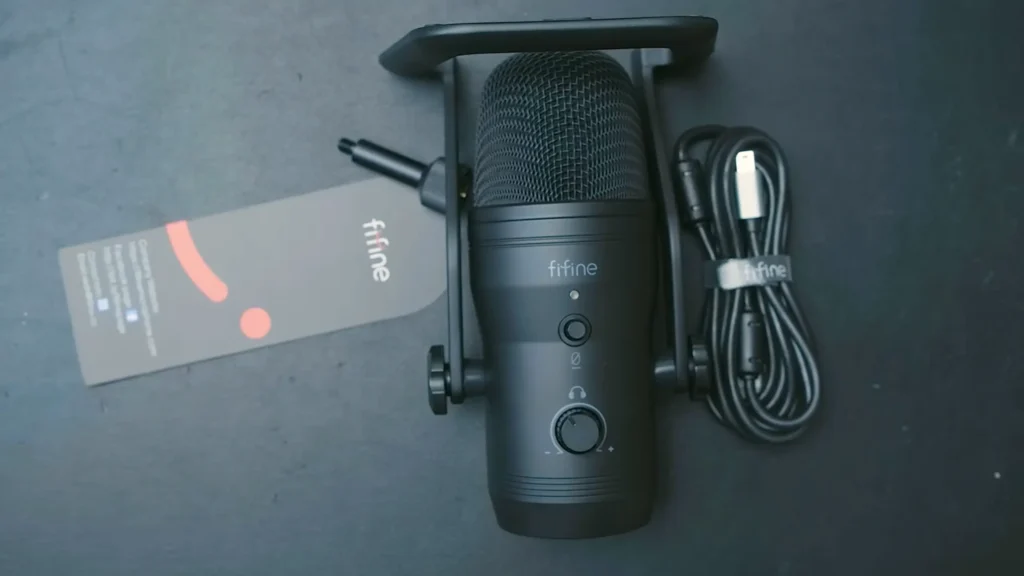
🎁FIFINE K690 Box Contents
- K690 microphone with attached stand
- USB-A to Mini USB cable (approximately 7 feet)
- Boom arm/mic stand adapter (with two thread sizes included)
- User manual
🎁Blue Yeti Box Contents
- Blue Yeti microphone with attached stand
- USB-A to Mini USB cable
- User manual
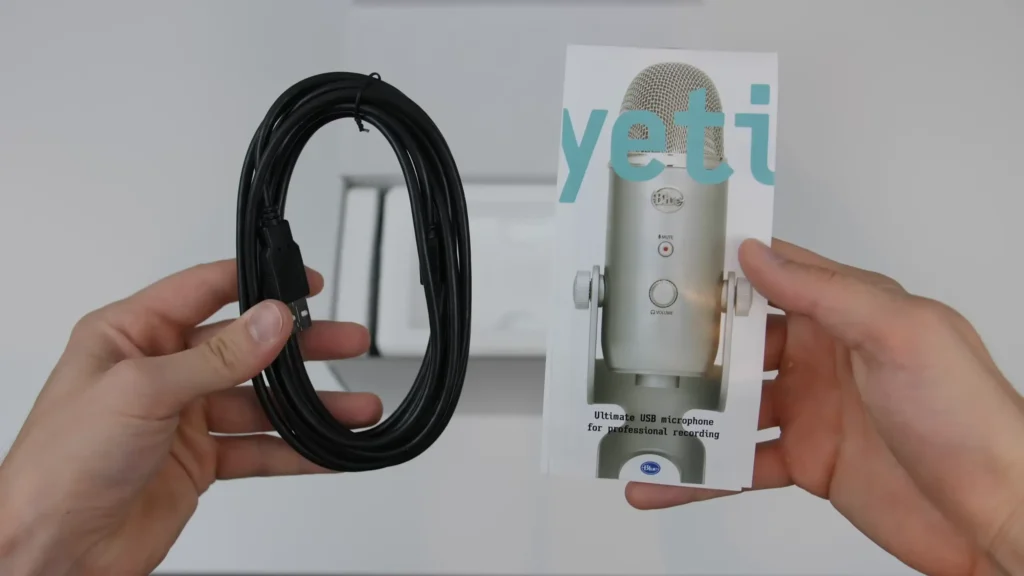
Notice what’s missing from the Yeti box? Any kind of boom arm adapter. The Yeti uses a larger thread size on its base that doesn’t fit standard boom arms or mic stands. You’ll need to buy a separate adapter—usually another $10-15. The K690 includes adapters for both common thread sizes right in the box.
The K690’s USB cable also features better build quality, with metal connector housings versus the Yeti’s plastic ones. Small detail, but it speaks to the overall package value.
Winner: FIFINE K690
FIFINE clearly thought about what users actually need. Including boom arm adapters is a practical touch that saves you a trip to Amazon for accessories.
FIFINE K690 vs Blue Yeti: Price and Value
Let’s talk money, because this is where the K690 makes its strongest case.
| Microphone | Typical Price |
|---|---|
| FIFINE K690 | $69.99 |
| Blue Yeti (Black) | $117-130 |
| Blue Yeti Nano | ~$80 |
Obviously, the K690 is more budget-friendly. That $40-50 savings over the standard Blue Yeti isn’t trivial. It’s enough to cover a decent boom arm, a pop filter, or acoustic treatment panels.
The K690 costs roughly the same as the Blue Yeti Nano—but offers the full feature set of the larger Blue Yeti. Four polar patterns versus the Nano’s two. Full-size condenser capsule. All the gain and monitoring controls you’d want.
FIFINE K690 vs Blue Yeti: How to Choose?
Choose the FIFINE K690 if you:
- Want excellent audio quality without overpaying
- Plan to use the mic on your desk without a boom arm
- Type during streams or recordings
- Prefer a more compact form factor
- Want the boom arm mounting options included in the box
Choose the Blue Yeti if you:
- Already own Blue accessories or ecosystem products
- Specifically want the “Blue sound” you’ve heard in other content
- Found a Yeti on sale at a significant discount
- Prefer the larger, more imposing aesthetic
Wrapping Up
So, FIFINE K690 vs Blue Yeti? The answer is certainly the FIFINE K690 if you want a budget-friendly one. So, FIFINE K690 vs Blue Yeti? The answer is certainly the FIFINE K690 if you want a budget-friendly one. It sounds good, takes up less desk space, handles vibrations better, and includes accessories you’d otherwise need to purchase separately.
The Blue Yeti isn’t a bad microphone—it’s maintained its reputation for years because it genuinely works well. But the K690 offers comparable quality without the premium price tag or the legacy design limitations. So, for first-time USB microphone buyers or streamers upgrading from headset mics, and podcasters looking for quality on a budget, go for FIFINE K690.
FAQs
Is the FIFINE K690 good for streaming?
Yes. The K690’s cardioid mode captures voice clearly while rejecting background noise, making it well-suited for Twitch, YouTube, and other streaming platforms. The built-in gain control and mute button let you make adjustments on the fly without diving into software settings.
Does the FIFINE K690 work with Mac and PC?
Yes. The K690 is plug-and-play compatible with Windows, macOS, and most Linux distributions. No drivers required—your system should recognize it automatically when you plug in the USB cable.
Do I need a boom arm for the FIFINE K690?
Not necessarily. The included desk stand works well for most setups, and the rubber isolation system helps minimize vibration pickup. That said, a boom arm lets you position the mic closer to your mouth (improving clarity and reducing room noise) while keeping your desk clear. The K690 includes mounting adapters if you go this route.
Is the Blue Yeti still worth buying?
The Blue Yeti remains a capable microphone with years of proven performance. If you find one significantly discounted or receive one as a gift, it’ll serve you well. But at full retail price, the K690 offers better value for equivalent performance.
Can I use these microphones for Discord and Zoom calls?
Absolutely. Both the K690 and Blue Yeti are overkill for basic video calls, but they’ll make you sound significantly better than built-in laptop microphones. If you’re doing a lot of remote work or gaming voice chat, investing in a decent USB mic makes a real difference.
