
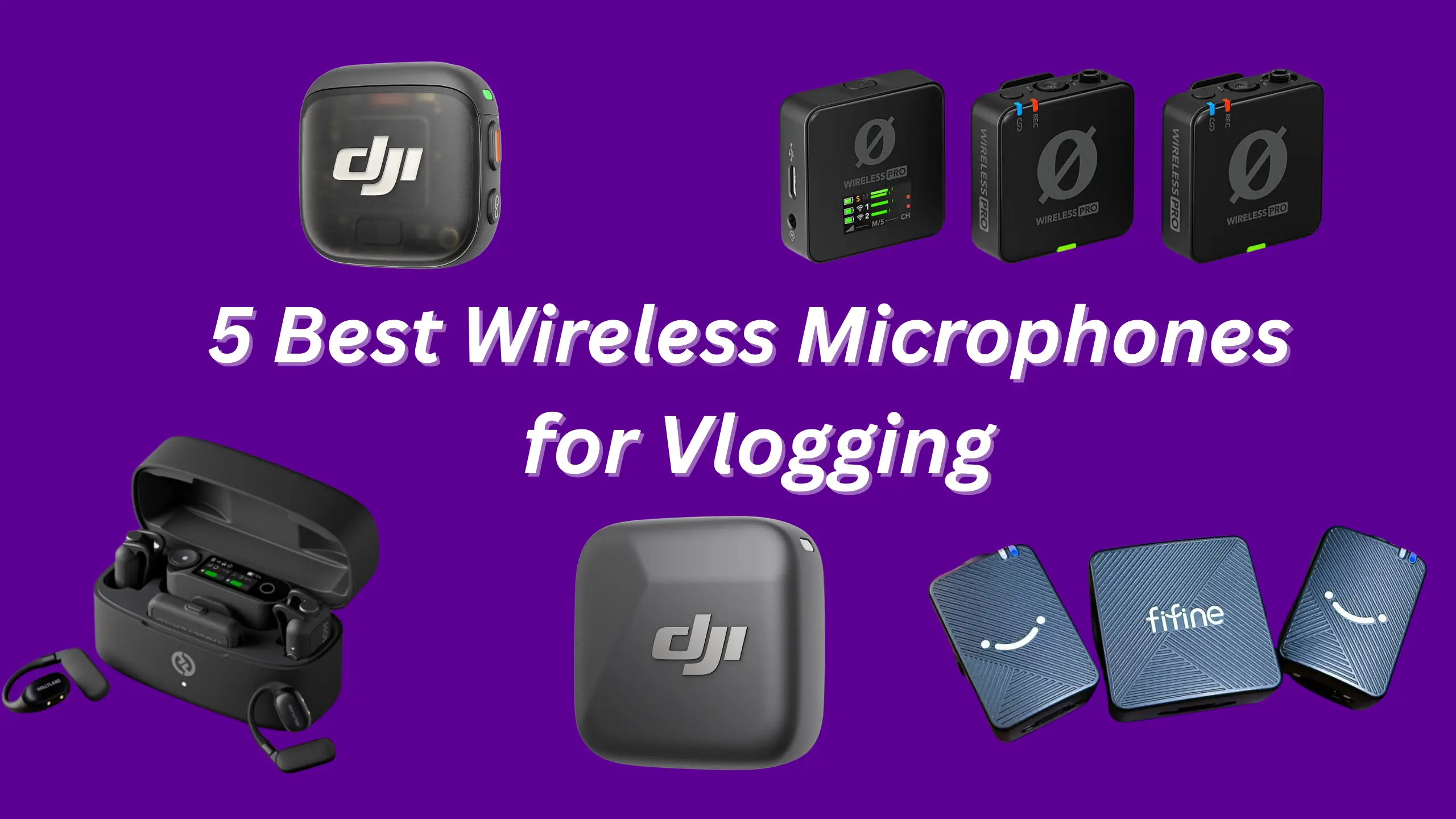
Best Wireless Microphones for Vlogging: 5 Mics We’ve Tested

If you’re ready to film a vlog, a wireless microphone would be your default. They free you from cable tangles, let you move around the frame, and — when you pick the right one — capture audio that sounds like you recorded in a studio. For the best wireless microphones for vlogging, we tested 5 mics in treated and untreated rooms, outdoors in wind, and at range — then compared raw 32-bit internal recordings and 24-bit camera feed. Here’s what we found.
1. Rode Wireless Pro — Best Overall
Pros
- Best raw audio quality in class
- 32-bit float internal recording (up to 40 hours)
- Locking 3.5 mm lav mic ports
- Time code support (jam & audio embed)
- 128-bit encrypted 2.4 GHz transmission
- Excellent Rode Central desktop + mobile app
- Intelligent gain assist
Cons
- Largest and heaviest transmitters
- 21-hour total battery (lowest of the five)
- No built-in noise cancellation or voice effects
- Square design makes orientation tricky
| Criteria | Score |
|---|---|
| Audio Quality | 9.5 / 10 |
| Build & Design | 8.5 / 10 |
| Battery Life | 7.5 / 10 |
| Range & Stability | 8.0 / 10 |
| Ease of Use | 9.0 / 10 |
| Value | 8.5 / 10 |
| Overall | 9.2 / 10 |
If you care about sound first and everything else second, the Rode Wireless Pro earns its reputation. Its 32-bit float onboard recording eliminates clipping worries, and the included locking lavalier mics feel genuinely pro. In side-by-side listening tests, it produced the fullest, most natural-sounding recordings — slightly warmer and richer than both the DJI Mic 3 and Hollyland Lark Max 2.
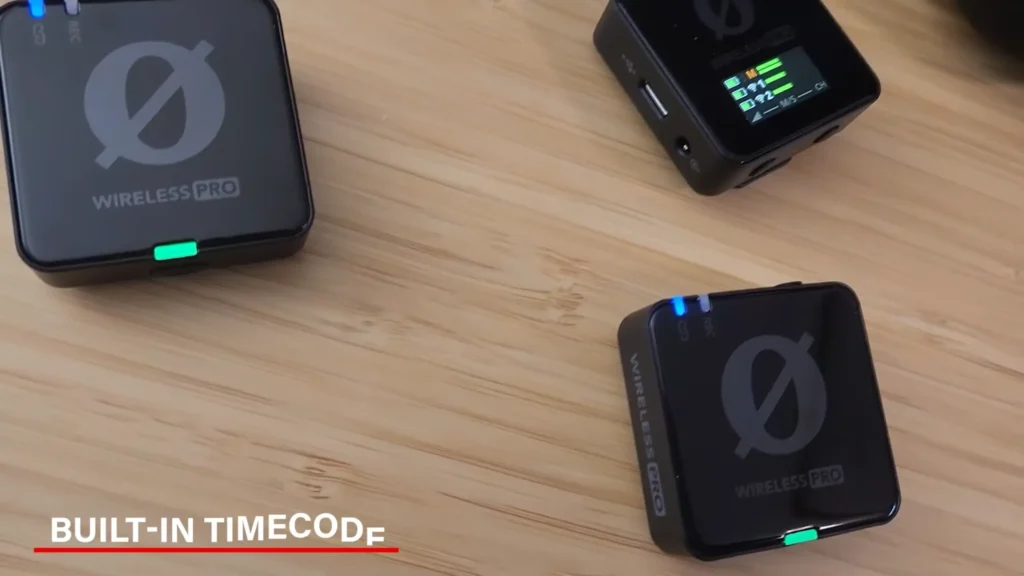
The Rode Central app is the best companion software of the bunch, letting you manage settings, transfer files, and tweak effects from desktop or mobile. And the locking 3.5 mm lavalier ports feel like a genuinely pro touch that none of the smaller competitors match.
Where it falls short is portability. The transmitters are noticeably bigger and heavier than the DJI Mic 3 or Hollyland. Some people think the square is not convenient enough. As @Fstoppers shares on YouTube, “Every side looks the same. I’m always finding myself searching for that USB Jack, and then I’m having to line it up and figure out which way it goes in the case to make the clip fit”. Besides, battery life tops out at 21 hours total — workable, but not as generous as the Hollyland’s 36 hours.
2. DJI Mic 3 — Best for DJI Ecosystem & Compact Size
Pros
- Extremely compact with 32-bit float recording
- Seamless DJI Osmo/Action/Pocket integration
- Time code in and out
- Group recording (4 TX / 8 RX)
- OLED touchscreen receiver
- Locking 3.5 mm on the receiver
- 28-hour total battery life
Cons
- No 3.5 mm lav mic input on transmitters
- The white DJI logo isn’t the most discreet
- Occasional file-transfer hiccups on the computer
| Criteria | Score |
|---|---|
| Audio Quality | 8.5 / 10 |
| Build & Design | 9.5 / 10 |
| Battery Life | 9.0 / 10 |
| Range & Stability | 8.5 / 10 |
| Ease of Use | 9.5 / 10 |
| Value | 8.5 / 10 |
| Overall | 9.0 / 10 |
DJI essentially asked: “What if we made the Mic 2 dramatically smaller without losing the pro features?” The result is a transmitter that’s barely bigger than the Mic Mini, yet packs 32-bit float onboard recording, time code, and support for quadring (four independent audio tracks into Sony cameras via the hot shoe adapter).
The touchscreen receiver is responsive and easy to navigate, and the charging case holds everything — windscreens, magnets, USB-C adapter, and the coiled 3.5 mm cable — in one compact package. At $329, it slots just below the Rode on price while offering better ecosystem integration for DJI shooters.
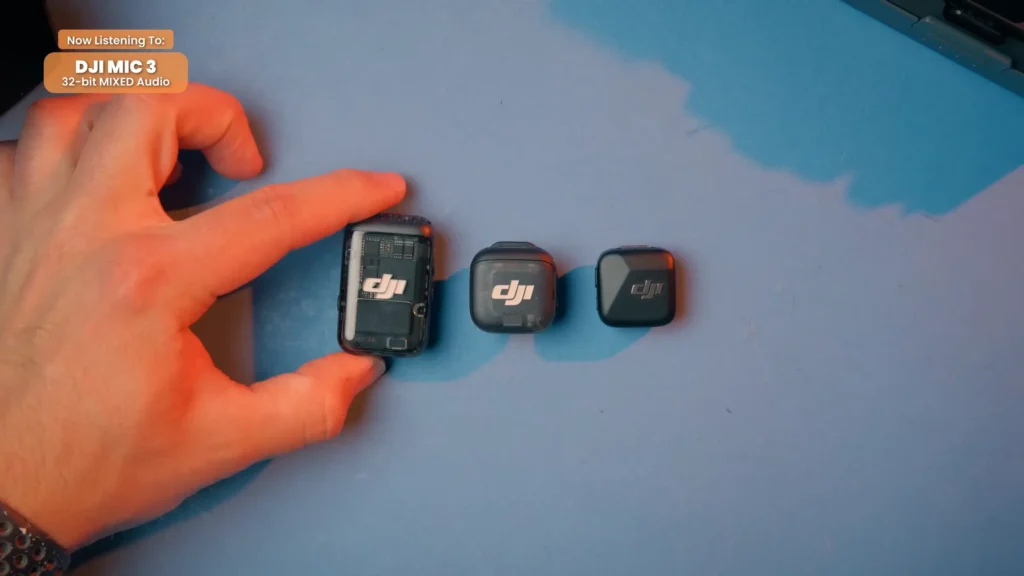
Three voice tone presets, regular, bright, and rich, also provide more choices for you. Two levels of noise cancellation make this wireless mic system stand out a bit more than you’d expect. Even @BenGleasonMedia, who “isn’t a big fan of internal noise cancellation” and usually prefers to clean audio up later in post, still admitted, “the noise cancellation is nice”.
The limitation? No 3.5 mm jack on the transmitters. The Mic 3 targets on-the-go creators who value speed and compactness, and the DJI Mic 2 covers users who need lav support.
3. Hollyland Lark Max 2 — Best Bang for Buck
Pros
- Best price for a 32-bit float system ($249)
- 36-hour battery life (longest tested)
- Stepless noise cancellation (per-decibel adjustment)
- Independent USB-C mobile receiver
- USB-C to 3.5 mm adapter for lav support
- bit full-chain audio (future-proofed for compatible cameras)
Cons
- Smallest internal storage (8 GB)
- The case doesn’t hold accessories (magnets, windscreens)
- No desktop companion app
- Case USB-C is charging only — no file transfer
- Wireless monitoring audio quality needs improvement
| Criteria | Score |
|---|---|
| Audio Quality | 8.5 / 10 |
| Build & Design | 8.5 / 10 |
| Battery Life | 9.5 / 10 |
| Range & Stability | 8.5 / 10 |
| Ease of Use | 8.5 / 10 |
| Value | 9.5 / 10 |
| Overall | 8.7 / 10 |
Hollyland has carved out a sweet spot between budget and pro. The Lark Max 2 doesn’t quite match the Rode’s audio richness or the DJI’s ecosystem magic, but it does everything competently — and it costs $80 to $150 less than its competitors.
The standout feature is the stepless noise cancellation system, which lets you dial in noise suppression on a per-decibel slider rather than toggling between “low” and “high” presets. It’s the most refined noise cancellation implementation we’ve tested.

The independent USB-C mobile receiver is another smart inclusion: plug it into a phone or tablet, and you’re recording without needing the main receiver at all. Furthermore, Holland supports the Lark Sound mobile app. You can use it to manage all the different settings, connect mobile receivers and change their settings, and connect wireless monitor speakers.
The tall, skinny transmitter design is arguably the most discreet of the premium kits — matte finish, subtle logo, USB stick proportions. On the downside, only 8 GB of internal storage limits recording time compared to the Rode’s 32 GB, and the charging case is strictly a charger with no room for extra accessories.
4. DJI Mic Mini — Best Ultra-Portable
Pros
- 10 g transmitters — lightest on camera
- 48-hour total battery (with case)
- 400 m wireless range
- 5-minute quick charge = 1 hour of use
- Safety track records 6 dB lower as backup
- Direct DJI Osmo connection (no receiver needed)
- Auto volume limiting prevents clipping
Cons
- 24-bit audio only (no 32-bit float internal recording)
- No low-latency real-time monitoring
- No 3.5 mm lav mic port
| Criteria | Score |
|---|---|
| Audio Quality | 8.0 / 10 |
| Build & Design | 9.5 / 10 |
| Battery Life | 9.5 / 10 |
| Range & Stability | 9.0 / 10 |
| Ease of Use | 9.0 / 10 |
| Value | 8.5 / 10 |
| Overall | 8.5 / 10 |
The Mic Mini is DJI’s answer for creators who want a wireless mic that’s small enough to forget it’s there. At $170, it sits at roughly half the price of the Rode Wireless Pro and delivers a feature set that covers 90% of what most vloggers need: clean 24-bit audio, omnidirectional pickup, a generous wireless range, and seamless integration with DJI’s camera ecosystem.
The safety track feature — which automatically records a second audio channel at 6 dB lower — is a lifesaver for unpredictable environments. And the five-level gain dial gives you more control than you’d expect from a mic this size. The charging case’s 48-hour total runtime means you can shoot for days between charges.

What you give up is 32-bit float recording and real-time audio monitoring. If those are dealbreakers, look at the Mic 3 or Rode. But for run-and-gun vlogging, travel content, and quick social media shoots, the Mic Mini’s size-to-performance ratio is hard to beat.
5. FIFINE M9 — Best Budget Wireless Microphone
Pros
- Full dual-mic kit under $80
- Charging case included (not always standard at this price)
- Low noise floor for the price
- Stereo/mono toggle for interview flexibility
- Dead cats with secure twist-lock mounting
- All cables included (smartphone, camera, tablet)
Cons
- Heavy transmitters cause fabric droop on t-shirts
- No magnet clip in the box (need to buy separately)
- The noise cancellation feature sounds thin and harsh
- No onboard recording, companion app, or level meter
- Dead cats don’t fit in the case while attached
| Criteria | Score |
|---|---|
| Audio Quality | 7.0 / 10 |
| Build & Design | 6.5 / 10 |
| Battery Life | 7.5 / 10 |
| Range & Stability | 7.5 / 10 |
| Ease of Use | 8.0 / 10 |
| Value | 9.5 / 10 |
| Overall | 8.0 / 10 |
Let’s be real: $80 for a complete wireless mic kit with a charging case sounds too good to be true. And to the FIFINE M9’s credit, the audio quality is better than “too good to be true” territory. The noise floor is present but manageable, and once you apply basic processing — even free AI tools like Adobe Podcast — the output sounds clean enough for YouTube reviews, Instagram reels, and talking-head content.
The downsides are physical. The transmitters are heavier than DJI’s offerings and will pull lightweight fabric down, which affects audio pickup angle. The plastic build feels noticeably cheaper than the DJI Mic Mini (which costs roughly double). And the built-in noise cancellation is one feature you’ll want to leave off — it makes audio sound thin and unnatural.

A practical tip: pick up a magnetic clip (Rode’s works well, around $20) to avoid the fabric-droop problem. Even with that added cost, you’re still well under $100 for a solid dual-mic setup. For creators who are just starting or need a reliable backup kit, the FIFINE M9 earns its spot.
How to Pick the Right Wireless Mic for Your Setup
The “best” mic depends on how you create content. Here’s a quick-reference chart matching each mic to common vlogging scenarios:
| Use Case | Best Pick | Why |
| Documentary / Film Work | Rode Wireless Pro | Best audio, locking lav ports, time code, 32 GB internal storage |
| DJI Camera Users | DJI Mic 3 | Direct Osmo/Action/Pocket connection — no receiver needed |
| Solo YouTube / Social Media | Hollyland Lark Max 2 | Best value for 32-bit float, standalone mobile receiver, longest battery |
| Travel Vlogging | DJI Mic Mini | Smallest, lightest, 48-hour case, quick-charge capability |
| Tight Budget / Beginner | FIFINE M9 | Full dual-mic kit under $80 with charging case and all cables |
| Multi-Camera Podcast | DJI Mic 3 | Group recording (4 TX / 8 RX) + quadring for Sony cameras |
| Outdoor / Rain Shoots | Saramonic Ultra* | IP water resistance rating — survives rain without worry |
*The Saramonic Ultra narrowly missed our top 5 but earned an honorable mention for its outstanding wireless range and water resistance. At $270–$300, it’s worth researching if range and weather resilience are your top priorities.
What to Look for in a Wireless Vlogging Mic
Audio Quality & Bit Depth
Most wireless mics record at 24-bit/48 kHz, which is more than enough for YouTube and social media. The premium systems now offer 32-bit float internal recording. Literally, you cannot clip the audio; levels can be adjusted in post without quality loss. If you’re doing any professional or unpredictable work, a 32-bit float is worth paying for.
Battery Life
Always check total system battery (transmitters + receiver + charging case), not just per-charge runtime. A charging case that tops up your transmitters between setups is non-negotiable in 2025. The range in our test group spans 21 hours (Rode) to 48 hours (DJI Mic Mini). Think about your longest shoot day and add a buffer.
Build Quality & Weight
A heavy transmitter will droop on a t-shirt and shift your audio pickup angle. Lighter mics (10–14 g) stay put on fabric. Magnetic clips help, but not every kit includes them. Also check whether windscreens fit inside the charging case — if they don’t, you’ll need to remove and reattach them every time you pack up.
Connectivity & Ecosystem
Check what you’re plugging into. USB-C, Lightning, and 3.5 mm compatibility matters. DJI mics connect directly to DJI cameras without a receiver. Rode connects natively to Rodecaster mixers. If you already own gear from one of these brands, staying in the ecosystem saves headaches.
Noise Cancellation
Built-in noise cancellation is trending across all price points, but quality varies wildly. Hollyland’s stepless system (adjustable per decibel) is the most usable. DJI’s two-level toggle is fine for light background noise. The budget wireless mic FIFINE M9’s noise cancellation degrades audio quality noticeably — leave it off and clean up in post instead.
Final Verdict on Best Wireless Microphones for Vlogging
The Rode Wireless Pro takes our top spot on the best wireless microphones for vlogging for its unmatched audio quality, 32-bit float recording, and the most complete feature set of any compact wireless system.
If you shoot on DJI cameras, the DJI Mic 3 is the smarter buy — its ecosystem integration alone justifies the pick. Budget-conscious creators with pro ambitions should look hard at the Hollyland Lark Max 2. The DJI Mic Mini remains the go-to for travel-first vloggers who want the smallest possible footprint. And the FIFINE M9 proves that $80 can get you genuinely usable audio — especially paired with a little post-processing polish.
FAQs
Do I really need 32-bit float recording for vlogging?
For casual YouTube content and social media, 24-bit/48 kHz audio is perfectly fine. 32-bit float becomes valuable when you’re recording unpredictable situations — interviews, events, outdoor shoots — where audio levels might spike unexpectedly. It removes the risk of clipping entirely.
Can the FIFINE M9 compete with DJI and Rode in audio quality?
Out of the box, no — premium kits sound cleaner and richer. But with basic post-processing (compression, EQ, or AI tools like Adobe Podcast), the FIFINE M9 produces audio that works well for YouTube, Instagram, and TikTok content. The gap narrows a lot once you add even minimal editing.
Which wireless mic has the best range?
In our testing, the Saramonic Ultra (honorable mention) had by far the best real-world wireless range with zero dropouts, even when the subject turned away. Among our top 5, the DJI Mic Mini’s 400-meter spec held up best in practical outdoor use.
Do I need a separate lavalier mic, or is the built-in capsule enough?
For most vlogging, the built-in transmitter capsule is all you need — clip it to your collar and go. External lavalier mics help when you need to hide the mic completely (under the wardrobe for film work) or when you want a different tonal quality. The Rode Wireless Pro includes two locking lav mics; the Hollyland Lark Max 2 offers a USB-C adapter solution.
Is a charging case really necessary?
In 2025, yes. Charging two transmitters and a receiver with separate cables is tedious and easy to mess up before a shoot. Every mic on this list includes a charging case, and once you’ve used one, there’s no going back.
