
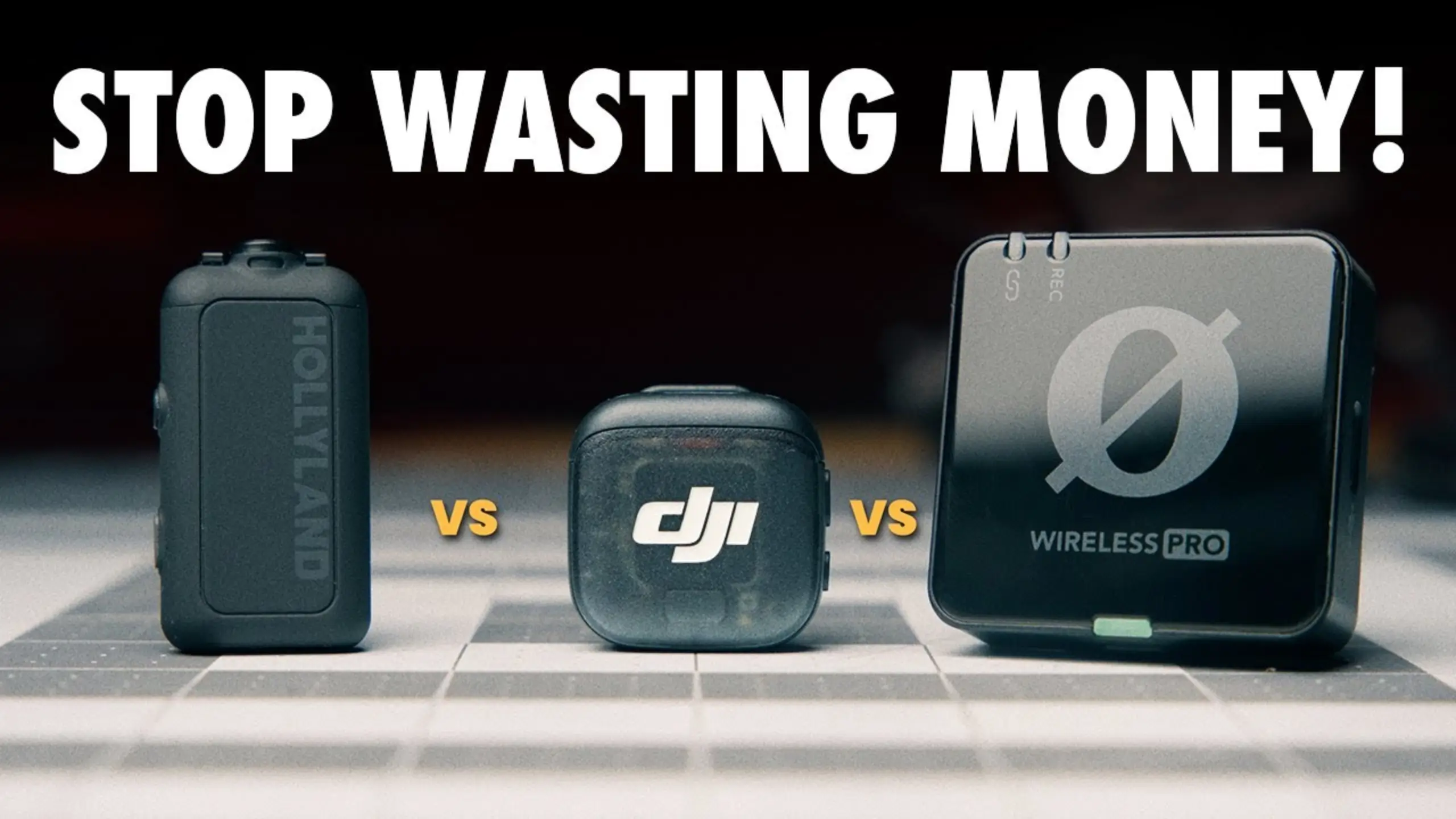
The Best Budget Wireless Microphone in 2026: 5 Kits Tested and Ranked

The best budget wireless microphone is no longer an obvious compromise. Whether you choose the $60 fifine M9 or the $114 Hollyland Lark M2S, the best wireless microphone not only captures your sound clearly but also makes recording convenient. Here, we’re covering 5 kits: the fifine M9, DJI Mic Mini, Hollyland Lark M2S, Hollyland Lark M2, and RØDE Wireless Micro. From sound quality to charging design and connectivity, here’s what we found.
Quick Look at 5 Best Budget Wireless Microphones
| Mic | Price | Buy it if you’re | Typical use case |
|---|---|---|---|
| DJI Mic Mini | $99 | A creator who wants to stop thinking about audio | Talking-head YouTube, vlogging, run-and-gun shoots where you switch between camera and phone |
| fifine M9 | $60 | On a tight budget and comfortable editing | Two-person interviews, podcasts, indoor YouTube and Instagram content where you control the room |
| Hollyland Lark M2S | $114 | Filming yourself and hate seeing gear on camera | Presenter pieces, course videos, client-facing content where the mic shouldn’t be visible |
| Hollyland Lark M2 | $99 | Hiding the mic under clothing on a budget | Drama, fashion and lifestyle shoots; any setup where the transmitter goes beneath fabric |
| RØDE Wireless Micro | $86 | A phone-only creator who wants zero setup | Street interviews, social clips, anything shot entirely on an iPhone or Android |
1. DJI Mic Mini — Best Overall Wireless Microphone
Pros
- Loudest output at −7.9 LUFS with the lowest noise peak
- 10.5 to 11 hours of recording, up to 48 hours with the case
- 400m range, the longest here
- Gain wheel on the mic itself — five settings in 6dB increments
- DJI Mimo app: two noise cancellation modes, safety track, low-cut filter, clipping control, mono/stereo
- Connects by Bluetooth to the Osmo Pocket 3, Action 4 and Action 5 Pro without a receiver
- Everything — mics, receiver, adapters, TRS cable, windscreens — fits in the charging case
- Auto-off when it detects your connected device power down
Cons
- Cold shoe clip isn’t removable, adding avoidable bulk
- Lightning adapter is a separate purchase
- Bluetooth connection works but sounds noticeably worse than wired
- No onboard recording
It’s the kit that lets you stop thinking about your audio. Longest battery, longest range, best app, best case, and everything fits inside that case.
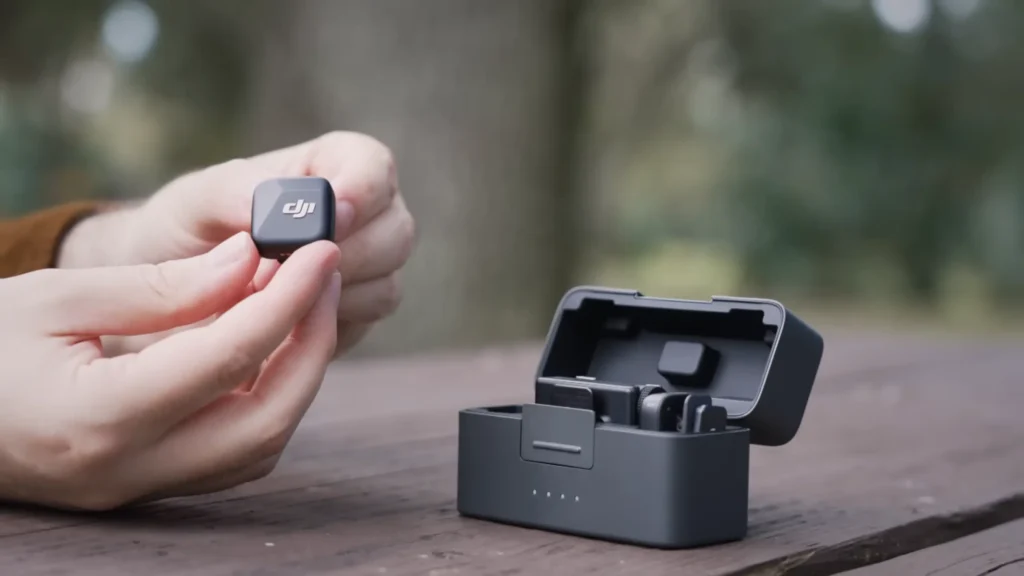
Where it pulls away is everything around the sound. The case design is the single most-praised object in many reviews — everything stores inside the lid, the dead cat stays mounted on the mic when you pack it, and the whole kit drops into a jacket pocket. The gain wheel means you can fix a level problem before you record rather than discovering it in the edit.
2. fifine M9 — Best Budget Wireless Microphone Under $100
Pros
- Roughly $80 for two transmitters, one receiver, a charging case, a protective case and all cables
- Audio sound is clear and similar to the Hollyland Lark M2
- Noise floor is present but not intrusive; cleans up almost completely with a preset
- Pairing is fast and stayed stable throughout testing
- Stereo/mono switch adds genuine flexibility for two-person interviews
- Dead cats use a twist-lock mount that stays put
- Hard protective case for the charging case — a detail one reviewer used constantly
Cons
- Plastic build feels cheap next to the DJI kits
- Heavy enough on a t-shirt that the fabric droops, angling the capsule away from your mouth
- No magnet in the box — budget roughly $20 for a third-party magnetic clip
- Receiver LEDs face away from the camera’s cold shoe, so solo shooters can’t see levels
- No app, no onboard recording, no level meter, no lav input
fifine M9 is a complete two-person wireless kit for roughly half the price of anything else here, with audio that’s genuinely usable.
In a direct A/B against the Hollyland Lark M2 — a mic costing roughly $60 more — @alvinantonio called the two “very similar” and said the difference came down to how each is voiced rather than which is better. He added that for content creation, interviews, and even wedding videography, “Both of these are good enough”.
@Lochlens ran the M9 against the DJI Mic Mini and the original DJI Mic in a partially treated room. He concluded that a $60 kit can produce publishable audio, provided you’re willing to run a preset.
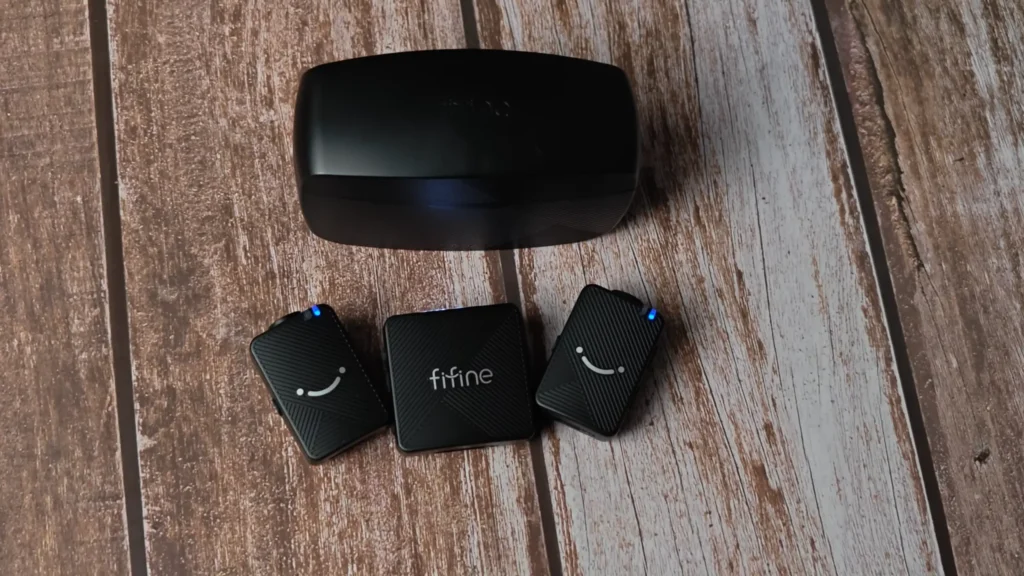
The weight issue deserves attention if you shoot yourself talking to camera. Clipped to a T-shirt, the transmitter pulls the fabric downward, which tilts the capsule away from your mouth — and it worsens the moment you lean onto a desk. A magnetic clip solves it, but that’s $20 you hadn’t budgeted.
3. Hollyland Lark M2S — Best for Hiding the Mic On Camera
Pros
- Best clarity of the group, balanced across the range
- Tadpole transmitter hides behind the fabric; looks like a lapel mic on camera
- Two receivers included, one for camera and one for mobile
- Lightning adapter included in the box
- Feature-rich app: two noise cancellation modes, three gain levels, stereo/mono, auto-off
Cons
- No magnet, so you’re limited to clipping onto fabric
- Build quality noticeably more plasticky than the DJI or RØDE
- Windscreens, cables and adapters don’t fit in the charging case
- Highest measured noise peak of the three tested
Hollyland Lark M2S is the most interesting design in this test. The transmitter uses a tadpole shape that clips to your shirt with the bulk hidden behind the fabric, so only a small unbranded capsule shows — it reads as a lapel mic rather than a wireless puck stuck to your chest.
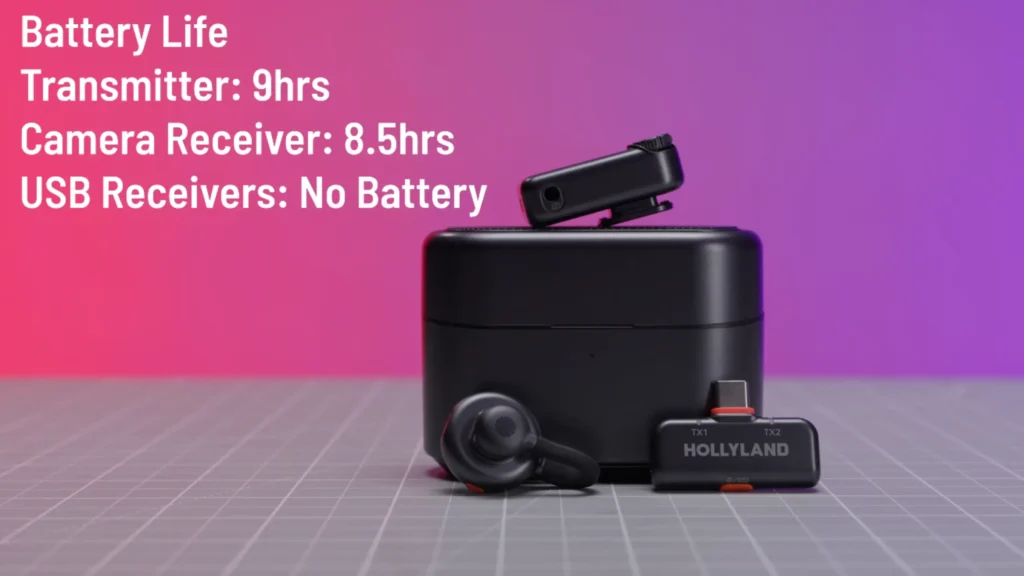
It also won the clarity test in the one instrumented comparison we drew on. If your priority is a mic that disappears on camera without looking like equipment, this is the one to shortlist.
4. Hollyland Lark M2 — Best for Lightweight and Adapters in the Box
Pros
- 9g with magnet — genuinely disappears under clothing
- Every adapter in the box: camera, USB-C and Lightning, no follow-up purchases
- 300m transmission range
- 10 hours of recording, up to 30 hours with case charging
- Two noise reduction levels plus firmware updates through a solid app
- Double-tap the power button to trigger recording on your phone, including in third-party camera apps
Cons
- Three separate receivers to keep track of instead of one adapter-based solution
- Case only fits the receiver and two mics; everything else goes in a cloth pouch
- Windscreen covers the whole unit, hiding mic orientation and blocking the button
- Noise reduction can sound robotic on the strong setting and occasionally clips words
Hollyland Lark M2 sounds like the M2S, but they are not the same. At 9g with the magnet attached, this is the lightest mic here by a distance.
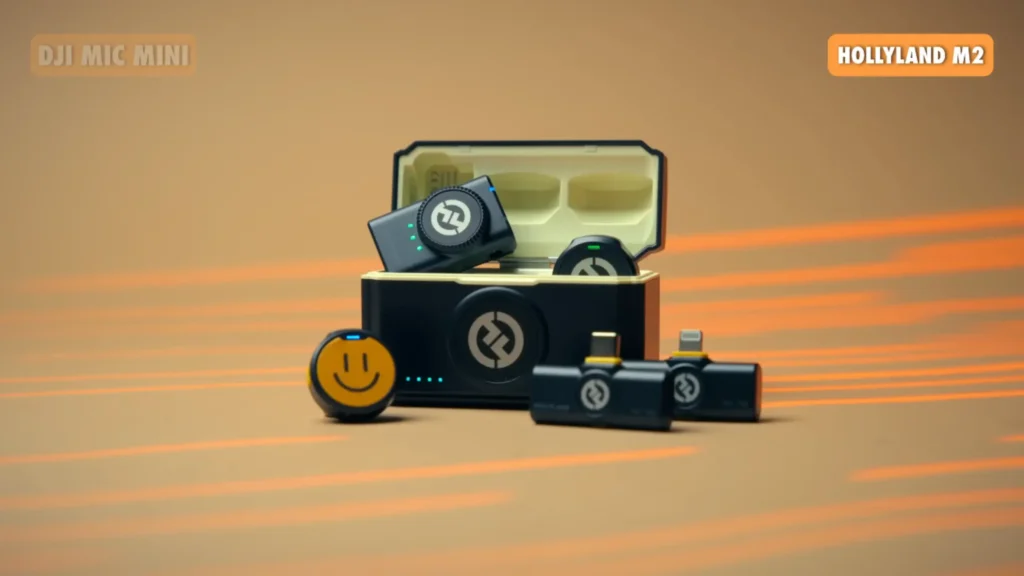
Hollyland’s approach here was to strip the microphone back to a tiny circle and move everything optional into the accessory bag, so you scale the mic up only when you need to. It works. Battery and range are both comfortably beyond what most creators will ever use.
The accessory pile cuts both ways. @alvinantonio has used the mics, the transmitter, and the cables over one year. Not the necklace, not the clips, not the stickers. If it makes you feel like you paid for a necklace you’ll never wear, note that.
5. RØDE Wireless Micro — Best for Mobile-Only Creators
Pros
- Genuinely plug-and-play
- Noise peak measured in line with the DJI Mic Mini, the best result of the group
- Excellent case, roughly AirPods Pro-sized, compact and secure
- Clever windscreen design that slides on and covers the capsule properly
- Rectangular shape makes it easier to hold as a handheld interview mic
Cons
- No noise cancellation feature at all, and no safety tracks
- Mobile only — no 3.5mm output, so it won’t connect to a camera
- 18g, the heaviest here
- 7 hours of recording, 18 to 21 hours with the case, the shortest
- Intelligent gain assist can’t be adjusted or monitored
- No buttons on the mic or receiver, so no camera control and no on-device settings
RØDE Wireless Micro is built around a single idea: plug it into your phone and go. But something else is a compromise. It has no noise cancellation at all, the shortest battery life, the shortest range, no 3.5mm output so it can’t touch a camera, and it was measured as by far the quietest of the group.
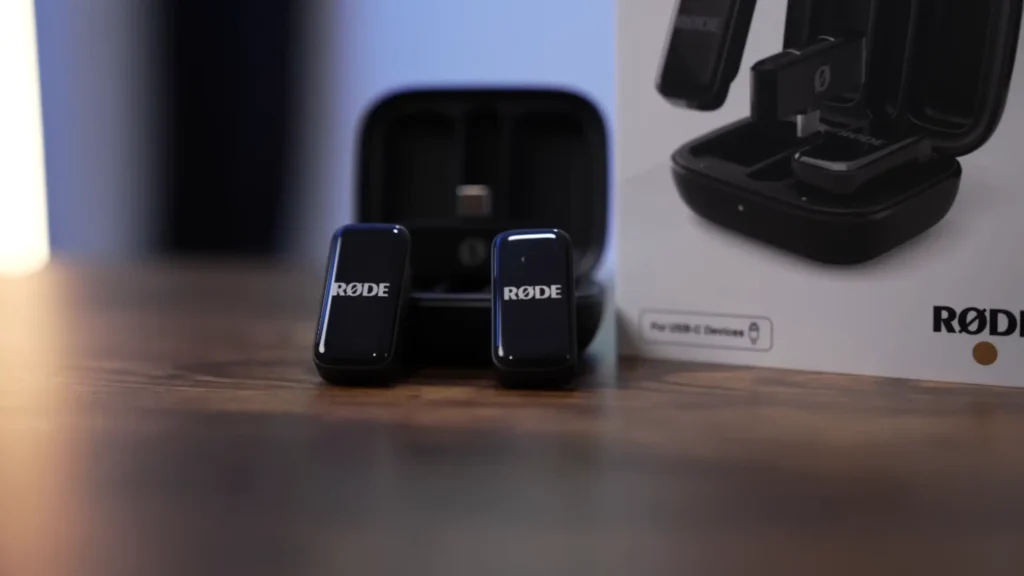
Reviewer flagged tone as personal taste. @kylemeshna heard it as hollow and lacking depth at the low end. What isn’t a matter of taste is the noise floor result, which was strong, and the feature set, which is the thinnest here at the second-highest price.
If you will never plug a mic into a camera, it’s a clean, elegant product. If there’s any chance you will, it’s the wrong buy.
What to Look For in a Budget Wireless Microphone
Sound quality
Every mic here is good enough to publish. The bigger difference is tone, not capability, so don’t over-index on anyone’s ranking. Listen to samples and choose the sound you like.
Noise handling & cancellation
Signal-to-noise ratio is more measurable than tone: a louder voice and lower noise floor give you more room to edit. This is where pricier mics pull ahead, though basic EQ or Adobe Podcast can narrow the gap.
Treat noise cancellation in the microphone as a bonus. Strong settings can introduce robotic artifacts or thin out voices. Good mic placement and a controlled environment still matter more.
Wearability
Under 15g is ideal. Heavier transmitters can pull on your shirt and change mic placement, hurting real-world audio more than small spec differences. Also consider how visible the mic is on camera; the Lark M2S is notably discreet.
Battery & charging case
A charging case is essential for long shoots. Don’t just check the total battery rating—make sure it fits the entire kit, including the receiver, adapters, and windscreens. Small details like whether windscreens can stay attached also matter in daily use.
Range & compatibility
Don’t pay extra for 400m of range if your subject is usually three meters away. Extra range mainly means fewer dropouts when subjects move around.
More important is what you can connect to: 3.5mm for cameras, USB-C or Lightning for phones. Check what’s included before buying, or you may end up paying extra for adapters.
Controls & value
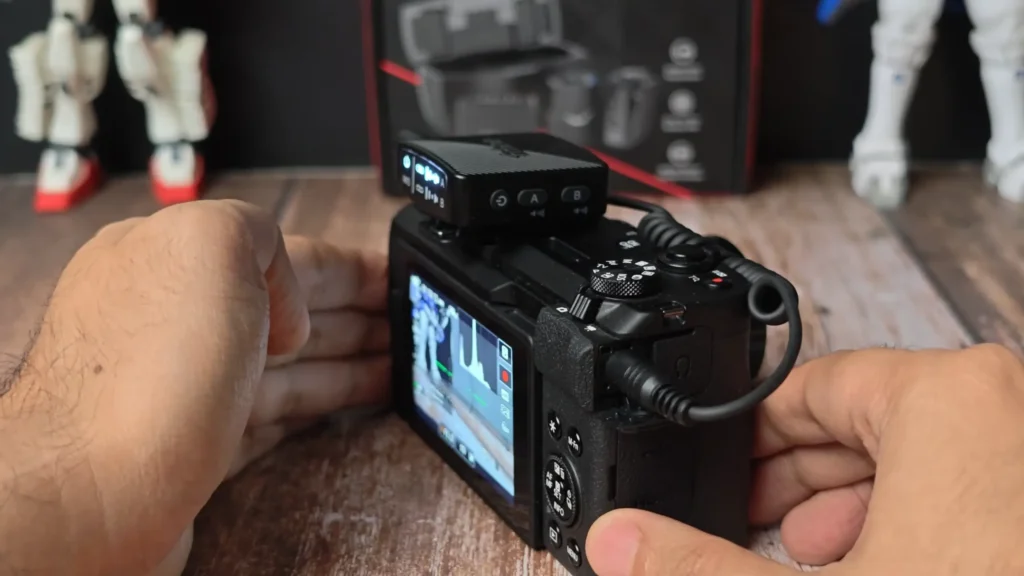
Gain control, level meters, safety tracks and low-cut filters can save a bad recording—especially when shooting solo. Budget kits often skip these features.
Finally, judge value by what’s in the box, not the sticker price. Count the transmitters, receiver, case, adapters, and accessories, then factor in anything you’ll need to buy separately. The cheapest mic isn’t always the best deal.
Find Your Best Wireless Microphone
The best budget wireless microphone for you is the one that suits you. The DJI Mic Mini is our top overall pick, while the fifine M9 is the best budget wireless microphone for two-person audio without spending big. Prefer a discreet lapel look? Go Lark M2S. Want the lightest setup? Pick Lark M2. Shooting on your phone only? Wireless Micro keeps things dead simple. And for weddings or once-in-a-lifetime shoots, a used DJI Mic is worth it for the backup track alone.
Pick the mic that fits the way you shoot—not the one with the longest spec sheet.
FAQ
Can an under $100 wireless mic kit like fifine M9 really sound good?
Yes, with one condition. Out of the box, the audio is decent with a modest noise floor. Add an EQ preset in your editor or a pass-through Adobe Podcast, and it becomes very good for YouTube, Instagram, and interview content.
Do I need a charging case?
If you use your mics more than occasionally, yes. Without one, you’re charging two transmitters and a receiver from separate cables, and you lose the 30 to 48 hours of topped-up runtime a case provides between takes.
Do any of these record internally as a backup?
Only the original DJI Mic, which you’ll find used for around $130 to $140. None of the current-generation kits here have onboard memory — they record directly to your camera or phone.
Is transmission range worth paying more for?
Rarely. Longer range buys reliability rather than distance — fewer dropouts when a subject turns away or moves behind an obstacle. If you’re seated and close to your receiver, spend the money elsewhere.
Can I use these for two-person interviews?
Every kit here ships with two transmitters. Look for a stereo/mono switch too — recording each speaker to a separate channel gives you far more control in the edit. The fifine M9, both Hollylands, and the DJI Mic Mini all offer it.
