
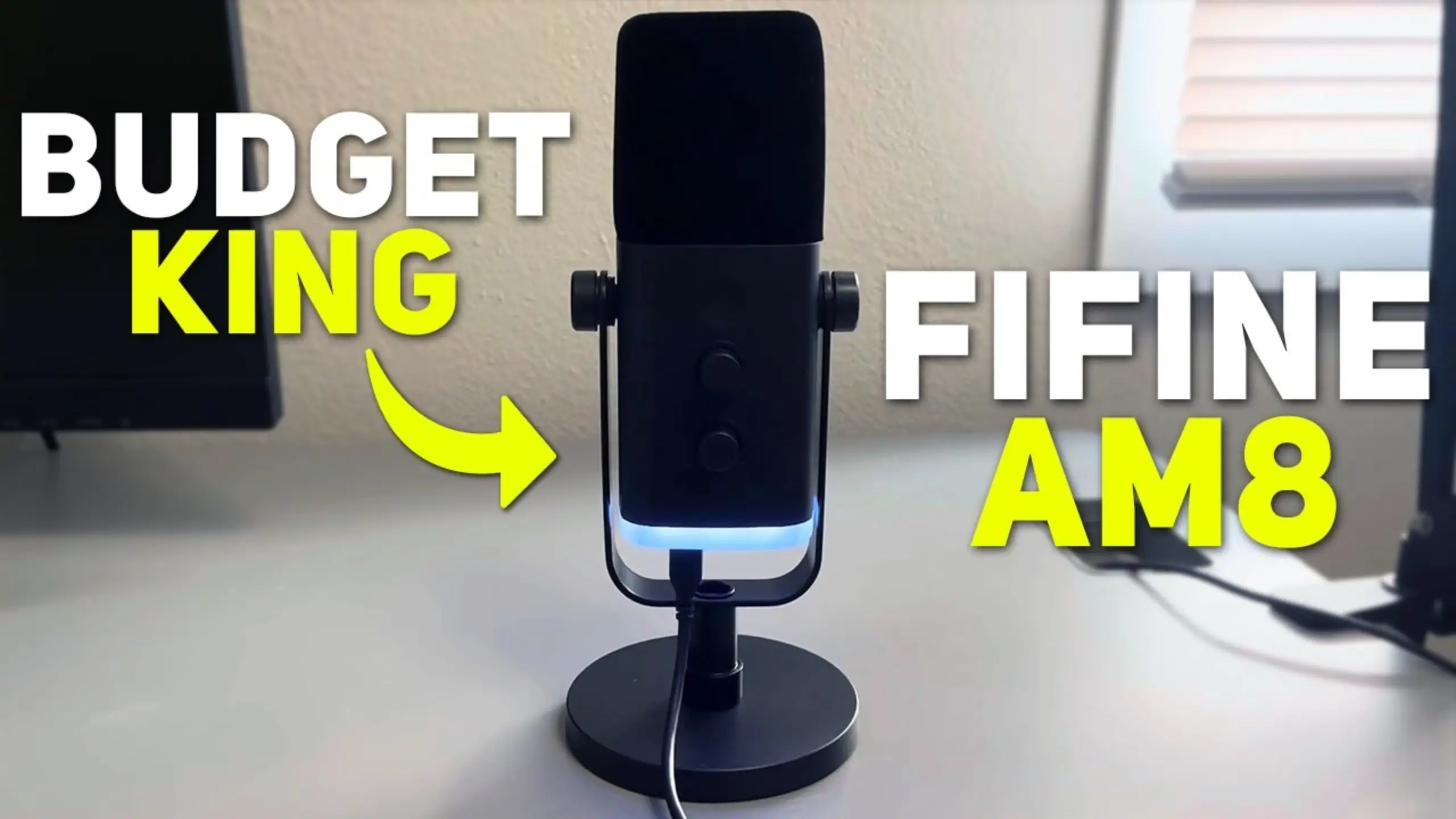
Best Budget USB Microphone: 8 Affordable Picks for Audio Enthusiasts

USB mics have evolved from glorified webcam audio into legitimate tools capable of broadcast-quality sound. You may feel like settling for less when picking the best budget USB microphone. Not anymore.
In this guide, we’ve rounded up 8 of the best budget USB microphones currently available—ranging from $19 steals to $170 prosumer picks. Each mic was evaluated based on real-world testing results and various reviews from audio experts. No matter your budget, there’s something here that’ll level up your audio game.
The Best Budget USB Microphones
- FIFINE AM8 – Best Overall
- Joby Wavo POD – Best Ultra-Budget
- FIFINE AmpliTank K688CT – Best Microphone Kit
- Razer Seiren V3 Mini – Best for Minimalist Setups
- Maono PD100X – Best Budget XLR/USB Hybrid
- Samson Q2U – Best for Versatility
- TONOR TC310 Plus – Best Budget Bundle Value
- Shure MV6 – Best Budget-Premium Crossover
USB Microphone Review
1. FIFINE AM8
Verdict: Best Overall Budget USB Microphone
⭐ Score: 9.2/10
Pros:
- Warm, full sound quality that punches above its price
- Dual USB-C and XLR connectivity
- Headphone monitoring jack
- Onboard gain and volume controls
- Toggleable RGB lighting
- Capacitive mute button
Cons:
- RGB might not appeal to everyone
- Plastic build (though solid)
- Best results still require a boom arm
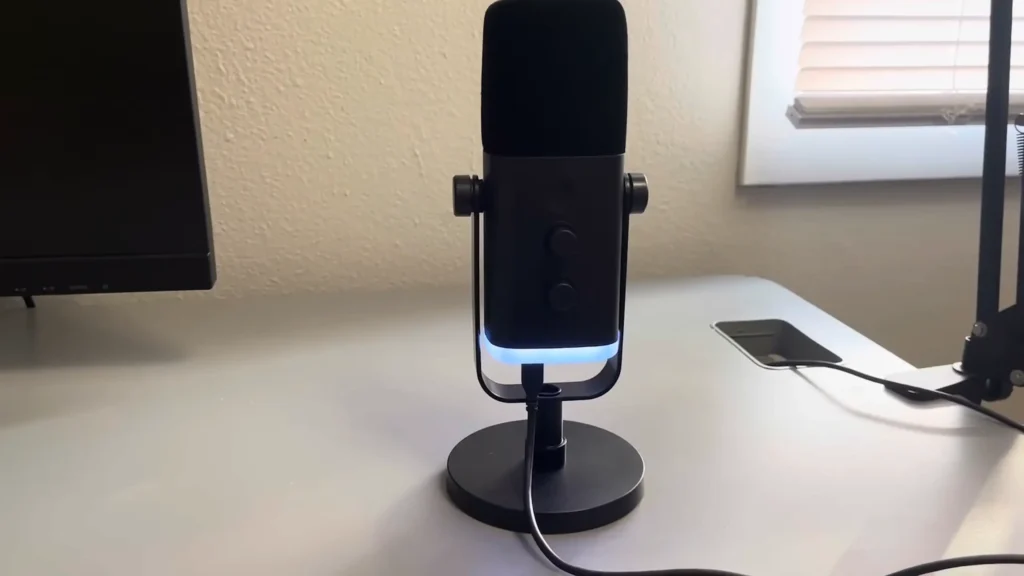
When searching for the best budget USB microphones, I was surprised that this FIFINE AM8 microphone is so well-known among mic enthusiasts. As the best seller of Amazon’s dynamic microphone, it’s been purchased more than 7,000 times in a single month on Amazon, and its ratings reflect genuine satisfaction.
The square shape and desktop stand are a smart design choice. Even sitting on a desk without a boom arm, it gets surprisingly close to your mouth. That said, pairing it with a budget boom arm takes the audio from good to great by reducing room echo and desk vibrations.
Not only plug-and-play, but the AM8 also supports the XLR connection. If you eventually upgrade to an audio interface, you don’t need to buy a new microphone. It’s future-proofed in a way most sub-$50 mics aren’t.
2. Joby Wavo POD
Verdict: Best Ultra-Budget Option
⭐ Score: 8.8/10
Pros:
- Absurdly good value at $19
- Solid construction for the price
- Dual polar patterns (omni and cardioid)
- Integrated pop filter mount
- Volume and mute controls on the front panel
- GorillaPod compatible
Cons:
- Limited onboard features compared to pricier options
- No XLR connectivity
- Requires good positioning for best results
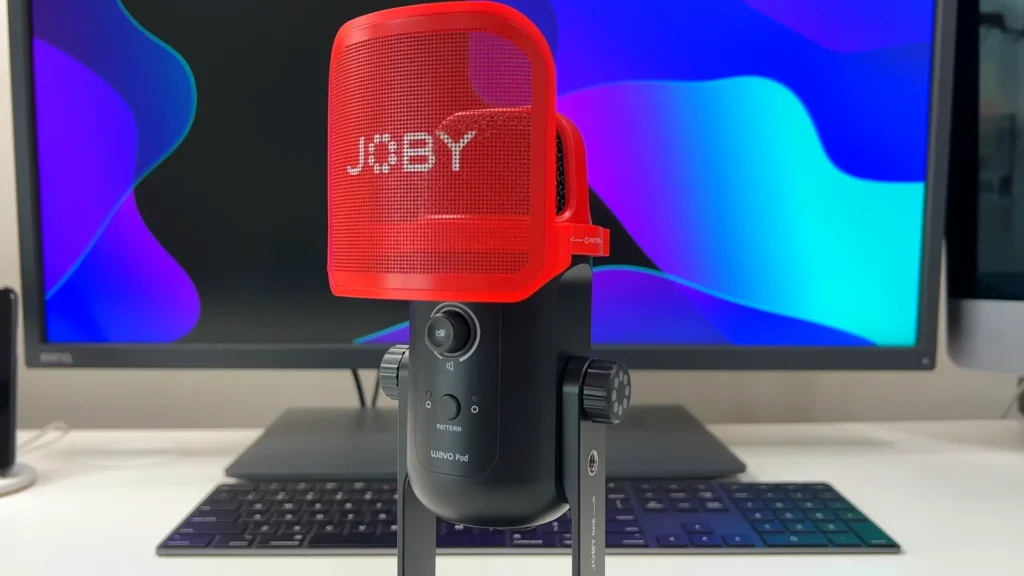
At just $19, the Joby Wavo Pod delivers audio quality that has no business being this good at this price. The dual polar pattern option is a thoughtful touch—switch between omnidirectional for group conversations and cardioid for focused voice recording. It’s a feature you’d expect on mics three times the price.
As a Joby product, it integrates seamlessly with their GorillaPod ecosystem, making it ideal for mobile content creators who need a flexible mounting solution. The front panel volume and mute controls keep adjustments simple and accessible.
For first-time podcasters, students doing presentations, or anyone upgrading from their laptop’s built-in mic, the Wavo Pod is an absolute steal.
3. FIFINE AmpliTank K688CT
Verdict: Best Budget Microphone Kit
⭐ Score: 8.9/10
Pros:
- Complete kit with boom arm included
- Deep, warm, professional sound
- Built-in shock mount reduces vibrations
- USB and XLR dual connectivity
- Onboard gain and monitoring controls
- Mute button for quick audio cuts
Cons:
- Requires boom arm (doesn’t include desk stand)
- Kit is the better value—standalone mic is less practical
- Larger footprint than some competitors
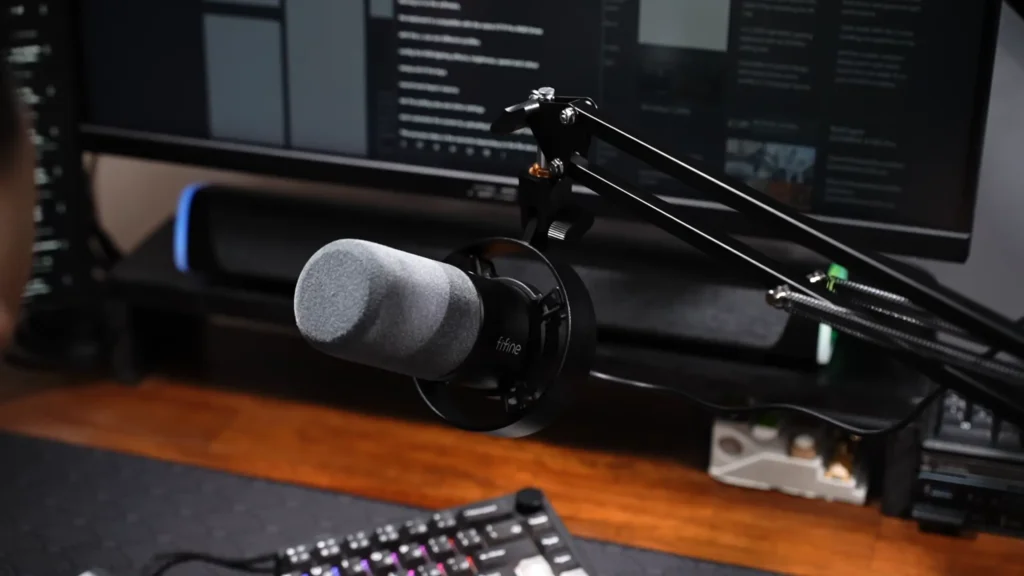
Not only easy to use, but the FIFINE K688CT kit also gives you everything—microphone, boom arm, shock mount—in one box for around $65-80. In side-by-side tests, it delivered notably warmer, fuller audio than many competitors—including some priced significantly higher. The included boom arm will keep your desk or stream screen clean.
Like its sibling, the AM8, the K688CT includes both USB and XLR connections. Start with a USB for simplicity, then upgrade to an audio interface when you’re ready without replacing your mic.
The highlight? Its built-in shock mount is another smart inclusion. Desk vibrations from typing or accidental bumps won’t translate into audio artifacts. If you’re setting up your first proper recording station and want a one-stop solution, the K688CT kit is hard to beat.
4. Razer Seiren V3 Mini
Verdict: Best for Minimalist Setups
⭐ Score: 8.4/10
Pros:
- Compact, minimalist design
- Available in black, pink, and white
- Super cardioid pickup pattern
- Capacitive touch mute button
- Good sound quality on a boom arm
- Budget-friendly at around $45-50
Cons:
- No RGB lightings
- No headphone monitoring jack
- No onboard gain control
- Limited features compared to other options
- Some reports of inconsistent quality control
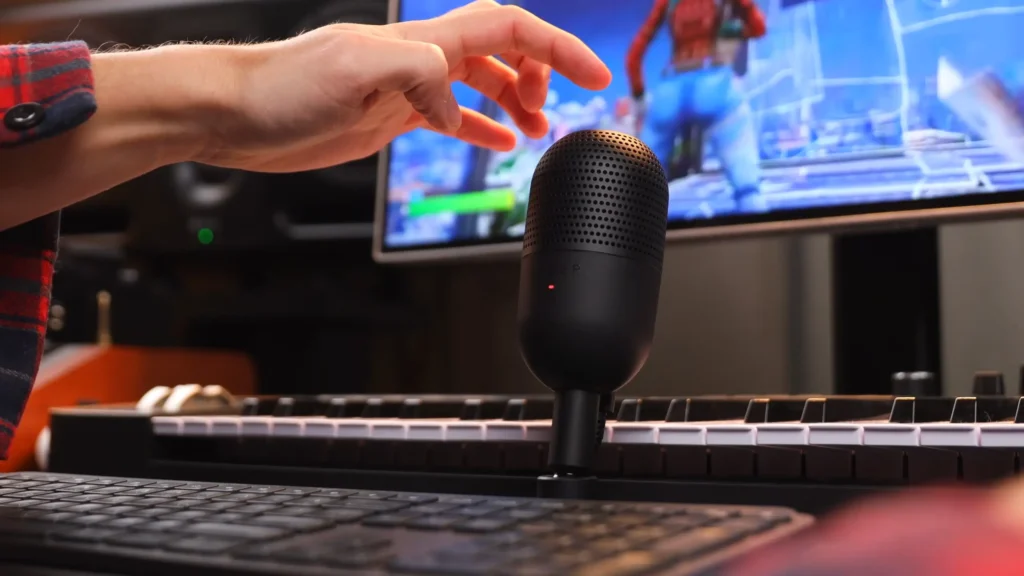
Here we have the smallest and cutest mic among the 10 budget USB microphones we’re testing. This Razer Seiren V3 Mini is compact, clean, and sounds surprisingly good. The super cardioid pickup pattern is a smart choice for streamers and gamers. It focuses tightly on what’s in front of the mic, rejecting keyboard clatter and room noise more effectively than standard cardioid patterns.
Desk-mounted, the Seiren V3 Mini sits too low and too far. So, if you want to have good sound quality, it’s better to use it with a boom arm. Without one, its small size places it too far from your mouth, resulting in thin, echoey audio. Paired with a $15-20 boom arm, it transforms into an excellent budget microphone with super cardioid pickup that rejects background noise effectively.
What you also won’t find here: a headphone jack, gain controls, or RGB. Just a mute button and clean audio. For some creators, that simplicity is the appeal.
5. Maono PD100X
Verdict: Best Budget XLR/USB Hybrid
⭐ Score: 8.6/10
Pros:
- Dual XLR and USB connectivity
- Built-in noise-canceling feature
- 4 EQ modes for customizing voice
- Solid, sturdy plastic build
- Front panel mute, volume, and headphone controls
- Adjustable RGB lighting
- Wireless version available (PD100W)
Cons:
- Plastic construction (though sturdy)
- No included boom arm
- RGB might not suit all setups
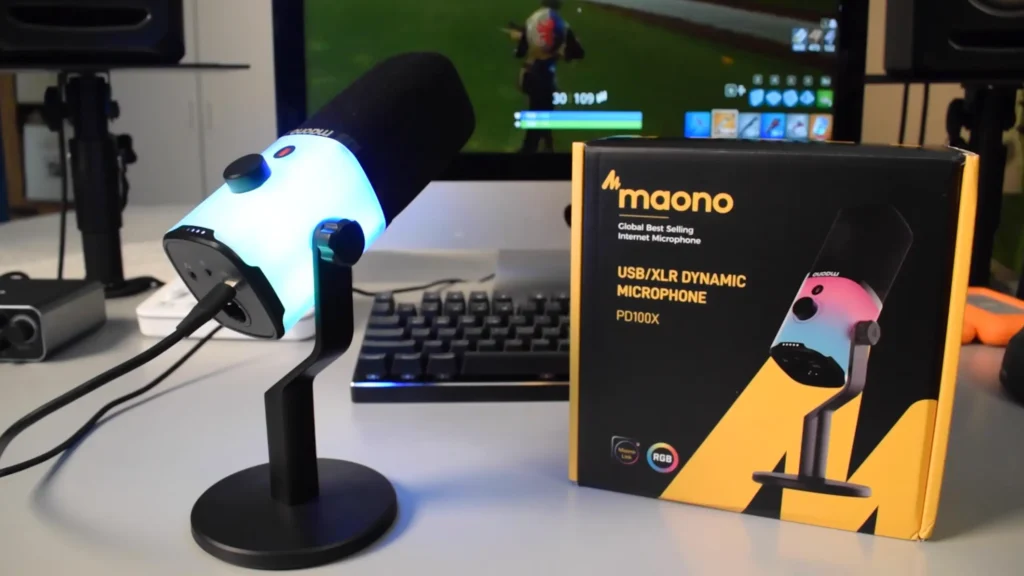
The Maono PD100X punches into prosumer territory with its dual XLR/USB connectivity and built-in noise cancellation. In sound tests, it delivered professional audio quality that rivaled mics costing twice as much.
The double noise-canceling feature is genuinely useful—not just marketing fluff. Toggle it on, and background hum, AC noise, and room ambience drop noticeably. Toggle it off when you want completely unprocessed audio. Featuring the thick screen filter covering the capsule, the PD100X looks more expensive than it is. The plastic construction keeps weight and cost down while maintaining a satisfyingly solid feel.
Like FIFINE AM8, the PD100X also supports XLR options. Plus, the updated wireless version eliminates cable clutter.
6. Samson Q2U
Verdict: Best for Versatility
⭐ Score: 8.7/10
Pros:
- XLR and USB-C dual connectivity
- Stand design brings the mic close without boom arms
- Included a pop filter
- Professional audio quality
- Clear upgrade path to XLR interface later
- On-mic volume controls
Cons:
- The price has increased to around $100
- The pop filter affects aesthetics
- Heavier than some alternatives
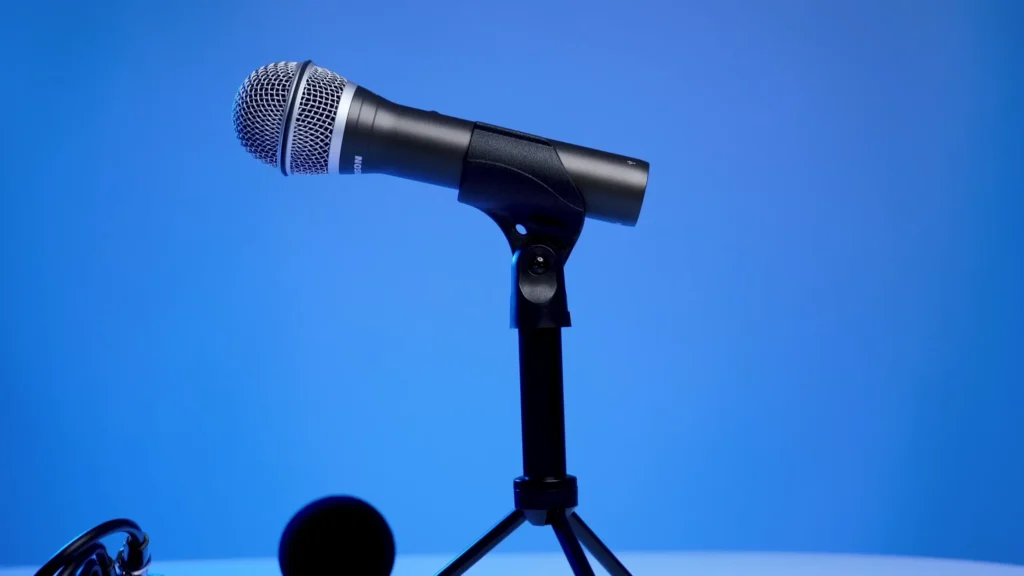
You may hear about the Samson Q2U if you’ve been streaming and podcasting for years. It’s the rare budget microphone that sounds crisp and professional without requiring a bunch of additional gear.
The stand design is clever. Unlike most desk mics that sit flat, the Q2U’s stand angles the capsule toward your mouth. Dual USB-C and XLR connectivity gives you options. No matter whether plug and play or improve the setup, your Q2U will work with either.
The included pop filter does its job, softening plosives without completely destroying the mic’s appearance (though it’s admittedly not the prettiest accessory).
Note: The Q2U’s price has crept up from around $70 to roughly $100 in recent years. It’s still excellent value, but it’s no longer the budget slam-dunk it once was.
7. TONOR TC310 Plus
Verdict: Best Budget Bundle Value
⭐ Score: 8.2/10
Pros:
- Incredible bundle value at around $30
- Long, sturdy boom arm included
- Boom arm doubles as a headphone hook
- Fixed shock mount
- Attachable pop filter
- RGB lighting with adjustable brightness
Cons:
- No headphone monitoring jack
- Sound quality is good, but not great
- RGB-forward design won’t suit everyone
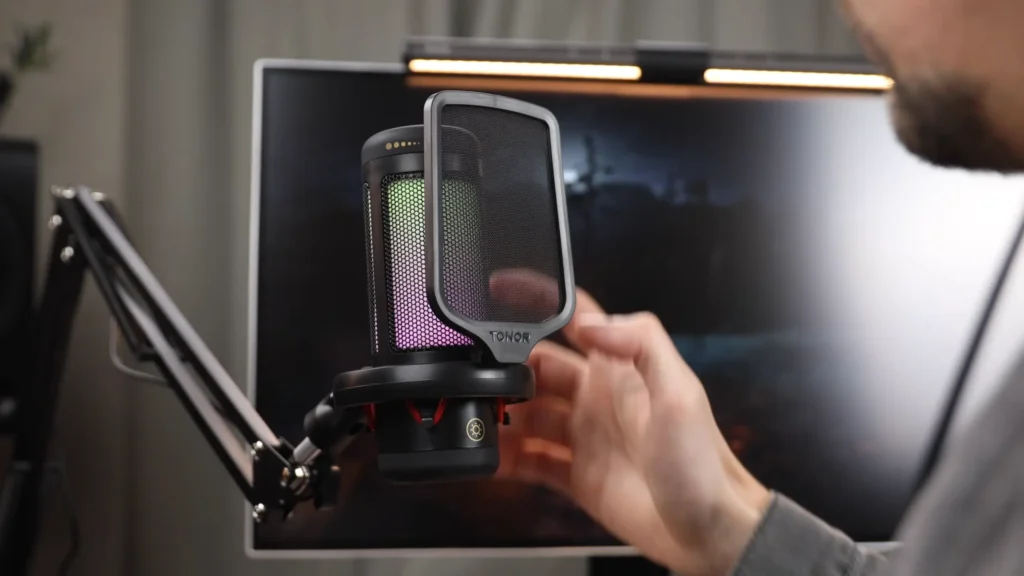
If your budget is tight and you need everything in one box, the TONOR TC310 Plus bundle is hard to beat. At $29, the accessories alone would cost more if bought separately.
The boom arm is the star accessory here. It’s longer and sturdier than what you’d expect at this price (reaching a maximum of 70cm), and the built-in headphone hook is a practical addition. It’s really about thinking about how creators use their setups.
Sound quality is good—not exceptional, but perfectly serviceable for streaming, gaming, and casual content creation. The fixed shock mount helps dampen desk vibrations, and the attachable pop filter softens those harsh plosives without adding clutter.
For first-time streamers or gamers who need a complete setup on a budget, the TC310 Plus delivers way more than it should at this price.
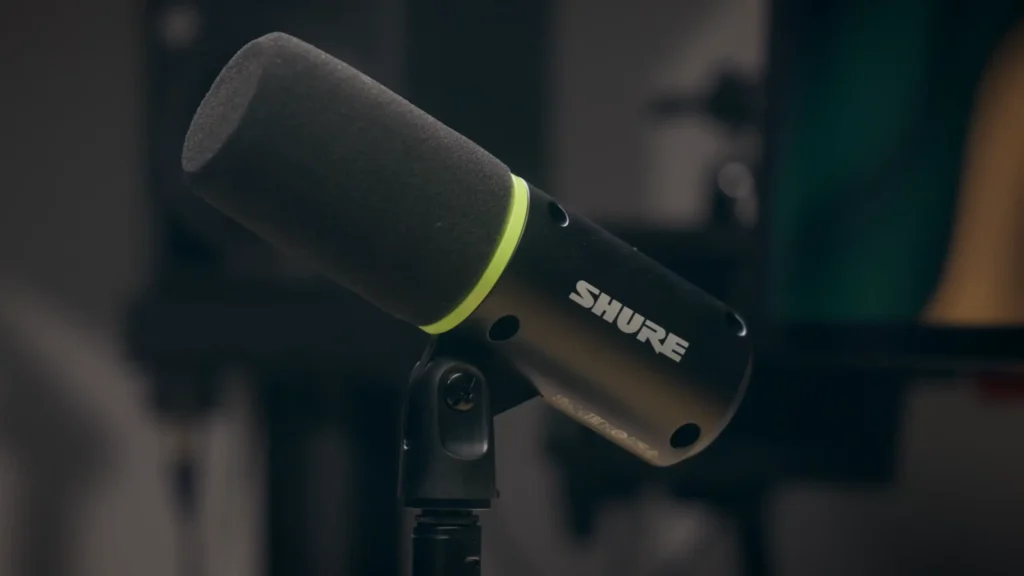
8. Shure MV6
Verdict: Best Budget-Premium Crossover
⭐ Score: 9.0/10
Pros:
- Shure’s legendary audio quality reputation
- Heavy, all-metal build
- Companion app with real-time denoiser
- Popper stopper and high-pass filter in software
- No RGB gaming aesthetic
- Capacitive mute button
Cons:
- Higher price point ($150-170)
- Short included USB-C cable
- Handling noise/desk vibrations can be an issue
- Capacitive mute is easy to accidentally trigger
Not everyone wants their mic to look like a gaming accessory. The Shure MV6 inherits DNA from legendary mics like the SM7B, adapted for USB plug-and-play convenience.
The companion app (ShurePlus MOTIV Mix) elevates the MV6 beyond typical USB mics. Real-time denoising removes background hum and room noise without introducing artifacts. Tone adjustment lets you dial your voice to bright and cutting. It really improves your audio.
Speaking of vibrations—that’s the MV6’s main weakness. When you’re typing, the vibrations and sounds may be picked up by the mic. Also, the included USB-C cable is disappointingly short (about 2-3 feet). You’ll probably want a longer one. But if you want plug-and-play simplicity with professional results, this is where budget meets premium.
What to Look for in the Best Budget USB Microphone
Sound Quality
Sound quality is why you’re buying a microphone in the first place. Budget mics have improved dramatically, but differences remain.
- Warmth vs. brightness: Warmer mics add body to thin voices; brighter mics add clarity but can sound harsh
- Noise floor: How much hiss or hum does the mic pick up in silence?
- Natural reproduction: Does your voice sound like you, or colored by the mic?
Dynamic microphones (like the Shure MV6 or Samson Q2U) tend to reject room noise better. Condenser microphones often capture more detail but pick up more background sound.
Build Quality
A microphone that falls apart after six months isn’t a bargain—it’s a waste of money.
- Materials: All-metal builds last longer than plastic (though good plastic can be fine)
- Stand stability: Does it wobble? Will it hold its position?
- Connection quality: Loose USB ports are a common failure point
At the budget level, don’t expect premium materials everywhere. Focus on whether the mic feels solid in hand and whether the critical components (capsule housing, USB port, controls) seem durable.
Onboard Features
The best budget USB microphones include helpful features built right into the hardware:
- Gain control: Adjust input level without diving into software
- Mute button: Instant silence for coughs, doorbell interruptions, or hot takes you regret
- Headphone jack: Monitor your audio in real time with zero latency
- Volume control: Adjust the headphone monitoring level
Not every mic has all these features. Decide which matters most for your workflow.
Connectivity Options
USB-A, USB-C, or XLR mic? Here’s what to consider:
- USB-A: Universal compatibility with older computers
- USB-C: Modern standard, often faster data transfer
- XLR: Requires an audio interface but offers better audio quality and upgrade flexibility
Several mics on this list (FIFINE AM8, K688CT, Maono PD100, Samson Q2U) include both USB and XLR. This dual connectivity lets you start simple with USB and upgrade to an interface later without buying a new microphone.
Polar Pattern
Microphone polar pattern describes which directions the microphone picks up sound from:
- Cardioid: Captures sound from the front, rejects the sides and back—ideal for most solo recording
- Super cardioid: Tighter front pickup, even better background rejection
- Omnidirectional: Captures sound from all directions—good for group conversations
Most budget USB mics use cardioid or supercardioid patterns. The Joby Wavo uniquely offers switchable omni and cardioid modes.
Value vs. Price
The cheapest microphone isn’t always the best value. Consider what you’re getting for your money:
- Does it include accessories (boom arm, pop filter, shock mount)?
- Will you need to buy additional gear to use it effectively?
- Does it offer upgrade paths (like XLR connectivity)?
The TONOR TC310 Plus at $29 includes a boom arm and pop filter—accessories that would cost more separately. The $19 Joby Wavo is a pure microphone, but at that price, you can budget for accessories.
Final Words
So, after exploring the 8 USB microphones, the FIFINE AM8 earns our top recommendation as the best budget USB microphone overall. At around $45, it delivers warm, professional sound, useful onboard features, dual USB/XLR connectivity, and a design that looks good on camera. It’s the rare budget option that doesn’t feel like a compromise.
One final reminder: your room matters more than your microphone. What’s good if your new mic works in a noisy room? Try to invest in some acoustic treatment (even budget foam panels or blankets) alongside your new microphone. Now make your good audio with the USB mic.
FAQ
Do I need a boom arm for a USB microphone?
It depends on the microphone. Some budget mics (like the Razer Seiren V3 Mini) essentially require a boom arm to sound good because they’re too small and sit too far from your mouth on a desk. Others (like the Shure MV6 or Samson Q2U) have tall stands that position the capsule closer.
USB vs. XLR: Which should I choose?
For beginners, USB is the clear choice. It’s plug-and-play with no additional equipment needed. XLR offers better audio quality and more flexibility, but requires an audio interface (adding $50-200+ to your setup). Several mics on this list (FIFINE AM8, K688CT, Maono PD100, Samson Q2U) offer both connections—start with USB, upgrade to XLR when you’re ready.
Why does my USB microphone sound echoey?
Echo usually comes from your room, not your microphone. Hard surfaces (walls, desks, monitors) reflect sound back into the mic. Solutions include: moving the mic closer to your mouth, adding acoustic treatment (foam panels, blankets, bookcases), recording in a smaller or more furnished room, or choosing a microphone with a tighter pickup pattern (super cardioid).
How close should I be to my USB microphone?
For most budget USB mics, 4-8 inches (10-20 cm) from your mouth is ideal. Too close and you’ll get boomy bass buildup (proximity effect) and plosive pops. Too far and you’ll pick up more room noise and echo. Experiment with positioning while monitoring your audio to find the sweet spot for your voice and space.
Do I need a pop filter with a USB microphone?
A pop filter reduces plosive sounds (hard P’s, B’s, and T’s) that can cause unpleasant thumps in your audio. Some mics include built-in pop filters or foam covers. For mics without protection, a separate pop filter ($10-20) is a worthwhile investment. Alternatively, position your mic slightly off-axis (not directly in front of your mouth) to reduce plosives.
