
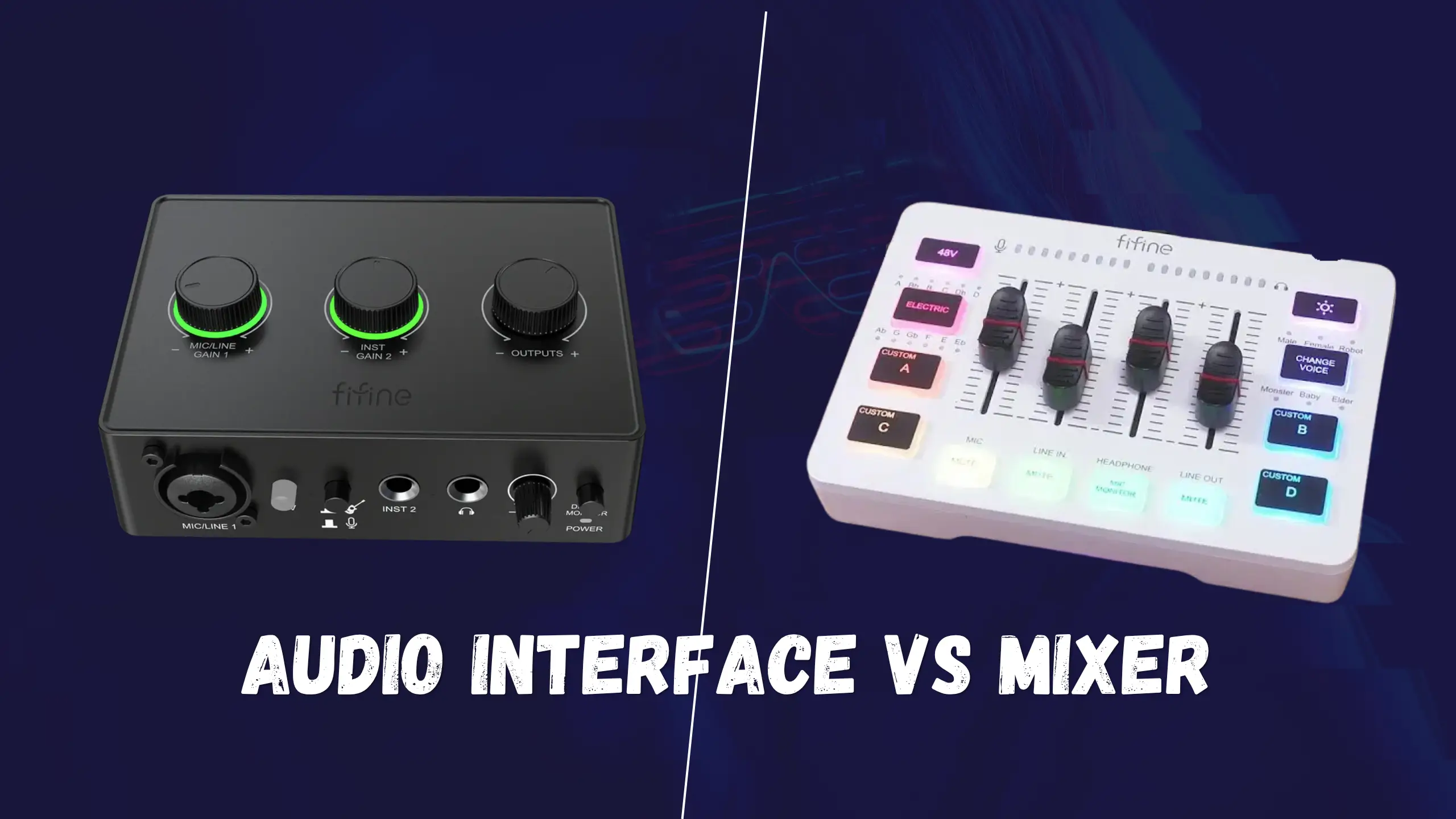
Audio Interface vs Mixer: Which One Makes Your Sound Better?

There used to be a conversation, mixers mixed signals. Interfaces got audio into your computer. But now, USB mixers ship with built-in interfaces, and some interfaces pack enough I/O to rival a small console. So, audio interface vs mixer? After a detailed discussion, the audio interface takes the crown for most home studio buyers. That said, mixers still solve real problems, particularly for live sound and streaming. So, we’ll walk through every key measurement below to help you figure out where your setup actually lands.
Audio Interface vs Mixer: Head to Head
| Spec | 🎛️Audio Interface | 🎚️Audio Mixer |
|---|---|---|
| Primary Function | A/D conversion & multitrack recording | Blend multiple signals into a stereo output |
| Typical Inputs (Entry Level) | 1–2 XLR/instrument | 4–12 channels (mic + line) |
| Recording Output | Per-channel multitrack to DAW | Stereo mix (most USB models) |
| Built-in Effects | None — handled in software | EQ, reverb, delay (hardware, zero latency) |
| Computer Required? | Yes | No (standalone operation possible) |
| Form Factor | Compact — fits beside a laptop | Larger — needs dedicated desk space |
| Learning Curve | Minimal — few knobs, plug-and-play | Steeper — per-channel EQ, faders, aux sends |
| Best For | Studio recording, podcasting, voiceover | Live sound, streaming, hardware jams |
| Upgrade Path | Better preamps & more I/O at every price tier | Mostly more channels; quality plateaus sooner |
| Entry Price Range | ~$60–$170 | ~$60–$200 |
Audio Interface vs Mixer Details: Measurements
Multitrack Recording
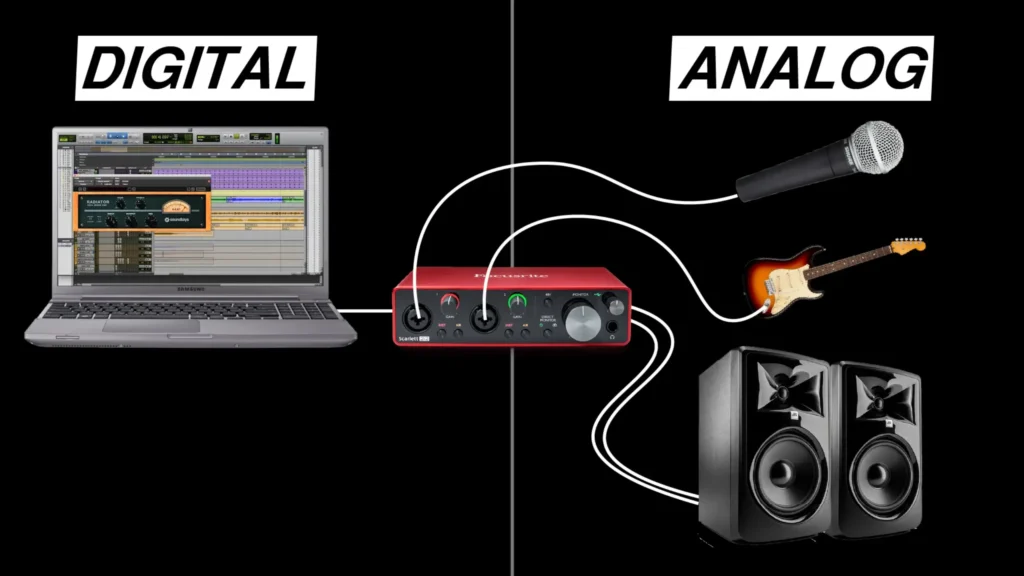
This is where interfaces pull away fast. An audio interface ensures high-quality recordings on a computer or mobile device. It sends each input to a separate track in your DAW. Want vocals on track one, guitar on track two, and a synth on track three? Arm the tracks, hit record, and you’re done.
Even a Focusrite Scarlett 4i4 lets you record four sources simultaneously on their own tracks, and larger units like the Scarlett 18i20 push that to 18 inputs.
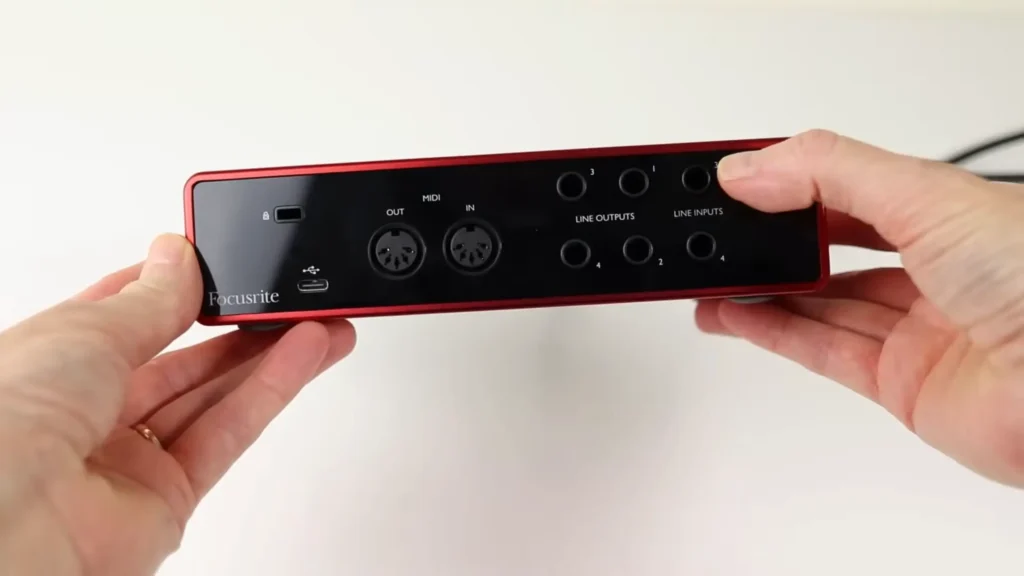
Mixers take the opposite approach. Their fundamental job is to combine multiple signals into a single stereo output. Plug in four mics, adjust EQ and levels, and you get one stereo file.
Some USB mixers do offer multitrack over USB, but those sit at a premium price point. If a stereo send is enough, the budget USB mixers, like FIFINE SC3 or SC8, will suit you.
Winner: Audio Interface. If post-production flexibility matters to you at all, this category isn’t closed.
Input Count
Entry-level interfaces typically give you one or two XLR/instrument inputs. That works for solo recording, but hits a wall fast if you’re tracking a drum kit or a full band. Scaling up means spending more — a four-input interface costs noticeably more than a two-input model.
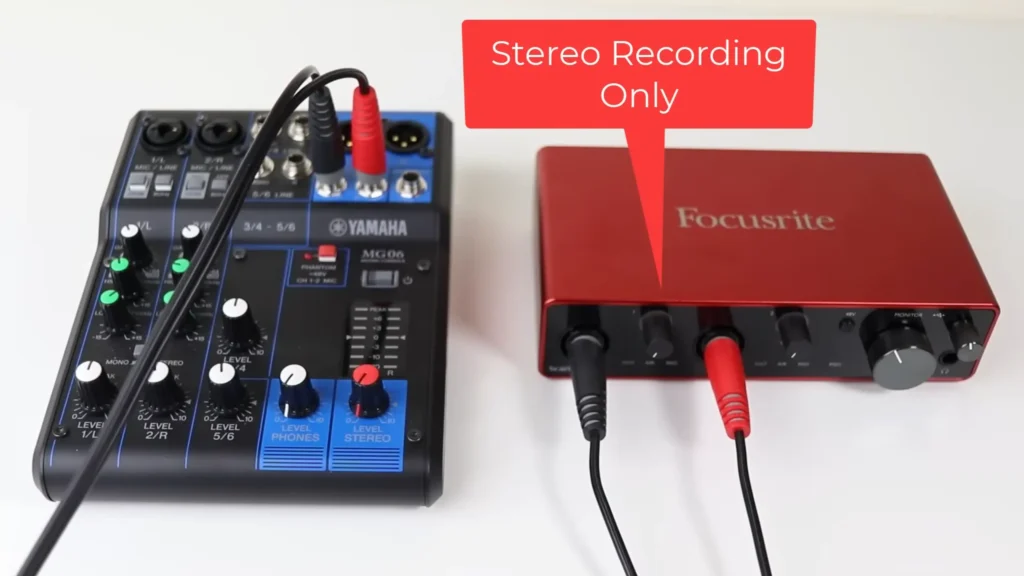
Mixers flip the script here. For the same price as a basic two-input interface, something like the Mackie ProFX12v3 hands you far more channels and stereo line inputs. If you need to connect a lot of sources at the same time without breaking the bank, a mixer gives you more real estate per dollar.
Winner: Mixer. Dollar for dollar, mixers pack more inputs at entry-level price points.
Ease of Use
Entry-level interfaces strip controls down to the essentials — gain, headphone volume, monitor volume, maybe a phantom power switch. The learning curve is almost flat. Take Focusrite Scarlett 2i2, plug it into your laptop, set the gain knob, and open your DAW, done.
Most entry-level interfaces are literally dumbed down to as few buttons and knobs as possible, just to make life a breeze.
Aiden Wolfe said in @Dark Corner Studios.
Mixers seem a little complex. Even a compact six-channel board features per-channel EQ knobs, aux sends, pan controls, and faders. If you’re starting, that extra surface area can slow you down more than it helps. “Mixers can seem rather overwhelming at times, with a whole bunch of buttons and knobs that just seem to complicate even the simplest of things”, Aiden Wolfe puts it.

Winner: Audio Interface. Fewer controls means fewer things to get wrong on day one.
Built-in Effects & Processing
Interfaces record clean, unprocessed signals. Reverb, compression, EQ — all of that happens inside your DAW software after the fact. This is a strength if you want maximum control in post, but it means you’re dependent on your computer and plugins for any sound shaping.
Mixers often include EQ per channel, and many models include onboard effects such as reverb and delay. Because these run on the hardware itself, they add zero latency. It’s a real advantage in live settings.
The trade-off: onboard effects in budget mixers tend to be limited, and whatever you dial in gets printed to your recording.
Winner: Mixer. Hardware effects with zero latency win for live use. For studio recording, the interface’s clean-signal approach is actually preferable — so this one depends on your workflow.
Portability & Desk Footprint
Most interfaces are about the size of a paperback book. They tuck beside your monitor, toss into a backpack, and leave plenty of room for your coffee. Some compact recorders like the Zoom H5 or H6 double as interfaces and literally fit in a jacket pocket.
Mixers eat desk space. Even a modest six-channel board claims a significant chunk of surface area, and anything north of 12 channels might demand a dedicated stand — or a bigger desk altogether. Some mixers counter this with onboard SD card recording. So you can record without a laptop. But the form factor is still bulkier than any comparably priced interface.
Winner: Audio Interface. Smaller, lighter, and easier to fit into tight setups.
Live Performance & Streaming
Interfaces can feed a live stream, but they rely entirely on software for mixing, routing, and effects. That means more latency, more CPU load, and a more fragile signal chain when you’re live with no second takes.
This is the mixer’s home turf. Plug in all your sources, set levels and EQ, add a touch of reverb, and send a polished stereo mix straight to your speakers or streaming software. The tactile, real-time control is hard to replicate with a mouse cursor.
Take FIFINE SC8. These audio mixers feed the stereo mix directly into your OBS, Facebook Live, or YouTube Live without extra hardware. Whether the physical faders and knobs, FIFINE audio mixers let you control your sound directly.

Winner: Mixer. Real-time, hands-on control makes mixers the natural pick for anything live.
Future-Proofing
Interfaces scale gracefully. Spend more, and you get better preamps, lower latency, and higher channel counts — without outgrowing the device category. The product ladder goes from a $60 two-channel unit all the way up to professional multi-channel rigs, each step delivering genuine improvements.
Mixers hit a ceiling sooner. Once you pass a certain price point, you’re mostly paying for more channels. Even with 12 channels or so, it’s mostly for professional live sound, not home studios. If you plan to grow your setup over the next few years, an interface gives you a clearer upgrade path.
Winner: Audio Interface. The upgrade path is longer and more rewarding dollar for dollar.
How to Pick: Which One Fits Your Setup?
🎛️Go with an Audio Interface if you…
- Record vocals, instruments, or voiceover into a DAW
- Want each source on its own track for flexible mixing
- Work solo or with one other person at a time
- Produce podcasts or YouTube audio at a desk
- Need a compact, portable setup
- Plan to upgrade your studio gear over time
🎚️Go with a Mixer if you…
- Run live sound for a band, worship team, or event
- Live stream and want hands-on fader control
- Need to blend many sources in real time
- Want onboard EQ and effects without a computer
- Connect a lot of gear on a limited budget
- Perform with synths, drum machines, or other hardware
The best work? Pair a standalone mixer with an audio interface. Run the mixer’s stereo output into the interface’s line inputs. You get the mixer’s analog controls for dialing in your blend and the interface’s high-quality A/D conversion for recording.

Final Verdict on Audio Interface vs Mixer
For the majority of home recordists, podcasters, and content creators, an audio interface is the smarter starting point. If your primary use case is live sound, real-time streaming with multiple sources, or hardware-based music performance, an audio mixer will work better.
Truly can’t choose? Start with an interface. You can always add a small mixer down the road and route it into your interface for the best of both worlds. Your options are open while don’t need to overcommit your budget.
FAQs
Can I use a mixer as an audio interface?
Only if it has a built-in USB audio interface. Many budget USB mixers send a stereo mix to your computer over USB. Some of them even give you multitrack(per-channel) recording. Standalone analog mixers have no USB connection at all and require a separate audio interface to get audio into your computer.
Do I need both a mixer and an audio interface?
Most home studio users don’t. An audio interface handles recording and playback on its own. However, pairing the two makes sense if you have more gear than your interface has inputs for, or if you want the hands-on EQ and effects a mixer provides before the signal hits your DAW.
What’s the best audio interface for beginners?
The Focusrite Scarlett 2i2 is the go-to recommendation for a reason: two inputs, solid preamps, reliable drivers, and a price that won’t sting. If you want built-in recording without a computer, the Zoom H5 or H6 pulls double duty as portable recorders and USB interfaces.
Will a mixer add latency to my recordings?
Analog processing on a mixer (EQ, gain, onboard effects) adds virtually zero latency. Latency becomes a factor when audio passes through a computer and DAW for digital processing. That’s an interface and software issue, not a mixer issue.
Is a USB mixer good enough for podcasting?
Absolutely, especially if you record with multiple hosts or frequent guests. A USB mixer lets you set individual levels with faders in real time, which speeds up a live-to-tape podcast workflow. Just keep in mind that most USB mixers only send a stereo mix to your computer — fine for a finished podcast, but limiting if you want to edit each voice separately.
