
Proximity Effect for Recording: A Comprehensive Guide in 2026

Ever noticed how radio DJs and movie trailer narrators sound impossibly deep and rich? Or how a singer suddenly sounds muddy when they lean too close to the mic? Both come down to one thing: the proximity effect.
Understanding this phenomenon gives you real control over your recordings — whether you’re tracking vocals, podcasting, or miking up an acoustic guitar. Let’s break down what the proximity effect actually is, why it happens, and how to use it (or avoid it) in your own sessions.
Four Key Takeaways About the Proximity Effect
Before we get into creative and practical applications, here are the essentials to keep in your back pocket:
- It applies to all sound sources. Vocals, kick drums, guitar amps, acoustic instruments — anything you put a directional mic near.
- It only affects directional microphones. Omnidirectional mics are immune.
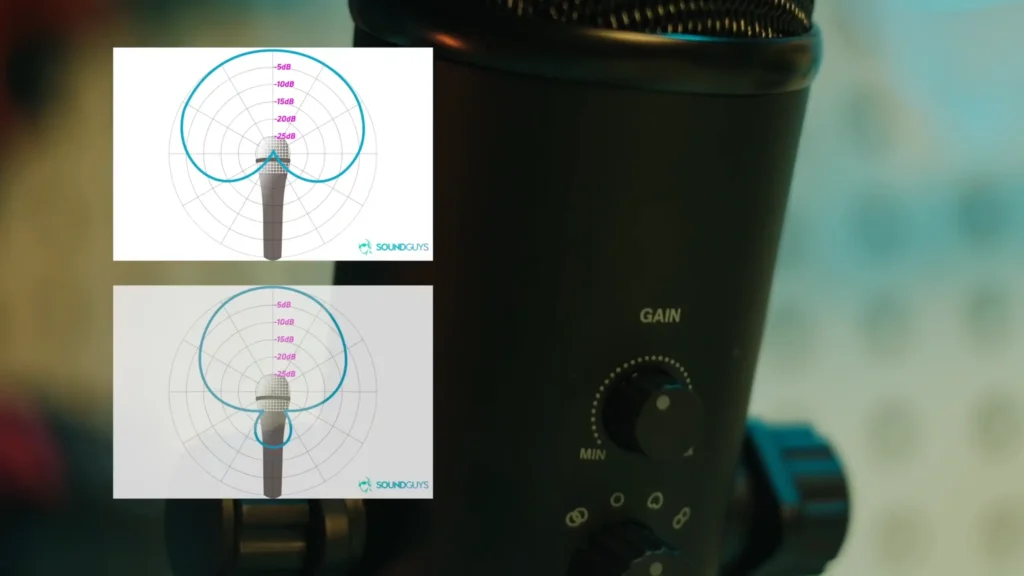
- More directional patterns produce a stronger effect. Figure-of-eight mics are the most susceptible. Cardioid mics (a blend of omni and bidirectional characteristics) are less extreme.
- The effect decreases off-axis. Moving the sound source away from the mic’s primary pickup axis reduces the bass boost.
What Is the Proximity Effect?
The proximity effect is a natural bass boost that occurs when a directional microphone is placed very close to a sound source. The closer the mic gets, the more the low-frequency response increases.
Two important qualifiers here:
- It only applies to directional microphones
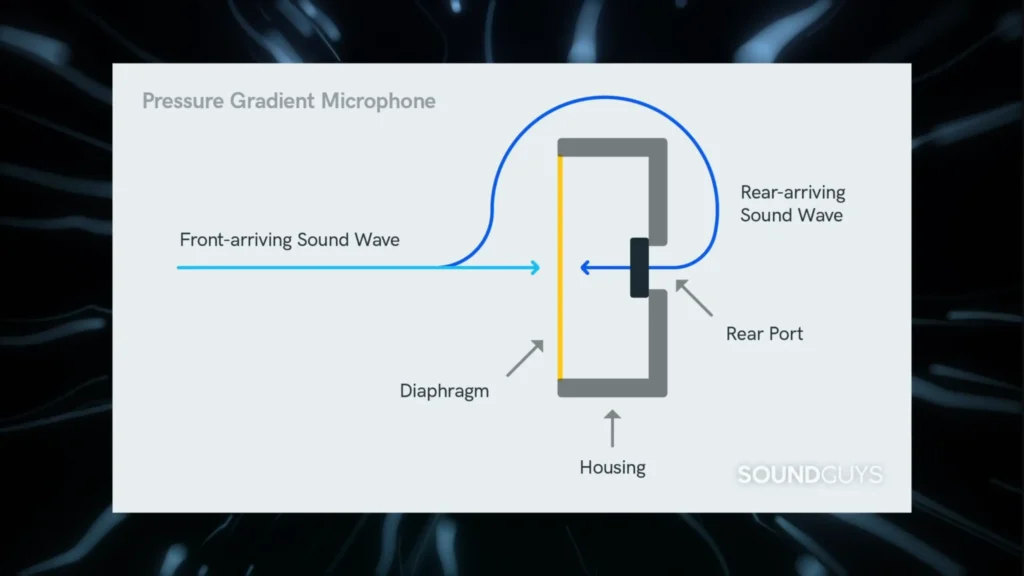
It specifically exists in pressure gradient mics, like cardioid, supercardioid, hypercardioid, subcardioid, and figure-of-eight polar patterns.
- It applies to all sound sources, not just voices.
Instruments, amplifiers, loudspeakers — if you’re putting a directional mic close to it, the proximity effect is in play.
Omnidirectional mics don’t exhibit this behavior. Their frequency response stays relatively consistent regardless of how close they are to the source. That distinction matters a lot when you’re choosing the right mic for the job.
How Does the Proximity Effect Work?
The physics behind the proximity effect comes down to how sound waves behave at different distances from the source — and how directional microphones detect those waves.
How Directional Mics Pick Up Sound
A directional microphone works by measuring the difference in pressure between the front and back of its diaphragm. Sound entering the front creates positive pressure; sound reaching the rear creates opposing pressure. The mic’s output reflects the difference between those two sides.
Here’s where distance changes everything.
Far Field vs. Near Field
- When a mic sits in the far field, sound at every frequency arrives as a plane wave.
The wavefronts move in mostly parallel lines. The pressure at the front and rear of the capsule is almost the same, so the natural level difference is small, especially at low frequencies.
Directional mics are designed to account for this slight low-frequency cancellation. Their internal damping compensates for it, giving a balanced, even frequency response at normal recording distances.
- When the mic moves into the near field, things shift a bit.
High frequencies still arrive more or less as plane waves. But low frequencies don’t behave the same way. Up close, the sound source acts like a point source, so those low-frequency waves spread out spherically.
Because of that spherical spread, their intensity drops off faster over the tiny distance between the front and rear of the capsule. And that steeper drop creates a bigger pressure difference across the diaphragm.
The Inverse Distance Law
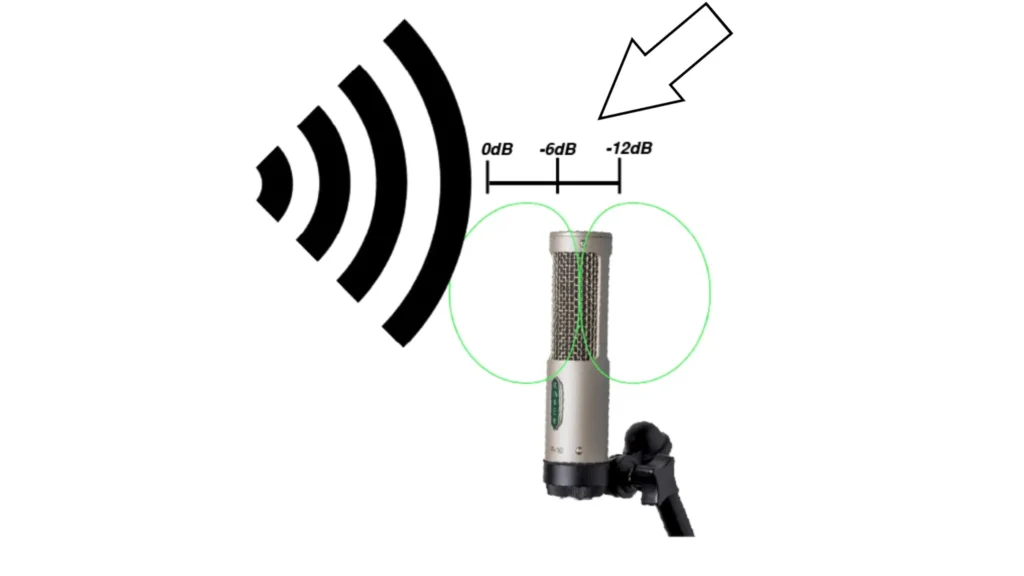
Here’s where the inverse distance law comes in. Every time you double your distance from a sound source, the level drops by 6 dB.
At a normal recording distance, the path to the front and rear of the capsule is almost the same. So the level difference between them is tiny. Barely anything.
But move in close, the front might be half the distance of the rear. Now, there’s a strong pressure difference at low frequencies. Because with the inverse distance law, half the distance means a noticeable jump in level.
But the mic is still boosting lows to offset far-field cancellation, which isn’t happening anymore. So the bass builds up. That’s the proximity effect.
The Role of Phase
The same time delay between the front and rear of the capsule creates a bigger phase shift at high frequencies than at low ones. A 0.5 millisecond delay can throw a 1 kHz signal completely out of phase, while 100 Hz barely notices.
That’s why directional mics lose low frequencies less through phase shift at normal distances, and why designers add compensation. Up close, that compensation overshoots.
Simple Way to See (and Hear) Proximity Effect
A clean way is to compare an omnidirectional mic and a cardioid mic side by side, both picking up the same sound source.
Picture it: a laboratory-grade omnidirectional measurement microphone and a large-diaphragm cardioid condenser, both aimed at a small loudspeaker generating pink noise (which contains all audible frequencies at equal energy per octave).
At 20 cm from the speaker, both mics produce a similar, mostly flat frequency response. No surprises there.
Move both mics to 2 cm from the speaker, and two things happen.
- The omnidirectional mic’s response shape barely changes — it looks almost identical to the 20 cm measurement.
- The cardioid mic, however, now shows a clear bump in the low-frequency range. The relative bass output has increased visibly just by closing that distance.
That’s the proximity effect, measured objectively. Same source, same room, same signal — the only variable is the mic’s polar pattern.
Proximity Effect in Action: Podcast Mic Comparison
The proximity effect behaves differently across microphone models, and podcasting is where those differences really show up. A side-by-side test of the RØDE PodMic and the Shure SM7B, hosted by Tony Tang, Bob Fairbairn, and Stephen Bramson, illustrates this clearly.
- Lips on the grille:
Both mics sound thick and bass-heavy. Pretty similar in warmth. The SM7B keeps the mids smoother, though. The PodMic lets more breath through, and plosives get a little spitty.
- About two fingers away, 1 to 1.25 inches:
Now the gap shows up. The PodMic loses low end fast and starts sounding thinner, more narrow. The SM7B drops in level, sure, but the tone stays smooth and full.
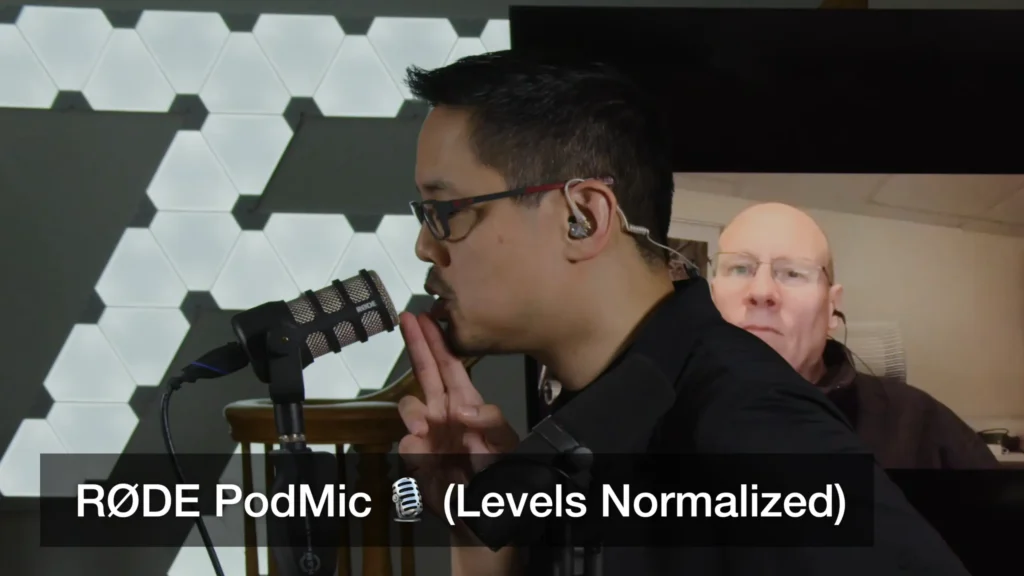
- Around three inches:
The PodMic turns thin and distant, a big shift from right up close. The SM7B still sounds controlled and consistent. Its tone changes gently with distance. The PodMic changes a lot more.
The takeaway for podcasters:
If you’re using a mic with a stronger proximity effect, like the PodMic, you’ll need to stay close to keep that full, warm sound. Get lazy with distance, and it thins out fast. But when you’re right on it, watch your plosives and breath noise.
With something smoother across distances, like the SM7B, you’ve got more room to breathe. You can sit back two or three inches and still sound solid and balanced.
For hosts who are the only ones using their mic, getting right up on it works fine. For guest setups, where people naturally sit further from the mic, a model with a more forgiving proximity response makes a real difference.
Practical Tips for Managing the Proximity Effect
Whether you want to lean into the proximity effect or avoid it entirely, here are some approaches that work:
Lean into it for warmth.
Radio DJs, voice-over artists, and podcasters have used the proximity effect as a creative tool for decades. Get close to a cardioid dynamic mic and let the bass boost add weight and authority to your voice. The same trick works on kick drums and bass amps — close-miking with a directional mic naturally thickens the low end.
Back off to clean things up.
If your recordings sound boomy or muddy, the fix might be as simple as adding a few inches of distance. This is especially relevant for acoustic guitar, where close-miking with a directional mic can produce an unexpectedly thick, murky tone. A good starting distance for acoustic guitar is “placing microphones at least one to one and a half feet from acoustic guitars”, Kyle shared on his YouTube @Audio University.
Keep your distance consistent.
One of the biggest problems with the proximity effect shows up when a singer or speaker constantly changes their distance from the mic. Close in, they sound boomy. Far out, they sound thin. The key is to “make sure that you’re at a correct distance so that you can have the absolute best sound”, shared by YouTube Channel @Creative Sound Lab.
Choose the right polar pattern.
If you’re recording at a distance — choirs, classical ensembles, room ambiance — consider an omnidirectional mic. You won’t have to worry about proximity-related bass buildup, and the frequency response will stay even regardless of distance. The tradeoff is that omni mics pick up sound equally from all directions, so they don’t reject background noise.
Use your mic’s low-cut filter.
Many directional microphones include a built-in high-pass or low-cut filter specifically to tame proximity-related bass buildup. Engaging it can clean up your signal without requiring you to change your mic position.
Final Verdict on Proximity Effect
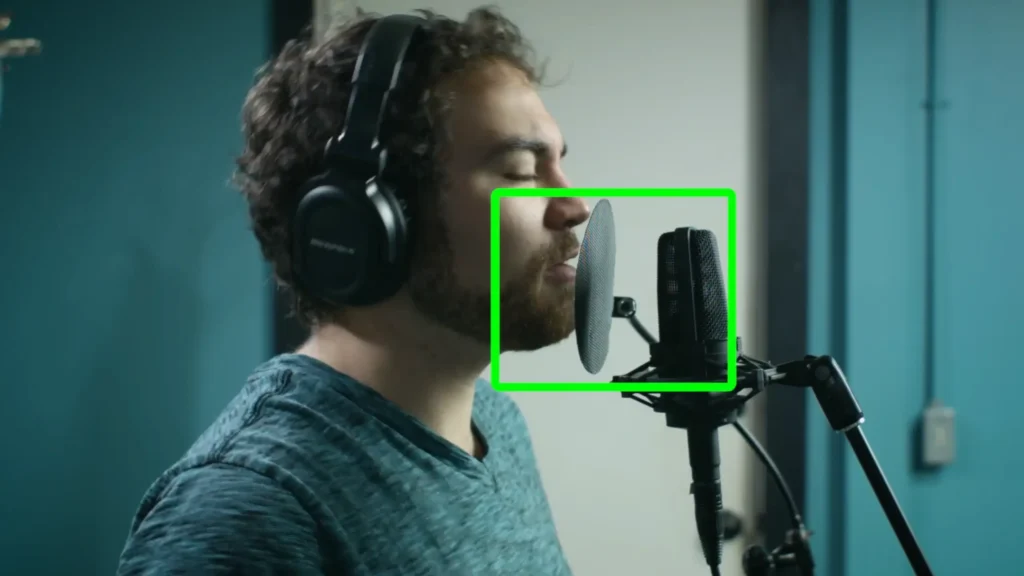
The proximity effect isn’t a problem to solve — it’s a variable to control. Once you understand that distance and polar pattern are the two main factors driving it, you can make intentional decisions about mic placement that shape your sound right at the source.
Get close for depth and weight, back off for clarity and balance. Switch to Omni when you want distance without the bass shift. And whatever you do, keep your distance consistent.
The best part? No plugins, no outboard gear, no upgrades required. Just you, your mic, and a few inches of air.
FAQs
Does the proximity effect happen with all microphones?
No. The proximity effect only occurs with directional microphones — cardioid, supercardioid, hypercardioid, and figure-of-eight patterns. Omnidirectional mics are immune because they don’t rely on the pressure difference between the front and back of the diaphragm.
Which polar pattern has the strongest proximity effect?
Figure-of-eight (bidirectional) mics are the most susceptible. Cardioid mics like FIFINE AM8, etc., exhibit a less extreme response because they combine omnidirectional and bidirectional characteristics. The more directional the mic, the more pronounced the bass boost at close range.
Is the proximity effect a bad thing?
It depends on your goal. Radio DJs, voice-over artists, and podcasters often use it intentionally to add warmth and depth to their voice. It becomes a problem when it’s uncontrolled — like a singer who keeps changing their distance from the mic, creating an inconsistent tone.
How close do I need to be for the proximity effect to kick in?
It becomes noticeable within a few inches of the mic. In testing, a cardioid mic at 2 cm from a sound source shows a clear low-frequency bump compared to the same mic at 20 cm. The effect increases gradually as you move closer.
How do I reduce the proximity effect without switching mics?
You have a few options: increase your distance from the mic by a few inches, use your mic’s built-in low-cut or high-pass filter, or speak slightly off-axis from the mic’s primary pickup direction. All three will reduce the bass buildup without requiring a different microphone.
