

FIFINE M9 Review: Budget Wireless Microphone King?

If you need a wireless lav mic for vlogging, interviews, or content creation, and you don’t want to drop $200+ on a Rode Wireless GO II or DJI Mic 2, the FIFINE M9 is the strongest value play in its price range right now. Among the FIFINE M9 review, reliability and portability make M9 stand out firmly.
There’s something that it falls short: no external lav mic input, no onboard recording for backup. But for a $50 wireless mic system that works out of the box without overthinking it? M9 earns its spot. Want to know more about FIFINE M9? We’ve analyzed it in detail. Let’s dive into it.
Quick Take on FIFINE M9 Review
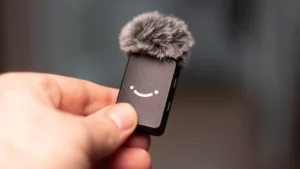
Overall 7.8 /10
Audio Quality: 7.4
Build & Design: 7.8
Battery Life: 8.5
Connectivity: 9.0
Noise Cancellation: 5.8
Value for Money: 9.0
Features: 7.2
Portability: 8.2
Pros
- Unbeatable price-to-value ratio at ~$50
- Charging case with 30 hours total battery
- Works with cameras, phones, and computers
- Dual-mic system is out of the box
- Instant mute and individual volume control
- Clean, usable raw audio quality
Cons
- No external lavalier mic input on transmitters
- No onboard recording (no backup)
- Built-in noise cancellation underperforms
- Clip-only attachment (no magnetic option)
- Volume control cycles in steps, not precise
FIFINE M9 Review Details: Audio Quality
7.4 / 10
The M9 captures clear, intelligible voice audio that holds up well for online content. With a frequency response of 20 Hz to 20 kHz, a sensitivity of -37 dBV, and a sampling rate of 48 kHz, the specs are respectable for this price tier.
In controlled indoor settings, the raw audio is surprisingly clean. Reviewers noted that straight out of the microphone with zero post-processing, the M9 delivers a usable signal with minimal self-noise.
Outdoors tells a different story. The omnidirectional pickup pattern means the M9 grabs everything around it. The included wind muffs, which are also named dead cats, help take the edge off. They attach firmly with a twist-lock mechanism that won’t blow away mid-shoot.
Side-by-side with the HollyLand Lark M2, the M9 holds its own in quiet environments but loses some ground in clarity and richness. The gap narrows significantly with basic post-production EQ work.
FIFINE M9 Review: Build and Design Explore
7.8 / 10
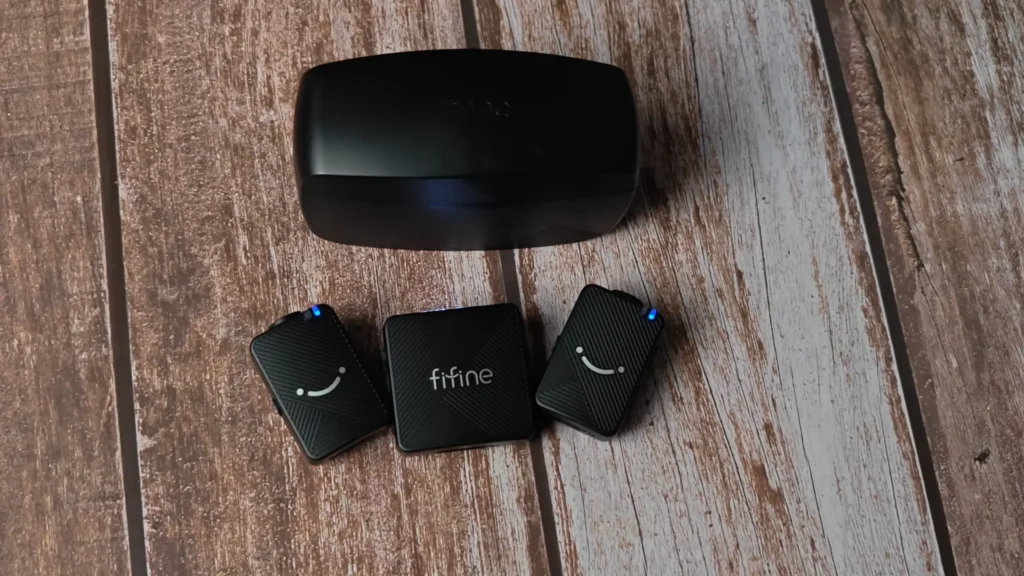
The entire system is made of plastic, which is expected at this price. The transmitters are compact—roughly two-thirds the size of the receiver—and light enough to clip onto a t-shirt without dragging it down. @The Blind Life joked that it’s “a dental floss pack”. So? It slips into a camera hot shoe without adding bulk.
The hard shell carrying case is a standout. It’s sturdy, protects everything inside, and doubles as the charging station. Each piece has a custom-molded slot, so nothing rattles around. Several reviewers like @DarkenedCyrus on YouTube specifically called out the case as one of the best they’ve seen at any price point—a meaningful edge over competitors like the Rode Wireless GO II, which doesn’t include one.
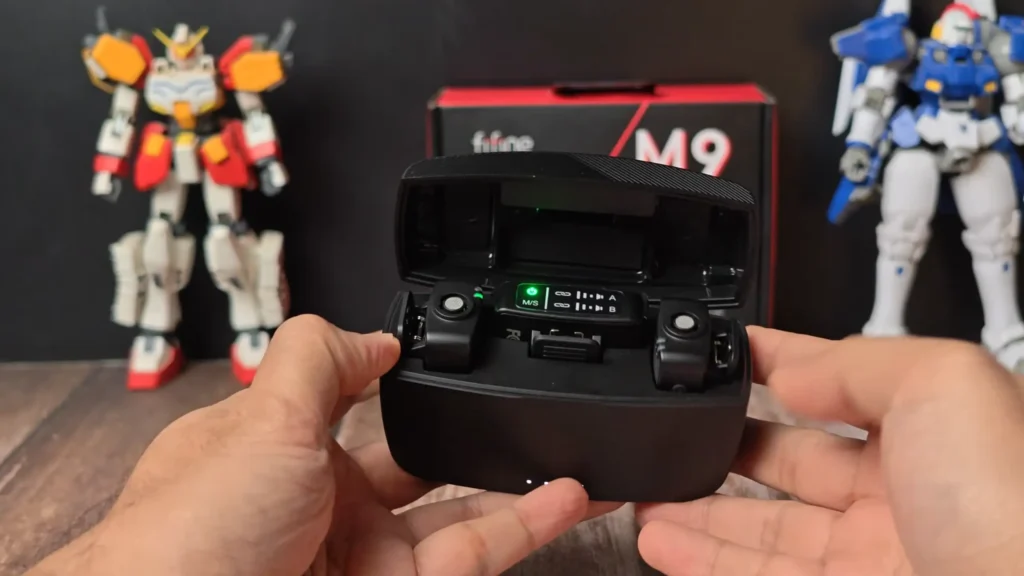
The frustration? It’s clip-only. The transmitters use a spring clip to attach to collars, lapels, and hoodie necks, but feel awkward on plain t-shirts. Unlike the FIFINE M9, the Hollyland Lark M2 offers a magnetic mount option. “If you’re wearing a t-shirt or something like that, it’s ideal, you can just put it on.” @Clive Illenden shares an improved suggestion about FIFINE M9 on his YouTube video.
Fun Fact: The diagonal stripe pattern on the case and the small smiley face on the transmitter fronts give the M9 a personality.
FIFINE M9 Review: Battery Life
8.5 / 10
There are 5–6 hours per charge on the transmitters and up to 8 hours on the receiver. The 1,200 mAh charging case extends total system life to around 30 hours, recharging the internals up to three times before the case itself needs juice.
Real-world testing confirms those numbers. @Darkened Cyrus used one mic for a whole day, and “it was still working after checking it later“. It would not spend too much time charging. “The two wireless mic transmitters can last around 6 hours, which is impressive, and can be fully charged in about 1.5 hours”, @DaddyBrotherTV shared on his FIFINE M9 review.
Place the transmitters and receiver into the case, and they start charging automatically. No extra cables, no remembering to plug things in. When you pull them out, they’re ready. For creators shooting multiple short sessions across a day, the case-based charging workflow eliminates battery anxiety almost entirely.
FIFINE M9 Review: Connectivity & Compatibility
9.0 / 10
This is where the M9 punches hardest for its weight class. The box includes three cables: a TRS-to-TRS cable for DSLR/mirrorless cameras, a TRS-to-TRRS cable for phones with 3.5 mm jacks, and a USB-C to USB-C cable with a USB-A adapter for modern phones and computers.
That means out of the box, the M9 connects to cameras, Android phones, iPhones (post-Lightning), laptops, and desktop PCs. @Clive Illenden once used another wireless system, while need to buy separate adapters at extra cost to work with his DSLR. But the FIFINE M9 solved it all.
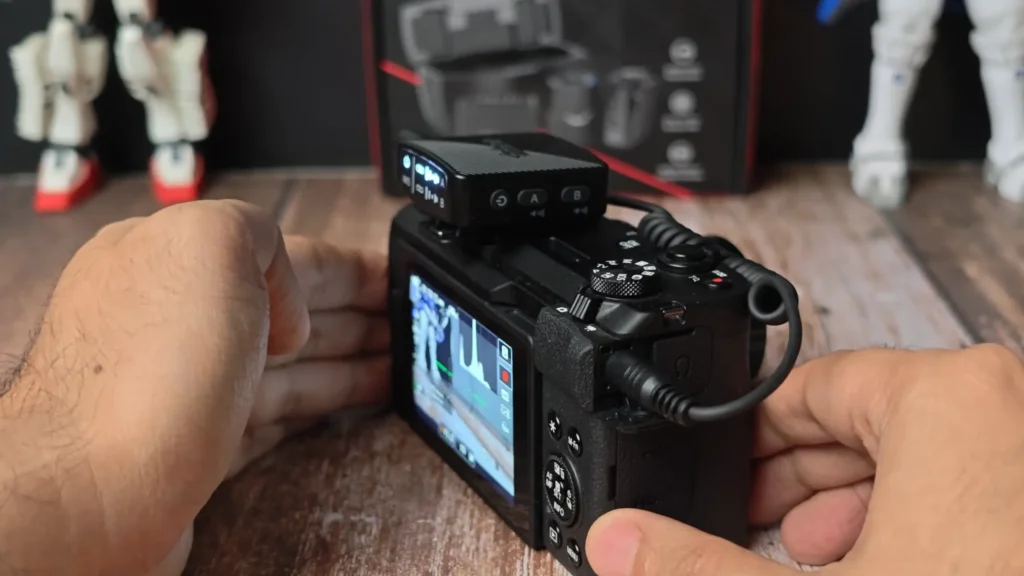
Tips: The transmitters connect to the receiver the moment you pull them from the case. If you ever need to re-pair manually, hold the pairing button on both the transmitter and receiver for 3 seconds. The 2.4 GHz wireless signal holds steady up to 50 meters (about 164 feet), which was tested reliably in range tests even at maximum distance.
FIFINE M9 Review: Built-in Noise Cancellation
5.8 / 10
Each transmitter of FIFINE M9 has a dedicated noise cancellation button that toggles the feature on or off, indicated by a white LED.
However, the noise cancellation does reduce ambient sound—you can hear it working during airport noise tests and in rooms with running PCs—but it also introduces an artificial, tinny quality to the voice. @Clive Illenden thinks the processed audio is “a bit more artificial and tiny.”
How to do: skip the onboard noise cancellation and handle noise reduction in post-production. Software tools like Adobe Podcast, Audacity’s noise reduction, or built-in NLE noise removal all produce cleaner results without degrading voice quality.
The one exception: if you’re livestreaming and can’t edit in post, the noise cancellation provides a usable fallback. It’s better than nothing in a noisy room.
FIFINE M9 Review: Features & Functionality
7.2 / 10
As a sub-$50 system, you can get:
- The LED screen shows connection status, mono/stereo mode, volume levels, and pairing indicators
- The dedicated buttons for adjusting the volume of each transmitter.
- The instant mute function. You can mute it with a short press of the power button on either transmitter. Once it’s muted, the LED switches from blue to red.
- The mono/stereo toggle on the receiver. You can choose whether both ics record to a single channel or separate left/right channels.

What’s missing:
There’s no external lavalier microphone input on the transmitters—a feature found on the Rode Wireless GO II and DJI Mic 2. This means you can’t upgrade the mic capsule or use a discreet wired lav for more professional-looking setups.
There’s also no onboard recording. If wireless interference corrupts the signal or a transmitter drops out mid-take (which happened to @Darkened Cyrus during a TwitchCon interview), that audio is gone.
FIFINE M9 Review: Portability
8.2 / 10
Everything fits into the hard shell case, and the case fits into a jacket pocket or a small camera bag compartment. The transmitters are small and light enough to forget they’re clipped to you. The included wind muffs, cables, and accessories all tuck into a pouch inside the case lid, keeping the kit self-contained.
You can only grab one thing on your way out the door, and everything inside is charged and ready.
Who Is the FIFINE M9 For?
| Use Case | Verdict |
| 🎥YouTube vloggers recording with cameras or phones | Great fit — versatile connectivity, portable, and the audio quality holds up for online video. |
| 🎙️Podcasters on the go who need a mobile recording option | Solid backup option for field recordings; not a primary replacement for studio mics. |
| 📱Social media creators shooting TikTok, Instagram Reels, or Shorts | Ideal — quick setup, phone-compatible, and way better audio than a built-in phone mic. |
| 🎤Interviewers who need a two-person audio | Works well for casual interviews; for high-stakes client work, the lack of onboard recording is a risk. |
| 🏫Educators and presenters recording lectures or tutorials | Good fit — long battery life and hands-free operation suit long sessions. |
| 💰Beginners buying their first wireless mic | Best-in-class entry point. Everything you need in one box at a minimum investment. |
FIFINE M9 Alternatives
DJI Mic 2
8.8 / 10|~$349 (dual system)
| Pros | Cons |
| ✅32-bit onboard recording | ❗7x the price of the M9 |
| ✅External lav mic input | ❗Overkill for casual content |
| ✅Compact transmitters | |
| ✅Magnetic clip attachment |
The DJI Mic 2 is the gold standard for wireless lavs. 32-bit float recording means you literally can’t clip your audio, and local recording to each transmitter protects against wireless drops. If you’re doing paid client work or one-shot interviews you can’t reshoot, this is the safer bet—but you’re paying 7x more for those safeguards.
Hollyland Lark M2
8.0 / 10|~$79–$119
| Pros | Cons |
| ✅Magnetic clip attachment | ❗May need a separate adapter for DSLR |
| ✅Slightly better audio clarity | ❗Higher price for the single-connection model |
| ✅Compact design | ❗No charging case on base model |
The Hollyland Lark M2 is the M9’s closest competitor. Audio quality edges ahead slightly, and the magnetic attachment is a genuine quality-of-life improvement. However, some models only include one connection type, meaning you may need to buy adapters separately. If you only record on one device type, the Lark M2 is worth the step up. If you need multi-device flexibility, the M9’s bundled cable kit gives it the edge.
Rode Wireless GO II
8.5 / 10|~$299 (dual system)
| Pros | Cons |
| ✅Onboard recording on transmitters | ❗No included charging case |
| ✅External lav mic input | ❗6x the price of the M9 |
| ✅Proven reliability |
The Rode Wireless GO II has been an industry workhorse for years. Onboard recording, external mic support, and Rode’s reputation for reliability make it a safe choice for professionals. What it doesn’t include is a charging case—something the M9 gets right at a fraction of the cost. If reliability and backup recording are non-negotiable, the Rode earns its premium.
Final Verdict on FIFINE M9 Review
The FIFINE M9 doesn’t try to compete with $300 wireless systems on features. Instead, it nails the fundamentals—clean audio, broad compatibility, smart charging design, and a complete kit.
The missing lavalier input and lack of onboard recording keep it out of professional gig bags. And the noise cancellation is a feature you’ll toggle on once, evaluate, and leave off. But for the vlogger, the educator, the social media creator, or the beginner shopping for their first wireless mic, the M9 removes every barrier to entry.
FAQs on FIFINE M9
Does the FIFINE M9 work with iPhones?
Yes. The M9 includes a USB-C to USB-C cable with a USB-A adapter that works with current iPhones. For older iPhones with a Lightning port, you’ll need a separate Lightning-to-3.5 mm adapter paired with the included TRS-to-TRRS cable.
Can I plug an external lavalier mic into the FIFINE M9 transmitters?
No. The M9 transmitters don’t have a 3.5 mm input for external lavalier microphones. This is one of the main trade-offs compared to pricier systems like the Rode Wireless GO II or DJI Mic 2, which both support external lav mics.
How far can I be from the camera with the FIFINE M9?
The M9’s wireless range is rated at 50 meters (about 164feet). Real-world range tests confirm a stable signal at that distance, though obstacles like walls may reduce it.
Does the FIFINE M9 record audio locally to the transmitters?
No. The M9 transmits audio wirelessly to the receiver only. There’s no onboard recording, which means if the wireless signal drops, that audio is lost. For critical recordings, consider a system with local backup recording.
Is the built-in noise cancellation worth using?
For livestreaming in moderately noisy environments, it provides a usable improvement. For recorded content, most reviewers recommend skipping it and using noise reduction in your editing software instead, as the onboard processing can thin out your voice.
