
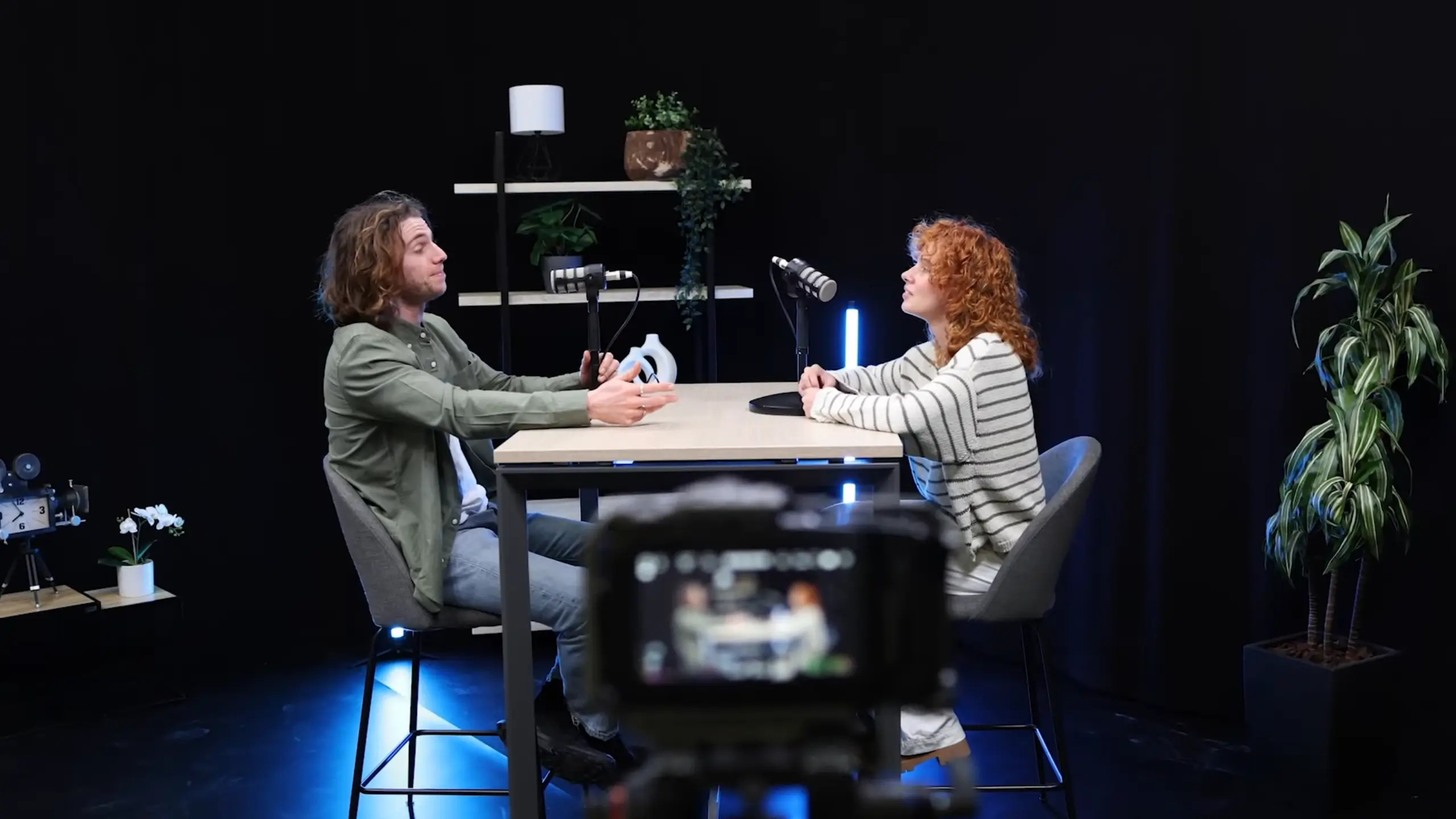
How to Start a Podcast: A No-Nonsense Beginner’s Guide

Here, you might have had the idea to start a podcast for months, or maybe years. But you may get buried under gear recommendations, software options, and distribution platforms. We get it.
So, how to start a podcast? It’s more accessible than it’s ever been. You don’t need a professional studio, a $500 microphone, or a degree in audio engineering. This guide walks you through the entire process — from nailing your concept to getting your show on Spotify and Apple Podcasts. No fluff. Just the stuff that actually matters.
Step 1: Nail Your Podcast Idea
Before you even think about microphones, you need to answer one question: Why would someone listen to this?
The best podcasts sit at the intersection of two things: what you’re passionate about and what your audience actually needs. Your lived experience, your expertise, the subjects you could talk about for hours — that’s one side. The other side is your listener’s problems, curiosities, and interests.
When those two circles overlap, your podcast is worth listening to; in other words, it’s “Useful”. But “useful” can mean a lot of things, whether educational or entertaining. It needs to offer something.
Maybe it’s entertaining, maybe it’s funny, maybe it gets at an emotion that they’ve really been struggling with and helps them resolve it. So, your job is to make sure that you create a podcast that actually resonates with people if you’re trying to make a show that is going to get downloaded ultimately.
Hiwote shares on her YouTube channel @Podcasting with Hiwi G
| Who You Are | Podcast Idea | Target Audience | Format |
| Freelancer or solopreneur | Lessons from building a business with no safety net | Aspiring freelancers and side hustlers | Solo storytelling + listener Q&A |
| Fitness enthusiast | Honest breakdowns of workout trends, nutrition myths, and recovery science | Beginners are overwhelmed by conflicting health advice | Solo or expert interviews |
| True crime fan | Investigative storytelling around lesser-known cold cases | True crime community looking for fresh stories | Narrative with research segments |
| Music producer or DJ | Behind-the-scenes breakdowns of how tracks get made | Aspiring producers and music lovers | Solo with audio examples |
| Mental health advocate | Open conversations about therapy, coping, and breaking stigma | Anyone navigating mental health challenges | Interview-based |
A quick note on naming: don’t let this slow you down. If you have a name you love, great. If not, pick a placeholder and keep moving. You can always rebrand later. The key is that your name reflects your content and is searchable by the people you’re trying to reach.
Step 2: Write a Script (or at Least an Outline)
This step is the one most beginners skip, and it shows. Whether you’re doing a solo show, an interview-based podcast, or something more narrative, your episode needs structure.
For solo podcasters, this means knowing the questions you’re going to answer before you hit record. For interview shows, it means having a list of thoughtful questions that guide the conversation without making it feel scripted. At a minimum, a strong hook, a clear introduction, a compelling journey, and an ending.
Here’s a thing: if your listener can stop halfway through and not want to go back, your structure needs work. The shows with the highest completion rates are the ones that pull you forward through a deliberate narrative arc. Take This is American Life, each story is compelling and elevating, so that people actually finish.
Pro Tips: Be prepared enough to stay on track, but loose enough to follow interesting tangents when they come up. Remember, your podcast is “conversational”, not “unprepared”.
Step 3: Choose Your Recording Setup
This is where most beginners get stuck. The gear question spirals into endless research, and suddenly, you’ve spent three weeks watching YouTube reviews instead of actually recording anything. Let’s cut through it.
Microphones
You need a decent external microphone. A good dynamic microphone will pick up your voice clearly while rejecting background noise, which is exactly what you want for podcasting.
Some solid options to consider:
- Versatile Picks: The Audio-Technica ATR2100x and the Samson Q2U. Support USB (plug-and-play with your computer) or XLR (for more advanced setups down the line).
- Budget Pick: The FIFINE AmpliGame AM8. Support USB & XLR and deliver clean audio for podcasting recording.
- Professional Choice: The Shure SM7B and Blue Yeti Nano are popular choices among experienced podcasters.
The point is: pick one and start recording. You can upgrade later. Don’t use gear shopping as a procrastination tool.
Headphones
Wear them. Always. Headphones prevent echo and audio bleed (when your mic picks up sound from your speakers) and let you monitor your audio levels in real time. You don’t need expensive studio monitors — even a pair of wired Apple earbuds will do the job when you’re starting.
Your Recording Space
You don’t need a soundproofed studio. A quiet room with soft furnishings, carpet, and thick curtains will absorb echoes and keep your audio clean. Close the door, silence your phone, and tell your housemates you’re recording. That’s your studio.

Step 4: Record Your Episode
Your recording method depends on your podcast format. Here’s the breakdown.
Solo Recording
This is the simplest setup. Plug a USB microphone into your computer, open a recording application, and press record.
- Free software like Audacity or GarageBand (Mac) works fine for this.
- Adobe Audition and Pro Tools are paid options that offer more features for polished recordings.
- The built-in voice recorder app on your phone can also be used for your solo record. BUT use an external mobile mic.
If you’re already planning to edit in Descript, you can record directly into it — one less step in your workflow.

Recording With Multiple People (In Person)
Don’t just put a mic in the middle of the table and hit record. You’ll end up with a single audio track where every voice, cough, and sneeze is baked together — and editing becomes a nightmare.
What do you need:
- An audio interface: Multiple microphones can simultaneously one sepearte tracks.
- Dynamic Microphones with XLR output for everyone: Work well with an audio interface and capture a better sound.
- Headsets with a quarter-inch adapter: Ideal for monitoring your recording.
Pro Tips: Make sure your audio interface supports multitrack recording and has enough mic inputs for your setup. The Focusrite Scarlett 2i2 is a reliable entry point with two inputs, and the range scales up to eight or more. The Rode RODECaster Pro offers more functionality (at a higher price), and the Zoom H6 is great if you need a portable option for recording in the field.
Recording Remotely
If your co-host or guest is in a different location, remote recording is your best bet — and honestly, it’s often easier than in-person setups.
The catch: don’t use Zoom or Skype. They compress audio heavily, and any internet hiccup tanks your recording quality. Instead, use a platform built for podcast recording.
Riverside and SquadCast both record audio locally on each participant’s computer, which means internet glitches don’t affect your final files. They also give you separate audio tracks for each person — a huge advantage for editing.
One important detail: remind your guest not to close their browser immediately after recording. The local files need time to finish uploading, and closing too early can corrupt or lose the recording.
Step 5: Edit for Clarity, Not Perfection
Editing is where many beginners start to panic. Focus on cutting filler words like “um” and “uh,” background noise, rambling, repetition, or anything that loses your attention when you read it. Simply adjusting audio levels can get you 80% of the way to a clean episode.
You also don’t have to stare at waveforms to find edits. Tools like Descript and Riverside let you edit through a transcript — just read and delete what doesn’t work.
The goal we’re trying to get to in editing is where you, as an editor or as the producer of your own show, want to feel confident about what you cut and what you keep. The way you do that is first by removing any rambling. You want to remove any parts that are not interesting or engaging.
Podcasting with Hiwi G on YouTube
For longer episodes, adding a timeline helps listeners jump to the parts they care about. Shows like Pardon My Take and @anythinggoeswithemma clearly mark segments in their descriptions. It’s not required, but it gives your podcast a better flow.
Optional but recommended: add music. Intro and outro tracks instantly make your show feel more professional. Platforms like Epidemic Sound and Descript offer royalty-free libraries, so you don’t have to worry about takedowns.
Step 6: Publish and Distribute
You’ve recorded. You’ve edited. Now it’s time to get your podcast into the world.
Cover Art
Before you can publish anywhere, you need podcast cover art. Spotify and Apple Podcasts require it. You can design your own in Canva or hire someone on Fiverr or Upwork if design isn’t your thing.
Podcast Hosting
To distribute your podcast, you’ll need a hosting platform. It generates an RSS feed — a special link that tells Spotify, Apple Podcasts, Amazon Music, and YouTube when you publish a new episode. Upload once, and your host sends it everywhere.
Platforms like Buzzsprout, Libsyn, Captivate, Transistor, and Podbean are all solid choices, offering strong analytics and distribution tools. Riverside also includes hosting with paid plans, so you can record, edit, and publish all in one place.
On a budget? Substack is a surprisingly strong option. It supports RSS distribution to major platforms and gives you a built-in newsletter, a clean show page, and direct access to your audience’s inbox — all for free.
YouTube
Don’t overlook YouTube as a podcast platform. It’s the second-largest search engine in the world, and more people are discovering podcasts through video than ever before. If you recorded video alongside your audio, upload the full episode to YouTube. Even if you started audio-only, you can always add video later as you grow.
Step 7: Grow Your Audience With Short Clips
One of the most effective ways to build a podcast audience in 2025 is through short-form video. Take the best 30- to 60-second moments from your episodes and turn them into clips for TikTok, Instagram Reels, and YouTube Shorts.
These clips act as trailers for your full episodes. A strong short clip will often reach far more people than your podcast alone — it’s how new listeners discover you.
Tools like Riverside can automatically pull highlight moments from your recording and turn them into captioned short clips. Add captions (they’re essential for social media, where most people scroll with sound off), center your framing, and post consistently.

Final Verdict on Start a Podcast
How to start a podcast? Clarify your idea, outline your content, grab a decent microphone, record, edit for clarity, and publish. That’s it. You can optimize and upgrade everything over time — better gear, fancier editing, video production, a bigger social media strategy.
But none of that matters if you never press record. Start simple. Start now. Get your first episode out into the world, and improve from there. The best podcast you’ll ever make is the one you actually ship.
FAQs
How much does it cost to start a podcast?
You can get started for under $100. A budget-friendly dynamic USB microphone like the FIFINE AM8 or Samson Q2U runs between $30 and $70. You can use free tools like recording software like Audacity or GarageBand, the hosting software like Substack, and Canva for your cover art.
What equipment do I need to start a podcast?
You need a microphone, headphones, and recording software. A USB dynamic microphone is the easiest entry point. Headphones prevent echo and audio bleed. And free software like Audacity, GarageBand, or Descript’s free plan gives you everything you need to record and edit.
Can I start a podcast with just my phone?
Technically, yes. Your phone’s voice recorder app can capture audio, and you can transfer the file to your computer for editing. But don’t use your phone’s built-in microphone. At a minimum, plug in a pair of wired earbuds with a built-in mic. Better yet, pick up a mobile-compatible external microphone.
Should I start with audio only or video?
Start with audio only. Adding video introduces a whole layer of complexity — lighting, framing, camera quality, larger file sizes, and longer editing times. When you’re just getting started, your focus should be on creating strong content and building a consistent publishing habit. Once you’re comfortable with the workflow, you can consider updating.
How do I get my podcast on Spotify and Apple Podcasts?
You need a podcast hosting platform that generates an RSS feed. Upload your episode to your host (options include Buzzsprout, Libsyn, Captivate, Podbean, Riverside, or Substack), and it creates an RSS link. Submit that link to Spotify, Apple Podcasts, Amazon Music, and any other platform you want to be on. After the initial setup, every new episode you upload to your host gets pushed to all connected platforms automatically.
