

FIFINE T669 Review: Your Perfect Match for Stream and Recording

If you’re stepping into the world of content creation, podcasting, or live streaming, you’ve probably noticed that decent audio gear can drain your wallet fast. A quality microphone, boom arm, shock mount, and pop filter purchased separately can easily run you $200-400. But the FIFINE T669 microphone kit delivers for around $50.
But here’s the real question: can this budget bundle actually perform? After gathering insights from multiple FIFINE T669 reviews, here’s our honest take on the FIFINE T669.
Quick Verdict on FIFINE T669 Review
Price: $50-$55 USD
Color: Black, White, Pink, Blue
Scores at a Glance
| Category | Score |
| Value for Money | 9/10 |
| Audio Quality | 7/10 |
| Build Quality | 7.5/10 |
| Ease of Setup | 9/10 |
| Accessories | 9.5/10 |
| Versatility | 6.5/10 |
| Overall | 7.5/10 |
Pros
- Complete all-in-one kit at a budget price
- Solid boom arm with smooth movement
- Dual-layer pop filter outperforms many standalone options
- Quick, intuitive setup (under 5 minutes)
- Compact microphone size is ideal for travel
Cons
- Condenser design picks up background noise easily
- The shock mount doesn’t fully isolate the desk vibrations
- No built-in headphone jack for direct monitoring
- Mid-range heavy frequency response limits music production use
- Gain settings require careful calibration to avoid hiss
FIFINE T669 Review: Value for Money
Score: 9/10
Let’s talk numbers. When you price out comparable equipment individually, the math gets interesting fast.
A Blue Yeti microphone alone runs approximately $130-230, depending on your region. Add a boom arm ($30-50), shock mount ($30-50), and pop filter ($15-25), and you’re looking at $200-350 for a complete setup. The FIFINE T669 delivers all of this—plus a desktop tripod and spare parts—for roughly $50.
Is the Blue Yeti setup four times better because it costs four times more? Not even close.
The T669 kit includes:
- USB condenser microphone with built-in gain control
- Scissor-arm boom stand with desk clamp
- Shock mount with suspension system
- Dual-layer pop filter on gooseneck
- Foam windscreen
- Desktop tripod (bonus option)
- 2-meter USB cable with velcro tie
- Spare replacement parts
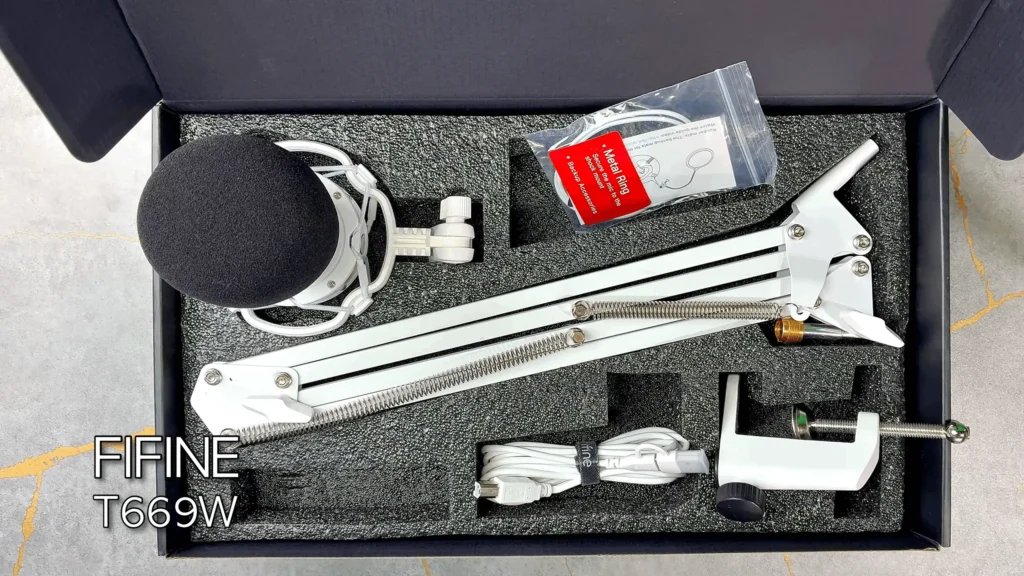
That spare parts inclusion deserves special mention. Most budget kits don’t bother with extras. FIFINE throws in backup accessories for the shock mount and pop filter—a small touch that shows attention to detail.
For beginners in e-learning, freelance content creation, or podcasting, this price point removes a major barrier to entry. You can start creating content immediately without piecing together a setup over months.
FIFINE T669 Audio Quality Review
Score: 7/10
Here’s where things get nuanced. Obviously, you’re not getting SM78 or the Rode Wireless GO II quality. But the T669 holds its own for casual use for streaming, video calls, and voiceover work.
Mid-range for a clear voice
The frequency response leans heavily into the mid-range. Your voice cuts through clearly on any speaker—laptops, phones, gaming setups—which makes it effective for streaming. You’ll punch through a Twitch stream without getting lost in the mix.
However, this mid-range limits the T669 for music production. Guitar recordings are “not as much top, not very defined on the top, not particularly bright, and also not particularly bassy either,” said Tyler Spicer on YouTube. If you’re tracking music, you’ll likely want something with a flatter, more natural frequency response.
“So that makes it pretty limited for me on guitar. I felt like it brought across the mid-range and upper mid-range of the guitar, but there wasn’t any brilliance or sheen to it, and there also wasn’t any particular bassiness to it.”
Tyler Spicer on YouTube
The Gain Dilemma
Do you always crank the volume up and keep the gain low? This introduces a noticeable hiss. The better approach? Keep the computer volume lower (around 30-40%) and increase the microphone gain. This reduces background noise while maintaining vocal clarity.
“Where I did have to change my settings, there 75% gain and 33% volume. Now, if you listen to those and you’re like, your voice sounds a lot deeper and better on the wireless level or microphone.”
Joseph Montanez on YouTube
FIFINE T669 Review on Build Quality: Durable and Compact
Score: 7.5/10
The all-metal boom arm construction stands out immediately. It feels sturdy without the creaky, noisy springs common in budget alternatives. The arm moves smoothly—actually smoother than some dedicated boom arms costing $30+ on their own. Cable management isn’t built in, so you’ll want to grab some extra cable ties, but it’s a minor inconvenience.
The microphone itself is compact. YouTuber Tyler Spicer compared it with a Neumann U87 (just for visual reference—we’re comparing a $70 kit to a $3,000+ microphone), the T669 looks tiny. The YouTuber ManShed also shared it’s “so super compact, and especially for traveling”. This smaller capsule size typically means less bass response, which aligns with the mid-range-heavy audio signature we mentioned earlier.
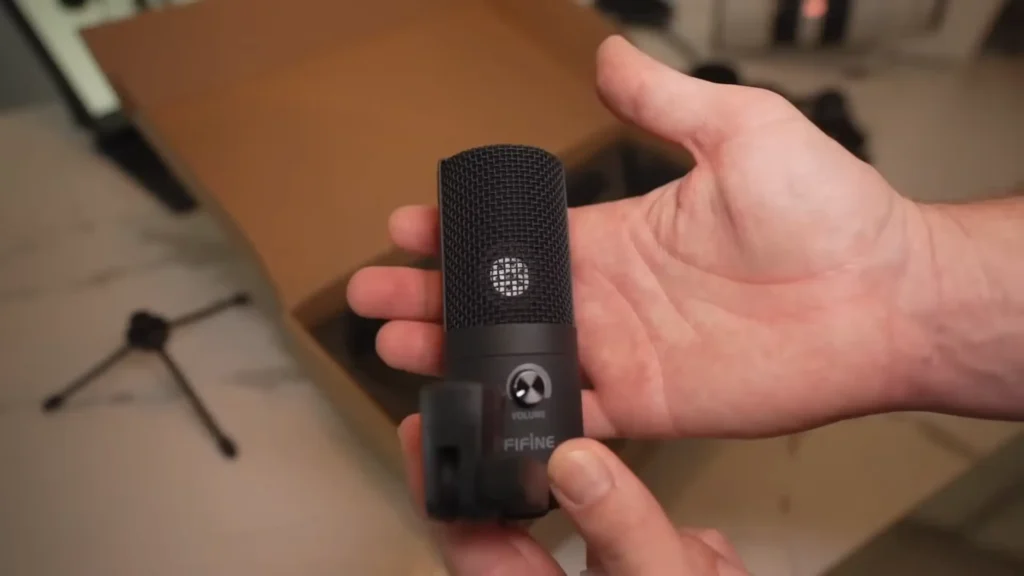
The desk clamp accommodates surfaces up to 2.1 inches thick and locks down securely without marking furniture. Just don’t over-tighten it.
One criticism: the USB port uses the older USB-B connector (printer-style), though the white T669W edition includes a USB-C adapter for newer computers.
FIFINE T669 Setup Review: Easy and Simple
Score: 9/10
From box to recording in under five minutes—no exaggeration.
The setup process is intuitive enough that you won’t need the included user guide. Attach the desk clamp, insert the boom arm, mount the shock mount, connect the microphone, and plug in the USB. Done.
The shock mount is easy to install.
Remove the standard mount from the microphone first by unscrewing the ring at the bottom. Insert the mic from the top of the shock mount with the FIFINE logo (the “front” of the microphone) facing away from the mount attachment point.
The pop filter should be in the sweet spot.
The pop filter attaches to the boom arm via a clamp with a rubber grip. Look for the 90-degree angle points on the arm for the most stable positioning. One quirk: the pop filter can bump against the shock mount springs when repositioning, which creates unwanted noise during recording.
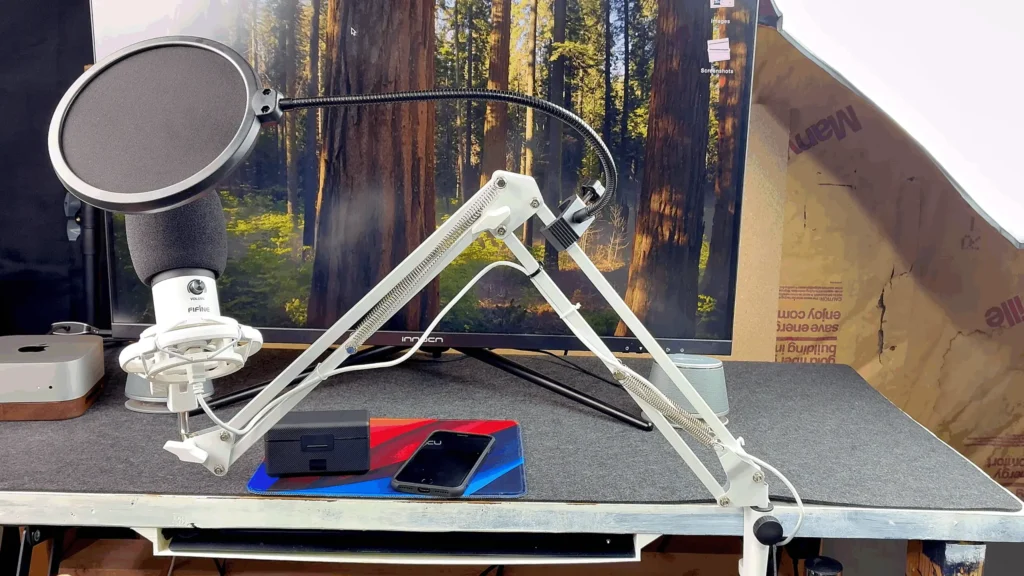
USB means true plug-and-play.
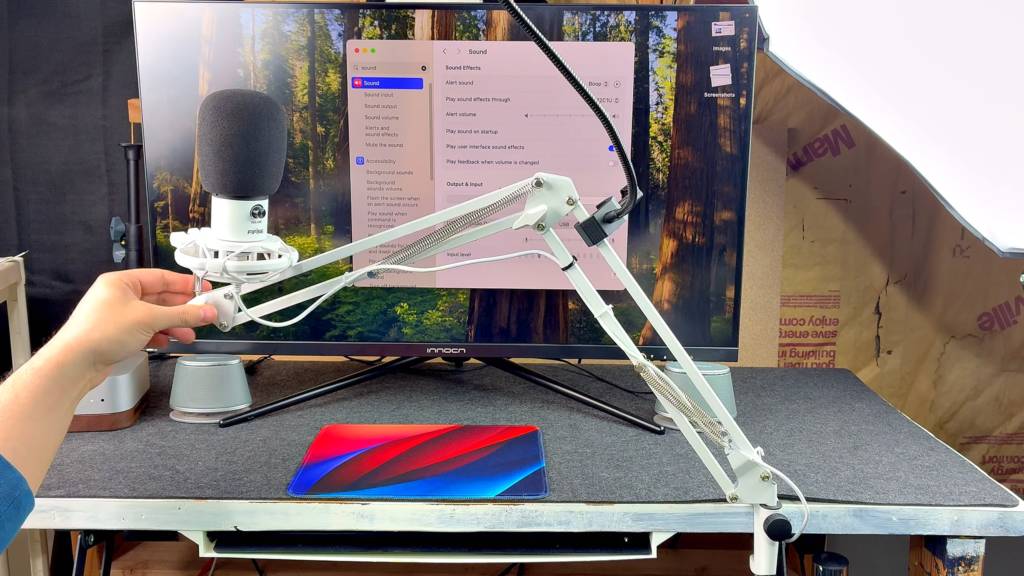
Mac and Windows systems recognize the microphone immediately without driver installations. The 2-meter cable provides plenty of reach for most desk configurations.
FIFINE T669 Review: Accessories Show the Value
Score: 9.5/10
The accessories arguably justify the entire kit’s value on their own.
Pop filter: Dual-layer mesh construction outperforms many standalone pop filters. Both layers use soft mesh rather than the typical hard/soft combo. It effectively catches plosives without significantly muffling high frequencies.
Boom arm: Full metal construction with smooth pivot points. Holds position well without drooping. Multiple reviewers noted it feels better than separately purchased arms in the same price range.

Shock mount: Suspends the microphone with elastic bands to absorb vibration. Here’s the caveat, though: it doesn’t eliminate desk vibrations. If you’re a heavy typist or play games that involve intense mouse movements, consider a separate floor-standing mic stand.
“Where you’re on your keyboard, you’re smacking down all of the sounds. It is transferring to your microphone if you bump your microphone, hit it, or something like that.”
Joseph Montanez on YouTube
Desktop tripod: A compact option when the boom arm isn’t practical. Useful for travel or temporary setups. Not the sturdiest tripod out there, but functional.

Foam windscreen: Essential for reducing breath noise and minor wind interference. Works well for indoor use. For outdoor recording, you’ll notice the microphone still picks up wind, though the windscreen helps.
USB cable: Braided with velcro organization tie and branded connectors. Feels more premium than typical budget kit cables.
FIFINE T669 Versatility Review
Score: 6.5/10
The FIFINE USB T669 microphone excels in specific use cases and struggles in others. Understanding this helps you decide if it matches your needs.
Where it works well:
- Live streaming (Twitch, YouTube Gaming)
- Video conferencing and Zoom calls
- Podcast recording (voice-focused content)
- YouTube tutorials and commentary
- Voice-over work for videos
Where it falls short:
- Music production (vocal tracking, instrument recording)
- ASMR content (too much background noise pickup)
- Noisy environments (condenser mics are sensitive)
- Situations requiring zero-latency monitoring
The condenser microphone design captures detail, but also captures everything around you. Apartment noise, air conditioning, traffic outside your window—it all gets picked up. The lack of a built-in headphone jack means you can’t monitor audio directly from the microphone. You’ll route through your computer’s DAW or recording software, introducing some latency. For music production, where you need immediate feedback while playing, it’s a genuine limitation.
Who Should Buy the FIFINE T669 Microphone?
| If you are… | This mic is… |
| A new streamer on a budget | Perfect for you |
| Starting a podcast | A solid entry point |
| Making YouTube tutorials | Well-suited |
| Working from home on video calls | Great value |
| A student creating content | Ideal starting kit |
The T669 targets beginners and budget-conscious creators who need a complete, functional setup without researching and purchasing individual components. If you’re testing the waters of content creation before investing heavily, this kit lets you start immediately.
FIFINE T669 Alternatives
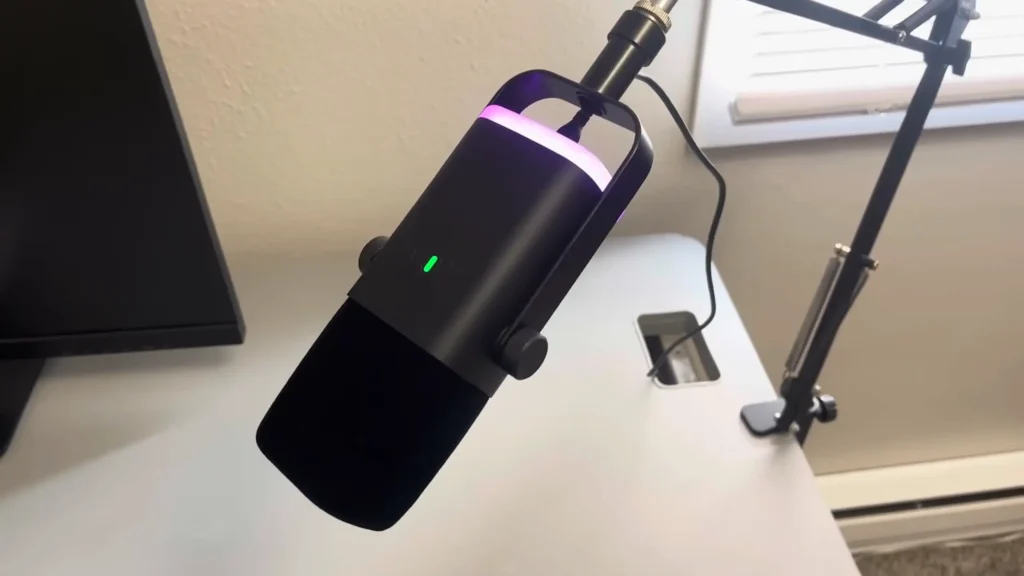
FIFINE AM8 Dynamic Microphone
Price: ~$55
Best for: Streamers in noisy environments
| Pros: | 1. Dynamic design rejects background noise better 2. Praised for clear voice reproduction in gaming 3. More forgiving in untreated rooms |
| Cons | 1. No boom arm or accessories included 2. Requires closer mic positioning |
If background noise is your primary concern, the AM8‘s dynamic capsule handles noisy apartments and mechanical keyboards better than the T669’s condenser design. You’ll need to purchase a boom arm separately, but the improved noise rejection might be worth it.
FIFINE K678
Price: ~$45-$50
Best for: Creators who want direct monitoring
| Pros | 1. Built-in headphone jack for zero-latency monitoring 2 Better suited for music production 3. Similar price point |
| Cons | 1. Doesn’t include boom arm or extensive accessories 2. Requires a separate stand purchase |
The FIFINE USB K678 condenser mic addresses the T669’s biggest limitation for musicians: the lack of direct monitoring. Plug headphones directly into the microphone and hear yourself without software latency. If you plan to track vocals or instruments, this feature alone might steer your decision.

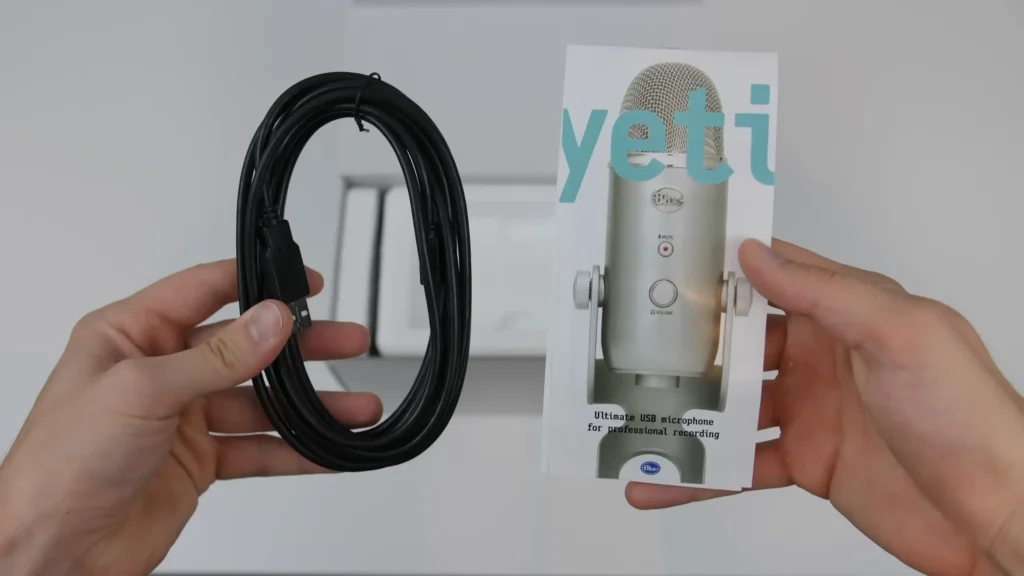
Blue Yeti
Price: ~$130-230
Best for: Users wanting multiple polar patterns
| Pros | 1. Four polar patterns (cardioid, stereo, omnidirectional, bidirectional) 2. Strong brand reputation 3. Versatile recording options |
| Cons | 1. Costs 2-3x more than T669 kit 2. No boom arm or accessories included 3. Heavier and bulkier |
The Blue Yeti remains a popular choice, but when you factor in the additional accessories needed, you’re spending $300+ for a comparable complete setup. Unless you specifically need multiple polar patterns, the T669 delivers similar value at a fraction of the cost.
FIFINE T669 Review Wrapping Up
The FIFINE T669 USB Microphone Kit delivers exactly what it promises: a complete, functional recording setup at a price that won’t hurt for streaming, podcasting, video calls, and YouTube content.
The limitations are real but specific. Music production, ASMR, and noisy environments push this microphone outside its comfort zone. The condenser design and lack of direct monitoring create friction for certain workflows.
But for the price, that’s a solid deal. If you need to start creating content today and don’t want to spend months researching and assembling gear, the T669 gets you there.
FAQs
Is the FIFINE T669 good for streaming?
Yes, streaming is arguably the T669’s strongest use case. The mid-range-focused frequency response ensures your voice cuts through game audio and background music. The complete kit means you can set up a professional-looking stream without additional purchases.
Can I use the FIFINE T669 for music production?
We don’t recommend it for serious music production. The frequency response lacks the low-end warmth and high-end detail that vocal and instrument recording requires. The absence of a headphone jack also introduces latency issues. Consider the FIFINE K678 or a dedicated XLR setup like FIFINE AM8 and K688 instead.
Does the shock mount actually work?
Partially. It absorbs some vibration, but desk bumps, keyboard typing, and mouse clicks still transfer noise into recordings. For complete isolation, a floor-standing mic stand separate from your desk works better.
How do I reduce background noise with this microphone?
Keep your computer volume lower (30-40%) and increase the microphone gain. Position the mic closer to your mouth (4-6 inches) and speak directly into the front (where the FIFINE logo is). Use the pop filter to reduce breath noise. Consider acoustic treatment or recording in a quieter room if noise remains problematic.
Can I use just the tripod without the boom arm?
Absolutely. The kit includes a desktop tripod for situations where the boom arm isn’t practical. It’s particularly useful for travel or temporary setups. The tripod isn’t the most robust, but it functions well for its intended purpose.
