
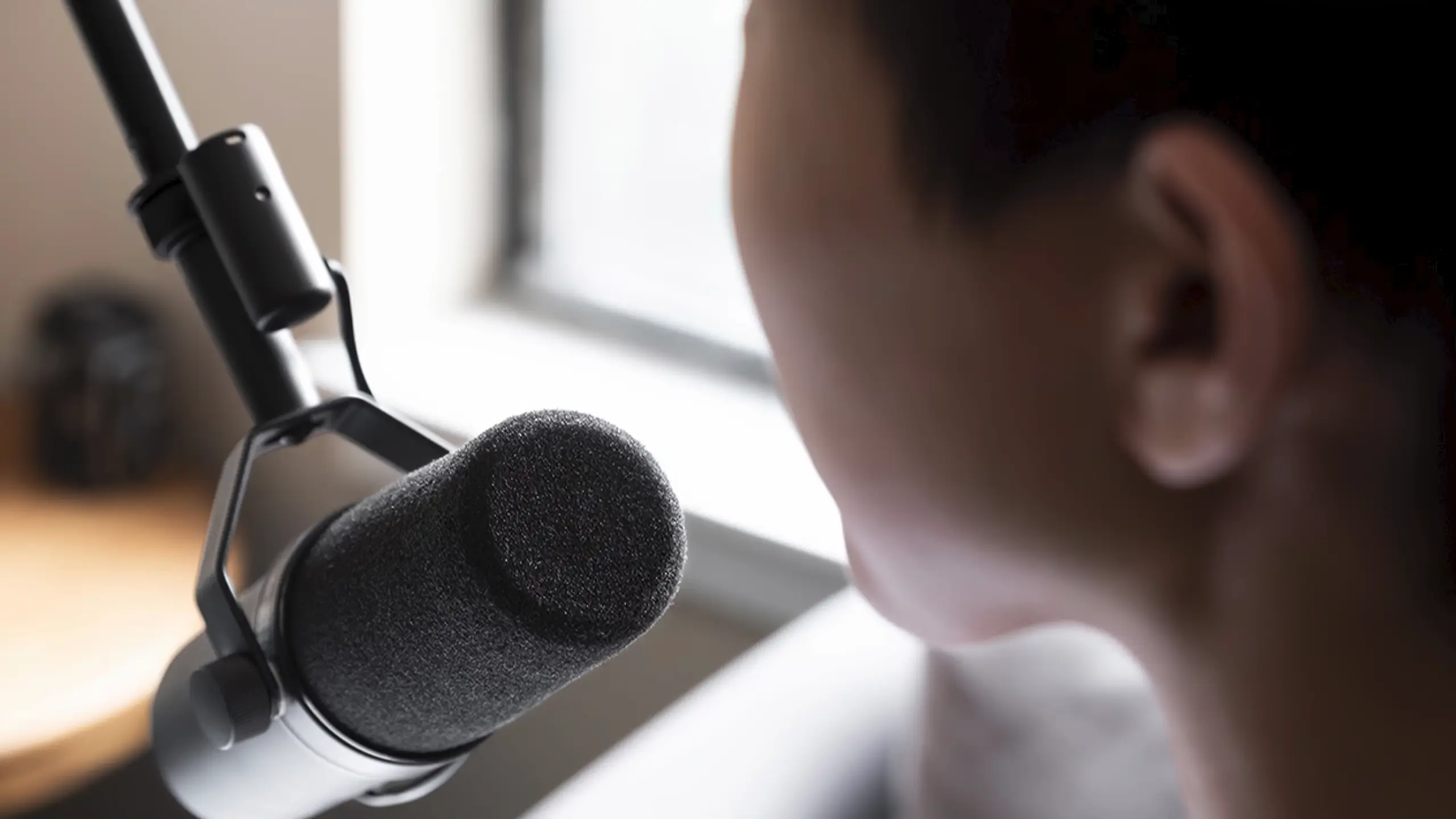
Best Microphones for Streaming in 2026: Top 5 Picks We’ve Tested

Your microphone is the single most important piece of gear in your streaming setup. Viewers will tolerate average video quality, but muddy or harsh audio sends them clicking away faster than you can say “follow button.” The good news? You don’t need to drain your bank account to sound professional.
We’ve searched and tested the 5 microphones for sound quality and value. This guide breaks down the best microphones for streaming across different budgets and use cases. Whether you’re just starting on Twitch or upgrading an established YouTube channel, there’s an option here that fits your needs.
Quick Shoot on The Best Microphones for Streaming
- HyperX QuadCast S – Best Overall
- Elgato Wave:3 – Best for Software Integration
- Shure SM7B – Best Professional Grade
- FIFINE K688 – Best Budget Option
- Audio-Technica AT2020 – Best for Upgrading to XLR
The Best Overall Microphone: HyperX QuadCast S
Pros
- Four polar patterns (stereo, omnidirectional, cardioid, bidirectional)
- Customizable RGB lighting via HyperX NGENUITY software
- Built-in anti-vibration shock mount
- Integrated pop filter reduces plosives
- Tap-to-mute sensor with LED indicator
- 3.5mm headphone jack for zero-latency monitoring
- Frequency response: 20Hz – 20kHz
Cons
- Internal pop filter struggles with very close mic technique
- RGB software can be finicky on some systems
- Higher price than basic streaming mics
- Picks up keyboard sounds in non-cardioid modes
Price: ~$110
Detailed Scores
| Criteria | Score |
| Sound Quality | 9/10 |
| Background Noise Rejection | 8/10 |
| Ease of Use | 9/10 |
| Build Quality | 9.5/10 |
| Value | 9/10 |
| Overall | 9.2/10 |
Deep Dive
The QuadCast S represents HyperX’s most refined streaming microphone. In the QuadCast S microphone, you can get the four polar patterns for various streaming.
- The cardioid mode is ideal for standard streaming.
- The bidirectional mode works well for in-person co-streams or interviews.
- Omnidirectional is better for specific creative applications
- Stereo mode adds spatial depth for ASMR recordings.
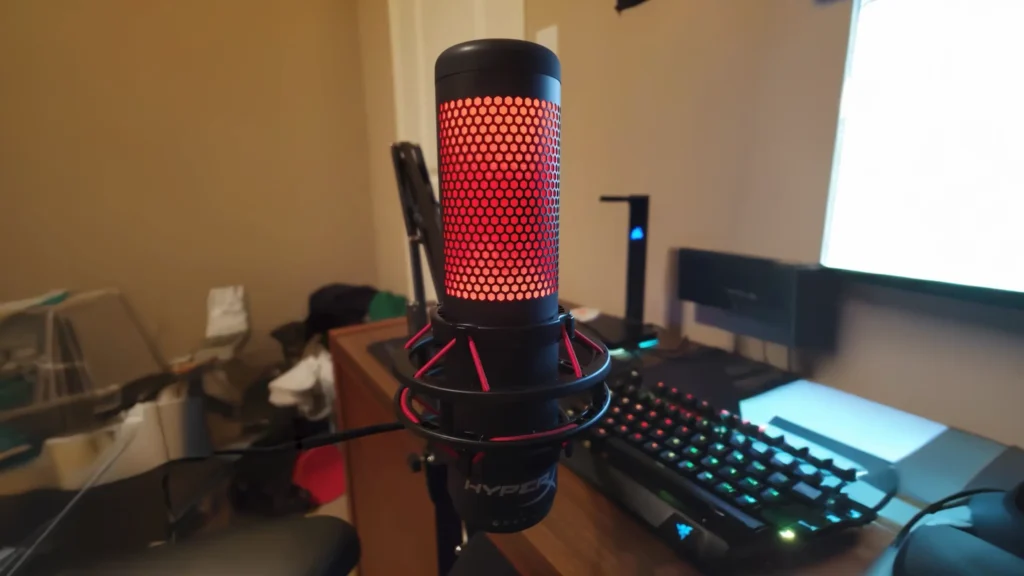
When it comes to sound quality, you’ll get warm, clear vocals with neutral frequency response. The 16-bit depth captures sufficient detail for streaming applications, though podcasters who want archival-quality recordings might prefer higher-resolution options.
The tap-to-mute feature earns special praise. A single touch silences the mic instantly, with the LED indicator clearly showing your status. Plus, the RGB will make your streaming more visible and personal.
“Having four microphone patterns and a personal light show in one device is a ridiculous level of flex for any YouTube setup. And the sound quality is genuinely impressive. “
Audioviser on YouTube
But if you like to eat your microphone, consider adding an external pop filter. Just as Audioviser said, “Just don’t get too close to whisper your secrets, because its internal pop filter is about as effective as a screen door on a submarine, letting all those explosive sounds through.”
Best Software Integration for Streaming: Elgato Wave:3
Pros
- Clipguard technology prevents audio distortion automatically
- Wave Link software provides virtual mixing capabilities
- 24-bit/96kHz analog-to-digital converter
- Multifunction dial for gain, volume, and mix control
- Capacitive mute button for silent operation
- Near-zero latency headphone monitoring
- Compact footprint fits crowded desks
- Solid metal construction
Cons
- The plastic mount feels less premium than the mic body
- No RGB lighting for aesthetics-focused setups
- Cardioid-only limits versatility
- Wave Link has a learning curve
Price:~$150
Detailed Scores
| Criteria | Score |
| Sound Quality | 9.5/10 |
| Background Noise Rejection | 8.5/10 |
| Ease of Use | 8.5/10 |
| Build Quality | 8.5/10 |
| Value | 9/10 |
| Overall | 9/10 |
Deep Dive
Elgato built the Wave:3 specifically for content creators. The 24-bit/96kHz converter produces remarkably detailed audio for a USB mic, capturing nuances in your voice that cheaper options miss entirely.
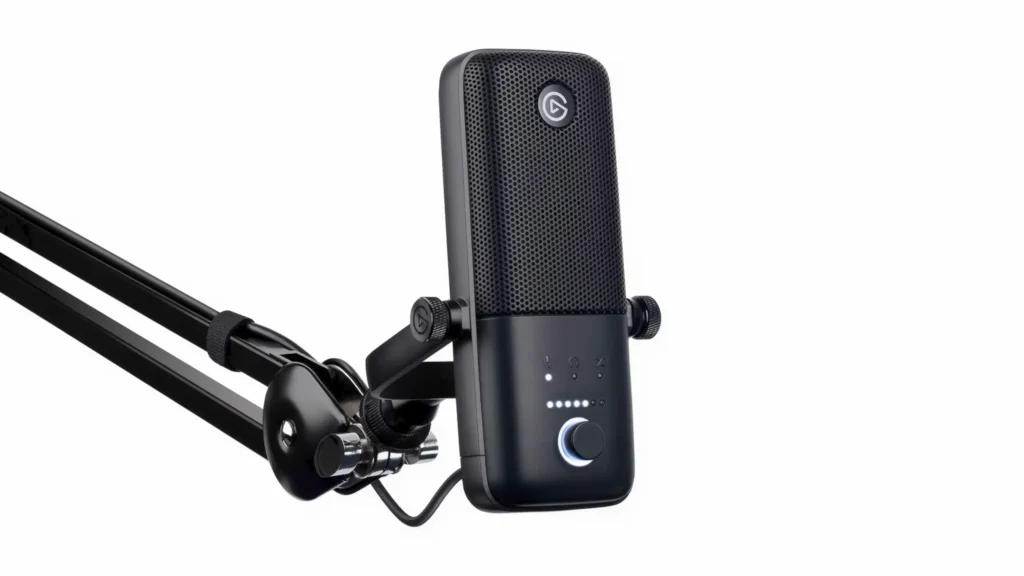
What you can expect in Elgato Wave 3:
1. Clipguard technology
This proprietary technology monitors your audio signal and automatically reroutes it to a lower gain path when peaks occur. So, when you scream during an intense gaming stream, your viewers don’t get their eardrums shattered.
2. Multifunction gain dial.
The multifunction dial on the front provides quick access to essential controls. A short press toggles between adjusting gain, headphone volume, and the mix between your microphone and PC audio. It sounds simple, but it’s so convenient for your live streaming.
3. Wave Link Software
With Wave Link software, you can create separate mixes for your stream output and your headphones, route Discord to one channel and game audio to another, and adjust everything in real-time.
The cardioid pattern effectively rejects off-axis noise, though it’s not as tight as dynamic mics like the SM7B. But overall, Wave:3 microphone handles typical home office environments admirably.
“This mic is a streamer’s dream with its plug-and-play setup and top-tier clear audio that makes you sound like a pro, even if you’re just rambling about your cat.”
Audioviser on YouTuber
Best Professional Grade Microphone for Streaming: Shure SM7B
Pros
- Industry-standard broadcast audio quality
- Exceptional background noise rejection
- 50Hz – 20kHz frequency response
- Built-in bass rolloff and presence boost controls
- Advanced electromagnetic shielding
- Air suspension shock isolation
- Rugged, all-metal construction
Cons
- Requires XLR interface (additional cost)
- Needs 60+ dB of clean gain
- No USB connectivity
- Higher price point
- No built-in features (mute, monitoring, etc.)
Price: ~$440
Detailed Scores
| Criteria | Score |
| Sound Quality | 10/10 |
| Background Noise Rejection | 10/10 |
| Ease of Use | 7/10 |
| Build Quality | 10/10 |
| Value | 8.5/10 |
| Overall | 9.5/10 |
Deep Dive
Best professional grade for streaming? The Shure SM7B is the gold standard in vocal recording. Its dynamic capsule captures your voice with remarkable clarity while aggressively rejecting keyboard clicks, PC fans, and room echo that plague condenser mics.
“Its price places it in the high range for the streaming world, but it’s justified by its durability, versatility, and unmatched audio quality.”
Ten Out Of Ten Tech on YouTube.
The flat 50Hz-20kHz frequency response reproduces your voice naturally—no artificial boosting. Two onboard switches (bass rolloff and presence boost) let you shape your sound without software. The internal shock isolation and rugged metal build mean this mic handles daily abuse while delivering clean audio.
The catch: you’ll need an XLR interface with 60+ dB of clean gain. Budget for a quality preamp like the Cloudlifter or an interface like the Focusrite Scarlett series.
For streamers in noisy environments who prioritize audio above all else, the SM7B is the benchmark. An investment that pays dividends. Invest in Pro Sound.

Best Budget Microphone for Streaming: FIFINE K688
Pros
- Dual connectivity (USB-C and XLR)
- Excellent price-to-performance ratio
- Clear, warm sound quality
- Physical gain knob on the microphone
- Solid metal construction
- The cardioid pattern reduces background noise
- Compatible with standard boom arms
Cons
- Doesn’t include boom arm or pop filter
- Basic included stand
- Limited advanced features
- Less brand recognition than competitors
Price: ~$85
Detailed Scores
| Criteria | Score |
| Sound Quality | 8.5/10 |
| Background Noise Rejection | 8/10 |
| Ease of Use | 9/10 |
| Build Quality | 8/10 |
| Value | 9.5/10 |
| Overall | 8.5/10 |
Deep Dive
Best value? The FIFINE K688 microphone is why we love this brand. At under $75, it outperforms mics costing twice as much—and that dual USB-C/XLR design? Game-changer. Start simple with USB today, then seamlessly transition to XLR when you’re ready to level up. No need to buy a new mic.
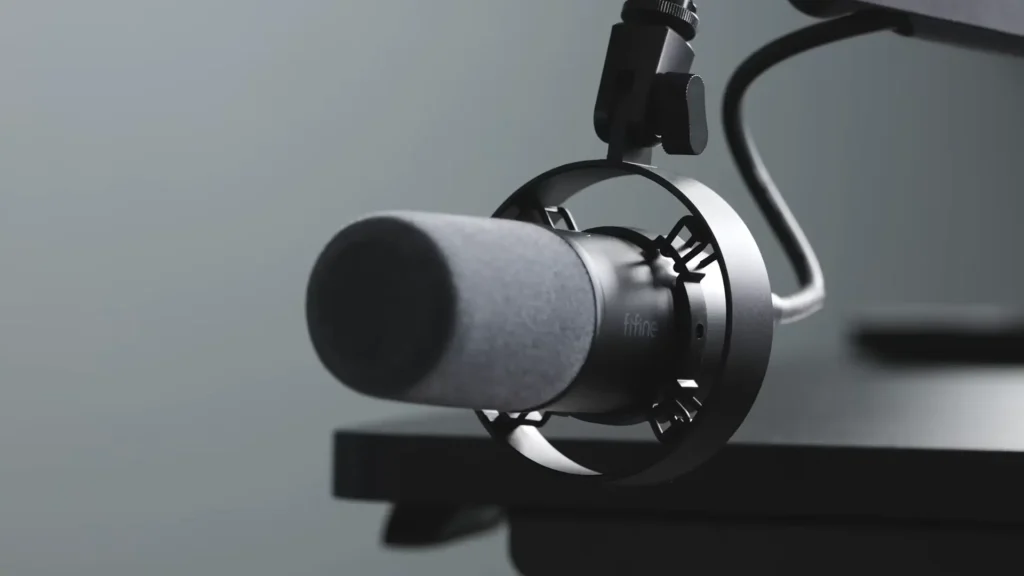
Here’s what surprised us: the sound is genuinely warm and natural. No tinny, harsh audio that screams “budget mic.” Most voices sound great with zero EQ tweaking. The physical gain knob is a lifesaver too—quick adjustments without digging through software menus.
It can’t reject noise like the SM7B. But keep your keyboard at a reasonable distance, and you’re golden. There’s something you should head up: no pop filter or boom arm included. But you still have a budget-friendly even toss in an extra $50-60 for more.
But here’s a thing. FIFINE has offered the K688 streaming bundle. So new to streaming? Tight budget? This is your mic.
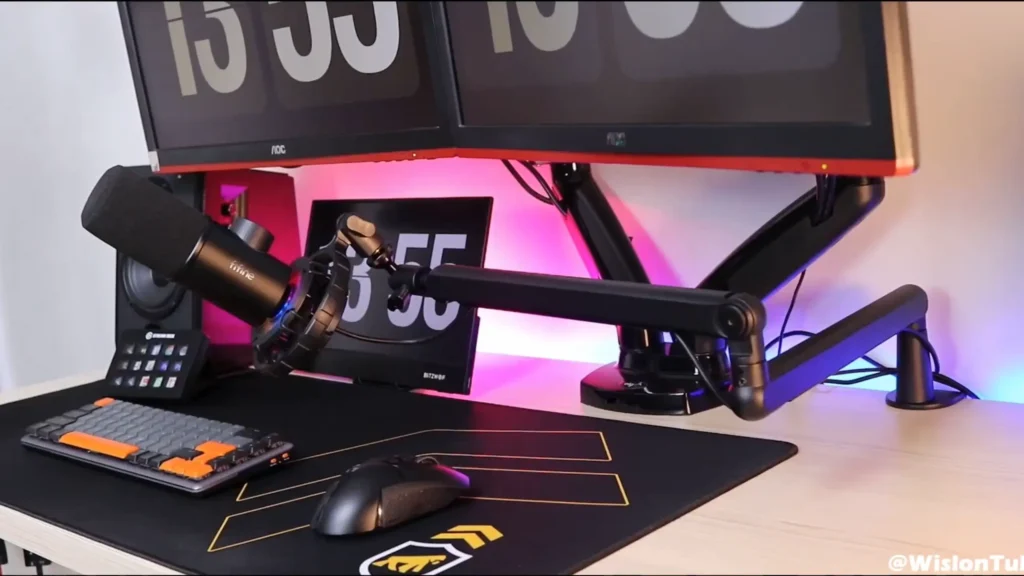
Best XLR Microphone for Streaming: Audio-Technica AT2020
Pros
- Studio-quality large-diaphragm condenser
- Balanced, natural sound with slight presence boost
- Excellent detail and clarity
- Professional, understated design
- Durable metal construction
- Consistent performance across interfaces
- Industry-proven reliability
Cons
- Requires 48V phantom power and XLR interface
- Picks up more background noise than dynamic mics
- No built-in features (mute, monitoring, etc.)
- Needs acoustic treatment for best results
- USB version available separately
Price: ~$120
Detailed Scores
| Criteria | Score |
| Sound Quality | 9.5/10 |
| Background Noise Rejection | 7/10 |
| Ease of Use | 7/10 |
| Build Quality | 9/10 |
| Value | 9/10 |
| Overall | 8.8/10 |
Deep Dive
Best XLR starter? The Audio-Technica AT2020 is your gateway drug to professional audio. Yes, it needs an interface and phantom power. But once you hear that large-diaphragm condenser sound? You’ll understand why creators make the jump.
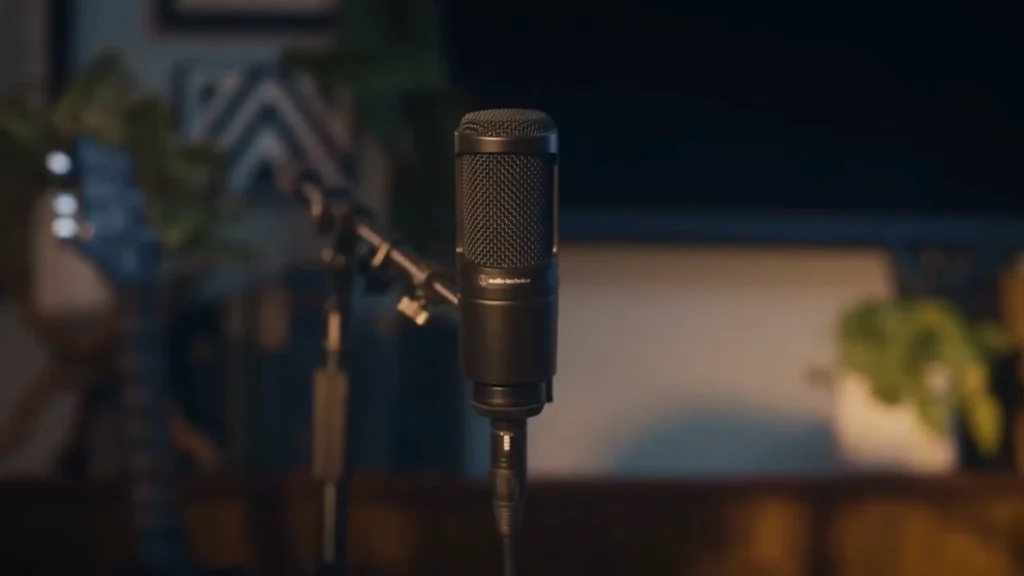
The audio is balanced, warm, and detailed—with a subtle presence boost that helps your voice pop without sounding harsh. No fancy features here. No RGB, no tap-to-mute. Just pure, studio-grade vocal capture.
As an XLR microphone, it needs a 48V phantom. So an interface is necessary. But the real magic? Consistency. Pair it with a budget Focusrite or a pricier preamp—the AT2020 delivers professional results either way. No exotic gear required.
One thing to know: condensers are sensitive. Your room matters. A few foam panels go a long way. Untreated spaces with hard walls? You might hear more reflections than you’d like.
What to Look For in a Streaming Microphone
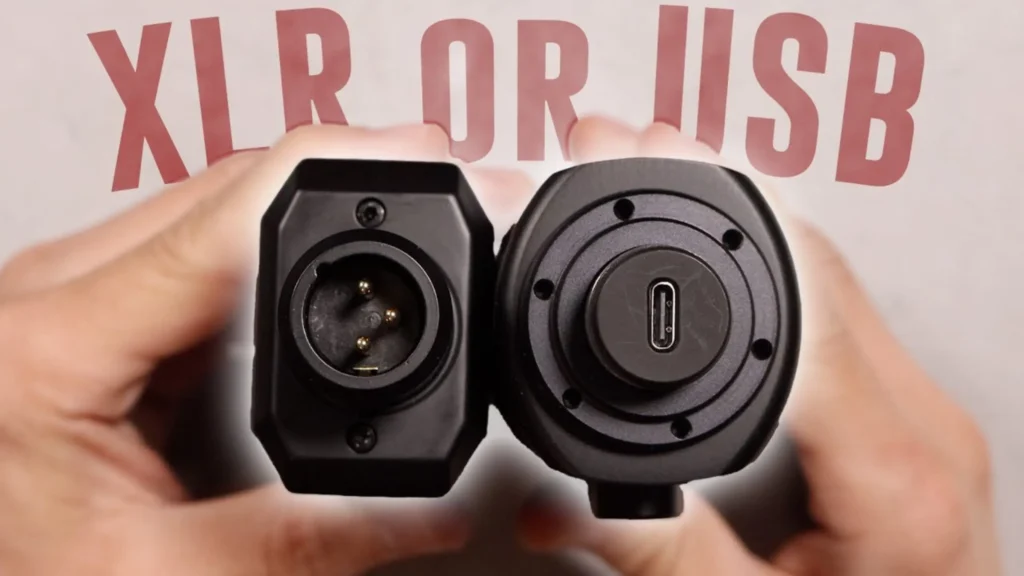
Connection Type: USB vs. XLR
This is the most fundamental decision you’ll make.
- USB microphones are famous for their plug-and-play. They are for beginners, those on tight budgets, or streamers who prioritize simplicity. Modern USB mics like the Wave:3 and QuadCast S deliver excellent audio quality. However, you’re limited to that specific microphone’s sound, with less flexibility for upgrades or customization.
- XLR microphones connect through an audio interface, adding cost and complexity. The benefits include superior sound quality potential, upgrade flexibility, and professional features like multiple mic support and hardware monitoring.
For most new streamers, USB makes sense. The quality gap has narrowed significantly, and the simplicity is hard to beat.
Polar Patterns
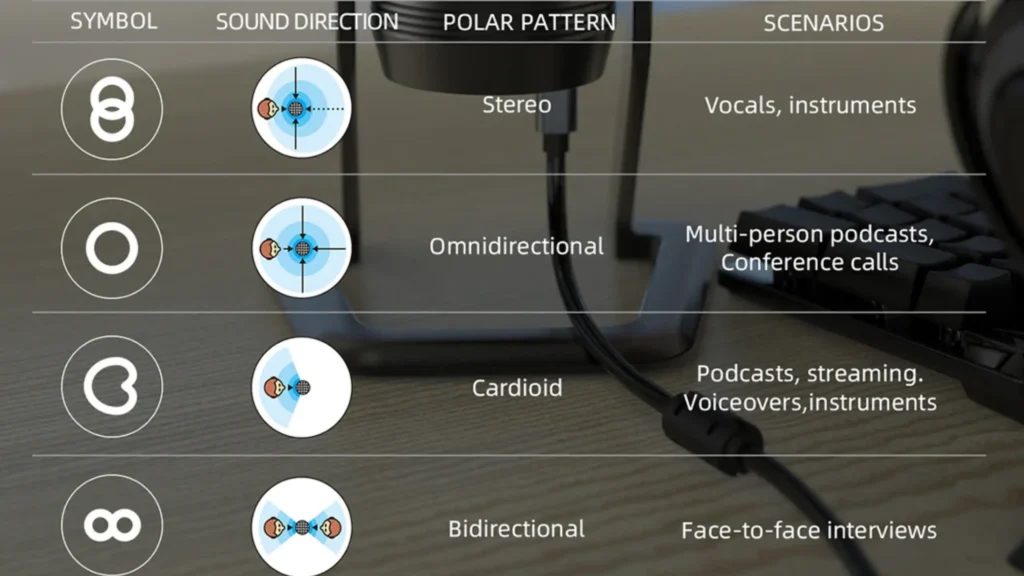
Polar patterns describe how a microphone picks up sound from different directions.
| Patterns | How does it work? |
| Cardioid (The most common and useful pattern for streaming.) | It captures sound from the front while rejecting noise from the sides and rear. If you’re recording solo, cardioid should be your default choice. |
| Bidirectional | Picks up sound from the front and back while rejecting the sides. Useful for in-person interviews or co-streams where two people face each other across the mic. |
| Omnidirectional | Captures sound equally from all directions. Rarely useful for streaming, but handy for recording room ambiance or group discussions. |
| Stereo | Uses two channels to capture spatial audio. Popular for ASMR or environmental recordings. |
Most streamers only need a cardioid like the FIFINE K688. Mics like the QuadCast S that offer multiple patterns provide nice flexibility, but don’t pay extra for patterns you’ll never use.
Background Noise Rejection
Your microphone’s ability to ignore unwanted sounds matters enormously for home streaming setups.
- Dynamic microphones like the SM7B and K688 generally offer superior noise rejection. They’re less sensitive overall, which means they pick up less keyboard clicking, PC fan noise, and room echo. If you stream in a noisy environment, dynamic mics are worth considering.
- Condenser microphones are more sensitive and detailed but also more prone to picking up background noise. They work best in acoustically treated spaces. If your room has hard floors, bare walls, and no acoustic treatment, a condenser mic will capture every reflection.
Consider your streaming environment honestly. A more expensive condenser in a noisy room may sound worse than a budget dynamic mic.
Build Quality and Durability
Streaming equipment gets used daily. Your microphone needs to survive constant adjustment, accidental bumps, and the occasional rage-induced desk slam.
Look for metal construction over plastic. A heavy base helps prevent tipping. Quality shock mounts absorb vibration from your desk. Pop filters protect the capsule from moisture and plosives.
The difference between cheap and quality construction becomes apparent over time. A well-built mic like the SM7B will last decades. Budget options may develop issues within a year or two.
Software and Features
Modern streaming mics often include software that expands their capabilities.
- Onboard controls like gain knobs, mute buttons, and headphone monitoring provide quick access to essential adjustments without navigating software menus.
- Companion software can add virtual mixing (Wave Link), RGB control (HyperX NGENUITY), or advanced audio processing. Consider whether you’ll actually use these features, as they add complexity.
- Automatic features like the Wave:3’s Clipguard can save your streams from audio disasters. These set-it-and-forget-it capabilities provide peace of mind.
Final Thoughts on the Best Microphone for Streaming
The best microphone for streaming is various with what you need. Among the five microphones we tested, the HyperX QuadCast S is the best overall streaming mic. The Elgato Wave: 3 supports the software integration, making your streaming more flexible. For the pro-level sound quality, the Shure SM7B and Audio-Technica AT2020 make your voice better with the XLR technology. Want a budget-friendly mic? The FIFINE K688 microphone is certainly your choice.
Bad audio kills channels. Good audio builds audiences. Pick your mic and start streaming now.
FAQ
Do I need an audio interface for streaming?
Not necessarily. USB microphones like the QuadCast S and Wave:3 connect directly to your computer with no additional gear. XLR microphones like the SM7B and AT2020 require an audio interface. For most beginners, USB offers the best balance of quality and simplicity.
How close should I sit to my streaming microphone?
Most microphones perform best at 4-8 inches from your mouth. Dynamic mics like the SM7B can be closer (2-4 inches), while condensers often sound best with slightly more distance. Experiment to find the sweet spot for your specific mic and voice.
Do I need acoustic treatment for streaming?
It depends on your microphone and room. Dynamic mics like the SM7B work well in untreated spaces. Condenser mics benefit significantly from acoustic treatment. At minimum, consider positioning your desk away from hard walls and adding some soft furnishings to reduce reflections.
What’s the difference between dynamic and condenser microphones?
Dynamic microphones are less sensitive, require no phantom power, and excel at noise rejection. They’re ideal for untreated rooms and noisy environments. Condenser microphones are more sensitive and detailed, require phantom power (usually 48V), and capture more nuance in your voice. They work best in acoustically treated spaces.
Can I use the same microphone for streaming and podcasting?
Absolutely. All microphones in this guide work well for both applications. The SM7B and AT2020 are particularly popular among podcasters, while the Wave:3 and QuadCast S offer streaming-specific features that also benefit podcast production.
