

FIFINE H13 Review: The Updated Gaming Headset That Gets You

It’ll be a disaster when you’re enjoying the intensive and immersive games, but your “cheap” headset ruins your game. The sound makes you feel like you’re underwater or a vice grip on your skull. Here, a budget, updated gaming headset might change the day, the FIFINE H13 gaming headset. After weeks of testing across shooters, story-driven games, and late-night Discord calls, we’ve got a clear picture of where this headset shines and where it stumbles.
Among the FIFINE H13 review, we know that H13 is really thinking about what games actually need: plug-and-play simplicity, useful features accessible at arm’s reach, and audio that holds up where it matters most.
Quick Verdict On FIFINE H13 Review
| Category | Score(10/10) |
|---|---|
| Overall | 8.2 |
| Comfort | 8.5 |
| Sound Quality | 8.0 |
| Microphone | 7.5 |
| Build Quality | 8.0 |
| Features | 8.5 |
| Value | 9.0 |
What We Like
- Impressive comfort for extended gaming sessions
- Convenient inline control box with multiple functions
- Solid 7.1 virtual surround sound for immersive gaming
- Dynamic RGB lighting with 11 customizable effects
- Detachable microphone with noise cancellation
- Removable/replaceable ear cushions
- Exceptional value under $55
What Could Be Better
- USB-A only (no 3.5mm or USB-C option)
- Not compatible with Xbox
- Ear cups don’t swivel flat for neck resting
- No volume dial directly on the headset
- RGB button placement can cause accidental presses
FIFINE H13 Review in Comfort: Built for the Long Haul
Score: 8.5/10
Gaming headsets live or die by comfort. You can have the crispest audio on the planet, but if your ears feel like they’re being roasted after an hour, that headset ends up collecting dust.
Ear Cups Are Soft Enough
The FIFINE H13 headset gets this right. The ear cups use a soft faux leather that multiple reviewers described as “cushy” and “very, very comfortable.” Unlike some budget headsets that squeeze your head like they’re angry at you, the H13’s clamping force is surprisingly gentle.
“I find myself being able to wear these for long extended periods of time, hours on end, without feeling any kind of discomfort.”
Kimbuucha in YouTube

Headband Has No Pressure
The headband deserves special mention. FIFINE used a brushed fabric material on top with a cushioned underside that distributes weight evenly. There’s no pressure point on your crown, which is a common complaint with cheaper headsets. The ear cups are slightly chunkier than the AmpliGame H9, but that extra size means they wrap fully around your ears rather than pressing against them.
Impressive Passive Noise Isolation
Passive noise isolation impressed across the board.
I’m not going to lie. I haven’t seen, you know, a really well-implemented noise cancellation feature in a headset, without it sounding boomy or sounding kind of tiny, taking away the dynamics of the voice and the features and the characteristics of a voice.
TheSoundTV in YouTube
That’s not active noise cancellation—it’s just good seal design. For gamers in noisy environments or shared spaces, this passive isolation means you can keep volume at reasonable levels without external sounds bleeding through.
Friendly to Glasser Wearers
Glasses wearers, take note: reviewers who wear glasses reported no significant discomfort. Thomaswithtomology called the H13 is “very glasses friendly” with cushions that conform around temple arms without creating pressure points—something that’s hit or miss even with pricier competitors.
Real-World Test: We wore the H13 through a 4-hour Skyrim session and a 2-hour video editing project back-to-back. Zero ear fatigue, no sweaty cushions, and no need to constantly readjust. That’s the comfort benchmark budget headsets should be hitting.
FIFINE H13 Review on Sound Quality: Clear Where It Counts
Score: 8.0/10
You’re not getting audiophile-grade sound from a sub-$60 gaming headset. The H13 gaming headset handles gaming audio competently, with particular strength in the mids and highs where directional cues and dialogue live.
During TheSoundTV’s testing in Overwatch’s practice range, footsteps registered clearly from all directions. Enemies approaching from behind, flanking from the left, running above—the spatial positioning came through without confusion.
7.1 Virtual Surround Sound
The 7.1 virtual surround sound is where opinions split. For single-player, story-driven games, it’s genuinely immersive. Small environmental details—a character’s backpack rustling, ambient sounds shifting as you move through spaces—create a sense of presence that stereo can’t match.
“All right, with the 7.1 activated, kind of get a little bit more of an immersion. I say more like a 3D sound. It feels a lot more filling in the sense that you’re a little bit of everything just kind of around you.”
TheSoundTV in YouTube
For competitive FPS games, however, the consensus is to stick with stereo mode. The 7.1 processing can make pinpointing enemy locations feel “circular and together” rather than distinct. You lose that sharp directional edge when everything gets processed through virtual surround. The gaming EQ preset on the inline control box does the job well enough for competitive play—just leave the 7.1 button off.
Bass Makes the Opinions Diverge
Some testers found the low end adequate but not punchy—typical for gaming headsets. Others were genuinely surprised, noting the bass was “right on par with my $300 pair of Arctic Novas.” The difference likely comes down to EQ settings. Hit that 7.1 button while listening to music, and Thomaswithtomology noted “that bass exploded.” The gaming EQ preset dials back the bass for clarity, while the music preset brings more low-end presence. Experiment with the EQ modes to find your preference.
FIFINE H13 Headset Built-in Mic: Punches Above Its Class
Score: 7.5/10
FIFINE built its reputation on microphones, so expectations were high here. The H13’s detachable boom mic doesn’t disappoint—it outperforms typical gaming headset fare by a noticeable margin.
Thomaswithtomology was emphatic: the mic sounds “just as clear as my boom arm microphone” and doesn’t have that muffled, “all covered up” quality that plagues budget headsets. Voice pickup is crisp enough that teammates can understand callouts without asking for repeats. There’s no noticeable static or interference during normal use, and Discord calls come through clean.
The noise cancellation feature, toggled via the inline control box, genuinely works. With it off, background noise like a ceiling fan bleeds through noticeably. Flip it on, and that ambient sound gets suppressed without making your voice sound thin or robotic.
One caveat: the noise cancellation slightly reduced overall voice volume and crispness. If you’re in a quiet room, you might prefer leaving it off for the most natural sound.
The fact that the mic is detachable earns bonus points. When you’re gaming solo or watching videos, pop it off for a cleaner look. The flexible boom arm bends to position the mic exactly where you want it, and it stays put once adjusted.

FIFINE H13 Review in Build Quality: Solid Without Being Heavy
Score: 8.0/10
Steady Braided Cable
The braided cable is a standout. It’s long enough to route from your PC tower under a desk with room to spare (roughly 6-7 feet), and the braiding protects against the wear that destroys rubber-coated cables over time. The inline control box feels sturdy in hand with buttons that click decisively.
Practical Indicator Logo
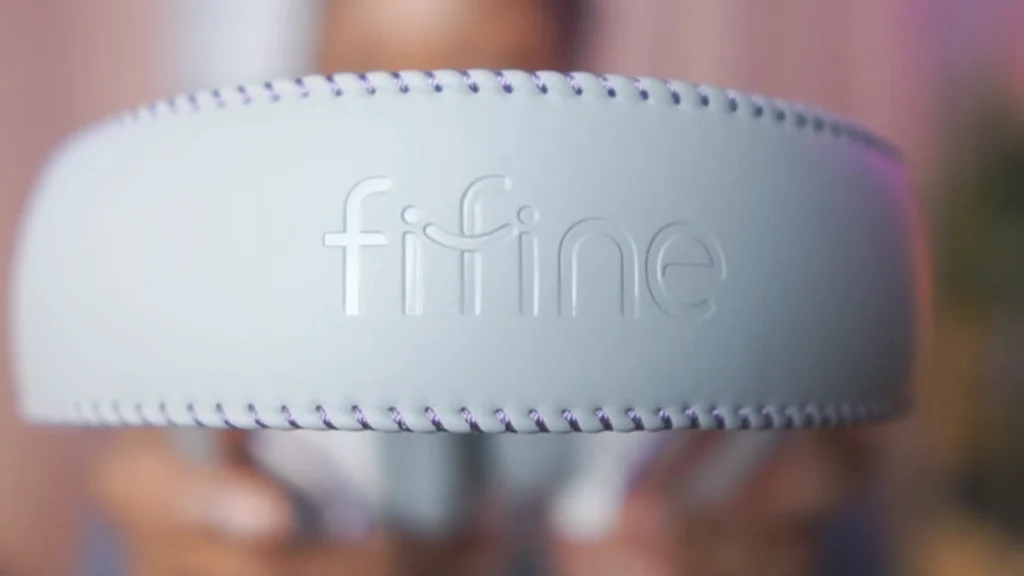
FIFINE’s embossed logo on the headband is a subtle touch that shows attention to detail you don’t always see at this price point. The ear cup stitching is clean, the L/R labels inside the cups are clearly marked (the FIFINE logo also faces correctly when worn properly, which is a clever orientation cue), and nothing rattles or creaks during use.

Removable Ear Cushions
A nice discovery: the ear cushions are removable. They snap off and back on easily, which means you can clean them properly or potentially swap in third-party replacements down the line. That’s a thoughtful design choice that extends the headset’s lifespan.
However, the ear cups don’t swivel flat—so if you like resting headphones around your neck between sessions, these won’t lie comfortably against your chest. You’ll want a headset stand or hook instead.
Controllable RGB Lights
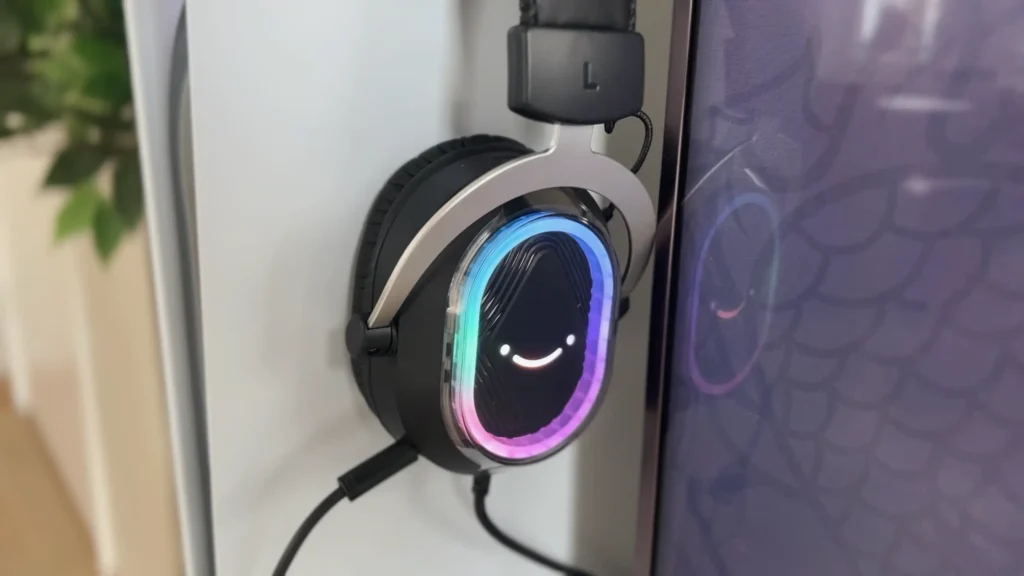
Good news to RGB enthusiasts, the FIFINE H13 gaming headset offers 11 kinds of RGB modes. You can adjust it via the button on the left ear cup. But the RGB lighting button on the left ear cup is easy to accidentally press when putting on or removing the headset. It won’t break anything, but you might cycle through colors unintentionally.
The Inline Control Box in FIFINE H13: Steals the Show
Score: 8.5/10
Like FIFINE H9 and H6, H13 puts nearly everything on an inline control box.
Here’s what you get with the control box: a volume wheel, a game/chat audio balance mixer, a mic mute button, three EQ presets (music, gaming, and movie), the 7.1 surround toggle, and noise cancellation activation. It’s genuinely convenient. Mid-match and need to boost voice chat volume? One hand, done. Want to switch from gaming EQ to music mode for a YouTube break? Press a button.
A discovery that delighted testers: you can stack the 7.1 surround with the EQ presets. Running 7.1 plus the music EQ gives you that bass explosion for cinematic moments, while 7.1 with gaming EQ keeps things balanced for competitive play. Having that flexibility without needing software is a genuine advantage.
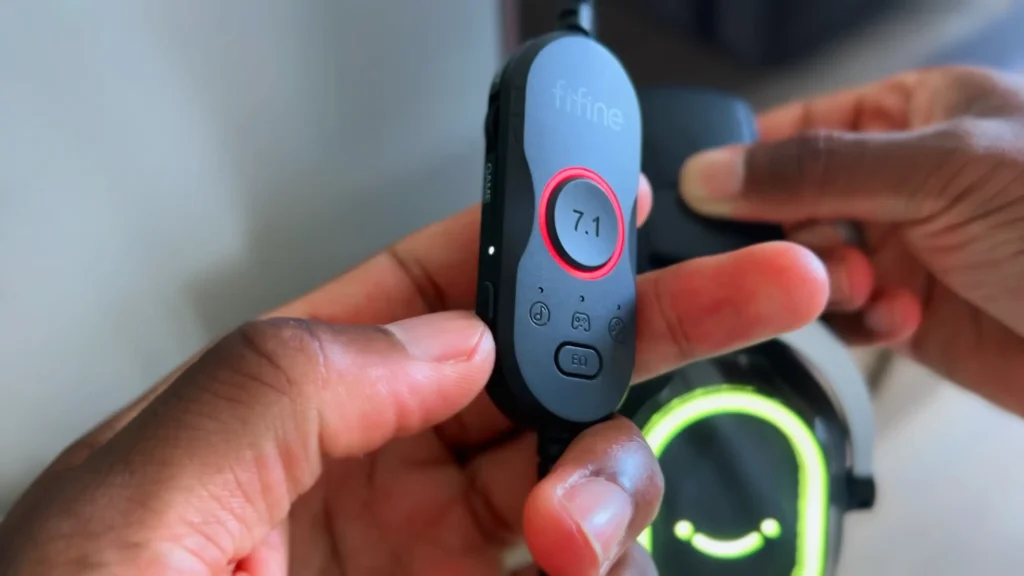
The control box also has a clip to attach to your shirt or cable management on your desk. It’s a practical detail that keeps the controls accessible without the box dangling awkwardly.
FIFINE H13 Value Review: Hard to Beat at This Price
Score: 9.0/10
Check its price again: about $55. At roughly $55, the H13 competes in a crowded field of budget gaming headsets. What sets it apart: 7.1 virtual surround, RGB lighting, a functional noise-canceling mic, three EQ presets, and comfort that rivals headsets costing twice as much.
FIFINE also backs the H13 with a 2-year warranty. You’ll feel peace; it’s not universal in the budget headset space.
The value calculation does come with a caveat: you need USB-A connectivity. If you’re primarily an Xbox gamer, this headset won’t work for you (Xbox doesn’t support USB audio). But for PC gamers and PlayStation users? The H13 punches well above its weight class. You’re getting build quality, features, and audio performance that embarrass some headsets at the $80-100 mark.
Who Is the FIFINE H13 Gaming Headset For?
| Perfect For | Why |
|---|---|
| PC gamers on a budget | USB connectivity works seamlessly, and you get features typically reserved for pricier headsets |
| PlayStation 4/5 players | Plug-and-play compatibility with full feature support |
| Streamers wanting RGB flair | Visible lighting adds production value without a premium price |
| Gamers who wear glasses | Soft ear cushions accommodate temple arms comfortably |
| Work-from-home professionals | Clear voice chat and noise cancellation handle meetings well |
| Not Ideal For | Why |
|---|---|
| Xbox gamers | Xbox doesn’t support USB audio—you’ll need the H9 with 3.5mm |
| Audiophiles seeking bass | Low-end response is adequate but not thumping |
| Multi-platform users | USB-only limits flexibility across different devices |
| Competitive FPS purists | 7.1 Processing can muddy directional precision (though stereo mode works fine) |
FIFINE H13 Alternatives: FIFINE AmpliGame H9 Headset
8.0/10
Pros
- Dual connectivity: USB-A and 3.5mm
- Works on Xbox via 3.5mm
- Lighter-weight design
- Compatible with handheld devices (Switch, PS Portal)
- Same competitive pricing
Cons
- No RGB lighting
- Smaller ear cups than H13
- No mute button when using 3.5mm
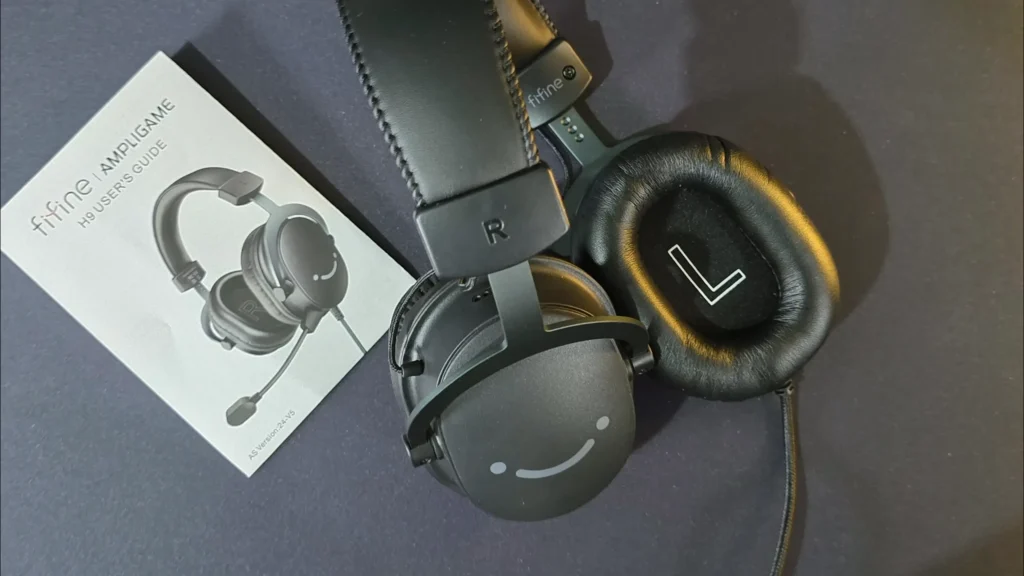
The FIFINE H9 is the H13’s sibling with a focus on versatility over features. If you need one headset that works across PC, PlayStation, Xbox, Switch, and handheld devices, the H9’s dual connectivity makes it the smarter choice. You lose the RGB lighting, and the ear cups are slightly smaller, but you gain cross-platform flexibility that the H13 simply can’t offer. Both headsets share the same 7.1 virtual surround capability and inline control functionality when using USB-A.
Final Verdict on FIFINE H13 Review
Budget headset doesn’t feel like a compromise, the FIFINE AmpliGame H13 headset proves it. Go through the FIFINE H13 review, the sound quality stands out, whether you hear from the headset or speak to the mic. Passive noise isolation the passive noise isolation blocks out your environment before you even hit play, and the ability to stack 7.1 surround with different EQ presets gives you real flexibility.
Designed with details, this USB headset clearly understands what matters at this price point—comfort you can actually feel, audio that performs where games demand it, and useful features rather than just marketing checkboxes. At $54 with a 2-year warranty, it’s genuinely hard to find a reason not to try it.
FAQs
Does the FIFINE H13 work with Xbox?
No. The H13 uses USB-A connectivity exclusively, and Xbox consoles don’t support USB audio for third-party headsets. If you need Xbox compatibility, consider the FIFINE AmpliGame H9, which includes a 3.5mm connection option.
Is the 7.1 surround sound real or virtual?
The H13 uses virtual 7.1 surround sound processed through its USB connection. It creates a spatial audio effect using the two 50mm drivers rather than having multiple physical drivers. It works well for immersive gaming, but competitive FPS players may prefer stereo mode for sharper directional cues.
Can I use 7.1 surround and EQ modes at the same time?
Yes. You can stack the 7.1 virtual surround with any of the three EQ presets (music, gaming, or movie). This gives you flexibility—for example, 7.1 plus the music EQ delivers stronger bass for cinematic games, while 7.1 with gaming EQ keeps things balanced for competitive play.
Can I turn off the RGB lighting?
Yes. Hold the RGB button on the left ear cup for 3 seconds to turn off all lighting. Press it again to cycle through different lighting modes and colors.
Does the H13 require software or drivers?
No. The H13 is entirely plug-and-play. All features, including EQ modes, 7.1 surround, and noise cancellation, are controlled via the inline hardware control box.
Is the microphone detachable?
Yes. The boom microphone detaches when you don’t need it, giving the headset a cleaner profile for solo gaming or media consumption.
Can I replace the ear cushions?
Yes. The ear cushions snap off and back on easily for cleaning or replacement. While FIFINE doesn’t currently sell replacement cushions separately, the design may be compatible with third-party cushions. This also makes deep cleaning much easier over the headset’s lifespan.
What platforms is the H13 compatible with?
The H13 works with PC (Windows and Mac), PS4, and PS5—essentially any device that supports USB-A audio. It does not work with Xbox or devices that require 3.5mm connections.
