
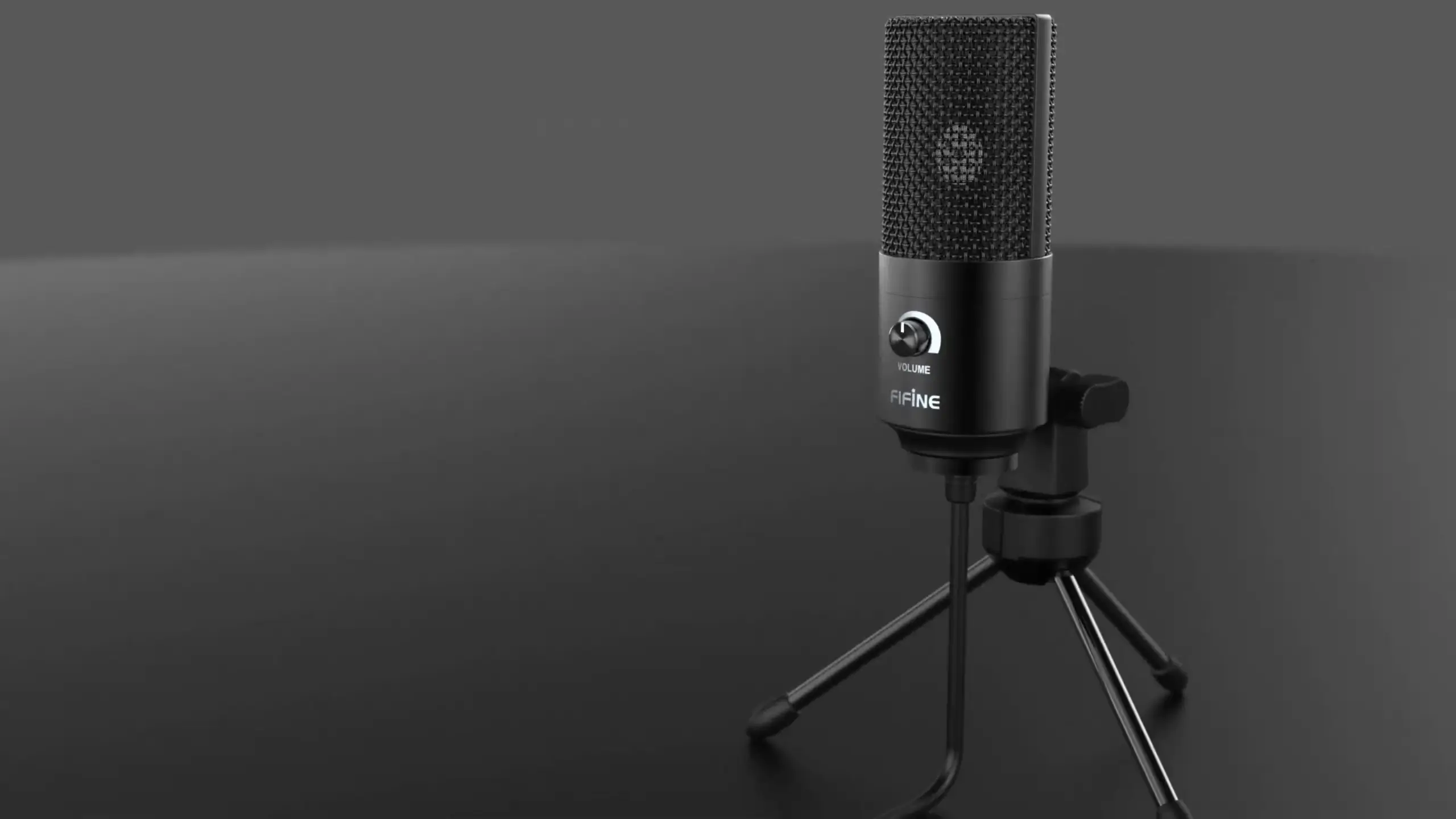
FIFINE K669B Review: Is This $30 USB Microphone Worth It?

The FIFINE K669B helped launch an entire generation of budget-conscious content creators. Before this little mic showed up, the Blue Yeti dominated the entry-level space at around $129. Then FIFINE dropped a bomb: comparable audio quality for a fraction of the price. Today, you can grab one for roughly $25 to $35, depending on where you shop.
But here’s the real question: Does the K669B still hold up against newer competition? After diving deep into real-world testing, comparing it against industry standards, and exploring the FIFINE K669B review, we’ve got answers.
Quick Verdict about FIFINE K669B Review
| Category | Score |
| Sound Quality | 7/10 |
| Build Quality | 8/10 |
| Value for Money | 9/10 |
| Ease of Use | 9/10 |
| Noise Performance | 6/10 |
| Versatility | 6/10 |
| Overall | 7.5/10 |
Price: $29.99
Pros:
- Exceptional value at under $30
- Solid metal construction with good heft
- Plug-and-play USB connectivity
- Built-in analog gain control knob
- Includes tripod stand and everything needed to start recording
- Decent plosive handling without a pop filter
- Clear, intelligible audio output
Cons:
- Non-detachable USB cable (Type-A)
- Noticeable self-noise/hiss at higher gain settings
- Lacks headphone monitoring jack
- The very sensitive gain knob requires careful adjustment
- It can sound thin compared to newer FIFINE models
- No mute button or indicator light
What’s in the Box
The K669B arrives in FIFINE’s updated packaging—a cleaner design featuring their signature smiley logo. Inside, you’ll find:
- FIFINE K669B USB condenser microphone
- Adjustable tripod desk stand
- User manual with setup illustrations
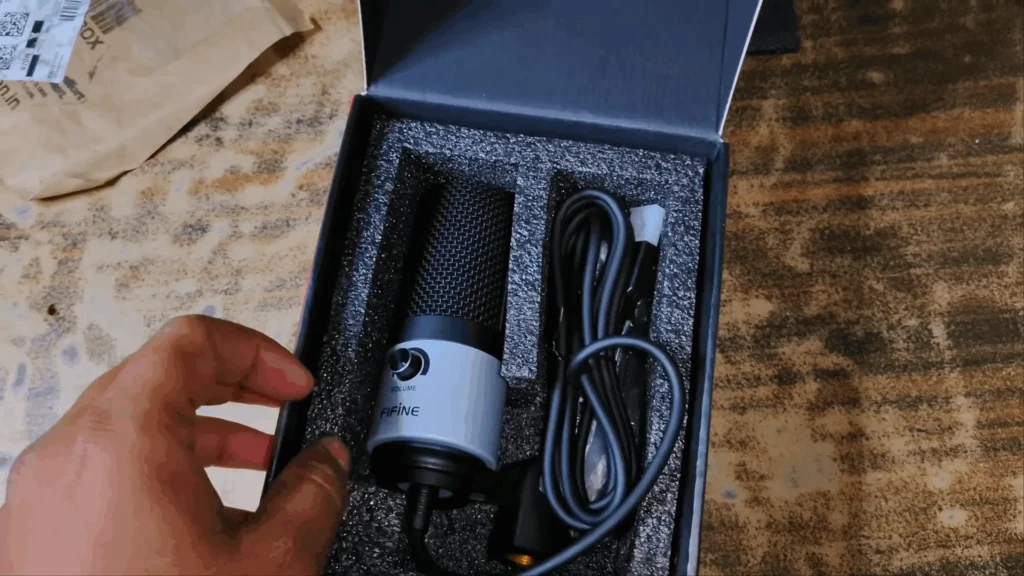
That’s it. The simplicity here is intentional. Unlike XLR microphones that require additional interfaces or mixers, you can literally plug this into your computer and start recording within minutes. The updated box design is a significant improvement over the 2020 release. The protective foam is thick, but the overall packaging size is appropriate. Your microphone will receive convenient and effective protection.
Detailed FIFINE K669B Review Exploration
The FIFINE K669B microphones have been around forever, which means there’s no shortage of opinions floating around. To make sense of all FIFINE K669B reviews, let’s look at what the reviews actually agree on, where they clash, and what that means in real use.
Build Quality: Small But Mighty
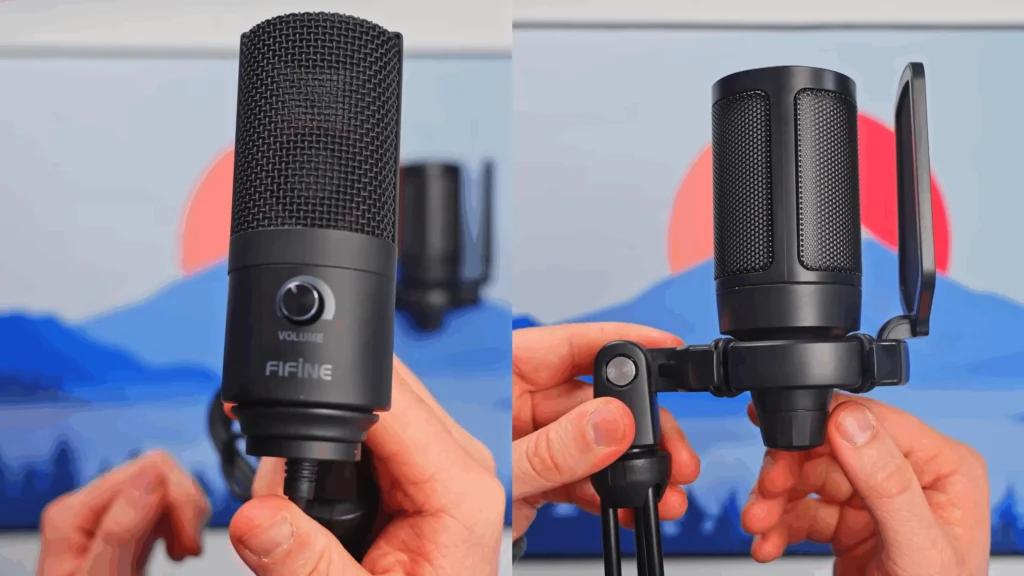
First impression when you pick up the K669B? It’s heavier than expected. The weighing scale reads roughly 400g with the stand attached—enough heft to feel substantial without being cumbersome. The metallic body also looks safe and stylish. The grill protecting the condenser capsule feels solid and well-constructed. You’re not going to dent this thing by accident.
The microphone is smaller and more compact than competitors like the Blue Yeti. Side by side, the Yeti towers over the K669B. For streamers and YouTubers who want decent audio without a giant microphone dominating their frame, this compact form factor works in your favor.
One design element that stands out: the microphone clip allows 360-degree rotation plus tilt adjustment. You can position the capsule exactly where you need it, whether you’re speaking directly into the top or angling it off to the side. The mic can also collapse for storage or be removed entirely from the stand for mounting on a boom arm.
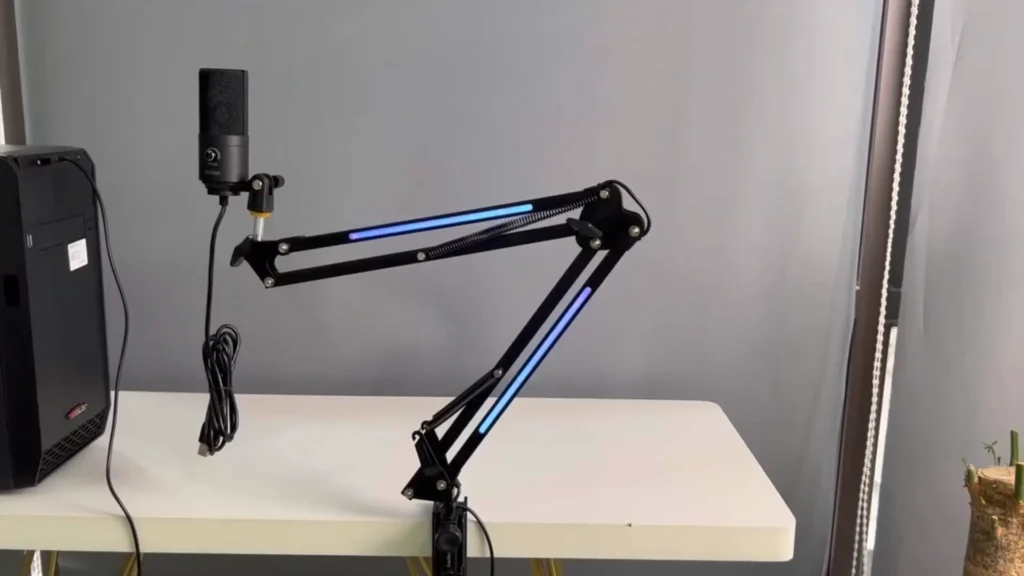
I love how it can rotate the microphone very easily and how you can get it to whatever angle you need it to be at. —— Dave Soltura, a Voice Actor.
The one build quality concern? The volume knob feels slightly loose. It functions fine, but there’s a bit of wobble that suggests this is where costs were cut. Not a dealbreaker, but worth mentioning.
Sound Quality: Clear with Caveats
When it comes to the FIFINE K669B review, the sound quality might matter most. So, how does this thing actually sound?
The K669B is a condenser microphone with a cardioid polar pattern. Translation: it picks up sound primarily from the front while rejecting noise from the sides and rear. The frequency response spans 20Hz to 20kHz, covering everything the human voice produces and then some.
At one foot away, the K669B delivers clear, intelligible audio. Voices cut through without sounding muffled or distant. There’s a slight brightness to the sound signature—frequencies lean toward clarity and sharpness rather than warmth and fullness.
Get closer for the proximity effect, and the bass response increases noticeably. Position yourself about an inch or two from the mic, and you’ll hear that characteristic radio-voice boominess that makes spoken word sound more professional. The trade-off: you’ll need to dial the gain way down to avoid peaking.
K669B Comparison
- Blue Yeti: the K669B holds its own surprisingly well. In blind tests, many listeners struggle to identify a massive quality difference. The Yeti isolates voice slightly better and has a touch more polish, but we’re talking about a $100 mic versus one that costs a third of that price.
- FIFINE A6V. The A6V delivers more balanced sound with additional warmth around 200Hz and fullness around 400Hz. The K669B sounds primarily tiny, clear, and sharp. If you need maximum intelligibility for podcasts or voice chat, the K669B’s character works. For singing or applications where replayability matters, A6V pulls ahead.
- Shure MV7 ($250 versus $35): You won’t hear a $200+ difference in raw audio quality. The MV7 offers more versatility (USB and XLR connectivity) and refined sound, but the K669B punches way above its weight class.
The Self-Noise Issue
One thing you can’t really skip when talking about the K669B is the noise floor. If you start cranking the gain, you’ll hear a faint hiss sitting in the background. No mystery, no bad unit luck. Testing shows it’s baked into the preamp design.
The k669 already sounds good, but it did have this prominent hissing sound. —— Dave Soltura, a voice actor.
What makes it stand out more is that FIFINE has clearly gotten better since then. Their newer mics handle this way more gracefully. The A6V, for example, runs noticeably quieter at the same gain levels, which you’ll hear right away if you A/B them.
That said, for straight-up voice chat, this usually doesn’t matter. Discord and similar apps slap on automatic noise reduction anyway, and it does a solid job of hiding the hiss. On the other end of the call, people won’t hear anything weird.
But there is some advice for recording vocals or voiceovers:
- Record close to the mic with gain set low (around 7-10% on the knob). This maximizes signal-to-noise ratio.
- Apply post-processing using software like Audacity. Noise reduction, compression, normalization, and EQ can transform K669B recordings into professional-sounding audio.
The hiss isn’t a dealbreaker, but it does require awareness and management.
Sensitivity and Gain Control
The analog gain knob on the front of the K669B offers convenient real-time adjustment—but it requires a delicate touch.
Tiny turns of the dial can swing your input level way more than you’d expect. Push it a little too far and boom, you’re clipping. The sweet spot between clean audio and crunchy distortion is pretty narrow, so you can’t just crank it and forget it.
Most people seem to land somewhere between 9 and 11 o’clock, depending on how close they’re sitting. At about a foot away, roughly 50% gain works fine for everyday use. Move closer, and you’ll want to back it down to 30% or even less; otherwise, peaks show up fast. That said, slow, careful adjustments pay off.
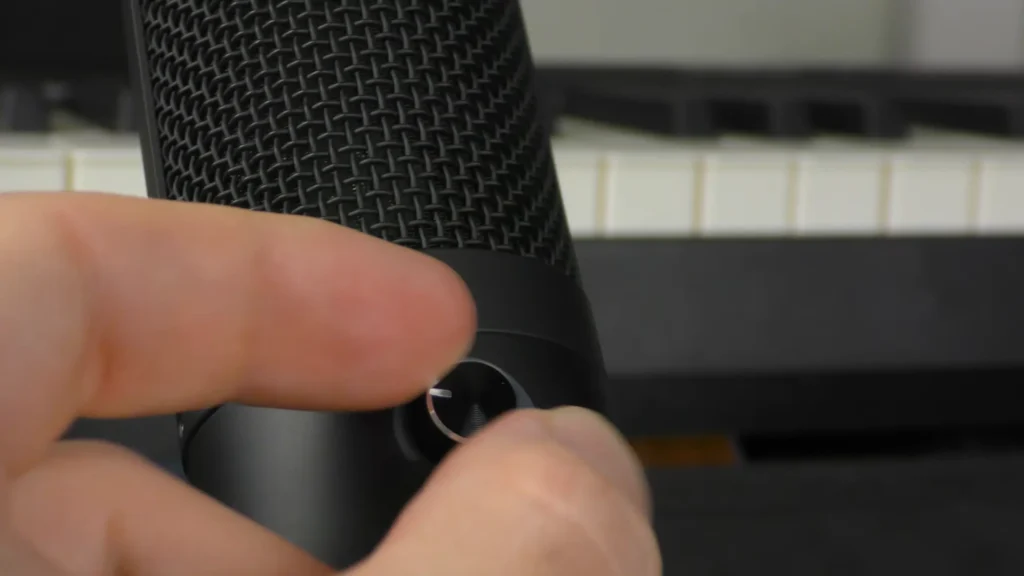
Note: the internal processing can cause clipping-like distortion even when your recording software shows levels aren’t peaking. If the audio sounds distorted despite safe-looking meters, reduce the hardware gain further.
But turn the gain too low, and the microphone effectively turns off. So, finding the sweet spot takes experimentation.
Plosive Performance
Plosives—those harsh “P” and “B” sounds that cause microphone-distorting pops—can destroy otherwise clean recordings. The K669B handles them better than many budget competitors.
Running the classic “Peter Piper picked a patch of pickled peppers” test up close, the K669B doesn’t completely fall apart, even without a pop filter. You’ll still hear some pops, sure, but they’re not ear-shredding or unusable.
I thought that this microphone did a really good job on plosives; they weren’t completely intolerable even without the windscreen. I’ve definitely heard a lot of microphones that are way more expensive than this one that don’t do nearly as good a job cutting on “P”s. —— YouTuber Audio Hotline.
Add a pop filter, and the problem mostly disappears. For under $10, it’s an easy upgrade and honestly a no-brainer if you’re recording anything more serious than casual chat.
Background Noise Rejection
The cardioid polar pattern does help reject off-axis sound, but condenser microphones inherently pick up more room noise than dynamic alternatives.
During background noise rejection testing with keyboard clatter, the K669B captures some typing sounds but doesn’t amplify them excessively. Rotating the microphone 90 degrees from the sound source reduces pickup noticeably. At 180 degrees (microphone facing away from noise), rejection improves further.
Practical translation: This mic hears everything. If your PC fans are loud, your dog decides to comment, or someone fires up a lawnmower outside, the K669B will pick up at least some of it. That’s just how condenser mics work. Sensitivity comes first, isolation comes second.
For streaming or voice chat, this usually isn’t a big deal. Discord and similar apps use real-time noise suppression, and it keeps the chaos in check. If you’re chasing clean, polished vocal recordings, though, you’ll want a quieter space or be ready to do some cleanup in post.
USB Connectivity: Simplicity with Limitations
The K669B uses USB-A connectivity with a permanently attached 2-meter cable. Plug it into your computer, and it works immediately. No drivers to install. No phantom power required. The mic pulls 5 volts directly from the USB port.
Setup time in testing: under 2 minutes from unboxing to recording in Logic Pro on a MacBook. Windows, Mac, and Linux all recognize the microphone instantly.
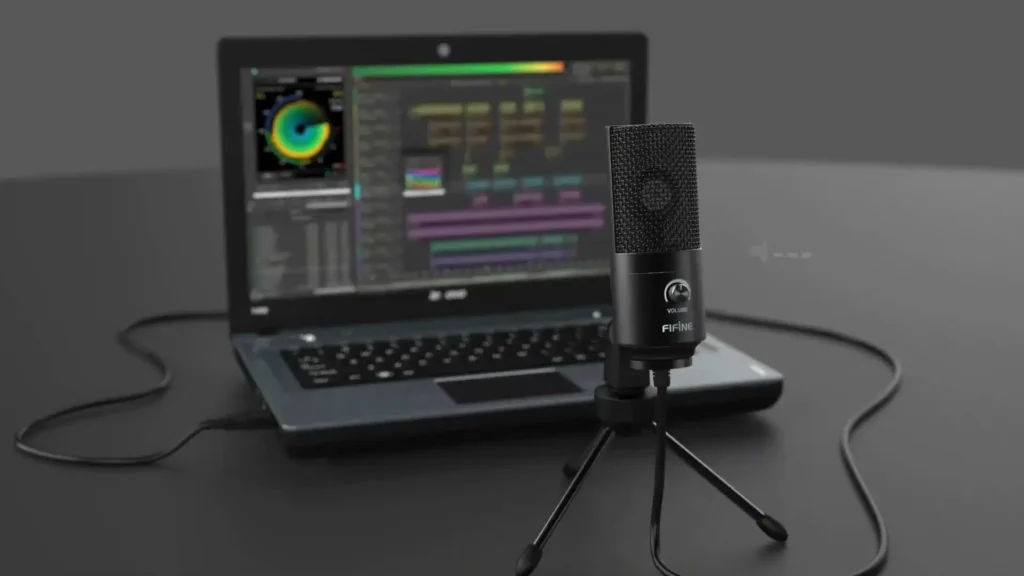
The biggest limitation? The non-detachable cable. If the cable fails or gets damaged, the entire microphone becomes useless. You can’t swap in a longer cable for complicated desk setups, either.
There’s a common limitation for all USB mics: You can only run one USB microphone per computer in most recording applications. Want multiple inputs for a podcast with guests? You’ll need XLR microphones and a mixer. So, the K669B is fundamentally a solo-user solution.
Who Should Buy the FIFINE K669B?
Excellent for:
- First-time content creators testing the waters
- Gamers upgrading from terrible headset microphones
- Discord/Zoom/Skype callers wanting clearer audio
- Budget-conscious streamers who need functional audio today
- Anyone wanting better quality than laptop/tablet built-in mics
- Hobbyist voice-over work with post-processing
Less ideal for:
- Professional podcast producers (consider the A6V or MV7)
- Singers who need warmth and fullness
- Recording environments with significant background noise
- Users who need headphone monitoring
- Anyone requiring multiple simultaneous microphone inputs
K669B Alternatives Worth Considering
FIFINE AmpliGame A6V (~$30-45)
The spiritual successor to the K669B offers improved preamps with less self-noise, better warmth and fullness in the frequency response, and RGB lighting. At roughly the same price as the K669B originally launched at, the A6V represents what budget audio quality looks like now. If starting fresh today, the A6V makes more sense for most users.
Blue Yeti (~$100)
The longtime standard for USB microphones offers more versatile pickup patterns, built-in headphone monitoring, a detachable USB cable, and an indicator light. Sound quality exceeds that of the K669B, but not by the margin the price difference suggests. Worth it for users wanting future-proof features.
Shure MV7 (~$250)
Hybrid USB/XLR connectivity means this mic grows with your setup. Superior build quality and refined sound for serious creators willing to invest. The K669B user who eventually upgrades often lands here.
Final Verdict
After exploring the FIFINE K669 review, it’s said that the FIFINE K669B earned its reputation for a reason. It proved that decent audio quality didn’t require spending over $100. For streamers, gamers, and casual content creators in 2020, this mic opened doors.
The K669B isn’t the best budget microphone you can buy today—but it might be the best value if you find it on sale. Under $30, the FIFINE K669B microphone with clear sound is enough for communication and casual content.
Pair it with a pop filter and boom arm, learn basic post-processing, and you’ll have a capable setup for well under $50 total. All in all, the K669B mic is the barrier to entry for anyone who wants to start their content creation journey.
FAQs
Does the FIFINE K669B require phantom power?
No. The microphone draws 5 volts directly from the USB connection. Just plug it into any USB port and start recording.
Can I use the K669B with a boom arm?
Yes. The microphone can be removed from the included tripod stand and mounted on standard microphone boom arms with 5/8″ threading.
Why does my audio sound distorted even though the levels look fine?
The K669B’s internal circuitry can clip before your software registers peak. Reduce the hardware gain dial even if your recording meters show safe levels.
Does the K669B work with PS4/PS5/Xbox?
The K669B microphone works with the PS4/PS5. But it doesn’t work with Xbox.
What’s the difference between the K669B and the K669?
The K669B is the updated version. The biggest visual difference is that the K669B has a black body, while the K669 has a pink body. Besides that, the difference between the K669B and the K669 can be referred to the article “FIFINE K669B vs K669”.
